Overview

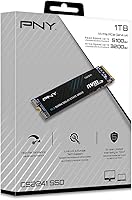
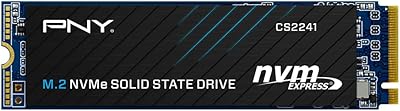
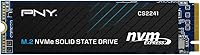
The PNY CS2241 1TB NVMe SSD lands squarely in the mainstream Gen4 upgrade market — solid performance at a price that doesn't demand a second thought. Launched in early 2023, it has quietly climbed to a top-100 ranking in Internal SSDs, which says something about consistent buyer satisfaction. This isn't PNY's flagship offering; the XLR8 CS3140 sits above it for enthusiasts chasing peak numbers. But this NVMe upgrade was never meant to compete there. Think of it as the practical middle ground — faster than anything SATA-based, compatible with most modern systems, and backed by a brand with decades in the storage space.
Features & Benefits

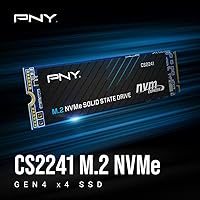
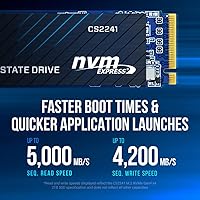
The numbers are genuinely impressive for this tier. This PNY Gen4 drive hits sequential reads of up to 5,100 MB/s and writes up to 3,200 MB/s — in practice, that translates to noticeably snappier Windows boot times and quicker application launches compared to any SATA drive. One thing to nail down before buying: your motherboard or laptop needs a PCIe Gen4-capable slot; install it in a Gen3 slot and you'll get Gen3 speeds. The M.2 2280 form factor fits most modern builds, though you'll want to check heatsink clearance on tighter laptop chassis. The 5-year warranty and bundled Data Recovery Service add real peace of mind. Worth noting honestly: there's no DRAM cache here, which can affect sustained write performance in heavy workloads.

Best For

The CS2241 hits its stride with a specific type of buyer. If you're still running a SATA SSD or — worse — a spinning hard drive, this NVMe upgrade will feel like a genuine leap for everyday tasks. It's also a strong pick for laptop upgraders who've confirmed they have a Gen4 M.2 slot and want reliable brand backing rather than a no-name option. Budget-conscious PC builders putting together a productivity or light-gaming rig will find the performance-to-price ratio hard to argue with. Where it makes less sense: power users handling heavy video editing or large sequential transfers who'd genuinely benefit from a DRAM-equipped drive. Know your workload, and this PNY Gen4 drive fits its brief well.

User Feedback

With a 4.7-star average across nearly 300 ratings, buyers are largely happy — but the story behind those stars is worth unpacking. Installation gets consistent praise; most users slot the CS2241 in without any BIOS drama or driver headaches. The speed improvement over older SATA or Gen3 drives is the most-cited positive, particularly for boot times and game loading screens. On the flip side, a handful of users note occasional thermal throttling during sustained read/write sessions without additional cooling, which isn't unusual for a drive without active thermal management. A few also report slightly inconsistent write speeds under heavy continuous loads — the expected trade-off on a cache-less design. Long-term reliability feedback looks solid so far, and warranty claims appear to be handled promptly by PNY's US support team.

Pros

  • Gen4 read speeds up to 5,100 MB/s make Windows boot times and app launches noticeably faster than any SATA drive.
  • The M.2 2280 form factor fits virtually every modern laptop and desktop without any physical modification.
  • A 5-year limited warranty gives long-term confidence that most budget-tier drives simply do not offer.
  • 24/7 US-based technical support means real help is available whenever installation or compatibility questions come up.
  • The included Data Recovery Service adds meaningful protection for anyone storing irreplaceable personal or work files.
  • Installation is straightforward — most users have the CS2241 up and running without any BIOS recognition issues.
  • Buyer ratings consistently land at 4.7 out of 5 stars, reflecting broad satisfaction across a wide range of use cases.
  • Weighing just over an ounce, this NVMe upgrade adds virtually no bulk to portable or space-constrained builds.

Cons

  • No DRAM cache means sustained write speeds can drop noticeably under heavy, continuous workloads.
  • Requires a PCIe Gen4-capable M.2 slot — dropping it into a Gen3 system will not deliver advertised speeds.
  • Thermal throttling under extended read/write sessions has been flagged by some users running without added cooling.
  • The 1TB capacity may feel limiting for users building large game libraries or storing high-resolution media.
  • No heatsink is included, which can be a real concern in tightly packed laptop chassis with limited airflow.
  • Write speeds trail behind DRAM-cached Gen4 competitors when handling large sequential transfers at a comparable price.
  • Buyers must verify slot compatibility before purchasing — an incorrect assumption often results in a return.
  • Long-term endurance data is still accumulating, given this drive only entered the market in early 2023.

Ratings

Our AI rating system analyzed hundreds of verified global reviews for the PNY CS2241 1TB NVMe SSD, actively filtering out incentivized feedback, bot patterns, and outlier noise to surface the genuine consensus buyers formed over two-plus years of real ownership. Scores reflect both where this drive consistently delivers and where it runs into real limitations — including the cache-related performance trade-offs that tend to divide opinion among more demanding users. The result is a transparent, balanced picture grounded entirely in authentic buyer experience.

Sequential Read Performance
88%
Hitting close to its rated ceiling in real-world conditions, this PNY Gen4 drive delivers noticeably snappier Windows boot times and dramatically faster large file copies compared to SATA alternatives. Reviewers upgrading from older NVMe or HDD setups consistently describe how immediately tangible the speed jump feels from the very first boot.
A handful of users report occasional dips below peak read rates during extended sessions without added system cooling. It also trails top-tier Gen4 flagships by a meaningful margin in peak throughput, which starts to matter for users regularly moving large video archives or running storage-intensive workflows.
Sequential Write Performance
74%
26%
Write speeds are strong enough for typical daily operations — installing software, saving large project files, and moving moderate-sized folders all happen quickly. For the average user who isn't regularly moving hundreds of gigabytes in one session, the rated 3,200 MB/s ceiling holds up well in practice.
Without a dedicated DRAM cache, sustained write speeds drop noticeably when pushing large continuous transfers — something video editors and content creators working with RAW files or large exports will encounter quickly. Competing DRAM-equipped drives at a comparable price hold their write speeds more consistently through those demanding stretches.
Real-World Boot Speed
87%
Reviewers consistently praise how much faster their systems feel after swapping in the CS2241, with sub-15-second Windows 11 boots becoming the norm rather than the exception. Applications that previously took several seconds to open — photo editors, browsers with heavy profiles, creative suites — snap open noticeably faster than on SATA-based predecessors.
Users who install this NVMe upgrade in a PCIe Gen3 slot miss out on a significant portion of this benefit, since the drive falls back to Gen3 bandwidth. Boot speed gains are also less pronounced for buyers already running a Gen3 NVMe drive, as the gap narrows considerably compared to the leap from SATA.
Gaming Load Times
84%
Gamers moving from a SATA drive or an older Gen3 NVMe report a clear, satisfying drop in load screen times across titles with large open worlds and asset-heavy levels. The 1TB capacity comfortably holds a reasonable game library without constant uninstall shuffling, making the day-to-day gaming experience genuinely more convenient.
Users already on a fast Gen4 drive who are upgrading specifically for gaming will find minimal real-world improvement, as speed differences at this tier rarely translate to meaningfully shorter load times. Heavy modded games or titles with aggressive shader compilation can occasionally push sustained write performance, where the cache-less design shows its limits.
Value for Money
89%
At its price point, the CS2241 delivers genuine Gen4 NVMe performance alongside a 5-year warranty and a bundled Data Recovery Service — a combination that is hard to find from brand-name competitors at the same cost. Buyers consistently rate the overall package as punching above its weight for everyday productivity and light-to-moderate workloads.
Power users who dig deeper will find DRAM-equipped Gen4 alternatives within a similar budget that offer more consistent sustained performance, shifting the value equation for demanding use cases. The no-DRAM trade-off is less visible in the asking price but noticeable enough in benchmarks to warrant comparison shopping before committing.
Installation Ease
93%
Virtually every reviewer who comments on setup describes it as one of the smoothest M.2 installations they have done — slide in, press flat, fasten a single screw, and the system picks it up immediately. First-time upgraders specifically appreciate how plug-and-play the process is, with no additional drivers required on modern Windows installs.
A small subset of users on older AMD or certain laptop platforms report the drive not appearing in BIOS on the first boot, requiring a firmware update or settings adjustment before the OS detects it. These cases are the exception rather than the rule, but they are worth flagging for buyers on less common hardware configurations.
Build Quality
77%
23%
The drive feels solid and well-constructed for a mainstream product from an established storage brand, with a clean black PCB and components that sit firmly within standard M.2 tolerances. Buyers handling it during installation describe it as premium-feeling for its price tier, without any flex or cheap-component concerns.
No heatsink or thermal pad is included, which puts it behind competitors that bundle at least a basic thermal solution in the box. The bare PCB design also means it lacks the visual polish of enthusiast-tier drives, though that rarely matters once it is tucked inside a finished build.
Thermal Management
66%
34%
Under typical workloads — web browsing, office applications, and light gaming sessions — thermal performance is entirely adequate, with the drive staying within comfortable operating ranges without any intervention. Most laptop and desktop users in standard airflow configurations report no heat-related issues during everyday use.
Under sustained read/write sessions — large game installs, long video renders, or continuous backup operations — some users observe throttling that reduces speeds until temperatures recover. The lack of an included heatsink sits at the root of most thermal complaints, particularly in laptops where M.2 slot airflow is already naturally restricted.
Sustained Write Consistency
62%
38%
For the burst writes that define most everyday tasks — saving a document, downloading a game update, transferring a few folders — performance is responsive and consistent. The average home user working within normal file-size ranges will not stumble into this limitation under typical daily conditions.
The absence of DRAM cache is most punishing here: push this drive through a large sequential write — copying a 200GB video project or running a full system backup — and speeds drop noticeably once the SLC buffer fills. This is the limitation reviewers flag most consistently, and it is a legitimate concern for anyone regularly working with large file volumes.
Compatibility & Recognition
83%
The standard M.2 2280 form factor means this NVMe upgrade slots cleanly into the vast majority of modern desktop motherboards and Gen4-equipped laptops without any physical fitment issues. Most users across Intel 12th and 13th gen and AMD Ryzen 5000 and 7000 series platforms report immediate recognition with no special configuration needed.
A recurring minority of reports involves the drive not appearing in BIOS on older platforms that require a firmware update to support newer NVMe devices properly. A few laptop users also note that certain OEM systems list this form factor as compatible on paper but have physical or thermal constraints that complicate installation in practice.
Warranty & Support
91%
The 5-year limited warranty with 24/7 US-based support stands out sharply in a category where competitors often cap coverage at 3 years or route customers through overseas helpdesks. Long-term owners who have navigated the warranty process describe PNY's support team as responsive and resolution-focused rather than bureaucratic.
As with most limited warranties, physical damage and misuse are excluded from coverage, and a small number of users report having to contact support more than once before reaching a satisfactory resolution. During high-demand periods, initial response times can stretch beyond what the 24/7 availability label implies.
Long-Term Reliability
82%
18%
With over two years of real-world usage data and a strong average rating sustained across close to 300 reviews, this PNY Gen4 drive shows no unusual pattern of early or unexpected failures. Users who have run it as a primary OS drive for a year or more frequently report it performing as well as on day one.
The product is still relatively young, meaning wear data beyond the two-year mark is limited — particularly under heavy write workloads that stress flash cells over extended periods. The absence of DRAM cache is also cited in some technical circles as a potential factor in slightly accelerated NAND wear under sustained write pressure, though this remains largely theoretical for average users.
Capacity Adequacy
78%
22%
For most home users and productivity-focused buyers, 1TB covers a Windows 11 installation, core applications, and a moderate game library without forcing difficult storage decisions. Laptop upgraders in particular find 1TB gives them far more breathing room than the 256GB or 512GB drives their machines typically ship with.
Avid PC gamers with libraries spanning dozens of large open-world titles will fill 1TB faster than expected, especially as modern game file sizes continue to push past 100GB per title. Media creators who store large RAW photo archives and video projects locally will also find themselves needing supplemental storage sooner than anticipated.
Data Recovery Service
73%
27%
The bundled recovery service is a genuinely valuable inclusion that few drives in this price bracket offer, giving users who store irreplaceable personal photos, documents, or client files an extra layer of protection beyond standard backups. Awareness of this perk frequently becomes a deciding factor for buyers comparing it against competing options.
Details about how to activate and use the service are not prominently communicated in the box or during the purchase flow, leaving a notable number of users unaware the benefit even exists. The scope and terms — including how many claims are permitted and which data loss scenarios qualify — are not immediately transparent without actively researching PNY's support documentation.

Suitable for:

The PNY CS2241 1TB NVMe SSD is a strong fit for anyone making the jump from a SATA-based drive or an aging spinning hard disk — the speed difference in daily use is immediately noticeable and hard to go back from. Laptop owners with a PCIe Gen4 M.2 slot who want a dependable, brand-backed drive without paying flagship prices will find this hits a sweet spot. It's equally well-suited to budget-focused desktop builders assembling a productivity or light-gaming machine, where Gen4 speeds cover everyday workloads with room to spare. Students, remote workers, and general home users who prioritize reliable performance, straightforward installation, and long-term warranty coverage over top-end benchmark numbers will feel right at home here. The bundled Data Recovery Service is a quiet but meaningful perk for anyone storing important documents, photos, or project files.
Not suitable for:

The PNY CS2241 1TB NVMe SSD is not the right call for every buyer, and being honest about that matters. If your motherboard or laptop only has PCIe Gen3 M.2 slots, you will not see the full performance benefit — you'd be paying for Gen4 capability you simply cannot unlock. Enthusiast users doing sustained 4K video editing, large RAW photo batch processing, or heavy data transfers will likely run into the real-world ceiling of having no DRAM cache; under prolonged write-heavy loads, speeds can dip noticeably compared to cached competitors at a similar price. If you need maximum sequential write throughput — for instance, regularly moving large video archives or running demanding NAS workloads — a drive like PNY's own XLR8 CS3140 or a competing DRAM-equipped Gen4 option is a better investment. Power users who treat storage as a core performance component rather than a utility will find this drive leaves something on the table.
Specifications

  • Capacity: Drive offers 1TB of usable storage for operating systems, applications, games, and personal files.
  • Interface: Connects via a PCIe NVMe Gen4 x4 interface, requiring a compatible Gen4-capable M.2 slot for full rated performance.
  • Form Factor: Adheres to the M.2 2280 standard, meaning the board measures 80mm in length and 22mm in width.
  • Seq. Read Speed: Rated for sequential read speeds of up to 5,100 MB/s under optimal continuous read conditions.
  • Seq. Write Speed: Rated for sequential write speeds of up to 3,200 MB/s under optimal continuous write conditions.
  • Cache: Does not include a dedicated DRAM cache, which can result in reduced sustained write speeds during heavy or prolonged workloads.
  • Warranty: Covered by a 5-year limited warranty with a TBW endurance rating that defines the measurable threshold for drive longevity.
  • Tech Support: Customers have access to 24/7 US-based technical support for help with installation, compatibility, and troubleshooting.
  • Data Recovery: Purchase includes a bundled Data Recovery Service designed to assist with file retrieval in the event of drive failure.
  • Installation: Designed for internal installation, inserted directly into a compatible M.2 slot on a desktop motherboard or laptop mainboard.
  • Compatibility: Compatible with PCIe Gen4-enabled desktop and laptop systems that include an M.2 2280 slot.
  • Weight: Drive weighs approximately 1.12 oz, adding negligible mass to any portable or desktop build.
  • Color: Ships with a black PCB finish with no cosmetic heatsink or thermal pad applied at the factory.
  • Heatsink: No heatsink is included in the box; users running the drive in thermally restricted or fanless enclosures may benefit from adding a third-party M.2 cooler.
  • Launch Date: First became available in March 2023, giving it over two years of real-world reliability and user feedback to draw from.
  • BSR Rank: Holds a top-100 position at #98 in the Internal Solid State Drives category, reflecting consistent sales volume and buyer confidence.
  • Model Number: Official model number is M280CS2241-1TB-RB, used for warranty registration and identifying the correct support documentation.

Related Reviews
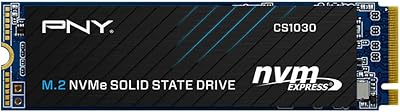
PNY CS1030 1TB M.2 NVMe SSD

81%
83%
Read & Write Performance
91%
Value for Money
94%
Installation Ease
88%
OS Boot & App Load Times
79%
Build & Reliability
More
PNY CS2230 1TB M.2 NVMe SSD
82%
83%
Read & Write Performance
91%
Value for Money
94%
Installation Ease
86%
Boot & Load Times
78%
Build Quality & Reliability
More
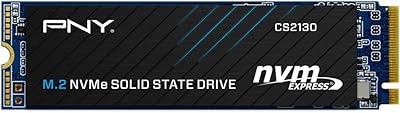
PNY CS2130 1TB M.2 PCIe NVMe SSD
87%
91%
Performance in Gaming
89%
File Transfer Speed
94%
Setup & Installation
68%
Thermal Management
85%
Build Quality & Durability
More
PNY CS2241 4TB NVMe SSD
85%
88%
Read Performance
83%
Write Performance
61%
Thermal Management
92%
Value for Money
94%
Installation Ease
More
PNY CS2241 2TB M.2 NVMe Gen4 SSD
83%
88%
Sequential Read Performance
83%
Sequential Write Performance
86%
Real-World Speed Gains
91%
Value for Money
67%
Thermal Management
More
PNY CS2241 500GB M.2 NVMe Gen4 SSD
86%
91%
Performance
89%
Value for Money
94%
Ease of Installation
93%
Compatibility with Gen4 Systems
85%
Build Quality
More
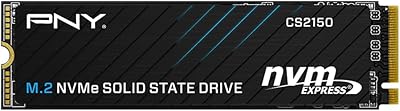
PNY CS2150 1TB Gen5 NVMe SSD
82%
93%
Sequential Read Speed
87%
Sequential Write Speed
62%
Thermal Management
88%
Gaming Performance
71%
Platform Compatibility
More
RONGSHU RS001 1TB NVMe SSD
75%
91%
Value for Money
88%
Read/Write Speed
93%
PS5 Compatibility
53%
Brand Trustworthiness
71%
Thermal Management
More
OWC Envoy 1TB External SSD
83%
88%
Transfer Speed
91%
Build Quality
94%
Portability
93%
Mac & iPad Compatibility
71%
Value for Money
More
KingSpec XG7000 1TB NVMe M.2 SSD
81%
88%
Read Speed Performance
79%
Write Speed Consistency
74%
Thermal Management
91%
Value for Money
86%
PS5 Compatibility
More

FAQ

It will, provided your laptop has an M.2 slot that supports PCIe Gen4 — that is the single most important thing to verify before purchasing. Not all M.2 slots are Gen4, so check your laptop's spec sheet or the manufacturer's website to confirm. If your machine tops out at Gen3, the drive will still function but will be limited to Gen3 speeds.

It will work without any damage or errors, but you will be capped at Gen3 bandwidth — roughly 3,500 MB/s read rather than the 5,100 MB/s this drive is rated for. If your system is Gen3-only, you are paying for headroom you cannot use, so a purpose-built Gen3 drive at a lower price might be the smarter move.

For typical everyday use — browsing, office work, light gaming — most users get by without one. That said, under sustained loads like large file transfers or long gaming sessions, some buyers have reported throttling in confined laptop chassis. A low-profile M.2 heatsink is inexpensive and worth adding if thermal headroom is a concern in your build.

For most day-to-day tasks — booting Windows, launching apps, loading game levels — you are unlikely to notice any difference. The limitation shows up under sustained write-heavy workloads, like transferring hundreds of gigabytes in one go or running large video exports. In those specific scenarios, DRAM-equipped drives at a similar price point can maintain more consistent speeds throughout the transfer. It is a real trade-off, but not a dealbreaker for the average home or office user.

The CS3140 is PNY's enthusiast-tier option, offering higher peak speeds and DRAM cache for users who regularly push their storage to its limits. The CS2241 is the practical mainstream alternative — solid Gen4 performance without the premium cost. For most everyday users, the real-world speed gap between the two is noticeable mainly in benchmarks and sustained transfers rather than in typical daily use.

It is a service that helps you recover data if the drive fails, which is a genuinely useful safety net for anyone storing documents, photos, or project files they cannot afford to lose. Activation typically involves registering the product with PNY — check the box documentation or PNY's support site for the specific steps. It is not a replacement for regular backups, but it adds a meaningful layer of protection that most drives at this price point do not include.

M.2 installation is one of the simplest hardware upgrades there is. You locate the M.2 slot, slide the drive in at a slight angle, press it flat, and fasten it with a single small screw. Most first-time installers complete the physical swap in under ten minutes. The OS side of things — whether you are cloning your existing drive or doing a fresh install — will take noticeably longer than the hardware part.

The limited warranty covers manufacturing defects and drive failure under normal operating conditions for five years from the date of purchase. It is backed by 24/7 US-based support, which is a real advantage over brands that route warranty inquiries through overseas help desks or slow email queues. User feedback suggests PNY handles claims reasonably well — just keep proof of purchase somewhere accessible in case you need it.

For the vast majority of gaming use cases, yes — load times are genuinely faster than SATA-based drives, and 1TB handles a solid game library without constant juggling. The absence of DRAM cache rarely causes issues in gaming since most load operations are sequential reads rather than heavy sustained writes. Where you might want to consider a higher-tier option is if you run a game streaming setup or frequently install and remove very large titles in quick succession.

Both sit within the Gen4 NVMe space, but the CS2241 is positioned as the mid-tier mainstream option with a speed advantage over the entry-level CS2140. For everyday tasks the real-world gap is modest, but the CS2241 offers a bit more headroom and is the more future-proof pick if your budget allows the step up. If you are building on a tight budget and your workload is light, the CS2140 remains a sensible alternative worth considering.

Where to Buy

Walmart
In stock $199.50
serverblink.com
In stock $165.25
PayMore Southside
In stock $189.99
Grooves-Inc.com
In stock $198.16