


Overview

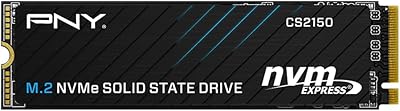
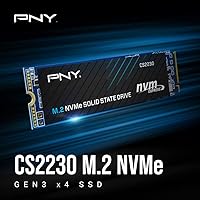
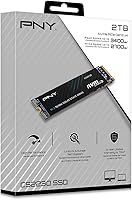
The PNY CS2230 2TB M.2 NVMe Internal SSD is PNY's answer to the growing demand for affordable, high-capacity NVMe storage that doesn't require spending top dollar on Gen4 hardware. PNY has been a reliable name in memory and flash storage for decades, and this NVMe drive continues that tradition by targeting users ready to leave slower SATA drives behind. Built around the M.2 2280 form factor with a PCIe Gen3 x4 interface, it slots into the overwhelming majority of modern desktops and laptops without adapter trickery. Two terabytes gives you enough headroom for an OS installation, a full game library, and a sizable media archive — all on a single drive.

Features & Benefits

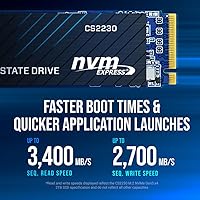
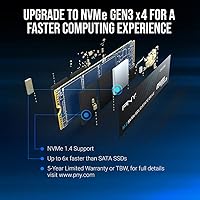
On paper, the CS2230 2TB reads sequentially at up to 3,400 MB/s and writes at up to 2,700 MB/s. Those numbers translate into noticeably snappier OS boot times and faster application launches compared to any SATA drive — the kind of difference you feel within the first week of use. The NVMe protocol is what drives that low-latency experience; SATA simply cannot match it regardless of how capable the flash is. Power draw is genuinely minimal, which matters in thin laptops where thermals and battery life are in constant tension. The five-year warranty, backed by a rated TBW figure, adds a concrete layer of confidence, though it is a standard offering at this tier rather than a standout perk.

Best For

This NVMe drive hits its stride with users who have clear, practical storage needs rather than chasing benchmark bragging rights. If you are building a mid-range desktop and want a fast, spacious boot drive without committing to Gen4 pricing, this is a natural fit. Laptop owners looking to breathe new life into an older machine with a sluggish hard drive or aging SATA SSD will see a substantial real-world improvement. Gamers with growing libraries of large titles will appreciate the 2TB breathing room. Content creators doing 1080p or lighter 4K editing will find the write speeds sufficient, and Mac users with NVMe-compatible M.2 slots can also consider it as a practical expansion option.

User Feedback

With a 4.7-star average across roughly 430 verified ratings and a top-40 ranking in the Internal SSDs category, the CS2230 2TB earns consistent buyer approval. The most common praise centers on how straightforward installation is and how noticeable the speed jump feels versus a previous SATA drive, particularly for boot times. That said, a few buyers have flagged the absence of a bundled heatsink, which can matter in tightly packed builds that run hot, and there is no cloning software included, so migrating an existing OS requires sourcing a third-party tool. Neither issue is unusual at this price point, but both are worth factoring in before you commit to a purchase.

Pros

  • A dramatic real-world speed improvement over any SATA-based drive, especially for boot and load times.
  • Two terabytes is enough for an OS, a full game library, and a large media collection on a single drive.
  • The M.2 2280 form factor fits the vast majority of modern desktops and laptops without adapters.
  • Ultra-low power consumption makes this NVMe drive a sensible choice for battery-sensitive laptops.
  • A five-year limited warranty with a rated TBW figure gives buyers a concrete, measurable reliability baseline.
  • Backward compatibility with Gen3 slots means no motherboard upgrade is required for most existing systems.
  • Installation is straightforward — buyers consistently report getting up and running without frustration.
  • Ranked in the top 40 among Internal Solid State Drives on Amazon, reflecting genuine, sustained purchase volume.
  • PNY's long track record in flash storage means parts sourcing and support infrastructure are well established.
  • Competitive pricing at the 2TB tier makes the CS2230 2TB one of the more cost-efficient NVMe options available.

Cons

  • No heatsink is included, which can be a real issue in tight builds or systems with poor airflow.
  • There is no bundled cloning software, so migrating an existing OS requires sourcing a third-party tool.
  • Gen3 x4 performance is one generation behind current standards, which matters on platforms that support Gen4.
  • Sequential write speeds, while solid, lag behind premium Gen4 drives by a wide margin under sustained workloads.
  • The drive has no DRAM cache, which can affect sustained write performance during large sequential transfers.
  • Buyers on older platforms should verify M.2 NVMe support, since not all M.2 slots carry NVMe signaling.
  • No software suite is provided for drive health monitoring or firmware updates out of the box.
  • The five-year warranty, while useful, is a standard industry offering rather than an above-average commitment.

Ratings

The scores below reflect an AI-driven analysis of verified global buyer reviews for the PNY CS2230 2TB M.2 NVMe Internal SSD, with spam, bot-generated, and incentivized feedback actively filtered out to ensure only authentic experiences are represented. Across hundreds of real-world accounts — from first-time builders to seasoned upgraders — both the strengths and the friction points have been weighted equally and transparently. What you see here is an honest composite of what this NVMe drive actually delivers day to day, not a curated highlight reel.

Read/Write Performance
88%
Buyers consistently report a dramatic improvement over SATA drives, with Windows boot times dropping to under 15 seconds and large application loads feeling noticeably snappier. For everyday desktop use and gaming, the real-world throughput holds up well against the rated 3,400 MB/s sequential read ceiling.
Users running sustained workloads — like large video renders or bulk file migrations — occasionally notice speed dips that suggest thermal throttling or SLC cache exhaustion. Compared to Gen4 alternatives, the performance ceiling is visibly lower when the workload pushes past casual use.
Value for Money
91%
The CS2230 2TB sits at a price point that makes it one of the more cost-efficient ways to get 2TB of NVMe storage without committing to a Gen4 premium. Buyers on tighter build budgets repeatedly single it out as the logical choice when capacity and speed both matter but spending more is not justified.
A small segment of buyers feel the gap to Gen4 pricing has narrowed enough that the value argument is less clear-cut than it was at launch. If a Gen4 drive is only marginally more expensive in a given region, the cost-per-performance calculus can shift against this PNY SSD.
Installation Ease
94%
Installing this NVMe drive is one area where buyer sentiment is overwhelmingly positive — the M.2 2280 form factor drops into virtually any compatible slot without adapters or fuss, and most users report being up and running in under ten minutes. Even first-time builders say the physical installation process was straightforward.
The absence of bundled cloning software is a recurring frustration for users migrating from an existing drive rather than doing a clean install. Several buyers had to pause, research a third-party tool, and work through an extra step they did not anticipate when they opened the box.
Thermal Management
67%
33%
Under light to moderate workloads — browsing, productivity software, casual gaming — the drive operates at reasonable temperatures without any cooling assistance. Buyers in well-ventilated mid-tower cases rarely report throttling during standard day-to-day tasks.
The lack of an included heatsink becomes a real concern in compact or poorly ventilated builds, where sustained writes can push temperatures high enough to trigger throttling. Users in small form-factor PCs and gaming laptops with tight thermal budgets have specifically called this out as a meaningful limitation.
Compatibility
89%
The M.2 2280 NVMe form factor covers the overwhelming majority of modern desktops and laptops, and the backward compatibility with Gen3 slots means most users do not need any additional hardware to make it work. Several Mac users with compatible Intel-based machines have also confirmed successful installations.
A handful of buyers ran into issues on older motherboards with M.2 slots that only support SATA signaling, which this drive does not use. Verifying NVMe support before purchase is essential, and the product listing could do more to surface that requirement upfront for less experienced buyers.
Reliability & Endurance
83%
PNY backs this drive with a five-year limited warranty tied to a rated TBW endurance figure, which gives buyers a concrete benchmark for how much write workload it is rated to handle over its lifetime. Early buyers who have had the drive for over a year report no failures or unusual behavior under normal use.
As a DRAM-less drive relying on Host Memory Buffer, the long-term endurance under heavy write cycles is a point of theoretical concern for power users, even if it is rarely a practical issue for mainstream workloads. The limited sample size of long-term reviews — given the drive launched in late 2023 — makes definitive endurance assessments premature.
Power Efficiency
86%
Laptop users are particularly appreciative of how little draw this NVMe drive places on the battery compared to older HDDs and even some competing SSDs. In thin-and-light notebooks where every milliwatt matters, buyers have noted no discernible impact on their typical battery runtime after upgrading.
Power efficiency is not a differentiated strength at this tier — most NVMe drives in this class consume similarly low amounts of power, so it is more of a baseline expectation than a standout advantage. Buyers choosing primarily on this criterion will find the field fairly level.
Random I/O Performance
74%
26%
For typical desktop tasks — opening files, switching between applications, browser-heavy workflows — random read performance is adequate and noticeably better than any SATA drive in real use. Casual users rarely encounter a scenario where random I/O feels like a bottleneck.
Without a dedicated DRAM cache, random write performance under mixed, simultaneous workloads can lag behind DRAM-equipped competitors in the same price range. Users running database applications, virtual machines, or anything that hammers random writes continuously will feel the difference more acutely.
Build & Physical Quality
79%
21%
The drive feels solid in hand for its 0.8-ounce weight, and the PCB construction is clean and consistent with what buyers expect from a reputable storage brand. No reports of bent connectors, poor solder joints, or obvious manufacturing defects have surfaced in the verified review pool.
The bare PCB design with no integrated label protection or heatsink does feel minimal compared to some competitors who include at least a thin thermal sticker. It is a purely cosmetic and functional observation rather than a defect, but buyers who care about fit and finish inside a windowed case may find it underwhelming.
Warranty & Support
81%
19%
A five-year coverage window with US-based support available around the clock is a reassuring backstop for buyers who intend to keep this drive in a primary system for several years. The support team has received positive mentions from buyers who contacted PNY with compatibility questions during setup.
The warranty does not include data recovery services, which is a gap buyers only tend to notice when they actually need it. A few users also noted that the RMA process, while functional, is not as streamlined as what some premium storage brands offer.
Gaming Load Times
87%
Gamers upgrading from HDDs or SATA SSDs see a real reduction in in-game load screens, with open-world titles and large map transitions loading perceptibly faster. For the vast majority of current game titles, Gen3 speeds are more than sufficient to keep load times from being a frustration.
Titles specifically optimized for DirectStorage or Gen4 throughput may not reach their full potential on Gen3 hardware, though very few games currently demand that level of performance. Competitive players who benchmark obsessively will find faster options at a moderate price premium.
Packaging & Unboxing
72%
28%
The packaging is functional and keeps the drive secure in transit, with no reports of units arriving damaged from standard shipping. The minimal packaging also reflects an environmentally conscious approach that some buyers explicitly appreciate.
There are no accessories in the box — no mounting screw, no heatsink, and no software code — which leaves less experienced buyers scrambling for components they assumed would be included. The sparse unboxing experience feels out of step with what some competing brands include at a similar price point.
Software Ecosystem
53%
47%
The drive works natively with most operating system tools for basic health monitoring, and Windows users can access some drive data through built-in utilities without installing anything extra. For buyers who prefer a clean, software-free installation, the absence of bloatware is genuinely welcomed.
PNY does not offer a proprietary management suite for monitoring drive health, firmware updates, or performance tuning, which puts it behind brands like Samsung and WD that include dedicated desktop applications. Users who want granular insight into their drive's condition need to rely on third-party tools, adding an extra layer of setup friction.

Suitable for:

The PNY CS2230 2TB M.2 NVMe Internal SSD is a strong fit for practical buyers who want a meaningful storage upgrade without overthinking the spec sheet. If you are still running a SATA SSD or, worse, a mechanical hard drive, swapping in this NVMe drive will produce a noticeable difference in everyday responsiveness — faster boots, quicker application launches, and snappier file transfers. PC builders working with a mid-range Gen3 platform get 2TB of fast storage at a price point that leaves room in the budget for other components. Gamers who have run out of space for large modern titles will find the capacity genuinely useful, and the read speeds are more than sufficient for loading most games quickly. Laptop owners with an open M.2 2280 slot — including some Mac users with compatible hardware — will appreciate how little power the drive draws, keeping thermals and battery impact in check. Content creators doing 1080p video work or lighter 4K editing will also find the write throughput adequate for their workflows.

Not suitable for:

The PNY CS2230 2TB M.2 NVMe Internal SSD is not the right call for users who need top-tier sequential performance and have a platform that can actually deliver it. If your motherboard or laptop supports PCIe Gen4, spending a bit more for a Gen4 drive will get you meaningfully higher read and write speeds — this drive simply cannot take advantage of that extra bandwidth. Professional video editors working with high-bitrate RAW footage, large-scale data scientists, or anyone routinely moving hundreds of gigabytes at a time will hit the ceiling of Gen3 performance and feel it. Users who need a plug-and-play experience with OS migration should know upfront that no cloning software is included, so there is an extra step before this becomes your primary drive. Systems running in thermally constrained environments without good airflow may also want to factor in that no heatsink is bundled, and sustained workloads can generate heat that throttles performance without one.

Specifications

  • Brand: Manufactured by PNY Technologies, a company with decades of experience in consumer memory and flash storage products.
  • Series: Part of the CS2230 lineup, PNY's mainstream NVMe tier designed for everyday performance upgrades.
  • Capacity: Available in a 2TB configuration, offering ample space for operating systems, applications, games, and media libraries.
  • Form Factor: Uses the M.2 2280 form factor, meaning it is 22mm wide and 80mm long — the most common M.2 size found in modern desktops and laptops.
  • Interface: Connects via PCIe Gen3 x4 NVMe, a protocol that delivers substantially lower latency than SATA-based storage interfaces.
  • Sequential Read: Rated for sequential read speeds of up to 3,400 MB/s, enabling fast boot times and quick large-file transfers.
  • Sequential Write: Rated for sequential write speeds of up to 2,700 MB/s, suitable for moderate file creation and application installation workloads.
  • Compatibility: Compatible with PCIe Gen3 x4 M.2 NVMe slots in desktops, laptops, and select Mac computers; backward compatible with Gen3 platforms.
  • Power Draw: Designed for ultra-low power consumption, making it appropriate for battery-powered laptops where thermal and energy efficiency matters.
  • Warranty: Covered by a five-year limited warranty backed by a rated TBW endurance figure, with 24/7 US-based technical support included.
  • Weight: The drive weighs approximately 0.8 ounces, adding virtually no meaningful mass to any system it is installed in.
  • Color: The drive features a black PCB finish with no integrated heatsink included in the retail package.
  • Flash Type: Uses NAND flash memory; the CS2230 series is built around 3D TLC NAND, which balances capacity, cost, and acceptable endurance for mainstream use.
  • Cache Configuration: This drive operates without a dedicated DRAM cache, relying on HMB (Host Memory Buffer) technology to manage mapping tables during typical workloads.
  • Release Date: First made available in September 2023, placing it within PNY's current-generation mid-range storage lineup.
  • Heatsink: No heatsink or thermal pad is included in the box; users in thermally constrained systems should source one separately.
  • Software Included: No proprietary cloning or drive management software is bundled; users migrating an existing OS will need to use a third-party utility.
  • Encryption: The CS2230 series supports AES 256-bit hardware encryption, providing a baseline level of data security for compatible systems.

Related Reviews
PNY CS1030 2TB M.2 NVMe SSD

77%
91%
Value for Money
83%
Read Speed Performance
72%
Write Speed Performance
88%
Boot & Load Times
94%
Installation Ease
More
PNY CS2230 1TB M.2 NVMe SSD
82%
83%
Read & Write Performance
91%
Value for Money
94%
Installation Ease
86%
Boot & Load Times
78%
Build Quality & Reliability
More
PNY CS2230 500GB M.2 NVMe SSD
82%
93%
Value for Money
84%
Read/Write Performance
91%
Installation Ease
88%
Compatibility
89%
Warranty & Support
More
PNY XLR8 CS3140 2TB NVMe SSD
81%
93%
Sequential Read Speed
89%
Sequential Write Speed
91%
Thermal Management
62%
Value for Money
84%
Random Read/Write
More
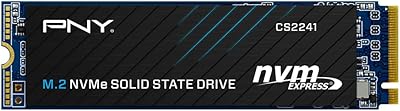
PNY CS2241 2TB M.2 NVMe Gen4 SSD
83%
88%
Sequential Read Performance
83%
Sequential Write Performance
86%
Real-World Speed Gains
91%
Value for Money
67%
Thermal Management
More
PNY CS2150 2TB Gen5 NVMe SSD
80%
93%
Sequential Read Speed
91%
Sequential Write Speed
58%
Thermal Management
78%
Value for Money
88%
Installation Ease
More
SanDisk 2TB SSD Plus M.2 NVMe SSD

86%
89%
Performance
92%
Ease of Installation
88%
Reliability
91%
Value for Money
90%
Capacity
More
GAMERKING 2TB M.2 NVMe Internal SSD
75%
78%
Read/Write Performance
82%
Value for Money
91%
Installation Experience
67%
Thermal Management
63%
Long-Term Reliability
More
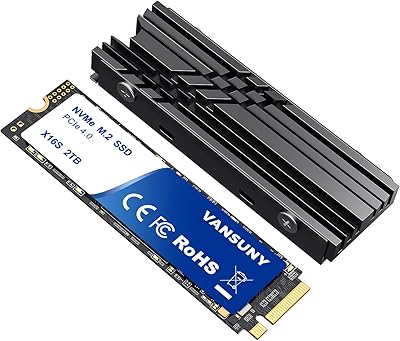
Vansuny 2TB NVMe M.2 Internal SSD
78%
88%
Value for Money
79%
Read/Write Speed
91%
PS5 Compatibility
74%
Thermal Management
93%
Installation Experience
More
Fikwot FX991 2TB NVMe SSD
78%
88%
Sequential Read Performance
61%
Sustained Write Speed
93%
PS5 Compatibility
91%
Value for Money
82%
Thermal Management
More

FAQ

It uses the M.2 2280 form factor, which is the most widely used M.2 size across modern laptops. That said, you should check your laptop's manual or manufacturer spec page to confirm it has an M.2 slot that supports NVMe — some older laptops have M.2 slots that only support SATA, and this drive will not work in those.

For everyday tasks like booting Windows, launching applications, or copying large files, you will likely notice a meaningful improvement — particularly in load times and file transfer responsiveness. The gap is most apparent during sustained reads and writes rather than tiny random operations, but the overall snappiness of the system should be noticeably better than a SATA drive in typical use.

Yes, it will work in a Gen4 slot because PCIe is backward compatible, but the drive will operate at Gen3 speeds. If you have a Gen4-capable motherboard and want to take full advantage of that bandwidth, you would need a Gen4 drive to do so — this one will cap out at Gen3 performance regardless of the slot it is installed in.

No, there is no heatsink in the box. For most standard desktop or laptop builds with decent airflow, this is not a problem during typical workloads. If you are installing it in a tight case with limited airflow, or plan to run sustained heavy workloads, picking up an aftermarket M.2 heatsink is a sensible precaution to prevent thermal throttling.

Absolutely. The drive is fully compatible with Windows 11 installations and performs well as a primary boot drive. Just make sure NVMe boot is enabled in your BIOS settings if you are doing a fresh install, which is the default on most modern motherboards.

Since no cloning software is included, you will need to use a third-party tool. Macrium Reflect Free and MiniTool Partition Wizard are both popular, free options that work reliably with NVMe drives. The process typically involves booting from a USB, cloning your existing drive to the new one, and then setting the new drive as the boot device in your BIOS.

Some Macs with user-accessible M.2 NVMe slots — typically older Intel-based Mac Pro or certain Mini models — can accept this drive. However, most recent Apple silicon Macs have storage soldered directly to the board and are not upgradeable. Check your specific Mac model's upgrade compatibility before purchasing.

PNY's five-year limited warranty covers manufacturing defects and premature failure within the rated TBW endurance limit. It does not cover data recovery, accidental physical damage, or failures caused by exceeding the drive's rated workload. If the drive fails under normal use within that window, PNY's US-based support handles the replacement process.

Like most DRAM-less NVMe drives, it can warm up during extended sequential writes — think large file copies or game installs. Under typical desktop workloads it stays within safe operating ranges, but in a laptop or a small form-factor PC with restricted airflow, temperatures can creep higher. Adding a low-profile M.2 heatsink is an inexpensive way to keep things stable if you are worried.

For most everyday computing tasks, gaming, and light creative work, the real-world difference between Gen3 and Gen4 is smaller than the spec sheet suggests. Gen4 drives show their advantage in sustained large-file workloads — think video production pipelines or frequent large backups. If your use case is general desktop use or gaming, this NVMe drive delivers strong value without the Gen4 price premium.