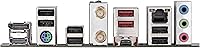
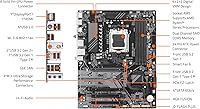
Overview
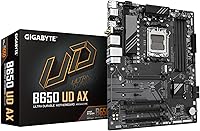
The GIGABYTE B650 UD AX ATX Motherboard landed in August 2024 as a practical mid-range choice for anyone building around AMD's AM5 platform. GIGABYTE has been making motherboards long enough to know what builders actually need at this price point, and this B650 board reflects that experience. It fits a standard ATX case with no fuss, supports the full Ryzen 7000, 8000, and 9000 lineup, and doesn't try to be something it isn't. This isn't a board for pushing processors to their thermal limits — it's built for reliable daily performance, and it delivers that without unnecessary compromise.
Features & Benefits
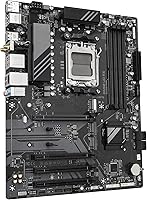
The 6+2+2 phase VRM might not sound exciting, but what it means in practice is consistent power delivery to your CPU during prolonged workloads — gaming sessions, video renders, or heavy multitasking. You get two PCIe 4.0 M.2 slots, which means you can run a fast NVMe boot drive and a secondary storage drive without touching a single SATA cable. Wi-Fi 6 is built right in, so there's no need for an add-in card or a USB dongle. DDR5 memory tuning via AMD EXPO is supported out of the box, and the front panel includes a USB 3.2 Gen 2x2 Type-C header for fast peripheral transfers.
Best For
This mid-range AM5 motherboard is a strong match for builders pairing a Ryzen 7000 or 9000 series processor with a practical, no-frills platform that still covers the important bases. If you work from home or game in a space where running an Ethernet cable isn't feasible, the built-in Wi-Fi 6 saves you from juggling extra hardware. The dual M.2 slots are a genuine convenience for anyone who wants fast storage without the clutter of SATA drives. The Q-Flash utility and EZ-Latch connectors also make it friendlier for first-time builders. That said, if you're planning aggressive CPU overclocking, the VRM here isn't designed for that kind of sustained stress.
User Feedback
Sitting at 4.2 out of 5 stars from over 370 buyers and ranking among the top motherboards in its category on Amazon, the GIGABYTE B650 UD AX has earned reasonably broad approval. Buyers frequently highlight the easy BIOS experience and the reliability of the built-in wireless — two things that matter a lot when setting up a new machine. On the flip side, some users have reported friction with BIOS updates, particularly around DDR5 kit compatibility during initial setup. A handful of reviews also raise concerns about VRM temperatures under heavier workloads. Nothing that disqualifies the board, but worth knowing if you're planning a thermally demanding build.
Pros
- Supports the full AMD Ryzen 7000, 8000, and 9000 CPU lineup on the AM5 socket.
- Wi-Fi 6 is built in, so there is no need to buy or install a separate wireless adapter.
- Two PCIe 4.0 M.2 slots make it easy to run fast NVMe drives without cable clutter.
- DDR5 memory tuning via AMD EXPO is supported straight out of the box.
- Q-Flash lets you update the BIOS before a CPU is even installed — a real time-saver.
- ATX form factor fits virtually every standard mid-tower or full-tower case on the market.
- The front panel USB 3.2 Gen 2x2 Type-C header supports high-speed peripheral transfers.
- Solid build quality relative to the price tier, with good component longevity reported by buyers.
- BIOS interface is clean and approachable, making it a reasonable choice for first-time builders.
Cons
- VRM thermal performance can become a limiting factor under sustained heavy CPU loads.
- Some users report DDR5 kit compatibility hiccups that require BIOS updates to resolve.
- BIOS update process has drawn occasional complaints about being less straightforward than expected.
- Only two M.2 slots, which may feel limiting as storage needs grow over time.
- No onboard 2.5GbE LAN — the Gigabit Ethernet is adequate but not future-proofed for faster home networks.
- EZ-Latch connector reliability has come up as a minor concern in a small number of user reports.
- Limited overclocking headroom means this B650 board is not suited for pushing DDR5 speeds aggressively.
- No USB4 or Thunderbolt support, which could matter for creators using high-bandwidth external devices.
Ratings
The scores below reflect an AI-driven analysis of verified global buyer reviews for the GIGABYTE B650 UD AX ATX Motherboard, with spam, bot-generated, and incentivized feedback actively filtered out to ensure the results represent genuine user experiences. Across hundreds of real-world builds — gaming rigs, home office setups, and first-time AM5 upgrades — this board earned clear praise in several areas while drawing consistent criticism in others. Both sides are represented honestly here, so you can make a fully informed decision before committing.
Value for Money
Build Quality
BIOS Experience
DDR5 Compatibility
VRM Performance
Wi-Fi Performance
Storage Expandability
Connectivity & I/O
Installation Ease
Thermal Management
CPU Compatibility Range
Aesthetics & Layout
Long-Term Reliability
Suitable for:
The GIGABYTE B650 UD AX ATX Motherboard is a strong fit for PC builders who want a capable AM5 platform without overspending on features they won't use. If you're pairing a Ryzen 7000 or 9000 series processor with a mid-range GPU for gaming, content consumption, or everyday productivity, this board gives you everything that actually matters at a price that leaves budget for other components. The built-in Wi-Fi 6 is a genuine convenience for home office and living room builds where running a long Ethernet cable isn't practical. Dual PCIe 4.0 M.2 slots mean you can set up a fast NVMe boot drive and a secondary storage drive from day one, which is exactly what most builders need. First-timers will also appreciate the BIOS-friendly tools like Q-Flash and EZ-Latch, which reduce the friction of initial setup considerably.
Not suitable for:
Builders chasing serious CPU overclocking results will want to look elsewhere — the GIGABYTE B650 UD AX ATX Motherboard uses a 6+2+2 phase VRM design that handles standard and lightly boosted workloads well enough, but it isn't engineered for sustained high-frequency overclocking sessions with a power-hungry processor. If you're planning to run a Ryzen 9 chip hard under extended loads, the thermal headroom here is tighter than what you'd get from a higher-end X670E board. Enthusiasts who need more than two M.2 slots, multiple PCIe x16 expansion lanes, or 10GbE networking will also find this board limiting. It's also not the right choice for someone building a compact system, since the ATX format requires a full-size mid-tower or larger case. If your build demands premium VRM cooling, a richer I/O layout, or serious overclocking headroom, spending more on a step-up board is the smarter call.
Specifications
- CPU Socket: Uses the AM5 (LGA 1718) socket, compatible with AMD Ryzen 7000, 8000, and 9000 series processors.
- Chipset: Built on the AMD B650 chipset, providing a solid mid-range feature set for modern Ryzen builds.
- Form Factor: Standard ATX format measuring 13 x 11 x 3 inches, compatible with most mid-tower and full-tower cases.
- Memory Slots: Four DDR5 DIMM slots supporting up to 5200 MHz with AMD EXPO and Intel XMP profile compatibility.
- VRM Design: Features a 6+2+2 phase digital VRM solution for stable CPU power delivery during sustained workloads.
- M.2 Storage: Two PCIe 4.0 x4 M.2 slots allow installation of high-speed NVMe drives for both primary and secondary storage.
- Wireless: Integrated Wi-Fi 6 (802.11ax) adapter is built onto the board, requiring no additional expansion card.
- Wired Network: One Gigabit Ethernet (GbE) LAN port provides stable wired connectivity for low-latency networking.
- Front Panel USB: Includes a USB 3.2 Gen 2x2 Type-C front panel header delivering up to 20 Gbps transfer speeds.
- BIOS Utilities: Q-Flash enables BIOS firmware updates via USB drive without a CPU or RAM installed; EZ-Latch simplifies M.2 and PCIe installation.
- PCIe Slots: Provides PCIe 4.0 expansion slots for discrete graphics cards and additional add-in cards.
- Fan Control: Smart Fan 6 technology allows granular control of multiple system and CPU fan headers via the BIOS.
- Weight: The board weighs 2.84 pounds, which is typical for a full ATX motherboard with integrated I/O shield.
- OS Support: Officially supported on Windows 11, with driver packages available through GIGABYTE's support portal.
- Release Date: First made available in August 2024, aligning with broader availability of AMD Ryzen 9000 series processors.
Related Reviews
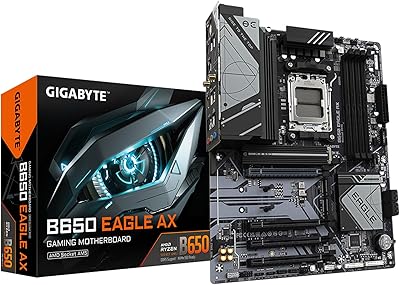
GIGABYTE B650 Eagle AX
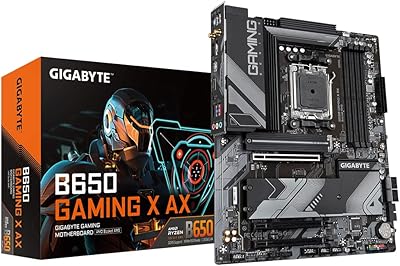
Gigabyte B650 Gaming X AX ATX Motherboard
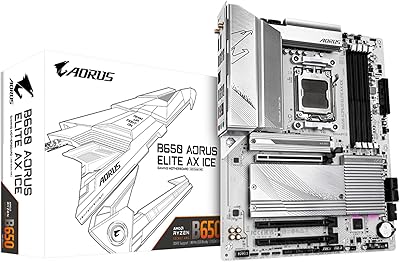
GIGABYTE B650 AORUS Elite AX ICE Motherboard
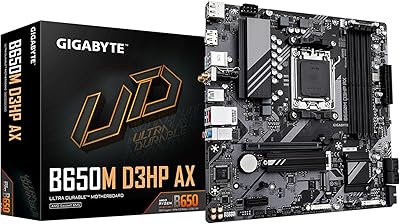
GIGABYTE B650M D3HP AX AM5 Micro ATX Motherboard
AMD Ryzen 5 7600X B650 AORUS Combo
AMD Ryzen 9 7900X GIGABYTE B650 Bundle
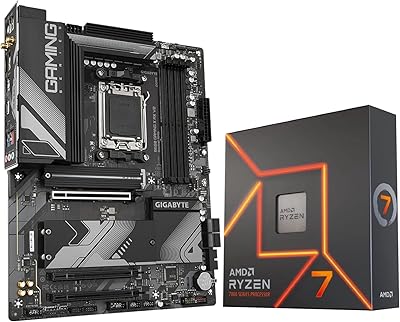
INLAND AMD Ryzen 7 7700X CPU & GIGABYTE B650 Gaming X AX V2 Motherboard
GIGABYTE Z390 UD ATX Intel Motherboard
GIGABYTE X570 UD Motherboard