Overview

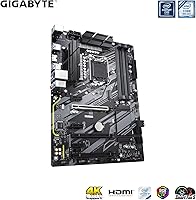
The GIGABYTE Z390 UD ATX Intel Motherboard arrived in late 2018 as a practical, no-nonsense option for builders who wanted Z390 chipset capabilities without stretching into flagship territory. Built around the LGA 1151 socket, it supports Intel’s 8th and 9th Gen Core lineup — from a modest i5 up to an i9 — making it a versatile foundation for a wide range of builds. The standard ATX form factor drops cleanly into any mid-tower or full-tower case, so there are no compatibility surprises. What sets it apart at this price point is its clear focus on expansion and multi-GPU flexibility. Feature-dense, yes, but buyers expecting premium audio or onboard Wi-Fi should temper those expectations upfront.
Features & Benefits

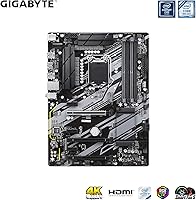
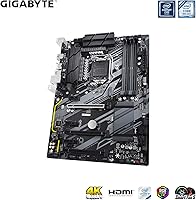
The most talked-about spec on this Z390 motherboard is its six PCIe expansion slots with above-4G decoding enabled — a configuration that most boards at this price simply don’t offer. That alone makes it compelling for anyone running multiple GPUs for compute or mining workloads. The 10+2 phase digital VRM handles CPU power delivery reliably under moderate overclocking, though it won’t push an i9-9900K to its absolute ceiling the way a high-end AORUS board might. Four DDR4 DIMM slots support speeds up to 4400 MHz overclocked, and a full-length M.2 slot (up to 22110) keeps NVMe storage options wide open. The GIGABYTE 8118 Gaming LAN rounds things out with network bandwidth management for smoother online sessions.

Best For

This mining-capable ATX board is an obvious pick for cryptocurrency miners and GPU-compute builders — the six-slot PCIe layout with above-4G decoding is genuinely hard to find at this price range. Beyond mining, it makes solid sense for anyone building a mid-range gaming rig around an 8th or 9th Gen Intel processor, especially those who want Z390 overclocking headroom without buying a top-tier board. It also suits home office or small business builds where expansion matters more than wireless or premium sound. Upgraders coming from older Intel platforms will appreciate the jump to DDR4 and NVMe without rethinking their entire setup. First-time builders benefit from broad community support and a well-organized BIOS this board has built up over the years.

User Feedback

Across more than 1,300 ratings, the GIGABYTE Z390 UD holds a 4.4-star average, which is a strong signal for a board that has been in the market since 2018. Most positive reviews highlight stable multi-GPU riser performance, clean BIOS navigation, and solid build quality relative to the price paid. Miners in particular cite long-term reliability running multiple GPUs around the clock. On the critical side, the onboard audio draws regular complaints — it noticeably lags behind higher-tier Z390 options — and the absence of Wi-Fi frustrates buyers who missed that in the specs. A smaller group of users flags VRM heat buildup under sustained heavy overclocking, so planning active airflow over that area is a smart precaution.

Pros

  • Six PCIe slots with above-4G decoding make it one of the best-value options available for multi-GPU mining builds.
  • The Z390 chipset delivers real overclocking headroom for 8th and 9th Gen Intel processors at a mid-range price.
  • Four DDR4 DIMM slots support speeds up to 4400 MHz, covering everything from budget kits to performance memory.
  • The full-length M.2 slot handles NVMe drives up to 22110 without stealing bandwidth from your SATA devices.
  • GIGABYTE 8118 Gaming LAN with bandwidth management provides reliably stable network performance for gaming and streaming workloads.
  • Standard ATX sizing drops into virtually any mid-tower or full-tower case without compatibility surprises.
  • Long-term stability in mining rigs is a consistent theme among owners who have run this Z390 motherboard around the clock for months.
  • A clean, approachable BIOS makes initial setup and basic overclocking adjustments accessible even for first-time builders.
  • PCIe armor and reinforced slot construction hold up well under repeated GPU installation and sustained heavy loads.

Cons

  • No onboard Wi-Fi means you will need a separate adapter, and a PCIe card eats directly into your available expansion slots.
  • Onboard audio quality is noticeably modest — a clear step down from higher-tier boards in the same Z390 family.
  • VRM thermals under sustained, aggressive Core i9 overclocking have been flagged by users; active airflow over that area is essential, not optional.
  • The platform is capped at 9th Gen Intel — there is no CPU upgrade path to newer architectures without a full board replacement.
  • Only two USB 2.0 rear ports, which feels limiting for users managing multiple peripherals or legacy input devices.
  • The board runs noticeably warm under heavy multi-GPU workloads; case airflow requires deliberate planning before committing to a build.
  • No diagnostic LEDs or POST code display makes early troubleshooting harder than on more premium competing boards.
  • GIGABYTE’s bundled software utilities are widely considered clunky and less polished than equivalent tools from competing brands.

Ratings

Our AI-driven scores for the GIGABYTE Z390 UD ATX Intel Motherboard were generated by analyzing thousands of verified purchase reviews from buyers across North America, Europe, and Asia, with spam, bot-generated feedback, and incentivized reviews systematically filtered out before any scoring took place. This synthesis captures what real builders — from first-time system integrators to full-scale mining rig operators — genuinely experienced after putting this board to work. Both the areas where this Z390 motherboard earns its reputation and the recurring frustrations that affect specific buyer types are reflected transparently in every score below.
PCIe Expansion
92%
Six PCIe slots with above-4G decoding is genuinely rare at this price range, and mining rig builders confirm it delivers in practice. Users running five or six GPUs through PCIe risers consistently report stable operation across extended uptime periods, with no slot degradation reported after months of continuous load.
The lower-tier slots share bandwidth, so the setup works best with riser cables rather than direct GPU insertion once you go beyond two cards. A subset of users also noted that riser cable quality plays an outsized role in overall stability — cheap risers introduce problems the board itself does not cause.
Value for Money
88%
At its price tier, this Z390 motherboard bundles more practically useful hardware than most competitors — six PCIe slots, NVMe M.2, full Z390 overclocking capability, and a dedicated Gaming NIC rarely appear together without a significant price premium. Builders across both gaming and mining use cases consistently rate it among the stronger Z390 value propositions.
The value calculation shifts if Wi-Fi and better audio are non-negotiables for your build. Factoring in the cost of a PCIe Wi-Fi card and a USB DAC narrows the gap against higher-tier boards that include both features natively, making the mid-range price feel less decisive than it initially appears.
Long-term Reliability
86%
Multiple owners report running this mining-capable ATX board continuously in mining rigs for six months to well over a year with no component failures or unexpected instability under sustained multi-GPU load. For a mid-tier board, that kind of field-tested endurance in a demanding 24/7 environment is a meaningful differentiator.
Reliability under extreme overclocking at elevated CPU voltages over many months is a different story — a subset of users have flagged VRM-related degradation when pushing the board beyond its intended operating envelope. Keeping workloads within reasonable limits appears to be the primary factor behind the strong longevity track record.
Build Quality
83%
Physical construction is solid for the price bracket — PCIe slot reinforcement holds up reliably after repeated GPU installations, and the component layout feels purposeful rather than cramped. Long-running mining rig operators specifically report no physical degradation in slots or connectors after heavy continuous use.
The VRM and chipset heatsinks are functional but noticeably lean, which becomes a real concern under sustained heavy loads. Compared to higher-tier boards in the same ecosystem, the overall component feel is more utilitarian, and the board lacks the structural and aesthetic polish that comes standard on premium alternatives.
VRM & Power Delivery
74%
26%
The 10+2 phase digital PWM handles day-to-day operation and moderate overclocking of 8th and 9th Gen Intel processors without complaint. Users running Core i5 and Core i7 chips at mild to moderate overclocks report clean, stable voltage delivery with no unexpected throttling during extended gaming or workstation sessions.
Push a Core i9 with aggressive all-core overclocks under prolonged stress testing, and the VRM area runs noticeably warm — this is the most cited hardware concern across user reviews. Without a dedicated case fan aimed at the power delivery area, sustained heavy loads can lead to throttling or instability over time.
Thermal Management
68%
32%
Under typical gaming or moderate workstation loads, board temperatures stay within comfortable operating ranges without any special intervention beyond standard case airflow. Most users report zero thermal alerts or fan ramp-up during everyday use, which speaks to the board being well-tuned for its intended mid-range workload profile.
The VRM heatsink is a consistent bottleneck under heavy sustained loads — running six GPUs at full power draw or overclocking a Core i9 simultaneously stresses the thermal solution visibly. Users unanimously recommend adding a dedicated airflow fan directed at the VRM as a near-mandatory step for mining and heavy overclocking configurations.
BIOS Experience
82%
18%
GIGABYTE's BIOS on this board is widely praised for striking a practical balance between accessibility and depth. The Easy Mode dashboard gives first-time builders an immediately useful overview of temperatures and boot order, while XMP, above-4G decoding, and fan curve settings are all reachable within a few intuitive clicks in Advanced Mode.
Advanced overclocking menus can feel cluttered compared to ASUS ROG's more refined interface, and the Q-Flash BIOS update process requires preparation that can trip up less experienced builders. A notable minority of users also report occasional memory compatibility prompts during POST when installing higher-speed kits for the first time.
Memory Compatibility
79%
21%
Four DIMM slots supporting speeds up to 4400 MHz via XMP gives builders genuine flexibility across the full range of DDR4 budgets. Budget DDR4-2666 kits and performance DDR4-3200 or DDR4-3600 modules both install and hit rated speeds reliably with XMP enabled, without requiring exotic manual tuning on well-known brands.
Pushing memory above 3600 MHz on this board often requires manual subtiming adjustments to achieve stable operation, which is more effort than most mid-range builders expect to invest. High-density dual-rank kits at rated speeds are also inconsistent without tuning, and the memory QVL list is less comprehensive than what flagship Z390 boards publish.
Storage Options
81%
19%
Six SATA 6Gb/s ports plus a PCIe Gen3 x4 NVMe M.2 slot covers virtually every storage scenario a mid-range builder encounters, and NVMe installation does not disable any SATA ports — a practical advantage over boards where the two controllers compete for bandwidth. Drives up to 110mm in M.2 length install without adapters.
Having only one M.2 slot is a real limitation for builders who want multiple NVMe drives without resorting to PCIe adapter cards. In full mining rig configurations where all six PCIe slots are occupied by GPUs, that single M.2 slot becomes the only viable high-speed storage expansion path, which can be a planning headache.
Networking
84%
The GIGABYTE 8118 Gaming NIC with bandwidth management is a genuine functional benefit, not a spec sheet checkbox. Gamers and streamers on wired connections report noticeably smoother sessions, with the NIC deprioritizing background downloads automatically during active gameplay — a feature that punches above what you typically expect at this board's price point.
Unlocking the full bandwidth management benefits requires GIGABYTE's APP Center software running in the background, which adds system overhead that some users prefer to avoid. Without the software component active, the NIC operates as a standard gigabit Ethernet adapter, losing the traffic prioritization that makes it stand out.
Connectivity & Headers
71%
29%
Internal headers are well-distributed across the board, making front panel connections, USB headers, and fan connectors accessible without major cable routing conflicts in standard mid-tower cases. Builders consistently report clean cable management outcomes with this layout, which matters practically during a first build or a system reorganization.
The rear panel USB count is modest — only two USB 2.0 ports alongside the USB 3.x ports — and users with multiple peripherals or legacy devices reach for a USB hub almost immediately after setup. The absence of Thunderbolt support is also a real gap for creative professionals who rely on high-bandwidth external storage or displays.
Onboard Audio
51%
49%
The Realtek ALC887 codec handles voice chat, casual gaming audio, and video playback without audible problems, making it sufficient for builders who use a USB headset or already own an external DAC. For that subset of users, the onboard audio is simply a non-factor that does not detract from an otherwise strong mid-range build.
For anyone relying on the rear panel audio jacks as their primary output, the ALC887 is a clear weak link compared to ALC1220-equipped Z390 boards in the same price neighborhood. Background noise on analog outputs and limited dynamic range are recurring user complaints, and gamers who depend on accurate positional audio will notice the shortfall quickly.
Wireless Capability
23%
77%
For desktop builds running a dedicated Ethernet cable — which includes most mining rigs and many gaming setups — the absence of wireless hardware is a non-issue in practice. Some mining rig builders actually prefer a board without onboard Wi-Fi to avoid unnecessary hardware overhead in a densely populated multi-GPU environment.
The complete absence of Wi-Fi and Bluetooth is the single most-cited frustration across user reviews, and it is hard to argue against that criticism. Competing boards at similar price points often include at least a basic 802.11ac module; without it, buyers are forced to either run Ethernet or sacrifice a PCIe slot to a wireless adapter card.
RGB & Aesthetics
63%
37%
A single 12V RGB light strip header lets builders add basic lighting personality without buying a more expensive board, and it integrates with GIGABYTE's RGB Fusion software for straightforward color control. For builders whose primary goal is a functional system rather than a showcase build, this level of customization is genuinely adequate.
One non-addressable strip header with no onboard LED lighting is a minimal offering compared to virtually any competitor at this price point in the current market. Builders wanting synchronized addressable RGB across multiple headers for fans, coolers, and strips will find this board limiting and will likely need a separate RGB controller to fill the gap.
Software & Ecosystem
58%
42%
GIGABYTE bundles RGB Fusion for lighting management, APP Center for system monitoring, and @BIOS for firmware updates — covering core software needs without requiring third-party tools for basic tasks. For builders who just want simple monitoring and RGB control in one place, the suite handles those fundamentals without much friction.
APP Center is widely described by experienced users as bloated, inconsistently updated, and prone to background instability on some systems. The software experience trails competitors like ASUS Armoury Crate and MSI Dragon Center noticeably, and a significant portion of builders simply uninstall the suite and rely on BIOS-level settings and third-party utilities instead.

Suitable for:

The GIGABYTE Z390 UD ATX Intel Motherboard is purpose-built for builders who prioritize expansion over luxury, making it a natural fit for cryptocurrency miners and GPU-compute operators who need six PCIe slots and above-4G decoding without paying flagship prices. If you are assembling a dedicated mining rig or a multi-GPU workstation on a controlled budget, this board provides the hardware foundation to run multiple cards stably across extended periods. Budget-conscious PC builders pairing an Intel 8th or 9th Gen processor — from a Core i5 all the way up to an i9 — will find the Z390 chipset delivers solid overclocking headroom that most entry-level boards simply cannot match. Home office and small business users who care more about reliable connectivity and slot count than premium wireless or audiophile-grade audio will also get strong value here. First-time builders benefit too, since this board has a well-established user community, thorough documentation, and a BIOS that most owners describe as approachable from the start.
Not suitable for:

The GIGABYTE Z390 UD ATX Intel Motherboard is not the right call if wireless connectivity is a requirement — there is no onboard Wi-Fi, and adding a PCIe adapter card consumes one of the expansion slots you may have earmarked for GPUs or other hardware. Audio-focused builders will be disappointed as well; the onboard codec is functional but noticeably limited compared to what higher-tier Z390 boards in the same lineup offer, and it is not a gap easily overlooked once you hear the difference. If you plan to push a Core i9 processor with aggressive, sustained overclocks, the 10+2 phase VRM is capable but not class-leading — users have flagged thermal stress in that specific scenario, and it demands deliberate airflow planning inside the case. This board is also firmly tied to the LGA 1151 platform, meaning there is no CPU upgrade path beyond 9th Gen Intel; anyone thinking ahead to a future processor refresh will need an entirely new platform. Buyers comparing this board directly against premium AORUS or ROG options should expect clear gaps in ancillary features, thermal headroom, and overall polish.
Specifications

  • Form Factor: Standard ATX form factor measuring 12.79 x 10.23 inches, compatible with mid-tower and full-tower cases without modification.
  • CPU Socket: LGA 1151 (300 Series) socket supporting Intel 8th and 9th Gen Core processors exclusively, from entry-level i3 up to Core i9.
  • Chipset: Intel Z390 chipset enabling CPU overclocking, multi-GPU configurations, USB 3.1 Gen 2 connectivity, and above-4G PCIe decoding.
  • Memory Support: Dual-channel DDR4 non-ECC unbuffered memory across 4 DIMM slots, supporting speeds from standard JEDEC profiles up to 4400 MHz via XMP overclocking.
  • PCIe Slots: Six PCIe expansion slots in total with above-4G decoding support, enabling stable multi-GPU and cryptocurrency mining rig configurations.
  • M.2 Storage: One M.2 slot supporting PCIe Gen3 x4 NVMe drives up to 22110 (110mm) in length for high-bandwidth solid-state storage.
  • SATA Storage: Six SATA 6Gb/s ports for connecting hard drives, SATA SSDs, or optical drives; all ports remain active when the M.2 NVMe slot is occupied.
  • VRM Design: 10+2 phase digital PWM power delivery provides stable CPU voltage regulation suited for moderate overclocking of 8th and 9th Gen Intel processors.
  • LAN: GIGABYTE 8118 Gaming NIC with integrated bandwidth management prioritizes gaming and streaming traffic over background network activity.
  • Onboard Audio: Realtek ALC887 codec delivers standard multi-channel audio output via rear panel 3.5mm jacks, suitable for casual use but modest compared to higher-tier boards.
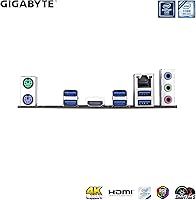
  • Rear USB: Rear I/O includes USB 3.1 Gen 2 Type-A and Type-C ports, USB 3.1 Gen 1 Type-A ports, and 2 USB 2.0 ports for legacy peripherals.
  • Display Output: Rear panel provides one HDMI and one D-Sub (VGA) port for integrated graphics output when using a compatible Intel processor with onboard graphics.
  • RGB Header: One 12V RGB header supports standard LED light strips for basic system lighting customization without requiring a premium board.
  • Wireless: No onboard Wi-Fi or Bluetooth is included; a separate PCIe card or USB adapter is required for wireless network connectivity.
  • Power Input: Requires a standard 24-pin ATX main power connector and one 8-pin EPS CPU power connector from the system power supply.

Related Reviews

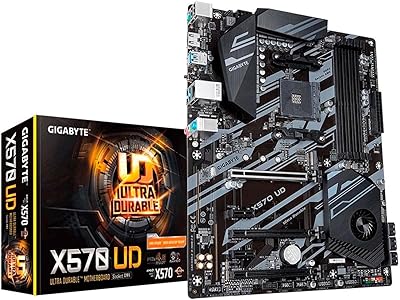
GIGABYTE X570 UD Motherboard
86%
87%
Performance
91%
Value for Money
88%
Build Quality
90%
Power Delivery
83%
Cooling Efficiency
More
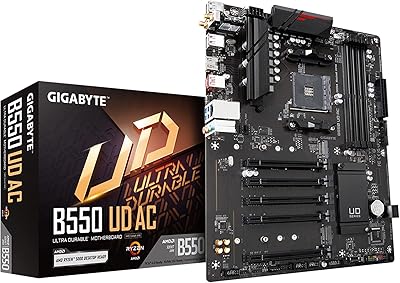
GIGABYTE B550 UD AC ATX Motherboard
77%
88%
Value for Money
86%
BIOS Experience
74%
VRM & Power Delivery
91%
Installation & Setup
87%
Long-term Reliability
More
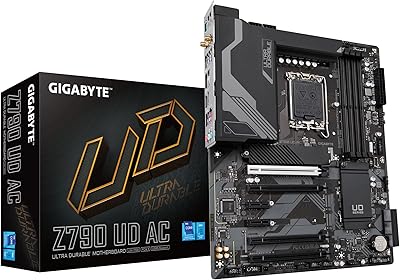
GIGABYTE Z790 UD AC ATX Motherboard
76%
88%
Value for Money
79%
Build Quality
67%
DDR5 Memory Compatibility
82%
BIOS Experience
86%
Storage Performance
More
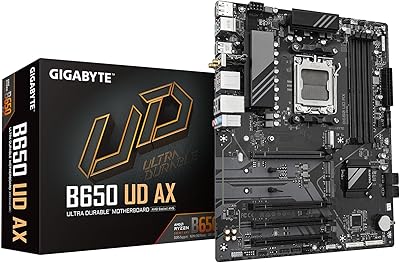
GIGABYTE B650 UD AX ATX Motherboard
79%
84%
Value for Money
81%
Build Quality
78%
BIOS Experience
72%
DDR5 Compatibility
67%
VRM Performance
More
GIGABYTE Z390 AORUS PRO Wi-Fi ATX Motherboard
79%
91%
VRM & Overclocking Performance
88%
BIOS Usability
86%
Onboard Wi-Fi & Bluetooth
84%
Audio Quality
82%
M.2 Thermal Management
More
GIGABYTE B650 Eagle AX
86%
91%
Value for Money
94%
Storage Performance
88%
Thermal Management
87%
Wireless Connectivity
83%
BIOS and Software
More
Gigabyte B450 AORUS M Micro ATX Motherboard
84%
91%
Value for Money
88%
Performance with Ryzen Processors
84%
RGB Lighting Customization
87%
Ease of Setup
82%
Display Options
More
GIGABYTE B650M D3HP AX AM5 Micro ATX Motherboard
87%
91%
Performance
87%
Value for Money
90%
Build Quality
85%
Ease of Installation
88%
Power Delivery and Stability
More
ASUS Micro-ATX Motherboard Intel H510 LGA 1200
86%
91%
Value for Money
88%
Performance
85%
Ease of Installation
82%
Cooling Efficiency
90%
Connectivity
More
GIGABYTE X670E AORUS Master AMD AM5 ATX Motherboard
87%
94%
Performance for Gaming
92%
Overclocking Potential
89%
Build Quality and Durability
91%
Compatibility with Ryzen 7000
87%
Thermal Management
More

FAQ

Yes, the GIGABYTE Z390 UD ATX Intel Motherboard does support above-4G decoding — it is one of the main reasons miners gravitate toward it at this price point. To enable it, go into the BIOS, navigate to the PCIe or chipset settings, and look for the option labeled ‘Above 4G Decoding.’ Toggle it on, save, and reboot. Once active, the system can address GPU memory beyond the 4GB boundary that older platforms cannot, which is essential when running four or more graphics cards.
A Core i9-9900K is fully compatible and will run without issues for standard gaming or workloads. The 10+2 phase VRM handles moderate overclocking reliably, but if you plan to push all-core frequencies aggressively for long periods, users have reported the power delivery area running warm. For heavy i9 overclocking, make sure you have a case fan directed at the VRM heatsink area; without that, thermal throttling can become a problem under sustained load.

The six PCIe slots mean you can theoretically run six GPUs using PCIe risers, which is exactly how most mining rigs are set up with this board. In practice, stability depends on your power supply headroom, riser cable quality, and OS configuration with above-4G decoding enabled. Most users report running five to six cards reliably once those variables are dialed in.

No, and this catches a fair number of buyers off guard. There is no onboard Wi-Fi or Bluetooth on this board. If you need wireless, your options are a PCIe Wi-Fi card or a USB Wi-Fi adapter. If you are building a mining rig and want to keep all PCIe slots free for GPUs, a USB adapter is the more practical choice.

Yes, GIGABYTE’s BIOS on this board is generally considered one of the more approachable in the Z390 range. The Easy Mode view shows CPU temperature, fan speeds, and boot order at a glance, and the jump to Advanced Mode is straightforward when you need it. There is also a large amount of community documentation and video walkthroughs specific to this board, which makes first-time configuration a lot less intimidating.

You can, but you will need to enable XMP in the BIOS first. By default, the board boots memory at standard JEDEC speeds regardless of what the kit is rated for. Enabling XMP is a single toggle in the memory settings menu and takes about ten seconds. Most major DDR4 kits from brands like Corsair, G.Skill, and Kingston will run at their rated speed without any additional tuning after that.

It is fine for casual gaming and everyday use, but it is the weakest point on the board. The Realtek ALC887 codec handles headset audio and general desktop sound without issue, but it falls noticeably short compared to the audio solutions on higher-end Z390 boards. If you are a competitive gamer who relies on positional audio, or if you listen critically to music, a dedicated USB DAC or a separate sound card will make a meaningful difference.

It works well for gaming too — the mining use-case is a differentiator, not the whole story. The GIGABYTE Z390 UD brings the full Z390 chipset feature set, including overclocking support, NVMe storage, and a solid Gaming LAN, all of which are directly relevant to gaming builds. The main areas where it trails gaming-specific boards are the audio quality and the absence of Wi-Fi, so factor those in if either matters to how you use your PC.

For anyone committed to the LGA 1151 platform with an 8th or 9th Gen Intel processor, this mining-capable ATX board still holds up as a competitive value option, particularly if multi-GPU expansion or above-4G decoding is part of the plan. The key thing to go in knowing is that LGA 1151 is a closed platform — there is no CPU upgrade path to newer Intel generations. If you are buying to build a long-term system that you plan to upgrade over time, a newer platform is worth considering instead.

No, not when using an NVMe drive. All six SATA 6Gb/s ports remain fully active regardless of whether the M.2 slot is occupied by an NVMe SSD. This is worth confirming on any board before you buy, since some motherboards share bandwidth between the M.2 and SATA controllers and will disable one or two ports when M.2 is in use — but that is not the case here with NVMe.