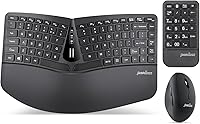
Perixx PERIDUO-606A Wireless Ergonomic Keyboard Mouse Set
Perixx PERIDUO-606A Wireless Ergonomic Keyboard Mouse Set — image 1

Perixx PERIDUO-606A Wireless Ergonomic Keyboard Mouse Set — image 2

Perixx PERIDUO-606A Wireless Ergonomic Keyboard Mouse Set — image 3
Perixx PERIDUO-606A Wireless Ergonomic Keyboard Mouse Set — image 4
Perixx PERIDUO-606A Wireless Ergonomic Keyboard Mouse Set — image 5
Perixx PERIDUO-606A Wireless Ergonomic Keyboard Mouse Set — image 6
Perixx PERIDUO-606A Wireless Ergonomic Keyboard Mouse Set — image 7
Perixx PERIDUO-606A Wireless Ergonomic Keyboard Mouse Set — image 8
71%
29%

Overview

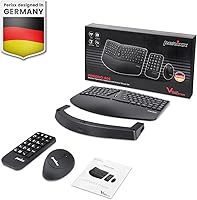
The Perixx PERIDUO-606A Wireless Ergonomic Keyboard Mouse Set is a mid-range three-piece bundle — split compact keyboard, vertical mouse, and detachable numeric keypad — aimed at anyone starting to feel the strain of long hours at a standard desk setup. All three devices connect through a single nano USB receiver, which keeps cable clutter minimal and desk space clean. The low-profile membrane keys are comfortable enough for daily use but won't satisfy anyone coming from a mechanical board. Think of this ergonomic desktop set as a practical, accessible entry point into ergonomic computing rather than a high-end workstation overhaul.

Features & Benefits

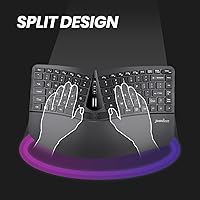
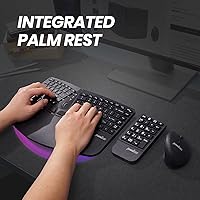
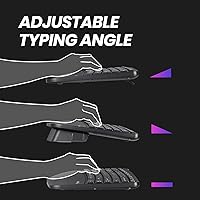
The split keyboard layout is the standout design choice here. By separating the key clusters and angling them apart, it encourages a more neutral wrist position — and the built-in palm rest, combined with a three-position tilt riser, lets you dial in a typing angle that actually suits your hands. The vertical mouse takes a similar approach, rotating the grip to a handshake position that reduces the forearm twisting that comes with a conventional flat mouse. A tilt scroll wheel sits in the middle of the keyboard for quick document navigation. The detachable numeric keypad is a smart touch — park it wherever makes sense for your workflow, or stow it away entirely.

Best For

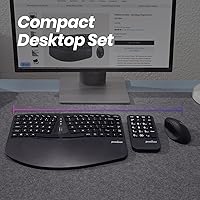
This wireless three-piece combo is a natural fit for office workers and remote professionals who are starting to notice wrist discomfort but haven't committed to a full ergonomic workstation yet. It's especially well-suited to first-time ergonomic buyers who want everything in one box — no hunting for compatible components separately. If your desk is on the smaller side, the compact split keyboard frees up real estate, and the removable keypad means you only bring it out when you need it. It's also a sensible pick for anyone who wants a clean plug-and-play experience on Windows without dealing with driver software or companion apps.

User Feedback

The Perixx bundle holds a 3.6-star average across over 200 ratings, which is honestly a fair reflection of what it is. Most positive reviewers highlight the noticeable comfort improvement after switching from a standard flat keyboard, the hassle-free setup, and the overall value of getting three ergonomic peripherals in one package. Critics tend to focus on the mouse — the DPI tops out at 1600, which feels limited for larger screens or precision tasks. A handful of users have flagged concerns about plastic build quality over time and battery life that could be more generous. Heavy typists and power users tend to be the least satisfied; anyone with modest daily workloads generally comes away happy.

Pros

  • Three ergonomic peripherals in one box saves money compared to buying each component separately.
  • The vertical mouse noticeably reduces forearm twisting during extended use.
  • Split keyboard layout encourages a more natural, shoulder-width hand position.
  • Detachable numeric keypad can be repositioned or removed to free up desk space.
  • One nano USB receiver handles the keyboard, mouse, and keypad simultaneously — only one USB port needed.
  • No drivers or software required; plug in and it works immediately on Windows.
  • Adjustable keyboard tilt with three angle settings lets you find a comfortable typing position.
  • Built-in palm rest provides wrist support without needing a separate accessory.
  • The wireless range of up to 33 feet offers flexibility for non-traditional desk arrangements.
  • Backed by a 12-month limited warranty, which is reasonable for the price tier.

Cons

  • Membrane keys feel mushy and lack tactile feedback, frustrating touch typists and fast typists alike.
  • Mouse DPI maxes out at 1600, which feels limiting on large or high-resolution displays.
  • The single USB receiver is a critical vulnerability — losing it disables all three devices at once.
  • Build quality relies heavily on lightweight plastic, and some users report wear over extended daily use.
  • Battery life across three separate wireless devices means you are managing multiple replacement schedules.
  • No Mac compatibility is listed, making this a Windows-only solution.
  • The tilt scroll wheel on the keyboard, while novel, has a learning curve and limited precision compared to a dedicated mouse scroll wheel.
  • At 2.57 pounds total, the package is light, but the plastic construction does not inspire confidence in long-term durability.
  • No software customization means DPI, media keys, and button assignments are fixed with no way to remap them.
  • The 3.6-star average rating suggests a meaningful portion of buyers walk away disappointed, particularly heavier users.

Ratings

The scores below are generated by AI after analyzing verified global user reviews for the Perixx PERIDUO-606A Wireless Ergonomic Keyboard Mouse Set, with spam, bot-submitted, and incentivized feedback actively filtered out. This ergonomic desktop set sits at a genuine 3.6-star average, and these ratings reflect that honestly — both the real comfort wins and the frustrations that drove mixed responses. Nothing has been smoothed over: where buyers struggled, the scores show it.

Ergonomic Design
78%
22%
The combination of a split keyboard and vertical mouse addresses two of the most common sources of desk-related strain in one bundle. Users transitioning from flat, standard peripherals consistently report a noticeable reduction in forearm tension and wrist pressure after a short adjustment period.
The ergonomic improvements are real but modest — this is a comfort aid, not a therapeutic device. Users with existing diagnosed RSI or carpal tunnel conditions often found the relief insufficient compared to purpose-built clinical-grade alternatives that cost considerably more.
Keyboard Feel
54%
46%
For light office typing and casual daily use, the low-profile membrane keys are quiet and adequately responsive. Users who primarily send emails, fill spreadsheets, or browse find the key travel inoffensive and the noise level appropriate for shared workspaces.
Anyone who has spent time on mechanical switches will find the feedback here disappointingly flat and mushy. The lack of tactile bump or audible click makes extended typing sessions feel imprecise, and fast typists frequently reported increased errors during the adjustment period.
Vertical Mouse Comfort
76%
24%
The handshake grip orientation genuinely reduces the forearm rotation that a conventional flat mouse demands across a full workday. Multiple reviewers noted that shoulder and elbow tension — not just wrist discomfort — improved after switching, which suggests the posture benefit extends up the arm.
The mouse body size may not suit all hand sizes equally well, and users with larger hands occasionally noted a cramped feel during precise tasks. At only 800 and 1600 DPI, the sensitivity range is narrow, making it awkward for anyone working across a large or high-resolution display.
Wireless Reliability
82%
18%
Day-to-day wireless performance is stable and lag-free for standard office tasks across the 33-foot operating range. Users appreciated that all three devices connect through one receiver without interference complaints under typical home or office Wi-Fi environments.
The single-receiver design is convenient right up until the receiver goes missing — at which point all three devices are rendered unusable simultaneously. A small but vocal group of reviewers flagged this as a genuine vulnerability, particularly for users who frequently rearrange their workspace or travel with the set.
Setup & Ease of Use
91%
Plug-and-play installation is as straightforward as it gets — insert the nano receiver, and the keyboard, mouse, and keypad are all live within seconds on any supported Windows machine. There are no apps to install, no accounts to create, and no pairing sequences to navigate.
The simplicity that makes setup effortless also means there is zero customization available — DPI settings, media key behavior, and button mapping are all fixed. Power users who expected even basic software configuration were consistently caught off guard by the complete absence of any companion app.
Detachable Keypad
83%
The wireless numeric keypad is a genuine standout feature for users with compact desks who occasionally need number entry but do not want a full-size keyboard footprint permanently occupying their workspace. Being able to move it left, right, or off the desk entirely adds real flexibility.
The keypad shares the same membrane switch quality as the main keyboard, so the typing feel carries the same limitations. A few users also noted that the keypad's physical size feels slightly bulky relative to the keyboard, which undermines the compact desk setup advantage somewhat.
Build Quality
57%
43%
For the price tier, the build is acceptable out of the box — all three devices feel consistently finished, and the sweat-resistant palm rest is a practical detail that holds up reasonably well under normal daily handling. Initial impressions are generally positive.
Long-term durability is where the plastic construction starts to show its limitations. Reviewers who had used the set for six months or more reported visible surface wear, minor key wobble on the keyboard, and a general feeling that the materials were not built to absorb years of heavy daily use.
Value for Money
79%
21%
Buying a wireless ergonomic keyboard, a vertical mouse, and a wireless numeric keypad separately would cost noticeably more than this bundle. For first-time ergonomic adopters who are not ready to invest in premium peripherals, the value proposition is genuinely strong.
Buyers who push the set hard in a professional context tend to feel the cost-quality trade-off more acutely after a few months. If your workload is demanding and you type for six or more hours a day, the membrane keyboard in particular may prompt you to upgrade sooner than the price suggests.
Adjustability
72%
28%
Three distinct tilt positions on the keyboard riser give users a meaningful range to experiment with depending on their desk height and chair setup. Combined with the built-in palm rest, most users can find a comfortable neutral wrist position without external accessories.
Three angles is better than one, but it still falls short of the continuous-angle adjustment found on premium ergonomic boards. Taller users or those with non-standard desk setups occasionally reported that none of the three positions quite hit the ideal angle for their posture.
Mouse DPI Range
48%
52%
For users working on a single standard 1080p monitor with modest cursor speed preferences, the 800 and 1600 DPI options cover the basics without feeling disorienting. Switching between the two is quick and buttonpress-accessible.
Two DPI steps is a significant limitation by current standards, and 1600 as a ceiling feels inadequate for anyone using a 4K display, a dual-monitor setup, or tasks requiring fine cursor precision. This was one of the most consistently mentioned disappointments in critical reviews.
Battery Life
61%
39%
Under light-to-moderate daily use, the battery-powered devices last a reasonable amount of time before needing a change, and the lack of charging cables keeps the desk clutter-free. Users on standard office workloads rarely flagged battery drain as an urgent issue.
Managing three separate battery-powered devices simultaneously means you are always at some stage of replacement across the set. Heavier users reported needing to replace batteries more frequently than expected, and there is no battery level indicator on any of the devices to warn you before they cut out.
Noise Level
84%
The membrane switches produce a soft, muted keystroke that works well in open-plan offices, shared home workspaces, or any environment where keyboard noise is a social consideration. Multiple reviewers specifically called out the quietness as a reason they chose this set over louder alternatives.
The same acoustic softness that makes these keys office-friendly also strips them of the audible feedback some users rely on to confirm keystrokes, particularly during fast-paced typing. It is a trade-off rather than a flaw, but it is worth knowing before you commit.
Compatibility
55%
45%
Within the Windows ecosystem, compatibility is broad and trouble-free across a wide range of machines and Windows versions from XP onward. The absence of drivers means it works reliably even on older or locked-down corporate PCs where software installation is restricted.
The Windows-only limitation is a real barrier for macOS users, Linux users, and anyone running a mixed-OS environment. There is also no mention of iPad or tablet compatibility, which increasingly matters as more people use tablets as primary work devices.

Suitable for:

The Perixx PERIDUO-606A Wireless Ergonomic Keyboard Mouse Set is a strong match for office workers and remote professionals who spend long hours at a desk and are beginning to feel the early signs of wrist fatigue or forearm strain. It works especially well as a first step into ergonomic computing — rather than piecing together separate components, you get a keyboard, vertical mouse, and numeric keypad that are designed to work together out of the box. People with smaller desks will appreciate the compact split layout and the ability to tuck the keypad away when it's not needed. The single USB receiver keeps things tidy, and the complete absence of driver software makes it genuinely painless to set up on any Windows machine. If your priority is comfort improvement at a reasonable price without a steep learning curve, this wireless three-piece combo delivers solid value.

Not suitable for:

The Perixx PERIDUO-606A Wireless Ergonomic Keyboard Mouse Set is not the right choice for anyone who takes typing feel seriously. The membrane low-profile keys are adequate for light-to-moderate daily use, but anyone accustomed to mechanical switches will find the feedback flat and unsatisfying. The mouse tops out at 1600 DPI, which is restrictive for users working across large or multiple monitors, or anyone doing graphic work that demands precise cursor control. Mac users should also look elsewhere — the set is designed exclusively for Windows and lacks any macOS compatibility or layout adaptation. If your wrist issues are already serious or clinically diagnosed, this ergonomic desktop set should complement medical advice rather than replace it; it is a comfort aid, not a therapeutic device. Finally, losing the single nano USB receiver leaves all three devices dead simultaneously, with no easy or inexpensive replacement path.

Specifications

  • Connectivity: All three devices connect wirelessly via 2.4 GHz radio frequency through a single included nano USB receiver.
  • Wireless Range: The set operates reliably at distances of up to 33 feet (10 meters) from the USB receiver.
  • Keyboard Type: The keyboard uses membrane low-profile switches, offering a quiet, flat keystroke with moderate actuation resistance.
  • Keyboard Layout: The compact split layout includes 7 dedicated media keys and a central tilt scroll wheel positioned between the two key clusters.
  • Numeric Keypad: A detachable wireless numeric keypad is included and connects through the same single USB receiver as the keyboard and mouse.
  • Mouse Design: The vertical ergonomic mouse features a 6-button layout with a scroll wheel, designed to hold the hand in an upright handshake orientation.
  • Mouse DPI: The mouse offers two selectable DPI settings: 800 and 1600, switchable via a button on the mouse body.
  • Typing Angle: The keyboard riser supports three adjustable tilt positions, allowing users to find a neutral wrist angle for their individual hand posture.
  • Palm Rest: A built-in sweat-resistant plastic palm rest is integrated into the keyboard base, providing wrist support without requiring a separate accessory.
  • Power Source: The keyboard, mouse, and numeric keypad are each powered by standard batteries, sold separately from the unit.
  • Package Weight: The complete package weighs 2.57 pounds, covering all three input devices, the USB receiver, and included accessories.
  • Dimensions: The overall package measures 13.82 x 8.94 x 2.56 inches, reflecting the combined footprint of the keyboard and bundled components.
  • OS Compatibility: The set is compatible with Windows XP, Vista, 7, 8, and 10; no macOS or Linux support is officially listed.
  • Driver Requirement: No drivers or companion software are required; the set is fully plug-and-play upon inserting the nano USB receiver.
  • Warranty: Perixx covers this set with a 12-month limited warranty against manufacturing defects from the date of purchase.
  • Manufacturer: This set is designed and sold by Perixx Computer GmbH, a Germany-based peripheral brand focused on ergonomic input devices.
  • USB Receiver: One nano USB receiver manages all three wireless devices simultaneously, occupying only a single USB-A port on the host computer.

Related Reviews

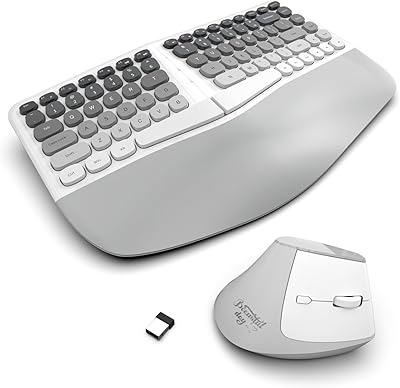
Perixx Periduo-605 Wireless Ergonomic Keyboard Mouse Combo
72%
83%
Ergonomic Comfort
61%
Keyboard Feel & Typing
79%
Mouse Comfort & Design
69%
Wireless Reliability
76%
Value for Money
More
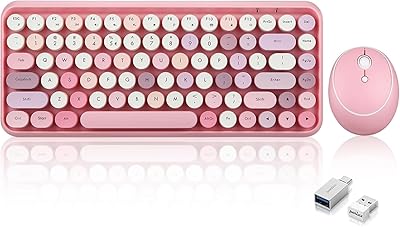
LgnitionKeys LK02 Ergonomic Wireless Keyboard and Mouse Set
85%
88%
Ergonomic Comfort
91%
Wireless Connectivity
84%
Build Quality
89%
Battery Life
82%
Compact Design
More
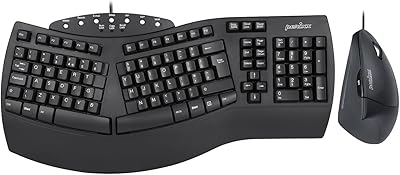
Perixx PERIDUO-713 Wireless Keyboard and Mouse Combo
87%
88%
Typing Comfort
81%
Build Quality
93%
Wireless Connectivity
72%
Battery Life
95%
Portability
More
Perixx PERIDUO-512B US Ergonomic Keyboard and Vertical Mouse Combo
83%
88%
Ergonomic Comfort
83%
Build Quality
90%
Ease of Setup
65%
Mouse Learning Curve
84%
Keypad Comfort
More
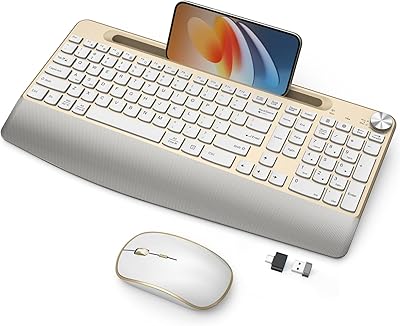
SQMD Retro Typewriter Wireless Keyboard Mouse Combo
76%
91%
Design & Aesthetics
67%
Typing Feel
78%
Wireless Reliability
58%
Mouse Performance
83%
Value for Money
More
JOYACCESS Ergonomic Wireless Keyboard and Mouse Combo
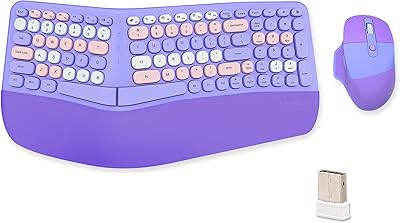
77%
88%
Value for Money
91%
Design & Aesthetics
76%
Typing Comfort
58%
Typing Feel & Key Response
74%
Mouse Performance
More
PEIOUS Wireless Ergonomic Keyboard and Mouse Combo
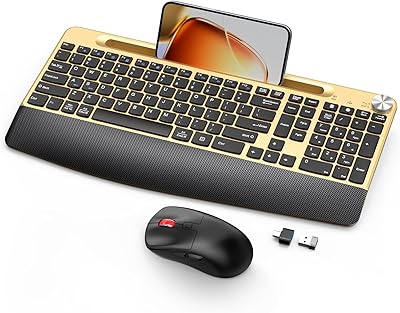
74%
78%
Ergonomic Comfort
74%
Typing Feel & Key Response
69%
Mouse Ergonomics
83%
Wireless Reliability
61%
Build Quality & Durability
More
Lomiluskr Wireless Ergonomic Keyboard and Mouse Combo
70%
79%
Ergonomic Design
76%
Wrist Rest Quality
63%
Wireless Reliability
58%
Mouse Comfort & Fit
81%
Value for Money
More
ACOZYKITTEN KM468 Wireless Keyboard and Mouse Combo
73%
93%
Ease of Setup
88%
Value for Money
91%
Mouse Click Noise
86%
Keyboard Layout & Numpad
79%
Wireless Reliability
More
GAMCATZ Ergonomic Wireless Keyboard and Mouse Combo
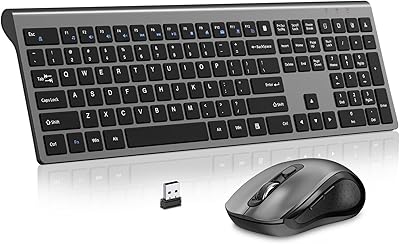
77%
83%
Value for Money
72%
Typing Feel
74%
Mouse Performance
87%
Wireless Reliability
68%
Wrist Comfort
More

FAQ

No, there is nothing to install. Just plug the nano USB receiver into an available USB port on your Windows PC and all three devices should be recognized within seconds. It is entirely plug-and-play.

Yes, it does. The keyboard, vertical mouse, and detachable numeric keypad all pair through that one nano receiver simultaneously. The trade-off is that if you lose the receiver, all three devices stop working, and replacement receivers are not universally interchangeable, so keep it somewhere safe.

Officially, no. Perixx lists compatibility with Windows XP through Windows 10 only. Some users have reported basic functionality on other systems since there are no drivers involved, but you would be outside of supported use, and certain media keys or features may not respond as expected.

Honestly, they are quite different. The Perixx PERIDUO-606A Wireless Ergonomic Keyboard Mouse Set uses low-profile membrane switches, which produce a softer, quieter keystroke with less tactile bump. If you are used to clicky or tactile mechanical switches, the transition will feel noticeably flatter. For casual typing and office work it is fine, but dedicated typists tend to miss the feedback.

All three devices pair through a single shared receiver, so they work together as a unit. You can simply not use one of the devices if you prefer, but you cannot pair them individually to different receivers or computers — it is an all-or-nothing wireless system.

The exact battery type for each device is not published in the official specs, but peripherals of this type typically use AA or AAA alkaline batteries. Battery life varies widely by usage intensity, and some reviewers have noted that the runtime could be more generous. Keeping a spare set on hand is a reasonable precaution.

The numeric keypad is a fully separate wireless device that sits independently on your desk. It connects through the same USB receiver but has no physical locking mechanism to the keyboard — you place it wherever works best for you, whether that is to the right, left, or off the desk entirely when not in use.

This ergonomic desktop set is designed to reduce the physical stress that standard flat keyboards and conventional mice create, but it is not a medical device and should not be treated as one. Many users do report meaningful comfort improvements after switching, particularly from reduced forearm rotation with the vertical mouse. If your pain is significant or persistent, it is worth speaking with a healthcare professional alongside making any equipment changes.

The keyboard riser supports three distinct tilt positions, which gives you a reasonable range of angles to experiment with. Whether it makes a difference depends on your desk height and seating position, but having even two or three options is meaningfully better than a fixed-angle keyboard, especially if you are trying to find a position that keeps your wrists flat or slightly negative-tilted.

For a standard 1080p or 1440p display in a typical office context, 1600 DPI is workable but on the lower end of what most modern mice offer. Users with large 4K monitors or dual-screen setups may find the cursor feels sluggish at maximum sensitivity. If precise or fast cursor movement across big screens is important to your workflow, this mouse may feel limiting.

Where to Buy