Overview

The Patriot P300 256GB M.2 NVMe SSD sits firmly in the budget storage tier, designed for everyday users who want a real speed upgrade without spending much. It uses the M.2 2280 form factor with a PCIe Gen3 x4 interface, meaning it fits the vast majority of modern laptops and desktops without any adapter. Patriot Memory has long leaned into the value segment, and this drive reflects that focus — practical, no-frills hardware backed by a solid warranty. It currently ranks among the top sellers in Internal SSDs, which speaks to its popularity, though that alone should not set workstation-level expectations. This is an entry-level NVMe drive, and treating it as one is the right starting point.

Features & Benefits

The P300 runs on Phison's E13T controller, a chip built for efficiency over raw throughput — think capable daily commuter rather than track car. Sequential reads reach up to 1,700 MB/s, roughly three times faster than a SATA SSD, and writes climb to 1,100 MB/s. More relevant for daily use is the 4K random write speed of up to 260K IOPs, which directly affects how snappy Windows feels when launching apps or booting up. Built-in LDPC error correction and NANDXtend technology quietly work to preserve data accuracy and extend NAND lifespan over time. The drive also draws very little power, which matters if this NVMe drive is going into a laptop. The 5-year warranty rounds things out as a genuine differentiator at this price point.

Best For

This budget SSD makes the clearest sense for someone replacing a mechanical hard drive in an aging laptop or desktop. It also earns a spot as an OS drive in compact home theater builds, where its small footprint and modest heat output work in its favor. Students and casual users running browsers, productivity apps, and light media will get everything they need here. The P300 is not, however, the right call for anyone regularly exporting video, moving large file batches, or running write-heavy applications — its sustained write performance has a real ceiling, and pushing it hard consistently will reveal that. Know what you are buying it for, and it delivers well within those boundaries.

User Feedback

With nearly 4,700 ratings and a 4.6-star average, the P300 has clearly found its audience. The most common praise focuses on straightforward installation and the immediately noticeable speed difference after replacing an old hard drive — many buyers call it one of the best low-cost system improvements they have made. The criticisms are worth knowing, though. Some users in compact or thin laptops report heat buildup that triggers throttling during sustained transfers. A portion of longer-term reviewers also mention gradual performance softening after a year or more of regular use, which is consistent with entry-level NVMe behavior. Overall, buyer satisfaction is high, but the reviews reward realistic expectations rather than wishful ones.

Pros

  • Dramatically faster than any mechanical hard drive for boot times and everyday app launches.
  • M.2 2280 form factor fits the vast majority of modern laptops and desktops without adapters.
  • PCIe Gen3 x4 interface delivers real NVMe speeds at a fraction of premium drive pricing.
  • Low power consumption makes the P300 a practical choice for battery-conscious laptop users.
  • Five-year warranty offers exceptional coverage for an entry-level storage drive.
  • Nearly 4,700 user ratings with a 4.6-star average reflects broad buyer satisfaction.
  • Installation is straightforward — most users report a plug-in-and-go experience.
  • Built-in error correction technology quietly protects data integrity over the drive's lifespan.
  • Lightweight at under half an ounce, adding virtually no weight to portable builds.
  • Compatible with Windows 7 through 11, covering a wide range of existing systems.

Cons

  • Sustained write performance drops noticeably under heavy or prolonged workloads.
  • 256GB fills up quickly if you install multiple large games or store media locally.
  • Heat buildup in compact or poorly ventilated laptops can trigger throttling during transfers.
  • Some long-term users report gradual performance softening after a year or more of regular use.
  • The Phison E13T controller is not designed for demanding professional or workstation tasks.
  • No DRAM cache, which limits peak performance in certain random read-write scenarios.
  • This budget SSD may struggle to maintain rated speeds during back-to-back large file copies.
  • Relatively limited capacity means it is rarely practical as a sole storage drive for power users.

Ratings

The Patriot P300 256GB M.2 NVMe SSD was evaluated by our AI system after processing thousands of verified global buyer reviews, with spam, bot activity, and incentivized submissions actively filtered out to ensure the scores reflect genuine ownership experiences. Ratings span both everyday strengths and recurring frustrations, so you get an honest picture of where this budget NVMe drive excels and where it falls short. Every category below is weighted against real-world usage patterns — not just benchmark numbers — giving you a grounded basis for your buying decision.

Value for Money
93%
Buyers consistently call the P300 one of the most cost-efficient NVMe upgrades available, particularly for users replacing aging hard drives on a tight budget. Getting genuine PCIe Gen3 x4 performance at this price point is something reviewers across multiple markets repeatedly highlighted as a standout advantage.
A small number of reviewers feel the value proposition weakens slightly if you factor in long-term endurance, noting that spending a bit more upfront on a mid-tier drive could be the smarter play for heavy daily users.
Read Performance
81%
19%
Users upgrading from SATA SSDs or hard drives report a noticeably faster boot experience and snappier application loading, which aligns with the drive's strong sequential read ceiling. For web browsing, document work, and OS responsiveness, the read speeds more than hold their own in everyday conditions.
Reviewers who ran benchmark comparisons noted that real-world sustained read speeds occasionally fall short of the advertised peak, which is typical of entry-level NVMe drives without a DRAM cache buffer.
Write Performance
67%
33%
For light write workloads — saving files, installing apps, extracting archives — the P300 handles tasks quickly and without obvious hesitation. Users doing basic home and school computing rarely bumped into any write-related friction.
The write performance ceiling becomes apparent during large file transfers or back-to-back copy operations, where speeds can dip noticeably once the SLC cache is exhausted. Several reviewers flagged this as a real concern for anyone moving large batches of files regularly.
Installation Ease
94%
A striking number of first-time upgraders mentioned that installing the drive was far simpler than expected — a single screw and a firm seat into the M.2 slot, and the system recognized it immediately. Users praised how clearly it showed up in Windows Disk Management without needing extra drivers.
A handful of users encountered minor confusion distinguishing M.2 NVMe slots from M.2 SATA slots on older motherboards, leading to compatibility surprises — though this is a platform issue rather than a fault with the drive itself.
Thermal Management
62%
38%
Under typical daily workloads like browsing, office tasks, and light media consumption, the drive stays cool and the built-in thermal throttling rarely activates. The low-power Phison E13T controller contributes to generally modest heat generation at idle and during casual use.
In thin laptops and small form factor builds with limited airflow, several users reported that extended file operations triggered throttling, causing a visible drop in transfer speeds. This is a recurring theme in reviews from compact ultrabook owners specifically.
Long-Term Reliability
71%
29%
The majority of users reporting back after one to two years of regular use found the drive still functioning without errors, and the five-year warranty provides a meaningful safety net that competitors at this price tier do not always match.
A notable subset of longer-term reviewers described a gradual decline in sustained performance over time, particularly under heavier workloads. This is consistent with the behavior of entry-level NAND without robust over-provisioning, and worth factoring into any long-horizon purchase decision.
Compatibility
88%
The standard M.2 2280 form factor means this NVMe drive drops into an enormous range of laptops and desktops without any adapters or configuration changes. Windows 7 through 11 support also makes it a practical choice for users still running older operating systems on legacy hardware.
Users with systems that only support M.2 SATA — rather than NVMe — found the drive would not work in their slot, which caused frustration. Always verifying your motherboard or laptop specs before purchasing is essential with any NVMe drive.
4K Random Performance
79%
21%
The 260K IOPs random write figure translates directly into a more responsive Windows environment — users notice faster context switching, quicker browser tab restores, and reduced loading hitches when running multiple apps simultaneously. This is where the NVMe advantage over SATA becomes most tangible in daily use.
While random performance is solid for a budget drive, power users running database queries or virtual machines noted it falls meaningfully short of mid-range NVMe competitors, where the absence of DRAM caching becomes a more obvious bottleneck.
Power Efficiency
84%
Laptop users frequently mentioned that this budget SSD did not seem to negatively impact battery life compared to their previous hard drive, and some even noted modest improvements after switching. The Phison E13T is clearly tuned with power efficiency in mind, which benefits ultrabook and thin-and-light users directly.
No major complaints on power draw emerged, though a few desktop users noted the spec is largely irrelevant for their use case — it is primarily a differentiator for portable devices rather than plugged-in systems.
Build & Construction
76%
24%
The bare PCB design is standard for this class of drive and keeps the profile slim enough to fit M.2 slots with tight vertical clearance. At just 0.317 ounces, users noted it feels solidly constructed without any flex or cheap feel to the board itself.
The lack of any heatspreader or thermal pad means users in high-heat environments are entirely dependent on the chassis for cooling assistance. A few reviewers in warm climates or underventilated cases wished Patriot had included even a basic adhesive thermal pad.
Data Integrity & Error Protection
83%
The combination of LDPC error correction and NANDXtend ECC technology gives buyers reasonable confidence that data corruption events are being actively mitigated at the hardware level. Several technically-minded reviewers specifically called out these features as meaningful additions for an entry-level drive.
While the protections are real, users storing irreplaceable data should not treat these technologies as a substitute for regular backups — reviewers who experienced drive failures noted that no built-in ECC prevented total data loss in worst-case scenarios.
Warranty & Support
87%
A five-year warranty stands out sharply at this price tier, and reviewers who had to use it generally described Patriot Memory's replacement process as straightforward. The length of coverage alone gave many buyers extra confidence in the purchase.
A minority of users reported that warranty claims required persistent follow-up and that response times varied depending on region. International buyers in particular noted the process was less seamless than domestic US customers experienced.
Capacity Adequacy
58%
42%
For a lean Windows installation paired with core productivity apps and a modest document library, 256GB covers the basics without issue. Users who deploy this as a dedicated OS and applications drive — with separate storage for files and media — report having enough headroom.
The 256GB limit is a recurring friction point in reviews, especially among users who underestimated how quickly a primary drive fills up with Windows updates, game installs, and accumulated downloads. Many buyers revisited their purchase wishing they had opted for a larger capacity from the start.

Suitable for:

The Patriot P300 256GB M.2 NVMe SSD is a strong fit for everyday users who want a meaningful speed boost without a steep investment. If you are still running a mechanical hard drive in an older laptop or desktop, this drive will transform the experience — faster boot times, snappier app launches, and a noticeably more responsive system overall. Students handling documents, spreadsheets, and browser-heavy workflows will find 256GB of NVMe storage more than adequate for their needs. It also works well as a lean OS drive in compact builds like HTPCs, where its low power draw and small footprint are genuine practical advantages. First-time NVMe upgraders who are not pushing heavy workloads will get solid everyday performance backed by a reassuring five-year warranty.

Not suitable for:

The Patriot P300 256GB M.2 NVMe SSD is not the right tool for users who regularly push storage hardware hard. Video editors, content creators moving large files, or anyone running write-intensive applications will likely hit the drive's performance ceiling and feel it. The 256GB capacity itself is a constraint — if you plan to store a large game library, raw photo archives, or extensive media collections, you will run out of space faster than expected. Users with thin-and-light laptops that have limited thermal headroom should also take note, as sustained workloads can trigger heat-related throttling in tight enclosures. And if long-term endurance under heavy daily use is a priority, a higher-tier drive with a more robust controller is a smarter investment.

Specifications

  • Form Factor: The drive uses the M.2 2280 form factor, measuring 0.15 x 3.15 x 0.87 inches and fitting the standard slot found in most modern laptops and desktops.
  • Interface: It connects via PCIe Gen3 x4 using the NVMe 1.3 protocol, which is significantly faster than the older SATA interface used by traditional SSDs.
  • Capacity: Total formatted storage capacity is 256 GB, suitable for an operating system, core applications, and everyday working files.
  • Controller: The Phison E13T controller manages data flow and power delivery, optimized for efficiency and low heat output in entry-level NVMe applications.
  • Sequential Read: Peak sequential read speed reaches up to 1,700 MB/s under ideal conditions.
  • Sequential Write: Peak sequential write speed reaches up to 1,100 MB/s under ideal conditions.
  • Random Write: 4K aligned random write performance reaches up to 260,000 IOPs, directly influencing how responsive the system feels during everyday tasks.
  • Error Correction: The drive supports LDPC (Low Density Parity Check) and NANDXtend ECC technology to detect and correct read errors while extending NAND flash lifespan.
  • Data Protection: SmartECC technology and end-to-end data path protection work together to maintain data integrity throughout each read and write cycle.
  • Thermal Management: Built-in thermal throttling automatically reduces performance when temperatures rise, protecting the drive from heat-related damage in demanding conditions.
  • Power Profile: The drive is designed for low power consumption, making it a practical option for battery-powered laptops where energy efficiency matters.
  • Weight: The drive weighs just 0.317 ounces, adding negligible mass to any build or portable system.
  • OS Support: Compatible operating systems include Windows 7, 8.0, 8.1, 10, and 11, covering most currently deployed PC environments.
  • Installation: The drive is designed for internal installation and does not require any external power connector or mounting bracket beyond a standard M.2 slot.
  • Warranty: Patriot Memory backs the drive with a 5-year limited warranty, which is above average coverage for a product in this price category.
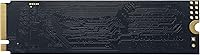
  • Color: The drive has a black PCB finish with no heatspreader, keeping the profile low for tight M.2 slots with limited vertical clearance.

Related Reviews
ORICO M.2 2242 NVMe SSD 256GB
88%
94%
Performance
91%
Speed (Read/Write)
88%
Heat Management
92%
Ease of Installation
87%
Value for Money
More
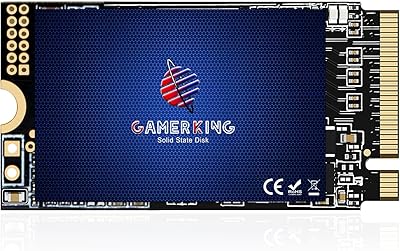
GAMERKING 256GB M.2 2242 NVMe SSD

85%
89%
Performance (Read/Write Speeds)
92%
Value for Money
85%
Ease of Installation
82%
Thermal Management
90%
Form Factor/Compatibility
More
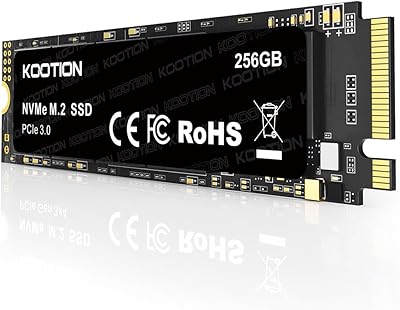
KOOTION 256GB NVMe M.2 PCIe SSD
87%
91%
Performance (Read Speed)
88%
Value for Money
94%
Ease of Installation
90%
Durability (Shock Resistance)
80%
Write Speed
More
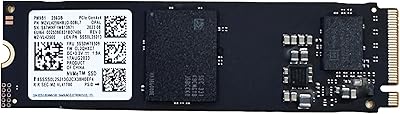
Samsung PM991 256GB NVMe M.2 SSD
88%
94%
Performance
91%
Read Speed
89%
Write Speed
92%
Value for Money
88%
Build Quality
More
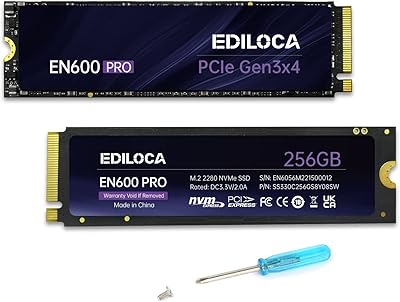
Ediloca EN600 Pro 256GB NVMe M.2 SSD
83%
89%
Performance
92%
Value for Money
85%
Speed (Read/Write)
94%
Ease of Installation
78%
Thermal Performance
More
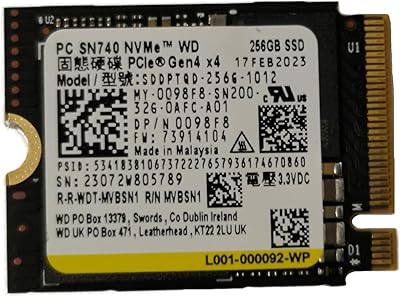
WD SN740 256GB 2230 NVMe SSD
80%
94%
Form Factor Compatibility
88%
NVMe Read/Write Speed
86%
Value for Money
83%
OEM Hardware Authenticity
89%
Thermal Performance
More
Samsung PM9B1 256GB M.2 NVMe SSD
77%
91%
Value for Money
84%
Read Speed Performance
67%
Write Speed & Sustained Performance
88%
Authenticity & Build Quality
82%
Compatibility
More
Timetec 256GB SSD NVMe PCIe Gen3x4 M.2 2280
85%
88%
Performance
90%
Speed (Read/Write)
85%
Installation Ease
91%
Compatibility
89%
Reliability (MTBF)
More
Western Digital PC SN530 256GB M.2 NVMe SSD
86%
90%
Performance
91%
Speed Improvement
87%
Ease of Installation
85%
Build Quality
92%
Value for Money
More
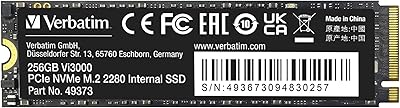
Verbatim 256GB SSD Vi3000 PCIe NVMe M.2 2280
86%
92%
Performance
90%
Read Speed
86%
Write Speed
88%
Ease of Installation
91%
Compatibility
More

FAQ

It uses the M.2 2280 form factor, which is the most common M.2 size found in laptops and desktops. That said, you should confirm your device has an M.2 slot that supports PCIe NVMe — not all M.2 slots are NVMe-compatible. Check your laptop or motherboard manual before purchasing.

If you are coming from a mechanical hard drive, the difference is dramatic. Boot times that used to take a minute or more often drop to under 15 seconds, and apps open almost instantly. Coming from a SATA SSD, the improvement is real but more subtle in daily tasks — you will mostly notice it during file operations and system-intensive moments.

It depends on your habits. For a Windows installation plus a handful of applications and everyday documents, 256GB is workable. If you install multiple large games, store video footage, or keep a lot of media locally, you will feel the squeeze. Many users pair it with a secondary larger drive for media and data storage.

Officially, Patriot lists Windows 7 through 11 as supported operating systems. While the hardware itself is not Mac-specific, NVMe drives can function in some Mac models depending on the generation and interface. For Mac use, it is worth checking your specific model's M.2 compatibility separately, as Apple uses proprietary slot configurations in many machines.

Installation itself typically only requires a small Phillips-head screwdriver to secure the drive in the M.2 slot. No special software is needed to get it recognized by Windows. If you want to clone an existing drive rather than do a fresh install, you will need third-party cloning software, several of which are available free of charge.

User feedback is generally positive for light-to-moderate workloads, with many owners reporting no issues after extended use. Some longer-term reviewers do mention a gradual softening of performance over time, which is typical behavior for entry-level NVMe drives under regular use. Avoiding near-full capacity and limiting heavy sustained writes will help maintain performance longer.

In most standard laptops and desktops, thermal performance is not a concern during everyday tasks. In very compact or thin laptops with limited airflow, sustained large file transfers can cause temperatures to rise and trigger the drive's built-in throttling. If your laptop runs warm generally, it is worth keeping an eye on thermals after installing any new NVMe drive.

Yes, for general gaming purposes it performs well. Games load noticeably faster compared to a hard drive, and the random read performance handles typical in-game asset streaming without issue. It is not ideal for storing an entire large game library given the 256GB capacity, but as a boot and primary game drive for a focused library, it works fine.

Patriot Memory offers a 5-year limited warranty, so a defective or failed drive within that window should be eligible for a replacement claim through their support process. Keep your proof of purchase accessible. As with any storage device, maintaining regular backups is strongly advised regardless of warranty coverage.

In most everyday scenarios, the difference will be noticeable but not transformative if you are already on a SATA SSD. Where the NVMe advantage shows most clearly is in faster boot times, quicker large file moves, and slightly snappier multitasking. If you are upgrading from a hard drive, both SATA and NVMe SSD options represent a huge leap, but the P300 offers NVMe performance at close to SATA pricing, which makes it a logical choice when your system supports it.