Overview

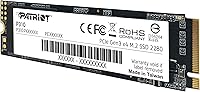
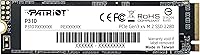
The Patriot Memory P310 240GB NVMe M.2 SSD is the kind of no-nonsense upgrade that makes sense when your laptop is crawling on an aging hard drive and you don't want to spend a lot to fix it. Patriot Memory has been around long enough to earn a quiet reputation in the budget storage space, and this drive fits squarely into that tradition. Using the M.2 2280 form factor with a PCIe Gen3 x4 interface, it slots into a wide range of older laptops and desktops without compatibility headaches. The 240GB capacity covers Windows, your core apps, and a working folder — just don't expect to store your entire media library on it.
Features & Benefits

On paper, sequential reads hitting 1,700MB/s and writes reaching 1,000MB/s put the P310 240GB firmly in competitive Gen3 NVMe territory — though it won't keep pace with newer Gen4 drives if you're comparing. What stands out for a drive at this price is the attention to data integrity. SmartECC and NANDXtend ECC work together to protect against NAND errors and help extend the memory's useful life. There's also LDPC error correction layered in for read operations, genuinely useful for long-term reliability. Built-in thermal throttling keeps the drive from overheating under sustained workloads. Weighing just 0.317 oz, this budget M.2 SSD barely registers inside a thin laptop — and a three-year warranty backs it all up, which is a real differentiator at this price tier.

Best For

This Patriot NVMe drive hits its sweet spot with anyone pulling an old mechanical hard drive out of a budget laptop and wanting a real speed improvement without spending much. It's also a solid pick as a secondary drive in a desktop — fast enough to serve as an OS disk or a scratch drive for light creative work. Students running Windows 11, a browser, and a few productivity apps will find 240GB surprisingly workable, provided they're not hoarding video files locally. DIY builders on a strict budget will appreciate the clean, no-extras approach. If your machine has PCIe Gen3 slots, there's little reason to pay more for a Gen4 drive you wouldn't fully use anyway — the P310 fills that gap well.

User Feedback

With a 4.8-star rating built on close to 1,000 buyer reviews, the P310 240GB carries real-world credibility, not just spec sheet promises. The most consistent feedback centers on the noticeable jump in boot and load times — buyers coming from spinning disks are often surprised by how much faster their machines feel. Installation also gets frequent praise, with most users dropping it into the M.2 slot without driver hunting or extra configuration. On the critical side, a handful of buyers note that 240GB fills up faster than expected once Windows updates and apps settle in. A few mention that sustained transfers slow down somewhat over time, which isn't unusual for budget NAND. Overall, the satisfaction rate reflects a drive that delivers on its modest promises.

Pros

  • Boot times drop dramatically compared to a mechanical hard drive — the difference is immediately noticeable.
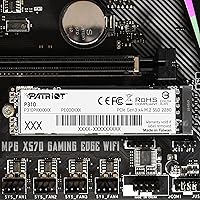
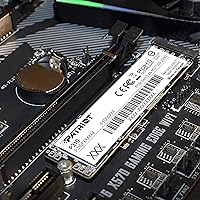
  • The M.2 2280 form factor fits a wide range of laptops and desktops without compatibility guesswork.
  • Sequential reads up to 1,700MB/s make everyday tasks like launching apps and loading files feel snappy.
  • NANDXtend and LDPC error correction add a layer of data reliability that budget drives often skip.
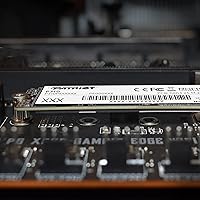
  • At just 0.317 oz, the P310 240GB is light enough to install in slim laptops without any clearance issues.
  • A three-year warranty is a genuine confidence boost at this price point — most rivals offer less.
  • Drops in without extra drivers on Windows 10, 11, and most Linux distributions.
  • Strong value for PCIe Gen3 systems where a pricier Gen4 drive would deliver no real benefit.
  • Close to 1,000 buyer ratings averaging 4.8 stars reflects consistent real-world satisfaction.

Cons

  • 240GB fills up quickly once Windows, updates, and a handful of apps take their share.
  • Sustained write performance can dip during long file transfers, a common trait of budget-tier NAND.
  • Not a sensible choice for systems with PCIe Gen4 slots — the speed ceiling becomes a bottleneck.
  • No included cloning software or migration tool, which can be a hurdle for less technical users.
  • Write speeds trail more established mid-range NVMe drives by a noticeable margin under load.
  • No DRAM cache, which affects random read consistency in more demanding multitasking scenarios.
  • Long-term endurance data for this specific drive is limited compared to more tested competitors.
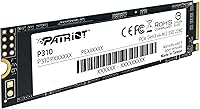
  • The black label design offers no visual indicator of installation orientation, minor but occasionally frustrating.

Ratings

The scores below reflect an AI-driven analysis of verified global buyer reviews for the Patriot Memory P310 240GB NVMe M.2 SSD, with spam, bot-generated, and incentivized feedback actively filtered out to ensure accuracy. Ratings are calibrated to reflect both what real users genuinely praised and the friction points that surfaced repeatedly across thousands of ownership experiences. Nothing has been softened — strengths and shortcomings are represented equally.

Value for Money
93%
Buyers consistently describe this as one of the most cost-efficient NVMe upgrades available, especially when replacing a failing hard drive on a budget laptop. Getting Gen3 NVMe speeds without paying a premium feels like a genuine win, and most users feel the purchase was clearly worth it within the first boot.
A small group of reviewers noted that for just a bit more, competing drives offer larger capacities, making the per-gigabyte value look less compelling on closer comparison. Users who later needed more storage felt they would have been better served spending slightly more upfront.
Read & Write Speed
81%
19%
The jump from HDD or SATA SSD speeds is immediately tangible — boot times drop to under 15 seconds for most users, and application loading feels substantially snappier. For everyday computing tasks, the sequential read performance holds up well and matches what Patriot advertises.
Sustained write performance under heavy load shows noticeable dips, particularly during large folder transfers or backup operations. Users who came from premium NVMe drives were less impressed, and the lack of a DRAM cache means random read consistency can wobble during intensive multitasking.
Storage Capacity
62%
38%
For a dedicated Windows OS drive or a lightweight student setup, 240GB handles the job reasonably well, especially when paired with external or cloud storage. Users who stream content rather than store it locally rarely bumped into space issues during the first year of ownership.
240GB is the most frequently cited frustration in long-term reviews. Once Windows updates, drivers, and a core set of apps are installed, usable space shrinks faster than most buyers anticipate. Several reviewers wished they had opted for a 480GB or 512GB variant from the start.
Installation Ease
91%
The plug-and-play experience is one of the most praised aspects of the P310 240GB — buyers with minimal technical experience reported successfully installing it on their first try with no driver downloads needed. Windows 10 and 11 detected the drive immediately, and Linux users on modern kernels had equally smooth results.
Patriot does not include any cloning software or migration utility in the package, which trips up users who want to transfer their existing OS rather than do a fresh install. Getting a USB-to-M.2 adapter to clone from an old drive is an added step that budget-oriented buyers don't always anticipate.
Reliability & Data Integrity
84%
The combination of SmartECC, NANDXtend, and LDPC error correction gives buyers meaningful protection against silent data corruption — features that are genuinely uncommon at this price tier. Most long-term reviewers report no data loss or unexpected errors over 12 to 24 months of daily use.
Because this is a budget-tier drive without published TBW (terabytes written) endurance ratings in easy-to-find documentation, some technically savvy buyers feel uncertain about its long-term stamina under heavy write workloads. Power users doing frequent large writes may find more peace of mind with a drive that publishes explicit endurance figures.
Thermal Performance
74%
26%
Built-in thermal throttling prevents the drive from hitting dangerous temperatures during extended use, which is particularly useful in cramped laptop enclosures with limited airflow. Casual users who run standard daily workloads rarely notice any heat-related slowdowns at all.
During prolonged file transfers or back-to-back benchmark runs, the throttling kicks in and causes a measurable temporary performance drop. Users who regularly move large batches of files — photographers or video editors offloading footage, for example — notice this more than light users do.
Compatibility
88%
The M.2 2280 form factor and NVMe 1.3 protocol cover a broad range of laptops and desktop motherboards from the past several years, making this one of the safer budget choices for buyers unsure about fitment. Backward compatibility with PCIe Gen4 slots also means it won't be rendered useless in a future build.
A small number of buyers with older ultrabooks discovered their M.2 slot only supported SATA, making the drive non-functional in their specific system — a compatibility issue rooted in the laptop, not the drive, but one that catches uninformed buyers off guard. Checking the motherboard or laptop spec sheet before purchasing remains essential.
Warranty & Support
83%
A three-year warranty is a meaningful commitment from a budget brand, and most buyers call it out as a credibility booster that influenced their purchase decision. Patriot's warranty coverage compares favorably to several competitors at similar price points who only offer one year.
Some buyers who attempted to initiate warranty claims described the RMA process as slower and less streamlined than they hoped, with limited real-time support responsiveness. The warranty is genuinely valuable, but the claims experience doesn't always match the promise on paper.
Build & Form Factor
87%
Weighing just 0.317 oz and adhering precisely to the 2280 spec, the drive fits cleanly into thin and light laptops without clearance issues or wobbling. The slim profile and standard sizing mean there are no physical installation surprises even in tighter chassis designs.
The drive has no heatspreader or label-side thermal pad, which is expected at this price but means systems without passive cooling on the M.2 slot are more reliant on the throttling firmware. The plain black label also provides no visual orientation cue, which can be a minor nuisance during installation in tight spaces.
Boot & Load Times
89%
Users upgrading from mechanical hard drives report some of the most dramatic before-and-after experiences of any budget SSD upgrade, with Windows boot times dropping from over a minute to under 15 seconds in many cases. Application load times for browsers, office suites, and productivity tools feel nearly instant by comparison.
For users already on a SATA SSD, the boot time improvement is real but subtler and may not feel worth an upgrade on its own. The performance ceiling of Gen3 NVMe means this budget M.2 SSD can't fully match the snappiness that Gen4 drives deliver in systems capable of running them.
OS & Software Support
86%
Broad operating system support spanning Windows 7 through 11 and Linux means this drive serves a wide range of users, including those running older or open-source environments. The driverless detection under Windows makes it genuinely accessible to non-technical buyers.
MacOS is not officially supported, which rules the drive out for Mac users looking to upgrade internal storage. Documentation around Linux-specific compatibility details is sparse, which can leave power users on less common distributions doing extra research before they feel confident proceeding.
Packaging & Accessories
58%
42%
The drive arrives in minimal, functional packaging that gets it to the buyer safely without unnecessary bulk. For buyers who just need the drive itself and already have the tools and adapters, this approach is perfectly adequate.
There is no mounting screw, thermal pad, cloning software, or USB adapter included — buyers coming from a retail store experience often feel the box is bare compared to competitors who bundle at least a migration tool. First-time upgraders in particular may find themselves needing to source accessories separately before they can even begin installation.
Long-Term Durability
72%
28%
Error correction technologies built into the controller help manage NAND cell wear over time, and reviewers who have owned the drive for two or more years generally report no failures or degraded performance. For light to moderate workloads, the drive holds up well within its warranty window.
Patriot does not publicly advertise a TBW endurance rating for this specific model in a prominently accessible way, which makes it harder for informed buyers to gauge lifespan under sustained write conditions. Heavy users running virtual machines or doing frequent database operations should approach long-term durability expectations with caution.

Suitable for:

The Patriot Memory P310 240GB NVMe M.2 SSD is an excellent fit for anyone who wants a meaningful speed boost without spending much — particularly people pulling a sluggish hard drive out of an older laptop or desktop. Students running Windows 11 alongside a browser, office suite, and a few apps will find the capacity workable, and the fast boot times alone make the upgrade feel transformative compared to spinning disk storage. DIY builders on a strict budget who need a reliable OS drive for a secondary rig will appreciate the clean M.2 2280 form factor and broad compatibility with PCIe Gen3 systems. It also makes a practical scratch disk in a desktop build — fast enough to handle the job without the cost of a premium drive. If your machine tops out at PCIe Gen3, paying extra for Gen4 speeds you can't use doesn't make sense, and this budget M.2 SSD fills that role honestly.
Not suitable for:

The Patriot Memory P310 240GB NVMe M.2 SSD is not the right call for power users or anyone who plans to use their drive as primary storage for large game libraries, video editing projects, or extensive media collections — 240GB gets tight faster than most people expect once Windows updates and applications settle in. Creative professionals doing sustained read and write work, like rendering or heavy file transfers, may run into the performance ceilings that come with budget NAND and thermal throttling over long sessions. Anyone building or upgrading a system with a PCIe Gen4 slot should seriously consider spending more for a Gen4 drive to actually take advantage of what their hardware offers. This drive also isn't the right choice for users who need enterprise-grade endurance or who expect consistent peak performance under heavy, prolonged workloads. If longevity under stress is the priority rather than cost savings, stepping up to a more established mid-range drive is the smarter long-term decision.

Specifications

  • Capacity: This drive offers 240GB of usable storage, sized for operating systems, core applications, and working files.
  • Interface: It connects via PCIe Gen3 x4 using the NVMe 1.3 protocol, delivering significantly faster throughput than SATA-based drives.
  • Form Factor: The M.2 2280 form factor measures 80mm in length and fits the standard slot found in most modern laptops and desktop motherboards.
  • Sequential Read: Peak sequential read speed reaches up to 1,700MB/s, making large file access and OS loading noticeably faster than SATA SSDs.
  • Sequential Write: Sequential write speed tops out at up to 1,000MB/s, handling typical file saves and application installs without bottlenecking the system.
  • Random Write: 4K aligned random write performance reaches up to 250,000 IOPs, supporting responsive multitasking and quick application launches.
  • Error Correction: LDPC (Low Density Parity Check) and NANDXtend ECC technologies actively detect and correct read errors to preserve data accuracy over time.
  • Data Protection: SmartECC provides end-to-end data path protection, guarding against silent data corruption throughout the read and write pipeline.
  • Thermal Control: Built-in thermal throttling automatically reduces performance when temperatures rise, preventing overheating during extended or intensive use.
  • Weight: The drive weighs just 0.317 oz, making it one of the lightest storage upgrades available for thin and light laptop builds.
  • Dimensions: Physical dimensions are 3.15 x 0.87 x 0.15 inches, conforming to the standard M.2 2280 specification with no protrusion concerns.
  • OS Support: Compatible with Windows 7, 8.0, 8.1, 10, and 11, as well as Linux distributions, covering the vast majority of consumer and enthusiast setups.
  • Warranty: Patriot Memory backs this drive with a 3-year limited warranty, providing meaningful coverage relative to its price tier.
  • Brand: Manufactured by Patriot Memory, a company with a long-standing presence in the consumer storage and memory market.
  • Color: The drive features a black label finish, keeping a neutral, unobtrusive appearance once installed inside a system.
  • NVMe Version: The drive adheres to the NVMe 1.3 specification, ensuring broad compatibility with modern M.2 NVMe host controllers.

Related Reviews

Crucial P310 2TB NVMe SSD
80%
86%
Read & Write Speed
93%
PS5 Compatibility
84%
Value for Money
71%
Thermal Management
91%
Installation Experience
More
Crucial P310 4TB NVMe M.2 SSD
83%
91%
Sequential Read Performance
88%
Sequential Write Performance
73%
Random I/O Performance
94%
Storage Capacity Value
82%
Compatibility & System Fit
More
Patriot Memory Viper VP4300 Lite 2TB M.2 PCIe Gen4 x4 SSD
86%
94%
Performance (Speed)
89%
Ease of Installation
78%
Thermal Management
91%
Compatibility with PS5
88%
Compatibility with PCs
More
Patriot Memory Viper VP4000 Mini 500GB M.2 2230 PCIe Gen4 x4 SSD
86%
94%
Performance
92%
Speed (Read/Write)
88%
Compatibility with Gaming Devices
85%
Ease of Installation
76%
Size/Form Factor (M.2 2230)
More
Patriot Memory Viper VP4000 Mini 2TB M.2 2230 SSD
80%
88%
Read Speed Performance
81%
Write Speed Performance
94%
Form Factor Fit
91%
Installation Experience
89%
Compatibility
More
dockteck DH0002 M.2 NVMe/SATA SSD Enclosure
84%
88%
Transfer Speed (NVMe)
76%
SATA Drive Performance
83%
Build Quality
93%
Ease of Setup
79%
Thermal Management
More
ineo C2605-NVMe M.2 NVMe SSD Enclosure
77%
88%
Write Protection Reliability
79%
Transfer Speed Performance
82%
Thermal Management
61%
Fan Noise Level
76%
Build Quality & Materials
More
SanDisk 2TB SSD Plus M.2 NVMe SSD
86%
89%
Performance
92%
Ease of Installation
88%
Reliability
91%
Value for Money
90%
Capacity
More
WAVLINK Dual-Bay NVMe M.2 SSD Cloner
75%
83%
Offline Cloning Reliability
78%
Transfer Speed
71%
Compatibility Range
76%
Build Quality
86%
Ease of Setup
More
ORICO Dual M.2 NVMe SSD Enclosure
79%
88%
Build Quality
84%
Thermal Management
82%
Transfer Speed
71%
Drive Compatibility
91%
Ease of Installation
More

FAQ

It depends on what type of M.2 slot your laptop has. The P310 240GB requires an M.2 slot that supports PCIe (NVMe), not just SATA. Many older laptops have M.2 slots, but some only accept SATA-based M.2 drives. Check your laptop's manual or manufacturer spec page to confirm it supports NVMe before buying.

It can be, but it's tighter than most people expect. Windows 11 itself takes around 20–30GB, and once you factor in updates, a browser, office apps, and some personal files, you can burn through 100GB without trying hard. For a light user who streams rather than stores media locally, 240GB works fine. If you install many large programs or games, you'll feel the squeeze within a year.

Generally no. On Windows 10 and 11, NVMe drives are recognized automatically using built-in inbox drivers. Most buyers report a straightforward plug-and-install experience with no manual driver setup required. Linux users on modern kernel versions should also have no issues.

The difference is real and noticeable. A typical SATA SSD tops out around 550MB/s sequential read, while this Patriot NVMe drive reaches up to 1,700MB/s. In practice, that gap shows up most during boot times, large file transfers, and loading heavier applications. For everyday browsing and document work, both feel fast, but the NVMe advantage becomes clearer under load.

Yes, but 240GB has to cover both roles, which limits how much room you have for files beyond the OS. If your system has only one M.2 slot, you'll need to be disciplined about what you keep locally. For a dedicated OS drive paired with another storage solution, it works well.

Yes, it will physically fit and work in a PCIe Gen4 M.2 slot, but it will only run at Gen3 speeds — the slot is backward compatible. You won't damage anything, but you also won't get Gen4 performance from this budget M.2 SSD. If your system has Gen4 capability, it's worth considering whether spending a bit more on a Gen4 drive makes better long-term sense.

For typical workloads like browsing, document editing, or light gaming, you'll never notice it. Thermal throttling only kicks in during sustained heavy transfers — think copying large folders or running extended benchmarks. In those cases, the drive slows itself down briefly to stay cool, then recovers. It's a protective measure, not a regular performance limiter.

The Patriot Memory P310 240GB NVMe M.2 SSD comes with a 3-year limited warranty. For a drive at this price point, that's genuinely reassuring — some budget competitors offer only one year. You'd need to contact Patriot Memory directly to initiate an RMA if something goes wrong.
Yes, but you'll need a third-party cloning tool since Patriot doesn't bundle one with the drive. Free options like Macrium Reflect or Clonezilla work well for this. You'll also need a USB-to-M.2 adapter to connect the new drive externally during the cloning process if your system only has one M.2 slot.

For a typical home or student user, several years of reliable use is a reasonable expectation. The NANDXtend ECC and SmartECC technologies help manage NAND wear over time, and 240GB drives generally experience less write wear than larger drives doing the same daily tasks. Heavy users doing constant large file writes will see more wear, but for everyday computing, longevity shouldn't be a major concern within the warranty period.