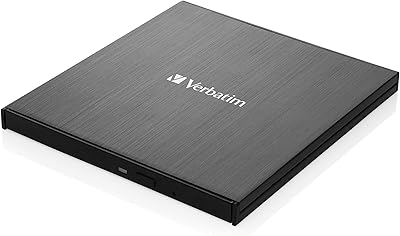
Panasonic UJ240 Internal Blu-ray Burner Drive
Overview
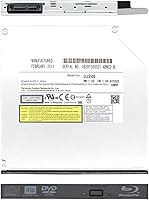
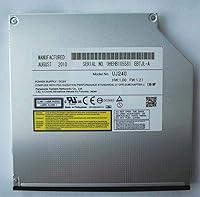
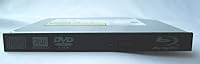
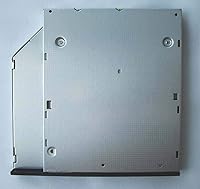
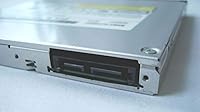
The Panasonic UJ240 Internal Blu-ray Burner Drive is a slim, no-frills optical drive built for standard SATA bays in both desktops and laptops with a 12.7mm slot. It has been around since 2010, which sounds dated until you realize that is precisely what makes it one of the most proven replacement options still on the market. One critical thing to flag upfront: this ships as a bare drive. No cables, no mounting hardware, no burning software included. Buyers who miss that detail tend to be unpleasantly surprised at unboxing. For anyone who goes in prepared, though, the UJ240 sits comfortably in the mid-range tier as a dependable optical drive upgrade worth considering.
Features & Benefits
This Blu-ray burner handles a wide range of optical formats without overcomplicating things. For Blu-ray work, BD-R discs burn at 6x — not blazing fast, but steady and reliable enough to get through full HD archiving projects without wasted discs. BD-RE rewritable media tops out at 4x, which is par for the format. DVD single-layer burns hit 8x, dual-layer lands at 4x, and DVD-RAM is supported too, which is a practical bonus for structured data backup. The drive connects via SATA 3.0 Gb/s, giving it broad compatibility across modern and older motherboards alike. A 2MB buffer keeps write operations stable, and the neutral black bezel disappears cleanly into most builds.
Best For
This internal optical drive makes the most sense for a few well-defined buyer types. PC builders adding Blu-ray capability to a desktop or home theater build will find it a solid, low-drama option that covers playback and authoring without any fuss. It is also a reliable replacement for aging laptops with a failed 12.7mm drive — just confirm your bay dimensions before ordering, because that compatibility step is not optional. Home video enthusiasts archiving family footage to disc will get consistent results from the UJ240, and data backup professionals who cycle through BD, DVD, and CD formats regularly will appreciate having all that coverage in one internal drive.
User Feedback
Across nearly 300 ratings and a 4.3-star average, this internal optical drive earns its standing mostly through consistent, dependable performance. Buyers frequently mention straightforward installation and the reassuring fact that it simply works once seated in the bay. Long-term durability also draws positive comments, with several reviewers reporting years of regular use without incident. The most common complaint is predictable: buyers who overlooked the bare-drive nature of the listing were frustrated to find no cables or software in the box. A smaller number reported compatibility hiccups in specific laptop models, reinforcing the need to verify bay clearance before purchasing. Overall, the feedback describes a drive that does the basics well and holds up reliably over time.
Pros
- Covers BD-R, BD-RE, DVD±R, DVD±RW, DVD-RAM, CD-R, and CD-RW in a single internal drive.
- SATA 3.0 Gb/s interface works reliably with both modern and older motherboards.
- Standard 12.7mm height fits the vast majority of desktop and laptop optical bays.
- Buyers consistently report stable, error-free write performance across multiple disc types.
- Long-term durability is a recurring compliment, with many units logging years of regular use.
- Installation is straightforward — seat it in the bay, connect SATA power and data, and it is ready.
- Neutral black bezel integrates cleanly into most tower and slim-case builds.
- The UJ240 remains one of the few proven internal Blu-ray burners still actively sold and supported.
- Works across all common desktop and laptop operating systems without driver headaches.
- Solid 4.3-star average across nearly 300 reviews reflects real-world buyer satisfaction.
Cons
- No cables, mounting hardware, or burning software included — budget and plan for those separately.
- 6x BD-R write speed is functional but behind what newer competing drives can offer.
- 2MB buffer is modest and may show limitations during heavy or back-to-back burn sessions.
- A subset of laptop models do not fit this drive despite the standard 12.7mm spec — always verify bay clearance.
- No USB or external connectivity option; purely an internal SATA installation.
- Bare-drive packaging catches unprepared buyers off guard and has generated avoidable negative reviews.
- Design and core specs have not been updated since the 2010 launch, so it lacks any modern firmware refinements.
- No software bundle means first-time Blu-ray burner users must research and source a compatible authoring app independently.
Ratings
The scores below for the Panasonic UJ240 Internal Blu-ray Burner Drive were generated by our AI engine after analyzing verified global buyer reviews, with spam, bot activity, and incentivized feedback actively filtered out before scoring. Each category reflects the honest distribution of real user experiences — strengths are credited where earned, and recurring frustrations are scored accordingly. Nothing here is rounded up to protect a reputation.
Write Reliability
Format Compatibility
Installation Ease
Build Quality
Read Performance
Blu-ray Write Speed
DVD Write Speed
Value for Money
Laptop Compatibility
Noise & Vibration
Long-term Durability
Software Bundle
OS & Driver Support
Packaging & Unboxing
Suitable for:
The Panasonic UJ240 Internal Blu-ray Burner Drive is a well-matched choice for anyone who needs a dependable, no-surprise optical drive that covers the full range of disc formats without requiring a specialist purchase. PC builders dropping Blu-ray capability into a desktop tower or home theater PC will find it slots in cleanly via SATA with minimal fuss. It is equally practical for anyone whose aging laptop has a dead or failing 12.7mm optical drive — provided the bay dimensions check out, this is one of the more straightforward replacements still available. Home video enthusiasts who burn family archives or personal projects to Blu-ray on a regular basis will appreciate the consistent write quality, and professionals who maintain physical disc backups across BD, DVD, and CD formats will value having all that support consolidated in a single internal unit. If your workflow involves optical media in any serious capacity, the UJ240 earns its place.
Not suitable for:
The Panasonic UJ240 Internal Blu-ray Burner Drive is not the right pick for buyers who want a ready-to-burn, out-of-the-box experience — it ships as a bare drive with no cables, no mounting hardware, and no bundled software, so you need to source those separately before anything works. Anyone hoping for high-speed Blu-ray burning will also want to temper expectations; 6x BD-R is a functional, reliable speed, but it is not fast by current standards. External drive users are obviously out of scope here, since this is an internal SATA-only unit. Laptop owners need to be especially careful about bay compatibility — a small number of notebook models do not accommodate this 12.7mm form factor, and returns based on sizing mismatches are a recurring theme in user feedback. If you are building a brand-new system and want cutting-edge write performance, there are more modern options worth considering.
Specifications
- Brand: Manufactured by Panasonic, a well-established Japanese electronics brand with a long history in optical storage technology.
- Model: The drive carries the model designation UJ240, sometimes listed by the seller as WP240.
- Drive Type: This is an internal Blu-ray burner capable of reading and writing across Blu-ray, DVD, and CD formats.
- Interface: Uses a SATA 3.0 Gb/s connection, compatible with the vast majority of modern and legacy desktop and laptop motherboards.
- Form Factor: Slim-line optical drive with a standard 12.7mm height, fitting most notebook and desktop optical drive bays.
- Dimensions: The drive measures 7.4 x 7.3 inches in footprint and 1.3 inches in height, consistent with standard slim optical drive sizing.
- Weight: The bare drive weighs 8 ounces, making it lightweight enough for both portable laptop installations and stationary desktop builds.
- BD Write Speeds: Writes BD-R discs at 6x and BD-RE rewritable discs at 4x, providing dependable Blu-ray burn performance for archiving and authoring.
- DVD Write Speeds: Supports DVD-R and DVD+R at 8x, dual-layer DVD-R DL and DVD+R DL at 4x, DVD-RW and DVD+RW at 4x, and DVD-RAM at 5x.
- CD Write Speeds: Writes CD-R media at 24x and CD-RW at 16x, covering standard optical disc formats used for audio and data archiving.
- Read Speed: Optical read speed is rated at 8x for Blu-ray media, suitable for playback and data verification tasks.
- Buffer Size: Equipped with a 2MB data buffer to help maintain consistent write operations and reduce the risk of buffer underrun errors.
- Bezel Color: Ships with a black bezel installed, offering a neutral finish that integrates cleanly into most desktop towers and slim laptop chassis.
- OS Compatibility: Compatible with all common desktop and laptop operating systems, including Windows and macOS environments, without requiring specialized drivers.
- Bundle Contents: Sold as a bare drive only; SATA data cables, power cables, mounting screws, and burning software are not included in the package.
- Release Date: First made available in March 2010 and has remained in continuous sale as a proven replacement and upgrade option for optical bays.
- Disc Formats: Supports the full range of BD-R, BD-RE, DVD±R, DVD±RW, DVD-RAM, CD-R, and CD-RW formats in a single drive unit.
- Manufacturer Status: Panasonic has not discontinued this drive, and it remains available through third-party sellers as a current product listing.
Related Reviews

NOLYTH Portable External Blu-ray Drive

Yaeonku 50GB External Blu-ray Drive

Wintale Portable External Blu-ray Drive
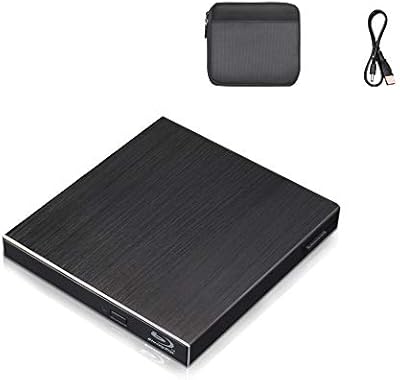
Cloudtale Portable Slim External Blu-ray Drive
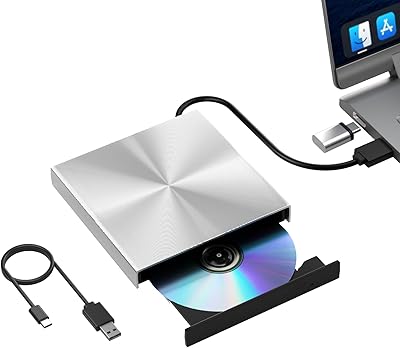
Alphami USB-C External Blu-ray Drive
ASUS BW-16D1HT Internal Blu-ray Burner

VSVABEFV External USB Blu-Ray Drive
NVOPERANG BD015 External Blu-ray Drive
LG WP50NB40 External Blu-ray Writer