Overview

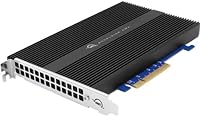
The OWC Accelsior 4M2 8TB NVMe SSD Card is a serious piece of kit built for professionals who have outgrown conventional storage options. OWC has long been one of the few third-party vendors Apple users actually trust, and this four-slot PCIe card reflects that pedigree. By stacking four NVMe M.2 drives onto a single board, it delivers throughput that external solutions simply can't match. The pricing is steep but deliberate — this isn't aimed at casual users. Video editors, colorists, and data scientists running Mac Pro or high-end PC towers are the target audience, and for them, the cost-per-performance math starts making real sense quickly.

Features & Benefits

Drop the Accelsior 4M2 into an x8 or x16 PCIe 3.0 slot — or even PCIe 2.0 if that's what your system offers — and you immediately gain access to staggering read speeds in excess of 6,000 MB/s when the four drives run in RAID 0. That figure reflects real-world testing, not just spec sheet maximums. The included SoftRAID software handles configuration, monitoring, and drive health alerts, which matters more than it sounds when you're relying on this storage for active production work. Eight terabytes of total capacity means you can park entire project archives on one card. The five-year warranty rounds out a package that feels built for long-term professional use.

Best For

This four-slot PCIe SSD card makes most sense for Mac Pro owners — both generations. If you're running the 2019 Mac Pro and want to push beyond Apple's native SSD module options, this card slots right in and transforms your internal storage situation entirely. The older Mac Pro (2010 to 2012) crowd benefits too, getting a genuine modern NVMe upgrade without a full system replacement. On the PC side, workstation users doing 3D rendering, machine learning, or heavy video work will appreciate having fast, consolidated internal storage rather than juggling multiple drives. It's also a strong fit for anyone who wants dedicated RAID management software rather than trusting the OS to handle it.

User Feedback

Owners consistently point to two things: how straightforward the physical installation is, and how noticeably faster their workflows feel immediately after. Real-world speeds don't always hit the peak RAID 0 headline figures — sustained mixed workloads tend to land somewhat lower — but most buyers report consistent, reliable throughput that holds up over time. The main friction point is SoftRAID. It's capable software, but less technical users mention a steeper learning curve than expected when setting up RAID configurations. A few owners also note the card can run warm under prolonged heavy loads inside tightly enclosed towers, so airflow planning is worth considering. For most, the performance-per-dollar case holds up well at this tier.

Pros

  • Sustained RAID 0 speeds over 6,000 MB/s make a real, immediate difference in high-bandwidth creative workflows.
  • Eight terabytes of internal NVMe capacity is rare in a single PCIe card form factor.
  • Gives older Mac Pro (2010-2012) towers a genuine modern storage upgrade without replacing the entire system.
  • SoftRAID provides active drive health monitoring, which is genuinely valuable in production environments.
  • PCIe 2.0 compatibility means even older workstation motherboards are not left out.
  • The five-year warranty is unusually long and signals real confidence in long-term reliability.
  • Physical installation is consistently described as straightforward by owners across both Mac and PC platforms.
  • Four independent M.2 slots offer flexibility to mix capacities or replace individual drives if one fails.
  • OWC's track record with Apple hardware gives Mac Pro users confidence that compatibility issues are unlikely.

Cons

  • SoftRAID has a noticeable learning curve that less technical buyers consistently flag as a friction point.
  • Peak RAID 0 speed figures don't reflect everyday mixed-workload performance, which runs meaningfully lower.
  • The card runs warm under sustained loads, making good case airflow a requirement rather than a suggestion.
  • Requires the user to source and purchase M.2 NVMe drives separately, adding to the total cost and complexity.
  • No built-in hardware RAID controller — all RAID processing depends on the bundled SoftRAID software running on the host.
  • RAID 0 configurations offer no redundancy; a single drive failure can mean total data loss without a separate backup strategy.
  • The premium price is difficult to justify for users whose workloads don't consistently demand high sequential throughput.
  • SoftRAID is macOS and Windows only, limiting use cases for Linux-based workstation users.
  • Half-length card size may conflict with other installed PCIe cards in densely populated workstation builds.

Ratings

The scores below were generated by our AI engine after parsing verified buyer reviews worldwide, with spam, bot activity, and incentivized feedback actively filtered out before analysis. Based on that process, the OWC Accelsior 4M2 8TB NVMe SSD Card earns strong marks in performance and build, though a handful of recurring friction points around software complexity and thermal behavior keep certain categories from reaching the top tier. Both the genuine strengths and the honest frustrations are reflected here.

Raw Throughput
93%
Users working with 4K and 8K RAW footage consistently describe the speed jump as immediately noticeable — timelines scrub without hesitation and multi-stream playback that previously stuttered becomes reliable. In RAID 0, the four-drive setup delivers the kind of sequential performance that used to require dedicated hardware RAID controllers costing far more.
Peak figures apply to sequential reads under ideal RAID 0 conditions, and sustained mixed workloads — simultaneous reads and writes during active editing — produce speeds that fall noticeably short of the headline number. A small number of users reported disappointment when benchmarks didn't match advertised figures in real project environments.
Build Quality
88%
The card feels dense and well-constructed in hand, with M.2 slot retention that holds drives firmly without excessive force. Buyers who have installed multiple OWC products note that the fit and finish is consistent with the brand's reputation for hardware that holds up in long-term professional use.
A few users noted that the card's PCIe connector feels slightly tighter than expected in certain motherboard slots, requiring careful seating. There are no active cooling elements on the card itself, which is an acceptable design choice but does place more responsibility on the user's case airflow.
Installation Experience
84%
The physical installation process gets consistently positive marks — slot the card in, secure the bracket, and the system recognizes it without driver headaches on both the 2019 Mac Pro and compatible PC towers. OWC's documentation is clear enough that most users complete the hardware side in under fifteen minutes.
Where installation gets complicated is on the software side: getting SoftRAID configured, choosing a RAID mode, and initializing the array is a separate process that catches less experienced users off guard. A handful of reviewers expected a more plug-and-play experience similar to a simple external drive.
SoftRAID Software
71%
29%
For users willing to spend time learning it, SoftRAID is genuinely capable — the drive health monitoring and proactive failure alerts are features that professionals running active production storage actively appreciate, especially in environments where data loss would be costly.
The learning curve is the most commonly cited frustration across user reviews. Initial RAID configuration is not intuitive for buyers without prior RAID experience, and the interface feels more like a utility designed for IT administrators than for creative professionals. Several users wished OWC included a clearer quick-start guide specifically for first-time RAID users.
Thermal Management
62%
38%
In towers with good case airflow — particularly the 2019 Mac Pro, which has substantial internal ventilation — the card handles sustained workloads without triggering thermal throttling under most real-world editing conditions.
Users with older or more compact towers report the card running noticeably warm after extended transfers, and a subset experienced throttling during very long continuous read/write sessions. The absence of any onboard heatsink means the card is entirely dependent on ambient case airflow, which is not always adequate in legacy workstations.
Mac Pro Compatibility
91%
Compatibility with both the 2019 Mac Pro and the 2010-2012 Mac Pro works exactly as advertised — owners of both generations report clean recognition and stable operation under macOS without needing additional drivers or firmware patches. For legacy Mac Pro owners specifically, this NVMe expansion card is one of the few genuine paths to modern storage speeds.
A small number of users initially experienced confusion around which Mac Pro generation they owned, leading to mismatched expectations. It is also worth noting that the card does not support the 2013 Mac Pro (the cylindrical model), which has caught a few buyers by surprise.
Capacity Versatility
86%
Eight terabytes of fast internal storage is enough for most active project libraries, large game installations, and working archives without constantly offloading to external drives. The four-slot design also means users can start with a smaller capacity and upgrade individual drives later as needs grow.
Reaching the full 8TB requires purchasing four separate M.2 drives, which adds meaningful cost and complexity beyond the card's own price. Users who buy the card expecting 8TB out of the box are sometimes caught off guard to discover drives are sold separately.
Value for Money
67%
33%
For professional users whose income depends on fast storage — colorists, editors, and compositors billing by the hour — the throughput gains translate to real time savings that justify the investment within a reasonable period of active use. The five-year warranty reinforces the sense that this is a long-term tool, not a commodity purchase.
For anyone outside a demanding professional workflow, the price is difficult to rationalize when single-drive NVMe solutions offer strong performance at a fraction of the cost. Some buyers also factor in the additional spend on four compatible M.2 drives, pushing the total outlay well above initial expectations.
RAID Flexibility
78%
22%
Support for both RAID 0 and RAID 1 via SoftRAID gives users a meaningful choice between maximum speed and basic redundancy, which is more than most single-card PCIe storage solutions offer at this form factor.
Advanced RAID configurations beyond RAID 0 and RAID 1 are supported in theory but require a solid understanding of SoftRAID's more complex options. Users looking for RAID 5 or RAID 10 across all four drives may find the configuration process time-consuming and not well-documented in the included materials.
PC Tower Compatibility
76%
24%
Most modern and mid-generation PC workstation towers with a free full-height, half-length PCIe x8 or x16 slot accommodate the Accelsior 4M2 without issue, and SoftRAID's Windows support means PC users get the same software feature set as Mac users.
OWC's documentation and marketing focus heavily on the Mac Pro experience, which means PC users sometimes have to do more independent research to confirm compatibility with their specific motherboard. A small number of PC users reported that SoftRAID's Windows version felt less polished than its macOS counterpart.
Warranty & Support
83%
A five-year limited warranty is notably generous for a PCIe storage card and gives professional buyers genuine confidence in long-term deployment. OWC's customer support has a solid track record among Mac enthusiasts, and most users report responsive handling of warranty claims.
A few users noted that warranty coverage applies to the card itself but not to the separately purchased M.2 drives installed in it, which can create ambiguity when diagnosing failures. Response times for complex technical support queries were described as slower than expected by a small number of reviewers.
Long-term Reliability
81%
19%
Buyers who have run the Accelsior 4M2 in active production environments for one to two years report stable, consistent performance with no unexpected failures or degradation. SoftRAID's continuous monitoring gives early warning of potential drive issues before they become critical problems.
The long-term picture is somewhat harder to assess given the card's relatively limited review volume. RAID 0 configurations remain inherently risky without a disciplined backup routine, and a few users learned this the hard way after a single drive failure wiped an active project array.

Suitable for:

The OWC Accelsior 4M2 8TB NVMe SSD Card is built for professionals whose daily work is bottlenecked by storage throughput, not by occasional large file transfers. If you're a video editor cutting 4K, 6K, or 8K RAW footage, a colorist scrubbing through uncompressed timelines, or a compositor juggling enormous multi-layer project files, having 8TB of fast internal NVMe storage on a single PCIe card changes how you work in a very practical way. It's equally compelling for Mac Pro owners on either end of the generational spectrum — the 2019 model and the older 2010-2012 tower — since both can accept a full-height, half-length PCIe card. PC workstation users doing sustained rendering, simulation, or data science workloads will also find the consolidated high-speed storage genuinely useful. Anyone who values having dedicated RAID management software with active drive health monitoring, rather than winging it with OS-level RAID, will appreciate what SoftRAID adds to the package.

Not suitable for:

The OWC Accelsior 4M2 8TB NVMe SSD Card is a poor fit for anyone without a compatible workstation tower — it requires a full-height, half-length PCIe x8 or x16 slot, which rules out laptops, mini PCs, and most consumer desktops entirely. Buyers expecting the advertised 6,000+ MB/s in typical daily use should temper that expectation; those peak figures require a clean RAID 0 setup with matched drives, and mixed read/write workloads will produce more modest real-world numbers. Less technically confident users may find SoftRAID's initial configuration process frustrating — it's not plug-and-play in the way a simple external drive is. The premium price point is hard to justify if your storage needs are modest or your workload doesn't demand sustained high throughput; cheaper single-drive M.2 solutions will serve casual users far better. Finally, anyone working in a thermally constrained or poorly ventilated tower case should plan carefully, as the card can generate meaningful heat under prolonged heavy loads.

Specifications

  • Total Capacity: The card provides 8TB of total NVMe SSD storage across its four M.2 slots.
  • M.2 Slots: Four independent NVMe M.2 slots are built onto a single PCIe expansion card.
  • Max Read Speed: Sequential read speeds exceed 6,000 MB/s in a RAID 0 configuration under optimal conditions.
  • PCIe Interface: The card uses a PCIe 3.0 x8 or x16 interface and is also backward compatible with PCIe 2.0 slots.
  • Form Factor: Full-height, half-length design fits standard workstation tower PCIe expansion bays.
  • Card Dimensions: The card measures 7.1″ long by 0.9″ wide by 5″ tall.
  • Weight: The card weighs 13.4 ounces (381 grams) without installed M.2 drives.
  • Drive Type: All four slots are designed exclusively for NVMe M.2 solid-state drives.
  • RAID Support: RAID 0 and RAID 1 configurations are supported via the included SoftRAID software.
  • Bundled Software: SoftRAID is included for RAID creation, drive health monitoring, and ongoing storage management.
  • Compatible Systems: Verified compatible with Mac Pro 2010-2012, Mac Pro Late 2019, and standard PC workstation towers.
  • Operating System: SoftRAID supports macOS and Windows; Linux compatibility is not officially supported.
  • Warranty: OWC covers this card with a five-year limited warranty against manufacturing defects.
  • Brand: Manufactured by OWC, also known as Other World Computing, a specialist in Mac-compatible hardware and storage.
  • Model Series: Part of the Accelsior 4M2 product line, OWC's flagship multi-slot NVMe PCIe expansion series.

Related Reviews
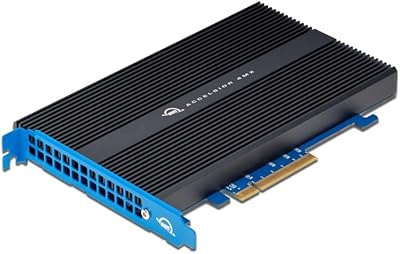
OWC Accelsior 4M2 16TB PCIe NVMe SSD Adapter Card
86%
92%
Performance
89%
Reliability
84%
Value for Money
90%
Speed (Read/Write)
88%
Ease of Installation
More
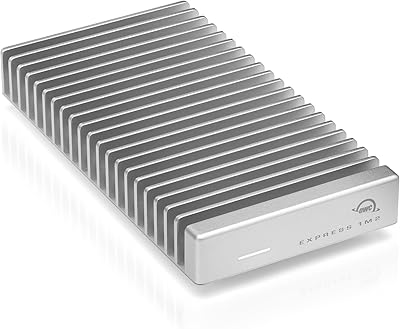
OWC Express 1M2 8TB Portable NVMe SSD
84%
94%
Transfer Speed
88%
Sustained Performance
83%
Thermal Management
91%
Build Quality
71%
Compatibility
More
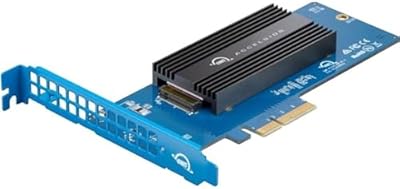
OWC Accelsior 1M2 2TB PCIe SSD Adapter Card

80%
91%
Installation Ease
88%
Real-World Speed
93%
Mac Pro Compatibility
62%
Value for Money
84%
Build Quality
More
WAVLINK Dual-Bay NVMe M.2 SSD Cloner
75%
83%
Offline Cloning Reliability
78%
Transfer Speed
71%
Compatibility Range
76%
Build Quality
86%
Ease of Setup
More
KingSpec XG7000 8TB NVMe M.2 SSD
79%
93%
Value for Money
84%
Sequential Read Speed
78%
Sequential Write Speed
76%
Thermal Performance
88%
Write Endurance
More
OWC Envoy 1TB External SSD
83%
88%
Transfer Speed
91%
Build Quality
94%
Portability
93%
Mac & iPad Compatibility
71%
Value for Money
More
INLAND Performance Plus 8TB NVMe SSD
84%
93%
Sequential Read Performance
89%
Sequential Write Performance
84%
Random I/O Responsiveness
61%
Thermal Management
86%
Build & Hardware Quality
More
WD_BLACK SN850P 8TB NVMe SSD for PS5
84%
93%
Read Speed Performance
96%
Storage Capacity
89%
Heatsink Design & Fit
84%
Installation Experience
91%
Official PS5 Licensing
More
SABRENT Rocket 4 Plus 8TB NVMe SSD
80%
93%
Sequential Read Speed
89%
Sequential Write Speed
61%
Thermal Management
67%
Value for Money
88%
NAND Endurance
More
OWC Express 1M2 1TB Portable NVMe SSD
86%
93%
Read & Write Performance
91%
Thermal Management
88%
Build Quality & Materials
82%
Compatibility & Versatility
74%
Value for Money
More

FAQ

The drives are not included. The OWC Accelsior 4M2 8TB NVMe SSD Card ships with the PCIe card itself and SoftRAID software, but you need to purchase four compatible NVMe M.2 SSDs separately to reach that 8TB total capacity. OWC sells matched drive kits designed for this card if you want a straightforward option.

Yes, it is officially compatible with the Mac Pro Mid 2010 through Mid 2012 models, also known as the MacPro5,1. Just confirm your system has a free full-height, half-length PCIe x8 or x16 slot available before ordering.

Both the standard tower and the rack version of the Late 2019 Mac Pro are supported, as both share the same internal PCIe architecture. Either configuration will accept the Accelsior 4M2 without modification.

RAID 0 stripes data across all four drives simultaneously, which is how the card achieves those high sequential speeds. In practice, that means large files load and save much faster, which is great for video editing or rendering. The trade-off is that RAID 0 offers zero redundancy — if one drive fails, all data on the array is lost. You should always maintain a separate backup if you use RAID 0 for active project work.

SoftRAID is more capable than a basic OS-level utility, but that capability comes with some complexity. Setting up a simple RAID 0 or RAID 1 volume is manageable with the documentation provided, but users who have never configured a RAID array before should budget extra time for the initial setup. The monitoring and alert features are straightforward once the array is running.

Technically the slots can accept drives of different capacities, but for RAID configurations — especially RAID 0 — using matched drives of the same model and capacity is strongly recommended. Mixed drives in RAID 0 can cause the array to perform at the speed and capacity of the smallest drive, which undermines the whole point of the setup.

Under sustained read/write workloads, the card does generate noticeable heat. In a well-ventilated workstation tower this typically is not a problem, but in a tightly packed or poorly cooled case you may see thermal throttling during extended transfers. If your tower runs warm already, it is worth checking airflow before installing this card.

That figure reflects sequential read performance in RAID 0 under near-ideal conditions. Real-world workloads involving mixed reads, writes, and smaller file sizes will produce lower numbers. Most users doing video editing or rendering still see a dramatic improvement over standard SATA or single-drive NVMe setups, just not necessarily that exact peak figure during every task.

It works in any PC workstation tower with a compatible full-height, half-length PCIe x8 or x16 slot. SoftRAID also supports Windows, so you get the full feature set on PC as well. It is a broadly compatible card, not exclusively a Mac accessory, though OWC's marketing leans heavily toward the Mac Pro audience.

In RAID 0, a single drive failure causes the entire array to become unreadable — all data across all four drives is effectively lost. This is the fundamental risk of RAID 0 and is not specific to the Accelsior 4M2. If data safety is a priority, consider using RAID 1 for redundancy instead, or treat this card as a high-speed working drive backed up to a separate storage system.