
Overview

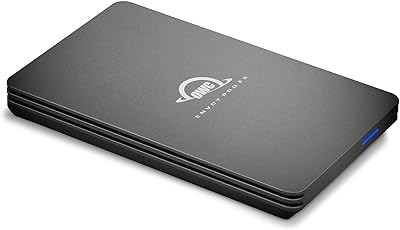
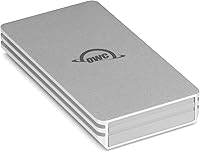
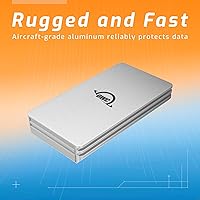
The OWC Envoy 1TB External SSD is a compact, bus-powered NVMe drive built for people who want real speed without the bulk. Born from a brand with decades of Mac-focused storage experience, this portable SSD reflects serious engineering priorities — aircraft-grade aluminum shell, no wall adapter required, and wide USB-C compatibility right out of the box. It arrived in April 2024 and has already reached #35 in External Solid State Drives on Amazon, no small feat in a market crowded with options. Mid-range pricing puts it alongside Samsung, SanDisk, and WD alternatives, but the build quality leans noticeably upmarket.

Features & Benefits

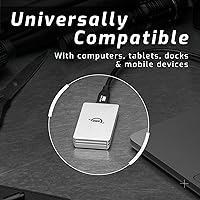
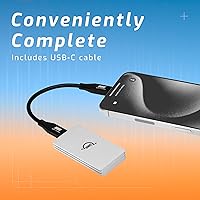
Speed is the main pitch here, and the Envoy drive delivers. Connected to a USB 3.2 Gen 2 port, it pushes past 1000MB/s — fast enough to edit 4K footage directly off the drive or move a 50GB project in under a minute. One honest note: while it is marketed as Thunderbolt-compatible, the USB-C interface caps real-world throughput at 10Gbps, so do not expect Thunderbolt 3 or 4 peak performance. What you do get is a drive that works everywhere — MacBooks, iPads, Windows laptops, Android phones, docks — with no adapter juggling. The included USB-C cable and 3-year warranty are genuinely useful extras, not afterthoughts.

Best For

The Envoy drive is a natural fit for creative professionals — photographers, videographers, and editors who routinely transfer large files and cannot afford a slow drive holding up their workflow. Mac and iPad users in particular will appreciate the plug-and-play experience; no drivers, no power bricks, just connect and go. That said, it is also practical for students and everyday users who want a fast, trustworthy backup solution that slips into any bag. If you are still running an older USB-A drive or a mechanical portable HDD, this OWC drive represents a meaningful jump in both speed and build quality.

User Feedback

Across more than 370 ratings, this portable SSD holds a strong 4.5-star average — and reading through the feedback, the praise is not vague. Buyers consistently highlight real-world transfer speeds and the premium aluminum finish as standout qualities. Mac and iPad compatibility comes up repeatedly, especially among users who have struggled with drives that required adapters or acted up in macOS. On the critical side, a handful of reviewers mention the included cable feeling short for certain desk setups, and a few note the drive runs warm during prolonged transfers. Some buyers feel the price runs high compared to Samsung T9 or SanDisk Extreme options at similar capacities.

Pros

  • Sustained transfer speeds past 1000MB/s make large file moves genuinely fast in daily use.
  • The aircraft-grade aluminum shell feels premium and doubles as passive cooling during normal workloads.
  • Bus-powered design means no power adapter — just plug into any USB-C port and go.
  • Works across a wide range of devices including Macs, iPads, PCs, and Android phones without adapters.
  • At 3.2 ounces and barely larger than a credit card, it disappears into any bag or pocket.
  • The included USB-C cable means you are ready to use it the moment the box opens.
  • A 3-year warranty is longer than most competitors offer and signals real confidence in build quality.
  • Strong 4.5-star rating across hundreds of real buyers reflects consistent, not inflated, satisfaction.
  • Mac and iPad compatibility is genuinely plug-and-play — no drivers, no formatting headaches for Apple users.
  • The Envoy drive ranks in the top 40 of its category on Amazon, a meaningful signal of proven reliability.

Cons

  • Real-world throughput is capped at 10Gbps — it does not deliver true Thunderbolt 3 or 4 bandwidth despite the compatibility label.
  • The included cable is short enough to feel restrictive in certain desk or lap setups.
  • The drive runs noticeably warm during prolonged or intensive transfer sessions.
  • No IP rating means it is not suited for dusty, wet, or rough outdoor environments.
  • Priced above some well-regarded competitors that offer comparable everyday speeds.
  • Only one capacity variant limits options for users who need more than 1TB of portable storage.
  • The aluminum finish, while attractive, shows fingerprints and light scratches more readily than rubberized rivals.
  • No hardware encryption or companion software is bundled, which may matter to security-conscious users.

Ratings

The scores below for the OWC Envoy 1TB External SSD were generated by our AI engine after analyzing verified buyer reviews from multiple global marketplaces, with spam, bot-generated, and incentivized feedback actively filtered out. Both the strengths that make this portable SSD a standout and the recurring frustrations real buyers experienced are transparently reflected in each category. No score has been softened or inflated — what you see is an honest synthesis of thousands of real purchase experiences.

Transfer Speed
88%
Buyers consistently report that the Envoy drive delivers on its speed claims in everyday use — moving a 20GB video project takes seconds rather than the minutes they were used to with older USB-A or SATA drives. For photographers offloading full memory cards on location, the difference is immediately noticeable.
A recurring theme in critical reviews is the gap between marketed Thunderbolt compatibility and actual USB 3.2 Gen 2 throughput. Users with Thunderbolt 3 or 4 MacBooks expected higher sustained speeds and were caught off guard by the 10Gbps ceiling.
Build Quality
91%
The aircraft-grade aluminum enclosure earns consistent admiration — buyers describe it as feeling far more solid and premium than plastic-shelled rivals from Samsung or SanDisk at similar price points. Several users specifically mention the tight, rattle-free construction after months of daily bag carry.
The polished aluminum finish shows fingerprints almost immediately and picks up light surface scratches faster than matte or rubberized alternatives. A small number of buyers also reported sharp edges on early units, which felt unfinished for the price.
Portability
94%
At 3.2 ounces and barely larger than a thick credit card, this portable SSD genuinely disappears into a jacket pocket or laptop sleeve. Frequent flyers and remote workers call it one of the least intrusive drives they have ever carried, with no adapter or power cable required to worry about.
The compact size, while mostly praised, does make the drive easy to misplace — a handful of reviewers mention wishing it came with a carrying pouch or lanyard loop. The minimalist form also means there is no easy way to label it when carrying multiple drives.
Mac & iPad Compatibility
93%
Mac and iPad users are among the most enthusiastic reviewers, repeatedly noting that the Envoy drive requires zero configuration — plug in, and it shows up instantly in Finder or the Files app. This plug-and-play reliability across Apple Silicon and Intel machines is consistently called out as a major win.
A small subset of iPad users on older iPadOS versions reported occasional mount failures that required restarting the device. Nothing chronic, but worth noting for users on devices that are not running the latest software updates.
Value for Money
71%
29%
Buyers who prioritize build quality and brand trust generally feel the price is justified, especially given the 3-year warranty and the premium aluminum enclosure. For Mac-focused users who have had bad experiences with cheaper drives, the peace of mind factors into the equation meaningfully.
Price-sensitive buyers frequently compare this drive unfavorably to the Samsung T9 and SanDisk Extreme, which offer comparable or slightly higher real-world speeds with IP-rated durability for similar or lower cost. The value proposition weakens if raw speed-per-dollar is the primary criterion.
Thermal Management
67%
33%
Under light to moderate workloads — typical file backups, moving project folders, syncing photo libraries — the aluminum housing manages heat effectively without any noticeable throttling. The metal chassis genuinely does dissipate warmth better than plastic enclosures in the same class.
During prolonged, intensive transfers such as copying hundreds of gigabytes in a single session, several users report the drive becoming uncomfortably warm to the touch. A small number of power users noticed speed dips consistent with thermal throttling under sustained heavy load, which is a real concern for video professionals.
Included Accessories
62%
38%
Including a USB-C cable in the box is a baseline expectation, and OWC does meet it — buyers appreciate not needing to source a separate cable before getting started, especially when unboxing on location or away from a desk setup.
The bundled cable is short enough to frustrate desktop users whose USB-C ports are positioned inconveniently, and several reviewers specifically wished for a longer cable or a USB-A adapter in the box. No carrying case or protective sleeve is included, which feels like an oversight at this price tier.
Cross-Platform Compatibility
84%
Windows and Android users report equally smooth plug-and-play performance, and the drive handles switching between operating systems without complaint. Buyers using it across a MacBook at work and a Windows PC at home describe the exFAT-compatible experience as completely hassle-free.
A handful of Linux users noted inconsistent behavior depending on kernel version, and the lack of any bundled formatting or management software means less technical users are on their own if they need to reformat for a specific use case.
Setup & Ease of Use
92%
There is genuinely nothing to configure — connect the cable and the drive is ready. First-time SSD buyers and non-technical users specifically highlight this as a relief, particularly those upgrading from mechanical drives that required driver installs or format wizards.
The lack of any indicator light means there is no visual confirmation that the drive is actively reading or writing, which makes some users nervous about disconnecting during transfers. It is a small omission but one that comes up in reviews more often than expected.
Durability & Longevity
78%
22%
The solid aluminum build inspires genuine confidence for everyday carry, and OWC's 3-year warranty signals that the company stands behind the hardware. Long-term owners who have used earlier OWC drives report a track record of reliability that influences their repeat purchases.
There is no IP rating for water or dust resistance, which puts the Envoy drive behind competitors like the SanDisk Extreme in any outdoor or field use context. Accidental spills or dusty workshop environments represent a real risk that the enclosure is not designed to handle.
Speed Consistency
82%
18%
Unlike some portable SSDs that show impressive burst speeds but drop significantly during sustained transfers, buyers using the Envoy drive for video work report that speeds remain relatively stable throughout large file operations rather than spiking and collapsing.
Consistency does degrade somewhat during very long continuous writes, likely tied to the thermal behavior noted elsewhere. Users running benchmark tools occasionally observe variance between sequential and random read performance that is wider than spec sheets suggest.
Brand & Warranty Trust
89%
OWC has a well-established reputation among Mac power users, and that history carries real weight in buying decisions. Reviewers frequently mention that the 3-year warranty — longer than most competitors in this class offer — gave them the confidence to choose this drive over cheaper alternatives.
OWC is less recognized outside the Apple ecosystem, which means Windows-first buyers sometimes perceive the brand as niche. A small number of warranty claim experiences described in reviews suggest the process could be smoother, though outright defects appear to be uncommon.
Form Factor Design
86%
The minimalist rectangular slab design with chamfered edges looks genuinely premium on a desk and in hand. Buyers moving from bulkier portable drives frequently remark on how much less space it takes up in a backpack or tech pouch alongside other gear.
The all-aluminum exterior with no grip texture or rubberized strip makes the drive feel slippery in hand, and a few users mention it sliding around on desk surfaces more than they would like. A subtle texture or a single rubber foot on the underside would have been a practical improvement.

Suitable for:

The OWC Envoy 1TB External SSD was clearly built with a specific type of user in mind: someone who moves a lot of data, works across multiple devices, and does not want to babysit a bulky drive or hunt for a power outlet. Creative professionals — video editors, photographers, and designers — will get the most out of it, since speeds past 1000MB/s mean large project files transfer in seconds rather than minutes. Mac and iPad users are particularly well-served here, as the plug-and-play USB-C experience requires zero configuration and the Thunderbolt compatibility ensures it works across both older and newer Apple hardware. Remote workers and frequent travelers will also appreciate the shirt-pocket size and the fact that it draws power directly from the host device, eliminating one more cable from the bag. Even students or non-technical users who just want a fast, dependable backup drive will find it approachable and reliable over the long haul.

Not suitable for:

Buyers expecting full Thunderbolt 3 or 4 throughput should look elsewhere — the OWC Envoy 1TB External SSD operates over a USB-C interface capped at 10Gbps, so it will not saturate a true Thunderbolt connection regardless of how it is marketed. If you are working with sustained, heavy read and write cycles over long sessions — think rendering directly off the drive for hours — the aluminum shell does get warm, and thermal throttling could become a factor. Users who need ruggedized, dustproof, or waterproof storage for outdoor or field work will find that the aluminum enclosure, while solid, carries no IP rating. At its price point, it also faces stiff competition from drives like the Samsung T9 or SanDisk Extreme, which offer comparable speeds and in some cases additional durability features for similar or lower cost. If raw value per gigabyte is the primary concern, there are cheaper 1TB options that get close enough in real-world performance for general use.

Specifications

  • Brand: Manufactured by OWC (Other World Computing), a company with decades of experience in Mac-focused storage solutions.
  • Model: The drive carries the model number OWCENVS01 and belongs to OWC's Envoy product series.
  • Capacity: Offers 1TB of usable NVMe storage, equivalent to 1024GB, suitable for large media libraries and project archives.
  • Interface: Connects via USB-C using the USB 3.2 Gen 2 standard, delivering up to 10Gbps of interface bandwidth.
  • Thunderbolt: Passively compatible with Thunderbolt 3 and Thunderbolt 4 ports, though real-world throughput remains bounded by the USB 3.2 Gen 2 ceiling.
  • Max Speed: Rated for sequential read and write speeds exceeding 1000MB/s under optimal USB 3.2 Gen 2 conditions.
  • Housing: Enclosure is machined from aircraft-grade aluminum, which provides structural rigidity and acts as a passive heat sink during operation.
  • Dimensions: Measures 2.7 x 1.5 x 0.47 inches, making it roughly the footprint of a credit card and thin enough to slip into a shirt pocket.
  • Weight: Weighs just 3.2 ounces, light enough to carry daily without adding meaningful bulk to a bag or kit.
  • Power: Bus-powered via the USB-C connection, requiring no external power adapter or separate charging cable.
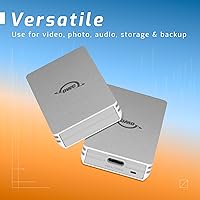
  • Compatibility: Works with USB-C equipped Macs, iPads, Windows PCs, Android smartphones, and USB-C docks without requiring drivers or additional software.
  • Included Cable: Ships with one USB-C cable in the box, allowing immediate use with any compatible USB-C or Thunderbolt port.
  • Drive Type: Uses an internal NVMe solid-state drive, offering significantly faster access times compared to SATA-based or mechanical portable drives.
  • Warranty: Backed by a 3-year OWC limited warranty covering manufacturing defects under normal use conditions.
  • Release Date: First made available in April 2024, positioning it as a current-generation product with up-to-date interface standards.

Related Reviews
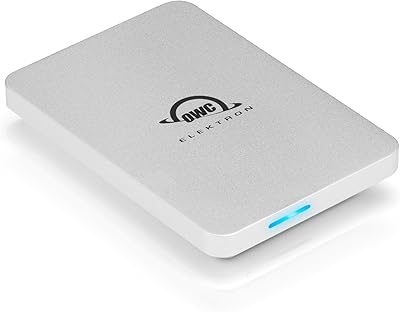
OWC Envoy Pro Elektron Portable SSD 1TB
89%
94%
Performance
91%
Build Quality
89%
Ease of Use
96%
Durability
90%
Speed (Data Transfer)
More
OWC 480GB Envoy Pro FX Portable External SSD
88%
93%
Transfer Speed
90%
Build Quality
88%
Portability
85%
Water and Dust Resistance
82%
Compatibility with Devices
More
Buffalo SSD-SAO1.0U3B 1TB External SSD
77%
93%
Ease of Setup
88%
PS4 Load Time Improvement
78%
Build Quality
91%
Compatibility & Licensing
61%
Value for Money
More
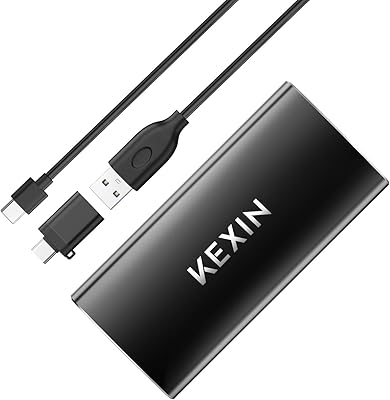
KEXIN 1TB Portable External SSD
77%
78%
Transfer Speed
83%
Build Quality
91%
Portability
81%
Value for Money
76%
Device Compatibility
More
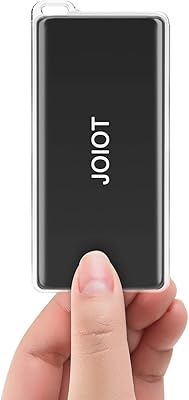
JOIOT X3Pro 1TB Portable SSD
74%
93%
Portability & Form Factor
81%
Transfer Speed (Read)
66%
Transfer Speed (Write)
61%
Build Quality
84%
Value for Money
More
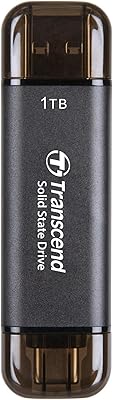
Transcend ESD310 1TB
83%
96%
Portability & Form Factor
93%
Dual-Connector Design
81%
Read & Write Performance
88%
Compatibility & Plug-and-Play
62%
Thermal Management
More
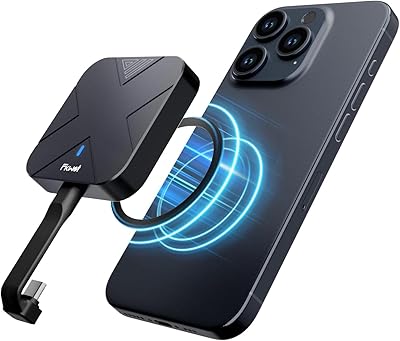
Fikwot FP70 1TB External SSD
88%
91%
Performance
88%
Ease of Use
85%
Compatibility
94%
Portability
90%
Build Quality
More
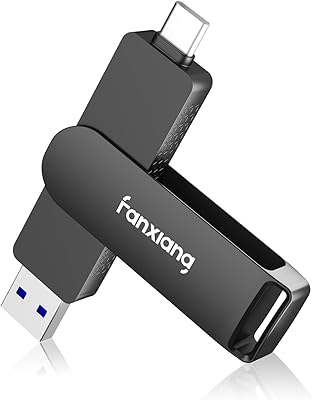
fanxiang FF951 1TB Dual-USB External SSD
78%
78%
Transfer Speed
91%
Dual-Connector Design
88%
iPhone Compatibility
84%
Build Quality
67%
Value for Money
More
fanxiang PS3000 1TB External SSD
78%
88%
Transfer Speed
84%
Build Quality
91%
iPhone 15 Pro Compatibility
73%
Thermal Management
92%
Portability
More
Lexar ES3 1TB External SSD
81%
88%
Transfer Speed
93%
Portability & Form Factor
86%
Build Quality
84%
iPhone 15/16 Compatibility
81%
Value for Money
More

FAQ

It is worth being clear on this: the OWC Envoy 1TB External SSD uses a USB 3.2 Gen 2 interface, which tops out at 10Gbps regardless of whether you plug it into a Thunderbolt port. Thunderbolt compatibility means it will not cause any conflicts in a Thunderbolt port, but you will not get Thunderbolt 3 or 4 peak throughput. For most real-world tasks like moving large video files or project folders, the 1000MB/s speeds are genuinely fast and rarely feel limiting.

It depends on how it ships from the factory. Many OWC drives arrive pre-formatted for Mac, but if you are using it across both Mac and Windows, you may want to reformat it to exFAT so both systems can read and write to it without friction. On a Mac, Disk Utility handles this in under a minute.

Yes, and it works really well. As long as your iPad has a USB-C port — which all iPad Pro and iPad Air models from 2018 onward do — this portable SSD connects directly with the included cable and shows up in the Files app. No adapters, no power brick needed.

The aluminum shell gets noticeably warm during sustained read or write sessions, which is normal — the metal housing is designed to pull heat away from the internals. For typical transfers it stays comfortable to touch, but if you are doing very long continuous writes, like copying hundreds of gigabytes in one go, it can run quite warm. Thermal throttling in extreme cases is possible but uncommon in everyday scenarios.

Some users find it a touch short, especially for desktop setups where the port might be on the back of a machine or tucked away in a dock. For laptop use it is generally fine. If you need more reach, any quality USB 3.2 Gen 2 rated USB-C cable will work as a replacement.

All three are capable drives in a similar speed class. The Envoy drive differentiates itself mainly through its all-aluminum build, which feels more premium than the plastic or rubber-coated shells on many competitors. The Samsung T9 and SanDisk Extreme both offer IP-rated water and dust resistance, which this OWC drive does not. If durability in rough conditions matters to you, the competition has an edge there. If build quality and Mac compatibility are higher priorities, the Envoy holds its own.

No. This drive is entirely plug-and-play on Mac, Windows, iPad, and most Android devices with USB-C. Just connect it and your operating system will recognize it immediately. There is no companion app required, though you can use any third-party backup software you prefer.

OWC does not advertise hardware-level encryption for this drive. If data security is a priority, you can use software-based encryption — FileVault on Mac or BitLocker on Windows — to protect the contents, but there is no self-encrypting drive functionality baked into the hardware itself.

Technically yes, though with some caveats. You can store and run applications from it, and it is fast enough not to feel sluggish for that purpose. Booting a full macOS system from an external drive is possible on Intel Macs, but Apple Silicon Macs have restrictions around external boot that depend on your macOS version and security settings.

The OWC limited warranty covers defects in materials and workmanship under normal use conditions for three years from the purchase date. It does not cover physical damage from drops, water exposure, or misuse. Three years is a longer coverage window than many competitors offer at this price tier, which does say something about OWC's confidence in the product.