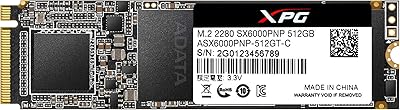
OWC Aura Pro X2 240GB NVMe SSD

Overview
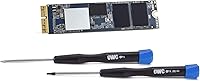
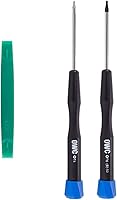
The OWC Aura Pro X2 240GB NVMe SSD is a purpose-built storage upgrade for one very specific machine: the Mac mini Late 2014. That might sound limiting, but for anyone still running a Macmini7,1 as a daily driver, aging storage is often the single biggest drag on usability. The 2014 Mac mini remains capable enough to run modern macOS versions, and OWC has spent decades earning trust among Mac users who want reliable, Mac-specific hardware rather than generic PC parts. What makes this Mac mini storage upgrade particularly appealing is that it arrives as a complete kit — drive, tools, and installation hardware, all in one box. No improvising, no hunting for oddball Torx drivers.
Features & Benefits
The NVMe PCIe 3.1 x4 interface is where the Aura Pro X2 kit genuinely separates itself from the original equipment. Read speeds reaching 808 MB/s and writes approaching 773 MB/s dwarf what the stock SATA drive ever delivered — boot times drop noticeably, and apps that once loaded sluggishly open with far less hesitation. The 240GB capacity is honest about what it is: a clean, focused system volume that works best alongside external storage for larger media libraries. macOS compatibility runs from High Sierra through current releases without any driver wrestling. The included T5 and T6S Torx drivers, nylon spudger, and a clear installation guide make this a genuinely self-contained package, and the 5-year warranty adds real reassurance for an internal component you are unlikely to swap out twice.
Best For
This Mac mini storage upgrade makes the most sense for a specific type of buyer. If you have a Late 2014 Mac mini — specifically the Macmini7,1 — still handling real work like document editing, home server duties, or light photo workflows, this OWC NVMe drive is arguably the most cost-effective way to extend its useful life. DIY comfort helps; the Mac mini 2014 teardown is more involved than opening a standard tower PC, though the included tools remove the usual friction. Anyone chasing faster boot and app launch times without wanting to deal with driver conflicts will find it a well-matched solution. Just confirm your exact model number before ordering — compatibility is strict.
User Feedback
Buyers rate the Aura Pro X2 kit very highly, and the feedback pattern tells you why: the speed difference after installation is hard to miss, and people are consistently relieved that everything needed to complete the job came in the box. OWC's documentation earns specific praise — the guide is accurate and reassuring for first-timers. Where opinions get more cautious is around the 240GB limit; users with growing media collections note it fills up faster than expected without disciplined file offloading. A handful of buyers also flag that the Mac mini 2014 teardown is not trivial, especially around antenna removal. macOS compatibility, though, raises no complaints — installs tend to go smoothly right out of the box.
Pros
- Read speeds up to 808 MB/s represent a massive jump over the original SATA storage.
- The Aura Pro X2 kit includes every tool needed — no separate hardware purchases required.
- Native macOS compatibility from High Sierra onward means no driver headaches after installation.
- A five-year warranty on an internal component is rare and genuinely reassuring.
- Boot times and app launch speeds improve noticeably after installation, per consistent buyer reports.
- OWC has decades of Mac-specific upgrade experience, which shows in the quality of documentation.
- The included installation guide is accurate and clear enough for first-time Mac mini openers.
- Lightweight and precisely sized to fit the 2014 Mac mini chassis without modifications.
- Native Command Queuing support keeps performance consistent under real-world multitasking loads.
- Buyers report a smooth out-of-box macOS experience with no compatibility complaints.
Cons
- Strictly limited to the Mac mini Late 2014 — one wrong model number and the drive is useless to you.
- 240GB fills up faster than expected for users without disciplined external storage habits.
- The Mac mini 2014 teardown is genuinely involved; antenna and logic board removal intimidates many buyers.
- The CPU remains a bottleneck — storage speed gains will not help processor-bound workloads.
- Professional installation can add meaningful cost, reducing the upgrade's overall value.
- No higher-capacity option exists in this exact kit format for buyers who need more headroom.
- With only 59 reviews, the long-term reliability picture is less established than for mainstream drives.
- This OWC NVMe drive is an investment in aging hardware — buyers close to replacing the machine may not recoup the value.
Ratings
The OWC Aura Pro X2 240GB NVMe SSD has been evaluated by our AI rating system after parsing verified global buyer reviews, actively filtering out incentivized submissions and patterns consistent with bot activity. Scores reflect the honest distribution of user sentiment — where this Mac mini storage upgrade earns real praise and where it falls short are both represented without softening either side.
Performance Improvement
Compatibility Accuracy
Installation Experience
Value for Money
Storage Capacity
Kit Completeness
macOS Compatibility
Warranty & Support
Build & Reliability
Documentation Quality
Boot & App Launch Speed
Product Packaging
Resale & Long-term Value
Suitable for:
The OWC Aura Pro X2 240GB NVMe SSD was built for a narrow but real audience: people still running a Mac mini Late 2014 (Macmini7,1) who want more performance without buying new hardware. If your machine is handling daily tasks like document work, web browsing, light photo editing, or home server duties but feels sluggish on boot or slow to open apps, swapping the storage is the highest-impact upgrade available to you. Home office users and small studio operators who depend on this machine and cannot justify a full system replacement will find it genuinely extends the useful lifespan of the hardware. DIY-comfortable buyers will appreciate that the kit includes every specialized tool the job requires, removing the usual friction of sourcing Torx drivers separately. Anyone prioritizing a warranty-backed, Mac-specific solution over a cheaper generic drive will also find the five-year coverage and native macOS compatibility worth the premium.
Not suitable for:
If you own any Mac mini other than the Late 2014 model, stop here — the OWC Aura Pro X2 240GB NVMe SSD is not compatible with any other Mac mini generation, and there are no exceptions. Buyers hoping for a large-capacity single-drive solution will also find 240GB limiting; if your media library, project files, or application stack regularly exceeds that ceiling, you will be managing external drives constantly, which defeats much of the convenience. Users who are not comfortable opening a Mac mini — a process that involves removing antenna plates, a logic board shield, and working in tight quarters — should think carefully before purchasing, since professional installation costs may reduce the value proposition significantly. If your goal is a dramatic boost in CPU-heavy tasks like video encoding or running multiple virtual machines, this upgrade will not deliver that; the 2014 Mac mini processor remains the ceiling, and faster storage will not change that equation.
Specifications
- Brand: Manufactured by OWC, also known as Other World Computing, a company specializing in Mac-compatible hardware upgrades.
- Model Number: The official OWC model identifier for this drive kit is OWCS3DAPT4MM02K.
- Capacity: This drive offers 240GB of flash storage, intended primarily as a macOS system volume.
- Interface: Uses an NVMe PCIe 3.1 x4 interface, which is the connection standard supported by the Mac mini Late 2014 logic board.
- Read Speed: Sequential read speeds reach up to 808 MB/s under optimal conditions.
- Write Speed: Sequential write speeds reach up to 773 MB/s under optimal conditions.
- Compatibility: Designed exclusively for the Mac mini Late 2014, identified by Apple model number Macmini7,1 — no other Mac mini generation is supported.
- OS Support: Requires macOS 10.13 High Sierra or later; no third-party drivers are needed for compatibility with supported macOS versions.
- Installation: Internal installation type, requiring physical disassembly of the Mac mini chassis using the included tools.
- Included Tools: The kit ships with a Torx T5 driver, a Torx T6S driver, and a nylon pry tool (spudger) for safe chassis opening.
- Included Hardware: Three installation components and a printed installation guide specific to the Mac mini 2014 are included in the box.
- Special Feature: Supports Native Command Queuing, which helps maintain consistent performance when handling multiple simultaneous read and write operations.
- Warranty: Covered by a 5-year OWC limited warranty from the date of purchase.
- Weight: The complete kit weighs approximately 3.52 ounces (99.8g) including packaging and accessories.
- Dimensions: The packaged product measures 1.18 x 7.48 x 5.31 inches (L x W x H).
- Drive Type: Solid-state drive with no moving parts, using flash memory for storage.
- Form Factor: Proprietary form factor sized and keyed specifically to fit the Mac mini Late 2014 internal storage slot.
Related Reviews
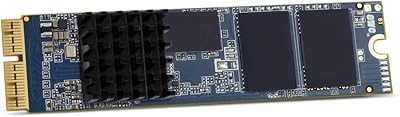
OWC 500GB Aura Pro X2 SSD
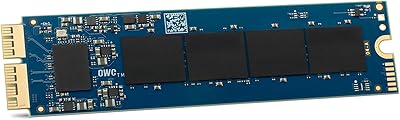
OWC Aura Pro X2 Gen 4 2TB NVMe SSD
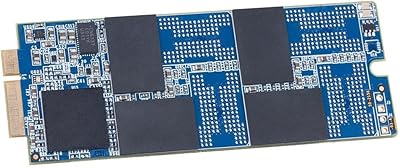
OWC Aura Pro 6G 1TB Internal SSD

OWC Aura Pro 6G 500GB SSD Kit
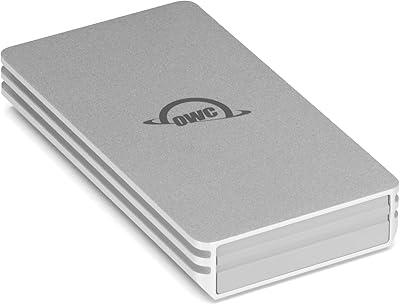
OWC Envoy 1TB External SSD

Fanxiang S500 Pro 2TB NVMe M.2 SSD
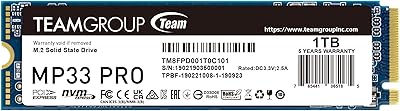
TEAMGROUP MP33 PRO 1TB NVMe SSD
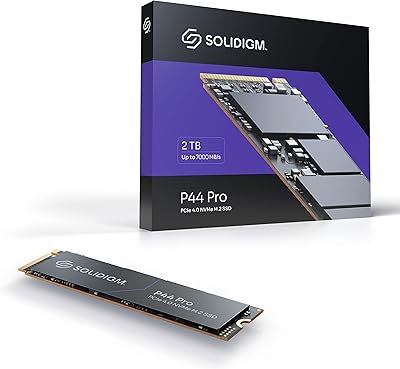
Solidigm P44 Pro 2TB NVMe SSD
fanxiang S500 Pro 1TB NVMe M.2 SSD