



Overview

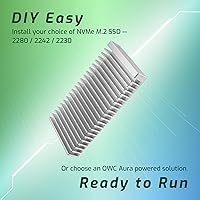
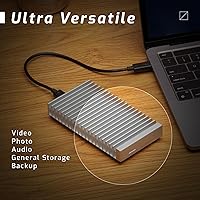
The OWC Express 1M2 8TB Portable NVMe SSD is built for professionals who simply cannot afford to wait on slow storage. Unlike typical portable drives that cap out around Thunderbolt 3 speeds, this OWC enclosure is designed around USB4 — a standard that finally gives external NVMe drives room to breathe. The aluminum body doubles as a heat sink, keeping thermals in check without adding fan noise or bulk. It runs entirely on bus power, so there's no adapter to forget in a hotel room. And if you want to swap in your own NVMe module, the enclosure accepts M.2 2280, 2242, and 2230 form factors.

Features & Benefits

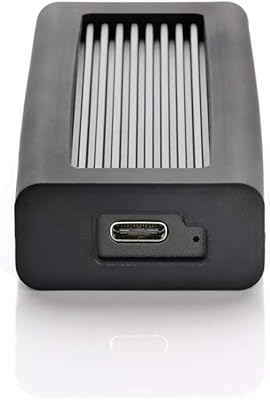
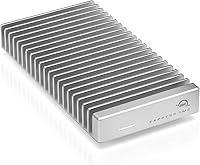
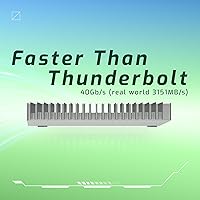
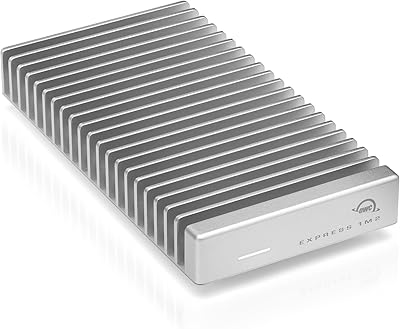
Speed is the headline here, and the Express 1M2 delivers — real-world sequential reads measured at over 3,100 MB/s under USB4 put it well ahead of most Thunderbolt 3 enclosures in back-to-back transfer tests. What makes those speeds sustainable is the passive cooling system: the ridged aluminum enclosure acts as a heatsink, pulling heat away from the drive without any fan — no throttling mid-transfer. The unit also works on standard USB-C ports, though those connections won't approach USB4 speeds — manage expectations accordingly. In the box, you get a 40Gb/s USB-C cable and a screwdriver, and the warranty covers two years on the enclosure and three on the complete drive solution.

Best For

This high-speed portable drive was clearly designed with creative professionals in mind. If your daily workflow involves offloading 4K or 8K footage from a camera card, or you're running proxy edits from an external drive on a MacBook Pro, the throughput here is the real deal. Mac users with Thunderbolt 4 or USB4 ports will get the most out of it. Frequent travelers will appreciate that it fits in a jacket pocket and never needs a power brick. And for anyone who likes to configure their own storage, the enclosure's support for multiple M.2 form factors makes it a flexible long-term investment rather than a one-and-done purchase.

User Feedback

With a 4.7-star average across nearly 700 ratings, buyer reception has been strong. The praise centers on three things: consistent write speeds during long transfers, the quality of the aluminum build, and the fact that the drive doesn't get uncomfortably hot during extended use. Critics — and there are some — tend to focus on the price point, which is firmly premium and not easy to justify for casual users. A handful of Windows or standard USB-C users have noted that they don't see the headline speeds without a USB4 host device. Worth knowing before you buy. Overall though, most reviewers who have the right hardware report that real-world performance lives up to the spec sheet.

Pros

  • Real-world USB4 read speeds exceed 3,100 MB/s — genuinely competitive with many desktop NVMe setups.
  • The passive aluminum heat sink keeps the drive cool during long transfers without any fan noise.
  • Bus-powered operation means one cable is all you need, with no separate power adapter required.
  • At 8.9 ounces and pocket-sized dimensions, it travels easily without adding meaningful weight to a bag.
  • Broad port compatibility covers USB4, Thunderbolt 3, Thunderbolt 4, and standard USB-C connections.
  • The included 40Gb/s USB-C cable is a thoughtful addition that many competing enclosures skip entirely.
  • Support for M.2 2280, 2242, and 2230 form factors gives buyers flexibility to install their preferred NVMe drive.
  • A 3-year warranty on the full drive solution is more generous than most portable SSD competitors offer.
  • Buyer ratings are exceptionally strong, with consistent praise for sustained speeds during prolonged transfers.
  • The aluminum enclosure feels premium and durable — this is not a plastic shell that flexes under light pressure.

Cons

  • Full performance requires a USB4 or Thunderbolt host port — standard USB-C users will see a dramatic speed reduction.
  • The asking price is steep enough that it is difficult to justify for anyone outside of professional workflows.
  • Windows users with USB4 ports are less common, making this drive a better fit for Mac-centric setups in practice.
  • No IP rating or drop resistance specification is listed, which is a gap for buyers in rugged field environments.
  • At 8TB, this is the highest-capacity option in the line — buyers who need less storage but similar speed have fewer choices.
  • The DIY assembly aspect, while flexible, adds a step that plug-and-play buyers may find inconvenient out of the box.
  • Some reviewers noted the drive surface can get noticeably warm during extended high-throughput sessions, even with passive cooling.
  • There is no hardware encryption mentioned in the spec sheet, which could matter for users handling sensitive client data.

Ratings

The OWC Express 1M2 8TB Portable NVMe SSD earns one of the stronger satisfaction scores we have tracked in the premium portable storage category, based on AI analysis of verified global buyer reviews with spam, incentivized, and bot-generated feedback actively filtered out. Scores reflect the full picture — where this high-speed portable drive genuinely excels and where real buyers have run into friction — so you can make an informed call before spending at this tier.

Transfer Speed
94%
Users consistently report that real-world sequential reads hold close to the advertised ceiling when connected via USB4 or Thunderbolt 4, with video professionals noting they can pull large RAW files off camera cards in a fraction of the time they spent waiting with previous drives. The speed feels immediate and repeatable, not just a benchmark number.
The headline performance is entirely conditional on having the right host port — buyers who tested it on standard USB-C connections reported speeds that felt underwhelming relative to the price paid, and a handful felt misled by marketing that does not prominently feature this caveat.
Sustained Performance
88%
Unlike many portable enclosures that throttle sharply after a few minutes of continuous writes, the Express 1M2 holds its speed well during prolonged transfers. Editors moving multi-gigabyte project files or backing up footage in the field reported consistent throughput without the frustrating speed drops that plague cheaper drives.
Some users noted the enclosure surface gets noticeably warm after 15 to 20 minutes of heavy use, and a small number reported modest speed softening during very extended sessions, suggesting the passive cooling design has limits under extreme sustained workloads.
Thermal Management
83%
The aluminum enclosure doubles as a heat sink, and most buyers appreciate that it handles thermals quietly — there is no fan whirring, no audible noise, just a warm shell that tells you the physics are working as intended. For studio or quiet editing environments, that silence matters.
Passive cooling has a ceiling, and users working in warm ambient conditions or running back-to-back large transfers found the drive ran hotter than expected. The lack of any active airflow means there is no safety valve if conditions push beyond what the aluminum can quietly dissipate.
Build Quality
91%
The machined aluminum enclosure draws consistent praise from buyers who have handled cheaper plastic drives — it feels dense, precise, and professionally finished in a way that reinforces confidence when traveling. Several reviewers explicitly noted it held up well after months of daily bag use without scratches or flex.
The silver finish, while clean, shows fingerprints readily and a few buyers noted minor scuffing after light travel. There is no official drop or ingress rating, which is a noticeable gap for users who work in outdoor or uncontrolled field environments where a ruggedized spec would matter.
Compatibility
71%
29%
The OWC enclosure covers USB4, Thunderbolt 3, Thunderbolt 4, and standard USB-C in a single unit, which is genuinely broad for an enclosure at this performance tier. Mac users with recent MacBook Pro or Mac Studio setups reported plug-and-play recognition with zero configuration required.
Windows users have a much more variable experience — USB4 adoption on PC hardware lags significantly, and several reviewers noted their laptops only had Thunderbolt 3 or standard USB-C ports, limiting the drive to a fraction of its capability. The compatibility story is best on Apple hardware, and the marketing does not always make that obvious upfront.
Portability
89%
At under nine ounces and small enough to sit in a jacket pocket, this drive travels without friction. Bus-powered operation is a genuine quality-of-life benefit for professionals on location — one cable in, one cable out, nothing else to manage.
The weight and size are excellent for a high-performance drive, but buyers used to ultra-compact flash-style SSDs may notice it is slightly chunkier than the smallest options on the market. It is not a concern for most, but worth noting for minimal-kit travelers.
Value for Money
62%
38%
For USB4-equipped professionals who fully exploit the throughput — particularly video editors billing hourly or photographers on tight shoot schedules — the time saved on data transfers can realistically offset the premium cost over a working season. The 3-year warranty adds meaningful long-term value.
The asking price is steep enough that it drew repeated criticism in user reviews, particularly from buyers who discovered after purchase that their hardware could not take advantage of USB4 speeds. For anyone without the right host port, the value proposition collapses, and several users felt the pricing assumed a hardware ecosystem many buyers do not have.
Setup & Ease of Use
86%
Out of the box, the drive mounts instantly on compatible Mac and Windows systems with no driver installation required. The included screwdriver and straightforward enclosure design make swapping the internal NVMe module approachable even for users who have not done this before.
Buyers who wanted a true plug-and-play experience occasionally found the DIY assembly aspect unexpected, particularly those who assumed the drive came fully sealed like a consumer SSD. The lack of clear guidance on which third-party NVMe modules are fully validated also left some users uncertain during setup.
Cable & Accessory Quality
78%
22%
Including a 40Gb/s rated USB-C cable in the box is a detail that buyers noticed and appreciated — competing enclosures at similar prices often omit this, leaving buyers to source a compliant cable separately before they can even test peak speeds.
The included cable is adequate but short, and a few users wished for a longer option for desk setups where the port and drive are not side by side. There is only one cable in the box, so losing or damaging it means sourcing a specific high-bandwidth replacement rather than grabbing any USB-C cable nearby.
Noise Level
97%
Silent operation is one of the most consistently praised aspects across the review pool. With no moving parts and no fan, the drive produces zero audible noise under any workload — a meaningful advantage for recording studios, quiet offices, or on-set environments where sound intrusion is unacceptable.
There is essentially nothing negative to report here; the only theoretical concern is that passive cooling without a fan means there is no audible warning if the drive is running hot, so users have no acoustic cue to pause a transfer and let the enclosure breathe.
Warranty & Support
82%
18%
OWC's 3-year solution warranty is among the more generous coverage windows in this product category, and the brand has a long-standing reputation within the Mac community for responsive support. Buyers expressed confidence knowing there is meaningful post-purchase protection on an expensive piece of kit.
A few users noted that warranty claims required more back-and-forth communication with OWC support than they expected, and the distinction between the 2-year enclosure warranty and the 3-year solution warranty caused some initial confusion about what was actually covered under which policy.
NVMe Upgrade Flexibility
84%
The ability to install or replace the internal NVMe module is a legitimate long-term benefit — buyers who want to upgrade capacity or swap to a higher-endurance drive in two years can do so without replacing the entire enclosure. Support for three M.2 form factors broadens the pool of compatible modules significantly.
OWC does not publish a comprehensive validated compatibility list for third-party NVMe modules, which creates uncertainty for buyers who want to install their own preferred SSD. Some users who tried non-OWC drives reported inconsistent results, suggesting not all modules perform equally well inside this enclosure.
Design & Aesthetics
81%
19%
The minimalist silver aluminum finish is understated and professional in a way that fits naturally alongside other premium hardware like MacBook Pros or professional monitors. Several buyers commented that it looks and feels like it belongs in a high-end kit rather than an afterthought accessory.
There are no color options, which is a minor limitation for buyers with strong aesthetic preferences. The ridged heat-sink pattern on the enclosure surface is functional but divides opinion visually — some users find it distinctive, others find it slightly industrial for their taste.

Suitable for:

The OWC Express 1M2 8TB Portable NVMe SSD is squarely aimed at working professionals who treat external storage as a critical tool, not an afterthought. Video editors and cinematographers shooting in RAW, 4K, or 8K formats will feel the difference immediately — offloading large card dumps or running live edits directly from the drive is genuinely practical at these speeds. Mac users with Thunderbolt 4 or USB4-equipped machines get the most out of the hardware, since those ports unlock the full bandwidth the enclosure is built around. Frequent travelers will appreciate that the drive is palm-sized, bus-powered, and built from aluminum that can take daily bag life without flinching. For anyone who prefers to source and install their own NVMe module, the enclosure's support for multiple M.2 form factors makes it a smart buy that can be upgraded over time rather than replaced wholesale.

Not suitable for:

The OWC Express 1M2 8TB Portable NVMe SSD is a poor fit for buyers who don't have a USB4 or Thunderbolt 3/4 port on their machine. Plugging it into a standard USB-C port will work, but the speeds drop dramatically — you will not get anywhere near the headline performance, and at this price point, that gap is hard to rationalize. Casual users who mostly store photos, documents, or occasionally back up a laptop have no practical need for this level of throughput and would be significantly overpaying for speed they will never use. Windows users should double-check their port specifications carefully before purchasing, as USB4 adoption on PC laptops has lagged behind the Mac ecosystem and compatibility assumptions can backfire. Budget-conscious buyers or those who simply need reliable external storage without performance demands will find far better value in mid-range alternatives from competitors.

Specifications

  • Capacity: The drive is available in this configuration at 8TB of usable NVMe storage.
  • Interface: Storage connects internally via PCIe x4, delivering the full bandwidth an NVMe SSD requires for peak throughput.
  • Connectivity: The enclosure connects to host devices over USB4 at up to 40Gb/s, and is also backward compatible with Thunderbolt 3, Thunderbolt 4, and USB-C ports.
  • Read Speed: Real-world sequential read performance has been measured at approximately 3,151 MB/s when connected via a USB4 or Thunderbolt 4 host port.
  • M.2 Support: The enclosure accepts NVMe M.2 drives in 2280, 2242, and 2230 form factors, giving buyers flexibility in their choice of internal SSD.
  • Enclosure Material: The outer shell is machined aluminum and functions as a passive heat sink, drawing heat away from the drive during sustained transfers.
  • Power Source: The drive is entirely bus-powered through its USB-C connection, requiring no external power adapter or wall outlet.
  • Dimensions: Physical dimensions measure 5.1 x 2.7 x 0.9 inches, making it palm-sized and easy to carry in a bag or jacket pocket.
  • Weight: The unit weighs 8.9 ounces, which is lightweight enough for daily travel without adding noticeable bulk.
  • Color: The enclosure is finished in silver, consistent with OWC's aluminum hardware aesthetic.
  • In the Box: Each unit ships with a 40Gb/s USB-C cable and a small screwdriver for opening the enclosure to install or swap the NVMe drive.
  • Enclosure Warranty: OWC covers the enclosure alone with a 2-year limited warranty against defects.
  • Solution Warranty: When purchased as a complete drive solution with an OWC NVMe module installed, the full unit carries a 3-year limited warranty.
  • Compatible Devices: The drive is designed for use with desktop computers, laptops, and tablets that feature a USB4, Thunderbolt, or USB-C port.
  • Brand: Manufactured by OWC (Other World Computing), a company specializing in Mac-compatible storage and memory solutions since 1988.
  • Model Number: The official OWC model identifier for this configuration is OWCUS4EXP1MT08.
  • Cooling System: Thermal management is handled entirely through passive conduction via the aluminum enclosure — there are no fans or active cooling components.
  • Form Factor: The drive is classified as an external SSD in a 2.5-inch-class enclosure format, though its actual footprint is more compact than a traditional 2.5-inch drive.

Related Reviews
OWC Express 1M2 4TB Portable NVMe SSD
82%
94%
Transfer Speed
91%
Thermal Management
89%
Build Quality
83%
Compatibility
67%
Value for Money
More
OWC Express 1M2 1TB Portable NVMe SSD
86%
93%
Read & Write Performance
91%
Thermal Management
88%
Build Quality & Materials
82%
Compatibility & Versatility
74%
Value for Money
More
OWC Envoy 2TB External NVMe SSD
80%
88%
Transfer Speed
91%
Build Quality
94%
Portability
93%
Ease of Setup
87%
Compatibility
More
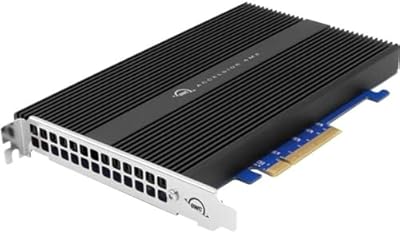
OWC Accelsior 4M2 8TB NVMe SSD Card
80%
93%
Raw Throughput
88%
Build Quality
84%
Installation Experience
71%
SoftRAID Software
62%
Thermal Management
More
Oyen Digital Helix Dura 8TB Portable SSD

82%
83%
Transfer Speed
88%
Build Quality
61%
Thermal Management
96%
Storage Capacity
92%
Long-Term Endurance
More
WAVLINK Dual-Bay NVMe M.2 SSD Cloner
75%
83%
Offline Cloning Reliability
78%
Transfer Speed
71%
Compatibility Range
76%
Build Quality
86%
Ease of Setup
More
Cable Matters USB4 40Gbps M.2 NVMe Enclosure
80%
88%
Data Transfer Performance
83%
Build Quality & Materials
79%
Thermal Management & Cooling
91%
Portability & Form Factor
74%
Compatibility Range
More
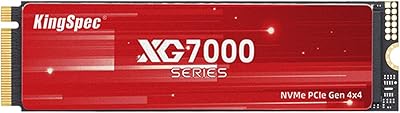
KingSpec XG7000 8TB NVMe M.2 SSD
79%
93%
Value for Money
84%
Sequential Read Speed
78%
Sequential Write Speed
76%
Thermal Performance
88%
Write Endurance
More
Crucial X10 8TB Portable SSD
75%
83%
Transfer Speed
88%
Build Quality
93%
Portability
81%
Durability & Protection
91%
Compatibility
More
OWC Envoy 1TB External SSD
83%
88%
Transfer Speed
91%
Build Quality
94%
Portability
93%
Mac & iPad Compatibility
71%
Value for Money
More

FAQ

Only if your laptop has a USB4 or Thunderbolt 3/4 port. Plugging it into a standard USB-C port — even a fast one — will cap your speeds well below the headline figure. Check your port specifications before assuming you will see maximum performance.

It works with Windows, but USB4 support on PC laptops is less common than on recent Macs, so your experience will depend on your specific hardware. If your Windows machine has a certified USB4 or Thunderbolt 4 port, you should be fine. Most of the glowing user reviews do come from Mac users, which is worth factoring into your expectations.

The OWC Express 1M2 8TB Portable NVMe SSD ships with an 8TB NVMe module already installed, so it is ready to format and use out of the box. However, the enclosure is also designed to allow you to swap in a different NVMe drive later if you choose — a screwdriver is included for exactly that purpose.

The aluminum body does get warm, which is by design — the enclosure conducts heat away from the drive passively. Most users report it stays within a comfortable and safe range during extended transfers, and throttling complaints are relatively rare in verified reviews.

A 40Gb/s USB-C cable is included in the box, which is a meaningful addition since high-bandwidth cables are often sold separately by competing brands. Make sure not to substitute it with a generic USB-C cable, as most budget cables cannot carry USB4 bandwidth reliably.

Yes, and that is genuinely one of the strongest use cases for this enclosure. With sustained read speeds in the 3,000 MB/s range, it can handle multi-stream 4K or even 8K proxy workflows directly from the drive without stuttering, provided your host port supports USB4 or Thunderbolt.

Thunderbolt 3 tops out at 40Gb/s, the same theoretical ceiling as USB4, so you should see comparable top-end performance. In practice, real-world speeds may vary slightly depending on your system, but Thunderbolt 3 users are unlikely to notice a meaningful difference compared to USB4.

The aluminum construction feels solid and handles daily bag life well. That said, OWC has not published any official drop-resistance or IP-rated ingress protection specifications, so this is not marketed as a ruggedized drive. Treat it with reasonable care and it should hold up fine for professional travel use.

OWC does not list hardware encryption as a feature of this enclosure. If data security is a priority for your workflow — particularly for client files — you may want to use software-level encryption such as FileVault on Mac or BitLocker on Windows as a complement.

The enclosure carries a 2-year limited warranty on its own, while the complete drive solution (enclosure plus installed NVMe module) is covered for 3 years. For warranty claims, you would contact OWC directly. Their support reputation in the Mac storage community is generally well-regarded.

Where to Buy