Overview

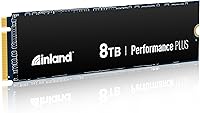
The INLAND Performance Plus 8TB NVMe SSD is one of the few consumer-grade drives that actually hits the 8TB mark without asking you to sacrifice speed in the process. Inland is Micro Center's house brand, and it has quietly built a strong reputation among enthusiasts who take storage seriously. At this capacity, your options are genuinely narrow — most competitors either top out earlier or charge even more — which makes this drive worth examining for anyone tired of juggling multiple smaller SSDs. The 6-year limited warranty is a real differentiator here; most rivals offer three or five years at best. That said, the price reflects the premium tier, so casual buyers looking for basic extra storage should probably look elsewhere.
Features & Benefits

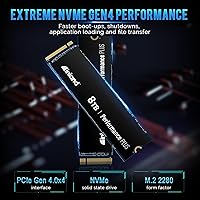
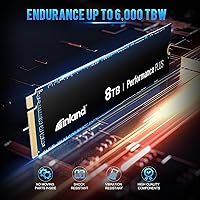
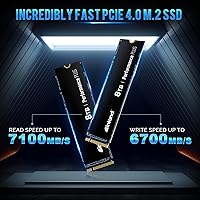
Powered by the Phison E18 controller, this high-capacity NVMe drive delivers sequential reads up to 7,100MB/s and writes up to 6,700MB/s — numbers that translate to noticeably faster large file transfers and quicker load times in asset-heavy workflows. The 176-layer TLC 3D NAND balances density and longevity well, and the included DRAM cache is not a luxury at this capacity; without it, sustained writes would bog down quickly. The 6,000 TBW endurance rating gives you a concrete, meaningful benchmark for long-term use, paired with a 1.6 million hour MTBF that backs up the warranty promise. Power management support for APST, ASPM, and L1.2 rounds things out nicely for laptop and compact PC users watching energy draw.

Best For

The 8TB Inland Performance Plus suits creators and power users who have maxed out smaller drives and want everything consolidated into one fast M.2 slot. Video editors cutting 4K or RAW footage, 3D artists handling dense scene files, and developers running large local environments will get genuine, practical value from the sustained throughput. Gamers building a single-drive rig will appreciate the breathing room, though it is worth being straight: game load time gains from Gen4 speeds are real but not dramatic. If your motherboard tops out at Gen3, the speed advantage shrinks significantly. And if budget is the primary driver, this Gen4 storage solution is simply not in that conversation.

User Feedback

Sitting at 4.6 out of 5 stars across a substantial pool of verified buyers, this drive earns its score consistently. Users highlight real-world speed under heavy workloads and the practical value of consolidating massive capacity into one slot as top reasons for satisfaction. The warranty coverage comes up repeatedly as a genuine purchase driver. On the flip side, thermal behavior without a heatsink is the most common concern — buyers in small form-factor cases or thermally limited builds have noted throttling under load, so adding a third-party heatsink is a sensible precaution. A few users flagged compatibility quirks on certain laptops. Those who bought in-store at Micro Center also noted the added confidence of hands-on availability as a meaningful plus.

Pros

  • Massive 8TB capacity lets you consolidate storage into a single, fast M.2 slot without juggling multiple drives.
  • Sequential read speeds up to 7,100MB/s make large file transfers noticeably faster in real creative workflows.
  • The included DRAM cache maintains consistent write performance even during sustained, heavy workloads.
  • A 6-year warranty is significantly longer than most competing drives offer and adds genuine peace of mind.
  • 6,000 TBW endurance rating gives you a clear, concrete benchmark for how long the drive should last under heavy use.
  • The Phison E18 controller is a proven, well-regarded platform that holds up reliably at this performance tier.
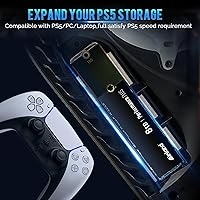
  • Broad M.2 2280 compatibility means it fits desktops, most laptops, mini PCs, and select gaming consoles.
  • Full NVMe power management support including APST and L1.2 keeps energy draw reasonable in portable builds.
  • Strong 4.6-star aggregate rating across a solid number of buyers reflects consistent real-world satisfaction.
  • Cost-per-terabyte at this capacity is competitive when compared to other high-speed drives at similar storage levels.

Cons

  • No heatsink is included, and thermal throttling is a real risk in small form-factor or poorly ventilated builds.
  • The price tier puts this firmly out of reach for buyers who simply want affordable extra storage.
  • Gen3 system owners will not benefit from the rated speeds, making the purchase difficult to justify financially.
  • A handful of buyers have reported compatibility issues on certain laptops, so platform verification before buying is recommended.
  • The caseless design, while flexible, offers no physical protection during installation and can feel less premium at this price point.
  • 8TB is overkill for the vast majority of general-purpose users, meaning many buyers would be paying for capacity they will never use.
  • Availability outside Micro Center retail locations can be inconsistent, which may complicate returns or in-person support.
  • No official PS5 compatibility confirmation means console users should research before committing to this drive.

Ratings

Our AI scoring system analyzed verified global buyer reviews for the INLAND Performance Plus 8TB NVMe SSD, actively filtering out incentivized, bot-generated, and low-signal feedback to surface what real users consistently experienced. The scores below reflect both the genuine strengths that earned this drive its loyal following and the friction points that came up repeatedly across different build types and use cases. Nothing here is smoothed over — the highs and the frustrations are weighted equally.

Sequential Read Performance
93%
Users running video editing workflows and large game installs consistently praised how fast file transfers felt in day-to-day use, with the 7,100MB/s ceiling holding up well under real workloads on Gen4 systems. Content creators moving multi-gigabyte project files reported that the speed advantage over their previous drives was immediately noticeable.
The rated peak is only achievable on Gen4 motherboards under ideal thermal and queue-depth conditions. Buyers on Gen3 platforms or those stress-testing with longer sustained queues saw speeds drop well short of the headline figure, which created some disappointment for users who did not check their system specs beforehand.
Sequential Write Performance
89%
At 6,700MB/s rated write speed, this Gen4 storage solution handles large exports, backups, and bulk file moves without the slowdowns that plague drives lacking DRAM cache. Video editors exporting timelines and developers pushing large builds to disk noted that write speeds stayed consistent across reasonable session lengths.
Under extremely prolonged write operations — think bulk migrations of several terabytes at once — write speeds can taper off as thermal management kicks in, particularly in builds without active cooling on the M.2 slot. It is not a common complaint, but heavy data movers flagged it.
Random I/O Responsiveness
84%
The Phison E18 controller and DRAM cache combination delivered snappy system boot times, fast application launches, and responsive game level loading across the majority of user reports. Buyers coming from DRAM-less drives noticed the improvement in everyday feel almost immediately after installation.
Random read and write performance, while solid, does not lead the Gen4 field — there are competing drives at this tier with slightly higher IOPS figures in controlled benchmarks. Users who benchmark obsessively rather than judging by real-world feel occasionally expressed mild disappointment comparing spec sheets side by side.
Thermal Management
61%
39%
In well-ventilated mid-tower and full-tower cases with motherboard-integrated M.2 heatsink covers, the drive ran at acceptable temperatures during typical gaming and editing sessions. Buyers who added a third-party heatsink or used a board with a built-in cover reported stable temperatures even under extended workloads.
This is the most consistently cited concern in buyer feedback. Without any heatsink included and no passive cooling on the bare drive, compact builds, small form-factor cases, and some laptops saw the drive throttle noticeably during sustained heavy use. For a drive at this price tier, the omission of even a basic thermal pad felt like a meaningful oversight to several buyers.
Build & Hardware Quality
86%
The caseless M.2 2280 design installed cleanly into a wide range of systems, and buyers reported no issues with the physical construction of the drive itself after extended use. The Phison E18 platform has a strong reliability track record, and that showed in how few buyers reported hardware defects out of the box.
The bare, caseless design gives the drive a utilitarian look that feels slightly underwhelming at the premium price point. Some buyers specifically noted they would have preferred a factory-installed thermal pad or at minimum a label that doubles as a heat spreader, as competing drives in this tier sometimes include.
Endurance & Longevity
92%
The 6,000 TBW rating and 1.6 million hour MTBF gave buyers genuine confidence that this drive is built to last, and that reassurance showed up repeatedly in positive reviews. Heavy users running NAS-adjacent workloads or continuous write-intensive tasks specifically called out the endurance specs as a key reason they chose this drive over alternatives.
TBW and MTBF are manufacturer projections, not guarantees, and a small number of buyers pointed out that Inland is not as large or established as Samsung or WD, making long-term RMA track records harder to evaluate. For most users this is a non-issue, but it is a fair consideration for mission-critical deployments.
Warranty & Support
88%
The 6-year limited warranty stands out clearly in a segment where three to five years is standard, and buyers consistently cited this as one of the strongest arguments for choosing this drive over similarly priced competitors. The ability to handle warranty claims in person at Micro Center locations added a layer of confidence for buyers near a store.
For buyers without access to a Micro Center store, the warranty experience is entirely handled through online channels, which some users found less convenient than brands with broader retail or direct-support networks. A few buyers also noted that warranty processing timelines were not always clearly communicated upfront.
Compatibility
79%
21%
The standard M.2 2280 form factor and backward-compatible PCIe interface meant the drive worked without issue in the vast majority of desktop and laptop setups buyers tested. Windows, macOS, and Linux users all reported clean detection and stable operation in typical configurations.
A recurring thread in user feedback involved edge-case compatibility issues on certain laptop models and unconfirmed behavior on PS5 consoles, where official certification from Inland is absent. These were not widespread failures, but enough buyers hit unexpected snags to make platform verification an important step before purchasing.
Value for Money
74%
26%
Evaluated on a cost-per-terabyte basis against other high-speed 8TB NVMe options, the 8TB Inland Performance Plus sits competitively within a narrow field where alternatives are either more expensive or slower. Buyers who needed exactly this combination of capacity and speed generally felt the investment was justified.
For buyers without a genuine need for 8TB of NVMe storage, the value equation weakens considerably. Smaller capacity drives at the same performance tier offer better cost efficiency, and several reviewers acknowledged they had overestimated how much fast storage they actually needed, making the premium feel harder to rationalize in hindsight.
Installation Experience
91%
Most buyers described installation as straightforward — align, seat, secure with a screw, and the drive was immediately recognized by the system without additional drivers or configuration steps. The standard form factor meant no adapter or special tools were required in typical desktop builds.
Users installing in compact laptops or systems with awkward M.2 slot placement found the bare drive slightly fiddly to handle without a heatsink or label for grip. This is a minor practical complaint, but it came up often enough in reviews of small-form-factor installations to be worth noting.
Software & Firmware
72%
28%
SMART and TRIM support work as expected, and third-party monitoring tools like CrystalDiskInfo display drive health data cleanly. Buyers who used standard SSD management workflows reported no compatibility issues with common disk utilities across all three major operating systems.
Inland does not offer a proprietary drive management application the way Samsung does with Magician, which means users relying on brand-specific tooling for firmware updates or health dashboards will need to depend on third-party software. A few buyers flagged this absence as a gap, particularly for professional users who monitor drive health proactively.
Noise & Vibration
97%
As a solid-state drive with no moving parts, the drive is completely silent under any workload — a genuine quality-of-life improvement for buyers replacing older mechanical hard drives in media servers, editing rigs, or home theater builds where drive noise was previously noticeable.
There is essentially nothing negative to report here, as silence is an inherent property of flash storage. The only marginal note is that in systems with poor overall airflow, fan noise from compensating for SSD heat generation could indirectly become a factor, though that is a system-level issue rather than a drive-level one.
Power Efficiency
81%
19%
Full support for APST, ASPM, and L1.2 power states means the drive is a reasonable choice for laptops and low-power builds where energy draw matters. Buyers using the drive in compact desktops or laptops on battery reported no unusual impact on system power consumption during typical tasks.
Under sustained peak-performance workloads, Gen4 drives in general consume more power than Gen3 counterparts, and this drive is no exception. For users running purely on battery who push the drive hard — large exports, sustained transfers — the power draw during those bursts is a real consideration that a few laptop-focused buyers mentioned.

Suitable for:

The INLAND Performance Plus 8TB NVMe SSD is built for people who genuinely need a large, fast drive and do not want to compromise between the two. Video editors working with 4K or RAW footage will feel the difference immediately — not just in transfer speeds, but in the ability to keep an entire project library on one drive without hunting across multiple volumes. The same applies to 3D artists, game developers, and software engineers managing bulky local environments where slow storage creates real workflow bottlenecks. Serious PC gamers who want a single-drive setup with room for a large library and fast load times will also find this drive a practical fit. For home theater or media server builders who have grown frustrated with noisy mechanical drives, this high-capacity NVMe drive offers a quiet, fast, and space-efficient alternative. Anyone investing in a Gen4 platform and wanting to fully use what their motherboard supports will find the performance ceiling here genuinely satisfying.
Not suitable for:

The 8TB Inland Performance Plus is a hard sell for anyone whose primary concern is keeping costs down or who does not have a clear, specific need for this much fast storage. If your system runs a Gen3 M.2 slot, you will not see the top-end sequential speeds this drive is rated for, and you would be paying a premium for performance your hardware cannot unlock. Casual gamers who use a handful of titles at a time, or home users who simply want extra space for documents and photos, are looking at a level of drive that far exceeds their actual needs. Compact builds and laptops with poor thermal headroom should also approach carefully — without a heatsink, the drive can throttle under sustained heavy loads, which partially defeats the purpose of buying a high-performance storage solution. Users expecting plug-and-play compatibility with every platform should verify support before buying, as a small number of buyers have flagged issues with specific laptops and non-standard configurations.

Specifications

  • Capacity: This drive offers 8TB of usable flash storage, placing it among the highest-capacity consumer NVMe options currently available.
  • Interface: It uses a PCIe Gen4 x4 interface, delivering up to four times the bandwidth of Gen3 slots when paired with a compatible motherboard.
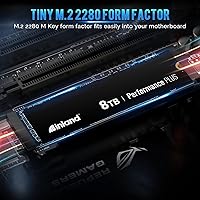
  • Form Factor: The M.2 2280 form factor measures 22mm wide and 80mm long, fitting the standard slot found in most modern desktops, laptops, and mini PCs.
  • Sequential Read: Peak sequential read speed is rated at up to 7,100MB/s under optimal conditions with a Gen4-capable host system.
  • Sequential Write: Peak sequential write speed reaches up to 6,700MB/s, supporting fast sustained transfers even across large file workloads.
  • Controller: The drive is powered by the Phison E18 controller, a well-established platform for high-performance Gen4 NVMe storage.
  • NAND Type: Storage is built on 176-layer TLC 3D NAND Flash, which balances high density with solid write endurance at scale.
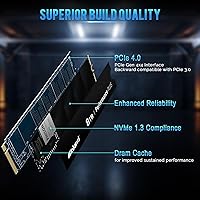
  • Cache: A dedicated DRAM cache is included, which helps maintain consistent performance during prolonged sequential and random write operations.
  • Endurance: The drive carries a 6,000 TBW (terabytes written) endurance rating, providing a measurable long-term reliability benchmark for heavy users.
  • MTBF: Mean time between failures is rated at 1.6 million hours, reflecting the manufacturer's confidence in the drive's operational longevity.
  • NVMe Version: The drive is compliant with NVMe 1.4, supporting advanced features including command queuing and improved power management protocols.
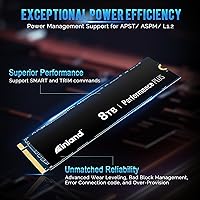
  • Power Management: Full support for APST, ASPM, and L1.2 power states helps reduce energy consumption in laptops and compact systems during idle periods.
  • Additional Commands: SMART health monitoring and TRIM garbage collection are both supported, aiding long-term performance maintenance and drive health visibility.
  • Heatsink: No heatsink is included in the package; buyers with thermally constrained builds are advised to source a compatible third-party solution separately.
  • OS Compatibility: The drive is compatible with Windows, macOS, and Linux operating systems, covering the full range of mainstream desktop and laptop platforms.
  • Weight: The drive weighs approximately 0.81 ounces, making it one of the lightest storage upgrades available regardless of the capacity it delivers.
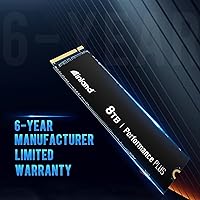
  • Warranty: Inland backs this drive with a 6-year limited warranty, which is notably longer than the 3- to 5-year coverage offered by most competing brands.
  • Compliance: The drive is PCIe 4.0 compliant and fully backward compatible with PCIe 3.0 slots, though speeds will be limited in older systems.
  • Wear Management: Advanced wear leveling, bad block management, and over-provisioning are built in to help distribute write cycles evenly and extend the drive's usable life.
  • Device Support: The manufacturer lists desktop PCs, laptops, gaming consoles, and mini PCs as compatible device categories for this drive.

Related Reviews
INLAND Performance Plus 1TB Gen4 NVMe SSD
82%
91%
Sequential Read Speed
83%
Sequential Write Speed
93%
PS5 Compatibility
61%
Thermal Performance
78%
Long-Term Reliability
More
INLAND 4TB Performance Plus NVMe SSD
87%
91%
Performance
88%
Durability
87%
Ease of Installation
93%
Speed (Read/Write)
68%
Thermal Management
More
INLAND 2TB Performance Plus NVMe Internal Gaming SSD
88%
94%
Performance
93%
Speed (Read/Write)
90%
Compatibility with PS5
88%
Durability
92%
Ease of Installation
More
SABRENT Rocket 4 Plus 8TB NVMe SSD

80%
93%
Sequential Read Speed
89%
Sequential Write Speed
61%
Thermal Management
67%
Value for Money
88%
NAND Endurance
More
SanDisk 2TB SSD Plus M.2 NVMe SSD

86%
89%
Performance
92%
Ease of Installation
88%
Reliability
91%
Value for Money
90%
Capacity
More
WAVLINK Dual-Bay NVMe M.2 SSD Cloner
75%
83%
Offline Cloning Reliability
78%
Transfer Speed
71%
Compatibility Range
76%
Build Quality
86%
Ease of Setup
More
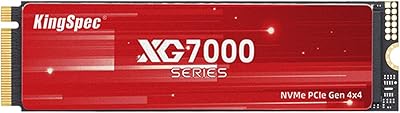
KingSpec XG7000 8TB NVMe SSD
90%
94%
Performance
93%
Read/Write Speed
88%
Thermal Management
92%
Endurance and Longevity
85%
Installation and Setup
More
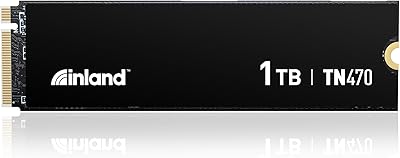
Inland TN470 1TB Gen4 NVMe SSD
87%
92%
Read Speed
88%
Write Speed
65%
Thermal Performance
91%
Value for Money
85%
Installation & Setup
More
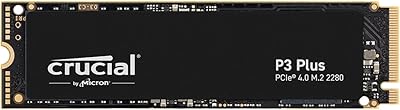
Crucial P3 Plus 1TB NVMe SSD
84%
88%
Read & Write Speed
93%
Value for Money
61%
Thermal Management
96%
Installation Ease
89%
Long-Term Reliability
More
Crucial P3 Plus 4TB NVMe SSD
86%
92%
Performance
95%
Speed and Responsiveness
75%
Installation & Setup
90%
Durability and Reliability
88%
Compatibility
More

FAQ

It will fit and function in a Gen3 slot since the interface is backward compatible, but you will not come close to the rated speeds. Gen3 bandwidth caps out well below what this drive is designed for, so if your motherboard only supports Gen3, you would be paying a premium for performance you cannot actually use.

You do not strictly need one to get the drive working, but it is worth considering seriously. At 8TB and Gen4 speeds, sustained workloads generate meaningful heat, and without a heatsink the drive may throttle in compact or poorly ventilated cases. If your motherboard includes a built-in M.2 heatsink cover, use it. If not, a low-profile third-party option is a smart and inexpensive addition.

Officially, the PS5 supports M.2 NVMe SSDs in the M.2 2280 form factor with PCIe Gen4, which this drive matches on paper. However, Inland has not published an explicit PS5 compatibility certification, and a small number of buyers have reported mixed results with console installations. If PS5 use is your primary goal, verify compatibility through community resources or Inland support before purchasing.

The practical benefit is keeping an active project — raw footage, proxies, exports, and project files — all on one fast drive without splitting across volumes. Scrubbing through high-resolution timelines, rendering previews, and exporting large files all move faster when storage throughput is not a bottleneck, and having 8TB means you rarely have to archive or offload mid-project.

TBW stands for terabytes written, and it represents the total amount of data the manufacturer expects the drive to handle before wear becomes a concern. At 6,000 TBW, even a heavy user writing 50GB per day would take well over 300 years to hit that limit — in practical terms, the drive will almost certainly outlast the system it is installed in. It is a genuinely reassuring number, not just marketing padding.

No, and that is normal for any storage device. Due to how manufacturers calculate capacity versus how operating systems report it, you will typically see around 7.27TB of usable space after formatting. This is a standard industry difference between decimal and binary measurement, not a defect.

Inland's warranty process is handled through Micro Center, which means you have the option of handling a claim either online or in person at a physical store location — a convenience that purely online brands cannot offer. The 6-year coverage window is longer than most competitors, which matters for a high-investment drive you plan to keep for years.

Yes, as long as your laptop has an M.2 2280 slot with PCIe Gen4 support. The main thing to check is available physical space, since some ultrabooks use shorter M.2 form factors. Thermal management is also worth thinking about, since laptops with limited airflow may see the drive run warmer under sustained loads without a heatsink plate.

Honestly, for most gamers, yes. Modern games rarely push drive speeds anywhere near Gen4 limits, and even the largest game libraries rarely exceed 2 to 4TB. Where this drive makes sense for gaming is if you want a single clean drive for an entire system — OS, applications, games, and media — without ever thinking about storage again. If gaming is your only use case, a smaller capacity drive at the same speed tier will likely serve you just as well for significantly less.

The Phison E18 controller and DRAM cache combination handles random I/O well compared to drives without DRAM, particularly under queue depth. For everyday tasks like booting, launching applications, and loading game levels, random performance matters more than raw sequential numbers, and this drive holds up reliably in those scenarios. Specific IOPS figures are best verified against published spec sheets, as they vary by firmware version.