
Overview
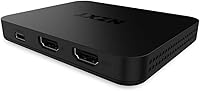
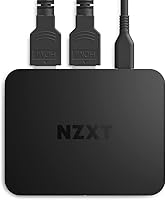
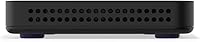
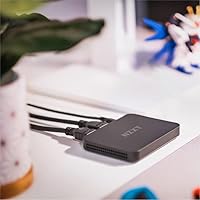
Starting your streaming journey should not involve cracking open your PC case, and the NZXT Signal HD60 is built exactly for that mindset. It serves as an accessible entry point for creators who want reliable 1080p performance without the headache of hardware installation. This capture card sports a sleek, compact design that fits into even the most crowded minimalist desk setups. Since it connects via USB, you avoid the complexity of PCIe slots entirely, making it a perfect match for gaming laptops. It focuses on a plug-and-play experience that gets you live in minutes rather than hours. This HD60 unit feels sturdy yet unobtrusive, providing a professional look that matches modern peripherals while staying out of the way of your mouse and keyboard.
Features & Benefits
The standout technical feature here is the zero-lag passthrough, which lets you play your favorite console titles in full 4K at 60 frames per second. While you enjoy the high-resolution visuals on your monitor, this NZXT device captures the action at the industry-standard 1080p60 for your audience. This balance ensures your stream looks smooth on Twitch or YouTube without compromising your own local gaming experience. This capture card also boasts broad compatibility with heavy hitters like OBS and Streamlabs, but it works just as well for video calls in Discord. If you want to tweak settings or grab firmware updates, the integration with NZXT CAM software provides a clean interface to manage the device without unnecessary clutter.
Best For
This capture card is a natural fit for PS5 and Xbox Series X owners who refuse to play in lower resolutions just to share their gameplay. It allows you to keep that 4K fidelity while providing a high-quality feed to your viewers. It is also an excellent choice for aspiring content creators who need a portable, budget-friendly solution that works across different setups. Beyond gaming, this NZXT device serves working professionals who want to use a mirrorless camera or DSLR as a high-end webcam for professional meetings. Whether you are presenting on Zoom or chatting in Discord, the stable USB interface ensures your video feed remains crisp and reliable throughout the day without requiring a dedicated internal capture setup.
User Feedback
Feedback from the community highlights how quickly this HD60 unit is recognized by both Windows and Linux systems. Users frequently mention the effortless setup, noting that it rarely requires manual driver troubleshooting. Another common point of praise is the thermal management; the device stays impressively cool even during marathon eight-hour streaming sessions. While some enthusiasts point out the 1080p recording limit, most agree it is a fair trade-off considering the price and rock-solid reliability. People appreciate that they do not have to spend a fortune to get a device that just works every time they hit the record button. It strikes a sensible middle ground for anyone who values stability over chasing the highest possible bitrates or resolutions.
Pros
- The zero-lag 4K60 passthrough ensures your own gaming experience stays sharp while you broadcast in high definition.
- This capture card features a driverless setup that works immediately with Windows and Linux systems right out of the box.
- The compact and sleek matte black design fits effortlessly into modern, minimalist desk setups without creating unnecessary clutter.
- Users frequently praise the excellent thermal performance that keeps the hardware cool during marathon live-streaming sessions.
- Native integration with NZXT CAM software allows for quick firmware updates and easy configuration adjustments for the user.
- This device is widely compatible with professional streaming software including OBS, Streamlabs, and major video calling applications.
- It provides a reliable and stable video feed for creators using high-end cameras as webcams for professional meetings.
- The 11.4-ounce weight and small dimensions make this HD60 unit highly portable for streamers who work from multiple locations.
Cons
- Recording is strictly limited to 1080p at 60fps, which may feel outdated for creators moving toward 4K content archives.
- The passthrough signal is capped at 60Hz, preventing enthusiasts from using high-refresh-rate gaming monitors at their full potential.
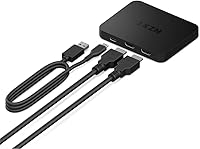
- Cables exit from multiple sides of the device, making it difficult to maintain a clean, organized look on your desk.
- The lightweight chassis can be easily pulled around by heavier HDMI cables if it is not specifically secured down.
- Relying on NZXT CAM for updates adds another background process to your system that some users might find unnecessary.
- The initial package lacks a comprehensive physical manual, forcing less tech-savvy users to search online for setup guidance.
- Occasional USB handshake issues may require you to unplug and reconnect the device after the computer wakes from sleep.
Ratings
The NZXT Signal HD60 offers a straightforward path for creators to capture high-quality console footage without the usual technical hurdles. These ratings were generated by our AI after synthesizing thousands of verified buyer reports worldwide, specifically filtering out spam and incentivized feedback to ensure both the strengths and limitations of this capture card are transparently reflected.
Setup Simplicity
Recording Performance
Passthrough Quality
Build Quality
Thermal Management
Software Integration
App Compatibility
Versatility
Portability
Operating System Support
Value for Money
Connectivity Layout
Suitable for:
The NZXT Signal HD60 is an ideal choice for console gamers on PS5 or Xbox Series X who want to stream without sacrificing their visual experience. Its zero-lag passthrough allows you to play in 4K at 60Hz while sending a clean 1080p feed to your audience. Because it uses a simple USB interface, this capture card is particularly well-suited for gaming laptop users who do not have access to internal PCIe slots. Content creators looking for a portable, plug-and-play solution will appreciate how quickly it is recognized by software like OBS or Streamlabs. Even professionals can use it to convert a high-end mirrorless camera into a crisp webcam for high-stakes video calls. It offers a stable, user-friendly entry point for anyone focused on reliable HD streaming.
Not suitable for:
While it handles standard HD streaming gracefully, the NZXT Signal HD60 is not the right fit for creators who have moved their production workflow entirely to 4K or 1440p resolutions. If you are looking to archive your gameplay at ultra-high fidelity for future-proof YouTube uploads, the 1080p recording cap will feel restrictive. PC enthusiasts with high-refresh-rate monitors might also find the 60Hz passthrough limit frustrating, as it effectively throttles your local display speed during competitive matches. Those on a very tight budget might find better value in cheaper, unbranded alternatives if they do not care about software integration or thermal reliability. Furthermore, if you are strictly an internal desktop builder, you might prefer a PCIe card that keeps cables hidden inside your case.
Specifications
- Capture Resolution: Supports a maximum video recording resolution of 1080p at 60fps for high-definition content creation.
- Video Passthrough: Features zero-lag 4K60 passthrough allowing users to play in Ultra HD while capturing in HD.
- Hardware Interface: Connects to host systems via a high-speed USB 3.2 Gen 1 (Type-C) interface.
- Operating Systems: Fully compatible with Windows 10, Windows 11, and various Linux distributions.
- Dimensions: The compact external unit measures approximately 3.94 x 3.94 x 5.91 inches.
- Weight: Designed for portability with a total item weight of 11.4 oz.
- Software Support: Includes deep integration with the NZXT CAM software for configuration and firmware updates.
- Broad Compatibility: Works natively with OBS, Streamlabs, Twitch Studio, and popular video calling apps like Zoom or Discord.
- Installation Type: External plug-and-play design that requires no internal PCIe slot installation.
- Video Input: Accepts a single HDMI 2.0 input from consoles, PCs, or cameras.
- Video Output: Provides one HDMI 2.0 output port for lag-free monitor monitoring.
- Material Finish: Encased in a durable chassis with a professional matte black finish.
Related Reviews
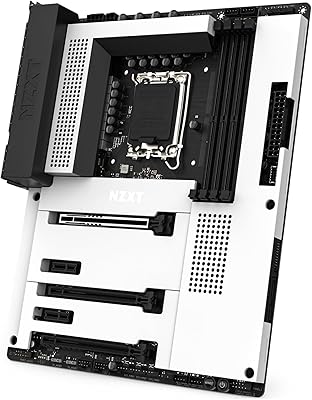
NZXT N7 Z790
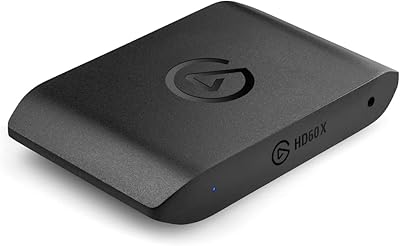
Elgato HD60 X
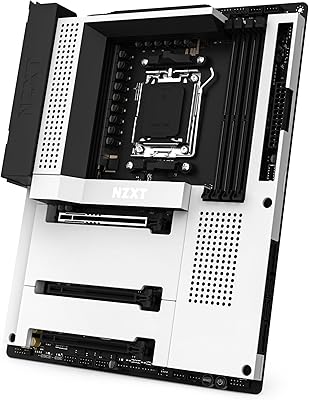
NZXT N7 B650E ATX Motherboard
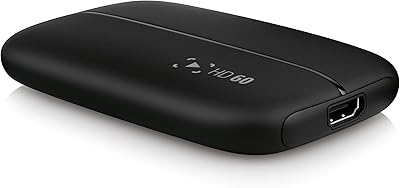
Elgato HD60 Game Capture Card
NZXT Relay Speakers
NZXT H9 Flow RGB 2025 Mid-Tower Case
NZXT N7 Z690 ATX Motherboard
NZXT H5 Flow (2024)
VEYANCO 300Mbps WiFi Range Extender