Overview

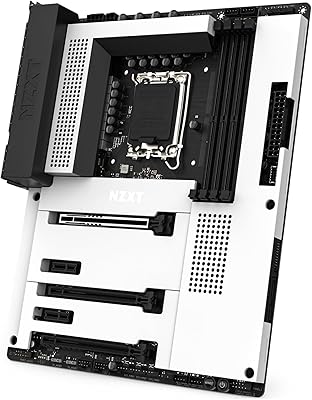
The NZXT N7 B650E ATX Motherboard sits in an interesting spot — it's not chasing extreme overclockers, but it's clearly built for builders who care deeply about how their rig looks and feels to put together. Compatible with AMD Ryzen 7000, 8000, and 9000 series processors on Socket AM5, it covers current and near-future CPU upgrades without requiring a flagship-tier investment. What immediately sets it apart is the full metal cover — a design choice almost no other board at this tier makes. NZXT's CAM software ties into the whole package, giving you centralized control over lighting and cooling in a way that genuinely rewards staying within their ecosystem.
Features & Benefits

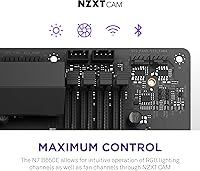
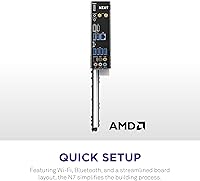
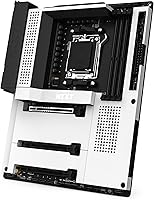
The full metal I/O cover is where this board makes its strongest impression — tuck it into a white or black case and the PCB clutter simply disappears. The integrated rear I/O shield is a small thing, but anyone who has fumbled with a loose shield mid-assembly will appreciate it immediately. Built-in Wi-Fi 6E and Bluetooth mean one fewer card to source and install. Six RGB channels run through NZXT CAM and support third-party components, so your lighting is not locked to a single brand. The PCIe Gen 5 NVMe slot arrives with expanded heat fins — a practical touch as next-gen SSDs push harder thermal limits — and the DDR5 layout keeps the board spacious enough for large coolers and lengthy GPUs.

Best For

The N7 B650E is an obvious fit for aesthetic-first builders putting together white or black themed rigs — it is one of the few boards where the look is genuinely part of the feature set. If you are already running NZXT cases, coolers, or fans managed through CAM, this AM5 board slots right into that setup without extra software juggling. First-time builders will find the integrated I/O shield and clear port layout genuinely helpful during assembly. Those moving to AM5 who do not want to hunt down a separate wireless card will appreciate having Wi-Fi 6E already included. It is not the right call for hardcore overclockers chasing maximum VRM headroom, but for gamers and creators wanting a polished, capable system, it checks most boxes.

User Feedback

With a 4.2-star average across roughly 390 ratings, this AM5 board earns its score honestly. The most consistent praise centers on the build experience — reviewers repeatedly mention how clean and fuss-free assembly feels, pointing to the I/O shield integration and the overall fit of the metal cover. CAM software, however, draws a more divided response: some users report stable, intuitive control, while others flag crashes or inconsistent fan curve behavior after updates. A handful of reviews flag early RAM compatibility hiccups, though most resolve after a BIOS update. Buyers broadly feel the premium is justified by design rather than raw specs alone, and most accept that trade willingly. Long-term reliability data is still accumulating, given the board's relatively recent market debut.

Pros

  • The full metal cover gives the board a clean, distinctive look that very few competitors at this tier can match.
  • Integrated rear I/O shield removes one of the most consistently annoying steps in the assembly process.
  • Built-in Wi-Fi 6E and Bluetooth mean one fewer adapter to budget for or install.
  • Six RGB lighting channels work with third-party components, not just NZXT hardware.
  • PCIe Gen 5 NVMe support with dedicated heat fins keeps the board relevant for next-generation storage.
  • Socket AM5 compatibility with Ryzen 7000, 8000, and 9000 series offers genuine upgrade headroom.
  • The port and slot layout is spacious enough to accommodate large air coolers and long GPUs without conflicts.
  • DDR5 support is standard, setting the board up well for memory technology improvements over time.
  • Available in both white and black, making it one of the more versatile options for themed builds.

Cons

  • CAM software reliability is inconsistent — some users report crashes or fan curve bugs after updates.
  • The price premium is largely tied to aesthetics; raw specs alone do not fully justify the cost against competitors.
  • VRM headroom is adequate for normal use but limits serious manual overclocking headroom.
  • RAM compatibility issues have been flagged by some users, often requiring a BIOS update to resolve.
  • Only two USB 2.0 ports on the rear panel, which can feel limiting for builders with legacy peripherals.
  • Long-term durability data is still thin given the board launched in late 2022.
  • Buyers who dislike or avoid NZXT CAM will lose access to a core part of the board's value proposition.
  • Occasional wireless connectivity quirks have appeared in user reports, though not at a widespread level.

Ratings

The scores below reflect an AI-driven analysis of verified global buyer reviews for the NZXT N7 B650E ATX Motherboard, with spam, bot-generated, and incentivized submissions actively filtered out to surface genuine user sentiment. Ratings span both the areas where this board genuinely impresses and the pain points that real builders encountered — nothing is glossed over.

Aesthetics & Design
93%
The full metal cover is the single most praised aspect across the entire review pool — builders consistently describe it as transformative for white and black themed builds. Unlike bare PCBs that clash with coordinated cases, the N7 B650E visually anchors a build rather than competing with it.
A small but vocal group of buyers feel the metal cover adds unnecessary bulk and slightly complicates access to certain headers during initial wiring. Those who build in compact spaces or frequently reconfigure their systems find the cover more cosmetic obstacle than benefit.
Build & Assembly Experience
88%
The integrated rear I/O shield alone draws repeated praise from first-time builders who describe it as one less frustration during an already complex process. Port placement is described as thoughtful — large coolers and dual-slot GPUs rarely cause clearance problems, which is not always guaranteed at this form factor.
A handful of reviewers note that routing cables neatly around the metal cover requires more planning than a standard open PCB. The cover can also make it slightly harder to identify headers by sight alone, which slows down builders who are not working from a diagram.
Software (NZXT CAM)
61%
39%
When CAM works smoothly, users appreciate having a single interface for fan curves, RGB control, and system temperature monitoring — especially those already managing NZXT cases or coolers through the same dashboard. The initial setup experience is generally described as clean and accessible.
CAM reliability is the most divisive topic in the review pool by a wide margin. Users report crashes after software updates, fan speed curves reverting to defaults, and occasional failures to launch at system startup — issues that are manageable for RGB tweakers but genuinely disruptive for anyone relying on CAM for thermal management.
CPU & Platform Compatibility
84%
Socket AM5 coverage across Ryzen 7000, 8000, and 9000 series gives this board meaningful longevity — buyers upgrading incrementally over a few years are not forced onto a new platform immediately. Most Ryzen 7000 series chips work without any firmware intervention on recent production units.
Ryzen 9000 series support requires a BIOS update, which creates a chicken-and-egg problem for buyers whose only available CPU is a 9000 series chip. A few users without a compatible loaner CPU to flash the update were stuck at initial setup, which is a genuine friction point NZXT could address more proactively.
RAM Compatibility
67%
33%
Once the board is running updated firmware, DDR5 compatibility across major kit brands is broadly stable and buyers report clean XMP/EXPO profile recognition at rated speeds. Users running popular Corsair, G.Skill, and Kingston kits describe trouble-free memory configuration.
Early production units and users who skipped BIOS updates encountered noticeable RAM compatibility issues — some kits failed to POST at rated speeds or required manual timing adjustments. The DDR5 ecosystem itself is still maturing, but the board's firmware cadence has not always kept pace quickly enough for users with less common memory configurations.
Wireless Connectivity
79%
21%
Having Wi-Fi 6E and Bluetooth built in is consistently described as a convenience win — buyers appreciate not spending extra on a wireless card or sacrificing a PCIe slot. At close to medium range, connection stability and throughput are described as fully adequate for both gaming and streaming use cases.
A recurring minority of reviews flag occasional wireless dropouts or difficulty maintaining stable Bluetooth connections alongside Wi-Fi simultaneously. The issues are not universal, but they appear often enough to suggest the wireless implementation has room for firmware-level refinement.
Storage Performance
86%
The PCIe Gen 5 primary M.2 slot keeps this board relevant for the next wave of high-speed SSDs, and the expanded heat fins visibly manage drive thermals better than boards with no active heatsink coverage. Buyers using Gen 4 drives in the secondary slots report zero issues and full rated speeds.
Gen 5 SSDs paired with the slot's heat fins can occasionally create fitment tension with taller heatsinks on nearby components, and a few users note the fins add enough height to require deliberate cable routing adjustments. This is a niche concern, but worth knowing before finalizing your component list.
RGB & Lighting Control
76%
24%
Six addressable RGB channels with cross-brand compatibility is genuinely more flexible than what most competing boards offer at this tier. Builders running a mix of NZXT and third-party fans describe the lighting synchronization as cohesive enough for polished showcase builds.
RGB control is entirely dependent on CAM, which means the software reliability issues discussed elsewhere directly affect lighting stability too. Users who experienced CAM crashes also reported their lighting reverting to default white or cycling through rainbow patterns uncontrollably until a reboot resolved it.
Value for Money
72%
28%
Buyers who specifically wanted an aesthetic-first AM5 board with Wi-Fi 6E and DDR5 included feel the price is fair when factoring in what they are not buying separately — wireless cards, standalone RGB hubs, and aftermarket I/O shield solutions. The design quality backs up the positioning.
Buyers comparing purely on performance-per-dollar against competing B650 boards consistently note that the hardware specs alone do not justify the premium. If you do not care about the metal cover or NZXT ecosystem integration, there are technically comparable boards available for noticeably less.
Overclocking Headroom
58%
42%
For moderate overclocking — pushing memory profiles via EXPO or applying a mild CPU boost — the N7 B650E handles everyday tuning without complaint. Users running Ryzen 7 and Ryzen 9 processors at stock or lightly tuned settings report stable operation under sustained workloads.
Enthusiasts attempting aggressive manual CPU overclocks consistently find the VRM configuration limiting compared to purpose-built overclocking boards at similar or slightly higher price points. This AM5 board is not engineered for that use case, and buyers who prioritize maximum overclocking potential are better served elsewhere.
BIOS Usability
74%
26%
The BIOS layout is described as approachable for mid-level builders — basic settings like memory profiles, fan curves, and boot order are easy to locate without digging through nested submenus. Most users report successful memory XMP/EXPO activation on the first attempt.
Advanced BIOS users looking for granular voltage and timing controls note that the options are more limited compared to enthusiast-tier boards from ASUS or MSI. Firmware update frequency has also been inconsistent, with some users waiting longer than expected for fixes to documented compatibility issues.
Thermal Management
81%
19%
VRM thermals under normal gaming and productivity workloads are consistently reported as stable and within safe operating ranges. The expanded M.2 heat fins on the Gen 5 slot provide meaningfully better SSD temperature control than boards that ship with standard or no heatsink coverage.
Under prolonged all-core stress workloads with high-TDP Ryzen processors, some users observe VRM temperatures climbing higher than they would on boards with larger heatsink arrays. This rarely causes throttling in real-world use, but it is a ceiling worth being aware of if you run sustained rendering or simulation tasks.
Rear I/O Port Selection
69%
31%
The rear I/O covers the essentials well for most gaming and productivity builds — USB-A and USB-C ports, audio jacks, and the wireless antenna connections are all positioned logically behind the integrated shield. Builders transitioning from older platforms rarely find themselves missing something critical.
With only two USB 2.0 ports on the rear panel, users with multiple legacy peripherals — older audio interfaces, MIDI controllers, or USB hubs — feel the port count is tight. The overall USB density is adequate but not generous, and a few users wished for at least one additional high-speed USB-C port.
Long-term Durability
71%
29%
Users who have run this AM5 board through a full year or more of daily use report no hardware failures or degradation in physical build quality — the metal cover in particular shows no warping or paint wear under normal conditions. The board itself feels solidly constructed for its class.
The review pool is still relatively young given the board launched in late 2022, which means multi-year reliability data is genuinely thin. CAM-dependent features introduce a software longevity risk as well — if NZXT were to deprecate or significantly change CAM, RGB and fan control functionality could be affected for existing owners.

Suitable for:

The NZXT N7 B650E ATX Motherboard is purpose-built for builders who treat the interior of their PC case as part of the overall design — not an afterthought. If you are putting together a white or black themed build and want a board that visually contributes to that vision rather than hiding behind a GPU, this is one of very few options at this price tier that genuinely delivers. It is also an excellent fit for anyone already invested in the NZXT ecosystem — CAM users who manage fans, lighting, and cooling from a single interface will find the six-channel RGB integration a natural extension of their setup. First-time builders benefit from the integrated rear I/O shield and a layout that does not punish you for being new to the process. Gamers and content creators who want AM5 longevity, built-in Wi-Fi 6E, and DDR5 support without piecing together a la carte components will find the all-in-one value proposition genuinely practical.
Not suitable for:

The NZXT N7 B650E ATX Motherboard is not the right board for enthusiasts whose primary goal is pushing CPU overclocks to the absolute limit — the VRM configuration is solid for daily use but falls short of what dedicated overclocking boards offer at or above this price point. Budget-conscious builders who care only about raw performance per dollar will likely feel the premium is hard to justify, since a meaningful portion of the cost is funding design and software integration rather than additional power delivery or connectivity specs. Builders who prefer managing their system through ASUS Armoury Crate, MSI Center, or Gigabyte's software will find CAM a friction point rather than a benefit, especially given the mixed reliability reports from existing users. If your build uses an open-air test bench or a case with full component visibility where the metal cover provides no aesthetic advantage, much of what distinguishes this board simply does not apply.
Specifications

  • Model Number: The board is identified by model number N7-B65XT-W1, available in both white and black colorways.
  • Chipset: Built on the AMD B650 chipset, placing it in the mid-to-high tier of the AM5 platform lineup.
  • CPU Socket: Uses Socket AM5, supporting AMD Ryzen 7000, 8000, and 9000 series processors.
  • Form Factor: Standard ATX form factor measuring 15.1 x 12.1 x 3.9 inches, compatible with full-size ATX cases.
  • Memory Type: Supports DDR5 memory with a base speed of 2133 MHz and higher speeds available via overclocking profiles.
  • Wireless: Integrated Wi-Fi 6E and Bluetooth provide high-speed wireless connectivity without requiring a separate expansion card.
  • Storage: Includes a PCIe Gen 5 NVMe M.2 slot equipped with expanded heat fins for thermal management of high-speed drives.
  • RGB Lighting: Features six addressable RGB lighting channels managed through NZXT CAM software, compatible with third-party RGB components.
  • I/O Shield: The rear I/O shield is integrated directly into the board, eliminating the need for a separate panel during installation.
  • Metal Cover: A full metal cover conceals the PCB and internal wiring, available in white or black to match themed builds.
  • USB 2.0 Ports: Two USB 2.0 ports are available on the rear I/O panel for legacy peripheral connectivity.
  • Weight: The board weighs 5.71 pounds, typical for a full ATX motherboard with a metal cover assembly.
  • Software: NZXT CAM software provides centralized control over fan curves, RGB lighting, and system monitoring on Windows.
  • PCIe Standard: Supports PCIe Gen 5 on the primary M.2 slot, enabling compatibility with the latest generation of NVMe solid-state drives.
  • Color Options: Available in two finishes — white and black — designed to complement matching case and component color schemes.

Related Reviews
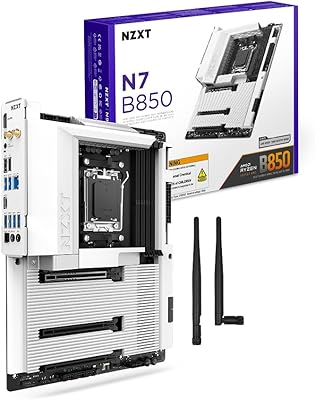
NZXT N7 B850 AMD B850 ATX Gaming Motherboard
85%
91%
Performance
89%
Build Quality
85%
Ease of Installation
78%
Value for Money
92%
Connectivity & Networking
More
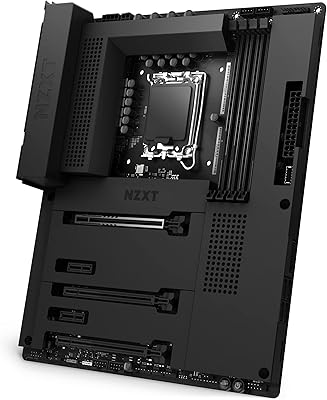
NZXT N7 Z690 ATX Motherboard
76%
91%
Build Quality & Aesthetics
88%
Ease of Installation
67%
Value for Money
63%
Software Experience
54%
BIOS Depth & Overclocking
More
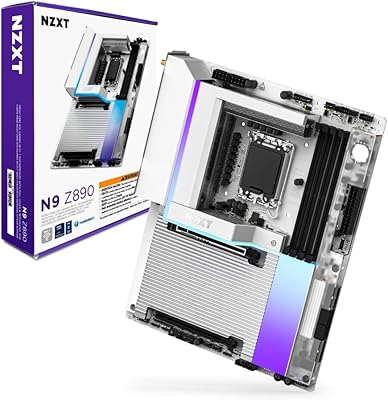
NZXT N9 Z890 ATX Motherboard
79%
88%
Build Quality
91%
VRM & Power Delivery
84%
Thermal Management
67%
BIOS Experience
72%
Memory Compatibility
More
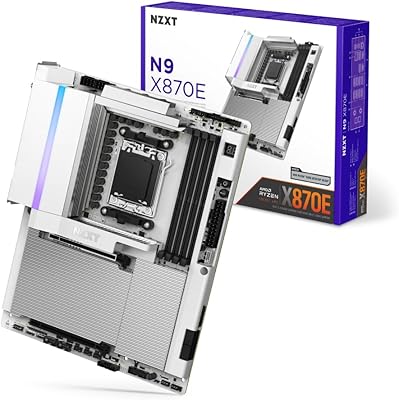
NZXT N9 X870E AMD AM5 ATX Motherboard
83%
91%
Build Quality
67%
Value for Money
93%
Aesthetic Design
72%
BIOS Experience
88%
Power Delivery
More
NZXT N7 Z790
NZXT N7 Z790
89%
96%
CPU Compatibility
94%
Memory Support
92%
Build Quality
88%
Installation Ease
90%
Connectivity Options
More
ASRock H470M-HVS Micro-ATX Motherboard
69%
83%
Value for Money
91%
CPU Compatibility
78%
BIOS Experience
47%
Storage Options
53%
Connectivity & USB
More
ASRock 970M Pro3 Micro ATX Motherboard
74%
88%
Value for Money
91%
Compatibility & CPU Support
86%
Ease of Installation
61%
BIOS Usability
54%
Overclocking Headroom
More
ASUS Prime Z490-P ATX Motherboard
83%
92%
Stability and Reliability
88%
Cooling Performance
85%
Ease of Installation
90%
Compatibility with Intel 10th Gen CPUs
87%
Value for Money
More
ASRock B760 Pro RS ATX Motherboard

80%
83%
Value for Money
88%
Feature Set
91%
CPU Compatibility
74%
Memory Performance
76%
VRM & Power Delivery
More
ASUS Prime X299-A II ATX Motherboard
78%
92%
Power Delivery
88%
Thermal Management
91%
Build Quality
83%
BIOS Experience
78%
CPU Compatibility
More

FAQ

In most cases you will need a compatible CPU to perform any BIOS update if the board ships with older firmware. The N7 B650E was launched alongside the Ryzen 7000 series, so most units sold today should already carry firmware that supports those chips without an update. That said, it is always worth checking the shipped BIOS version against NZXT's support page before assuming full compatibility, especially with newer Ryzen 9000 series CPUs.

Yes, the board officially supports AMD Ryzen 9000 series processors on Socket AM5, but you will almost certainly need a BIOS update to enable that compatibility. NZXT has released updated firmware for this purpose, so check their support site, download the correct file, and flash it using a supported Ryzen 7000 CPU first if your 9000 series chip does not POST on the current firmware.

The board works fine without CAM installed — your CPU, RAM, and storage will all operate normally. CAM becomes relevant only if you want to control the six RGB lighting channels or manage fan curves through NZXT's interface. If you plan to skip CAM entirely, just know that RGB channels may default to a static mode or be unmanaged until third-party software picks them up.

Yes, NZXT designed the RGB headers to work with components from other manufacturers, not just their own lineup. CAM can manage lighting across third-party fans and LED strips connected to the board's six RGB channels. The level of control may vary slightly depending on the component, but basic color and pattern adjustments typically work across brands.

It is a legitimate concern worth knowing about upfront. Some users run CAM without any noticeable problems, while others encounter occasional crashes, fan speed miscommunication after updates, or the software failing to launch cleanly at startup. The issues tend to surface after software updates rather than at initial setup. If you rely heavily on software-controlled fan curves for thermal management, it is worth having a fallback plan or monitoring CAM update notes before applying them.

ECC memory support on consumer AMD B650 boards is limited and typically unofficial. While Ryzen processors technically pass ECC data through, AMD does not guarantee error correction functionality on non-workstation platforms, and NZXT does not officially document ECC support for this board. For critical workstation or server use where ECC is mandatory, a dedicated workstation-class platform would be the safer route.

The N7 B650E includes multiple M.2 slots — the primary slot runs at PCIe Gen 5 speeds and is the one equipped with expanded heat fins for thermal management. Additional slots operate at PCIe Gen 4, which is still more than fast enough for current high-performance SSDs. For the Gen 5 slot specifically, make sure your drive's cooling does not conflict with adjacent components given the heat fins add some height.

The white metal cover is one of the more convincing implementations in this category — it is a proper painted metal panel, not a plastic shell, which means it holds up visually under close inspection and under case lighting. Builders who have used it consistently report that it photographs well and matches white cases cleanly. The heat fins on the M.2 slot and the overall panel finish both read as quality components rather than budget add-ons.

It is actually one of the more beginner-friendly boards at this price point, largely because of the integrated I/O shield and the clean layout that does not crowd components together. You still need to understand the basics of AM5 builds and DDR5 memory installation, but the assembly process itself is more forgiving than average. Just be prepared to update the BIOS before installing a Ryzen 9000 series CPU if that is the direction you are heading.

Yes, the Wi-Fi 6E antenna is included in the box and attaches to the rear I/O panel connectors. Real-world signal strength is comparable to most mid-range dedicated PCIe wireless cards — Wi-Fi 6E at close to medium range performs very well, and the integrated solution saves both a PCIe slot and the cost of a separate card. At long distances or through multiple walls, a dedicated card with a stronger antenna may still have an edge, but for the vast majority of home setups this AM5 board's built-in wireless is more than adequate.

Where to Buy