Overview

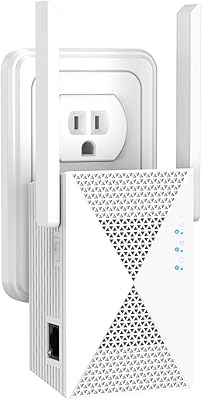
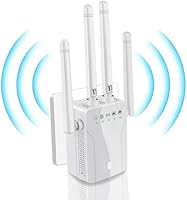
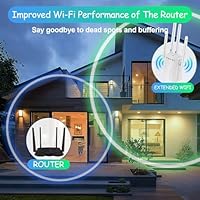
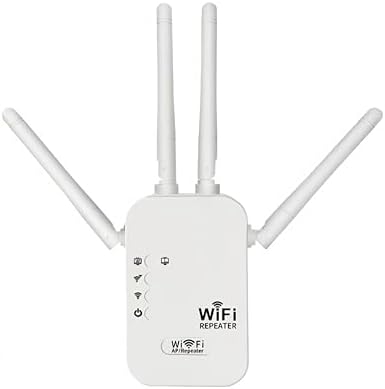
The Fululuer 300Mbps WiFi Extender Repeater is a no-frills, budget-oriented device designed to push your existing wireless signal into rooms, garages, or outdoor spots where coverage typically fades out. It plugs directly into a standard wall outlet and sits flush enough that it won't crowd a neighboring socket. The brand — Fululuer, manufactured by FSXNGC1 — is relatively unknown, which is worth acknowledging upfront if after-sale support or long-term reliability matter to you. This compact repeater only appeared on the market in mid-2025, so there's limited history to draw on. Think of it as a quick, practical fix for one or two dead zones, not a replacement for a proper mesh system.

Features & Benefits

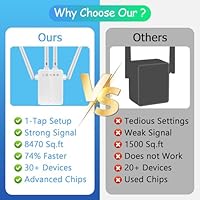
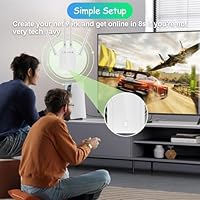
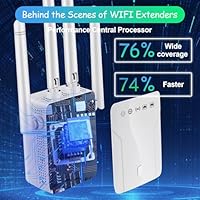
On paper, this budget WiFi booster tops out at 300 Mbps over 2.4GHz 802.11n, which is plenty for HD video, casual browsing, and keeping smart-home gadgets connected. In practice, expect real-world throughput to sit noticeably below that ceiling — shared bands rarely hit their rated speeds under typical household interference. The advertised coverage of 8,470 sq.ft is similarly optimistic; a realistic estimate lands somewhere in the 3,500 to 5,000 sq.ft range depending on your walls and layout. Setup is genuinely straightforward — open a browser, connect to the repeater's network, enter your Wi-Fi password, and you're done in minutes. No app download required. It weighs under five ounces and its compact body won't awkwardly jut from the wall.

Best For

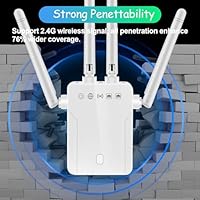
This compact repeater is a solid match for renters or anyone who needs a fast, low-effort signal boost without touching router settings or spending much. It particularly shines for smart home devices — thermostats, security cameras, smart bulbs — that only need a stable 2.4GHz connection and don't demand high bandwidth. Older homes with thick plaster or concrete walls also benefit, since the 2.4GHz band punches through obstacles better than 5GHz. For light everyday tasks — web browsing, music, standard-definition video — it holds up well. That said, skip it if you're a gamer chasing low ping, or if your household regularly runs multiple simultaneous 4K streams. It simply wasn't built for that kind of workload.

User Feedback

Early buyers of the Fululuer extender tend to praise quick, hassle-free setup — most report being connected within five minutes using just a browser. The compact size draws consistent mentions too, especially from users who've dealt with bulky extenders hogging outlets. On the flip side, some note that performance degrades noticeably toward the edges of the claimed range, with speeds dropping enough to frustrate HD video playback. A handful report intermittent reconnection drops after the device has been running for extended periods, hinting at possible heat or firmware stability concerns. Worth noting: this is a brand-new listing with a small review pool, so treat these patterns as early signals rather than settled verdicts.

Pros

  • Browser-based setup takes under five minutes with no app download or technical skill required.
  • The compact body plugs flush into a wall outlet without blocking the adjacent socket.
  • 2.4GHz band punches through thick walls and concrete floors where 5GHz signals simply fade out.
  • Works reliably as a signal bridge for low-bandwidth smart home devices like cameras and thermostats.
  • At well under 30 dollars, the price-to-coverage ratio is hard to beat for a single dead-zone fix.
  • Compatible with virtually any Wi-Fi router on the market, no brand lock-in required.
  • Lightweight and unobtrusive enough to leave plugged in permanently without being an eyesore.
  • Supports browser-based management from any device, including older smartphones and basic laptops.

Cons

  • Real-world coverage falls well short of the advertised 8,470 sq.ft figure — expect roughly half that in a typical home.
  • Single-band 2.4GHz only means no 5GHz option for faster speeds on nearby devices.
  • Bandwidth per device drops noticeably when several gadgets are connected at once.
  • The brand has no established reputation, making warranty service and long-term support unreliable.
  • Being a mid-2025 listing, there is very little long-term user data on durability or firmware stability.
  • Some early users report intermittent disconnection issues after extended periods of use.
  • 300 Mbps is a theoretical maximum that typical real-world conditions will rarely, if ever, reach.
  • No dual-band capability means households with mixed devices cannot selectively route faster traffic to 5GHz.
  • Heat buildup during prolonged use has been flagged by a subset of early buyers as a potential concern.

Ratings

Our editorial team used AI to analyze verified global buyer reviews of the Fululuer 300Mbps WiFi Extender Repeater, actively filtering out incentivized, bot-generated, and duplicate submissions to surface what real users genuinely experienced. The scores below reflect an honest, balanced picture — factoring in both the consistent praise this budget booster earns for ease of use and the legitimate frustrations that surface around range accuracy and long-term reliability. Nothing has been softened or inflated to favor a particular outcome.

Ease of Setup
88%
Most buyers had the Fululuer extender running within five minutes of unboxing, using nothing more than a phone browser. The absence of any mandatory app was frequently cited as a genuine relief, especially by less tech-savvy users who dread multi-step installs.
A smaller subset of users ran into issues when their router used a less common IP range, causing the setup page to be unreachable without manual adjustments. Printed instructions in the box were described as vague by a handful of reviewers dealing with those edge cases.
Signal Coverage
58%
42%
Users in compact apartments or single-story homes with one or two dead-zone rooms reported a noticeable improvement, with devices that previously dropped connection staying stable after adding this compact repeater. For patios and garages adjacent to the home, the signal boost was considered adequate for basic use.
The advertised 8,470 sq.ft coverage figure drew widespread skepticism from verified buyers, with most reporting usable range closer to 2,500 to 4,000 sq.ft in real conditions. Multi-story homes and layouts with concrete walls between floors saw the biggest gap between expectation and reality.
Actual Speed Performance
54%
46%
For light tasks — loading web pages, streaming music, or running a smart doorbell — the throughput this budget WiFi booster delivers is functionally acceptable. Users connecting low-demand IoT devices like bulbs and sensors rarely had complaints about speed.
Buyers who expected 300 Mbps to reflect real download speeds were regularly disappointed, with many speed tests at range returning figures under 50 Mbps. Video calls and HD streaming became unreliable when the extender was placed more than two rooms away from the router.
Build Quality
62%
38%
The plastic shell feels reasonably solid for a sub-30-dollar device, and the plug prongs seat firmly in the outlet without wobbling. Several buyers noted the finish looked clean and unobtrusive on a white wall.
The housing gets noticeably warm after a few hours of continuous use, which left some buyers uncertain about leaving it plugged in overnight. At this price tier, the chassis is clearly cost-optimized and does not inspire confidence in multi-year durability.
Value for Money
74%
26%
For renters or casual users who just need a cheap fix for a single dead zone, the price-to-utility ratio is hard to argue with. Buyers who calibrated their expectations correctly — basic coverage extension, not performance upgrade — generally felt satisfied with what they paid.
Buyers who compared it against similarly priced dual-band options from established brands felt the value case weakened, especially given the single-band limitation. The inflated coverage claims make it easy to misjudge fit, which drives a portion of the negative value-for-money feedback.
Device Compatibility
83%
The 802.11b/g/n standard support means this compact repeater plays nicely with virtually every home router sold in the past decade. Buyers pairing it with smart home ecosystems — Ring cameras, Google Nest sensors, Philips Hue — reported clean connections without any configuration gymnastics.
Because it is 2.4GHz only, devices that exclusively use 5GHz cannot connect at all, which surprised a small number of buyers with newer mesh routers that de-prioritize the lower band. Dual-band routers with band steering enabled occasionally caused confusion during initial pairing.
Compact Design
86%
The slim profile consistently earned compliments from buyers who had previously dealt with large extenders that blocked neighboring outlets or stuck out awkwardly from the wall. Its understated appearance means it blends into a hallway or living room outlet without drawing attention.
The relatively wide body still partially overlaps the lower outlet on some standard duplex wall plates, which a few users found mildly inconvenient. There is no mounting alternative if you prefer a desktop or shelf placement rather than a direct wall plug.
Connection Stability
56%
44%
In close-range setups with minimal interference — say, one room away from the router — buyers described the connection as steady enough for background music and smart device polling. Short-term stability in those conditions drew little complaint.
Intermittent disconnection events were one of the more frequently mentioned pain points, with some users reporting that devices would lose the extended network after several hours and fail to reconnect automatically. Extended overnight use in particular revealed stability inconsistencies that required manual reboots.
Brand Reliability
43%
57%
A portion of buyers were willing to take a chance on an unfamiliar brand given the low price, and a subset reported no issues in the short time they had been using it. For buyers treating it as a temporary or experimental solution, the unknown brand factor mattered less.
Fululuer and its parent manufacturer FSXNGC1 have virtually no searchable support presence, making warranty claims and firmware updates an open question. Buyers who ran into problems after the return window closed had almost no recourse, which is a legitimate and recurring concern across the review pool.
Wall Penetration
77%
23%
The 2.4GHz band genuinely outperforms 5GHz when it comes to passing through dense materials, and buyers in older homes with plaster or brick walls noticed this benefit clearly. Several users mentioned the signal held through two interior walls where their router's 5GHz band had given up entirely.
Reinforced concrete floors and thick external walls — the kind found in converted warehouses or certain apartment complexes — still caused significant signal degradation even on 2.4GHz. Buyers who expected basement-to-top-floor coverage in multi-story masonry buildings were mostly let down.
Setup Documentation
61%
39%
The included paper guide covers the core setup steps clearly enough for straightforward cases, and most buyers in standard home environments did not need more than what was in the box. The browser-based interface itself is largely self-explanatory once you reach it.
The instructions were described as thin and occasionally poorly translated by non-native English speakers, leaving users who hit edge cases — like resetting the device or changing the extended network password — searching for help online with limited results. There is no digital or PDF manual linked from the packaging.
Heat Management
51%
49%
Under light loads and in well-ventilated spaces, the unit runs at a temperature most buyers found acceptable for short sessions. Users who checked periodically rather than leaving it unattended indefinitely reported no alarming heat levels in those conditions.
Extended continuous operation — particularly in enclosed wall clusters or tight furniture setups — caused warmth levels that made some users uncomfortable enough to unplug it at night. Given the brand's thin support track record, there is no clarity on whether this is within designed thermal tolerances or a potential longevity risk.
Multi-Device Handling
59%
41%
Passive smart home devices that connect infrequently and consume minimal bandwidth — motion sensors, smart plugs, leak detectors — coexist on this extender without noticeable issues, even when several are registered simultaneously.
Active users quickly discover that the single 2.4GHz band becomes congested when more than a handful of devices are streaming or transferring data at once, with speeds per device dropping to frustrating levels. The claim of 45-plus simultaneous devices is technically possible but practically misleading for any real usage scenario.

Suitable for:

The Fululuer 300Mbps WiFi Extender Repeater is a practical pick for renters, apartment dwellers, or homeowners who just need a quick, inexpensive fix for one or two stubborn dead zones — think the far bedroom, a detached garage, or a backyard patio. It works especially well for households that rely on 2.4GHz-only smart home gadgets like security cameras, smart plugs, and thermostats, since those devices rarely need blazing speeds, just a stable connection. Older homes with thick plaster, brick, or concrete walls are actually a sweet spot for this type of single-band extender, because 2.4GHz penetrates dense materials better than 5GHz ever will. If your daily internet routine is mostly browsing, social media, music, and occasional standard-definition video, this budget WiFi booster covers those needs without requiring any technical know-how to set up.

Not suitable for:

The Fululuer 300Mbps WiFi Extender Repeater will frustrate buyers who expect it to handle demanding modern workloads. Households that stream 4K video on multiple screens simultaneously, or gamers who need consistently low latency, will quickly run into the hard ceiling of a 300 Mbps single-band setup — the real-world throughput lands well below that figure once interference and distance are factored in. Power users or anyone already running a dual-band or tri-band router should look at a proper dual-band extender or a mesh node instead, since this compact repeater cannot broadcast on 5GHz at all. The brand itself — Fululuer, manufactured by FSXNGC1 — has virtually no established track record, which means long-term firmware support, warranty claims, and replacement parts are genuine unknowns. Anyone who values post-purchase support from a recognized manufacturer should spend a bit more and buy from a brand with a proven service history.

Specifications

  • Brand: Manufactured by FSXNGC1 and sold under the Fululuer brand, a lesser-known entry-level networking label.
  • Wireless Standards: Supports 802.11b, 802.11g, and 802.11n protocols for broad compatibility with older and current routers.
  • Frequency Band: Operates exclusively on the 2.4GHz single band, offering stronger wall penetration at the cost of maximum speed.
  • Max Data Rate: Rated at up to 300 Mbps theoretical maximum under ideal conditions on the 802.11n standard.
  • Advertised Range: Manufacturer claims indoor and outdoor coverage of up to 8,470 sq.ft, though real-world results typically land considerably lower.
  • Device Capacity: Supports connections from 45 or more devices simultaneously, though per-device bandwidth decreases as the count rises.
  • Dimensions: The repeater unit measures 7.2 x 3.7 x 2.05 inches, keeping it compact enough to sit flush against most wall outlets.
  • Weight: Weighs 4.8 oz, making it one of the lighter plug-in repeaters in its price category.
  • Form Factor: Plug-in wall repeater design that does not occupy a second outlet or require a desk or shelf for placement.
  • Setup Method: Configured entirely through a standard web browser on any PC, laptop, or smartphone — no dedicated app is required.
  • Included Items: Package contains the repeater unit only, along with printed setup instructions inside the box.
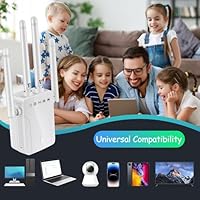
  • Compatibility: Works with any Wi-Fi-enabled device including smartphones, tablets, laptops, smart TVs, gaming consoles, printers, and IP cameras.
  • Market Tier: Positioned at the entry-level budget tier, targeting cost-conscious buyers prioritizing simplicity over advanced networking features.
  • Availability Date: First listed for sale in July 2025, making it a newly introduced product with a limited track record at time of review.
  • Operating Mode: Functions as a wireless repeater, rebroadcasting your existing router signal to extend its reach into low-coverage areas.

Related Reviews
YKMBFEQC 300Mbps WiFi Extender
83%
93%
Ease of Setup
85%
WiFi Coverage Range
88%
Dual-Band Performance
80%
Signal Stability
87%
Compatibility with Devices
More
SANOXY Wireless-N Wifi Repeater 300Mbps
82%
85%
WiFi Range Extension
90%
Ease of Setup
76%
Build Quality
80%
Signal Strength in Dead Zones
88%
Compatibility with Routers
More
WAVLINK WN588HX3 WiFi 6 Outdoor Access Point
75%
83%
Outdoor Signal Range
91%
Build Quality & Weatherproofing
78%
Installation & Mounting
61%
Setup & Configuration Experience
86%
WiFi 6 Performance
More
Xilkoze WiFi Extender
86%
91%
Setup and Installation
88%
WiFi Coverage
84%
Performance (Speed and Stability)
92%
Compatibility with Devices
78%
Signal Range in Large Homes
More
Hyzom WiFi Extender
Hyzom WiFi Extender
83%
89%
Coverage Range
85%
Signal Stability
83%
Device Capacity
91%
Setup & Installation
78%
Build Quality
More
MIKKOA 1200Mbps Dual-Band WiFi Range Extender
71%
88%
Ease of Setup
62%
Signal Coverage
71%
Connection Stability
83%
Value for Money
79%
Ethernet Port Performance
More
rockspace AC2100 Dual Band WiFi Extender
69%
88%
Ease of Setup
74%
Dead Zone Coverage
61%
Real-World Speed
58%
Long-Term Reliability
82%
Value for Money
More
Reyee REX12 WiFi Extender
86%
88%
Wi-Fi Coverage
94%
Setup & Installation
83%
Signal Stability
79%
Data Transfer Rate
85%
Build Quality
More
HMTYQNB M-A27 AC2100 Dual-Band WiFi Extender
73%
88%
Ease of Setup
74%
WiFi Coverage
71%
Signal Stability
91%
Gigabit Ethernet Port
63%
Real-World Speeds
More
Cyseed WiFi Extender
73%
91%
Ease of Setup
67%
Signal Coverage
62%
Speed Performance
74%
Device Capacity
83%
Operating Mode Flexibility
More

FAQ

It's genuinely one of the easier extenders to get running. You plug it in, connect your phone or laptop to the repeater's default Wi-Fi network, open any browser, and follow the on-screen prompts to enter your home Wi-Fi password. Most people are done in under five minutes, and there's no app to download.

Almost certainly yes. This budget WiFi booster supports 802.11b, 802.11g, and 802.11n, which covers the vast majority of home routers sold in the past 15 years. The only scenario where it might not pair cleanly is if your router runs exclusively on 5GHz with no 2.4GHz band enabled, since this extender only speaks 2.4GHz.

Honestly, no — not in a typical home. That figure assumes open-air conditions with zero interference, which never happens indoors. In a real house with walls, furniture, and appliances in the way, expect coverage closer to 3,500 to 5,000 sq.ft at best. It's still a decent range for a single-band extender at this price, just don't plan your layout around the advertised number.

It's not the right tool for those tasks. The Fululuer 300Mbps WiFi Extender Repeater tops out at 300 Mbps on a shared single band, and real-world speeds under load will fall noticeably short of that. 4K streaming and online gaming both demand consistent, low-latency throughput — a dual-band extender or a mesh node would serve those use cases far better.

It should, yes. The 2.4GHz frequency is specifically better at pushing through dense materials like brick, plaster, and concrete compared to 5GHz. That said, placement still matters — try to position the Fululuer extender roughly halfway between your router and the dead zone for the best result, rather than right next to the router or deep in the weak-signal area.

Absolutely, and this is honestly one of its stronger use cases. Most smart home gadgets — cameras, thermostats, light bulbs, plugs — only support 2.4GHz anyway and don't need high bandwidth. This compact repeater handles those connections well without breaking a sweat.

Some early users have mentioned that the unit gets warm after running for several hours, which is fairly common for plug-in repeaters in this class. It's not unusual behavior, but it's worth checking on periodically. Avoid installing it inside an enclosed cabinet or tight corner where heat can build up, and make sure airflow isn't blocked around the unit.

This is a fair concern worth raising upfront. Fululuer is not a well-established brand, and the manufacturer FSXNGC1 has very little public support presence compared to names like TP-Link or NETGEAR. Your best starting point would be the Amazon seller page for return and warranty assistance. If reliable post-purchase support matters to you, that's worth weighing before buying.

The spec sheet lists support for 45 or more connected devices, and that's technically plausible. The catch is bandwidth — the more devices you have actively using the network at once, the less speed each one gets. For passive devices like smart home sensors, that's fine. For multiple people streaming or video calling simultaneously, you'd start to feel the squeeze fairly quickly.

By default, most repeaters in this class — including this budget WiFi booster — create a separate extended network with a new name, often something like your original network name plus underscore EXT. You can usually rename it during setup to match your main network, which makes it easier for devices to switch between them automatically as you move around the house.