Overview

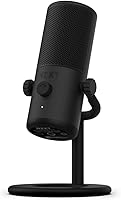
The NZXT Capsule Mini USB Microphone is NZXT's answer to a growing demand: a compact, no-fuss mic that sounds genuinely good without eating up half your desk. NZXT built its reputation on clean PC cases and peripherals, and the Capsule Mini slots naturally into that ecosystem, especially if you're already running CAM software for other gear. At its mid-range price point, it goes up against some well-established competition, but holds its own with a notably tidy footprint and a matte black finish that won't clash with a minimalist setup. Just keep expectations grounded — this is a single-voice capture tool, not a multi-source studio solution.

Features & Benefits

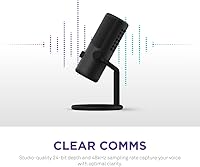
Recording at 24-bit, 48kHz might sound like marketing shorthand, but the practical difference is real: voices come through with noticeably more texture and presence than you'd get from a standard 16-bit headset mic. The cardioid pickup pattern, paired with an integrated pop filter, does a solid job of keeping keyboard clatter and room echo out of the signal — not perfect in a live, untreated space, but much better than expected for the size. The stand tilts to find a comfortable angle, and the built-in thread means mounting on a boom arm takes seconds. Plug it into any USB-A port and it's immediately recognized — no driver installation required.

Best For

This compact USB mic makes the most sense for solo content creators — streamers, podcasters, and remote workers — who want a clear voice signal without building a full audio chain around an interface and XLR cable. It's also a natural fit for anyone already running NZXT gear, since CAM brings everything under one roof. If your desk is tight on space, the footprint here is genuinely refreshing; it won't crowd a monitor or fight for room with a keyboard. Beginners will appreciate that there is nothing complicated to configure out of the box. Where it falls short: recording multiple people, capturing instruments, or any situation requiring pattern flexibility beyond cardioid.

User Feedback

With a 4.4-star average across close to 950 ratings, NZXT's mini cardioid mic earns its score — but not without some gripes. Buyers frequently call out voice warmth and clarity for the size as its strongest suit, and the effortless setup gets consistent appreciation. Complaints cluster around a few specific areas: the included cable is shorter than many users want, gain headroom can feel limited for quieter voices in noisier environments, and those outside the NZXT ecosystem find the CAM software dependency mildly frustrating for basic adjustments. A handful of reviewers also mention the stand wobbles slightly when nudged. Most still consider the trade-offs reasonable for this price tier.

Pros

  • Voices come through with genuine warmth and clarity that easily outperforms any built-in or headset microphone.
  • Completely plug-and-play — recognized instantly on PC, Mac, consoles, and mobile devices with zero driver setup.
  • The built-in pop filter handles plosives well enough that most users won't need an external one.
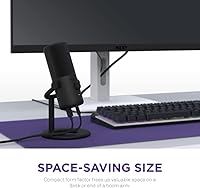
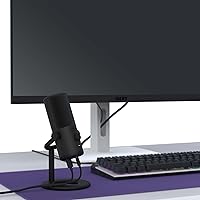
  • Compact footprint makes it one of the least intrusive USB mics you can put on a crowded desk.
  • The tiltable stand and built-in boom arm thread give real flexibility in positioning without buying extra hardware.
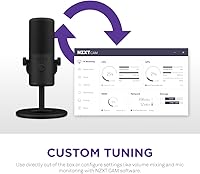
  • NZXT CAM integration lets you dial in gain, mic monitoring, and volume mix entirely through software.
  • 24-bit, 48kHz resolution captures noticeably more voice detail than standard 16-bit alternatives at a similar price.
  • Matte black finish is understated and pairs cleanly with most PC setups without looking like gaming peripheral overkill.
  • Ranked among the top USB microphones on Amazon, backed by a substantial base of verified buyer ratings.

Cons

  • The included USB cable is shorter than most users expect, limiting desk placement flexibility right out of the box.
  • Gain headroom is limited — softer voices in slightly noisy rooms can struggle to hit a full, present level.
  • Advanced audio controls are locked behind NZXT CAM software, which adds an unwanted background process for non-NZXT users.
  • The stand can wobble when nudged, which is a minor but recurring complaint among buyers who work near the mic.
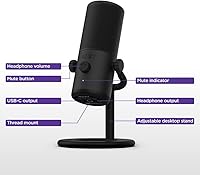
  • No physical knobs or buttons on the mic body itself means real-time adjustments require switching to software mid-session.
  • Fixed cardioid pattern offers no flexibility for users who occasionally need omni or bidirectional pickup options.
  • The Capsule Mini offers no headphone jack for zero-latency hardware monitoring, unlike some competitors at the same price.
  • CAM software is Windows and Mac only, which limits the software-side control for console-only users.

Ratings

Our ratings for the NZXT Capsule Mini USB Microphone were generated by AI after analyzing verified buyer reviews from around the world, with spam, bot-driven submissions, and incentivized feedback actively identified and filtered out before any scores were assigned. Every category reflects the real distribution of honest user sentiment, so both genuine strengths and the friction points that surface repeatedly in credible feedback are transparently represented. Whether you are weighing audio clarity, software convenience, or everyday build reliability, these scores are designed to give you a grounded, unvarnished picture of what this compact mic is actually like to live with.

Audio Quality
83%
For a USB mic this size, the 24-bit recording captures genuine warmth and presence in a speaking voice — something buyers consistently notice when comparing recordings back to their old headset or webcam mic. Listeners on streams and video calls pick up the difference almost immediately, and clarity holds up well even at moderate distances from the capsule.
It will not fool anyone who has spent time with a high-end large-diaphragm condenser, and the fixed gain ceiling means voices that lack natural projection can sound slightly thin when pushed. A few users also note subtle room coloration in longer recording sessions conducted in acoustically untreated spaces.
Noise Rejection
76%
24%
The cardioid pickup pattern handles ambient noise better than most buyers expect from a mini-format mic, particularly rejecting fan hum and distant background chatter during streaming sessions. Paired with the built-in pop filter, it keeps the most common voice recording artifacts — wind pops and proximity rumble — largely out of the signal.
Loud mechanical keyboards positioned right next to the mic still bleed through noticeably, and rooms with hard walls or reflective surfaces let some echo creep into recordings. The noise rejection is solid for a quiet home office but falls short for users recording in noisier or completely untreated environments.
Ease of Setup
94%
Buyers across all experience levels highlight how immediate the setup process is — plug it into a USB-A port and the operating system recognizes it in seconds with no driver installation, software prompts, or compatibility headaches. This makes it especially well-suited for console gamers and remote workers who need better audio quality without any technical overhead.
Meaningful control beyond OS-level input settings requires installing NZXT CAM, which adds a background process that not everyone wants running continuously. For users outside the NZXT ecosystem, the software feels like an extra step that should not be required for something as fundamental as adjusting gain.
Value for Money
78%
22%
At its mid-range price, the Capsule Mini delivers audio quality that clearly outpaces budget USB mics and competes respectably with established names in the same bracket. The included stand, built-in pop filter, and boom arm compatibility mean buyers are not spending extra on accessories just to get a functional recording setup on day one.
Some buyers feel the price could be more competitive given that larger rivals at a similar cost offer physical gain knobs and headphone monitoring jacks that this mic lacks entirely. The short cable and absence of on-device hardware controls feel like cost-cutting choices that slightly undercut the overall value proposition.
Gain Performance
61%
39%
For naturally projecting voices recording in a quiet room at a normal desktop distance, the gain performs cleanly and delivers a full, present signal without notable hiss or distortion. Most streamers and podcast hosts who speak at a confident volume find the default gain settings through CAM or OS controls sufficient for their needs.
Softer-spoken users or those recording with more ambient noise in the room run into the gain ceiling quickly, and without a physical knob there is no fast, tactile way to push levels higher mid-session. Several reviewers note that voices at greater mic distances can sound thin and distant regardless of how high software gain is set.
Build Quality
72%
28%
The mic body has a sturdy, premium feel with a matte finish that does not attract fingerprints or show visible wear after months of daily use. Most buyers describe it as feeling well-assembled, and the capsule housing shows no signs of fragility during normal repositioning or occasional relocation.
The desktop stand is where build quality takes a noticeable step down — it wobbles when nudged and lacks the weighted, planted feel the mic body itself suggests. A handful of longer-term users also report the USB connection at the mic end becoming slightly loose after many cycles of plugging and unplugging.
Software Experience
67%
33%
For users already running NZXT CAM to manage case fans or lighting, having gain adjustment, mic monitoring, and volume mixing in the same interface is a practical convenience. The software itself is clean and easy to navigate, and the mic integrates into the CAM ecosystem without requiring any manual configuration.
For anyone outside the NZXT hardware world, CAM is an unwanted addition — it requires installation, runs as a background process, and in some configurations prompts account creation, which users running lean systems find genuinely frustrating. There are no on-device controls to fall back on, so software availability directly limits the mic's day-to-day flexibility.
Design & Aesthetics
88%
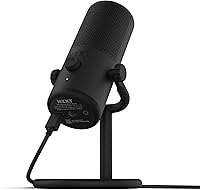
The all-matte-black cylindrical design fits naturally on almost any desk without looking out of place, and its proportions mean it does not dominate camera frames during streaming or video calls. Buyers who have moved away from RGB-heavy peripherals specifically appreciate how restrained and clean this mic looks next to monitor arms and keyboard setups.
It comes only in black, limiting options for users building lighter or two-tone desk themes. Some buyers also note that the minimalist exterior gives few visual cues about orientation or the active recording zone, which can be a minor point of confusion for first-time microphone users getting positioned correctly.
Desk Footprint
91%
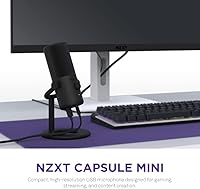
Few USB mics at this price take up this little desk space — the Capsule Mini sits unassumingly at the edge of a typical keyboard layout without blocking monitor sightlines or crowding the workspace. Buyers with small desks, laptop setups, or corner-mounted configurations consistently highlight this as one of the mic's most practical everyday advantages.
The light weight, while keeping the footprint minimal, means the mic can slide or shift slightly on smooth desk surfaces when the cable is pulled at an awkward angle. Those who prefer a more anchored, stationary presence may find the lack of a weighted rubber base mildly unsatisfying in heavy-use environments.
Boom Arm Compatibility
85%
The built-in mounting thread and included adapter make attaching the Capsule Mini to a standard scissor arm or desktop boom a quick, tool-free process that most buyers complete in under a minute. Once mounted, it sits securely and benefits noticeably from arm positioning flexibility, which the tiltable head extends even further.
The adapter does not cover every proprietary thread standard, and a small number of buyers with older or off-brand boom arms report needing an additional adapter for a solid fit. The mic's lighter weight can occasionally require cable tension adjustment on some arms to prevent gradual drooping over a long session.
Cable Quality
54%
46%
The included USB-A cable works reliably with no signal dropouts or interference artifacts under normal desktop use conditions. The connection at the mic end seats firmly when fully inserted, and the cable is flexible enough to avoid creating desk clutter when the mic is positioned close to the host device.
Length is the single most repeated complaint across verified reviews — it is simply too short for many real-world setups, particularly when the PC tower sits on the floor or is positioned more than a few feet from the mic. Most buyers end up purchasing a separate, longer USB-A cable almost immediately after unboxing.
Cross-Device Use
87%
The plug-and-play USB audio standard means this mic works reliably across Windows, Mac, PS4, PS5, Xbox, and even Android and iOS devices with an appropriate adapter, giving it genuine versatility for users who switch between platforms. Buyers frequently mention using it interchangeably across gaming and work setups without any reconfiguration.
NZXT CAM's absence on consoles and mobile platforms means cross-device users lose all software-side audio control the moment they step outside a Windows or Mac environment. The mic still functions, but without gain or monitoring control available, the experience on non-PC platforms feels noticeably less complete.
Stand Stability
63%
37%
The tiltable stand provides useful angle flexibility and holds the mic at the chosen position without slipping during normal stationary use. For users who set the mic in place at the start of a session and leave it there, the stability is adequate and the tilt mechanism generally stays where positioned.
When bumped or repositioned frequently, the stand shows noticeable wobble that a heavier base would largely eliminate. Multiple buyers flag it as the weakest physical component of an otherwise solid-feeling product, and a few report the mic tilting slowly out of position on slightly uneven or smooth desk surfaces over time.
Pop Filter
79%
21%
For everyday streaming and podcast use, the integrated pop filter handles the most common plosive sounds — hard P and B consonants — well enough that most buyers never feel the need to add an external foam windscreen or clip-on filter. It performs particularly cleanly at moderate speaking distances of around 6 to 10 inches.
Animated or loud speakers who tend to get close to the mic during high-energy sessions can still push plosives through the built-in filter, especially at higher gain settings. It is a capable integrated solution for typical use, but not a full substitute for a dedicated foam or mesh pop shield in more demanding recording situations.

Suitable for:

The NZXT Capsule Mini USB Microphone is a strong pick for solo creators who want noticeably better audio without committing to a complex setup. Streamers and part-time podcasters working at a desk-mounted PC will get the most out of it — the compact body stays out of the way, and the cardioid pattern handles a single speaking voice cleanly without fussing over room treatment. Remote workers who have been relying on a headset mic and want a real upgrade for video calls will hear and feel the difference immediately. It also makes particular sense for anyone already running NZXT hardware, since the CAM software ties gain, monitoring, and volume mixing into an interface they likely already have open. Beginners who feel intimidated by XLR interfaces, phantom power, and audio drivers will appreciate that this mic is genuinely plug-and-play across PC, Mac, and even consoles.

Not suitable for:

Anyone expecting professional-grade recording flexibility will quickly run into the limits of the NZXT Capsule Mini USB Microphone. If you need to capture more than one voice simultaneously — for in-person interviews, band rehearsals, or roundtable podcasts — a single cardioid USB mic simply cannot do that job, regardless of price. Vocalists or musicians looking to record instruments will find the 70 dB signal-to-noise ratio and fixed cardioid pattern too restrictive compared to a dedicated condenser with an audio interface. Users with naturally soft voices or who record in louder environments may find the gain ceiling frustrating, since there is no physical knob to push levels higher on the fly. And if you have no interest in installing NZXT's CAM software, you give up most of the advanced controls, leaving you with a mic that works fine but can't be tuned beyond basic OS-level settings.

Specifications

  • Bit Depth: Records at 24-bit depth, capturing a wider dynamic range and finer voice detail than standard 16-bit USB microphones.
  • Sample Rate: Operates at a 48kHz sample rate, which meets the standard for broadcast-quality voice recording and online streaming.
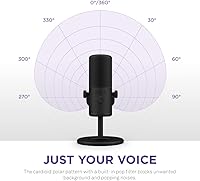
  • Polar Pattern: Uses a cardioid (unidirectional) polar pattern that focuses pickup directly in front of the mic and rejects sound from the sides and rear.
  • SNR: Delivers a 70 dB signal-to-noise ratio, keeping background hiss low enough to be inaudible at normal speaking volumes in a quiet room.
  • Connectivity: Connects via a wired USB Type-A cable, requiring no audio interface, XLR chain, or separate power supply.
  • Weight: The microphone unit weighs 544.3 g (1.2 lbs), keeping the overall desktop setup lightweight and easy to reposition.
  • Dimensions: Ships in packaging measuring 8.35 x 5.51 x 4.96 inches, reflecting the genuinely compact physical footprint of the mic and its included stand.
  • Form Factor: Designed as a mini-format desktop microphone, occupying significantly less desk space than full-size condenser USB microphones in the same category.
  • Pop Filter: Includes an integrated pop filter built directly into the capsule housing to reduce plosive sounds without requiring a separate clip-on accessory.
  • Stand: Ships with a tiltable, adjustable-angle desktop stand that lets the mic be angled toward the speaker across a range of comfortable positions.
  • Boom Arm: Features a built-in mounting thread and includes a thread adapter for compatibility with most standard boom arms and microphone stands.
  • Software: Supports NZXT CAM software on Windows and Mac for software-controlled gain adjustment, mic monitoring, and volume mixing.
  • Compatibility: Works across Windows PC, Mac, gaming consoles (PS4, PS5, Xbox), smartphones, and tablets via standard USB connection.
  • Power Source: Bus-powered entirely through the USB connection, with no external power brick, batteries, or phantom power required.
  • Channels: Records a single mono channel, optimized for solo voice capture rather than multi-source or stereo recording scenarios.
  • Color: Available in a matte black finish that pairs cleanly with most desk setups without drawing attention or clashing with existing gear.

Related Reviews
NZXT Capsule Elite
NZXT Capsule Elite
76%
94%
Ease of Setup
81%
Audio Clarity
88%
Build Quality
91%
Mute Button
74%
Value for Money
More
Razer Seiren V3 Mini
76%
83%
Audio Clarity
78%
Background Noise Rejection
96%
Ease of Setup
88%
Tap-to-Mute Reliability
74%
Build Quality & Materials
More
Neat Microphones Skyline USB Desktop Condenser Microphone
89%
94%
Audio Quality
91%
Ease of Use
89%
Build Quality
90%
Mute Button Functionality
92%
Value for Money
More
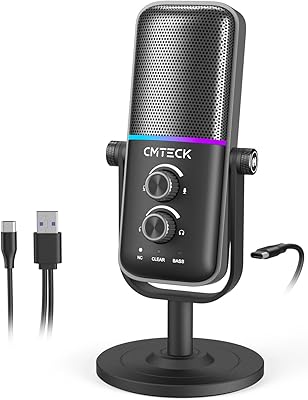
JLab Talk USB Microphone
72%
83%
Sound Clarity
88%
Polar Pattern Versatility
93%
Ease of Setup
61%
Background Noise Rejection
58%
Build Quality
More
RØDE NT-USB Microphone
87%
94%
Sound Quality
92%
Ease of Setup
89%
Build Quality
85%
Noise Isolation
87%
Mic Sensitivity
More
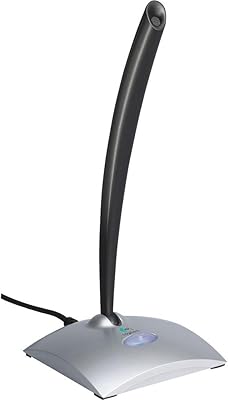
Logitech USB Desktop Gooseneck Microphone
73%
93%
Ease of Setup
79%
Voice Clarity
71%
Noise Isolation
68%
Build Quality
82%
Gooseneck Flexibility
More
Samson Meteor USB Microphone
86%
89%
Audio Quality
95%
Ease of Use
83%
Build Quality
91%
Portability
94%
Setup Process
More
AUDIOPRO X5
AUDIOPRO X5
77%
94%
Ease of Setup
78%
Voice Clarity
67%
Background Noise Rejection
82%
Build Quality
88%
Onboard Controls
More
ROCCAT Torch USB Microphone
86%
92%
Audio Quality
88%
Ease of Use
85%
Microphone Sensitivity
89%
Versatility (Pickup Patterns)
91%
RGB Lighting & Visual Feedback
More
AIRHUG 21 USB Microphone
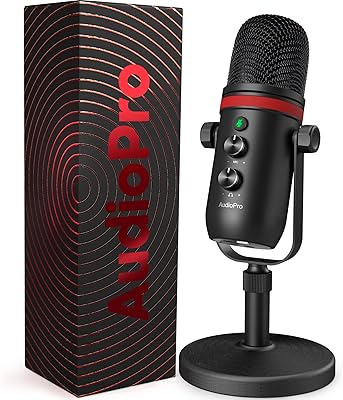
82%
83%
Audio Clarity
74%
Noise Reduction
96%
Ease of Setup
67%
Build Quality
91%
Mute Button & LED Indicator
More

FAQ

Yes, the NZXT Capsule Mini USB Microphone is fully plug-and-play — connect it to any USB-A port and your operating system recognizes it immediately, no drivers needed. That said, NZXT CAM is the only way to access gain control, mic monitoring, and volume mixing, so you give up those adjustments if you skip it. For basic voice capture, it works straight out of the box.

Yes, it has a built-in mounting thread and ships with an adapter that covers common thread sizes, so it should be compatible with most standard boom arms and mic stands without buying anything extra.

It does work on PS4, PS5, and Xbox consoles as a USB audio input device. Keep in mind that NZXT CAM is PC and Mac only, so on consoles you get the mic itself but no software-side control over gain or monitoring levels.

This is one of the more common complaints from buyers — the included USB cable is on the shorter side, which can be a real limitation if your PC sits on the floor or is positioned away from the desk surface. Picking up a longer USB-A cable separately is an easy and inexpensive fix, but it is worth knowing upfront before you commit to a placement.

No, the Capsule Mini does not include a headphone output for zero-latency hardware monitoring. If hearing your voice in real time without any delay is important to your workflow, you would need a mic that has a built-in headphone jack, or you can use software monitoring through your PC's audio settings, which adds a small but noticeable delay.

The cardioid pickup pattern does a reasonable job of rejecting off-axis noise like fans and ambient room hum, but a loud mechanical keyboard positioned right next to it will still bleed into recordings to some degree. In a moderately quiet room it performs well above what you would expect for its size, though it is not a substitute for even basic acoustic treatment if you are in a live or echo-prone space.

Not really — there are no physical knobs or buttons on the mic body itself, so your only options outside of CAM are your operating system's built-in input level controls, which offer far less precision. If you plan to use this mic without CAM, just keep in mind that fine-tuning gain on the fly is not as straightforward as it would be with a mic that has a physical dial.

The Capsule Mini has a clear advantage in audio resolution, recording at 24-bit versus the Snowball iCE's 16-bit, which translates to noticeably more warmth and detail in the voice. The Snowball iCE is larger and has been around longer, but the Capsule Mini wins on desk footprint, cleaner aesthetics, and software integration if you are already in the NZXT ecosystem. For streamers who care about a tidy desk as much as sound quality, the Capsule Mini is the stronger choice.

No — this is a single-channel cardioid microphone built for one voice at a time. If you are recording a two-person in-person session, you would need two separate microphones or a model specifically designed for multi-source pickup, such as an omnidirectional or bidirectional mic paired with appropriate recording software.

The stand holds the mic securely under normal conditions and is fine for most everyday desk setups. A handful of buyers have noted it wobbles slightly if nudged or if the mic is angled aggressively to one side. If you work in a setup where your desk sees a lot of vibration or accidental bumps, mounting on a boom arm is the more reliable option and takes only a minute to set up.

Where to Buy