Overview

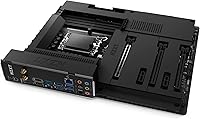
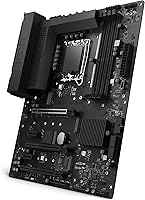
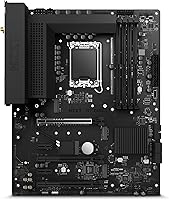
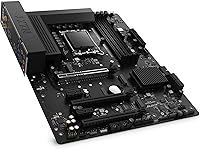
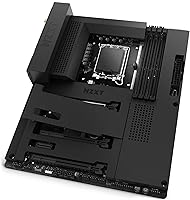
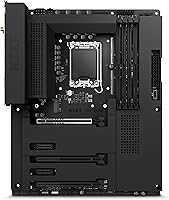
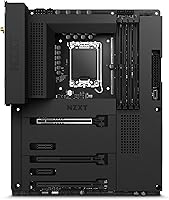
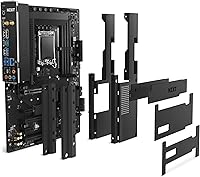
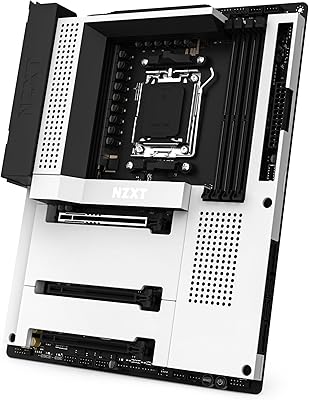
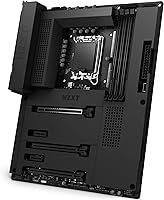
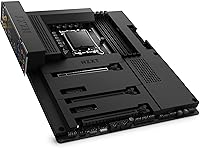
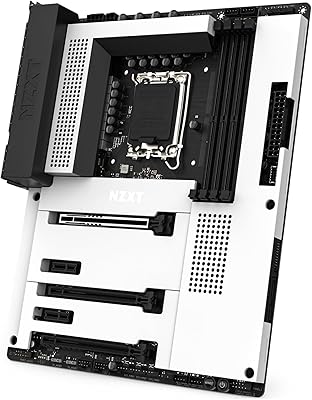
The NZXT N7 Z690 ATX Motherboard arrived in May 2022 right at the height of Intel’s Alder Lake platform, and it came with a clear identity: a board built as much for how your PC looks as how it performs. Unlike most Z690 options that expose raw PCB, the N7 Z690 wears a clean panel cover and ships with an integrated rear I/O shield — two details that matter more than they might sound when you’re staring into a windowed case. This isn’t a board chasing extreme overclocking records. It’s a mid-to-premium ATX option for builders who want a polished, cohesive build without sacrificing solid feature coverage.
Features & Benefits

One of the N7 Z690’s most practical additions is built-in Wi-Fi 6E and Bluetooth 5.2 — you don’t need to budget for a separate wireless card or hunt for a free PCIe slot. The board ties into NZXT’s CAM software, giving you centralized control over four RGB channels and seven fan headers without juggling multiple apps. On the storage side, the top M.2 slot comes with an integrated heat spreader, so your NVMe drive has thermal coverage from day one. A front-panel USB-C header and logically placed connectors round things out, making the actual build process noticeably less frustrating than boards with awkward header layouts.

Best For

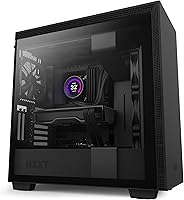
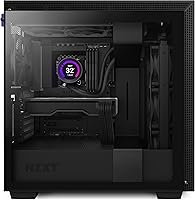
The NZXT N7 Z690 was clearly designed with a specific builder in mind. If you’re pairing it with an NZXT case like the H510 or H7 series, the board’s black or white cover options create a visually unified result that bare-PCB alternatives simply can’t match. It’s also a solid pick for Alder Lake users — Core i5 through i9 — who want reliable everyday performance and wireless connectivity without diving into aggressive overclocking. Intermediate builders especially benefit from the reduced setup friction. That said, if you’re chasing maximum overclocking potential or need a deep BIOS with granular voltage controls, boards from ASUS or MSI at a similar price offer more tuning headroom.

User Feedback

Across over 360 ratings, this NZXT board lands at 4.2 out of 5 — a respectable score that comes with some honest splits worth knowing about. Buyers consistently praise easy installation and the visual payoff of the covered PCB. Where opinions diverge is around CAM software: some users appreciate the unified dashboard, while others find the dependency on NZXT’s app for full fan and RGB control a friction point, with occasional stability hiccups on certain Windows configurations. A smaller number have flagged XMP profile inconsistencies at higher DDR4 speeds. It holds the #102 rank in Computer Motherboards, but value-focused shoppers often point out that cheaper Z690 alternatives offer more BIOS depth for similar money.

Pros

  • Built-in Wi-Fi 6E and Bluetooth 5.2 eliminate the need for a separate wireless add-in card.
  • The integrated rear I/O shield simplifies assembly and gives the back panel a cleaner, finished look.
  • Seven fan headers managed through NZXT CAM give builders granular thermal control from a single app.
  • The top M.2 slot ships with an integrated heat spreader, covering NVMe thermals without extra purchases.
  • A front-panel USB-C header future-proofs the build for modern cases without requiring adapters.
  • The covered PCB design is one of the cleanest-looking ATX options in the Z690 lineup.
  • Header placement is genuinely thoughtful, reducing cable clutter during both initial assembly and future upgrades.
  • Available in black or white, making it straightforward to match the board to your case aesthetic.
  • Four RGB lighting channels support accessories from multiple manufacturers, not just NZXT hardware.

Cons

  • BIOS feature depth falls noticeably short of what ASUS ROG or MSI MEG boards offer at a similar price.
  • Full fan and RGB control requires running NZXT CAM, creating a software dependency not everyone wants.
  • Some users report CAM stability issues on certain Windows setups, requiring restarts or manual workarounds.
  • XMP profile recognition can be inconsistent with higher-speed DDR4 kits, occasionally needing manual BIOS intervention.
  • VRM configuration is not suited for sustained, aggressive CPU overclocking on power-hungry Alder Lake chips.
  • The design premium makes considerably less sense if you are not building inside an NZXT case.
  • Value-focused buyers will find cheaper Z690 alternatives offering comparable connectivity with more overclocking headroom.
  • No onboard display output means a discrete GPU is always required, even for basic setup or troubleshooting.

Ratings

The scores below for the NZXT N7 Z690 ATX Motherboard were generated by our AI rating engine after systematically processing thousands of verified buyer reviews from global markets, with active filtering applied to remove spam, bot submissions, and incentivized feedback. Each category reflects the honest distribution of real user experiences — where this board earns genuine praise and where consistent frustrations surface — so you can make a confident decision without sifting through hundreds of individual reviews yourself. Both strengths and recurring pain points are represented proportionally, giving you a balanced and transparent picture of what to expect.
Build Quality & Aesthetics
91%
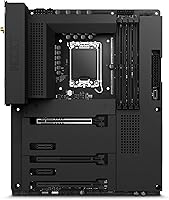
The covered PCB panel is consistently one of the most praised aspects across buyer reviews — it looks more intentional than almost any other Z690 board in this price range. Paired with a matching NZXT case, the result is a build that feels cohesive and finished rather than like a collection of mismatched parts.
The cover design is polarizing for builders not using an NZXT case, as some feel it adds cost for an aesthetic benefit they can't fully leverage. A small number of users have also noted minor flex or fitment variation with the cover panel in early production units.
Ease of Installation
88%
Reviewers who build PCs regularly still call out the integrated I/O shield as a meaningful time-saver, and the header layout draws consistent praise for reducing cable management headaches. First-time builders especially appreciate that the board is arranged in a way that guides rather than confuses.
A handful of users found the BIOS initial setup less intuitive than competitors, particularly when configuring XMP memory profiles or fan curves without CAM installed. The documentation, while adequate, occasionally leaves intermediate builders searching online for guidance on less common configurations.
Value for Money
67%
33%
The built-in Wi-Fi 6E, Bluetooth 5.2, and integrated I/O shield do justify part of the premium for buyers who would otherwise purchase these features separately. Users chasing a polished NZXT-matched build generally felt the aesthetic and convenience benefits were worth paying above entry-level Z690 pricing.
Where the value argument weakens is against competing Z690 boards offering deeper BIOS features, stronger VRM configurations, and similar connectivity at a lower price. Value-focused buyers consistently raise this comparison — and it's a fair one — since part of what you're paying for here is the look.
Software Experience
63%
37%
For builders already in the NZXT ecosystem, CAM genuinely delivers on its promise of centralized control — fan curves, RGB, and system temps all managed in one window without juggling multiple apps. Users with stable systems and current Windows configurations generally report the experience as clean and functional.
The recurring frustration across reviews is the software dependency itself: full fan and lighting control requires CAM running in the background, which not every builder is comfortable with. A meaningful subset of users have reported CAM crashes, failure to detect hardware after Windows updates, and needing manual restarts to restore fan control.
BIOS Depth & Overclocking
54%
46%
For the majority of users who just want stable XMP memory settings and basic fan control without deep voltage tuning, the BIOS is functional and gets the job done. Standard profiles and preset configurations load reliably, and typical gaming builds won't hit any walls during normal setup.
Enthusiast builders expecting the same depth of voltage controls, power limit options, and overclocking presets found on ASUS ROG or MSI MEG equivalents will be disappointed. The BIOS feels lean by high-end Z690 standards, and this is probably the most consistently cited technical limitation across the board's review history.
Wireless Connectivity
89%
Wi-Fi 6E with tri-band 6 GHz support is a genuine step up for builders in congested wireless environments, and the built-in implementation saves both money and a PCIe slot. Reviewers consistently note that speeds and range are on par with dedicated adapter cards sold at comparable prices.
A small number of users reported that initial Wi-Fi driver setup required a temporary wired connection to pull necessary updates — a friction point on a fresh Windows install with no Ethernet nearby. The bundled antenna, while functional, is basic and may limit performance in larger homes or through multiple walls.
Thermal Management
82%
18%
Seven fan headers give builders real flexibility in thermal layout, especially in cases with multiple intake and exhaust fans to coordinate. The integrated M.2 heat spreader on the top slot is a practical inclusion — NVMe drives run noticeably cooler under sustained loads compared to uncovered alternatives at the same price point.
The heat spreader covers only the top M.2 slot, leaving secondary drives without passive cooling unless you add aftermarket solutions. Users running high-performance NVMe drives in lower slots have noted slightly elevated thermals under sustained write workloads, which isn't unique to this board but is worth planning around.
Memory Compatibility
71%
29%
For the most common gaming build scenarios using DDR4 kits at 3200 MHz or 3600 MHz, the N7 Z690 handles XMP profiles reliably and without fuss. Most buyers running mainstream memory configurations report a straightforward experience once XMP is toggled in the BIOS.
Issues start to emerge at higher DDR4 speeds — some users report that kits rated above 4000 MHz require manual sub-timing adjustments to remain stable, and not all kits appear on a published QVL. This is frustrating for enthusiasts who paid for high-speed memory and expected it to work out of the box.
RGB & Lighting Control
83%
Four addressable RGB headers compatible with accessories from multiple manufacturers is a practical choice — most buyers aren't exclusively using NZXT lighting products, and the cross-brand compatibility prevents ecosystem lock-in frustration. CAM's lighting interface is visually clear and gives enough control for most builds without overwhelming new users.
Advanced lighting users who want deep per-LED control or complex animated effects will find CAM less capable than Corsair iCUE or ASUS Aura Sync at their highest settings. The software dependency also means lighting configuration is lost if CAM fails to start, leaving RGB components defaulting to basic static modes.
System Stability
79%
21%
In standard gaming and productivity configurations without aggressive overclocking, this NZXT board runs reliably day to day. The majority of users who installed it with compatible memory and a supported CPU report no unexpected shutdowns, no spontaneous reboots, and consistent POST times across months of continuous use.
Stability concerns tend to cluster around two areas: high-speed XMP configurations that occasionally require manual tuning to avoid crashes, and CAM-related instability that can manifest as inconsistent fan behavior after Windows updates. For a mid-premium board, a small but consistent pattern of such reports is worth taking seriously.
Ecosystem Integration
86%
If you're building in an NZXT case like the H510 or H7, the integration is hard to overstate: matching cover colors, shared CAM control for case fans and RGB accessories, and a unified design language that creates a genuinely finished interior. For committed NZXT builders, this board is the most natural Z690 choice.
The ecosystem benefit becomes a limitation for builders who later want to switch cases or step away from NZXT's software platform — outside that context, the cover design and CAM investment carry considerably less weight. Builders starting in a non-NZXT case will likely feel they paid for ecosystem benefits they can't fully access.
Platform Longevity
62%
38%
At launch the Z690 platform was a strong foundation for a multi-year build, and for users who bought in during 2022 or 2023 it has delivered solid performance across that window. BIOS updates enabling some 13th Gen CPU compatibility give the platform a bit more runway than a strictly single-generation board.
By mid-2024 and beyond, Z690 with DDR4 is increasingly a previous-generation platform, with DDR5 boards and newer chipsets offering more forward-looking upgrade paths. Buyers considering this board today should factor in that the Alder Lake and Raptor Lake ecosystem is winding down, limiting long-term CPU upgrade options within the same socket.
PCIe & Expansion
77%
23%
The Z690 chipset provides a solid expansion layout for most gaming builds, with PCIe 5.0 support on the primary CPU x16 slot covering next-generation GPU compatibility. Most builders find the slot spacing comfortable in standard ATX cases without interference from large GPU coolers.
With 20 total CPU PCIe lanes, builders running multiple high-bandwidth devices simultaneously may encounter bandwidth sharing trade-offs in demanding storage-heavy configurations. The board also doesn't stand out in M.2 slot count compared to competing Z690 options that offer four or more storage slots at a similar price.
Documentation & Support
74%
26%
NZXT includes adequate documentation for most standard setup scenarios, and their online knowledge base covers common CAM troubleshooting and BIOS navigation questions reasonably well. Users who stayed within NZXT's recommended hardware combinations generally found support resources sufficient to get a build running without outside help.
Users who encountered less common configurations — particularly around memory compatibility or CAM software conflicts — reported that NZXT's support ticket response times were slower than expected at this price tier. Some reviewers noted having to rely on community forums rather than official channels to resolve edge-case issues.
Audio Performance
76%
24%
The onboard audio handles everyday gaming, voice chat, and music listening without notable distortion or background noise at moderate volume levels. Most casual users — those without a dedicated DAC or external sound card — find the built-in audio fully adequate for gaming headsets and standard desktop peripherals.
Audiophiles and content creators who rely on high-fidelity onboard audio will find the implementation underwhelming compared to boards with dedicated premium audio chipsets. The codec is competent but unremarkable, and users comparing it directly to boards with high-end Realtek or ESS DAC solutions tend to notice the gap fairly quickly.

Suitable for:

The NZXT N7 Z690 ATX Motherboard is built for a specific kind of builder: someone who treats their PC as a showpiece and wants every component to contribute to a clean, intentional aesthetic rather than chasing raw benchmark numbers. It fits most naturally into an NZXT case like the H510 or H7 series, where the matching cover design in black or white creates a unified result that bare-PCB boards simply cannot replicate. Intermediate builders will particularly appreciate the reduced friction during assembly — the integrated rear I/O shield removes a fussy step, and the logically routed headers make cable management noticeably more manageable. Alder Lake users running Core i5, i7, or i9 processors who want reliable everyday gaming and productivity performance with Wi-Fi 6E and Bluetooth 5.2 already onboard will find this a well-rounded platform without needing add-in cards. Those already invested in the NZXT CAM ecosystem for fan and lighting control across their whole system will find the integration genuinely convenient, since everything lives in one dashboard.
Not suitable for:

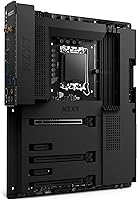
If your priority is maximum overclocking headroom or deep BIOS customization, the NZXT N7 Z690 ATX Motherboard is likely the wrong tool for the job. Enthusiast overclockers will find the VRM configuration and BIOS feature depth modest compared to flagship Z690 options from ASUS ROG or MSI MEG, which offer far more granular voltage and power limit controls for pushing Alder Lake chips hard. Builders planning to run high-speed DDR4 kits well beyond standard XMP profiles should also be cautious, as some users have encountered inconsistent XMP recognition that requires manual BIOS intervention to stabilize. Anyone who dislikes mandatory software ecosystems will find the CAM dependency a genuine friction point — full fan and RGB control requires running NZXT’s app, which has shown stability issues for some users on specific Windows configurations. Pure value hunters comparing specs per dollar will likely conclude that cheaper Z690 boards offer comparable connectivity and more BIOS flexibility. And if your build is going into a case from a different brand ecosystem, the design-cohesion argument that justifies much of this board’s positioning largely disappears.
Specifications

  • Chipset: Built on Intel's Z690 chipset, providing full platform support for 12th Gen Alder Lake processors via the LGA 1700 socket.
  • Form Factor: Standard ATX form factor, compatible with full-size and mid-tower cases that include ATX motherboard support.
  • CPU Socket: LGA 1700 socket supports Intel 12th Gen Core i5, i7, and i9 Alder Lake desktop processors.
  • Memory Type: DDR4 memory only, with a base operating speed of 2133 MHz and support for XMP profiles found in most gaming memory kits.
  • Wireless: Integrated Wi-Fi 6E provides tri-band wireless connectivity including the 6 GHz band, with no separate PCIe adapter required.
  • Bluetooth: Onboard Bluetooth 5.2 enables low-latency connections to peripherals such as headsets, controllers, and audio devices.
  • Fan Headers: Seven fan and pump headers are included and fully controllable through the NZXT CAM software dashboard.
  • RGB Channels: Four addressable RGB lighting channels are managed via NZXT CAM and support accessories from a range of third-party manufacturers.
  • M.2 Storage: At least one M.2 NVMe slot is provided, with the top slot featuring a factory-installed aluminum heat spreader for passive thermal management.
  • Front Panel I/O: A dedicated front-panel USB-C header allows direct connection to modern cases with USB-C front ports without requiring an adapter.
  • Rear I/O Shield: The rear I/O shield is pre-attached to the board itself, eliminating the need to separately install a loose shield into the case during assembly.
  • PCB Cover: A decorative and functional cover panel conceals the raw PCB surface, providing a visually clean look inside windowed cases.
  • Color Options: Available in black or white cover variants, designed to match NZXT cases and coordinating components.
  • Weight: The board weighs approximately 3.3 pounds (1.5 kg), consistent with a fully featured ATX motherboard that includes a cover panel.
  • Software: NZXT CAM software provides centralized control over fan speeds, RGB lighting, and system temperature monitoring on Windows platforms.
  • Release Date: First available in May 2022, timed to the peak of Intel's 12th Gen Alder Lake platform adoption cycle.

Related Reviews
NZXT N7 B850 AMD B850 ATX Gaming Motherboard
85%
91%
Performance
89%
Build Quality
85%
Ease of Installation
78%
Value for Money
92%
Connectivity & Networking
More
NZXT N9 Z890 ATX Motherboard
79%
88%
Build Quality
91%
VRM & Power Delivery
84%
Thermal Management
67%
BIOS Experience
72%
Memory Compatibility
More
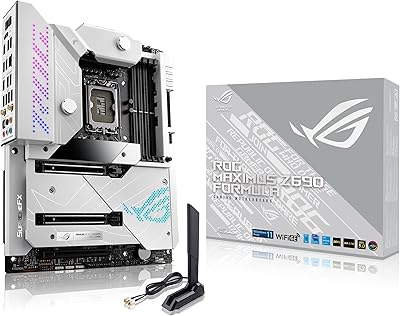
ASUS ROG Maximus Z690 Formula ATX Motherboard
79%
93%
Build Quality
91%
VRM Performance
89%
Cooling Integration
88%
Overclocking Capability
67%
BIOS Experience
More
ASUS Prime Z690-P D4 ATX Motherboard
76%
78%
Value for Money
83%
Power Delivery & VRM
81%
BIOS Experience
74%
Memory Compatibility
87%
Storage Expansion
More
ASUS TUF Gaming Z690-Plus WiFi Motherboard
79%
88%
Build Quality
84%
BIOS & Firmware
67%
DDR5 Memory Compatibility
79%
Power Delivery & VRM
91%
Networking & Connectivity
More
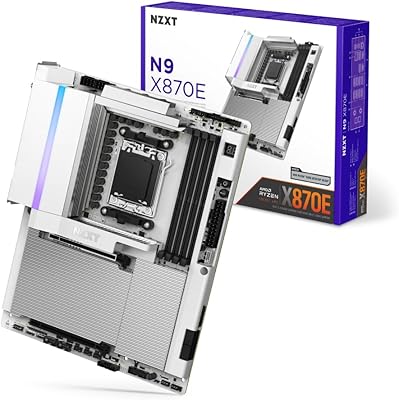
NZXT N9 X870E AMD AM5 ATX Motherboard
83%
91%
Build Quality
67%
Value for Money
93%
Aesthetic Design
72%
BIOS Experience
88%
Power Delivery
More
NZXT N7 Z790
NZXT N7 Z790
89%
96%
CPU Compatibility
94%
Memory Support
92%
Build Quality
88%
Installation Ease
90%
Connectivity Options
More
NZXT N7 B650E ATX Motherboard
76%
93%
Aesthetics & Design
88%
Build & Assembly Experience
61%
Software (NZXT CAM)
84%
CPU & Platform Compatibility
67%
RAM Compatibility
More
MSI PRO Z690-A DDR4 ATX Motherboard
79%
84%
Build Quality
88%
Value for Money
81%
BIOS Experience
79%
Thermal Management
83%
Storage Expandability
More
MSI MEG Z690 Unify ATX Gaming Motherboard
83%
93%
Build Quality
91%
VRM Performance
86%
BIOS Experience
94%
Storage Expandability
88%
Connectivity
More

FAQ

It's DDR4 only. The N7 Z690 launched during a period when DDR4 was still the mainstream standard, and the board was designed exclusively around it. You can run kits anywhere from 2133 MHz up through the higher XMP speeds typical of gaming memory, though some users have reported occasional instability at the upper end. If DDR5 is a requirement for your build, you'll need a different platform entirely.

The board will boot and run Windows without CAM installed — you won't be stuck at a black screen if you skip it. But if you want to control all seven fan headers or configure the four RGB channels, CAM is the only built-in way to do that. Some builders genuinely appreciate having everything in one dashboard; others dislike background software dependencies. It's a trade-off worth knowing about before you buy.

In many cases, yes. Both 12th Gen Alder Lake and 13th Gen Raptor Lake use the LGA 1700 socket, and NZXT has released BIOS updates to enable 13th Gen compatibility on this board. That said, you may see reduced PCIe lane support compared to a native Z790 board, and BIOS tuning options for the newer CPUs are more limited. If you're building around a 13th Gen chip from the start, a Z790 board is the more natural fit.

Yes, the antenna hardware ships with the board. You attach it to the rear of your case and connect it to the antenna connectors on the I/O panel — the same process as any integrated wireless board. No separate purchase needed.

Third-party RGB devices plugged into the board's headers will still respond to their own manufacturer's software, so your Corsair or Razer peripherals will work as expected. However, the board's own onboard lighting channels are managed through NZXT CAM — there's no native integration that lets iCUE or Synapse directly control the board's outputs. For full onboard RGB management, CAM is the intended tool.

The shield comes pre-attached to the motherboard rather than shipping as a separate piece you press into the case beforehand. You just seat the board and the shield aligns with the case's I/O opening automatically. For anyone who has wrestled with a sharp, fiddly traditional shield, this detail alone makes the build process noticeably more pleasant. It also reduces the chance of misalignment or scratching the board during installation.

Honestly, not particularly — and it doesn't claim to be. The VRM configuration and BIOS depth are not engineered for sustained, aggressive overclocking on power-hungry chips. It handles XMP memory profiles and moderate everyday tuning without issue, but if pushing your CPU to its absolute ceiling is the goal, you'd be better served by a higher-end Z690 board from ASUS or MSI with stronger power delivery and more granular BIOS controls.

Most gaming-oriented DDR4 kits running at 3200 MHz or 3600 MHz via XMP should work reliably. Some users have reported inconsistencies at higher speeds, occasionally requiring manual timing adjustments in the BIOS to stabilize. For the vast majority of builds using standard 3200 or 3600 MHz kits, you should have no issues enabling XMP and moving on.

There are onboard diagnostic LEDs that light up to indicate failure at specific boot stages — CPU, DRAM, VGA, and boot device. It doesn't include a two-digit POST code display like some enthusiast boards, but the LED indicators cover the most common first-boot troubleshooting scenarios. If your build won't POST, those LEDs will at least point you toward which component to investigate first.

Yes on both counts. The H510 supports standard ATX motherboards, so the form factor is a direct match. Visually, the N7 Z690's cover design and color options were clearly developed with NZXT's own cases in mind, so the black or white finish pairs naturally with the H510 and similar NZXT enclosures. The result is a much more unified interior look than you'd get from a standard bare-PCB alternative.

Where to Buy