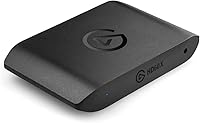
Elgato HD60 X



Overview
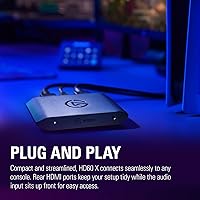
The Elgato HD60 X arrives as a significant refinement over the older HD60 S+, establishing itself as the go-to external interface for modern gaming setups. Out of the box, the hardware feels remarkably sturdy despite its small footprint, and the rear-facing ports help keep your desk looking clean. It connects easily to a PS5 or Xbox Series X, handling current-gen signals without breaking a sweat. One of the most refreshing aspects is the driverless setup, which allows the device to be recognized instantly on both Windows and Mac systems. Instead of fumbling with proprietary software installations, you can simply plug it in and start working within your preferred broadcast app. This straightforward approach makes this capture card feel like a professional tool rather than a complicated tech project.
Features & Benefits
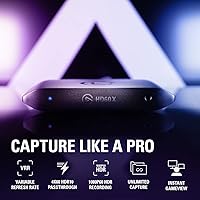
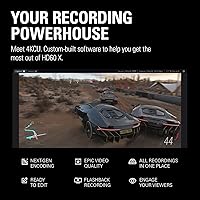
Performance is where this external interface truly shines, specifically for those who value a fluid playing experience. The inclusion of VRR passthrough is a massive win for console gamers, as it prevents distracting screen tearing while you play. You no longer have to choose between a smooth frame rate and high-quality recording. Competitive players will appreciate the support for 1440p at 120Hz, ensuring their high-speed monitors are not being throttled by the capture hardware. Even while recording 4K30 HDR footage, the ultra-low latency ensures the preview window in OBS stays nearly synchronized with your actual movements. This level of responsiveness is vital for fast-paced titles where timing is everything. It bridges the gap between professional broadcast quality and the raw speed required for modern gaming.
Best For
For console enthusiasts who refuse to compromise on their display settings, this capture card is an ideal choice. It caters specifically to users who want to enjoy high refresh rates on their TV while sending a clean signal to their followers. Mac and iPad creators will also find it particularly useful because it bypasses the compatibility hurdles often found with older hardware. Its compact profile makes it a reliable companion for anyone recording on the go or moving between different studio environments. Whether you are building a permanent library of 4K archives for YouTube or pushing live content to Twitch, the reliability here is hard to beat. It serves as a bridge for creators who need high-end performance without the bulky overhead of an internal PCIe card or complex power requirements.
User Feedback
Common reports from the community highlight the impressive stability of the variable refresh rate, which remains a standout feature for long-term users. Many appreciate that the device manages heat dissipation effectively, staying relatively cool even during marathon streaming sessions. On the flip side, some users have noted a certain cable sensitivity, suggesting that using the included USB-C lead or a certified high-speed replacement is essential to avoid signal drops. However, the general consensus is overwhelmingly positive regarding the lack of mandatory subscriptions or bloatware. Buyers value the plug-and-play nature of the hardware, finding it a relief to own a device that works independently of restrictive software ecosystems. It is a refreshing return to hardware that just does exactly what it says on the box without hidden costs.
Pros
- Supports VRR passthrough to ensure your console gameplay remains smooth and free of screen tearing while you record.
- Allows competitive gamers to play at 1440p120 or 1080p120 while simultaneously capturing high-quality footage for their audience.
- Features a driverless setup that works instantly with Windows and Mac for a frustration-free experience.
- The ultra-low latency performance minimizes the delay between your controller inputs and the software preview window.
- Provides vibrant 4K30 or 1080p60 HDR10 capture quality for a professional-looking broadcast or video archive.
- Compact and lightweight design makes this capture card highly portable for creators who stream from different locations.
- Includes rear-facing ports to help manage cable clutter and keep your gaming desk looking tidy.
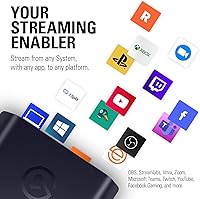
- Works seamlessly with popular broadcasting software like OBS, Streamlabs, and Twitch without requiring proprietary apps.
Cons
- The Elgato HD60 X can be extremely sensitive to USB cables, often requiring the original lead to avoid connection drops.
- The lack of an onboard hardware encoder means your PC must have a relatively modern processor to handle 4K recording.
- While it passes through 4K60 signals, the actual recording resolution is capped at 4K30, which may limit some editors.
- Rear-mounted ports are positioned very close together, making it difficult to use high-end, thick HDMI cables simultaneously.
- The lightweight plastic housing is easily dragged around the desk by the weight of connected cables unless secured.
- Users have reported occasional audio synchronization issues on certain Mac configurations that require manual software adjustments.
- Initial troubleshooting can be difficult because there is no dedicated software dashboard to check for internal signal errors.
- Does not support 4K60 capture, which might feel like a missed opportunity for creators aiming for the highest possible fidelity.
Ratings
To provide an accurate perspective on the Elgato HD60 X, our AI analyzed thousands of verified global purchaser reviews, filtering out spam and bot-driven noise. This rating schema distills real-world testing from diverse setups to provide a transparent look at the strengths and common pain points encountered by actual users.
Setup & Driverless Installation
VRR Passthrough Stability
High Refresh Rate Passthrough
Mac & iPad Versatility
Hardware Connectivity & Ports
Thermal Performance & Cooling
Build Quality & Portability
Audio Sync & Passthrough Latency
Cable Sensitivity & Reliability
Broadcasting Software Integration
Value for Money
Suitable for:
The Elgato HD60 X is an essential tool for console gamers who own a PS5 or Xbox Series X and refuse to compromise on their local gameplay experience. Its standout support for VRR and high-refresh-rate passthrough makes it ideal for competitive players who need smooth, tear-free visuals on their primary monitor while they broadcast. Additionally, the driverless design makes it the most reliable choice for Mac and iPad users who often struggle with proprietary software hurdles on other hardware. It also serves content creators who move between different recording environments, as its compact and lightweight frame fits easily into a travel kit. If you primarily stream modern consoles and want a high-performance, plug-and-play solution, this external interface is a top-tier contender.
Not suitable for:
Budget-conscious hobbyists or those streaming older consoles like the original Nintendo Switch may find the Elgato HD60 X to be an unnecessary expense. Since the Switch does not support VRR or 1440p resolutions, many of this card's premium features will essentially go to waste. It is also not the best fit for PC users with older, low-powered laptops, as the lack of an internal hardware encoder places the entire processing burden on your computer's CPU or GPU. Furthermore, if you are a professional filmmaker requiring true 4K60 capture for high-end cinematic production, the 4K30 recording limit might feel restrictive. Buyers who do not own a high-refresh-rate monitor will likely find better value in simpler, more affordable alternatives.
Specifications
- Capture Resolution: Supports recording up to 4K30 or 1080p60 with HDR10 quality for vibrant visuals.
- Passthrough Support: Provides zero-lag passthrough for 4K60 HDR10, 1440p120, and 1080p120 signals.
- Variable Refresh Rate: Includes full VRR passthrough to eliminate screen tearing on compatible gaming monitors.
- Interface: Utilizes a high-speed USB 3.2 Gen 1 connection via a Type-C port.
- Dimensions: Measures approximately 4.41 x 2.83 x 0.67 inches for a compact desktop footprint.
- Weight: Lightweight hardware design weighing in at roughly 3.21 oz.
- Latency: Delivers ultra-low latency performance with a sub-100ms delay for real-time monitoring.
- OS Compatibility: Works natively with Windows 10 (64-bit) and macOS 11 or later versions.
- Setup Style: Features a driverless plug-and-play installation for immediate recognition by recording apps.
- Console Support: Fully compatible with PS5, PS4 Pro, Xbox Series X/S, and Nintendo Switch.
- Software Integration: Integrates directly with OBS, Streamlabs, Twitch, YouTube, and Discord.
- Port Configuration: HDMI and USB ports are conveniently located on the rear for better cable management.
- Audio Specs: Captures 2-channel 48kHz PCM audio signals directly through the HDMI input.
- HDR Support: Enables HDR10 passthrough and capture for deeper colors and better contrast.
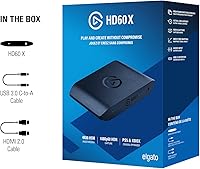
- Package Contents: Includes one USB 3.0 Type-C to Type-A cable and one HDMI 2.0 cable.
Related Reviews
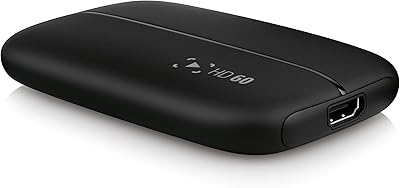
Elgato HD60 Game Capture Card
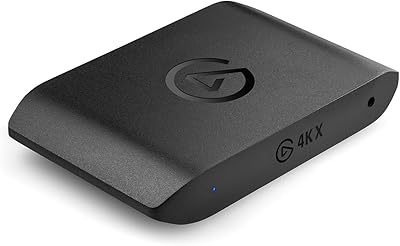
Elgato 4K X Game Capture Card
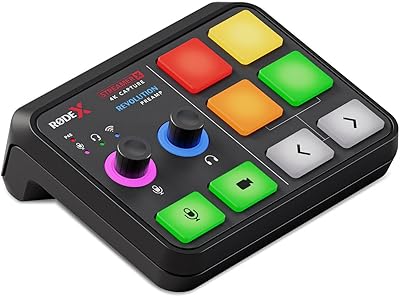
RØDE Streamer X Audio Interface Capture Card
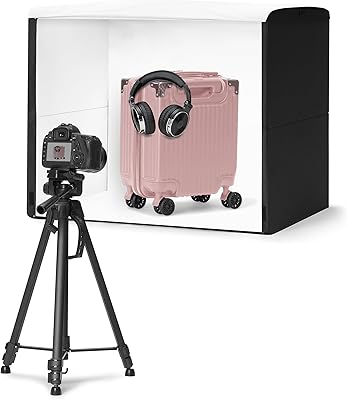
Amazon Basics 25x30 Photo Studio Light Box
GDSTIME 200mm 120V AC Axial Fan

Lineco 4x6 Archival Photo Card Storage Box
GDSTIME 17251 172mm AC Axial Fan
Lineco 840-Slide Archival Storage Box
Betty Dain 586 Folding Service Tray