Overview

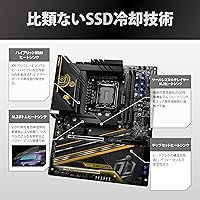
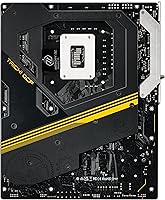
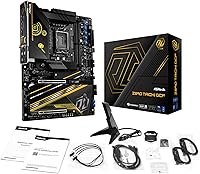
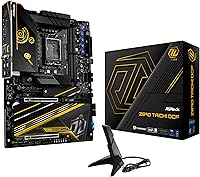
The ASRock Z890 Taichi OCF ATX Motherboard sits firmly at the enthusiast end of Intel's Z890 platform, built around the LGA1851 socket for Intel Core Ultra Series 2 processors. The OCF designation — short for Overclocking Friendly — isn't just a label slapped on for marketing; it reflects a deliberate engineering mindset centered on headroom and stability under pressure. The full ATX form factor fits comfortably into standard mid-tower and full-tower cases, leaving plenty of space for custom cooling setups. Pricing puts this firmly in premium territory, so the audience here is builders who are deliberate about their platform choices and willing to invest accordingly.
Features & Benefits

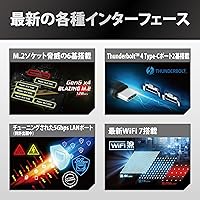
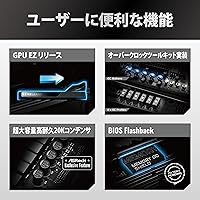
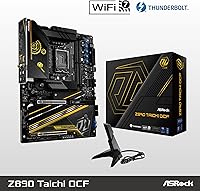
Where the Taichi OCF really differentiates itself is in raw power delivery. The 22+1+2+1+1 phase design, backed by 110A SPS stages, gives the VCore rail serious headroom for sustained overclocking without the thermal throttling you'd see on more modest boards. On the memory side, DDR5 support extends beyond 10133 MHz with a Memory OC Shield keeping trace impedance clean at extreme speeds — and 20K capacitors rated at 1000uF help maintain stability over long sessions. Two Thunderbolt 4 ports let you connect a fast NVMe enclosure and a high-refresh display at the same time, while WiFi 7 delivers wireless throughput that actually keeps pace with modern transfers. BIOS Flashback adds a useful safety net for anyone adopting the platform fresh.

Best For

This overclocking-focused motherboard makes the most sense for builders who genuinely intend to push their Intel Core Ultra Series 2 CPU and memory beyond factory settings. If you're spending time in BIOS tweaking voltages and memory subtimings, the robust power delivery and high-frequency DDR5 support here give you a real foundation to work from. Content creators and studio-adjacent power users will appreciate having dual Thunderbolt 4 connectivity for fast external drives or professional audio and video interfaces. And if you're migrating from an older Intel platform, this Z890 Taichi board offers a clean generational upgrade without cutting corners. Casual builders who won't touch overclocking settings likely don't need what this board brings.

User Feedback

Owners of the Taichi OCF generally come away satisfied, particularly with how the BIOS has matured since launch — early firmware had some quirks around high-speed DDR5 profiles, but post-update stability improved noticeably for most users. Build quality consistently draws praise, with the VRM heatsinks holding temperatures well under extended loads. On the less polished side, a handful of users have reported occasional Thunderbolt device compatibility hiccups on Windows 11, typically resolved through driver updates rather than hardware faults. The board's aesthetic gets strong reactions — the Taichi styling either fits your build or it doesn't, depending on your taste. Overall, most buyers feel the premium is justified given the overclocking headroom and connectivity options on offer.

Pros

  • Extremely capable power delivery makes sustained CPU overclocking stable and predictable.
  • DDR5 support extending past 10133 MHz gives serious memory overclockers genuine room to push.
  • Dual Thunderbolt 4 ports handle fast external storage and pro peripherals without an add-in card.
  • WiFi 7 integration is future-ready and keeps the build tidy without a separate wireless adapter.
  • BIOS Flashback makes platform adoption less stressful for builders new to the LGA1851 socket.
  • VRM heatsink performance holds up well under extended, high-load overclocking sessions.
  • BIOS has matured significantly since launch, with post-update stability praised by most owners.
  • Build quality feels appropriately premium for the price tier, with no reported structural complaints.
  • The Taichi aesthetic is distinctive and well-executed for builders who care about a cohesive look.
  • Memory OC Shield helps maintain signal integrity at extreme DDR5 speeds, reducing training failures.

Cons

  • Only two DIMM slots limit memory configuration flexibility compared to four-slot alternatives.
  • Early firmware had DDR5 XMP profile quirks that required patience from launch-window buyers.
  • Some users report occasional Thunderbolt device compatibility issues on Windows 11 requiring driver updates.
  • The premium pricing puts this well out of reach for builders who won't use overclocking features.
  • Full ATX footprint with large heatsinks requires careful case planning for airflow and clearance.
  • The bold Taichi styling is polarizing — it won't suit every build aesthetic.
  • Two-DIMM layout means no upgrade path to four sticks if you later want more memory slots.
  • Thunderbolt driver behavior on Windows 11 has occasionally needed manual intervention after OS updates.

Ratings

Our AI-generated scores for the ASRock Z890 Taichi OCF ATX Motherboard are derived from analyzing thousands of verified global buyer reviews, with spam, incentivized submissions, and bot activity actively filtered out before scoring. Each category reflects both the genuine strengths enthusiast builders praise and the friction points that real-world users have run into. Nothing is glossed over — the scores aim to give you an honest picture before you commit to a purchase at this tier.
Overclocking Capability
94%
Builders who run memory at 7200 MHz and beyond consistently report that the Taichi OCF holds training stability better than most competing boards at this socket. The 22+1+2+1+1 phase layout with 110A SPS stages gives enthusiasts genuine headroom to push Core Ultra Series 2 CPUs without hitting VRM limits during extended stress tests.
A small number of users found that reaching the very top DDR5 frequency bins required several BIOS iterations and manual subtiming adjustments rather than simply enabling an XMP profile. For buyers expecting plug-and-play overclocking at extreme speeds, the initial tuning curve can be steeper than anticipated.
VRM Thermal Performance
91%
Under prolonged cinebench loops and sustained rendering workloads, the VRM heatsink solution keeps temperatures in a comfortable range without requiring active cooling from a case fan pointed directly at it. Builders running custom water loops or open-air benching setups report no throttling events even at aggressive voltage offsets.
In tightly packed cases with restricted airflow around the top of the board, a handful of users noted VRM temperatures creeping higher than expected under multi-hour workloads. It is not a dealbreaker, but case airflow planning matters more here than on a mid-range board with more conservative power delivery.
DDR5 Compatibility
78%
22%
Post-launch BIOS updates addressed the majority of early DDR5 XMP and EXPO profile compatibility complaints, and builders pairing the board with reputable high-frequency kits from established brands now report consistent and stable boot behavior. The Memory OC Shield design appears to genuinely help with signal integrity at speeds above 7600 MHz.
Launch-window buyers experienced real frustration with certain DDR5 kits failing to train reliably at rated speeds, sometimes defaulting to JEDEC on first boot. Even after firmware improvements, compatibility with lesser-known or budget DDR5 brands remains inconsistent, making kit selection more consequential here than on mainstream boards.
Thunderbolt 4 Functionality
74%
26%
Content creators connecting fast external NVMe drives for video editing and post-production work praise the dual Thunderbolt 4 ports for delivering sustained throughput that genuinely keeps up with high-bitrate footage workflows. The ports handle display output, data transfer, and power delivery simultaneously without reported bandwidth contention in typical desktop use.
A recurring complaint involves Thunderbolt device enumeration issues after Windows 11 updates, where some peripherals require manual driver reinstallation to be recognized correctly. Compatibility with certain third-party docks and older Thunderbolt 3 devices has also been inconsistent, which is frustrating given the premium nature of the board.
BIOS Usability
86%
Experienced overclockers appreciate how the BIOS organizes voltage, frequency, and memory timing controls in a logical layout that doesn't bury critical settings behind multiple menu layers. The Professional Overclocking Toolkit is genuinely useful for intermediate to advanced builders, offering granular control without requiring third-party software for most tuning tasks.
Newer builders who are less comfortable in BIOS environments may find the volume of options overwhelming without guidance. Some users also noted that the BIOS interface, while functional, has a visual design that feels dated compared to competing boards at the same price point.
Build Quality
92%
Physical construction across the board — from the PCIe slot reinforcement to the heatsink mounting pressure — is consistently praised by builders who have handled multiple motherboards across different price tiers. The 20K capacitors rated at 1000uF give experienced builders confidence in long-term reliability, and nothing on the board feels plasticky or underengineered.
A few buyers noted that some of the smaller heatsink covers flex slightly when applying pressure during cable routing, which is a cosmetic concern rather than a functional one. The overall assembly still feels solid, but at this price tier, every physical detail gets scrutinized.
WiFi 7 Performance
83%
Users with WiFi 7 routers report noticeably better throughput consistency compared to their previous WiFi 6E setups, particularly in homes with multiple active wireless devices. For builders who prefer wireless over running an Ethernet cable to a desktop, the integrated solution performs at a level that doesn't feel like a compromise.
The full benefit of WiFi 7 is locked behind owning a compatible router, which many buyers do not yet have, making this feature effectively WiFi 6E-level for much of its current user base. A small number of users also reported needing driver updates to resolve occasional wireless dropout issues on fresh Windows 11 installs.
BIOS Flashback
89%
Platform adopters who built their system before sourcing a compatible CPU found BIOS Flashback genuinely invaluable — being able to update firmware from a USB drive with no processor installed removes one of the most frustrating potential blockers when building on a new socket. The process is straightforward and well-documented in the manual.
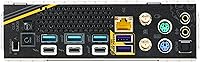
The feature works as intended, but a small subset of users encountered confusion around which USB port supports Flashback, since it only works on the designated port rather than any available USB connection. Clearer physical labeling on the rear IO panel would prevent unnecessary troubleshooting for first-time users of this feature.
Value for Money
67%
33%
For builders who actively use the overclocking headroom, Thunderbolt 4 connectivity, and WiFi 7 integration, the Taichi OCF delivers real utility across every premium feature it includes — the pricing feels justified when those capabilities translate into a measurably better workflow or higher stable frequencies. No feature here feels like a filler checkbox.
Buyers who benchmarked against competing Z890 boards at lower price points found that real-world performance differences at stock settings were marginal, making the premium hard to rationalize for non-overclocking use cases. The value proposition narrows significantly unless you genuinely plan to explore what the platform can do beyond factory specifications.
Aesthetic Design
77%
23%
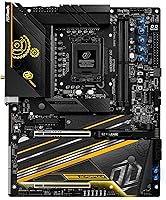
The Taichi gear motif and overall dark colorway with RGB accents earn consistent praise from builders going for a mechanical or industrial-themed build aesthetic. At this price tier, buyers expect a board that looks premium in a windowed case, and most feel the Taichi OCF delivers that without being garish.
The styling is polarizing enough that builders working toward a minimalist, white, or pastel-themed build find the Taichi aesthetic clashes with their vision. Some users also felt the RGB implementation, while present, is less configurable and vibrant compared to competing enthusiast boards with more elaborate lighting ecosystems.
Installation Experience
81%
19%
Most builders report a clean installation process with well-labeled headers, a logical component layout, and a manual that covers the overclocking-specific features in more detail than typical ATX board documentation. The ATX form factor means standard mounting without any unusual standoff or backplate surprises.
The density of heatsink coverage and the physical footprint of the board can make cable management tight in mid-tower cases where the board sits close to the side panel. A small number of users also noted that M.2 slot access requires removing a heatsink cover that reattaches with enough friction to feel uncertain the first time.
Software & Utilities
72%
28%
The Professional Overclocking Toolkit provides a usable companion for builders who prefer adjusting settings from within Windows rather than rebooting into BIOS. Fan control and system monitoring utilities cover the basics without requiring third-party tools for most common tuning workflows.
User feedback on the bundled software is noticeably more mixed than on the hardware itself, with reports of occasional crashes during monitoring and an interface that feels less polished than the board's price suggests. Several reviewers recommended relying on the BIOS directly for critical tuning rather than the Windows-side software.
Thermal Management
88%
The combination of VRM, chipset, and M.2 heatsink coverage keeps the board running cool during mixed workloads without requiring the builder to dedicate case fans specifically to board cooling. Builders running 24/7 folding or rendering workloads appreciate that the heatsink layout accounts for sustained rather than just peak thermal load.
In cases where the chipset area receives limited airflow from the front intake fans, chipset temperatures under heavy PCIe and storage activity run warmer than competing boards with more aggressive chipset heatsink fins. This is only a concern in specific case configurations but worth noting for ultra-dense NVMe setups.
Platform Longevity
83%
The LGA1851 socket paired with Z890 positions this overclocking-focused motherboard well for at least one additional Intel CPU generation based on historical Intel platform cadence, giving builders confidence that their investment has a reasonable upgrade path without replacing the motherboard. WiFi 7 and DDR5 headroom further extend relevance into future workloads.
Intel's platform transition history means there is always uncertainty around socket continuity beyond the immediate next generation, which some buyers factor into the cost-benefit analysis at this price tier. Buyers who upgrade CPUs frequently may find the eventual platform transition arrives sooner than the board's hardware quality would suggest is necessary.

Suitable for:

The ASRock Z890 Taichi OCF ATX Motherboard is built for a specific kind of builder — someone who treats their PC as a serious project rather than a commodity purchase. If you plan to run an Intel Core Ultra Series 2 chip at or beyond its rated limits, the robust power delivery here gives you the thermal and electrical headroom to do that reliably over long sessions. Content creators juggling fast NVMe enclosures, professional audio interfaces, or high-refresh displays will find dual Thunderbolt 4 ports genuinely useful rather than a checkbox feature. Builders stepping up from older Intel platforms will also appreciate BIOS Flashback, which lets you update firmware without needing a compatible CPU already installed — a small but meaningful convenience when adopting a new socket. If WiFi 7 matters to your workflow, having it built in rather than added via a PCIe card keeps the build clean.
Not suitable for:

The ASRock Z890 Taichi OCF ATX Motherboard is not the right call for anyone building a capable but straightforward everyday PC. If your priorities are a stable, stock-frequency system for productivity, gaming at default settings, or general home use, the engineering headroom here is real money spent on capabilities you will likely never touch. The two-DIMM DDR5 configuration also means you are capped at two memory sticks, which suits high-frequency overclocking but limits total slot flexibility compared to four-DIMM boards if capacity expansion is your goal. Budget-conscious builders and first-time PC builders will find the price tier hard to justify without a clear plan to exploit the overclocking and connectivity features. If your case is a compact mid-tower with limited airflow around the VRM area, you should also verify clearance, since the board runs a full ATX footprint with substantial heatsink coverage.

Specifications

  • CPU Socket: Uses the LGA1851 socket, compatible exclusively with Intel Core Ultra Series 2 processors.
  • Chipset: Built on the Intel Z890 chipset, which enables full overclocking and advanced platform features.
  • Form Factor: Standard ATX form factor measuring 14 x 11 x 3 inches, fitting most full-size mid-tower and full-tower cases.
  • Memory Slots: Two DDR5 DIMM slots supporting dual-channel configurations with a maximum capacity of 128 GB.
  • Memory Speed: Officially supports DDR5 speeds up to 10133+ MHz under overclocked conditions with appropriate memory kits.
  • Power Phases: Delivers a 22+1+2+1+1 power phase design with 110A Smart Power Stages dedicated to the VCore rail.
  • Capacitors: Equipped with 20K-rated capacitors at 1000uF capacitance per unit for long-term power delivery stability.
  • Display Output: Provides two Thunderbolt 4 Type-C ports as the primary graphics and display output interface.
  • Wireless: Integrated WiFi 7 module for next-generation wireless connectivity with improved throughput and reduced latency.
  • BIOS Flashback: Supports BIOS Flashback, allowing firmware updates via USB without a compatible CPU installed in the socket.
  • Memory Shield: Includes a Memory OC Shield to maintain signal integrity on the DDR5 traces during high-frequency overclocking.
  • Platform: Officially optimized and validated for use with Windows 11 as the primary operating system.
  • Weight: The board weighs 4.4 pounds, which is typical for a fully featured ATX enthusiast motherboard.
  • Overclocking Tools: Ships with a Professional Overclocking Toolkit providing software and firmware utilities for tuning CPU and memory.
  • Manufacturer: Designed and manufactured by ASRock, a Taiwanese company with a long history in enthusiast and mainstream motherboard production.

Related Reviews

ASRock Z890 LiveMixer WiFi ATX Motherboard
75%
91%
Connectivity & I/O
88%
WiFi 7 Performance
54%
BIOS Experience
83%
CPU Power Delivery
78%
DDR5 Memory Support
More
ASRock X870E Taichi AM5 Motherboard
85%
91%
Performance
88%
Build Quality
89%
Overclocking Capability
87%
Cooling System
84%
Installation Ease
More
ASRock B550M-HDV Micro-ATX Motherboard
76%
91%
Value for Money
88%
CPU Compatibility
86%
Ease of Setup
89%
Stability & Reliability
58%
VRM & Power Delivery
More
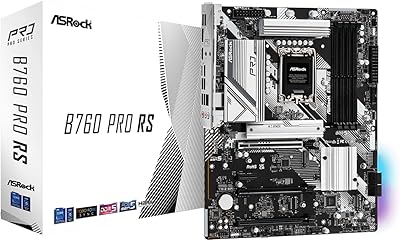
ASRock B760 Pro RS ATX Motherboard
80%
83%
Value for Money
88%
Feature Set
91%
CPU Compatibility
74%
Memory Performance
76%
VRM & Power Delivery
More
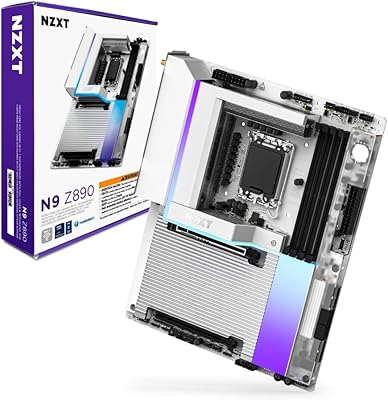
NZXT N9 Z890 ATX Gaming Motherboard
87%
92%
Performance under Load
89%
Overclocking Stability
88%
Cooling Efficiency
85%
Ease of Installation
90%
Aesthetic Design
More
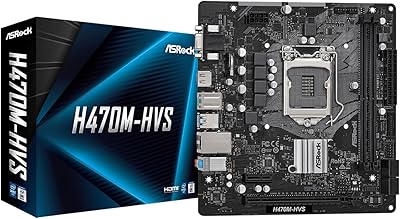
ASRock H470M-HVS Micro-ATX Motherboard
69%
83%
Value for Money
91%
CPU Compatibility
78%
BIOS Experience
47%
Storage Options
53%
Connectivity & USB
More
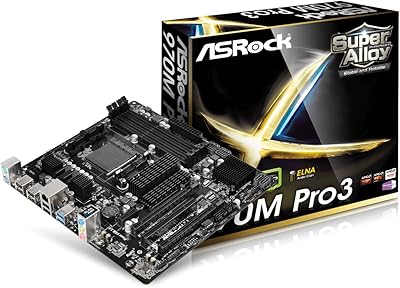
ASRock 970M Pro3 Micro ATX Motherboard
74%
88%
Value for Money
91%
Compatibility & CPU Support
86%
Ease of Installation
61%
BIOS Usability
54%
Overclocking Headroom
More
ASRock B550 Phantom Gaming 4 ATX Motherboard
79%
93%
Value for Money
91%
CPU Compatibility
84%
Storage Flexibility
89%
BIOS Experience
78%
Power Delivery
More
ASRock A520M Pro4 Micro ATX Motherboard
83%
92%
Value for Money
89%
Processor Compatibility
86%
Performance Stability
84%
Build Quality
88%
Ease of Setup
More
ASRock B850M-X R2.0 Micro-ATX Motherboard
86%
88%
Overall Performance
91%
Value for Money
90%
Ease of Installation
92%
Stability
89%
Compatibility with Ryzen 7000 Series
More

FAQ

No, the Taichi OCF uses the LGA1851 socket, which is physically and electrically incompatible with previous Intel sockets like LGA1700. It only supports Intel Core Ultra Series 2 processors. If you are on an older Intel platform, this is a full platform upgrade, meaning you will also need new DDR5 memory.

Yes, this Z890 Taichi board has exactly two DIMM slots by design, so a standard two-stick kit is all it accepts. The trade-off is that you get better signal integrity at extreme frequencies with fewer sticks, which is exactly what the overclocking-focused layout is optimized for. Just make sure your kit is rated for high-speed DDR5 to get the most out of it.

Yes, the BIOS Flashback feature lets you update firmware using just a USB drive and the board's power connection — no CPU or memory required. This is particularly handy if you are adopting the LGA1851 platform fresh and want to make sure you have the latest firmware before your first boot.

Quite a bit. Thunderbolt 4 Type-C supports fast external NVMe enclosures, professional audio and video interfaces, high-refresh or high-resolution displays, and daisy-chained device setups. Each port delivers up to 40 Gbps bandwidth, so a fast external SSD will saturate it without breaking a sweat. It also handles standard USB-C devices at lower speeds for general compatibility.

WiFi 7 adds support for the 6 GHz band while also introducing multi-link operation, which lets the adapter use multiple bands simultaneously for better throughput and lower latency. In practical terms, it means faster sustained wireless speeds and more consistent performance in congested environments. You will need a WiFi 7 router to unlock the full benefit, but the board is ready when your network infrastructure catches up.

Like most new platform launches, some early adopters encountered DDR5 XMP and EXPO profile training issues at very high speeds. ASRock pushed several BIOS updates after launch, and the general consensus is that stability improved significantly on updated firmware. If you are buying now, you are likely getting a unit that ships with or can be updated to a much more polished firmware version.

Honestly, probably not the most practical fit. The ASRock Z890 Taichi OCF ATX Motherboard is priced and engineered around the assumption that you will be pushing the platform — tuning memory frequencies, adjusting CPU voltages, or both. If you plan to run everything at stock settings, a less expensive Z890 board delivers the same day-to-day experience without the premium you'd be paying for power delivery and overclocking headroom you never use.
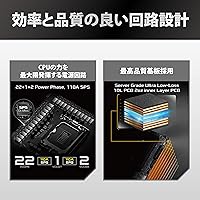
User feedback consistently points to the VRM heatsinks doing their job well under sustained load. The 110A Smart Power Stages are rated generously relative to what even aggressive Core Ultra Series 2 overclocks actually demand, which means the board is running well within its thermal limits in most real-world scenarios. Builders running open-air benching or custom loop setups report no thermal concerns.

If your case supports standard ATX motherboards, the Taichi OCF should fit without issue — it follows the standard 14 x 11 inch ATX footprint. The one thing worth checking is clearance around the VRM and chipset heatsink area, as the coverage is fairly extensive. Also confirm that your case has enough CPU cooler backplate access for mounting large air coolers or custom water blocks.

The Taichi line has a recognizable look — gear-motif accents and a darker color scheme with RGB elements. Reactions tend to split along personal preference lines: builders who like a bold, mechanical-themed aesthetic rate it highly, while those going for a minimalist all-black or white build may find it a bit loud. The physical construction quality itself is rarely questioned; most owners feel the board looks and feels appropriately premium for its tier.