Overview

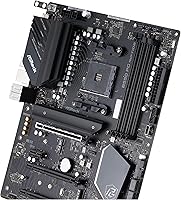
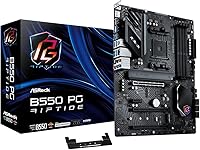
The ASRock B550 Phantom Gaming 4 ATX Motherboard arrived at exactly the right moment — when the AM4 ecosystem was peaking and builders needed a capable mid-range platform without stretching into X570 territory. ASRock's Phantom Gaming line occupies a practical middle ground: performance-oriented hardware priced for real-world budgets rather than enthusiast wish lists. The B550 chipset made perfect sense for Ryzen 5000 builders who wanted PCIe 4.0 support without flagship-tier costs. For what this B550 board delivers in features and solid build quality, it's genuinely hard to overlook as a budget AM4 foundation.
Features & Benefits

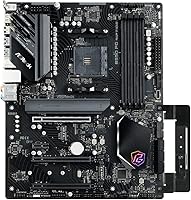
The PCIe 4.0 x16 slot is the standout feature here — it gives your GPU and primary NVMe drive full-bandwidth access, which matters when pairing this with a modern graphics card or a Gen4 SSD. The dual M.2 configuration is genuinely useful, though worth understanding upfront: the primary slot runs Gen4 x4 at full speed, while the second runs Gen3 x2, making it better suited for a secondary drive than a high-end NVMe. Power delivery comes from an 8-phase Dr. MOS setup that keeps Ryzen 5000 CPUs stable at stock speeds and handles mild overclocking without complaint. USB 3.2 Gen2 on the rear panel, including a Type-C port, covers most modern peripherals, and the Nahimic audio implementation is a genuine step above bare-bones onboard sound.

Best For

This ASRock motherboard makes the most sense for Ryzen 5000-series builders who want a full ATX layout with room to grow — four RAM slots, multiple PCIe slots, and expansion options that will serve a build for years. First-time builders appreciate the accessible BIOS and forgiving setup process. Gamers who need solid GPU and fast storage throughput without paying for overkill VRM stages will find the right balance here. It also suits home office or light content creation rigs well, thanks to dual M.2 availability and a generous USB port count. One important caveat: Wi-Fi is not included — the M.2 Key E slot accommodates an optional wireless card, but that's an extra purchase many buyers overlook until after the build is done.

User Feedback

Across a large pool of verified purchases, the Phantom Gaming 4 earns consistently positive marks for its BIOS accessibility and compatibility with Ryzen 5000 CPUs — first-time builders in particular note how painless the initial setup was. The value proposition comes up repeatedly, with buyers noting they get feature depth typically associated with pricier boards. On the critical side, some users flag that fan header placement can complicate cable routing in tighter ATX cases. A small number received units with shipping damage or DOA issues, though these appear isolated rather than systemic. Tellingly, design flaws rarely appear in negative reviews — most complaints trace back to logistics rather than anything ASRock built into the board itself.

Pros

  • PCIe 4.0 x16 support gives your GPU and primary NVMe drive full-bandwidth access without compromise.
  • The Gen4 M.2 slot delivers peak NVMe speeds for your primary boot or game drive.
  • 8-phase Dr. MOS power delivery keeps Ryzen 5000 CPUs stable under everyday and mildly overclocked workloads.
  • Four DDR4 slots with OC support up to 4733+ MHz offer meaningful memory tuning headroom.
  • Rear USB 3.2 Gen2 ports, including a Type-C, handle modern peripherals without needing a hub.
  • Nahimic audio with the Realtek ALC897 codec is a genuine step above bare-minimum onboard sound.
  • The BIOS is straightforward and RAM compatibility with Ryzen 5000 is broadly praised by real users.
  • Four SATA3 ports remain available alongside both M.2 slots, so storage expansion is not a zero-sum trade-off.
  • The ATX form factor gives first-time builders an easier, more accessible layout for cable management and upgrades.
  • Buyers consistently report that the feature set feels punching above what the price tag would suggest.

Cons

  • No integrated Wi-Fi — adding wireless requires a separately purchased M.2 Key E card that most listings do not mention.
  • The second M.2 slot runs at PCIe Gen3 x2, which significantly limits the throughput of any high-performance NVMe drive installed there.
  • Fan header positioning has drawn complaints about awkward cable routing, particularly in tighter ATX builds.
  • Not suited for serious Ryzen 9 overclocking — the VRM is competent but not built for sustained high-wattage loads.
  • A small number of buyers have reported DOA units, pointing to inconsistent quality control or shipping handling.
  • Only two rear USB 2.0 ports is a minor but real inconvenience for users with multiple legacy peripherals.
  • No USB4 or Thunderbolt support, which may matter to creators using high-speed external storage or displays.
  • The M.2 Key E Wi-Fi slot, while present, adds an invisible extra cost that budget builders may not anticipate.

Ratings

The scores below for the ASRock B550 Phantom Gaming 4 ATX Motherboard were generated by our AI engine after analyzing thousands of verified global buyer reviews, with spam, bot activity, and incentivized feedback actively filtered out. Each category reflects the honest distribution of real builder experiences — including the trade-offs and frustrations that polished marketing copy never mentions. Where this B550 board excels and where it genuinely falls short are both represented transparently.
Value for Money
93%
Buyers consistently describe this board as punching well above its weight class — offering PCIe 4.0, dual M.2, and robust USB connectivity that most competitors bundle only into pricier tiers. For builders trying to stretch a Ryzen 5000 build budget without gutting their feature list, the cost-to-capability ratio is one of the strongest in the B550 segment.
A handful of users noted that once you factor in purchasing a separate Wi-Fi card to unlock wireless functionality, the overall system cost creeps higher than initial impressions suggest. For buyers comparing all-in costs, boards with integrated Wi-Fi at a slightly higher price may narrow the value gap.
CPU Compatibility
91%
The Phantom Gaming 4 handles Ryzen 5000-series processors reliably, and real-world builders report smooth operation with CPUs ranging from the Ryzen 5 5600X all the way up to the Ryzen 7 5800X. Power delivery at stock settings is stable and consistent, which matters most for everyday gaming and productivity workloads.
Builders running high-core-count Ryzen 9 processors with aggressive overclocking targets occasionally find the 8-phase VRM reaches its practical limits under sustained all-core loads. It is not a dealbreaker for typical builds, but it does cap the ceiling for users who want maximum headroom on top-tier CPUs.
Storage Flexibility
84%
Having two M.2 slots alongside four SATA3 ports gives builders genuine flexibility — most configurations can run a fast boot drive, a secondary NVMe, and traditional HDDs or SSDs all at once without sacrificing any slot. The primary Gen4 M.2 slot in particular delivers exactly the throughput that modern NVMe drives are rated for.
The second M.2 slot running at PCIe Gen3 x2 is a real limitation that a meaningful number of buyers discovered only after purchasing a high-performance NVMe drive for it. Speeds on that slot top out around 2,000 MB/s, which is fine for a secondary drive but frustrating if you assumed both slots were equal.
BIOS Experience
89%
The UEFI BIOS on this ASRock motherboard draws consistent praise from first-time builders and experienced users alike for its logical layout and accessible memory tuning options. Enabling an XMP-style DDR4 profile is a single toggle, and fan curve customization is straightforward enough that most users never need to consult the manual.
A smaller subset of users building with certain DDR4 kits reported needing multiple BIOS revisions before achieving stable RAM speeds above 3600 MHz. Edge-case instability at high memory frequencies is not unique to this board, but it does require some patience and BIOS familiarity to resolve.
Power Delivery
78%
22%
The 8-phase Digi Power design with Dr. MOS components keeps voltage delivery clean and temperatures reasonable for Ryzen 5000 CPUs running at stock or mildly tuned PBO settings. Builders using Ryzen 5 and Ryzen 7 chips found it more than sufficient for daily gaming sessions and multi-hour productivity workloads.
Users pushing Ryzen 9 chips with manual overclocking noticed VRM temperatures climbing under sustained all-core stress tests, suggesting the power delivery is built with mid-range use cases in mind rather than extreme tuning scenarios. For that use case, boards with 12 or more power phases would be a more appropriate investment.
Connectivity & USB
82%
18%
The rear I/O is genuinely well-equipped for a board in this tier — two USB 3.2 Gen2 ports including a Type-C, plus four additional Gen1 ports, cover most modern peripherals and external drives without needing a hub. Front panel headers further expand the available port count for fully kitted cases.
Only two USB 2.0 ports appear on the rear panel, which can feel limiting for users with multiple legacy peripherals like certain audio interfaces, mice, or keyboards that still rely on USB 2.0. It is a minor inconvenience rather than a critical flaw, but worth noting for users with older peripherals.
Wireless Capability
41%
59%
The M.2 Key E slot provides a clean, purpose-built solution for adding a Wi-Fi and Bluetooth card without occupying a PCIe slot, which keeps the expansion slots free for other hardware. The physical provision for wireless is thoughtfully placed and does not interfere with other components.
No wireless connectivity is included in the box whatsoever, which genuinely surprises a noticeable portion of buyers who assumed basic Wi-Fi was standard at this price point. The extra cost and effort of sourcing a compatible M.2 Key E Wi-Fi card is a friction point that some users feel should have been addressed in the base configuration.
Onboard Audio
76%
24%
The Realtek ALC897 codec paired with Nahimic Audio software delivers a noticeably cleaner output than bare-minimum onboard solutions found on entry-level boards — gaming headsets and stereo speaker setups both benefit from the Nahimic processing for positional audio and overall clarity. For the majority of gamers and casual listeners, this setup removes any immediate need for a discrete sound card.
Audiophiles and music producers will find the ALC897 codec underwhelming compared to higher-end onboard solutions like the ALC4080 found on premium boards. Background noise floor and dynamic range limitations become apparent when using high-impedance headphones or studio monitors directly connected to the rear audio jack.
Memory Performance
81%
19%
DDR4 overclocking support up to 4733+ MHz gives enthusiast builders real room to tune, and in practice, Ryzen 5000 CPUs hit their performance sweet spot running at 3600 MHz CL16 on this board with minimal fuss. Most popular DDR4 kits in the 3200–3600 MHz range work reliably without requiring manual timing adjustments.
Pushing memory beyond 4000 MHz can require multiple rounds of BIOS tweaking and is not always stable across all RAM kit brands, particularly those using B-die alternatives. Users expecting plug-and-play performance at the board's rated maximum OC frequencies may be disappointed without prior experience tuning memory subtimings.
Build & Component Quality
79%
21%
The physical build quality feels solid for this market tier — PCIe slot reinforcement on the primary x16 slot protects heavier GPUs from flex, and the overall component layout is practical rather than cramped. ASRock's Phantom Gaming aesthetic is subdued enough to suit both gamer and productivity builds without feeling out of place.
A minority of buyers received units with early component failures or DOA issues, and while the rate appears consistent with industry norms rather than a systemic problem, it does introduce some risk for buyers without easy return access. The capacitor and choke selection is functional but not as premium as what you find on higher-tier ASRock or competing boards.
Ease of Installation
86%
First-time builders specifically call out this board as one of the easier AM4 platforms to install, with clearly labeled headers, a sensible component layout, and a BIOS that does not demand expert-level knowledge to navigate. The included manual covers the basics clearly enough that most users get a POST on the first attempt.
Fan header positioning received criticism from a subset of users who found the placement inconvenient for clean cable routing, particularly in mid-tower cases without generous cable management channels. It is not a dealbreaker but adds a step to builds where aesthetics and airflow routing matter.
Overclocking Headroom
67%
33%
The board handles AMD Precision Boost Overdrive tuning well, allowing Ryzen 5000 CPUs to extract additional performance without manual voltage intervention. For builders who want a modest performance bump over stock behavior without deep overclocking expertise, PBO on this board works reliably and predictably.
Manual overclocking ceiling is noticeably lower than what X570 or higher-end B550 boards allow, and the VRM thermal performance under sustained overclocked loads limits how aggressively users can push frequencies. Dedicated overclockers who want to chase maximum CPU performance will hit the board's practical limits faster than they would with a more capable VRM setup.
Expandability
83%
The full ATX layout with four RAM slots, multiple PCIe slots, and six total storage connections gives builders a platform that can grow over time without hitting dead ends quickly. Adding a second GPU, storage drive, or capture card later in the build lifecycle is straightforward without requiring hardware reconfiguration.
The PCIe 3.0 x16 secondary slot is a noticeable step down for users running multi-GPU setups or high-bandwidth PCIe cards, and the absence of integrated Wi-Fi means the M.2 Key E slot is effectively spoken for if wireless is needed. Builders with very specific multi-device expansion plans may find the configuration trade-offs limiting.

Suitable for:

The ASRock B550 Phantom Gaming 4 ATX Motherboard is the kind of platform that makes the most sense for builders who want a capable, expandable AM4 foundation without overspending on chipset features they will never use. It sits squarely in the sweet spot for anyone pairing a Ryzen 5 5600X or Ryzen 7 5800X with a mid-range GPU and a Gen4 NVMe drive — that combination extracts real value from every major feature this board offers. First-time builders benefit from the full ATX layout, which provides breathing room for cable management and future upgrades like an additional M.2 drive or extra RAM. Home office users and light content creators also get a lot of practical mileage here, with dual M.2 slots handling an OS drive and a secondary storage drive simultaneously, plus enough rear USB ports to avoid the constant shuffle of peripherals. If you are building a no-nonsense Ryzen 5000 rig that needs to last several years without a platform change, this B550 board is a well-matched choice.
Not suitable for:

The ASRock B550 Phantom Gaming 4 ATX Motherboard is not the right call for every builder, and it is worth being honest about where it falls short. If you are running a high-core-count Ryzen 9 processor with aggressive overclocking ambitions, the 8-phase power delivery is adequate at stock settings but not built for sustained heavy overclocking loads — an X570 board with a beefier VRM stage would be the smarter long-term choice. Builders who need integrated Wi-Fi should also look elsewhere or budget for an M.2 Key E wireless card, since the Phantom Gaming 4 ships with no wireless connectivity whatsoever — a detail that catches more buyers off guard than it should. If your secondary storage needs top-tier NVMe speeds, the second M.2 slot running at PCIe Gen3 x2 will bottleneck a premium drive, so plan accordingly. Finally, anyone building in a small form-factor case should note the standard ATX footprint, which is a non-starter for compact chassis builds.

Specifications

  • Chipset: Runs on the AMD B550 chipset, which supports PCIe 4.0 on the primary slot while keeping costs well below the X570 tier.
  • CPU Socket: Uses the AM4 socket, compatible with AMD Ryzen 3000, 4000 G-Series, and 5000 Series desktop processors.
  • Form Factor: Full ATX layout measuring 12.2 x 8.27 inches, fitting any standard mid-tower or full-tower ATX case.
  • Memory Slots: Four DDR4 DIMM slots support up to 128 GB of RAM with overclocking headroom up to 4733+ MHz.
  • PCIe Slots: Includes one PCIe 4.0 x16 slot for the primary GPU, one PCIe 3.0 x16 slot, and one PCIe 3.0 x1 slot for additional cards.
  • M.2 Storage: Two M.2 slots are available: one Hyper M.2 running PCIe Gen4 x4 for full-speed NVMe drives, and one running PCIe Gen3 x2 with SATA3 support.
  • SATA Ports: Four SATA3 ports running at 6.0 Gb/s are available for traditional SSDs and HDDs, independent of the M.2 slots.
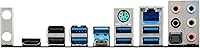
  • Rear USB: The rear I/O provides two USB 3.2 Gen2 ports (one Type-A, one Type-C), four USB 3.2 Gen1 Type-A ports, and two USB 2.0 ports.
  • Front USB: Front panel headers support one USB 3.2 Gen1 Type-C port, two USB 3.2 Gen1 ports, and four USB 2.0 ports.
  • Audio: Onboard audio uses the Realtek ALC897 codec paired with Nahimic Audio software for enhanced gaming and media playback sound quality.
  • Display Outputs: Integrated graphics output is handled via one HDMI port and one DisplayPort on the rear I/O, both dependent on a compatible APU.
  • Wireless: No integrated Wi-Fi or Bluetooth is included; an M.2 Key E slot is provided to accommodate a compatible wireless card purchased separately.
  • Power Delivery: An 8-phase Digi Power design using Dr. MOS components provides stable, clean power for Ryzen 5000 CPUs under stock and mild overclocking conditions.
  • Wi-Fi Slot: One M.2 Key E slot is located on the board specifically for an optional Wi-Fi and Bluetooth expansion card.
  • Weight: The board weighs approximately 3.74 pounds, which is standard for a fully featured ATX motherboard.
  • OS Support: Officially compatible with Microsoft Windows 10 64-bit and Windows 11 64-bit operating systems.
  • LAN: Onboard Ethernet is provided for wired network connectivity, suitable for low-latency gaming and stable home office use.
  • BIOS: The UEFI BIOS supports AMD EXPO and manual XMP-style DDR4 overclocking profiles for memory tuning without advanced expertise.

Related Reviews

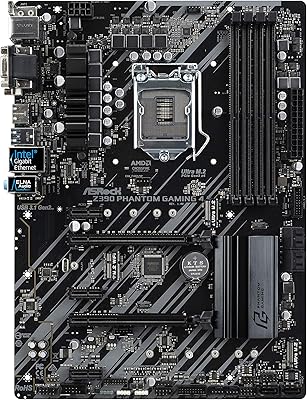
ASRock Z390 Phantom Gaming 4 Motherboard
63%
67%
Value for Money
54%
Build Quality
83%
CPU Compatibility
51%
Memory Compatibility
71%
BIOS Experience
More
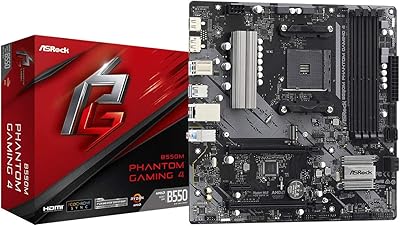
ASRock B550M Phantom Gaming 4 AM4 Motherboard
82%
88%
Performance
92%
Value for Money
91%
Ease of Installation
90%
Compatibility with Ryzen Processors
75%
Memory Support
More
ASRock X870 Riptide WiFi ATX Motherboard
78%
91%
Value for Money
76%
Build Quality
68%
Power Delivery
83%
BIOS Usability
67%
Memory Compatibility
More
ASUS TUF Gaming B550-PLUS WiFi II ATX Motherboard
86%
88%
Overall Performance
91%
Gaming Performance
90%
WiFi & LAN Connectivity
86%
Thermal Management
89%
Build Quality & Durability
More
ASRock B550 PRO4 Motherboard
85%
88%
Performance
84%
Build Quality
90%
Ease of Setup
91%
Compatibility with AMD Ryzen 3rd Gen
85%
PCIe 4.0 Performance
More
ASRock B550 Steel Legend AM4 Motherboard
83%
88%
Value for Money
91%
Build Quality
86%
CPU Compatibility
89%
VRM & Power Delivery
79%
BIOS Experience
More
MSI MPG B550 Gaming Plus ATX Motherboard
77%
88%
Value for Money
81%
Build Quality
83%
BIOS & Software Experience
76%
CPU Compatibility
61%
Overclocking Headroom
More
ASRock B550M-HDV Micro-ATX Motherboard
76%
91%
Value for Money
88%
CPU Compatibility
86%
Ease of Setup
89%
Stability & Reliability
58%
VRM & Power Delivery
More
NZXT N9 Z890 ATX Motherboard
79%
88%
Build Quality
91%
VRM & Power Delivery
84%
Thermal Management
67%
BIOS Experience
72%
Memory Compatibility
More
ASRock B760 Pro RS ATX Motherboard
80%
83%
Value for Money
88%
Feature Set
91%
CPU Compatibility
74%
Memory Performance
76%
VRM & Power Delivery
More

FAQ

It depends on when the board was manufactured and which BIOS version it shipped with. Many units sold after mid-2021 already have a compatible BIOS installed, but if yours does not, you will need a Ryzen 3000 series CPU to perform the update first. ASRock does offer a BIOS flashback-style utility on some boards, so check the specific revision you receive before assuming compatibility.

No, it does not include integrated Wi-Fi or Bluetooth. The board has an M.2 Key E slot specifically designed for a wireless card, but that card is sold separately. This is one of the more common surprises buyers run into, so if wireless connectivity is important to your build, budget for a compatible Wi-Fi card or plan on running an Ethernet cable.

Not quite. The primary M.2 slot runs at PCIe Gen4 x4, which gives you full-speed performance for a top-tier NVMe drive. The second M.2 slot, however, runs at PCIe Gen3 x2, which roughly caps out around 2,000 MB/s — more than enough for a secondary drive, but not ideal if you are hoping to run two blazing-fast Gen4 SSDs simultaneously.

Yes, it is a solid pairing. The 5800X runs well within the power delivery limits of this board at stock settings, and mild overclocking or PBO tuning works reliably. If you are planning extreme all-core overclocking with very high voltage, a board with a more robust VRM stage would give you more headroom, but for typical enthusiast use the Phantom Gaming 4 handles the 5800X without issue.

Quite a few, actually. You have two M.2 slots plus four SATA3 ports, giving you a combined total of up to six storage devices. Note that depending on which M.2 configuration you use, some SATA ports may be shared bandwidth, so check the manual for any slot conflict specifics before finalizing your storage layout.

Yes. The board uses the standard ATX form factor at 12.2 x 8.27 inches, which is supported by virtually every mid-tower and full-tower case on the market. Just verify your case lists ATX support and you will have no fitment issues.

For gaming and everyday media, the onboard audio on the ASRock B550 Phantom Gaming 4 ATX Motherboard is genuinely above average. The Realtek ALC897 codec paired with Nahimic Audio software handles gaming headsets and stereo speakers well. If you are a dedicated audiophile or work with high-resolution audio production, an external DAC is always going to outperform onboard solutions, but for most users this is more than adequate.
The board officially supports DDR4 up to 4733+ MHz with overclocking enabled. In practice, most users running Ryzen 5000 CPUs find 3600 MHz CL16 to be the sweet spot for performance and stability. Faster kits can be pushed further with EXPO or manual BIOS tuning, but results vary depending on the specific memory ICs used in your RAM sticks.

For most people, yes. The rear I/O gives you two USB 3.2 Gen2 ports including a Type-C, four USB 3.2 Gen1 Type-A ports, and two USB 2.0 ports — that is eight rear ports in total. Front panel headers add more. Where it can feel tight is if you have a lot of older USB 2.0 devices, since only two of those ports are on the rear panel.

Most first-time builders report that this B550 board has one of the more approachable UEFI BIOS interfaces in its class. The layout is logical, XMP-style memory profile activation is straightforward, and you do not need to dig through obscure menus to get the system running well. Fan curve adjustments and boot order settings are also easy to find, which reduces a lot of the friction that intimidates new builders.

Where to Buy