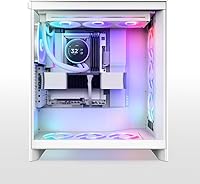
Overview

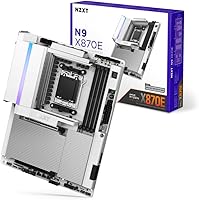
The NZXT N9 X870E AMD AM5 ATX Motherboard arrives at a crowded but exciting moment for AMD builders — the X870E chipset sits at the top of the AM5 stack, bringing native PCIe 5.0 across both GPU and storage slots alongside USB 4 support. What sets this board apart visually is its white PCB and full-metal cover, a rare combination in a market dominated by black and gray aesthetics. Launched in March 2025 alongside growing Ryzen 9000 series adoption, it targets builders who refuse to compromise between performance headroom and build presentation. This is not a board for budget-conscious assemblers — it is built for those who want both substance and style.

Features & Benefits

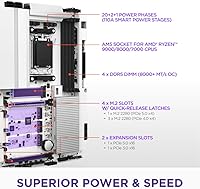
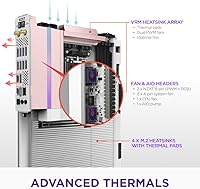
The N9 X870E's 20+2+1 power phase design with 110A Smart Power Stages is not just a spec sheet trophy — it translates to reliable voltage delivery under sustained CPU loads, giving overclockers real thermal and stability headroom rather than theoretical ceiling numbers. All four M.2 slots come with quick-release latches, so swapping drives requires no screwdriver, which frequent upgraders will appreciate immediately. The networking stack stands well ahead of most boards at this tier: Wi-Fi 7 and 5GbE offer tangible throughput advantages over the 2.5GbE configurations still common in competing products. Creatives and power users will also value the USB 4 port at 40 Gbps, which handles fast external SSDs and compatible docks without bottlenecks.

Best For

This X870E board makes the most sense for builders going all-in on AMD's current platform — particularly those pairing it with a Ryzen 9000 series CPU and wanting to avoid a platform switch for the next few years. If your build follows a white or light theme, the matching PCB and full-metal cover is one of the very few options at this level that actually delivers without modification or workarounds. Storage enthusiasts who rotate drives often will genuinely use those tool-free M.2 latches. Gamers picking up PCIe 5.0 graphics cards will also find this board properly equipped, rather than relying on adapters that still appear in lower-tier chipset options.

User Feedback

Across 419 ratings averaging 4.2 stars, NZXT's flagship AM5 motherboard earns consistent praise for its build quality and BIOS experience — several users specifically note how cleanly EXPO profiles load out of the box, and the aesthetic integration with white builds receives genuine appreciation rather than passing mentions. The criticism is real, though. A recurring concern is the BIOS learning curve for builders migrating from older platforms or Intel systems, where the interface feels less intuitive at first. Some users also flag that the full-metal cover creates tight clearance in certain cooler and RAM configurations, so verifying component fitment before purchasing is worth the extra step. A few buyers question whether the premium over competitors is fully justified given available alternatives.

Pros

  • The X870E chipset delivers top-tier AM5 support, including full PCIe 5.0 on both the GPU slot and primary M.2 slot.
  • The 20+2+1 power phase design provides genuine overclocking headroom and long-term voltage stability under heavy CPU workloads.
  • Wi-Fi 7 and 5GbE networking put this board well ahead of competitors still shipping with 2.5GbE as standard.
  • USB 4 at 40 Gbps is a meaningful rear I/O upgrade for creators using fast external SSDs or Thunderbolt-compatible peripherals.
  • All four M.2 slots feature tool-free quick-release latches, making drive swaps faster and less frustrating than on most competing boards.
  • The white PCB and full-metal cover offer a genuinely rare aesthetic option in a premium chipset category dominated by dark color schemes.
  • EXPO profile compatibility is well-implemented, with users reporting clean out-of-box DDR5 speed recognition without manual tuning.
  • Dedicated M.2 heatsinks on all four slots help manage NVMe thermals during sustained read and write workloads.
  • Compatible with Ryzen 7000, 8000, and 9000 series processors, giving the board a long useful life on the AM5 platform.
  • Build quality is consistently praised by buyers, with the board feeling solid and well-finished relative to its price tier.

Cons

  • The BIOS learning curve is steeper than expected, particularly for builders coming from Intel or older AMD platforms.
  • The full-metal cover can create clearance issues with certain large tower coolers and tall RAM heatspreaders — verify fitment first.
  • At this price point, several feature-equivalent competitors offer similar chipset capabilities, making the value proposition less clear-cut.
  • DDR5 speeds above 6000 MHz often require manual EXPO profile enabling; the highest rated speeds are not always stable on all kits.
  • The dual PWM VRM fans add cooling effectiveness but introduce a minor noise variable that passively cooled boards at this tier avoid.
  • The aesthetic premium built into the design means buyers who do not care about white builds are effectively paying for something they will never use.
  • No integrated Thunderbolt 4 certification despite USB 4 support, which can matter for users with strict Thunderbolt device compatibility needs.
  • Limited to ATX form factor, making it unsuitable for smaller Micro-ATX or Mini-ITX case builds where AM5 options already feel constrained.

Ratings

Our AI-generated scores for the NZXT N9 X870E AMD AM5 ATX Motherboard were produced by analyzing verified purchase reviews from buyers worldwide, with spam, bot submissions, and incentivized feedback actively filtered out to ensure the results reflect genuine ownership experiences. The scores capture everything from first-boot impressions to months of daily use across a wide range of build configurations. Both the standout strengths that justify this board's premium positioning and the recurring frustrations that temper its overall rating are transparently reflected in each category below.

Build Quality
91%
The physical construction of NZXT's flagship AM5 motherboard consistently draws praise from builders who have handled premium boards before. The PCB feels solid in hand, solder points are clean, and the full-metal cover adds a sense of structural rigidity that cheaper boards simply lack. Buyers repeatedly note it feels worth the asking price just to unbox.
A small subset of users have flagged minor quality control inconsistencies, including loose standoff threads and the occasional misaligned RGB header connector. These reports are not widespread, but for a board at this price tier, any manufacturing variance stands out more sharply than it would on a budget alternative.
Value for Money
67%
33%
For builders who actively use Wi-Fi 7, USB 4, and PCIe 5.0 storage simultaneously, the N9 X870E's feature density starts to justify its cost compared to buying a lesser board and adding adapters later. The inclusion of four M.2 slots with individual heatsinks and quick-release latches also reduces the need for aftermarket accessories.
Competing X870E boards from established brands offer comparable core connectivity at lower prices, which makes the premium here feel tied largely to aesthetic design choices. Builders who do not care about a white PCB or the full-metal cover will find the cost-to-feature ratio noticeably harder to defend against the alternatives.
Aesthetic Design
93%
Among enthusiast-tier AM5 boards, a clean white PCB with a matching full-metal cover is genuinely rare, and buyers building white or silver-themed systems report this board solves a problem they have been working around for years. The integrated RGB is tasteful rather than garish, complementing the overall look without overwhelming it.
The aesthetic benefits are entirely niche — builders who prefer dark-themed systems get nothing practical from this design direction, and the full-metal cover that defines the look also introduces the clearance trade-offs flagged in installation feedback. If white is not part of your build plan, the design premium delivers no functional return.
BIOS Experience
72%
28%
Users already familiar with AMD's AM5 platform describe the BIOS as well-organized and responsive, with EXPO profile detection handling DDR5 kit recognition cleanly on first boot in most cases. NZXT has also delivered consistent firmware updates post-launch that have addressed memory compatibility and stability concerns raised by early adopters.
Builders migrating from Intel platforms or older AMD generations frequently cite a steeper learning curve than expected, particularly around voltage offset configuration and fan curve setup. The interface is not confusing to an experienced builder, but it lacks the guided setup features that some competing platforms now include as standard.
Power Delivery
88%
The 20+2+1 phase design with 110A Smart Power Stages gives this X870E board genuine thermal and electrical headroom when running Ryzen 9000 series chips at stock or moderate overclocks. Builders who run extended stress tests report stable voltages without the thermal throttling issues that plague lighter VRM implementations under similar loads.
The dual PWM VRM fans, while effective at managing temperatures, introduce audible airflow noise under full CPU load that passively cooled high-end boards avoid entirely. For builders running open benches or recording audio near their workstation, this is a minor but real nuisance worth factoring into the purchase decision.
Connectivity & I/O
89%
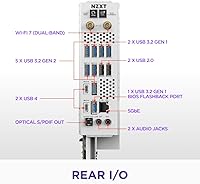
The rear I/O panel covers practically every connectivity scenario an enthusiast needs in 2025 — USB 4 at 40 Gbps handles fast docks and external SSDs, while Wi-Fi 7 and 5GbE give both wireless and wired networking options well above the current mainstream standard. Very few boards at any price match this combination.
The absence of official Thunderbolt 4 certification is a meaningful gap for professional users who rely on strict Thunderbolt device compatibility, particularly those using high-end audio interfaces or specific docking stations. USB 4 covers most scenarios but does not fully substitute for certified Thunderbolt support in every professional workflow.
Storage Flexibility
87%
Four M.2 slots — including one PCIe 5.0 — with individual heatsinks and tool-free quick-release latches is a genuine practical advantage for builders who regularly add or upgrade drives. The PCIe 5.0 M.2 slot future-proofs storage bandwidth for the next generation of high-speed NVMe drives already entering the consumer market.
With all four M.2 slots occupied, additional storage expansion is limited to SATA ports, and the SATA port count is modest compared to workstation-class alternatives. Builders planning large-scale local storage setups may find the configuration sufficient today but constraining over a longer ownership horizon.
Memory Performance
78%
22%
Under EXPO profiles, the N9 X870E handles DDR5 kit initialization cleanly, and many users report hitting stable 6000 to 6400 MHz configurations without manual tuning on first boot. The theoretical ceiling of 8200 MHz gives enthusiasts meaningful headroom for those willing to spend time dialing in timings with compatible high-speed kits.
Achieving speeds reliably above 7000 MHz requires careful kit selection and manual BIOS tuning, and not all DDR5 modules behave consistently even at their advertised EXPO speeds on this platform. A number of users found that the marketed ceiling required specific kit pairings that were not obvious from the product listing alone.
Networking Performance
91%
Wi-Fi 7 delivers noticeably lower latency and more consistent throughput in dense wireless environments compared to Wi-Fi 6E boards, a difference that gamers and streamers in apartment buildings or crowded spaces feel immediately. The 5GbE port is a meaningful step up for anyone with a multi-gig router or NAS connection in their home setup.
Realizing the full benefit of both Wi-Fi 7 and 5GbE requires compatible networking infrastructure — a Wi-Fi 7 router and a multi-gig switch or modem — which represents additional investment many buyers have not yet budgeted for. Without that supporting hardware, the networking advantages remain largely theoretical in day-to-day use.
Thermal Management
84%
Four dedicated M.2 heatsinks keep NVMe drive temperatures in check even during sustained sequential write workloads, which matters for video editors and content creators where thermal throttling can visibly reduce transfer speeds. The VRM cooling solution is equally effective, managing phase temperatures well even in cases with limited active airflow.
The dual PWM VRM fans spin at variable speeds based on load, meaning noise output is inconsistent and can be distracting during lighter tasks if fan curves are left at their default settings. Several users found the factory fan curve too aggressive at low loads and recommend customizing it shortly after the first boot.
Installation Experience
71%
29%
The quick-release M.2 latches are a genuine quality-of-life improvement during build day, and the board's layout is thoughtfully organized for cable routing in standard mid-tower cases. Most builders report a clean first-boot experience with minimal troubleshooting required before reaching the operating system installation screen.
The full-metal cover significantly reduces clearance around the CPU socket and DIMM slots, creating real fitment conflicts with large air coolers and tall RAM heatspreaders. Builders should carefully verify cooler height and RAM clearance specifications before purchasing, as the cover cannot easily be removed without compromising the board's intended finished appearance.
Software & Ecosystem
76%
24%
NZXT CAM software integrates with the board's RGB headers and fan controls, offering a reasonably clean interface for monitoring and lighting customization without requiring third-party tools. Firmware update delivery has been consistent since the March 2025 launch, with stability and memory compatibility improvements pushed within weeks of community reports.
NZXT CAM has a history of running heavier on system resources than minimalist builders prefer, and some users bypass it entirely in favor of direct BIOS fan control. The software ecosystem is also narrower than what Asus or MSI offer in terms of supported peripheral and RGB device integration.
Platform Compatibility
86%
AM5 socket support covering Ryzen 7000, 8000, and 9000 series gives this board a long useful life without requiring a platform change as AMD continues its processor roadmap. Most popular DDR5 kits, CPU coolers, and GPUs tested by the user community have worked without issues out of the box.
DDR5-only memory support means zero backward compatibility with existing DDR4 kits, which is a real added cost for builders upgrading from AM4 or recent Intel platforms with perfectly usable memory already on hand. The ATX form factor also locks out the growing number of compact ITX and Micro-ATX case builds entirely.

Suitable for:

The NZXT N9 X870E AMD AM5 ATX Motherboard is genuinely well-matched for enthusiast builders who are committing to AMD's AM5 platform and want a board that can carry them through multiple CPU generations without requiring an upgrade. It is a particularly strong choice for anyone building a white or light-themed system, since the matching white PCB and full-metal cover solve an aesthetic problem that most competing boards simply cannot address at this feature tier. Content creators who regularly connect high-speed external drives or docks will get real, practical value from the USB 4 rear port, not just a checkbox on a spec sheet. Gamers already investing in or planning for a PCIe 5.0 graphics card will appreciate having a board that is fully equipped for that slot without needing adapters or compromises. Builders who frequently swap or upgrade M.2 drives will also find the tool-free quick-release latches across all four slots a genuine convenience over time.

Not suitable for:

Builders on a tight budget or those who do not need the full X870E feature set should look elsewhere, because the pricing reflects a premium tier that only makes sense if you are actively using the connectivity it provides. If you are assembling a straightforward gaming rig with no interest in Wi-Fi 7, USB 4, or high-frequency DDR5 tuning, more affordable X670E or B650E boards offer comparable day-to-day performance without the added cost. First-time PC builders or those migrating from Intel platforms should also be aware that the BIOS, while capable, carries a learning curve that has frustrated some users who expected a more guided experience out of the box. Anyone planning to use a large tower cooler or tall RAM modules should carefully verify clearance measurements before purchasing, since the full-metal cover has caused fitment issues in some configurations. In short, the N9 X870E is not a board you buy to get the job done — it is one you buy when the job includes specific connectivity demands and a deliberate aesthetic vision.

Specifications

  • Chipset: Built on the AMD X870E chipset, the top tier of AMD's current AM5 platform, delivering native PCIe 5.0 support across both the primary GPU and M.2 slots.
  • CPU Socket: Uses AMD Socket AM5 (LGA1718), supporting AMD Ryzen 9000, 8000, and 7000 series desktop processors.
  • Form Factor: Standard ATX form factor at 12 × 9.6 inches, compatible with full-tower and mid-tower ATX cases.
  • Power Delivery: Features a 20+2+1 power phase configuration using 110A Smart Power Stages on an 8-layer, 2-ounce copper PCB for stable and overclocking-ready voltage regulation.
  • Memory: Four DDR5 DIMM slots in dual-channel configuration, supporting speeds of up to 8200 MHz via EXPO or XMP profiles.
  • M.2 Storage: Four M.2 slots total — one PCIe 5.0 x4 and three PCIe 4.0 x4 — each fitted with a dedicated heatsink and tool-free quick-release latch.
  • PCIe Slots: Includes one PCIe 5.0 x16 primary slot for next-generation graphics cards and one PCIe 3.0 x16 slot for secondary expansion devices.
  • Networking: Equipped with an integrated Wi-Fi 7 wireless adapter and a 5GbE wired Ethernet controller for high-bandwidth, low-latency connectivity.
  • USB Ports: Rear I/O includes at least one USB 4 port rated at 40 Gbps, alongside a full array of USB Type-A and Type-C ports for peripheral connectivity.
  • VRM Cooling: A dedicated VRM heatsink array is paired with dual PWM fans to actively dissipate heat from the power stages during sustained CPU and overclocking workloads.
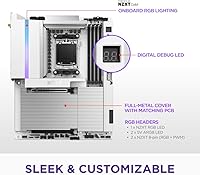
  • PCB Construction: The board uses an 8-layer, 2-ounce copper white PCB enclosed by a full-metal cover that conceals internal circuitry for a clean, finished appearance.
  • RGB Lighting: Onboard addressable RGB lighting is included, with additional headers available for connecting compatible case fans and accessories.
  • Board Weight: The complete board with installed heatsink hardware and full-metal cover weighs 5.62 pounds.
  • Package Size: The retail packaging measures 13.79 × 11.23 × 3.11 inches.
  • Launch Date: First made available in March 2025, timed to align with the broader adoption of AMD's Ryzen 9000 series processors.

Related Reviews
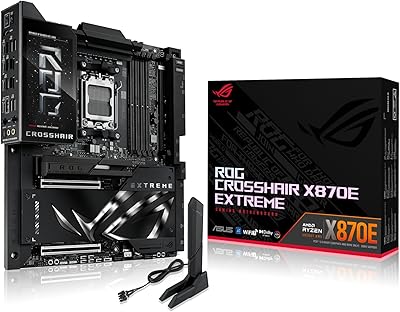
ASUS ROG Crosshair X870E Extreme AMD X870E AM5 E-ATX Gaming Motherboard
88%
94%
Performance
90%
Thermal Performance
88%
Ease of Setup
92%
AI Overclocking
89%
Connectivity
More
NZXT N9 Z890 ATX Motherboard
79%
88%
Build Quality
91%
VRM & Power Delivery
84%
Thermal Management
67%
BIOS Experience
72%
Memory Compatibility
More
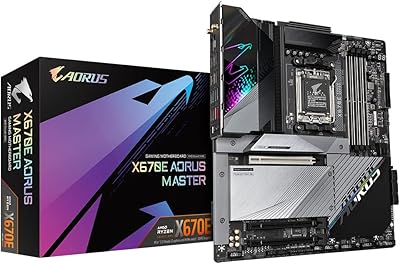
GIGABYTE X670E AORUS Master AMD AM5 ATX Motherboard
87%
94%
Performance for Gaming
92%
Overclocking Potential
89%
Build Quality and Durability
91%
Compatibility with Ryzen 7000
87%
Thermal Management
More
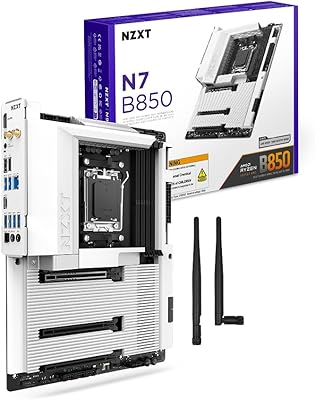
NZXT N7 B850 AMD B850 ATX Gaming Motherboard
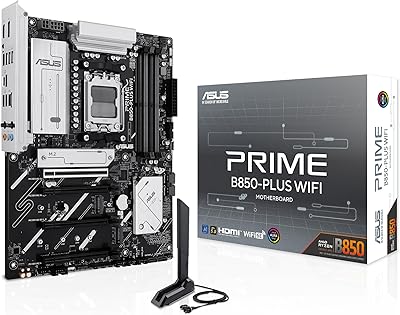
85%
91%
Performance
89%
Build Quality
85%
Ease of Installation
78%
Value for Money
92%
Connectivity & Networking
More
ASUS Prime B850-Plus WiFi ATX Motherboard
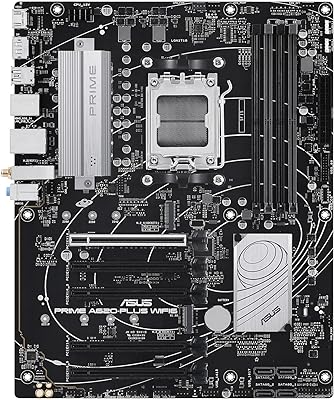
81%
88%
Build Quality
91%
Installation Experience
86%
BIOS & Firmware
89%
Connectivity & I/O
84%
PCIe 5.0 Readiness
More
ASUS Prime A620-PLUS WiFi 6 ATX Motherboard
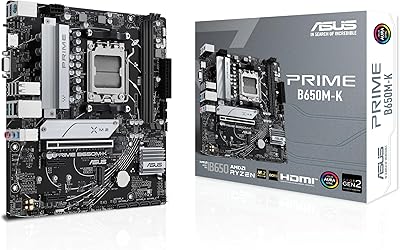
79%
91%
Value for Money
88%
Out-of-Box Compatibility
86%
Wireless Performance
84%
BIOS Usability
82%
Connectivity & I/O
More
ASUS Prime B650M-K Micro-ATX Motherboard
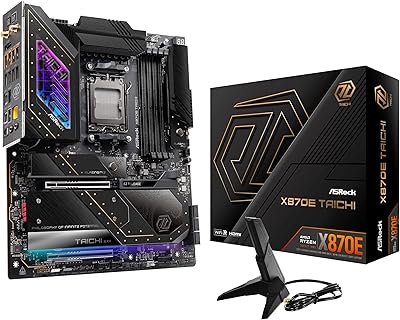
77%
83%
Value for Money
79%
Build Quality
61%
VRM & Power Delivery
88%
BIOS Experience
91%
Networking
More
ASRock X870E Taichi AM5 Motherboard
85%
91%
Performance
88%
Build Quality
89%
Overclocking Capability
87%
Cooling System
84%
Installation Ease
More
GIGABYTE B650 Eagle AX
86%
91%
Value for Money
94%
Storage Performance
88%
Thermal Management
87%
Wireless Connectivity
83%
BIOS and Software
More
GIGABYTE B650M D3HP AX AM5 Micro ATX Motherboard
87%
91%
Performance
87%
Value for Money
90%
Build Quality
85%
Ease of Installation
88%
Power Delivery and Stability
More

FAQ

Yes, this X870E board is fully compatible with AMD Ryzen 7000 series desktop processors on the AM5 socket. You do not need a new CPU to get started — just verify your BIOS version supports your specific chip, as some early boards may require an update before installing older Ryzen generations alongside newer ones.

No, the N9 X870E is DDR5 only — there are no DDR4 slots on this board. If you are upgrading from an older platform and still have DDR4 memory, you will need to budget for a new DDR5 kit alongside this purchase.

One of the four M.2 slots is PCIe 5.0 x4, so yes, you can install a Gen 5 NVMe SSD and take full advantage of its bandwidth. The remaining three M.2 slots run at PCIe 4.0, which is still fast enough for the vast majority of current drives.

It can, depending on your components. Several users have flagged that the cover reduces clearance around the CPU area, which can create fitment issues with oversized tower coolers or RAM with tall heatspreaders. Before buying, it is worth measuring your cooler's height and checking whether your RAM sits within the clearance the cover allows.

The BIOS is capable and well-polished, but it does have a learning curve — especially if you are coming from an Intel board where certain settings are laid out differently. Most users get comfortable with it after a session or two, and NZXT's support documentation is reasonably helpful. Enabling EXPO profiles for your RAM is straightforward once you know where to look.

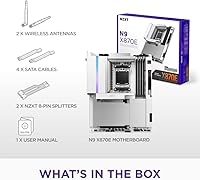
NZXT's flagship AM5 motherboard includes Wi-Fi 7 (802.11be), which is the current top wireless standard offering faster speeds and better performance in congested environments compared to Wi-Fi 6 or 6E boards. An antenna is included in the retail package for rear I/O mounting.

Most mainstream boards ship with 2.5GbE, so the 5GbE port here offers double the wired throughput ceiling — a meaningful difference if you are moving large files across a NAS, doing network rendering, or your router supports multi-gig connections. If your router only supports standard Gigabit, the upgrade will not be felt until you update your networking hardware as well.

ECC unbuffered memory support depends on the AMD Ryzen processor you pair with the board rather than the motherboard itself. Certain Ryzen Pro and workstation-class AM5 processors support ECC, while consumer Ryzen chips generally do not. If ECC is a requirement for your use case, verify your specific CPU's support before assuming the board's DDR5 slots will accommodate it.

If you receive a board shipped with firmware from before the Ryzen 9000 series launch, a BIOS update is recommended to ensure full compatibility and access to the latest stability and memory tuning improvements. Since this board launched in March 2025 alongside Ryzen 9000 adoption, most retail units should already ship with compatible firmware, but it is always good practice to check NZXT's support site for the latest version after installation.

A few things are worth noting: there is no official Thunderbolt 4 certification despite the USB 4 port, which can matter if you rely on strict Thunderbolt device compatibility. The board also does not include a POST code display or an onboard power button, features some competing high-end boards offer. These are not dealbreakers for most builders, but enthusiasts who do a lot of bench testing may notice their absence.

Where to Buy