Overview

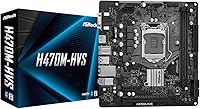
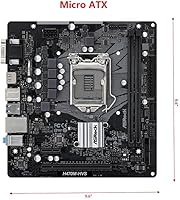
The ASRock H470M-HVS Micro-ATX Motherboard is a straightforward, no-frills board built around Intel's 10th Gen platform — and it knows exactly what it is. Sitting on the H470 chipset, it targets mainstream builders who need a reliable foundation without paying for overclocking headroom or enthusiast-tier extras they will never use. The Micro-ATX form factor keeps things compact, fitting neatly into smaller cases for home office or basic desktop builds. Ranked #62 in Computer Motherboards on Amazon, it clearly resonates with real buyers. Set your expectations right: this is a value-tier platform, not a performance powerhouse, and that is perfectly fine for the right user.

Features & Benefits

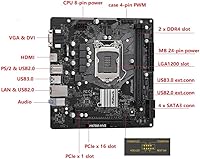
The LGA1200 socket covers the full 10th Gen Intel lineup — from budget Celeron chips all the way up to Core i9 — giving builders real flexibility when choosing a CPU. On the display side, HDMI 1.4 and a D-Sub output let you run a dual-monitor desk setup without a discrete GPU, which is genuinely useful for office environments. Four SATA3 ports handle conventional hard drives and SSDs without issue, though the absence of an M.2 slot will disappoint anyone expecting NVMe storage. Audio comes via Realtek ALC897, decent for everyday use. The USB selection — four Gen1 ports and six USB 2.0 — is functional but tight for anyone juggling many peripherals.

Best For

This H470 board is a natural fit for home office builders pairing it with a mid-range 10th Gen Intel processor and running basic productivity software day in, day out. It also suits DIY builders swapping out a failed motherboard in an existing Micro-ATX case — the compact dimensions work directly in that scenario. If you rely on integrated graphics and have no plans for a dedicated GPU, the onboard display outputs handle that comfortably. What it is not built for: gaming rigs, video editing workstations, or anyone wanting NVMe storage and faster RAM down the line. Stability and low complexity are its strengths; future-proofing is simply not part of the pitch.

User Feedback

Buyers who put this ASRock Micro-ATX board to work in office and light-use builds tend to report a smooth BIOS experience and stable daily operation with no real drama. That said, the feedback is not uniformly glowing. The missing M.2 slot draws consistent criticism from users who assumed NVMe support at this price tier — worth knowing before you commit. A handful of builders ran into trouble fitting the board into OEM cases from Dell, HP, or Lenovo, since those chassis use proprietary layouts. Some buyers also flagged needing a BIOS update before their CPU was recognized. The USB count, ten ports across two standards, leaves a recurring chorus of users wanting more rear connectivity out of the box.

Pros

  • Supports the full Intel 10th Gen lineup from Celeron to Core i9, giving builders real CPU flexibility.
  • Onboard HDMI and D-Sub outputs enable a dual-monitor setup without spending on a dedicated GPU.
  • Compact Micro-ATX form factor fits neatly into smaller cases for space-conscious desk builds.
  • BIOS setup is consistently reported as straightforward, even for first-time builders.
  • Four SATA3 ports handle multiple HDDs and SSDs for standard storage configurations without issue.
  • Realtek ALC897 audio with EMI shielding delivers clean enough sound for office calls and media playback.
  • Ranked among the top motherboards on Amazon, reflecting genuine buyer confidence and repeat purchases.
  • Single PCIe x16 slot accommodates a discrete GPU whenever an upgrade is needed down the line.
  • Stable day-to-day operation is a recurring theme in buyer feedback across varied 10th Gen CPU pairings.

Cons

  • No M.2 slot means NVMe SSD users are completely locked out of fast storage options.
  • DDR4 memory is capped at 2933MHz with no overclocking headroom, limiting memory performance.
  • Ten USB ports total sounds reasonable until you realize only four are Gen1 speed, frustrating multi-device users.
  • Incompatible with proprietary OEM cases from Dell, HP, and Lenovo — a costly mistake if overlooked.
  • No support for 11th Gen Intel CPUs makes this H470 board a dead end for anyone planning a future processor upgrade.
  • A BIOS update may be required before the board recognizes certain 10th Gen CPUs, adding a step many beginners do not expect.
  • Only one PCIe x1 expansion slot limits add-on card options for users needing more internal connectivity.
  • The rear USB panel is sparse, which becomes obvious quickly in any setup with more than a few peripherals.
  • No onboard Wi-Fi or Bluetooth means additional adapters are needed for wireless connectivity.
  • Rear I/O feels dated compared to competing boards at similar price points that offer more modern port selections.

Ratings

The scores below reflect an AI-driven analysis of verified global user reviews for the ASRock H470M-HVS Micro-ATX Motherboard, with spam, bot-generated feedback, and incentivized reviews actively filtered out to ensure accuracy. Ratings are calibrated against real-world buyer experiences across a range of use cases, from home office builds to DIY motherboard replacements. Both the genuine strengths and the recurring frustrations are reflected transparently — nothing is smoothed over.

Value for Money
83%
Buyers consistently feel this H470 board delivers a solid return for what they spend — especially those coming from a failed OEM board who need a dependable, standard-spec replacement without breaking the budget. For basic office productivity builds, the feature set maps well to actual needs.
A segment of buyers, particularly those who discover the missing M.2 slot or USB limitations post-purchase, feel the value proposition weakens when they factor in the cost of workarounds like USB hubs or additional SATA adapters. Expectations mismatch is the core issue here.
CPU Compatibility
91%
The full Intel 10th Gen support — from budget Celeron chips to high-end Core i9 — is one of the most consistently praised aspects. Builders appreciate not having to second-guess whether their chosen processor will work, giving this budget Intel motherboard real versatility across different budget tiers.
The hard wall at 10th Gen is a legitimate frustration for buyers who assumed H470 and LGA1200 meant some 11th Gen support was possible. Several users report disappointment after discovering their planned CPU upgrade path is a dead end with this board.
BIOS Experience
78%
22%
First-time builders and returning DIYers alike report a relatively painless BIOS setup experience. The interface is clean enough to navigate without a manual, and most standard configurations — boot order, fan control, XMP profiles — are accessible without digging through nested menus.
A recurring issue surfaces around BIOS updates: some buyers with newer 10th Gen CPU steppings find the board does not post until firmware is updated, which creates a chicken-and-egg problem for those without a spare compatible CPU to perform the update. It is a solvable issue, but an annoying one.
Storage Options
47%
53%
The four SATA3 ports are reliable and support standard HDDs and SATA SSDs without issue. For office builds running a single boot drive and a data drive, the configuration is more than adequate and functions without any complaints from daily users.
The complete absence of an M.2 slot is the single most criticized specification on this board. Buyers expecting at least one NVMe slot — a feature now standard even on budget competing boards — feel let down, and this alone pushes some reviews into negative territory regardless of other performance factors.
Connectivity & USB
53%
47%
For a minimal desk setup with a keyboard, mouse, and one external drive, the ten total USB ports technically cover the basics. The four USB 3.2 Gen1 ports at least ensure reasonable transfer speeds for the primary peripherals most users rely on daily.
As soon as a webcam, USB headset, external SSD, and a few other standard peripherals enter the picture, the port count becomes genuinely limiting. The heavy reliance on USB 2.0 ports for rear connectivity is a point of frustration that comes up frequently among users comparing this to competing boards in a similar tier.
Display Output
76%
24%
Having both HDMI and D-Sub outputs on the rear panel is a practical advantage for office environments where older VGA monitors are still in rotation. Running a dual-monitor setup without a dedicated GPU is a legitimate use case this ASRock Micro-ATX board handles without fuss.
HDMI 1.4 limits 4K output to 30Hz, which is noticeable if you use a 4K display and expect smooth desktop scrolling or video playback. Users with newer monitors who assumed the HDMI port would deliver 60Hz at higher resolutions report visible disappointment in their reviews.
Build & Board Quality
74%
26%
Physical construction is described as adequate and consistent with the price tier — nothing feels obviously flimsy, and the board lays out cleanly in a standard Micro-ATX case. The EMI-shielded audio section is a small but appreciated touch that suggests some care in the PCB design.
Compared to mid-range boards from ASUS or Gigabyte at a similar price point, some users note the VRM design and heatsink coverage feel bare, which makes them cautious about pairing higher-TDP 10th Gen chips like a Core i9 for sustained workloads over long periods.
Case Compatibility
58%
42%
In any standard Micro-ATX or full ATX aftermarket case, the board slots in without issues. DIY builders who source a proper enclosure report clean installations with no clearance problems around the I/O shield or expansion slots.
The incompatibility with OEM cases from Dell, HP, and Lenovo is a genuine pain point that catches buyers off guard. Those repurposing old prebuilt enclosures frequently discover the mounting holes and I/O cutouts do not align, resulting in a return or an unplanned case purchase.
Audio Performance
69%
31%
The Realtek ALC897 codec handles everyday audio tasks — video calls, music streaming, and casual media consumption — without noticeable distortion or background hiss. The EMI shielding does its job, and most office users report no complaints about audio quality for their daily needs.
Anyone coming from a board with a higher-tier audio codec will notice the ceiling quickly. The ALC897 is not suited for music production, serious gaming audio positioning, or audiophile-grade listening, and users with those expectations tend to rate this aspect poorly.
Thermal & Stability
81%
19%
Day-to-day stability is one of the most consistently praised qualities across buyer feedback. Users running this H470 board as an office workstation report months of uptime without unexpected crashes or system instability, which is exactly what the target audience needs most.
Under sustained CPU loads — particularly with higher-wattage 10th Gen chips — a few users note the VRM area runs warm given the minimal heatsink coverage. This is not a widespread failure point, but it is a consideration for anyone planning to run demanding workloads continuously.
Expansion & Upgradability
44%
56%
The single PCIe x16 slot covers the most common upgrade scenario — dropping in a discrete GPU — and the PCIe x1 slot allows for a network or sound card addition. For buyers who simply want to add a basic GPU later, that path is open and straightforward.
Beyond adding a GPU and one add-on card, the upgrade story essentially ends. No M.2, capped RAM speeds, no 11th Gen support, and a lean slot layout mean buyers who anticipate any meaningful platform expansion will outgrow this board faster than they expect.
Setup & Installation
82%
18%
Buyers, including those building their first PC, report a clean and predictable installation experience. The board follows standard ATX conventions throughout, and the included manual covers the basics clearly enough that most users reach a successful first boot without outside help.
The potential need for a BIOS update before certain 10th Gen CPUs are recognized adds an unwelcome complication for beginners who do not have a spare supported processor on hand. A handful of users report a stressful first experience assuming the board was faulty before discovering the BIOS flash resolved everything.
Network Connectivity
61%
39%
Wired Ethernet connectivity covers the baseline networking needs of an office build reliably, and most users in typical home or small office environments report stable connections without driver issues after a standard OS installation.
The complete absence of Wi-Fi and Bluetooth means any user who needs wireless connectivity must budget for and install a separate adapter — either a PCIe card or a USB dongle. In 2024, the lack of onboard wireless feels like a meaningful omission even at this board's tier.

Suitable for:

The ASRock H470M-HVS Micro-ATX Motherboard is the right call for anyone building a compact, dependable desktop around an Intel 10th Gen processor without needing anything beyond the basics. Home office workers, small business owners, and light productivity users will find it covers every functional requirement — stable platform, onboard display outputs for a dual-monitor setup, and adequate audio — without overcomplicating the build. It is also a solid pick for DIY builders replacing a dead motherboard in an existing Micro-ATX case, since the form factor and straightforward BIOS make the swap relatively painless. If you are running conventional SATA drives and have no immediate plans for a discrete GPU, this H470 board handles that scenario comfortably. Buyers who simply want a machine that boots reliably, runs office software, and stays out of the way will get exactly that here.

Not suitable for:

Builders expecting modern storage flexibility will hit a wall quickly — the ASRock H470M-HVS Micro-ATX Motherboard has no M.2 slot, which rules it out for anyone wanting fast NVMe SSDs as the primary drive. Gamers and content creators should look elsewhere too; the H470 chipset offers no overclocking support, RAM is capped at 2933MHz, and the USB port count becomes a real bottleneck when a gaming peripheral setup or external drive array is involved. If you are pulling components from an OEM system — particularly a Dell, HP, or Lenovo desktop — be aware that proprietary case layouts will likely prevent a direct swap, making this budget Intel motherboard unsuitable as a drop-in replacement for those machines. Anyone planning to upgrade to an 11th Gen Intel CPU later should also know upfront that this board simply does not support that generation, making it a dead end for that upgrade path.

Specifications

  • Form Factor: Micro-ATX layout measuring 11.81 x 7.87 x 1.18 inches, suitable for standard Micro-ATX cases but incompatible with proprietary OEM enclosures.
  • Weight: The board weighs 1.46 pounds, typical for a Micro-ATX motherboard without extensive VRM heatsinks or onboard accessories.
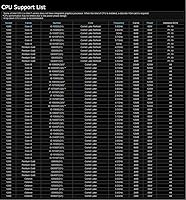
  • CPU Socket: LGA1200 socket supports the full Intel 10th Gen lineup including Core i9, i7, i5, i3, Pentium, and Celeron processors.
  • Chipset: Intel H470 chipset provides stable mainstream performance without overclocking support, sitting below the enthusiast-grade Z490 tier.
  • Memory Support: Two DDR4 DIMM slots support memory speeds up to 2933MHz with no overclocking capability; exact maximum capacity should be verified via ASRock's official compatibility list.
  • Storage Ports: Four SATA3 (6Gb/s) ports are available for connecting HDDs and SSDs; there is no M.2 slot of any kind on this board.
  • Display Outputs: Rear panel includes one HDMI 1.4 port supporting up to 4K at 30Hz and one D-Sub (VGA) port for legacy monitor connections.
  • Audio: Realtek ALC897 7.1-channel HD Audio codec with EMI shielding delivers adequate sound quality for office use and general media playback.
  • USB Ports: Total USB connectivity comprises 4x USB 3.2 Gen1 ports (2 rear, 2 via front-panel header) and 6x USB 2.0 ports (4 rear, 2 via front-panel header).
  • Expansion Slots: One PCIe 3.0 x16 slot handles a discrete GPU, and one PCIe 3.0 x1 slot is available for add-on cards such as network or sound adapters.
  • CPU Generation: Officially supports Intel 10th Gen processors only; 11th Gen Rocket Lake CPUs are not compatible with this board regardless of BIOS version.
  • BIOS: Ships with ASRock UEFI BIOS; a firmware update downloaded from the ASRock website may be required before certain 10th Gen CPUs are recognized on first boot.
  • Network: No onboard Wi-Fi or Bluetooth is included; wired Ethernet capability details should be confirmed on ASRock's official product specification page.
  • Power Connectors: Uses standard ATX power delivery, including the 24-pin main connector and an 8-pin CPU power connector, compatible with any standard ATX power supply.
  • Fan Headers: Includes CPU fan and chassis fan headers to support standard cooling configurations typical of Micro-ATX office and home builds.

Related Reviews
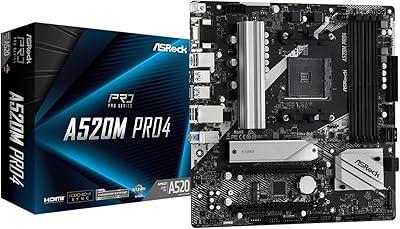
ASRock A520M Pro4 Micro ATX Motherboard
83%
92%
Value for Money
89%
Processor Compatibility
86%
Performance Stability
84%
Build Quality
88%
Ease of Setup
More
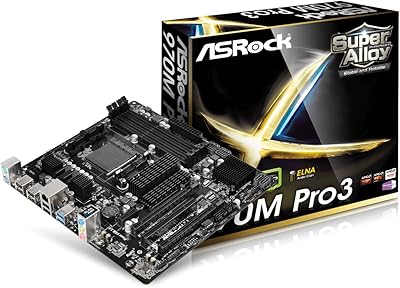
ASRock 970M Pro3 Micro ATX Motherboard
74%
88%
Value for Money
91%
Compatibility & CPU Support
86%
Ease of Installation
61%
BIOS Usability
54%
Overclocking Headroom
More
ASRock B550M-HDV Micro-ATX Motherboard
76%
91%
Value for Money
88%
CPU Compatibility
86%
Ease of Setup
89%
Stability & Reliability
58%
VRM & Power Delivery
More
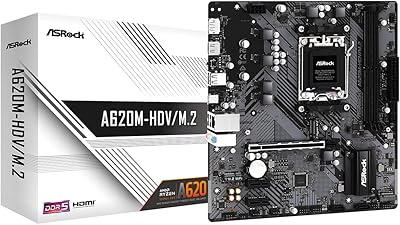
ASRock A620M-HDVM.2 Micro-ATX AM5 Motherboard
85%
89%
Value for Money
93%
Performance with Ryzen 7000 CPUs
85%
Ease of Setup and BIOS
88%
Build Quality and Durability
90%
Compatibility with DDR5
More
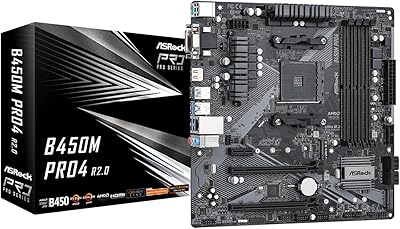
ASRock B450M PRO4 R2.0 Micro ATX Motherboard
74%
88%
Value for Money
79%
CPU Compatibility
86%
Ease of Installation
74%
BIOS & Software
83%
Long-term Reliability
More
ASRock B850M-X R2.0 Micro-ATX Motherboard
81%
88%
Value for Money
91%
Installation Experience
83%
BIOS Usability
86%
DDR5 Memory Stability
67%
Power Delivery & VRM
More
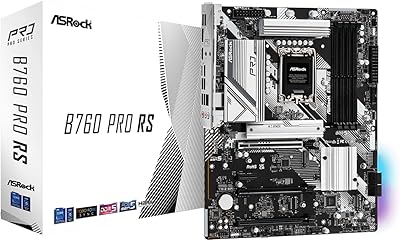
ASRock B760 Pro RS ATX Motherboard
80%
83%
Value for Money
88%
Feature Set
91%
CPU Compatibility
74%
Memory Performance
76%
VRM & Power Delivery
More
ASRock B550 Phantom Gaming 4 ATX Motherboard
79%
93%
Value for Money
91%
CPU Compatibility
84%
Storage Flexibility
89%
BIOS Experience
78%
Power Delivery
More
MSI Pro B650M-B Micro ATX Motherboard
75%
88%
Value for Money
83%
Build Quality
91%
Ease of Setup
54%
Storage Expansion
86%
Memory Performance
More
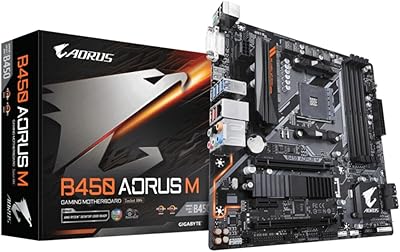
Gigabyte B450 AORUS M Micro ATX Motherboard
84%
91%
Value for Money
88%
Performance with Ryzen Processors
84%
RGB Lighting Customization
87%
Ease of Setup
82%
Display Options
More

FAQ

It supports the entire Intel 10th Gen lineup across the LGA1200 socket — that includes Core i3, i5, i7, and i9, as well as Pentium and Celeron chips. You are not locked into any particular tier, so pairing it with a mid-range Core i5 or i7 is completely fine and actually a common configuration for this H470 board.

No, and this is probably the most important limitation to know before buying. There is no M.2 slot on this board in any form, so NVMe drives are off the table entirely. Your only storage options are the four SATA3 ports, which means traditional SATA SSDs or HDDs. If fast NVMe storage is a priority for your build, you will need to look at a different board.

Almost certainly not. Dell, HP, Lenovo, and most other major OEM desktop builders use proprietary case layouts that do not align with standard Micro-ATX mounting points and I/O cutouts. This ASRock H470M-HVS Micro-ATX Motherboard is built to standard ATX specifications, which means it needs a standard Micro-ATX or ATX aftermarket case. Attempting to fit it into an OEM enclosure is a frustrating experience that rarely works out.

Possibly. Some 10th Gen CPUs, particularly newer steppings released later in the product cycle, require a BIOS update for the board to recognize them properly. If your build powers on but fails to post, a BIOS update is usually the first thing to check. ASRock provides the necessary firmware on their official support site, and the process can typically be done via USB drive through the BIOS flash utility.

Yes, as long as your Intel 10th Gen CPU includes integrated graphics — which most do, with the exception of F-suffix models like the Core i5-10400F. The board provides both an HDMI 1.4 output and a D-Sub (VGA) port on the rear panel, so connecting two monitors using onboard graphics is straightforward. HDMI supports up to 4K at 30Hz, while VGA is best kept at 1080p for clean output.

For a minimal desk setup it works, but it gets tight quickly. You get four USB 3.2 Gen1 ports and six USB 2.0 ports spread across the front panel headers and rear I/O. If you are running a keyboard, mouse, webcam, external drive, and a USB hub or two, you will start feeling the pinch. A powered USB hub is a practical workaround, but it is worth knowing the limitation upfront.

No on both counts. The H470 chipset does not support CPU overclocking, and memory is capped at 2933MHz with no XMP profile support beyond that. If squeezing extra performance through clock speeds matters to you, you would need a Z490 or Z590 board instead. This H470 board is designed for stability within a fixed performance envelope, not tuning.

No, it will not. The H470 chipset and LGA1200 socket are physically compatible with Intel 11th Gen Rocket Lake chips in terms of the socket, but ASRock does not support 11th Gen on this board, and there is no BIOS update that changes that. If you think you might want to upgrade to an 11th Gen chip in the future, this is a dead end for that path and you should consider a B560 or Z590 platform instead.

Standard DDR4 modules are what you need — the board has two DIMM slots and supports speeds up to 2933MHz. Sticking to 2666MHz or 2933MHz kits from reputable brands is the safe approach. Before purchasing, it is worth cross-referencing your specific modules against ASRock's official memory compatibility list for this model to avoid any boot issues.

It depends on what you need from the build. This ASRock Micro-ATX board makes a lot of sense if you already have a 10th Gen Intel CPU on hand, are working with SATA-based storage, and just want a stable, simple machine for productivity tasks. Where it falls short is storage speed, expandability, and future upgrade potential. For a clean-slate build in 2024 with no legacy parts to reuse, newer platforms built around 12th or 13th Gen Intel may offer better long-term value at comparable price points.

Where to Buy