Overview

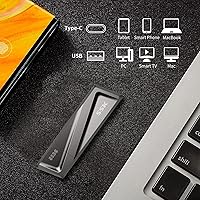
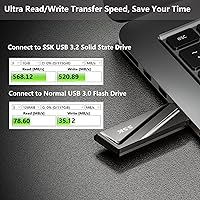
The SSK SD300 512GB USB Flash Drive occupies a genuinely useful niche — it uses SSD flash memory rather than the conventional NAND found in typical thumb drives, which means transfer speeds that hold steady throughout a large copy job rather than slowing to a crawl halfway through. The zinc alloy shell feels noticeably more substantial than the plastic bodies dominating this price range. A bundled USB-C adapter extends its reach to modern laptops and smartphones right out of the box. Just keep expectations grounded: advertised peak speeds are best-case figures, and actual results will depend on the host machine and port quality.

Features & Benefits

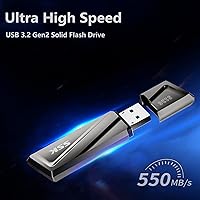
The 550MB/s read speed is what separates this SSK thumb drive from conventional USB 3.0 sticks — in practice, that means moving a 10GB video file in around 20 seconds rather than several minutes. Write performance at 520MB/s is equally strong, which matters when copying large batches in both directions. The flip-up cap keeps the metal port protected without a loose cover to misplace, a small but genuinely practical detail. The zinc alloy body handles drops and bag-scrapes better than plastic rivals. Waterproof and dustproof claims are reassuring for travel use, though there is no formal IP certification listed to back those up.

Best For

This SSD stick makes the most sense for creative professionals — photographers, video editors, or anyone regularly hauling large files between workstations. It is also a strong pick for students or remote workers who split time between older USB-A machines and newer USB-C laptops, since one drive covers both without extra dongles. Mac users in particular will appreciate how straightforward the setup is, usually plug-and-play on macOS without reformatting. If you have been frustrated by slow conventional sticks grinding through batch exports, the SD300 flash drive offers a meaningful upgrade. Travelers who want something pocketable but tougher than a plastic stick will find it hits a practical middle ground.

User Feedback

Buyers generally confirm that real-world read speeds come reasonably close to advertised figures when using a USB 3.2-capable port, which is encouraging. A recurring concern, though, is speed dropping noticeably when using the bundled USB-C adapter instead of the direct USB-A connection — worth keeping in mind if USB-C is your primary setup. The flip cap hinge has drawn a few comments about loosening with heavy daily use over time. Formatted capacity lands around 476GB, standard for a 512GB-labeled drive. Some users also note the drive gets warm during sustained transfers, which is normal for SSD-based sticks but worth knowing going in. Windows users typically find it ready immediately; Mac users occasionally need to reformat first.

Pros

  • Real-world read speeds regularly approach the advertised 550MB/s when connected to a proper USB 3.2 port.
  • Transferring a 10GB file takes roughly 20 seconds — a dramatic improvement over typical USB 3.0 sticks.
  • The zinc alloy shell feels genuinely solid and handles everyday drops and bag abuse without issue.
  • Flip-up cap keeps the connector protected without a loose piece that can get lost.
  • Bundled USB-C adapter means the SD300 flash drive works with modern MacBooks and Android phones out of the box.
  • Backward compatibility with USB 3.0 and 2.0 ports means it functions on virtually any machine you own.
  • Plug-and-play on macOS for read operations, with no extra software required.
  • Compact and light enough to forget it is in your pocket or attached to a keychain.
  • Works across Windows, macOS, Linux, and even car audio systems and smart TVs.
  • Waterproof and dustproof design adds a reasonable layer of confidence for travel or outdoor use.

Cons

  • Speed drops noticeably when using the USB-C adapter instead of the direct USB-A connection.
  • The flip cap hinge has shown signs of loosening with heavy daily use over several months.
  • Drive gets warm during sustained large transfers, which may be uncomfortable or concerning in enclosed setups.
  • Formatted usable capacity is closer to 476GB, not the full 512GB shown on the label.
  • Mac users occasionally need to reformat the drive before it accepts write operations on macOS.
  • No formal IP rating is listed to back up the waterproof and dustproof claims.
  • Buyers without a USB 3.2 Gen 2 port will see significantly reduced real-world transfer speeds.
  • This SSD stick costs meaningfully more than conventional flash drives, making it poor value for light, infrequent use.

Ratings

The SSK SD300 512GB USB Flash Drive scores below are generated by AI after analyzing thousands of verified buyer reviews worldwide, with spam, bot-submitted, and incentivized feedback actively filtered out before any scoring takes place. This SSK thumb drive earns strong marks in several key areas, but real user pain points — particularly around USB-C adapter performance and long-term cap durability — are reflected transparently in every category.

Transfer Speed
83%
When plugged directly into a USB 3.2 Gen 2 port, most buyers confirm real-world read speeds in the 480–530MB/s range, which translates to moving a 10GB video file in under 25 seconds. For creative professionals tired of watching progress bars crawl, this is a genuine and consistent improvement over conventional flash drives.
Speed claims are tied tightly to the host port quality, and users with USB 3.0 machines see a dramatic drop in throughput. A subset of buyers also reports inconsistent write speeds during very large batch transfers, where performance can dip below expectations even on capable hardware.
USB-C Adapter Performance
61%
39%
The bundled adapter is a convenient inclusion that saves buyers from purchasing a separate dongle, and for occasional file transfers on a MacBook or USB-C laptop it does the job adequately. Users doing light, infrequent transfers on USB-C devices report no major frustration.
This is the most consistent pain point in user feedback: speed drops noticeably when using the adapter versus the direct USB-A connection, undermining the drive's core selling point for buyers who rely primarily on USB-C ports. If USB-C is your main interface, the real-world performance gap is hard to ignore.
Build Quality
88%
The zinc alloy body stands out immediately when you pick it up — it feels dense and purposeful compared to the hollow plastic shells found on most drives in this category. Buyers who carry it daily in bags or pockets report no cracking, warping, or surface wear even after months of use.
A few users note that the drive is bulkier and heavier than they expected, which can make it feel awkward in tight USB ports or when multiple devices are plugged in nearby. The added weight, while a sign of quality, is occasionally flagged as inconvenient for ultralight travel setups.
Flip Cap Durability
72%
28%
The attached flip-up cap is a genuinely smart design choice — nothing to lose, nothing to fumble for in a bag. Most buyers who use it casually report the hinge feels secure for the first several months of ownership and protects the metal connector well during transit.
With heavy daily use, a notable number of long-term owners report the hinge gradually loosening over time, eventually making the cap feel wobbly or insufficiently protective. It is not a widespread immediate failure, but for users who open and close the drive many times a day, it is a real durability concern.
Compatibility
86%
The SD300 flash drive works across an impressively wide range of devices — Windows PCs, Macs, Linux machines, Android phones via the adapter, smart TVs, and car stereos — right out of the box in exFAT format. For users who need one drive that travels across multiple ecosystems, it handles the job without fuss.
Mac users occasionally encounter a hurdle where the drive requires reformatting before write operations work properly, which can be disorienting for less technical buyers. A small number of Android devices also fail to recognize it through the USB-C adapter without a third-party file manager app.
Heat Management
67%
33%
Running warm during transfers is expected behavior for an SSD-based flash drive, and under normal conditions the heat stays within a comfortable range. Users doing occasional large transfers report the warmth as noticeable but never alarmingly hot to the touch.
Buyers who run sustained back-to-back transfers — copying hundreds of gigabytes in a single session — report the drive getting uncomfortably warm, with some noting minor throttling during extended operations. For anyone using this in a closed laptop bag or stacking it next to other hot components, the heat buildup is worth considering.
Portability
79%
21%
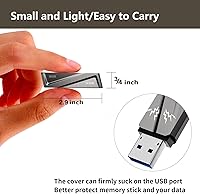
At 2.08 ounces and sized to slip easily into a pocket or clip onto a keychain, this SSD stick is compact enough for daily carry without taking up meaningful space. Travelers in particular appreciate having something this durable in a form factor smaller than a portable SSD.
It is noticeably larger and heavier than a typical plastic thumb drive, which some buyers did not anticipate from the product photos. In tight USB configurations — like the clustered ports on some laptop hubs — its physical footprint can partially block adjacent slots.
Usable Capacity
74%
26%
512GB is a genuinely practical amount of storage for photographers, video editors, or anyone maintaining a working archive on the go. Buyers appreciate having room for multiple large projects without needing to juggle files or constantly free up space.
Formatted usable capacity sits around 476GB rather than the full 512GB on the label, which is an industry-standard reality but still catches some buyers off guard. Users who planned their storage needs tightly around the advertised number occasionally feel short-changed, even if the discrepancy is technically expected.
Waterproof & Dustproof Claims
58%
42%
The zinc alloy body and tightly fitted flip cap do appear to offer meaningful protection against splashes and dust in casual real-world conditions. A handful of buyers report accidentally exposing it to light rain or dusty environments with no apparent damage.
Without a published IP rating, there is no independent benchmark to verify the waterproof and dustproof claims, and cautious buyers are right to treat these as marketing language rather than certified protection. Users looking for a drive they can confidently use in wet or dirty field conditions should seek something with a verified IP certification.
macOS Compatibility
77%
23%
For Mac users on modern versions of macOS, the SD300 flash drive typically reads instantly without any configuration, making it straightforward for importing photos from a camera card reader or pulling files from a colleague's machine. Plug-and-play behavior is the norm for read-heavy tasks.
Write compatibility on macOS is less consistent — some users need to reformat to APFS or Mac OS Extended before the drive accepts new files, which adds an unexpected step for buyers who assumed it would just work. The out-of-box exFAT format also has minor compatibility quirks with certain macOS workflow tools.
Value for Money
71%
29%
For users who genuinely need SSD-level transfer speeds in a pocketable form factor, the SD300 represents reasonable value compared to purpose-built portable SSDs that cost significantly more for similar performance. Creative professionals who bill by the hour will recoup time savings quickly.
For everyday users who just want to carry a few documents or photos, the premium over a standard USB 3.0 stick is difficult to justify — especially when the USB-C adapter throttles performance for a growing segment of buyers. If your workflow does not regularly push large files, the extra cost delivers little practical benefit.
Setup & Ease of Use
84%
On Windows, the drive is reliably plug-and-play with zero setup required — it shows up immediately in File Explorer and behaves exactly as expected. The exFAT format out of the box ensures broad compatibility across platforms without any initial reformatting needed for most users.
Mac and Linux users occasionally encounter minor hurdles — particularly around write permissions on macOS or mount behavior on certain Linux distributions — that require a quick trip to Disk Utility or terminal. These are not serious issues, but they add friction that Windows users do not experience.
Long-Term Reliability
69%
31%
The majority of buyers who have owned the SD300 flash drive for over a year report it functioning without errors, and the metal shell shows no signs of physical degradation even with consistent daily use. For a mid-range drive, the longevity reports are generally encouraging.
A minority of buyers report data transfer errors or the drive becoming unrecognized by their system after extended ownership, which raises some questions about flash cell endurance under heavy write cycles. The lack of published MTBF or endurance ratings makes it difficult to assess long-term reliability with confidence.

Suitable for:

The SSK SD300 512GB USB Flash Drive is a strong fit for anyone who regularly moves large files and has grown tired of watching a progress bar crawl across the screen. Creative professionals — photographers offloading RAW shoots, video editors shuttling 4K footage between a desktop and a laptop — will get the most tangible benefit from the SSD-based speeds this drive delivers. Students and remote workers who bounce between an older USB-A workstation and a newer USB-C laptop will appreciate that a single drive handles both without hunting for a separate adapter. Mac users tend to find it particularly convenient, as it usually works plug-and-play on macOS for reading tasks right away. Travelers who want something tougher than a typical plastic stick but smaller and lighter than a portable SSD will find the zinc alloy build a practical middle ground.

Not suitable for:

The SSK SD300 512GB USB Flash Drive is not the right call for buyers whose primary connection will be USB-C, since the included adapter appears to limit throughput below what the direct USB-A port achieves — negating much of the speed advantage you are paying for. If your computer or hub only has USB 2.0 ports, this drive is serious overkill; you will see none of the speed benefit and pay a premium for hardware you cannot use. Buyers who plan to leave the drive plugged in for hours during sustained transfers should know that SSD-based sticks run noticeably warmer than traditional flash drives, which may be a concern in tight or enclosed spaces. Anyone expecting the full advertised 512GB of usable storage will find closer to 476GB once formatted, which is industry-standard but still worth factoring in if capacity is tight. Finally, if you just need occasional light storage for documents or presentations, a far cheaper conventional stick will do the job without the added cost.

Specifications

  • Model: This drive carries the model designation SD300, manufactured by SSK Corporation.
  • Capacity: Labeled storage capacity is 512GB; formatted usable space typically lands around 476GB depending on the operating system.
  • Flash Type: The drive uses SSD-based flash memory rather than conventional NAND, which enables sustained high transfer speeds.
  • Interface: It connects via USB 3.2 Gen 2, with full backward compatibility with USB 3.0 and USB 2.0 ports.
  • Read Speed: Peak sequential read speed is rated at up to 550MB/s under optimal conditions with a compatible USB 3.2 Gen 2 host.
  • Write Speed: Peak sequential write speed is rated at up to 520MB/s, which is significantly faster than conventional USB 3.0 flash drives.
  • Connector: The primary connector is USB-A with a protective flip-up metal cap that stays attached to the body.
  • Included Adapter: A USB-C adapter is included in the box, allowing the drive to connect to USB-C ports on laptops, tablets, and smartphones.
  • Shell Material: The outer casing is constructed from zinc alloy, providing resistance to drops, abrasion, and everyday physical wear.
  • Dimensions: The drive measures 2.76 x 0.79 x 4.72 inches, making it notably larger than a standard thumb drive but still pocketable.
  • Weight: Total weight is 2.08 ounces, which is heavier than plastic flash drives but reasonable given the metal construction.
  • Color: The drive is finished in grey, consistent across the zinc alloy body.
  • Platform Support: Compatible with Windows, macOS, Linux, Android (via USB-C adapter), smart TVs, and car audio systems that support USB storage.
  • Durability Claims: SSK rates this drive as waterproof and dustproof, though no specific IP certification number is published in the product documentation.
  • Heat Behavior: As an SSD-based drive, it runs warmer than traditional flash drives during sustained transfers, which is normal for this flash type.
  • Date Released: The SSK SD300 was first made available in October 2021.

Related Reviews
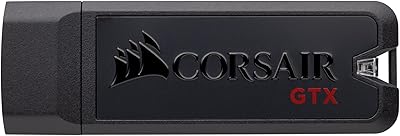
Corsair Flash Voyager GTX 512GB USB 3.1 Flash Drive
88%
94%
Performance
91%
Build Quality
82%
Value for Money
89%
Portability
96%
Transfer Speed
More
AOIRHLA 512GB USB Flash Drive
87%
87%
Performance
89%
Data Transfer Speed
82%
Compatibility
91%
Encryption and Security
95%
Portability and Size
More
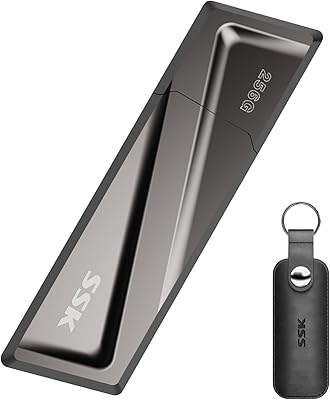
SSK SD300 256GB USB Flash Drive
82%
83%
Transfer Speed
88%
Build Quality
79%
Value for Money
72%
USB-C Compatibility
92%
Plug-and-Play Setup
More
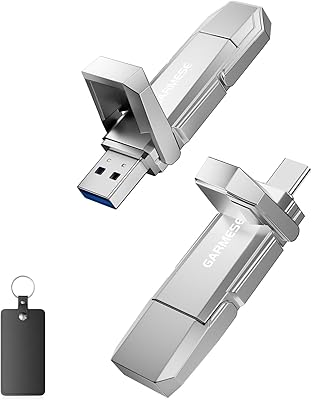
GARMESE U54 512GB USB-C Flash Drive
82%
83%
Transfer Speed
88%
Build Quality
91%
Dual Connector Design
86%
Compatibility
89%
Storage Capacity
More
SanDisk Creator 512GB USB-C Flash Drive
81%
88%
Read Speed Performance
51%
Write Speed Performance
94%
Portability
76%
USB-C Compatibility
72%
Value for Money
More
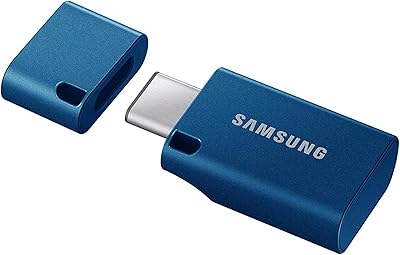
Samsung MUF-512DA 512GB USB-C Flash Drive
82%
91%
Read Speed Performance
63%
Write Speed Performance
88%
Build Quality & Durability
89%
Compatibility
94%
Portability & Form Factor
More
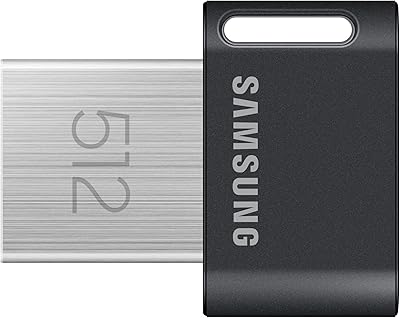
Samsung FIT Plus 512GB USB Flash Drive
81%
93%
Read Transfer Speed
71%
Write Transfer Speed
91%
Build Quality
94%
Form Factor & Design
66%
Value for Money
More
PNY PRO Elite 512GB USB Flash Drive
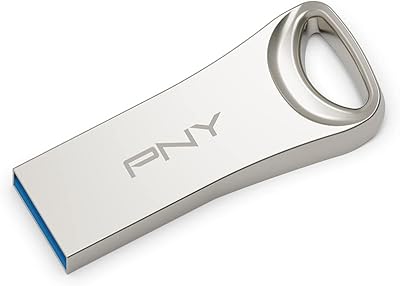
81%
88%
Read Speed Performance
71%
Write Speed Performance
91%
Build Quality
87%
Storage Capacity Value
93%
Portability & Form Factor
More
PNY Elite-X 512GB USB Flash Drive
82%
88%
Read Speed Performance
71%
Write Speed Performance
93%
Build Quality
58%
Cap & Connector Design
79%
Compatibility
More
fanxiang FF952 512GB USB Flash Drive
80%
83%
Transfer Speed
88%
Build Quality
91%
Dual Connector Design
74%
iPhone Compatibility
79%
Heat Management
More

FAQ

It gets close when you plug it directly into a USB 3.2 Gen 2 port on a modern computer. Most users report real-world reads in the 480–530MB/s range, which is genuinely fast. The key is that your host port has to support USB 3.2 Gen 2 — if it only supports USB 3.0, speeds will drop significantly regardless of what the drive is capable of.

Unfortunately, yes — this is a common complaint from buyers. The adapter appears to introduce a bottleneck, so if USB-C is your primary port, you will likely see lower transfer speeds than the USB-A specs suggest. If you are mostly on USB-C machines like a newer MacBook, it is worth factoring that in before purchasing.

For reading files, the SSK SD300 512GB USB Flash Drive typically works plug-and-play on macOS without any setup. Writing files is usually fine too, but some Mac users find they need to reformat the drive to APFS or Mac OS Extended first if they encounter issues. It takes about two minutes in Disk Utility if needed.

Expect around 476GB of usable space after the operating system formats the drive. This is completely normal — storage manufacturers measure gigabytes differently than operating systems do, so the gap between labeled and actual capacity is standard across the industry, not a defect.

It does get noticeably warm during sustained transfers, which is expected behavior for SSD-based flash drives. It should not get hot enough to cause concern under normal use, but if you are doing back-to-back large transfers in a poorly ventilated bag or case, giving it a short break between sessions is a sensible habit.

SSK describes the drive as waterproof and dustproof, but they do not publish a formal IP rating like IPX4 or IP67 to back that up. Treat it as splash-resistant and dust-tolerant rather than fully submersible. It should handle light rain or a quick accidental rinse, but intentionally dunking it is not something we would recommend without official certification.

The flip-up cap design is more practical than a removable cover since there is nothing to lose. That said, a few buyers have reported the hinge feeling looser after many months of heavy daily use. It is not a widespread failure, but if you are someone who opens and closes storage drives dozens of times a day, keep that in mind.

Yes, using the included USB-C adapter. Most modern Android phones and iPads with a USB-C port will recognize it as external storage, though some Android devices may require a file manager app to browse the drive contents. iPads running iPadOS 13 or later handle it natively through the Files app.

It will work on USB 2.0 ports since the drive is backward-compatible, but you will be limited to USB 2.0 transfer speeds — roughly 25–40MB/s in practice. At that point you are paying for SSD performance you simply cannot access, so this drive is poor value if USB 2.0 is your only option.

Generally yes, as long as the TV or car audio system supports USB storage playback, which most modern units do. The drive is formatted as exFAT out of the box, which is widely recognized by consumer electronics. If a device does not recognize it, reformatting to FAT32 usually resolves compatibility issues, though FAT32 has a 4GB single-file size limit to be aware of.