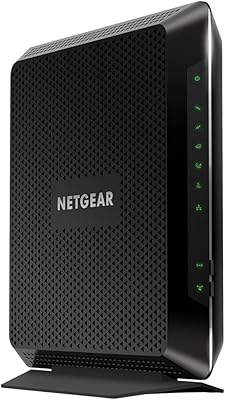
Overview

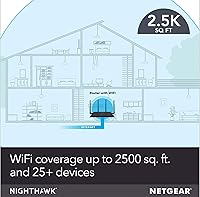
The NETGEAR Nighthawk R7350 AC2400 Wi-Fi Router sits comfortably in the mid-range tier, built for households juggling multiple streaming devices, gaming consoles, and laptops at once. The AC2400 label refers to a combined theoretical maximum across both bands, not a single-channel speed you will realistically see, so expectations should stay grounded. That said, the dual-core processor gives it a meaningful edge over bargain-bin routers, keeping traffic moving smoothly across a dozen or more connected devices. Coverage is rated up to 2500 square feet, which suits most apartments and mid-sized homes well. Think of it as a reliable workhorse, not a cutting-edge flagship.
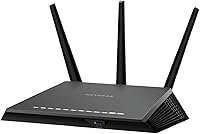
Features & Benefits

Where the Nighthawk R7350 earns its keep is the feature set packed into a mid-range price. MU-MIMO technology lets several devices pull data simultaneously rather than waiting in line, which makes a real difference when your household is streaming, gaming, and browsing all at once. Beamforming+ on both frequency bands helps concentrate the signal toward connected devices instead of scattering it into walls. The built-in QoS controls are genuinely practical — push gaming or video traffic ahead of background downloads without touching a command line. Four Gigabit LAN ports cover wired connections for consoles and PCs, and the USB 3.0 port doubles as a lightweight NAS for shared files or media backups.

Best For

The R7350 hits its sweet spot with households running five to fifteen connected devices across a medium-sized home. If you are still using the gateway your ISP handed you years ago, or an older 802.11n router, the upgrade impact will be immediately noticeable. Console and PC gamers will appreciate QoS prioritization that actually works without requiring a networking background to configure. Families benefit from app-based parental controls and the ability to manage the network remotely from a phone. It is not the right pick for sprawling multi-story homes or anyone who needs Wi-Fi 6 future-proofing — for those cases, look a step higher on the product ladder.

User Feedback

Across more than 2,200 ratings sitting at 4.3 stars, this dual-band router earns its score honestly, though not without some consistent criticisms. Buyers frequently praise straightforward setup, stable 5GHz performance, and a build quality that feels more substantial than its price bracket implies. The Nighthawk app draws appreciation for making network configuration accessible to non-technical users. On the other side, a recurring pattern in the reviews flags 2.4GHz inconsistency, with devices farther from the router occasionally struggling to maintain a reliable connection on that band. A smaller group of long-term owners has also reported occasional firmware update troubles. Competing routers at a similar price can edge it out on raw range, but few match its overall day-to-day stability.

Pros

  • Setup is genuinely straightforward, even for users who have never configured a router before.
  • The 5GHz band delivers stable, consistent performance for streaming and gaming at close to mid-range distances.
  • MU-MIMO support means multiple devices can pull data at the same time without noticeably slowing each other down.
  • QoS controls are practical and accessible, letting you prioritize gaming or video traffic in just a few taps.
  • Four Gigabit LAN ports give you solid wired options for consoles, PCs, or a smart TV without needing a switch.
  • The Nighthawk app makes remote network management genuinely easy from a smartphone.
  • Build quality feels solid and durable for the price bracket, not cheap or plasticky.
  • Beamforming+ on both bands helps maintain a stronger signal to devices across the home.
  • The USB 3.0 ReadySHARE port is a handy bonus for anyone who wants basic network storage without a dedicated NAS device.
  • Coverage is sufficient for most apartments and mid-sized single-story homes without needing extenders.

Cons

  • The 2.4GHz band shows range inconsistency, leaving some devices on the edges of the home with weaker signals.
  • Advertised 2400Mbps is a combined theoretical ceiling across both bands, not a real-world single-device speed.
  • A subset of long-term owners has reported firmware update problems that required manual intervention to resolve.
  • No Wi-Fi 6 support means this router may feel outdated sooner than newer alternatives in the same price range.
  • Not a practical choice for homes larger than 2500 square feet or multi-story layouts without additional hardware.
  • Competing routers at a similar price can edge out the R7350 on raw range and tri-band performance.
  • The dual-core processor handles typical household loads well, but starts to show strain under very heavy simultaneous use.
  • Some users find the Nighthawk app occasionally slow to sync or reflect real-time network changes accurately.

Ratings

The scores below were generated by our AI after analyzing thousands of verified global user reviews for the NETGEAR Nighthawk R7350 AC2400 Wi-Fi Router, with spam, bot activity, and incentivized feedback actively filtered out before any scoring was applied. Both the strengths that keep buyers satisfied and the recurring frustrations that surface over months of real use are transparently reflected in each category. The result is an honest, cross-regional snapshot of how this dual-band router actually performs in everyday homes.

5GHz Performance
88%
Users consistently report that the 5GHz band holds up well under pressure — streaming 4K content in one room while someone else games in another is a routine scenario this router handles without visible stuttering. The beamforming implementation receives specific praise for maintaining a stronger connection as users move around the home.
Performance on the 5GHz band drops more noticeably at longer distances or through multiple walls than some competing routers in the same class. Users in larger homes occasionally report that the signal weakens enough at the far end of the house to cause buffering during heavy use.
2.4GHz Reliability
67%
33%
For devices close to the router — smart speakers, phones on the couch, or a tablet in the kitchen — the 2.4GHz band works reliably and handles the kind of low-intensity traffic those devices generate without issue. Most users in smaller spaces never encounter a problem.
This is the most consistently criticized aspect across the review pool. Smart home devices placed in garages, back bedrooms, or corners of larger apartments frequently drop off the 2.4GHz network or report weaker-than-expected signal strength. It is a meaningful limitation for households with spread-out IoT ecosystems.
Setup Experience
91%
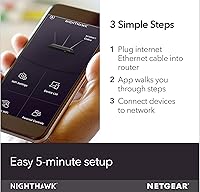
The Nighthawk app-guided setup is one of the most frequently praised aspects of the R7350, with many buyers noting they had the router running in under ten minutes after unboxing. Even users who describe themselves as non-technical found the process intuitive without needing to touch a browser-based admin panel.
A small but recurring group of reviewers ran into hiccups when their ISP used unusual modem configurations, which the app does not always handle gracefully without some manual intervention. Router detection occasionally fails on the first attempt, requiring a restart before setup completes.
Gaming Performance
79%
21%
QoS prioritization works as advertised for the majority of gamers — keeping an online session smooth while a household member streams or downloads in the background is a real and noticeable benefit. Console gamers on wired LAN connections report consistently low ping and stable sessions.
This is a capable mid-range gaming router, not a performance flagship, and competitive gamers who are sensitive to every millisecond of latency will likely feel the ceiling. On Wi-Fi, latency is solid but not class-leading, and the AC2400 (Wi-Fi 5) standard means it cannot match the efficiency of newer Wi-Fi 6 gaming routers.
Coverage Range
73%
27%
In single-story apartments and homes in the 1500 to 2000 square foot range, the R7350 covers the space comfortably without dead zones, and users in those environments rarely mention needing a range extender. The detachable antennas can be angled to improve directional reach in specific layouts.
The 2500 square foot coverage claim holds up mainly under ideal, open-plan conditions. Multi-story homes and layouts with dense walls or multiple rooms regularly push the router to its limit, with users reporting weaker signals in distant rooms. Anyone with a home above 2000 square feet and a complex layout should manage expectations carefully.
Build Quality
84%
Buyers frequently comment that the R7350 feels noticeably more substantial than ISP-provided gateways or budget routers they previously used. The chassis has a purposeful, angular design, and the antenna connections feel secure rather than flimsy.
The matte black plastic finish shows dust and fingerprints more readily than the photos suggest, which is a minor but recurring aesthetic complaint. A handful of long-term owners have noted that the unit runs warm under sustained heavy load, though no significant hardware failure patterns have emerged from it.
Multi-Device Handling
82%
18%
Households running ten to fifteen simultaneous connections — phones, laptops, a gaming console, and a couple of smart TVs — find that the R7350 manages the load without the slowdowns that plague cheaper single-core routers. MU-MIMO keeps multiple active streams from competing destructively with each other.
When device counts push above fifteen and several are actively pulling significant bandwidth simultaneously, some users notice the router beginning to slow down. It is not designed for high-density environments like a small office or a tech-heavy enthusiast setup with twenty or more demanding clients.
Firmware Stability
63%
37%
When running on a stable firmware version, the router operates consistently and does not require frequent reboots under normal household use. Many users go weeks or months without any software-related interruption.
Firmware updates have generated a disproportionate share of negative reviews, with some users reporting that updates caused connectivity drops, required a factory reset to resolve, or temporarily broke specific features. The manual firmware recovery process through the admin panel is not beginner-friendly.
App & Remote Management
77%
23%
The Nighthawk app handles the core management tasks — checking connected devices, adjusting QoS, setting up a guest network, and toggling parental controls — with enough polish that non-technical users genuinely use it rather than avoiding it.
The app occasionally lags in reflecting real-time changes to the network, and some users report it losing connection to the router when accessed remotely. Advanced users looking to dig into detailed traffic logs or custom DNS settings will hit the app's limitations quickly and need to fall back to the browser panel.
Parental Controls
76%
24%
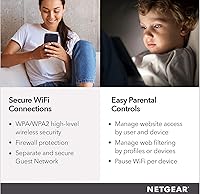
Families appreciate being able to schedule internet access windows and instantly pause connectivity for specific devices directly from a smartphone, without needing a separate subscription service. The controls are visible enough in the app that parents actually use them regularly.
Content filtering is somewhat blunt compared to dedicated parental control platforms — it works well for basic categories but lacks the granularity that parents of older children who are more web-savvy might want. There are occasional reports of scheduled blocks not triggering correctly after a firmware update.
USB Storage Sharing
71%
29%
ReadySHARE is a genuinely useful bonus for users who plug in a USB drive to share photos or media files across the household. For light NAS use — accessing a backup drive from a laptop or streaming locally stored videos — it performs adequately without requiring any additional hardware.
Transfer speeds through the USB port are not fast enough for regularly moving large files or running media server software under heavy load. Users expecting proper NAS performance will be disappointed; this feature works best as a convenience tool rather than a serious storage solution.
Value for Money
81%
19%
Relative to what ISP-provided gateways offer, the R7350 delivers a meaningful feature and performance upgrade at a price that most buyers consider fair for what they get. The combination of QoS, MU-MIMO, app management, and Gigabit ports in one package holds up well against the competition at this tier.
As Wi-Fi 6 routers continue to come down in price, the value proposition of a Wi-Fi 5 router at this price point has narrowed. Buyers who plan to keep their next router for five or more years may find that spending a bit more for Wi-Fi 6 is the smarter long-term call.
Wired Port Performance
89%
The four Gigabit LAN ports perform reliably and hit near-line-rate speeds for wired devices, which matters for console gamers and home office workers who prefer a cable over Wi-Fi. Switching between wired devices is instant and does not create any detectable lag on the network.
Four LAN ports cover most households, but users with a lot of wired gear — desktop PC, NAS, console, smart TV, and a network printer — will hit the limit and need an external switch. There is no link aggregation support for users who might want to bond ports for higher throughput.
Long-Term Reliability
74%
26%
The majority of verified reviewers who have owned the router for one to two years report no hardware failures or chronic instability, and the unit continues to perform consistently for everyday household use over that period. NETGEAR's track record with the Nighthawk line for build longevity is generally positive.
A pattern in older reviews suggests that occasional random reboots become more common after the one-year mark for a subset of units, which could indicate thermal wear or firmware-related memory issues. Long-term reliability is solid on average, but not quite as consistent as the brand's premium flagship lines.

Suitable for:

The NETGEAR Nighthawk R7350 AC2400 Wi-Fi Router is a strong match for households that have outgrown their ISP-provided gateway and need something that can handle real daily pressure without requiring a networking degree to manage. If your home runs a mix of gaming consoles, laptops, phones, and smart TVs simultaneously, the R7350 handles that load reliably across a medium-sized floor plan. Renters and homeowners in spaces up to roughly 2000 to 2500 square feet will find the coverage more than adequate for day-to-day use. Console and PC gamers who want meaningful QoS controls — the kind that actually keep a gaming session smooth while someone else streams in the next room — will get real value from the built-in traffic prioritization. Families appreciate the Nighthawk app for remote monitoring and parental controls that do not require digging into a browser-based admin panel.
Not suitable for:

Anyone living in a large multi-story home or a sprawling open-plan space should look elsewhere, as the NETGEAR Nighthawk R7350 AC2400 Wi-Fi Router was not designed to replace a mesh system or high-powered tri-band router in those scenarios. Power users who need Wi-Fi 6 speeds, broader device capacity, or future-proofing for the next several years will find this router already a generation behind by current standards. The 2.4GHz band has drawn consistent criticism in real-world use, so if you have older smart home devices that depend heavily on that frequency at range, dead spots may become a frustration. Competitive online gamers who demand the absolute lowest possible latency should know that this is a capable mid-range option, not a premium performance machine. Those who have had poor experiences with NETGEAR firmware stability in the past may want to verify that the current firmware revision has resolved the update issues some users have flagged.
Specifications

  • Wi-Fi Standard: The router operates on 802.11ac (Wi-Fi 5), supporting dual-band connectivity across the 2.4GHz and 5GHz frequency bands.
  • Combined Speed: Maximum combined throughput is rated at 2400Mbps, split between 600Mbps on the 2.4GHz band and 1733Mbps on the 5GHz band under ideal conditions.
  • Processor: A dual-core CPU manages traffic routing, QoS prioritization, and simultaneous device connections more efficiently than single-core entry-level routers.
  • Memory: The router includes 256MB of RAM and 128MB of flash storage, providing enough headroom for stable operation under typical multi-device household loads.
  • Antennas: Three detachable external antennas support both implicit and explicit Beamforming+ across both frequency bands to improve directional signal strength.
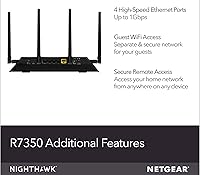
  • LAN Ports: Four 10/100/1000Mbps Gigabit Ethernet LAN ports allow wired connections to consoles, desktop PCs, smart TVs, or network switches.
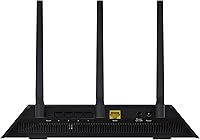
  • WAN Port: One dedicated Gigabit Ethernet WAN port connects to a cable or DSL modem to bring internet service into the network.
  • USB Port: A single USB 3.0 port supports NETGEAR ReadySHARE, enabling shared access to an attached USB storage drive across the local network.
  • Coverage Area: NETGEAR rates the router for coverage up to 2500 square feet, making it well-suited for medium-sized single-story homes and larger apartments.
  • MU-MIMO: Multi-user MIMO technology allows the router to communicate with multiple devices simultaneously rather than serving them sequentially.
  • QoS: Downstream and upstream Quality of Service controls let users prioritize specific traffic types, such as gaming or video streaming, over lower-priority background activity.
  • IPv6 Support: The router is fully compatible with IPv6, ensuring readiness for modern ISP configurations and future network addressing standards.
  • Dimensions: The unit measures 2 x 7 x 11 inches, a standard desktop footprint that fits easily on a shelf or beside a modem.
  • Weight: At 2.9 pounds with antennas attached, the router is light enough to reposition easily but solid enough to feel durable on a desk.
  • Stream Config: The router uses a 3x3 antenna configuration on 2.4GHz and a 4x4 configuration on 5GHz for broader spatial stream coverage.
  • App Control: The Nighthawk mobile app for iOS and Android supports initial setup, parental controls, guest network management, and remote access to router settings.
  • LED Control: An on/off LED light toggle allows users to disable all indicator lights on the unit, useful for bedroom or low-light installations.
  • Package Contents: The box includes the router, three detachable antennas, one Ethernet cable, a power adapter, and a printed quick start guide.

Related Reviews
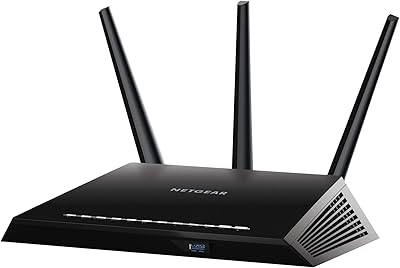
NETGEAR Nighthawk R6900P Wi-Fi Router
85%
88%
Wi-Fi Speed & Performance
85%
Coverage Area
83%
Device Connectivity
91%
Setup & Installation
89%
Security Features
More
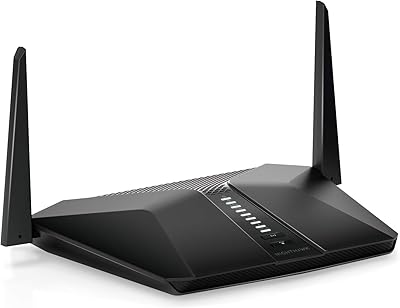
Netgear Nighthawk AX4 RAX40 Wi-Fi 6 Router
84%
92%
Wi-Fi Speed & Performance
88%
Ease of Setup & Installation
85%
Coverage Range
78%
App Usability
90%
Stability for Gaming & Streaming
More
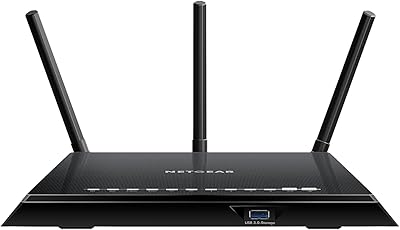
Netgear R6400 AC1750 Wi-Fi Router
73%
78%
Wireless Range
61%
5 GHz Band Stability
84%
Setup & Ease of Use
88%
Wired Port Performance
72%
Value for Money
More
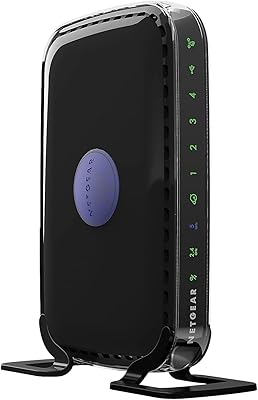
NETGEAR C6250 AC1600 Modem Router Combo
74%
84%
Value for Money
88%
Ease of Setup
71%
Wi-Fi Performance
82%
Modem Speed & Reliability
73%
Provider Compatibility
More
NETGEAR WNDR3400 N600 Dual Band Wi-Fi Router
82%
85%
Performance
91%
Ease of Setup
87%
Dual-Band Performance
72%
Connection Stability
80%
Parental Controls
More
NETGEAR R6250 AC1600 Dual Band Wi-Fi Router
73%
91%
Ease of Setup
74%
Wi-Fi Performance
61%
Wi-Fi Range & Coverage
82%
Connection Stability
69%
Multi-Device Handling
More
Netgear Nighthawk AX5200 Router
87%
92%
Wi-Fi Performance
89%
Range & Coverage
84%
Setup & Installation
88%
Reliability & Stability
91%
Gaming & Streaming Experience
More
Netgear Nighthawk AX12 AX11000 Router
87%
92%
Wi-Fi Performance
89%
Speed & Latency
85%
Ease of Setup
88%
Build Quality
90%
Security Features
More
Synology RT2600ac Wi-Fi Router
85%
88%
Performance
91%
Wi-Fi Speed & Coverage
80%
Setup & Installation
90%
Security Features
84%
Ease of Use
More
NETGEAR Nighthawk BE17000 WiFi 7 Router
79%
91%
Wireless Performance
88%
Setup Experience
74%
Coverage & Range
72%
Value for Money
86%
Device Handling
More

FAQ

Setup is straightforward for most users. You connect the router to your modem, download the Nighthawk app, and follow the step-by-step prompts — no need to log into a browser or call your ISP. Most people have it running in under 15 minutes.

The R7350 works with virtually any ISP that provides service through a cable, DSL, or fiber modem. It is not carrier-locked. Just plug it into your existing modem using the included Ethernet cable and you are ready to configure.

It handles online gaming well for most players, especially with QoS enabled to prioritize game traffic over background downloads. That said, it is a Wi-Fi 5 router, so hardcore competitive gamers chasing the absolute lowest latency may eventually want to consider a Wi-Fi 6 upgrade. For casual to regular gaming, it is more than capable.

AC2400 refers to the combined theoretical maximum speed across both Wi-Fi bands added together — it is not a speed any single device will hit. In practice, expect real-world speeds well below that ceiling depending on your ISP plan, device placement, and how many devices are active simultaneously. The number is more useful as a rough class indicator than a literal performance promise.

Yes. The USB 3.0 port on the back of the router supports NETGEAR ReadySHARE, which lets you plug in a USB storage drive and access it from any device on the network. It works for media streaming and basic file sharing, though it is not a replacement for a dedicated NAS device if you need high-speed transfers.

Most smart home devices connect on the 2.4GHz band, and the R7350 supports a good number of simultaneous connections. However, some users have reported that the 2.4GHz signal can be inconsistent at longer distances, so if you have smart home devices spread across a larger space, placement of the router matters more than usual. Keeping it centrally located helps a lot.

This is a router only, not a modem-router combo. You will still need a separate modem provided by your ISP or purchased separately. The router connects to that modem via the Gigabit WAN port.

Parental controls are managed through the Nighthawk app. You can set content filters, create schedules to limit internet access during homework or bedtime hours, and pause the internet for specific devices instantly. It is one of the more user-friendly implementations in this price range and does not require any third-party subscription to use the basic features.

It is a Wi-Fi 5 router in a market that has moved toward Wi-Fi 6 and Wi-Fi 6E, so it is not cutting-edge. That said, Wi-Fi 5 is still perfectly capable for the majority of home users, and the R7350 offers a solid mix of features at its price point. If you are planning to keep your next router for five or more years, a Wi-Fi 6 model is worth the extra spend. For a two to three year horizon or a tight budget, the Nighthawk R7350 still holds its own.

A handful of users have reported firmware update issues, and the standard fix is a factory reset using the pinhole button on the back of the unit, followed by a fresh setup through the app. NETGEAR also allows manual firmware installation through the browser-based admin panel if you download the file directly from their support site. Keeping automatic updates enabled generally helps avoid getting stuck on a problematic intermediate version.

Where to Buy