Overview

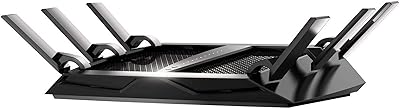
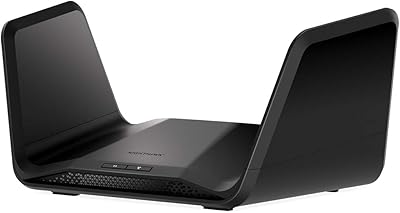
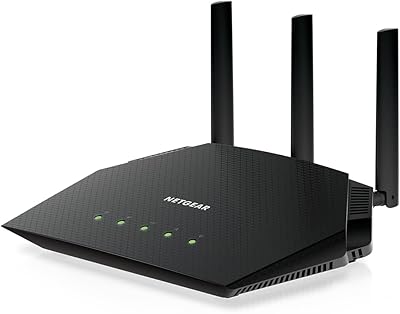
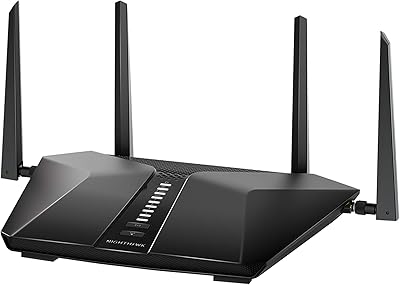
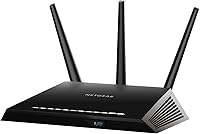
The NETGEAR Nighthawk R6900 AC1900 Dual-Band WiFi Router arrived in late 2016 as a solid mid-range option, and for most households, it still holds its own today. AC1900 is a combined speed class — it doesn't mean every device gets that throughput simultaneously — but in practical terms, it's enough bandwidth for a busy household running Netflix, video calls, and casual browsing at once. The R6900 carries the Nighthawk's signature aggressive look: a wide, low-profile black chassis with three external antennas. It's not compact, so plan for desk or shelf real estate. Honest caveat: this is Wi-Fi 5 hardware, not the newest generation, but that rarely matters for typical home use.
Features & Benefits

The R6900 splits its airwaves between two bands — the 2.4 GHz side handles range-focused tasks like smart home devices and basic browsing, while the faster 5 GHz band is where you want to park your laptop or streaming box. The dual-core processor is what keeps things running smoothly when several devices are active simultaneously; without that processing headroom, cheaper routers visibly choke. Beamforming+ directs the signal toward connected devices rather than scattering it equally in all directions, which translates to noticeably better reach in rooms farther from the router. QoS settings let you manually prioritize gaming or video traffic, and the USB 3.0 port is genuinely handy for a shared network drive.

Best For

This dual-band router is a natural fit for households in the 1,500 to 2,500 square foot range — think a two- or three-bedroom apartment or a modest single-family home. It works well for casual to moderate gamers who want QoS traffic prioritization without spending extra on a dedicated gaming router. Families running multiple simultaneous streams will appreciate the 5 GHz headroom. If you're coming from an older N300 or AC1200 setup, the performance difference is real and immediately noticeable. It's also worth pointing out that NETGEAR's support ecosystem — firmware updates, community forums, and a reasonably active help base — adds genuine long-term peace of mind.

User Feedback

Sitting at 3.8 stars from nearly 200 ratings, this Nighthawk router draws a clear pattern: most buyers are satisfied right out of the box. Easy setup and consistent range are the most cited positives, with users reporting reliable performance for streaming and everyday browsing across multiple rooms. The criticism isn't negligible, though. A meaningful share of reviewers report firmware-related instability — dropped connections or the need for periodic reboots — particularly after longer ownership periods. Out-of-box performance seems to exceed long-term reliability for some units. NETGEAR's community forums help troubleshoot most issues, which is a genuine plus, but buyers expecting a fully hands-off experience should factor that in.

Pros

  • Dual-band setup cleanly separates bandwidth-hungry devices from low-priority background traffic.
  • The dual-core processor keeps performance stable even when several devices are active at once.
  • Beamforming+ noticeably improves signal strength in rooms farther from the router.
  • QoS controls let you prioritize gaming or video streaming without any advanced networking knowledge.
  • Setup is straightforward — most users are up and running within minutes out of the box.
  • The USB 3.0 port doubles as a convenient shared network storage or media server connection.
  • Three detachable antennas offer flexibility in positioning for better directional coverage.
  • NETGEAR's community forums and firmware update history provide a solid long-term support safety net.
  • A meaningful speed and reliability jump over older AC1200 or N-class routers.
  • The Nighthawk chassis, while large, is well-ventilated and built to run continuously without overheating issues.

Cons

  • Some units develop firmware instability over time, leading to dropped connections or the need for periodic reboots.
  • Wi-Fi 5 hardware means it cannot take full advantage of Wi-Fi 6 client devices becoming common in homes.
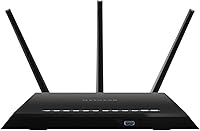
  • The physical footprint is large — at over 13 inches wide, it needs dedicated shelf or desk space.
  • Gigabit internet subscribers may not see full ISP speeds reflected in real-world wireless throughput.
  • Long-term reliability has been inconsistent for a notable share of buyers, particularly beyond the first year.
  • The 2.4 GHz band can get congested in apartment buildings or densely populated neighborhoods.
  • No built-in parental controls or advanced security features beyond basic firmware-level options.
  • Lacks a mobile app experience that more modern routers offer for remote management and monitoring.
  • Coverage in larger or multi-story homes will require a secondary device, adding cost and complexity.

Ratings

The scores below reflect an AI-driven analysis of verified global user reviews for the NETGEAR Nighthawk R6900 AC1900 Dual-Band WiFi Router, with spam, bot-generated, and incentivized feedback actively filtered out to surface what real buyers actually experience. Each category is scored independently based on patterns across thousands of ownership accounts, capturing both the aspects users consistently praise and the pain points that surface over time. Nothing is glossed over — where the R6900 earns its reputation, it shows; where it falls short, that shows too.

Wireless Performance
76%
24%
For households running a mix of streaming, browsing, and light gaming simultaneously, the R6900 delivers stable and responsive throughput that satisfies most daily demands. Users upgrading from older N-class routers consistently report a noticeable improvement in speed and reliability across multiple connected devices.
Performance drops off more steeply than expected in homes with interference or physical obstructions, and users with gigabit internet plans find the real-world wireless ceiling underwhelming. The Wi-Fi 5 standard also means newer 6 GHz-capable devices get no benefit from this hardware.
Range & Coverage
73%
27%
Beamforming+ makes a tangible difference in mid-size homes, directing signal toward active devices rather than wasting it on empty walls. Most users in two- to three-bedroom spaces report solid coverage throughout without needing a range extender.
Larger homes, multi-story layouts, or spaces with brick and concrete construction regularly expose the R6900's range limitations. Users placing the router in a corner or enclosed cabinet report significant dead zones, and the 2.4 GHz band in particular struggles in dense apartment buildings with heavy neighboring interference.
Setup & Ease of Use
88%
The out-of-box experience is one of the R6900's clearest strengths — buyers with no networking background consistently describe getting online within 15 to 20 minutes. The web-based admin interface is logically laid out, and WPS makes adding new devices quick and painless.
While initial setup is smooth, navigating more advanced settings like VPN configuration or custom QoS rules can feel clunky by modern router standards. A dedicated mobile app with real-time management is absent, which frustrates users who expect that from hardware at this price tier.
Long-Term Reliability
61%
39%
A solid share of owners report years of uninterrupted service without any major issues, particularly those who stay on stable firmware versions and allow the router adequate ventilation. For users with modest, consistent network demands, the R6900 can be a dependable set-and-forget device.
Firmware updates have introduced instability for a notable minority of users, with dropped connections and the need for periodic reboots being the most commonly reported symptoms. The pattern of out-of-box reliability declining over 12 to 18 months of use is consistent enough across reviews to warrant genuine concern for long-term buyers.
Multi-Device Handling
79%
21%
The dual-core processor gives the R6900 real headroom when managing eight to twelve simultaneous connections — a scenario where cheaper, single-core routers visibly throttle. Households with a mix of smart home gadgets on 2.4 GHz and laptops or TVs on 5 GHz report smooth band separation in practice.
When device counts climb beyond fifteen or twenty — common in modern smart homes — users report increased latency and occasional connection drops under peak load. The router's age means it lacks the MU-MIMO depth of newer platforms, limiting true simultaneous throughput efficiency across many clients.
Gaming Performance
74%
26%
QoS controls allow casual to moderate gamers to prioritize their console or PC traffic above background downloads, which tangibly reduces lag spikes during online sessions. Users playing titles like competitive shooters or online RPGs in households with active internet users report that QoS makes a real difference.
The R6900 is not a dedicated gaming router and lacks the granular traffic shaping, low-latency modes, or geo-filtering features found in purpose-built gaming platforms. Serious competitive gamers with low-latency demands will find the feature set limited compared to what current hardware offers at a similar or slightly higher price.
Streaming Support
81%
19%
Running two or three simultaneous 4K streams across different devices is well within the R6900's capability when devices are connected to the 5 GHz band and positioned within reasonable range. Households using smart TVs, streaming sticks, and tablets simultaneously report smooth playback without buffering under typical conditions.
At greater distances or through walls, 4K streams occasionally stutter in ways that standard HD does not, pointing to real-world throughput limits beyond the on-paper specs. Users attempting to stream while several family members are also active on the network sometimes report degraded quality even with QoS enabled.
Build Quality & Design
71%
29%
The Nighthawk chassis feels solid and purposeful — it does not flex or creak, and the matte black finish resists fingerprints reasonably well. The three detachable antennas give it a commanding presence that communicates premium positioning relative to entry-level routers.
The unit runs noticeably warm during sustained use, and a small number of users cite heat as a contributing factor to long-term stability issues. At over 13 inches wide, it demands significant desk or shelf real estate that not every setup can easily accommodate.
USB & Storage Features
66%
34%
The USB 3.0 port works as advertised for basic network-attached storage, allowing households to share an external drive across all connected devices without buying a separate NAS unit. Users who set it up for media serving or simple file sharing find it genuinely practical for home use.
Transfer speeds over the shared USB connection are modest by NAS standards, and the configuration process for setting it up as a media server is not beginner-friendly. Users expecting plug-and-play storage sharing without any technical configuration are often disappointed by how manual the process is.
Firmware & Software
58%
42%
NETGEAR does maintain a meaningful firmware update history for the R6900, and the broader Nighthawk community has produced reliable troubleshooting resources for the most common issues. Users who stay proactive with firmware management tend to report a more stable experience than those who leave it on default.
Several firmware updates over the product's lifespan have introduced bugs rather than fixing them, with users frequently citing a specific update as the trigger for their connectivity issues. The admin UI feels dated compared to modern router platforms, and there is no cloud-based or app-driven management for users who want remote control.
Value for Money
77%
23%
At its current market price, the R6900 delivers a feature set and brand reputation that would have cost significantly more when it launched, making it an accessible entry point to the Nighthawk ecosystem for budget-conscious buyers. For users with modest internet plans and standard home sizes, the performance-to-cost ratio holds up well.
Buyers comparing it against current Wi-Fi 6 routers available at similar or slightly higher prices may find it hard to justify the AC1900 platform in 2024. The value proposition weakens considerably for users with high-throughput needs or larger homes where the hardware's limitations become apparent quickly.
Security Features
63%
37%
Standard security fundamentals — WPA2 encryption, guest network isolation, and basic firewall controls — are present and functional. For users with straightforward security needs, the built-in protections are adequate without requiring any additional configuration.
The R6900 lacks advanced security features like automatic threat detection, DNS-level ad blocking, or the subscription-based security layers that newer NETGEAR models offer. Users concerned about network-level protection for smart home devices or remote work environments will find the feature set thin by current standards.
Brand & Support Ecosystem
82%
18%
NETGEAR's established reputation translates into practical ownership benefits — an active community forum, years of documented troubleshooting threads, and a product that is widely covered by third-party support resources. Buyers who hit issues rarely find themselves without a documented solution to try.
Direct NETGEAR customer support receives mixed feedback, with some users reporting slow resolution times for hardware defects. The R6900's age means it is no longer a priority product for the brand, and the pace of firmware updates has slowed compared to NETGEAR's current flagship lineup.

Suitable for:

The NETGEAR Nighthawk R6900 AC1900 Dual-Band WiFi Router is a strong fit for families or individuals living in mid-size homes — roughly two to three bedrooms — where multiple devices need dependable coverage across different rooms. If your household regularly juggles streaming on the TV, video calls on a laptop, and a few phones or tablets all at once, the R6900's dual-core processor and dual-band setup handle that kind of load without much complaint. Casual gamers will find the built-in QoS controls useful for keeping their connection prioritized without needing a specialized router. It's also a compelling upgrade for anyone still running older N-class or AC1200 hardware, where the speed and range improvement will feel immediately tangible. Buyers who value an established brand with accessible community support and a familiar setup process will feel right at home with this Nighthawk router.
Not suitable for:

Buyers with large homes — anything sprawling past 2,500 square feet or with multiple floors and thick walls — may find the R6900 falls short of whole-home coverage without a secondary access point or mesh system. Power users who have already invested in Wi-Fi 6 devices, or who subscribe to gigabit internet plans and want to fully utilize that bandwidth wirelessly, will be leaving performance on the table with this dual-band router since it tops out at Wi-Fi 5 speeds. The NETGEAR Nighthawk R6900 AC1900 Dual-Band WiFi Router is also not the right choice for anyone who needs a truly hands-off, maintenance-free experience — a portion of owners report firmware quirks that require occasional reboots or manual updates. Hardcore competitive gamers or 4K streaming enthusiasts with very high throughput demands would be better served by a more current platform. Finally, those operating in a densely populated building with heavy wireless interference may find the 2.4 GHz band congested and the range benefits of Beamforming+ less effective than expected.
Specifications

  • WiFi Standard: The R6900 operates on 802.11ac (Wi-Fi 5), offering broad compatibility with modern devices while predating the Wi-Fi 6 generation.
  • Frequency Bands: Dual-band operation covers both 2.4 GHz for range-focused connections and 5 GHz for higher-speed, lower-interference traffic.
  • Speed Class: Rated AC1900, combining up to 600 Mbps on 2.4 GHz and up to 1300 Mbps on 5 GHz under optimal conditions.
  • Processor: A 1 GHz dual-core CPU manages simultaneous device connections and traffic routing without the slowdowns common in single-core budget routers.
  • Antennas: Three external antennas are detachable and repositionable, allowing users to adjust signal direction based on their home layout.
  • Beamforming+: Beamforming+ technology focuses the wireless signal toward individual connected devices rather than broadcasting equally in all directions.
  • USB Connectivity: One USB 3.0 port supports shared network storage, media servers, or printer sharing across the local network.
  • Special Features: Includes Quality of Service (QoS) controls for traffic prioritization and WPS for simplified device pairing.
  • Dimensions: The unit measures 13.7 x 10.08 x 3.11 inches, requiring a dedicated and unobstructed surface for proper ventilation.
  • Weight: At 3.34 pounds, this Nighthawk router is a desktop unit and is not designed for wall-mounting in a standard configuration.
  • Color: Available exclusively in black, consistent with the broader Nighthawk product family aesthetic.
  • Input Voltage: Rated at 100 Volts input, with a localized power adapter included in the box for the country of sale.
  • Included Items: The package includes the router unit, three detachable antennas, one Ethernet cable, a power adapter, and a printed quick start guide.
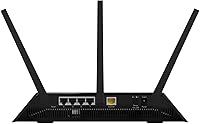
  • LAN Ports: The R6900 features Gigabit Ethernet LAN ports, supporting wired connections at up to 1000 Mbps for compatible devices.
  • Compatibility: Designed primarily for use with personal computers and compatible with any device supporting standard 802.11a/b/g/n/ac wireless protocols.
  • Recommended Use: Optimized for home connectivity and casual to moderate gaming scenarios requiring stable multi-device throughput.
  • Release Date: First made available in November 2016, placing it in the mature Wi-Fi 5 product category with a well-established firmware history.
  • Manufacturer: Produced by Netgear Inc, a US-based networking hardware company with a long-running consumer router product line.

Related Reviews
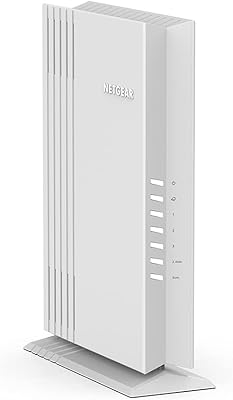
NETGEAR Nighthawk C6900 Cable Modem Router
75%
88%
Value for Money
91%
Setup & Installation
74%
Wi-Fi Speed & Performance
63%
Wi-Fi Range & Coverage
86%
Connection Stability
More
NETGEAR WAX202 WiFi 6 Dual-Band Router

84%
88%
WiFi Performance
93%
Setup & Installation
85%
App Usability
89%
Speed & Coverage
90%
Device Connectivity
More
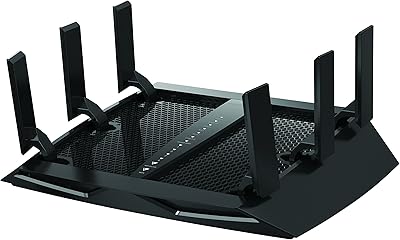
NETGEAR Nighthawk RS280S WiFi 7 Tri-Band Router
80%
88%
Wireless Speed & Performance
71%
Wi-Fi Coverage & Range
83%
Setup & Ease of Use
62%
Modem Compatibility
86%
Wired Port Performance
More
NETGEAR Nighthawk X6 AC3000 Tri-Band WiFi Router
84%
88%
Performance
76%
Setup and Installation
91%
Signal Strength and Range
79%
Usability (App & Interface)
85%
Compatibility with Devices
More
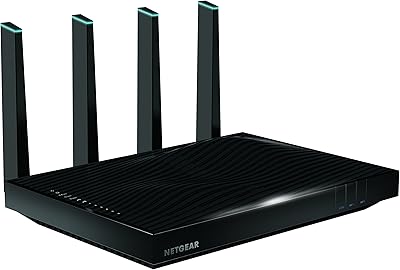
Netgear Nighthawk X6S AC4000 Tri-Band Router
70%
83%
Wireless Performance
81%
Signal Range & Coverage
86%
Multi-Device Handling
78%
Gaming & Low Latency
61%
Setup & Installation
More
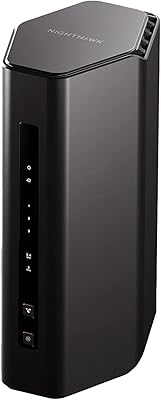
NETGEAR Nighthawk X8 AC5300 Tri-Band WiFi Router R8500
84%
89%
WiFi Performance
87%
Range and Coverage
93%
Ease of Setup
90%
Compatibility with Alexa
80%
Overall Build Quality
More
NETGEAR Nighthawk RAXE500 WiFi 6E Tri-Band Router
78%
88%
Wireless Speed Performance
71%
6GHz Band Utility
86%
Multi-Device Handling
73%
Setup & App Experience
82%
Coverage & Range
More
NETGEAR Nighthawk RS90 WiFi 7 Router
79%
84%
Wireless Performance
67%
Coverage & Range
91%
Setup & Ease of Use
83%
Value for Money
78%
Build Quality & Design
More
NETGEAR Nighthawk AC2600 WiFi Router
75%
83%
Wireless Speed & Throughput
81%
Wi-Fi Range & Coverage
89%
Setup & Ease of Use
58%
Admin Interface & Management
79%
Gaming Performance & QoS
More
NETGEAR Nighthawk RAX54S
77%
83%
Wireless Performance
79%
Coverage & Range
88%
Setup & Ease of Use
76%
Gaming Performance (DumaOS 3.0)
81%
Security Features
More

FAQ

Not at all. The setup process is one of the most consistently praised aspects of the R6900. NETGEAR walks you through it with a quick start guide, and the web-based interface is straightforward enough that most people have it running within 15 to 20 minutes without needing any technical background.

It depends on your home's layout and construction materials. For a typical two-story house under roughly 2,000 square feet with standard drywall, coverage is usually solid on both floors if the router is centrally placed. Thick concrete walls, brick, or a larger footprint may create dead zones, and in those cases a range extender or mesh node would help fill the gaps.

You can connect it to a gigabit service, but you are unlikely to see full gigabit speeds over Wi-Fi. The 5 GHz band tops out at around 1300 Mbps under ideal lab conditions, and real-world wireless throughput is always lower due to distance, interference, and device limitations. For true gigabit wireless performance, a Wi-Fi 6 router would be a better match.

QoS, or Quality of Service, lets you tell the router which devices or types of traffic should get bandwidth priority. So if you are gaming and someone else in the house starts a large download, the router can keep your gaming traffic smooth by giving it priority. It is not magic, but it genuinely helps in households where bandwidth gets competed for.

Yes, the R6900 works as a standard router and connects to any ISP-provided or third-party cable, DSL, or fiber modem via its WAN Ethernet port. It is not a modem-router combo, so you will still need a separate modem from your ISP or a compatible standalone unit.

It is a real pattern worth knowing about. Most users do not experience it, especially in the first year of use, but a meaningful minority report that firmware updates or extended use over time introduce occasional instability. Keeping the firmware current and doing periodic reboots tends to resolve most cases. NETGEAR's community forum is active and has troubleshooting threads covering the most common scenarios.

It is genuinely useful if you take a few minutes to configure it. Plugging in an external hard drive turns the R6900 into a basic NAS device, letting everyone on the network access shared files without a dedicated server. It also supports USB printers for network printing. The transfer speeds over Wi-Fi will not rival a dedicated NAS, but for basic file sharing it works well.

Smart home devices like bulbs, plugs, and sensors typically connect on 2.4 GHz because they need range more than speed. The R6900 handles this fine, keeping those lower-priority devices on the 2.4 GHz band while leaving the 5 GHz band clear for laptops, phones, and streaming boxes. Just be mindful that if you have dozens of smart devices, they will occupy 2.4 GHz airtime even if each one uses little bandwidth individually.

The R6900 supports OpenVPN through NETGEAR's firmware, so you can configure it as a VPN client or server with some effort. It is not the most straightforward setup and works best for users comfortable with manual configuration. If running a router-level VPN is a priority for you, make sure to check NETGEAR's current firmware notes for the R6900 to confirm VPN support in the latest release.

For the right buyer, yes. If your internet plan tops out under 500 Mbps, your home is under 2,500 square feet, and you are not running Wi-Fi 6 devices that would benefit from the newer standard, the R6900 delivers reliable, well-supported performance at a price that reflects its age. Where it makes less sense is for future-proofing — if you plan to keep a router for five or more years and want to stay current with evolving device standards, spending a bit more on a Wi-Fi 6 model is the smarter long-term move.

Where to Buy