Overview

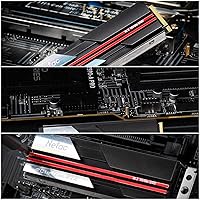
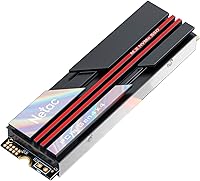
The Netac NV7000 2TB NVMe SSD enters the PCIe 4.0 mid-range market as a compelling option from a brand that has been quietly building credibility in the storage space. Netac isn't a household name yet, but it has earned attention by pairing competitive specs with accessible pricing. The 2TB capacity hits a practical sweet spot — enough room for a large game library, a video project archive, or a full creative workflow without constantly juggling free space. What separates this NVMe drive from many bare competitors at this tier is the included aluminum heatsink, a thoughtful addition that most similarly priced drives simply skip. That said, this is a drive built for enthusiast desktops and consoles, not server racks or heavy workstation deployments.
Features & Benefits

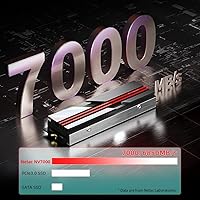
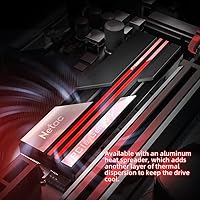
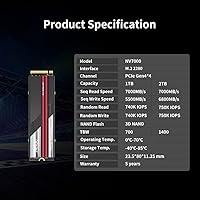
The NV7000's PCIe Gen4x4 interface pushes sequential reads up to 7,000MB/s and writes up to 6,700MB/s — a meaningful step up from anything SATA or older Gen3 hardware can offer. The integrated aluminum heatsink keeps thermals in check during sustained transfers, which genuinely matters when you're moving large files back to back. SLC caching gives burst write speeds a real boost, though it's worth knowing that very large continuous jobs — think multi-hour 4K exports — can slow once the cache fills. The 1,280TBW endurance rating is solid for everyday workloads, and the five-year warranty provides long-term confidence that most budget alternatives simply don't match.

Best For

This Gen4 SSD makes the most practical sense for a handful of specific buyers. PS5 owners running low on internal console storage will appreciate the native PS5 compatibility and the heatsink that satisfies the console's M.2 thermal requirements out of the box. PC builders stepping up from SATA or PCIe 3.0 will notice the difference immediately in boot times and game load screens. Content creators moving large video or RAW photo batches benefit from the high sequential throughput. It also suits anyone who would otherwise buy a heatsink separately — bundling it here saves both money and the headache of sourcing a compatible cooler for a new build.

User Feedback

With a 4.5-star average across roughly 67 ratings, the early reception is encouraging — though that sample size is modest, so treat it as a promising early signal rather than a settled verdict. Buyers consistently highlight the straightforward installation and the clear speed improvement over older drives. The heatsink draws positive comments too, with users noting it feels solid rather than decorative. On the critical side, a few buyers have flagged concerns about sustained write speeds under heavy continuous loads, which tracks with the known behavior of SLC-cached drives. PS5 users report general satisfaction with compatibility and real-world load times, and the limited customer service mentions lean positive.

Pros

  • Sequential read speeds up to 7,000MB/s deliver a clear, noticeable upgrade over SATA and Gen3 NVMe drives.
  • The included aluminum heatsink is a genuine value-add, saving buyers the cost and hassle of sourcing one separately.
  • Native PS5 compatibility makes this a practical console storage expansion with no extra accessories required.
  • A 1,280TBW endurance rating gives the 2TB model solid longevity for typical daily workloads.
  • The five-year warranty is notably longer than what many competing budget-tier SSDs offer.
  • M.2 2280 form factor ensures broad compatibility with modern motherboards right out of the box.
  • SLC caching provides strong burst write performance for everyday file transfers and game installations.
  • Early user ratings average 4.5 stars, with installation simplicity being a consistent point of praise.
  • The NV7000 offers Gen4 speeds at a price point that does not require choosing between capacity and performance.
  • Available in multiple capacities, giving buyers flexibility to right-size their storage investment.

Cons

  • Sustained write speeds can drop noticeably once the SLC cache fills during very large continuous transfers.
  • Netac has a smaller brand reputation and community footprint compared to established storage names, which may concern some buyers.
  • The review pool is still relatively small, making it harder to assess long-term reliability with high confidence.
  • The heatsink adds physical height that may cause clearance issues in some compact PC cases or laptop slots.
  • Random read and write performance, which matters more for OS responsiveness, is not as emphasized as sequential speeds.
  • Buyers on PCIe 3.0 platforms will not get anywhere near the advertised top speeds.
  • Limited independent third-party testing data is publicly available compared to more established competitor models.
  • Users who need enterprise-grade write endurance or consistent sustained throughput should look at purpose-built workstation drives.

Ratings

The scores below reflect an AI-driven analysis of verified global user reviews for the Netac NV7000 2TB NVMe SSD, with spam, bot activity, and incentivized feedback actively filtered out before scoring. Each category captures both what buyers genuinely praised and the friction points they ran into, giving you an honest picture of where this Gen4 SSD excels and where it falls short.

Sequential Read Speed
91%
Buyers moving large game files or video projects consistently report that the drive feels noticeably faster than their previous SATA or Gen3 setups, with boot times and load screens that drop meaningfully. The 7,000MB/s ceiling holds up well in real-world transfers for file sizes in the tens of gigabytes.
A handful of users running benchmark tools on Gen3 platforms noted they could not reach anywhere near the advertised peak, which is expected but still caused confusion for those who did not verify their motherboard's interface generation before purchasing.
Sequential Write Speed
84%
For everyday tasks like installing games, writing large media files, or saving project exports, the write performance feels strong and consistent. PS5 users in particular reported snappy save states and fast game installation directly to the expanded slot.
Users who regularly write very large continuous data sets — such as videographers copying uncompressed footage — noted that sustained write speed drops once the SLC cache is exhausted, which can be a frustrating bottleneck during long transfer sessions.
Thermal Management
88%
The bundled aluminum heatsink drew consistent praise across PC and PS5 users alike, with many noting the drive stayed cool even during extended gaming marathons or back-to-back large file operations. PS5 owners specifically appreciated not having to source a separate thermal solution.
In compact PC cases with limited airflow, a few users reported the heatsink adds enough physical bulk to create clearance concerns near neighboring PCIe slots or case sidewalls, requiring some creative cable routing or component repositioning.
PS5 Compatibility
93%
This is one of the NV7000's clearest strengths based on buyer feedback — PS5 owners report a plug-and-play experience with no additional hardware needed, and load time improvements over the console's internal SSD are noticeable across a range of titles. The heatsink compliance removes a common pain point entirely.
A small number of console users expressed uncertainty during setup because the PS5 firmware update step is easy to miss for first-time M.2 installers, though this is a console requirement rather than a drive-specific flaw.
Value for Money
86%
Buyers frequently cited the combination of Gen4 speeds, a 2TB capacity, and an included heatsink as hard to match at this price tier, especially compared to bare drives that require a separate thermal purchase. The five-year warranty adds perceived value that budget-tier competitors rarely offer.
Some users who compared it directly to sale prices on Samsung or WD Black drives felt the value gap narrowed during promotional periods, making the decision less clear-cut for shoppers who are patient deal hunters.
Installation Experience
89%
Easy installation was one of the most frequently mentioned positives in user feedback, with first-time builders and console upgraders alike describing the process as straightforward. The M.2 2280 form factor requires no special tools beyond a small Phillips screwdriver in most cases.
A few users noted the included documentation is minimal, and those unfamiliar with NVMe initialization on Windows had to seek out external guides to get the drive recognized as a secondary storage volume after installation.
Build Quality & Durability
-1%
101%
The drive's all-solid-state construction means no moving parts to worry about, and the aluminum heatsink feels solid rather than flimsy. Users who handled the drive before installation commented that it feels more premium than its price tier suggests.
As a relatively newer brand, long-term durability data is still accumulating, and the smaller review pool means there is limited field evidence of how the drive holds up beyond one or two years of heavy daily use.
Endurance & Longevity
79%
21%
The 1,280TBW rating for the 2TB model is respectable for a consumer drive at this price level, giving everyday users — gamers, students, home office workers — many years of headroom before approaching the write limit under normal usage patterns.
Power users who write data heavily every day, such as those using the drive for continuous surveillance recording or frequent large-scale backups, will find the TBW ceiling approached faster, and Netac's brand history is too short to have substantial independent longevity data yet.
Random Read/Write Performance
72%
28%
For typical desktop tasks like launching applications, switching between browser tabs with heavy workloads, or loading game assets in open-world titles, the drive performs solidly and responsively in day-to-day use.
Benchmark-focused users noted that random IOPS figures are not the drive's headline strength, and workloads that stress small-file random access — database operations, virtualization, or OS-level multitasking under heavy load — may not see the same gains as sequential-heavy tasks.
Warranty & Support
81%
19%
A five-year warranty is a genuine differentiator at this price point, and buyers who contacted Netac's customer support described the experience as responsive and resolution-oriented, which matters when purchasing from a less-established brand.
Netac's support infrastructure is less mature than industry veterans, and some users expressed uncertainty about the RMA process and regional warranty coverage, particularly for buyers outside major markets.
Noise & Vibration
97%
Completely silent operation is a given with any SSD, and users coming from hard disk drives specifically called out how refreshing it is to have zero acoustic signature even during heavy read/write cycles, making it ideal for quiet home office or living room setups.
There is essentially nothing to criticize here — the only noise-adjacent complaint from a small number of users was coil whine from their power supply under heavy GPU and SSD load simultaneously, which is entirely unrelated to the drive itself.
Benchmark Consistency
68%
32%
Under short-burst benchmark runs, the NV7000 hits close to its rated sequential speeds on a Gen4 platform, and casual users running CrystalDiskMark reported numbers that matched their expectations based on the product listing.
Longer sustained benchmark runs that push past the SLC cache reveal a more modest baseline write speed, and results can vary depending on the host platform, thermal environment, and how much free space remains on the drive — factors that trip up buyers who expect consistent peak numbers.
Capacity Usefulness
92%
The 2TB sweet spot consistently earned praise from gamers who had previously dealt with the frustration of managing a cramped 500GB or 1TB drive, with users reporting they could finally keep their entire active game library installed simultaneously without juggling uninstalls.
A few power users noted that with modern AAA titles routinely exceeding 100GB each, even 2TB fills up faster than expected over a couple of years, and the 4TB variant commands a noticeably higher price jump for those who need more headroom.
PCIe 4.0 Platform Synergy
83%
On compatible AMD Ryzen 5000 and 7000 series or Intel 12th and 13th Gen platforms, the NV7000 makes full use of the Gen4 bandwidth, and users who upgraded from Gen3 drives on the same platform described the difference as immediately tangible in file-heavy workloads.
The drive's value proposition weakens considerably on older platforms, and several buyers who did not verify their chipset beforehand were disappointed to find their system capped the interface at Gen3 speeds, effectively underusing the hardware they paid for.

Suitable for:

The Netac NV7000 2TB NVMe SSD is a strong fit for anyone who wants genuine PCIe 4.0 performance without paying a premium for a flagship brand name. PS5 owners are perhaps the most obvious beneficiaries — the drive slots in natively, the included heatsink satisfies the console's thermal requirements, and the real-world load time improvements are tangible. PC builders upgrading from SATA or older Gen3 drives will notice a meaningful difference in boot times, large file transfers, and game loading, particularly on platforms with a PCIe 4.0-capable slot. Content creators who regularly move large video projects or RAW photo archives will appreciate the high sequential throughput for day-to-day workflow speed. The 2TB capacity also suits users who want to consolidate storage into a single fast drive rather than juggling multiple smaller ones, and the bundled heatsink makes it a genuinely complete package for a new mid-range build.
Not suitable for:

The Netac NV7000 2TB NVMe SSD is not the right tool for every situation, and being honest about that matters. Users running older systems with only PCIe 3.0 or SATA M.2 slots will not see the full speed potential — the drive will work, but much of what you are paying for goes unused. Professionals who routinely write massive continuous data streams, such as video editors encoding multi-hour 4K projects directly to the drive, should be aware that SLC cache saturation can cause write speeds to drop significantly during those extended bursts. Enterprise or NAS use cases are simply out of scope — this is a consumer desktop and console drive, full stop. Buyers who prioritize brand recognition and extensive long-term community support may feel more comfortable with established names that have larger review pools and longer track records. Finally, laptop users should verify M.2 slot availability and thermal headroom, as the heatsink adds physical bulk that some thin-and-light chassis cannot accommodate.

Specifications

  • Brand: Manufactured by Netac, a storage-focused brand with a growing presence in the consumer SSD market.
  • Model Series: Part of the NV7000 lineup, which is available in 1TB, 2TB, and 4TB capacity configurations.
  • Capacity: This variant offers 2TB of usable flash storage, suitable for large game libraries or media archives.
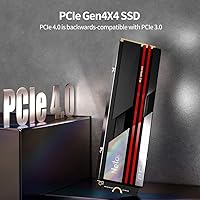
  • Interface: Uses a PCIe Gen4x4 interface with the NVMe 1.4 protocol for high-bandwidth data transfer.
  • Sequential Read: Rated for sequential read speeds of up to 7,000MB/s under optimal conditions.
  • Sequential Write: Rated for sequential write speeds of up to 6,700MB/s for the 2TB configuration specifically.
  • Form Factor: Follows the standard M.2 2280 form factor, measuring 22mm wide and 80mm long.
  • Endurance: The 2TB model carries a 1,280TBW endurance rating, reflecting expected longevity under daily consumer use.
  • Flash & Cache: Employs SLC caching to accelerate burst write performance, with sustained speeds dependent on workload size.
  • Heatsink: Ships with an integrated aluminum heatsink and a heat-spreader label to manage operating temperatures during extended use.
  • Compatibility: Compatible with PCIe 4.0 desktop motherboards and Sony PlayStation 5 M.2 expansion slots.
  • Warranty: Backed by a five-year manufacturer warranty, with customer support included.
  • Weight: The drive weighs approximately 2.39 ounces including the heatsink assembly.
  • Package Size: Retail packaging measures 5.2 x 2.56 x 1.06 inches, compact enough for easy storage or gifting.
  • In the Box: Package includes the NVMe SSD with heatsink pre-attached and a welcome or quick-start guide.
  • Availability Date: First made available for purchase in December 2022 on the Amazon marketplace.

Related Reviews

SanDisk 2TB SSD Plus M.2 NVMe SSD
86%
89%
Performance
92%
Ease of Installation
88%
Reliability
91%
Value for Money
90%
Capacity
More
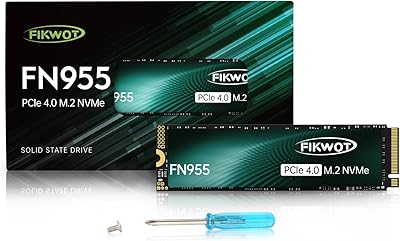
Fikwot FN955 2TB M.2 NVMe SSD
81%
88%
Read Performance
74%
Write Performance
92%
Value for Money
93%
PS5 Compatibility
67%
Thermal Management
More
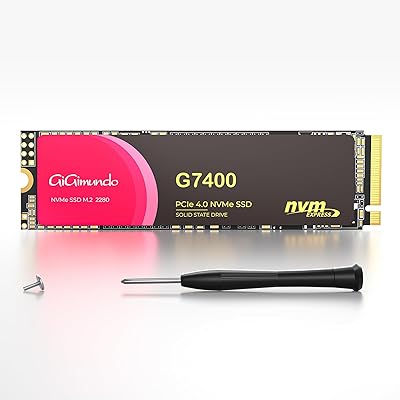
GiGimundo G7400 2TB NVMe SSD
85%
93%
Performance
94%
Speed
72%
Thermal Management
88%
Ease of Installation
91%
Compatibility
More
ORICO X7000 2TB NVMe SSD
89%
93%
Performance
96%
Read Speed
90%
Write Speed
89%
Cooling Efficiency
91%
Compatibility with PS5
More
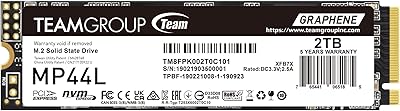
TEAMGROUP MP44L 2TB NVMe SSD
90%
94%
Performance
89%
Thermal Management
91%
Ease of Installation
87%
Value for Money
93%
Build Quality
More
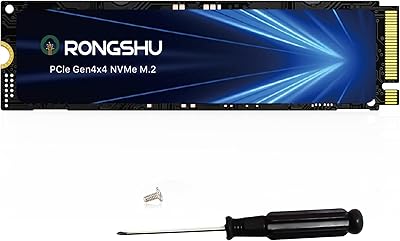
RONGSHU RP7000 2TB NVMe SSD
89%
94%
Performance
89%
Thermal Management
91%
Speed (Read/Write)
90%
Compatibility with PS5
88%
Ease of Installation
More
Fikwot FX550 2TB NVMe SSD
87%
93%
Performance
91%
Value for Money
94%
Read Speed
90%
Write Speed
77%
Durability
More
PHIXERO P5000 2TB NVMe SSD
88%
93%
Performance (Speed)
88%
Build Quality
90%
Heat Management
85%
Ease of Installation
92%
Compatibility
More
TEAMGROUP MP33 2TB NVMe SSD
86%
91%
Performance
89%
Value for Money
85%
Ease of Installation
88%
Compatibility
82%
Reliability
More
ORICO e7400 2TB M.2 NVMe SSD
81%
91%
Sequential Speed
78%
Random Read/Write
86%
Thermal Management
83%
PS5 Compatibility
88%
Value for Money
More

FAQ

Yes, it does. The NV7000 ships with an aluminum heatsink already attached, which satisfies the PS5's requirement for M.2 thermal management. You can slot it in without purchasing anything extra, which is one of the more practical aspects of this particular drive.

You will see some benefit, but not the full picture. The drive is backward compatible with PCIe 3.0 slots, so it will function without issue, but the top speeds are gated by the Gen3 interface — expect roughly half the sequential performance compared to a Gen4 platform. If your board is Gen3, a cheaper Gen3 drive might offer better value per dollar.

For typical tasks like installing games, moving files, or saving documents, the SLC cache makes write performance feel fast and responsive. Where it matters is during very large, continuous writes — think copying hundreds of gigabytes in one shot — where the cache can saturate and speeds will drop to the drive's native flash rate. For most users this is rarely noticeable in practice.

It is a solid pick for a mid-range first build, particularly if you are pairing it with a modern AMD or Intel platform that supports PCIe 4.0. The heatsink is already included, one less thing to figure out, and the five-year warranty provides reassurance for a first-time builder who may not want to troubleshoot storage issues down the road.

Netac is less established than names like Samsung, WD, or Seagate, which means there is a smaller body of long-term user data to draw from. The specifications are competitive for the price tier, and early user feedback is positive, but buyers who strongly prioritize brand track record and community support may prefer a more established alternative. It comes down to how much weight you place on brand reputation versus spec-per-dollar value.

Technically yes, if your laptop has an M.2 2280 slot with PCIe 4.0 support and sufficient physical clearance. The catch is the heatsink — it adds height to the drive, and many slim laptops do not have the vertical space to accommodate it. Check your laptop's service manual for M.2 slot clearance before ordering.

Netac offers a five-year warranty on this drive, so a verified manufacturing defect within that window should be covered. As with most consumer storage warranties, it typically covers replacement rather than data recovery, so maintaining regular backups remains important regardless of warranty terms.

Completely silent. SSDs have no moving parts, so there is nothing to spin, seek, or click. Any noise you hear from your system during heavy storage activity is coming from other components like fans ramping up in response to heat, not the drive itself.

If you are installing a fresh operating system, the installer will handle partitioning and formatting. If you are adding it as a secondary drive, you will need to initialize and format it through your operating system's disk management utility — a straightforward process that takes just a few minutes and requires no special tools.

For most players, yes. PS5 games average roughly 40 to 60GB each, so 2TB gives you room for around 30 to 40 titles beyond whatever stays on the internal storage. If you play a wide variety of games and like keeping your entire library installed simultaneously, you might eventually bump up against the limit, but for a typical gaming habit it is plenty of breathing room.