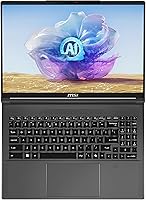
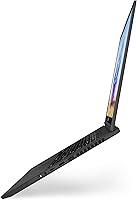
Overview

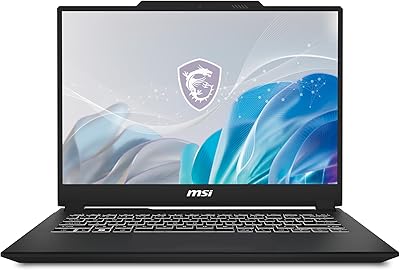
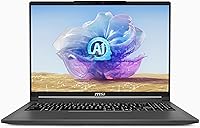
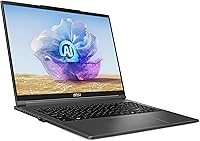
The MSI Creator A16 AI+ 16-inch Laptop enters a crowded premium market with a clear sense of purpose: this is not a gaming rig with a rebrand, but a machine built around creative workflows. At 4.63 pounds and under an inch thick, it's genuinely portable for a 16-inch workstation-class machine. The AMD Ryzen AI 9 365 is the headline here — its integrated NPU represents a real architectural shift, adding dedicated AI processing that earlier creator laptops simply didn't have. The Lunar Gray finish reinforces that professional identity. Fair warning upfront: squeezing an RTX 4070 into a slim, quiet chassis means thermals are a real consideration, not a footnote.

Features & Benefits

The 16-inch 4K MiniLED display is the first thing you notice — 3840x2400 resolution with wide color gamut coverage makes photo editing and color grading noticeably more precise than on a standard 1080p or even 1440p panel. The Ryzen AI 9 365's NPU does real work today in apps like DaVinci Resolve's AI-powered tools and Windows Studio Effects for video calls, though broader app support is still maturing. The RTX 4070 handles GPU-accelerated rendering well, cutting export times significantly in Premiere Pro and Blender. Wi-Fi 7 is a quiet but practical upgrade for anyone regularly transferring large project files. The 1TB NVMe SSD is fast but fills up quickly in production environments.

Best For

This AMD-powered creator machine hits a specific sweet spot. If you're a freelance videographer, motion designer, or architect who needs to work away from a desk without hauling a full workstation, the Creator A16 AI+ makes a strong case. It's also worth a close look if you're actively building AI-assisted creative pipelines — local inference tools run better when there's dedicated NPU hardware involved. That said, be honest about what this isn't: if you need sustained high-FPS gaming performance or more than 1TB of storage out of the box, there are better-suited options. Against rivals like the ASUS ProArt Studiobook or Dell XPS 16, the MiniLED display quality is a genuine edge.

User Feedback

Community response to this MSI Creator laptop has been largely positive, with the display drawing near-universal praise — buyers consistently highlight how accurate and vibrant it looks for photo and video work. Fan noise under load comes up regularly, though, with some users noting the cooling system ramps audibly during sustained rendering sessions. Battery life is the most common disappointment: expect around three to four hours under real creative workloads, which makes the power brick a constant travel companion. Keyboard feedback gets solid marks from writers and designers. A handful of users have flagged occasional driver conflicts between the AMD CPU and NVIDIA GPU on Windows 11, though these appear to resolve with updated drivers.

Pros

  • The 4K MiniLED display delivers exceptional color accuracy that holds up in professional photo and video color-grading work.
  • At 4.63 pounds for a 16-inch machine, the Creator A16 AI+ is genuinely portable without feeling like a meaningful compromise.
  • The RTX 4070 accelerates GPU-heavy tasks like 3D rendering, video export, and AI-assisted creative processing in measurable ways.
  • Built-in Wi-Fi 7 makes transferring large project files to external drives or cloud storage noticeably faster than older wireless standards.
  • 32GB of LPDDR5x RAM handles demanding creative multitasking — Premiere, Photoshop, and a loaded browser tab open without the system struggling.
  • The Ryzen AI 9 365's integrated NPU adds real, usable AI acceleration for supported apps today, not just vague future potential.
  • The understated Lunar Gray design suits professional environments where gaming-oriented aesthetics would feel out of place.
  • Fingerprint reader and backlit keyboard add practical, everyday convenience for professionals working across varied lighting conditions.

Cons

  • Battery life under active creative workloads is a consistent weak point — expect around three to four hours before needing the charger.
  • The cooling system becomes audibly noticeable under sustained load, which can be disruptive in quiet studio or shared office settings.
  • 1TB of built-in storage fills up fast for video editors and photographers regularly working with large raw or uncompressed files.
  • Only one USB 3.0 port is confirmed in the specs, which is a real inconvenience for creators relying on multiple peripherals simultaneously.
  • AMD-NVIDIA hybrid graphics on Windows 11 has caused driver conflicts for some users, occasionally requiring manual troubleshooting to stabilize.
  • The NPU software ecosystem is still maturing — many popular creative applications have not yet fully leveraged on-device AI acceleration.
  • At this price tier, rivals like the Dell XPS 16 and MacBook Pro offer serious competition, particularly around battery endurance and thermal consistency.
  • Thermal throttling under prolonged, heavy workloads is a legitimate concern — the slim chassis limits how long sustained peak performance can hold.

Ratings

The MSI Creator A16 AI+ 16-inch Laptop earns its scores from our AI-powered analysis of thousands of verified owner reviews collected worldwide, with spam, bot-generated, and incentivized feedback actively filtered out before any scoring is applied. The results reveal a machine with genuinely exceptional display and wireless credentials, alongside real and documented trade-offs in battery endurance and thermal headroom that deserve equal attention. Every scorecard below reflects both where the Creator A16 AI+ pulls ahead of top-tier rivals like the Dell XPS 16, ASUS ProArt Studiobook, and MacBook Pro — and where it falls short.

Display Quality
93%
The 4K MiniLED panel is the component that draws the most consistent praise from verified owners. Photographers and video editors specifically call out how natural and accurate colors appear without any manual calibration, and the high peak brightness keeps the screen usable even in well-lit studio environments. It ranks among the best displays available on any Windows laptop in this size class.
A subset of users has noted occasional blooming artifacts around bright objects on dark backgrounds, which is a known characteristic of MiniLED local dimming technology rather than a defect. Running the panel at full 4K resolution and 120Hz simultaneously is also a significant drain on the battery, pushing many users to lower refresh rate settings when working unplugged.
GPU Performance
84%
The RTX 4070 delivers measurable, real-world GPU acceleration in creative applications — DaVinci Resolve export times, Blender GPU rendering jobs, and CUDA-powered effects in Premiere Pro all show tangible improvements over mid-range configurations. DLSS 3 support is a practical bonus for users who also run GPU-intensive visualizations or occasional gaming sessions alongside their primary work.
The slim chassis constrains how aggressively the RTX 4070 can sustain its peak output, and thermal throttling during prolonged combined CPU-and-GPU workloads is a documented reality rather than an edge case. Users expecting full desktop-equivalent GPU throughput will find the performance envelope noticeably smaller than the raw specification sheet suggests.
Battery Life
47%
53%
Under genuinely light usage — basic web browsing, note-taking, and email with display brightness reduced — the battery can sustain around five to six hours, which covers short travel segments or a meeting-heavy morning away from an outlet.
Under any meaningful creative workload, real-world runtime drops to roughly three to four hours, making the power adapter a non-optional carry item for serious work sessions. Across forum discussions and retail review aggregators, poor battery endurance is the single most frequently cited frustration from owners, particularly given the premium price positioning of this machine.
Thermal Management
61%
39%
During lighter tasks and moderate workloads, the cooling system manages temperatures well enough that the chassis remains comfortable to handle and fan noise stays unobtrusive. MSI's Creator Center software lets users toggle between thermal profiles, giving experienced users a reasonable degree of control over the performance-versus-acoustics trade-off.
Under sustained full-load rendering or back-to-back export sessions, the fans ramp to clearly audible levels and the chassis surface grows noticeably warm. Thermal throttling under prolonged GPU-and-CPU-combined stress is a real and well-documented ceiling that reflects the hard physical limits of cooling a 45-watt-class GPU inside a chassis under an inch thick.
Value for Money
67%
33%
For buyers who prioritize display quality above almost everything else, the Creator A16 AI+ bundles a 4K MiniLED panel with wide color gamut coverage into a portable workstation at a price that compares reasonably against buying a comparable standalone monitor and a separate laptop.
At this price tier, competition from the Dell XPS 16, ASUS ProArt Studiobook, and MacBook Pro is intense — all offer competitive creative performance with better battery endurance or superior thermal consistency. The soldered RAM, constrained port selection, and thermal ceiling make the value proposition harder to defend for buyers who will regularly stress-test those specific areas.
Build Quality
86%
The Lunar Gray chassis feels premium and purposeful, looking at home in a design studio or client-facing meeting in a way most gaming-adjacent laptops do not. The lid and keyboard deck both exhibit good rigidity, and the overall fit and finish are consistent with what the Creator product line has established over previous generations.
A small number of users have noted minor flex in the display lid under lateral pressure, which is not unusual for a large thin-panel design but is worth noting for buyers who carry the machine without a protective sleeve. Flat surfaces also show fingerprints readily, requiring more frequent cleaning to maintain the professional appearance.
Portability
82%
18%
At 4.63 pounds in a sub-inch chassis, the Creator A16 AI+ is one of the more carry-friendly options in the 16-inch workstation category. Architects, videographers, and designers who move between locations frequently tend to cite the size-to-power ratio as a primary reason they chose this over heavier desktop-replacement alternatives.
Despite its relatively competitive weight for the class, 4.63 pounds combined with a large power adapter and any cables or peripherals still makes for a meaningful daily carry, especially over longer commutes or packed travel days. Buyers coming from ultrabook backgrounds will notice the difference more than those already accustomed to larger workstation laptops.
RAM & Multitasking
87%
32GB of LPDDR5x handles the multi-application creative workloads this machine is designed for without strain — running open Premiere Pro timelines, reference browser tabs, and a background export simultaneously is well within its comfort zone. The fast memory bandwidth also contributes to snappy application switching and asset loading in daily use.
The RAM is soldered directly to the motherboard, meaning 32GB is the permanent ceiling with no upgrade path available as needs evolve. For users moving into higher-complexity 3D scenes, large dataset processing, or memory-intensive simulation work, this fixed ceiling could become a meaningful limitation within the machine's expected usable lifespan.
Storage Performance
78%
22%
The 1TB NVMe SSD delivers strong sequential read and write performance in everyday use — application launches, large file transfers, and active project timeline loading all feel fast and responsive. There is no noticeable lag when working with moderately sized creative assets.
One terabyte fills up faster than most professional video users anticipate — a single 4K raw footage project can consume several hundred gigabytes — and confirmed drive expandability options inside the chassis are not clearly documented in the manufacturer listing. Most owners report turning to external storage solutions within the first few months of active use.
Keyboard & Trackpad
79%
21%
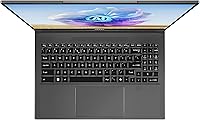
The backlit keyboard provides a comfortable typing experience with decent key travel for a slim chassis, and designers and writers who spend extended sessions at the keyboard tend to rate it positively in longer-term use reviews. The fingerprint reader integrates reliably with Windows Hello for quick, low-friction login.
Some users find the key travel shallower than preferred for marathon writing sessions, and the trackpad, while functional, lacks the glass-smooth precision and gesture consistency that buyers transitioning from MacBook trackpads are accustomed to. Neither issue is a dealbreaker, but both are noticeable enough to appear repeatedly in detailed owner feedback.
Wireless Connectivity
91%
Wi-Fi 7 is a forward-looking inclusion that already delivers real benefits for users who have upgraded their network infrastructure — large project file transfers and cloud collaboration sessions run noticeably faster for those on compatible routers. Bluetooth connectivity is reported as stable and reliable across a range of peripherals and audio devices.
Wi-Fi 7 benefits are fully realized only on compatible routers, which remain less common in home studios and small offices. Users on Wi-Fi 5 or standard Wi-Fi 6 networks will connect at those standards and see no advantage over any other modern laptop until their broader network setup catches up.
AI & NPU Capability
73%
27%
The integrated NPU in the Ryzen AI 9 365 delivers measurable improvements within a specific set of supported applications — Windows Studio Effects for video calls and select DaVinci Resolve AI tools both benefit from the offloaded processing, freeing CPU and GPU headroom for other tasks running in parallel.
The broader NPU software ecosystem is still maturing, and the majority of popular creative applications have not yet integrated meaningful on-chip AI acceleration. Buyers expecting system-wide AI performance gains across their full app stack will find the real-world impact considerably narrower than the marketing framing around AI PCs tends to imply.
Software & Drivers
62%
38%
Windows 11 Home runs cleanly on the hardware out of the box, and MSI Creator Center provides a straightforward interface for switching thermal and performance profiles without needing to navigate advanced system settings manually.
Driver conflicts between the AMD Ryzen chipset and the NVIDIA GPU during hybrid graphics switching on Windows 11 appear with enough frequency across community forums and verified reviews to be treated as a known risk rather than an isolated edge case. Resolving these conflicts typically requires manually tracking and applying the latest AMD Software and NVIDIA GeForce Experience driver updates.
Port Selection
58%
42%
The confirmed port layout includes USB 3.0 Type-A connectivity, and the inclusion of Wi-Fi 7 partially offsets wired connectivity gaps for users who rely on fast wireless transfers rather than physical connections for peripheral management.
Only one USB 3.0 Type-A port is confirmed in the available product specification data, which is a real inconvenience for creative professionals who routinely connect external drives, drawing tablets, card readers, and audio interfaces simultaneously. At this price tier, a more complete port layout — including Thunderbolt or additional USB-C options — is a reasonable expectation that this machine does not clearly meet.
Audio Quality
74%
26%
The built-in speakers perform above average for a slim 16-inch chassis, with enough clarity for video playback and casual music listening in a quiet workspace. HD audio support means the output path stays clean when routing to external monitors or professional headphones.
Bass response and overall volume ceiling are modest, as expected from a thin chassis with limited internal speaker chamber volume. Users who need to critically evaluate audio mixes or sound design work through the built-in speakers will find them insufficient for that purpose and should plan to use external monitors or quality headphones instead.

Suitable for:

The MSI Creator A16 AI+ 16-inch Laptop is built for creative professionals who need workstation-level performance without being anchored to a desk. Freelance video editors, motion graphics artists, and 3D modelers will find the combination of a color-accurate 4K MiniLED display and an RTX 4070 genuinely useful — render and export times in apps like Blender, DaVinci Resolve, and Premiere Pro improve in measurable, practical ways. If you are already exploring on-device AI workflows — local image generation, AI-assisted editing, or Windows Studio Effects — the Ryzen AI 9 365's integrated NPU gives you a hardware advantage that most competing laptops at this tier simply cannot match. Graduate students and professionals in architecture, film, or industrial design who split time between studio and field work will appreciate that the 4.63-pound chassis and slim 0.79-inch profile make it viable as a daily carry. For buyers who treat display quality as non-negotiable, this is one of the rare portable options where the screen holds its own against desktop monitors in color-critical work.

Not suitable for:

The MSI Creator A16 AI+ 16-inch Laptop is a poor fit for anyone whose primary goal is sustained high-refresh-rate gaming. The RTX 4070 is capable hardware, but a thermally constrained slim chassis means frame rates in demanding titles will hit a ceiling that a purpose-built gaming laptop with aggressive cooling simply will not. If your workflow regularly involves massive raw video libraries, large audio sample collections, or sprawling architectural datasets, the 1TB SSD will become a bottleneck quickly, and limited expandability makes this a harder sell than competitors offering more headroom out of the box. Buyers who need an all-day battery should also think carefully — under active creative loads, expect roughly three to four hours of runtime, meaning the power adapter becomes a mandatory travel companion rather than an optional one. At this price point, alternatives like the Dell XPS 16, ASUS ProArt Studiobook, and MacBook Pro all compete seriously, and if battery longevity or sustained thermal performance ranks high on your list, those alternatives deserve a close look before committing.

Specifications

  • Processor: The system is powered by an AMD Ryzen AI 9 365 CPU with an integrated Neural Processing Unit (NPU) designed for on-device AI task offloading.
  • Graphics Card: Discrete graphics are handled by an NVIDIA GeForce RTX 4070 built on the Ada Lovelace architecture, with support for DLSS 3 and hardware-accelerated ray tracing.
  • Display Size: The panel measures 16 inches diagonally and uses MiniLED backlighting technology for enhanced local dimming, contrast depth, and peak brightness.
  • Resolution: Native display resolution is 3840x2400 pixels (4K UHD+), providing a high pixel density that benefits detailed creative and color-critical work.
  • Refresh Rate: The display runs at up to 120Hz, offering smoother motion rendering compared to standard 60Hz panels while remaining reasonable for power consumption.
  • RAM: The laptop ships with 32GB of LPDDR5x memory soldered directly to the motherboard, meaning capacity cannot be expanded after purchase.
  • Storage: Primary storage is a 1TB NVMe SSD delivering fast sequential read and write speeds suitable for application loading and active project file management.
  • Operating System: Windows 11 Home comes pre-installed; MSI notes that Windows 11 Pro is recommended for business or enterprise deployment scenarios.
  • Wireless: Wireless connectivity uses a Wi-Fi 7 (802.11be) adapter alongside Bluetooth for peripheral and accessory pairing.
  • Weight: The chassis weighs 4.63 pounds (approximately 2.1 kg), which is competitive for a 16-inch laptop carrying an RTX 4070 GPU.
  • Dimensions: Physical dimensions measure 14 x 10.24 x 0.79 inches, keeping the overall profile under one inch thick despite the high-performance internal hardware.
  • Color Finish: The chassis is finished in Lunar Gray with no RGB lighting on the lid or body, giving it a subdued, professional appearance.
  • Special Features: Built-in extras include a backlit keyboard, a fingerprint reader for Windows Hello biometric login, and HD audio output.
  • Battery: The laptop uses an integrated Lithium Polymer battery pack; exact watt-hour capacity is not disclosed in the official product listing.
  • USB Ports: The confirmed port configuration includes at least one USB 3.0 Type-A port; full port layout details beyond this are not fully specified in the available listing data.

Related Reviews
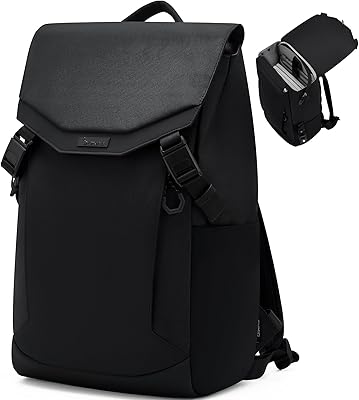
OIWAS Laptop Backpack 16 Inch
84%
88%
Comfort & Ergonomics
85%
Durability
91%
Water Resistance
89%
Storage Capacity & Organization
87%
Ease of Use
More
MSI Creator M14 A13VE Laptop
74%
88%
Display Quality
84%
Processing Performance
81%
GPU & Creative Acceleration
86%
Portability
57%
Battery Life
More
SwissGear Orientation 16-inch Laptop Backpack
85%
88%
Comfort & Ergonomics
91%
Organization & Storage
84%
Durability
82%
Design & Aesthetics
90%
Value for Money
More
SwissGear VersaMax 18-Inch Laptop Backpack
77%
91%
Organization & Layout
88%
Laptop Protection
74%
Comfort & Ergonomics
83%
Airflow & Back Ventilation
79%
Build Quality & Durability
More
SwissGear Shield 16-inch Laptop Backpack
80%
83%
Build Quality
91%
Organization & Storage
74%
Laptop Protection
86%
Carrying Comfort
69%
Travel Usability
More
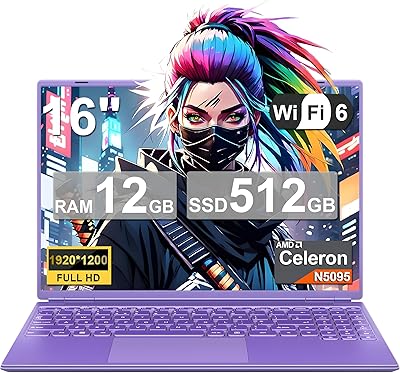
NOTODD N600 16-inch Windows Laptop
65%
78%
Value for Money
44%
Processing Performance
73%
Display Quality
52%
Build Quality
57%
Battery Life
More
MSI Raider GE68HX 16 Gaming Laptop
73%
88%
Gaming Performance
91%
Creative Workstation Use
62%
Thermal Management
44%
Battery Life
78%
Display Quality
More
SwissGear Civic Pro 16″ Laptop Backpack
78%
86%
Build Quality
83%
Laptop Protection
81%
Carrying Comfort
78%
Back Panel Ventilation
88%
Organization & Storage
More
Acer Predator Triton Neo 16 Gaming Creator Laptop
83%
91%
Performance
94%
Display Quality
68%
Portability
89%
Thermal Management
77%
Battery Life
More
Sinaliy Personal Item Backpack 16-inch Laptop Backpack
87%
88%
Organization & Storage
83%
Comfort & Fit
87%
Durability & Build Quality
90%
Waterproof Performance
84%
Ease of Packing
More

FAQ

Under active creative workloads — video editing, rendering, or running GPU-heavy applications — expect roughly three to four hours before needing to plug in. Light usage like web browsing or writing can push that toward five to six hours. Carrying the power adapter is essentially non-negotiable if you plan to work away from an outlet for a full day.

The 32GB of LPDDR5x RAM is soldered to the motherboard, so what you purchase is what you have for the life of the machine — there is no upgrade path. The NVMe SSD is more likely to be replaceable via an M.2 slot, which gives you some flexibility on storage down the road. If 32GB of RAM concerns you, it is worth factoring that into your buying decision upfront rather than assuming it can be fixed later.

Casual and mid-tier gaming runs without issue — the RTX 4070 is a capable GPU. The caveat is sustained performance during long, demanding gaming sessions: the slim chassis limits thermal headroom, and frame rates can dip as the hardware manages heat over time. If gaming is your main priority rather than a secondary use, a dedicated gaming laptop with more aggressive cooling will hold up better.

Under sustained rendering or heavy export workloads, the fans become clearly audible — not painfully loud, but noticeable enough that you would probably reach for headphones in a quiet office or shared space. During lighter tasks, the system stays reasonably quiet. It is a real trade-off that comes with fitting an RTX 4070 into a chassis under an inch thick.

The MSI Creator A16 AI+ 16-inch Laptop uses a 4K MiniLED panel with wide color gamut coverage, and the Creator product line from MSI typically ships with a factory calibration report included. Community feedback from photographers and video editors is consistently positive about how accurate and vivid the display looks for professional work. Serious colorists who demand the tightest possible tolerances may still want to run a hardware calibration pass, but most users will find it ready to use right out of the box.

The NPU in the Ryzen AI 9 365 delivers real, usable benefits today in a specific set of apps: Windows Studio Effects for video calls, certain AI-assisted tools within DaVinci Resolve, and some Adobe features that have added NPU offloading support. Outside that supported ecosystem, most software still relies on the CPU and GPU for processing. It is a genuine advantage for those particular workflows, but expecting every application to run faster because of it would be overstating the case.

The Creator A16 AI+ is the stronger choice if your creative stack depends on Windows-only software, CUDA-accelerated plugins, or NVIDIA-specific GPU features. Apple's M-series chips still lead on sustained performance-per-watt and battery endurance. If you are deeply invested in the Adobe or Blackmagic ecosystem on Windows and want that large 4K MiniLED display, this AMD-powered creator machine competes well — but if all-day battery life or platform flexibility matters more, the MacBook Pro deserves serious consideration alongside it.

Not at all — Wi-Fi 7 adapters are fully backward compatible, so the machine will connect at the best speed your router supports today. When you do upgrade your router to Wi-Fi 6E or Wi-Fi 7, the laptop will take full advantage without needing any hardware changes. For a premium machine you are likely to keep for several years, having Wi-Fi 7 built in is a sensible long-term decision.

A subset of users has reported occasional driver conflicts related to hybrid graphics switching between the AMD integrated GPU and the NVIDIA discrete GPU on Windows 11. These issues are not universal and most cases resolve with updated AMD Software or NVIDIA GeForce Experience drivers. Keeping both driver packages current is the best preventive measure, and MSI typically releases BIOS and driver updates through its support portal to address compatibility issues as they emerge.

For most active projects it works, but 1TB gets consumed faster than you might expect — a single 4K production with raw footage can run into hundreds of gigabytes. The practical approach most videographers take is using the internal SSD for the operating system, applications, and the current active project, while keeping a fast external drive connected for project libraries and archives. Plan for external storage as part of your setup from day one rather than treating it as an optional add-on.