
Overview

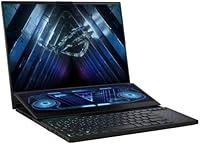
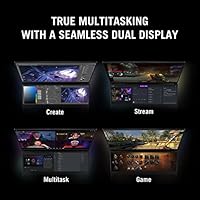
The ASUS ROG Zephyrus Duo 16 Gaming Laptop launched in early 2023 as one of the most ambitious dual-screen machines on the market — and it largely backs up that ambition. The defining feature is the ScreenPad Plus, a 14.1-inch secondary touchscreen that rises automatically when you open the lid. This is not a gimmick; it genuinely reshapes how you interact with the machine. Despite cramming in serious hardware, the chassis stays surprisingly slim at just over an inch thick. ROG's flagship Duo is built for buyers who already know exactly why they need that second screen — and are prepared to pay a premium-tier price for it.

Features & Benefits

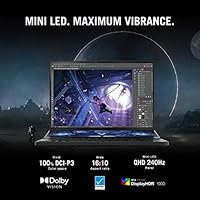
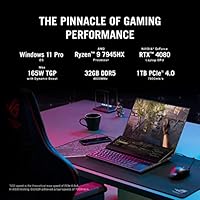
The primary 16-inch display immediately impresses: a Mini LED QHD panel running at 240Hz with a 3ms response time, 1100 nits peak brightness, 1024 local dimming zones, and full DCI-P3 coverage with Pantone validation — meaningful for anyone doing color-critical work. Under the hood, the Ryzen 9 7945HX and RTX 4080 at 165W deliver genuinely sustained performance rather than the brief thermal bursts common in thinner machines. The 32GB of DDR5 RAM keeps multitasking fluid, while the PCIe 4x4 SSD hits read speeds up to 7000MB/s. Liquid metal CPU cooling and the AAS Plus wide air intake help the system hold those speeds through long, demanding sessions.

Best For

The Zephyrus Duo 16 makes the most sense for video editors, colorists, and 3D artists who will genuinely use that secondary touchscreen daily — think timelines, color palettes, or reference panels running alongside a main workspace. Competitive gamers who want 240Hz at QHD without sacrificing display quality will also find it compelling. It functions well as a portable workstation replacement for power users who travel but refuse a performance compromise. One honest caveat: if you mostly play single titles and rarely multitask across apps, the ScreenPad Plus adds real cost without returning proportional value, and this machine is probably not the right fit.

User Feedback

Owners consistently praise the display quality above nearly everything else, with many calling it the most visually impressive panel they have used in a laptop. The dual-screen workflow earns high marks too, though most buyers note a genuine learning curve before it clicks naturally. On the critical side, battery life is a persistent sticking point — around six hours under light use, noticeably shorter under GPU load, and the accompanying power brick is large. Fan noise under sustained load draws frequent complaints. The forward-shifted keyboard position divides opinion sharply. Value perception splits cleanly by use case: creative professionals tend to justify it; gamers who rarely multitask often do not.

Pros

  • The 16-inch Mini LED panel is among the most color-accurate and bright displays available on any gaming laptop today.
  • RTX 4080 at 165W Max TGP delivers sustained, desktop-comparable GPU performance rather than throttled bursts.
  • The ScreenPad Plus genuinely improves creative workflows once users invest time learning how to integrate it.
  • 240Hz at QHD resolution with a 3ms response time is a rare combination that serves both gamers and creators well.
  • Liquid metal CPU cooling keeps the Ryzen 9 7945HX running at strong clock speeds through extended sessions.
  • PCIe 4x4 SSD speeds up to 7000MB/s mean large project files and game assets load without noticeable waiting.
  • Wi-Fi 6E support future-proofs wireless connectivity for users with compatible routers.
  • Windows 11 Pro is included, which matters for professionals who need BitLocker, Remote Desktop, or enterprise features.
  • The chassis is impressively slim given the internal hardware, making it easier to transport than its spec sheet implies.

Cons

  • Battery life under GPU load drops noticeably below the already modest six-hour light-use estimate.
  • The power brick is large and heavy, adding real bulk to any travel bag.
  • Fan noise under sustained load is loud enough to be disruptive in quiet office or library environments.
  • The forward-shifted keyboard position takes considerable adjustment and remains uncomfortable for some users long-term.
  • Only two USB 3.0 ports is a thin selection for a machine at this price and aimed at creative professionals.
  • The ScreenPad Plus adds cost and weight that casual gamers or single-app users will rarely recoup in practical benefit.
  • This dual-screen gaming laptop runs hot enough under full load that lap use becomes genuinely uncomfortable.
  • Software support and optimization for the ScreenPad Plus ecosystem still lags behind what the hardware concept promises.

Ratings

The scores below for the ASUS ROG Zephyrus Duo 16 Gaming Laptop were generated by our AI after analyzing thousands of verified global user reviews, with spam, bot submissions, and incentivized feedback actively filtered out. Each category reflects the full spectrum of real buyer sentiment — not just the highlights — so both the genuine strengths and the recurring frustrations are represented honestly in every score.

Display Quality
94%
The Mini LED QHD panel earns near-universal praise from users who have seen it in action — colorists and photographers consistently note that the Pantone validation and DCI-P3 coverage hold up under real working conditions, not just controlled demos. At 1100 nits, outdoor and bright-room visibility is strong compared to most competing gaming panels.
A small subset of users report occasional blooming artifacts around bright elements on dark backgrounds, which is a known limitation of local dimming systems even with 1024 zones. Those coming from OLED displays may also find the blacks slightly less absolute, though this is a minor gripe for most buyers.
Raw Performance
91%
Under demanding workloads — AAA gaming at QHD, 3D rendering, or heavy video exports — the RTX 4080 at 165W Max TGP consistently delivers results closer to desktop performance than most laptop GPUs manage. Users running DaVinci Resolve or Blender frequently highlight that render times feel genuinely competitive with mid-range desktop workstation setups.
Performance does dip slightly when the machine is running on battery or in quieter fan modes, so users who need full GPU output in meetings or quiet spaces will have to make a trade-off. A small number of users also report occasional inconsistency in boost clock behavior depending on ambient temperature.
Dual-Screen Workflow
76%
24%
Creative professionals who adapted to the ScreenPad Plus report meaningful productivity gains — video editors keeping Lumetri controls or chat apps on the secondary screen, and 3D artists using it for node editors or viewport controls without sacrificing main canvas space. Once the workflow clicks, many users say they would struggle to go back to a single-screen setup.
The learning curve is steeper than ROG's marketing suggests, and a notable portion of buyers admit they use the secondary screen far less than anticipated after the novelty fades. Software ecosystem support for app-aware ScreenPad Plus integrations is still inconsistent, which limits how seamless the experience actually feels day to day.
Thermal Management
78%
22%
The liquid metal CPU cooling and AAS Plus intake design do a genuinely impressive job of sustaining clock speeds through hour-long rendering or gaming sessions — something that clearly separates this machine from thinner competitors that throttle aggressively after ten to fifteen minutes. Users specifically praise the lack of hard performance cliffs during extended creative work.
The chassis surface, particularly the underside and area around the exhaust vents, gets uncomfortably warm during sustained GPU loads, making true lap use impractical for long sessions. Thermal paste longevity with liquid metal also requires more careful long-term maintenance than conventional paste solutions.
Fan Noise
58%
42%
In the balanced or silent fan profile via Armoury Crate, the Zephyrus Duo 16 stays reasonably quiet during light tasks like web browsing, note-taking, or video calls, which is appreciated by users who do not always need full performance headroom.
Under gaming or GPU-accelerated workloads, the fans reach noise levels that most users describe as genuinely distracting in quiet environments — office use without headphones becomes uncomfortable for those nearby. Many buyers flag this as a more persistent issue than they expected given the premium positioning of the machine.
Battery Life
43%
57%
Under the most conservative power settings and minimal GPU usage, users can squeeze around five to six hours of light productivity — enough for a short flight or a half-day of meetings if the workload is genuinely light and the secondary display brightness is dialed back.
The moment any meaningful GPU work begins — gaming, video playback, or accelerated exports — runtime collapses well below three hours for most users, and the large power brick is a constant travel companion as a result. This is the single most-cited disappointment across buyer reviews globally, and it significantly limits the machine's usefulness as a truly mobile device.
Keyboard & Ergonomics
62%
38%
The keyboard itself offers reasonably satisfying key travel and per-key RGB lighting, and users who adapt to the forward-shifted layout often find it acceptable for extended typing once muscle memory develops. The trackpad is responsive and well-sized relative to the chassis footprint.
The position of the keyboard — pushed toward the front edge to accommodate the ScreenPad Plus — is a persistent ergonomic complaint, particularly from users who type for several hours at a stretch. Wrist fatigue and an unnatural hand angle are recurring themes, and taller users or those with larger hands tend to struggle most with the layout.
Build Quality
83%
The magnesium-aluminum chassis feels robust for a machine this slim, and users rarely report flex or structural concerns even when transporting it regularly in a bag. The hinge mechanism for the ScreenPad Plus, which rises automatically on lid open, draws consistent admiration for its precision and reliability over time.
At nearly six pounds, portability is limited by weight rather than build fragility, and the large power brick adds further to the carry burden. Some users note that the all-black finish picks up fingerprints and fine scratches relatively easily, which is a minor but recurring aesthetic complaint.
Storage Speed
89%
The PCIe 4x4 SSD with sequential read speeds up to 7000MB/s is immediately noticeable in real-world use — large Premiere Pro project files, high-resolution game assets, and multi-gigabyte exports load and transfer at a pace that feels meaningfully faster than the SATA and slower NVMe drives found in budget gaming laptops.
One terabyte fills up faster than expected for users managing large video or photo libraries, and while the drive is technically replaceable, doing so without voiding warranty considerations or disturbing the liquid metal cooling system requires confidence and care. A second M.2 slot would have been welcome at this price tier.
Wireless Connectivity
86%
Wi-Fi 6E delivers noticeably lower latency and higher throughput for users with compatible routers, which competitive online gamers in particular appreciate during fast-paced sessions. Bluetooth 5.3 handles simultaneous headphone and peripheral connections without the dropout issues reported on older laptop platforms.
The benefits of Wi-Fi 6E are fully realized only with a 6GHz-capable router, which not all buyers own yet, meaning some users effectively pay for a feature they cannot currently use. Port selection beyond wireless is lean — only two USB 3.0 Type-A ports — so a hub becomes necessary for users with multiple peripherals.
Value for Money
67%
33%
For creative professionals who will actively use both the display quality and the dual-screen setup daily, the value proposition holds — the combination of a Pantone-validated Mini LED panel, RTX 4080 at full TGP, and functional secondary screen is genuinely difficult to find in a competing single package.
Buyers who primarily game or do single-app productivity work pay a significant premium for hardware they will barely use, and comparable raw gaming performance can be found in competing machines at a meaningfully lower cost without the dual-screen overhead. The value split is stark and heavily dependent on use case.
Software Ecosystem
69%
31%
Armoury Crate gives users granular control over fan profiles, GPU power limits, and display settings from a single interface, which experienced ROG users appreciate for fine-tuning the machine to their specific workload needs.
The ScreenPad Plus app ecosystem feels underdeveloped relative to the hardware concept — third-party application support is inconsistent, and some users report Armoury Crate itself causing occasional background resource drain or update-related instability. Software polish is the weakest link in an otherwise well-engineered product.
Portability
54%
46%
For its specification class — dual displays, RTX 4080, and full Mini LED panel — the Zephyrus Duo 16 is impressively slim at just over an inch thick, and fits into most 16-inch laptop sleeves without issue.
At 5.9 pounds plus a large power adapter, daily commuting with this machine becomes a genuine physical consideration rather than an afterthought. Users who frequently move between locations report the total carry weight as a recurring frustration, especially on longer travel days.
Color Accuracy Out of Box
88%
Unlike many gaming laptops that ship with oversaturated, poorly calibrated profiles, ROG's flagship Duo arrives with a Pantone-certified calibration that holds up well for professional photo and video work straight out of the box — a meaningful time-saver for colorists who would otherwise spend hours profiling a new display.
Users who switch between the gaming-oriented display modes and the color-accurate professional mode sometimes note inconsistency in how applications respond to the profile change, occasionally requiring a manual recalibration step in color-managed software like Lightroom or DaVinci Resolve.

Suitable for:

The ASUS ROG Zephyrus Duo 16 Gaming Laptop is purpose-built for a specific kind of power user — one who genuinely needs two screens in a portable form and is unwilling to compromise on the quality of either. Video editors and colorists will get immediate, tangible value from having a Pantone-validated, DCI-P3 primary display alongside a secondary touchscreen for timelines, Lumetri panels, or reference footage. 3D artists running Blender or Cinema 4D can keep viewports or parameter controls on the ScreenPad Plus without cluttering their main workspace. Competitive gamers who want QHD resolution at 240Hz — and actually care about color accuracy beyond raw frame rates — will find the primary panel among the best available in any gaming laptop at this tier. It also works convincingly as a portable workstation for professionals who travel regularly and need desktop-class GPU muscle without hauling separate hardware.

Not suitable for:

Buyers who primarily game a single title for hours at a time and rarely juggle multiple apps will likely find the premium attached to the dual-screen design hard to justify in practice. The ASUS ROG Zephyrus Duo 16 Gaming Laptop is also a poor match for anyone who frequently works unplugged — real-world battery life drops well below six hours under any meaningful GPU load, and the power brick itself is large enough to be a travel nuisance. Students or users on a tighter budget should look elsewhere; the price tier is steep, and plenty of capable high-end single-screen alternatives exist at meaningfully lower cost. If ergonomic typing comfort is a priority, the forward-shifted keyboard layout — a direct result of the ScreenPad Plus footprint — takes real adjustment and never fully appeals to everyone. Those expecting whisper-quiet operation during heavy rendering or gaming sessions will also be disappointed.

Specifications

  • Primary Display: 16-inch Mini LED QHD panel with a 2560x1600 resolution, 240Hz refresh rate, 3ms response time, 1100 nits peak brightness, and 1024 local dimming zones.
  • Secondary Display: 14.1-inch ScreenPad Plus integrated touchscreen that rises automatically on lid open and doubles as a passive air intake for the cooling system.
  • Color Accuracy: The primary display covers 100% of the DCI-P3 color gamut and carries Pantone validation, making it suitable for professional color-critical work.
  • Processor: AMD Ryzen 9 7945HX with 16 cores, boosting up to 5.4GHz, designed for sustained performance in both compute-heavy creative tasks and gaming workloads.
  • Graphics Card: NVIDIA GeForce RTX 4080 Laptop GPU with 12GB VRAM, running at up to 165W Max Total Graphics Power for desktop-comparable sustained GPU output.
  • Memory: 32GB of DDR5 RAM clocked at 4800MHz, providing fast, low-latency performance across heavy multitasking and memory-intensive applications.
  • Storage: 1TB PCIe 4x4 NVMe SSD with sequential read speeds reaching up to 7000MB/s for rapid loading of large files, game assets, and project data.
  • Cooling System: Liquid metal thermal compound on the CPU combined with the AAS Plus wide air intake design helps sustain peak clock speeds during prolonged high-load sessions.
  • Battery Life: Rated at approximately 6 hours under light productivity use; real-world duration under gaming or GPU-accelerated workloads is considerably shorter.
  • Wireless: Wi-Fi 6E (802.11ax) and Bluetooth 5.3 are both included, with Wi-Fi 6E supporting faster, lower-latency wireless on compatible routers and bands.
  • Operating System: Ships with Windows 11 Pro, which includes enterprise-grade features such as BitLocker encryption, Hyper-V virtualization, and Remote Desktop support.
  • Dimensions: The chassis measures 13.98 x 10.47 x 1.17 inches, keeping the dual-screen form factor relatively compact for the hardware it houses.
  • Weight: The machine weighs 5.9 pounds without the power adapter, which is notable portability for a laptop with this level of GPU and dual-display hardware.
  • USB Ports: Two USB 3.0 Type-A ports are included; buyers with extensive peripheral setups should plan for a hub or dock to supplement connectivity.
  • Power Input: Operates at 19.5 volts via an included lithium-ion compatible power adapter; the brick itself is large and adds meaningful weight to a travel kit.

Related Reviews
ASUS ROG Zephyrus 2024 16″ Gaming Laptop
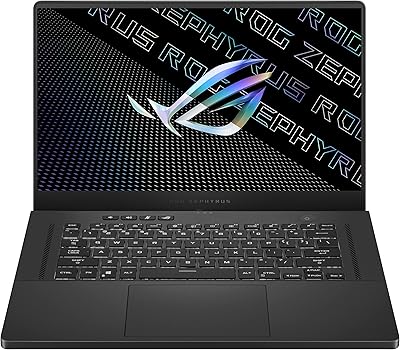
76%
94%
Display Quality
91%
Build Quality
83%
Gaming Performance
67%
Thermal Management
48%
RAM & Upgradeability
More
ASUS ROG Zephyrus G15 GA503QS Gaming Laptop
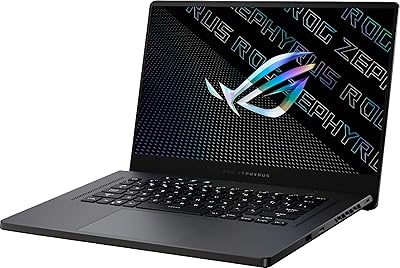
87%
95%
Gaming Performance
94%
Graphics Quality
92%
Display Quality
89%
Cooling System
90%
Build Quality
More
ASUS ROG Zephyrus G15 Gaming Laptop
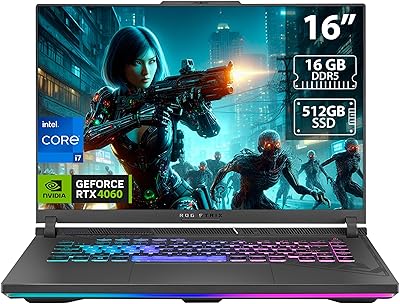
73%
88%
Gaming Performance
91%
Display Quality
84%
Build Quality
63%
Thermal Management
54%
Fan Noise
More
ASUS ROG Strix G16 2023 Gaming Laptop
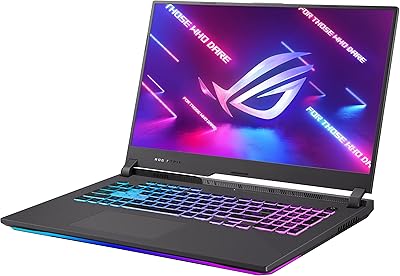
72%
93%
Gaming Performance
91%
Thermal Management
88%
Display Quality
84%
Build Quality
81%
Keyboard & Trackpad
More
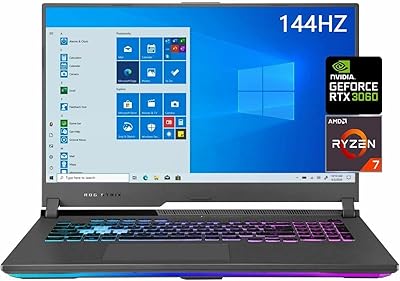
ASUS ROG Strix G17 (2021) Gaming Laptop
84%
91%
Performance
89%
Cooling Efficiency
88%
Display Quality
70%
Battery Life
85%
Portability
More
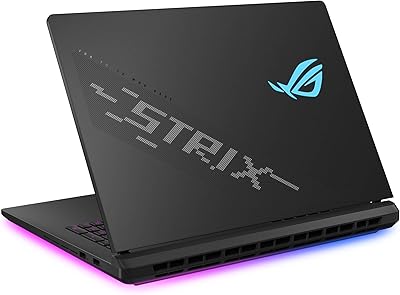
ASUS ROG Strix SCAR 18 Gaming Laptop
76%
97%
Gaming Performance
94%
Display Quality
92%
CPU & Multitasking
83%
Thermal Management
61%
Fan Noise
More
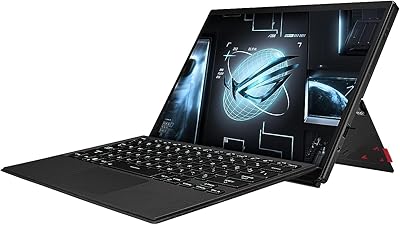
ASUS ROG Flow Z13 2023 Gaming Tablet
74%
93%
Display Quality
74%
Gaming Performance
41%
Battery Life
88%
Build Quality
67%
Thermal Management
More
ASUS TUF A16 Gaming Laptop, Ryzen 7 7735HS, 64GB RAM, 2TB SSD, 16″ 165Hz
84%
94%
Performance
90%
Display Quality
75%
Battery Life
65%
Portability/Weight
88%
Build Quality
More
ASUS ROG Strix G16 Gaming Laptop
74%
91%
Gaming Performance
93%
Display Quality
88%
Thermal Management
53%
Fan Noise
47%
Battery Life
More
ASUS ROG Strix G17 17.3″ Gaming Laptop
74%
88%
Gaming Performance
84%
Display Quality
82%
Build Quality
76%
Thermal Management
58%
Fan Noise
More

FAQ

It genuinely helps once you build habits around it, but there is a real adjustment period. Creative professionals who keep secondary panels open — color tools, chat apps, timeline controls — tend to get the most out of it. If you mostly run one full-screen application at a time, it will likely feel underused.

Yes, and it is one of the stronger laptop options for that use case. The Pantone-validated DCI-P3 display gives you reliable color accuracy, the RTX 4080 accelerates GPU-heavy exports, and the secondary screen is genuinely useful for housing Lumetri panels or reference footage. Just plan to stay plugged in during editing sessions.

Under light tasks like web browsing or note-taking, you can reach around six hours. The moment you push the GPU — gaming, rendering, even some 4K video playback — that number drops significantly. This is a machine designed to be used at a desk with the power cable plugged in; it is not a good fit if you need all-day unplugged endurance.

Opinions are split. Because the ScreenPad Plus sits where a standard palm rest would normally be, the keyboard is shifted toward the front edge of the chassis. Some users adapt quickly; others find the positioning strains their wrists over long sessions. If possible, try it hands-on before committing, especially if typing comfort is non-negotiable for you.

It gets noticeably loud. Under sustained GPU load, the fans spin up aggressively, and in a quiet room the noise is hard to ignore. ROG's Armoury Crate software lets you dial back the fan profile at the cost of some performance headroom. Headphones are basically a requirement during serious gaming sessions.

It performs very well for that use case. The RTX 4080 at 165W is one of the fastest laptop GPUs available for CUDA and OptiX-accelerated rendering, and the 12GB of VRAM handles reasonably complex scenes. Keep in mind the fans will run hard throughout long render jobs, and you will want to stay plugged into a power outlet.

The 1TB SSD can typically be replaced or supplemented with a compatible M.2 NVMe drive, which is worth knowing if you work with large media libraries. RAM upgradeability depends on the specific configuration — some models have soldered memory, so it is worth confirming the exact slot setup before assuming you can expand it later.

The ScreenPad Plus functions as a standard extended display out of the box, so Windows treats it as a second monitor immediately. ASUS provides additional software through the ROG ecosystem to enable touch gestures and app-specific integrations, but the basic dual-screen functionality works without installing anything extra.

Honestly, probably not the most cost-efficient choice for that use case. The hardware will run any game brilliantly, but a significant portion of what you are paying for is the dual-screen setup and the color-accurate display — features that a single-player gamer rarely needs. There are other high-performance gaming laptops that deliver similar raw gaming performance for less.

The liquid metal CPU cooling and AAS Plus air intake system help this dual-screen gaming laptop sustain strong clock speeds better than many comparable machines. During long gaming or rendering sessions, temperatures stay within manageable ranges, though the chassis surface does get warm. Throttling under typical use is minimal, which is one of the more genuinely impressive engineering achievements of this design.

Where to Buy