Overview

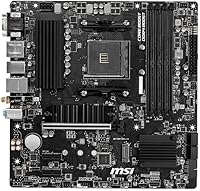
The MSI B550M PRO-VDH WiFi is a Micro-ATX motherboard that punches well above its price bracket by landing PCIe 4.0 and integrated Wi-Fi on an AMD B550 platform. Launched in mid-2020, it has held up surprisingly well as a value option for anyone building around Ryzen 5000 processors. MSI's ProSeries label signals a workmanlike focus — solid fundamentals, no flashy RGB, just the features that actually matter for a reliable build. If you have been hunting for an affordable AM4 board that does not cut corners on connectivity, this B550 board makes a compelling case without asking you to compromise on the essentials.

Features & Benefits

On the feature side, this B550 board covers the bases most mid-range builders actually care about. The PCIe 4.0 x16 slot pairs with two M.2 slots — one of which sits under MSI's M.2 Shield Frozr heatsink, keeping NVMe temperatures in check during heavy workloads. Built-in Wi-Fi 6 and Bluetooth handle wireless connectivity without requiring a separate adapter, though expectations should stay realistic: this is a cost-effective onboard solution, not a high-end wireless card. Four DDR4 slots support up to 128GB of RAM with XMP profiles reaching 4400MHz. The Flash BIOS Button is a thoughtful inclusion — it lets you update firmware without a CPU or RAM installed, which can save a first-time builder from a lot of unnecessary stress.

Best For

This Micro-ATX motherboard is a natural fit for first-time PC builders stepping into the Ryzen 5000 ecosystem without wanting to stretch their budget on a premium board. The compact form factor works well in tighter cases, and the onboard Wi-Fi makes it particularly useful for home office or living room setups where running an Ethernet cable is impractical. It pairs especially well with mid-range chips like the Ryzen 5 5600 or Ryzen 7 5700X — processors that do not demand more power delivery than this board can comfortably handle. If you want no frills, just a stable and capable foundation for a daily-use desktop, the MSI B550M fits that brief cleanly.

User Feedback

Across thousands of verified ratings, the overall sentiment leans clearly positive, with most praise centered on how easy the board is to set up and navigate in BIOS — a meaningful advantage for less experienced builders. The integrated Wi-Fi and Bluetooth earn consistent approval for their reliability at this price tier. On the critical side, users chasing RAM stability above 3600MHz have reported some inconsistencies, and the single 8-pin CPU connector is worth flagging if you plan to pair it with a higher-TDP chip like a Ryzen 9. The board handles mid-range CPUs without issue, but it does have a ceiling. A recurring highlight in reviews is the Flash BIOS Button — builders who updated firmware before their CPU arrived found it genuinely invaluable.

Pros

  • PCIe 4.0 support delivers real-world NVMe speed benefits without requiring a premium-priced board.
  • Built-in Wi-Fi 6 and Bluetooth are reliable enough for everyday home office and casual use.
  • The Flash BIOS Button lets you update firmware before installing a CPU — a genuine lifesaver for beginners.
  • Four DDR4 slots with up to 128GB capacity gives this B550 board respectable long-term memory headroom.
  • 2.5G Ethernet is a meaningful upgrade over standard gigabit for users with a capable home network.
  • BIOS navigation is clean and approachable, making initial setup far less stressful for first-time builders.
  • Dual M.2 slots, one with a heatsink, accommodate a fast boot drive and a secondary storage drive simultaneously.
  • Compact Micro-ATX footprint fits a wide range of mid-tower and smaller cases without sacrificing expansion slots.
  • Multiple display outputs including HDMI and DisplayPort add flexibility for iGPU-equipped processor builds.
  • Strong overall reliability record — most criticism targets ceilings, not day-to-day stability.

Cons

  • Single 8-pin CPU connector limits safe headroom for Ryzen 9 and other high-TDP processors.
  • RAM stability above 3600MHz is inconsistent and may require manual tuning or speed downgrades.
  • No rear-panel USB Type-C port, which is increasingly inconvenient as modern peripherals shift to that standard.
  • The secondary M.2 slot runs at PCIe 3.0, not PCIe 4.0, despite the board's Gen 4 marketing emphasis.
  • Onboard Wi-Fi performance drops noticeably in congested environments compared to a dedicated wireless card.
  • VRM area runs warm in cases with limited airflow, particularly under sustained CPU loads.
  • No RGB headers means zero integration with lighting ecosystems for builders who care about aesthetics.
  • Rear I/O lacks USB 3.2 Gen 2 ports, making fast external SSD transfers slower than they could be.
  • Audio output is functional but unremarkable — external DAC or sound card needed for serious listening.
  • Legacy D-Sub port takes up rear I/O space that could have been better used for an additional USB port.

Ratings

The MSI B550M PRO-VDH WiFi has been put through its paces by thousands of builders worldwide, and our AI-driven scoring system has analyzed that verified review pool — actively filtering out incentivized, bot-generated, and duplicate submissions — to surface what real buyers actually experienced. The scores below reflect both where this Micro-ATX board genuinely delivers and where it runs into its limits. Nothing is glossed over.
Value for Money
91%
For a board sitting in the budget tier of the B550 market, the feature set is hard to argue with. PCIe 4.0, dual M.2, integrated Wi-Fi 6, and 2.5G LAN in a single package at this price point is exactly what budget-conscious builders were hoping AMD's platform would enable.
A few buyers who later upgraded to higher-end Ryzen chips felt they had outgrown the board sooner than expected, which slightly undercuts the long-term value story. It is a great deal for the right build, but not a forever board.
BIOS Experience
88%
MSI's BIOS interface on this board draws consistent praise for being approachable without feeling dumbed-down. First-time builders report getting through initial setup and XMP configuration without needing to consult a tutorial, which is not something every budget board can claim.
Advanced tuning options feel limited compared to pricier MSI boards, and a small number of users noted that certain BIOS versions introduced minor instability with specific RAM kits before a subsequent update resolved the issue.
Wireless Connectivity
78%
22%
Having Wi-Fi 6 and Bluetooth built in removes the need for a PCIe wireless card entirely, which is a real convenience for compact or living room builds. Everyday browsing, video calls, and media streaming all run without noticeable hiccups for the majority of users.
This is an entry-level integrated solution, not a substitute for a dedicated wireless card. Users in congested Wi-Fi environments or those pushing the connection for competitive gaming occasionally report inconsistent throughput compared to standalone adapters.
CPU Power Delivery
72%
28%
For mid-range Ryzen processors — the Ryzen 5 5600 being the sweet spot — the Core Boost power circuitry keeps delivery stable under sustained workloads. Daily productivity tasks, light gaming, and content consumption run without any throttling concerns.
The single 8-pin CPU power connector is a real ceiling for higher-TDP chips like Ryzen 9 processors. Users who paired the board with a 105W CPU reported thermal and stability concerns under full load, and this limitation is worth understanding before buying.
RAM Compatibility & Stability
69%
31%
Running DDR4 at 3200MHz or 3600MHz is largely trouble-free, and XMP profiles at those speeds tend to engage cleanly. For the overwhelming majority of mainstream builds, memory compatibility is a non-issue out of the box.
Push beyond 3600MHz and the experience becomes inconsistent. A meaningful subset of users with high-frequency kits reported needing manual tweaking or settling for lower speeds than their RAM was rated for, which is a known B550 budget-board limitation.
Build & Board Quality
83%
The PCB feels solid for the price tier, and the M.2 Shield Frozr heatsink adds a practical touch that keeps NVMe drives cooler during extended read and write sessions. The board does not feel flimsy during installation, which matters when you are pushing in RAM sticks or seating a cooler.
There is no RGB and the aesthetic is purely functional, which suits some builders perfectly but may disappoint those who want a visually cohesive build. The VRM heatsink coverage is also minimal, which ties back to the power delivery ceiling for demanding CPUs.
Storage Expandability
86%
Two M.2 slots is generous for this price range, and pairing one with a heatsink shows MSI was thinking about real-world thermal performance. Builders running an OS drive plus a secondary NVMe for games or work files have everything they need without touching the SATA ports.
Only the primary M.2 slot runs at PCIe 4.0 speeds; the second operates at PCIe 3.0, which some users found mildly misleading given the board's marketing emphasis on Gen 4 support. It is not a dealbreaker, but worth knowing upfront.
Initial Setup & Installation
89%
Multiple reviewers specifically called out how smooth the out-of-box experience was — from physical installation to first POST. The Flash BIOS Button earned genuine appreciation from builders who needed to update firmware before their CPU arrived, avoiding a frustrating chicken-and-egg problem entirely.
The included documentation is serviceable but thin, and a handful of users noted that the I/O shield fit required more force than expected. Nothing that would stop an experienced builder, but a beginner might find it slightly nerve-wracking.
Display Output Options
81%
19%
Having D-Sub, HDMI, and DisplayPort all present on the rear I/O is more flexibility than many competing boards at this price offer. For APU-less Ryzen builds using a discrete GPU this is less relevant, but for home office setups running iGPU-equipped processors it is a practical advantage.
The D-Sub port feels like a legacy inclusion at this point, and the HDMI output is capped at HDMI 2.0b, which limits 4K output to 60Hz. Not a concern for most buyers, but worth noting for anyone planning a compact HTPC build around a high-resolution display.
Thermal Management
74%
26%
The M.2 heatsink performs its job well during sustained storage activity, and the board's 2oz copper PCB layer helps with overall heat dissipation. Under typical workloads with adequate case airflow, temperatures stay in a comfortable range.
The VRM area runs noticeably warm under sustained CPU loads, particularly in cases with limited airflow. Users running the board in mini-tower cases with fewer fans should keep an eye on thermals, especially if pushing a Ryzen 7 processor at full utilization for extended periods.
Audio Quality
71%
29%
The Realtek ALC892/ALC897 codec covers everyday audio needs competently — video calls, music playback, and casual gaming headsets all work without complaint. For a board at this price, the onboard audio is a step above bare minimum.
Audiophiles or streamers with higher-grade headsets will likely notice the limitations quickly. Background noise floor and channel separation are acceptable but not impressive, and most serious content creators will want an external DAC or dedicated sound card regardless.
LAN & Wired Networking
85%
The inclusion of 2.5G Ethernet is a standout for a budget board and gives wired users a real-world speed advantage over older gigabit-only options. File transfers across a NAS or local network feel noticeably snappier for users who have made the jump to a 2.5G-capable router or switch.
The 2.5G LAN is the only wired port — there is no secondary gigabit fallback — so users with older networking equipment may not benefit at all and could have done just as well with a cheaper gigabit-only board.
USB Port Selection
67%
33%
The board covers the basics with a reasonable spread of rear USB ports and front panel headers. USB 3.2 Gen 1 on both front and rear headers handles fast peripheral charging and external drives without issue for everyday users.
There is no USB 3.2 Gen 2 or Type-C on the rear panel, which is an omission that is starting to feel dated as more peripherals and fast external SSDs adopt those standards. Builders with modern devices may find themselves reaching for a hub sooner than expected.
Compact Form Factor Fit
87%
The Micro-ATX footprint hits a sweet spot for builders who want more than Mini-ITX limitations without committing to a full ATX case. Four RAM slots, two M.2 slots, and multiple expansion slots all fit into a layout that accommodates compact mid-tower cases comfortably.
The smaller PCB does constrain cable routing slightly, and the SATA port orientation can conflict with longer graphics cards depending on case layout. These are manageable issues but worth checking against your specific case dimensions before committing.

Suitable for:

The MSI B550M PRO-VDH WiFi is built for builders who want a capable, modern platform without stretching their budget into premium territory. It is an especially strong fit for first-time PC builders tackling a Ryzen 5000 build, since the approachable BIOS, the Flash BIOS Button for pre-CPU firmware updates, and the straightforward layout reduce the friction that trips up newcomers. Anyone putting together a compact home office machine or a living room desktop will appreciate the built-in Wi-Fi 6 and Bluetooth, which eliminate the need for a separate wireless adapter and keep the build clean. The board pairs particularly well with mid-range processors like the Ryzen 5 5600 or Ryzen 7 5700X — chips that stay comfortably within the power delivery limits and get the most out of the PCIe 4.0 slot and dual M.2 storage. If your priority is a stable, no-nonsense daily driver in a Micro-ATX case, this B550 board covers everything that actually matters for that use case.

Not suitable for:

Builders planning to drop a Ryzen 9 or any high-TDP chip into their system should think carefully before committing to the MSI B550M PRO-VDH WiFi, because the single 8-pin CPU power connector and modest VRM design impose a real ceiling on sustained performance under heavy workloads. Enthusiasts who intend to push RAM beyond 3600MHz aggressively will also find the experience inconsistent — this board was not engineered for high-frequency memory tuning, and hitting those speeds reliably often requires compromise. If you need rear-panel USB 3.2 Gen 2 or a Type-C port for fast external drives or modern peripherals, the I/O selection here will feel limiting fairly quickly. Competitive gamers or content creators who rely on rock-solid wireless throughput should also note that the onboard Wi-Fi is an entry-level integrated solution — it works well for everyday use, but it is not a substitute for a dedicated wireless card in demanding scenarios. Anyone building a visually themed RGB rig will find nothing to work with here either, as this Micro-ATX motherboard is entirely focused on function over form.

Specifications

  • Form Factor: Micro-ATX (mATX) board measuring 9.6 x 9.6 inches, compatible with standard mATX and full ATX cases.
  • Chipset: AMD B550 chipset provides PCIe 4.0 support on the primary slot and M.2 slot when paired with a compatible Ryzen processor.
  • CPU Socket: AM4 socket supports AMD Ryzen 3000 series out of the box and Ryzen 5000 series via BIOS update.
  • Memory Slots: Four DDR4 DIMM slots support dual-channel configurations with a maximum capacity of 128GB across all slots.
  • RAM Speed: Memory speeds are officially supported up to 4400MHz via XMP profiles, with 3200MHz and 3600MHz being the most stable operating points.
  • PCIe Slots: One PCIe 4.0 x16 slot for discrete graphics, one PCIe 3.0 x16 slot running at x4 bandwidth, and two PCIe 3.0 x1 slots for expansion cards.
  • M.2 Storage: Two M.2 slots are present: the primary runs PCIe 4.0 x4 and is covered by the M.2 Shield Frozr heatsink; the secondary runs PCIe 3.0 x4.
  • SATA Ports: Six SATA 6Gb/s ports provide connectivity for traditional hard drives and SATA SSDs alongside the M.2 slots.
  • Wireless: Integrated Wi-Fi 6 (802.11 a/b/g/n/ac/ax) with MU-MIMO and Bluetooth 5.1 via an onboard M.2 wireless module.
  • Wired LAN: Single 2.5G Ethernet port delivers up to 2.5 Gbps wired network speeds for faster local transfers compared to standard gigabit connections.
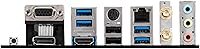
  • Display Outputs: Rear I/O includes a D-Sub (VGA), HDMI, and DisplayPort output for use with processors that include integrated graphics.
  • USB Rear I/O: Rear panel provides USB 3.2 Gen 1 Type-A ports alongside USB 2.0 ports; no USB 3.2 Gen 2 or Type-C port is present on the rear I/O.
  • CPU Power: A single 8-pin ATX CPU power connector supplies power to the processor, which is suitable for mid-range Ryzen chips but constrains higher-TDP builds.
  • Audio Codec: Realtek ALC892 or ALC897 codec powers the onboard audio with standard 3.5mm jacks on the rear I/O for stereo and surround configurations.
  • Flash BIOS Button: A dedicated Flash BIOS Button on the rear I/O allows firmware updates using only a USB drive, with no CPU or RAM required.
  • Fan Headers: Multiple 4-pin fan and pump headers are distributed across the board for CPU cooler and chassis fan control via BIOS.
  • RGB Support: No onboard RGB lighting and no dedicated ARGB or RGB headers are present on this board.
  • Dimensions: Board dimensions are 9.6 x 9.6 inches (244 x 244mm) and the unit weighs approximately 2.42 pounds including the I/O shield.
  • OS Support: Officially supported on Windows 10 and Windows 11; Linux compatibility is generally functional but not officially documented by MSI.
  • CMOS Battery: Standard CR2032 coin cell battery maintains BIOS settings and system clock when the board is unpowered.

Related Reviews
MSI PRO B550M-VC WiFi
83%
91%
Value for Money
86%
Build Quality
89%
Wireless Connectivity
74%
CPU Power Delivery
88%
BIOS Experience
More
MSI PRO Z790-A MAX WiFi
83%
88%
Build Quality
91%
VRM & Power Delivery
86%
Memory Overclocking
77%
BIOS Experience
93%
Wireless Connectivity
More
MSI PRO B650M-A WiFi V1 Motherboard
85%
88%
Performance
85%
Build Quality
90%
Ease of Setup
82%
Cooling Efficiency
91%
Networking Speed
More
MSI B450M PRO-VDH Max Motherboard
85%
91%
Value for Money
88%
Performance
94%
Ease of Installation
85%
Overclocking Capability
82%
Build Quality
More
MSI PRO B650-S WIFI Motherboard
84%
94%
Performance with Ryzen 7000 Processors
89%
Wi-Fi 6E Connectivity
88%
Cooling Efficiency
72%
Setup and Installation Ease
91%
PCIe 4.0 Expansion Support
More
MSI PRO B760-P WiFi DDR4
82%
91%
Value for Money
87%
Build Quality
89%
BIOS Experience
84%
CPU Power Delivery
88%
Wireless Connectivity
More
MSI PRO Z890-S WiFi PZ Motherboard
87%
92%
Performance with Intel Core Ultra Processors
89%
Connectivity & Network Speed
87%
Ease of Installation & Setup
85%
Cooling Efficiency
88%
Storage Options & Expansion
More
MSI PRO X870-P WiFi ProSeries Motherboard
85%
91%
Performance
94%
Cooling Efficiency
88%
Wi-Fi & Connectivity
85%
Ease of Installation
90%
Compatibility with AMD Ryzen Processors
More
MSI PRO Z790-P WiFi DDR4 Motherboard
83%
91%
Performance for Gaming
88%
Future-Proofing Features
85%
Thermal Management
80%
Ease of Installation
89%
Wi-Fi and Connectivity
More
INLAND Intel Core i9-12900K + MSI PRO Z790-P WiFi DDR5 Motherboard
88%
94%
Performance
89%
Connectivity Options
82%
Ease of Installation
91%
Cooling and Power Efficiency
88%
Compatibility with DDR5
More

FAQ

Not always — it depends on which BIOS version is pre-installed on the unit you receive. Some boards ship with an older BIOS that only supports Ryzen 3000 series, so you may need to update the firmware first. The good news is the Flash BIOS Button on the rear I/O lets you do exactly that using just a USB drive, even before you have a CPU installed.

Technically the socket is compatible, but it is not recommended for sustained workloads. The single 8-pin CPU power connector and the modest VRM design on this Micro-ATX motherboard were not built with 105W processors in mind. You might get away with it for light use, but under heavy loads you risk thermal throttling and long-term stability issues. A board with a beefier power delivery setup is a safer choice for those chips.

Download the latest BIOS file from MSI's support site, rename it to the format MSI specifies (usually something like MSI.ROM), copy it to the root of a FAT32-formatted USB drive, plug it into the designated USB port on the rear I/O, and then hold the Flash BIOS Button for a few seconds with the board connected to power. The LED will blink during the update and stop when it is done. No CPU, RAM, or display required.

Most users land comfortably at 3200MHz or 3600MHz with XMP enabled. Going beyond that on this B550 board gets inconsistent — some kits will post at 3800MHz or higher, but many require manual sub-timing adjustments or simply will not cooperate. If fast memory is important to your build, keep your kit at 3600MHz or below and you will save yourself a lot of troubleshooting time.

No — this is a specific compatibility exclusion MSI documents clearly. The board does not support the Ryzen 5 3400G or Ryzen 3 3200G. It does support other Ryzen 3000 desktop processors and Ryzen 4000 G-Series chips, so check MSI's official CPU compatibility list before buying if you are using an APU.

For casual online gaming and everyday use it holds up well. The integrated Wi-Fi 6 module handles typical home network speeds without issue. That said, it is an entry-level onboard solution — if you are in a densely congested Wi-Fi environment or need the absolute lowest latency for competitive play, a wired connection or a dedicated wireless card will give you more consistent results.

Yes, both M.2 slots support NVMe drives. The primary slot runs at PCIe 4.0 x4 speeds and includes a heatsink to manage temperatures during heavy transfers. The secondary slot operates at PCIe 3.0 x4, which is still fast enough for a games or secondary storage drive. Just note that using both M.2 slots may disable certain SATA ports depending on your configuration — check the manual for which ports share bandwidth.

No, there are no ARGB or RGB headers on this board at all. The ProSeries design philosophy is strictly functional — no onboard lighting and no support for connecting RGB accessories through the motherboard. If a lit build is part of your plan, you will need to look at a different board or control RGB fans independently through their own controllers.

Any cooler with AM4 mounting support will work. Most modern coolers include AM4 brackets, and the board uses the standard AMD AM4 backplate that comes pre-installed. Just confirm your cooler's TDP rating suits the CPU you are pairing it with, particularly if you are going with a Ryzen 7 chip in a case with limited airflow.

It is actually a solid choice for that use case. The Micro-ATX form factor fits many compact HTPC cases, the built-in Wi-Fi and Bluetooth mean no extra adapters cluttering the back of your TV unit, and the HDMI output handles 4K at 60Hz for iGPU builds. Just keep in mind the board has no fanless or passively cooled operation mode, so there will be some noise from CPU and system fans in a quiet room setup.