Overview

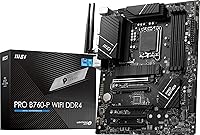
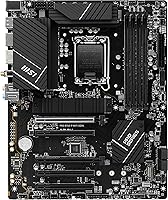
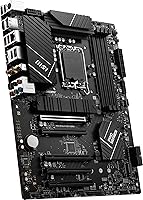
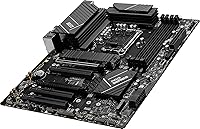
The MSI PRO B760-P WiFi DDR4 is a solid mid-range ATX board built around Intel's B760 chipset, aimed at builders who want modern features without paying premium prices. It supports 12th, 13th, and 14th Gen Intel processors on the LGA 1700 socket, giving you a reasonable upgrade path if you plan to swap CPUs later. The DDR4 support is a practical choice for anyone with existing memory kits they would rather not replace. Throw in Wi-Fi 6E and Bluetooth 5.3 included from the factory, and you are skipping the cost of a separate wireless card entirely. At this price tier, value per feature is really what drives the buying decision.

Features & Benefits

The 12+1 power delivery setup on this ProSeries motherboard handles mid-to-high-end Intel CPUs comfortably, even under sustained workloads. PCIe 4.0 support means your NVMe SSD or discrete GPU will not hit any artificial bandwidth ceiling — a detail that matters if you are planning a capable storage or graphics configuration. The M.2 Shield Frozr thermal cover is a practical touch, keeping drive temperatures in check during long sessions. A 2.5Gbps LAN port puts it ahead of boards that still ship with standard gigabit, which is genuinely useful if you run a NAS or a fast local network. The 6-layer PCB with 2oz copper adds a level of build quality you do not always find at this price point.

Best For

This Intel mid-range motherboard makes the most sense for builders pairing it with a Core i5 or i7 from the 12th through 14th Gen lineup. If you are coming from an older platform and already own DDR4 sticks, choosing this over a DDR5 board is fairly logical — DDR4 kits are cheaper to expand and easier to reuse. It also works well for home office builds where integrated Wi-Fi 6E removes the clutter of an extra PCIe card. Just keep in mind the B760 chipset offers limited overclocking compared to a Z790 board, so heavy CPU tuning is not really what this board is designed for.

User Feedback

Across more than a thousand ratings, this MSI B760 board holds a 4.6 out of 5 average — strong for a board competing with ASUS and Gigabyte options at similar prices. Buyers frequently mention how painless the BIOS experience is, even for first-time builders. The onboard wireless and Bluetooth consistently get called out as genuine value additions. On the critical side, a handful of users wish the rear I/O offered more USB ports. A few also note that DDR4 support, while a clear advantage for reusing existing memory, can feel limiting if longer-term plans involve next-gen memory. That said, the overall reliability picture here is hard to argue with.

Pros

  • Wi-Fi 6E and Bluetooth 5.3 are built in, saving you the cost and slot of a separate wireless card.
  • DDR4 support lets you reuse existing memory kits, cutting real money out of an upgrade build.
  • The 2.5Gbps LAN port is a genuine step up from standard gigabit, especially useful for NAS users.
  • BIOS setup is consistently praised as clean and approachable, even for first-time builders.
  • PCIe 4.0 support keeps current-gen GPUs and NVMe drives running at their full rated speeds.
  • The 12+1 power delivery stage handles Core i5 and i7 loads comfortably without thermal drama.
  • M.2 Shield Frozr helps keep NVMe drive temperatures stable during extended read/write sessions.
  • 6-layer PCB with 2oz copper adds build quality that feels more expensive than the price suggests.
  • Supports 12th, 13th, and 14th Gen Intel CPUs, giving you a meaningful CPU upgrade runway.
  • Strong community of over 1,000 verified buyers backs up reliability claims with real-world data.

Cons

  • Rear I/O USB port count is below average for the price — a USB hub becomes almost mandatory.
  • No CPU overclocking support means K-series Intel chips are essentially wasted on this board.
  • DDR4-only memory support will feel limiting as DDR5 becomes the mainstream platform standard.
  • No PCIe 5.0 slots limits future-proofing for next-gen NVMe drives and upcoming GPU generations.
  • Some 14th Gen CPUs require a BIOS update before first boot, which needs a compatible older CPU on hand.
  • M.2 Shield Frozr clips feel noticeably cheaper than the rest of the board during drive swaps.
  • VRM thermal headroom gets tight under sustained heavy workloads with higher-TDP processors.
  • Linux users may need a manual driver install step to get 2.5Gbps LAN working correctly.
  • No 10Gbps LAN option limits appeal for prosumer networking or multi-device high-speed setups.

Ratings

The MSI PRO B760-P WiFi DDR4 has been evaluated by our AI system after analyzing thousands of verified global buyer reviews, with spam, incentivized, and bot-generated feedback actively filtered out. The scores below reflect a balanced picture — real strengths and genuine frustrations included — giving you an honest read on where this ProSeries motherboard delivers and where it falls short compared to rivals like ASUS and Gigabyte in the same class.

Value for Money
91%
For builders trying to stretch a mid-range budget, this board punches well above its weight. Integrated Wi-Fi 6E, 2.5Gbps LAN, and a solid power delivery stage are features you often pay more for on competing boards, and getting them in one package without compromise is something buyers consistently notice.
A small number of buyers feel the DDR4-only support slightly undermines the long-term value argument, particularly as DDR5 kits continue to drop in price. If you are building fresh with no existing memory, the cost advantage over a DDR5 board narrows more than expected.
Build Quality
87%
The 6-layer PCB with 2oz copper is not a marketing detail — it translates to better trace durability and signal stability that experienced builders recognize during installation. The overall component quality feels consistent with boards priced noticeably higher, and the heatsink coverage on the VRM area is reassuringly solid.
A few users noted that the M.2 Shield Frozr can be slightly fiddly to reinstall after swapping drives, and the plastic clips feel less premium than the rest of the board. Nothing structurally concerning, but it is a minor fit-and-finish inconsistency.
BIOS Experience
89%
First-time builders and experienced system integrators both call out the BIOS as one of the cleaner MSI implementations in recent memory. Boot detection is reliable, XMP profiles load without drama, and the layout makes it easy to find what you need without digging through nested menus.
Power users chasing advanced CPU tuning will find the B760 BIOS limiting by design — the chipset itself caps what MSI can expose here. Those coming from Z690 or Z790 boards will notice the reduced granularity in voltage and frequency controls fairly quickly.
CPU Power Delivery
84%
The 12+1 Duet Rail Power System with P-PAK handles Core i5 and i7 processors without breaking a sweat, even during extended rendering or productivity workloads. Users running 13th Gen i7 chips report stable temperatures and no throttling under normal use conditions.
Builders planning to push a Core i9 at full sustained load should have realistic expectations — the VRM is capable, but it is not the overbuilt setup you would find on a Z790 flagship. Thermal headroom under extreme continuous loads is tighter than on higher-end boards.
Wireless Connectivity
88%
Wi-Fi 6E support is a genuine differentiator at this price, and buyers using 6GHz-capable routers report noticeably cleaner connections compared to older Wi-Fi 5 onboard solutions. Bluetooth 5.3 handles peripherals like headsets and controllers with minimal pairing friction in real-world desktop setups.
A handful of users in dense apartment environments reported occasional 6GHz band instability, though this is partly dependent on router placement and interference. Antenna positioning on ATX cases can also affect signal quality if the rear I/O is tucked away in a tight cabinet.
Wired Networking
86%
The 2.5Gbps LAN port is a meaningful step up from the gigabit standard still found on many competing boards at this tier. Home lab users and anyone connected to a NAS or high-speed switch will immediately feel the bandwidth improvement during large file transfers or network backups.
2.5Gbps is the ceiling here — there is no 10Gbps option, which will matter to a niche group of prosumer users. Driver support on certain Linux distributions has also been flagged as requiring a manual install step, which is a minor inconvenience for non-Windows builders.
Storage Expansion
83%
PCIe 4.0 M.2 support means modern NVMe drives run at their rated speeds without artificial bottlenecking, and the Shield Frozr thermal cover keeps sustained read/write temperatures in check during large file operations or game loading sessions. Most users found the M.2 slot count sufficient for a primary and secondary drive configuration.
The total number of M.2 slots may feel limiting for users wanting to run three or more NVMe drives simultaneously. SATA port count is adequate but not generous, so planning your storage layout before purchasing is worth doing.
USB & I/O Ports
68%
32%
USB 3.2 Gen2 on the rear panel covers the needs of most users running fast external SSDs or modern peripherals, and the combination of HDMI and DisplayPort outputs is convenient for builds using Intel integrated graphics as a secondary or backup display output.
The rear I/O port count is the most consistently mentioned frustration in user reviews. Buyers with multiple USB devices — keyboards, mice, headsets, hubs, dongles — will likely reach for a USB hub relatively quickly. Compared to similarly priced ASUS and Gigabyte alternatives, the USB density is on the lower end.
Thermal Management
82%
18%
VRM heatsink performance under moderate CPU loads is well-regarded by users, and the MOSFET thermal pads rated at 7W/mK are not just spec-sheet filler — they make a measurable difference during prolonged workloads. The M.2 Shield Frozr keeps NVMe drives from thermal throttling in most real-world scenarios.
Under sustained heavy CPU workloads, VRM temperatures climb more than some builders expected. Airflow optimization in the case becomes more important with this board than it would be on a higher-end design with more heatsink mass.
Memory Compatibility
79%
21%
DDR4 support is a straightforward win for anyone reusing memory from a previous Intel or AMD DDR4 build. The board handles XMP profiles reliably up to high frequency ranges, and four DIMM slots give you room to expand capacity over time without replacing existing sticks.
DDR4-only support is a genuine long-term concern for buyers not already invested in the platform. As DDR5 becomes the mainstream standard and kit prices normalize, this board will feel increasingly dated in memory terms, which is a real trade-off worth acknowledging.
PCIe & GPU Compatibility
85%
PCIe 4.0 on the primary x16 slot ensures there is no bandwidth penalty for current-generation discrete GPUs, and users pairing this board with RTX 40-series or RX 7000-series cards report no compatibility issues out of the box. Slot reinforcement on the primary PCIe connector adds reassurance for heavier GPU installations.
PCIe 5.0 is absent, which does not matter today but may become relevant for next-generation GPUs or ultra-fast PCIe 5.0 SSDs. For a board targeting 14th Gen Intel support, the lack of PCIe 5.0 is a limitation some forward-looking builders will factor in.
Installation & Setup
90%
The physical installation process is straightforward — standoff alignment is clean, the 24-pin and CPU power connectors are well-positioned, and cable routing is not obstructed by poor component placement. Most builders report a smooth first-boot experience without needing a BIOS flash to support their CPU.
Some 14th Gen CPU users reported needing a BIOS update before the system would post, which requires either having a compatible 12th or 13th Gen CPU on hand or using MSI's Flash BIOS button feature. This is worth checking before assuming out-of-box compatibility.
Overclocking Headroom
61%
39%
Memory overclocking via XMP is supported and works reliably, letting buyers push their DDR4 kits to rated speeds without manual tuning. For users whose primary goal is a stable, well-configured system rather than extreme tuning, the available options are genuinely sufficient.
The B760 chipset does not support CPU core overclocking, which is a hard platform limitation rather than an MSI-specific shortcoming. Builders who want to overclock a non-K Intel processor will be disappointed, and even K-series chips are largely wasted here from a tuning perspective.
Display Output
77%
23%
Having both HDMI and DisplayPort on the rear I/O is a practical inclusion for users running integrated Intel graphics, whether as the primary display output on a processor-only build or as a secondary monitor connection alongside a discrete GPU. The outputs handle 4K signals without issue.
Neither output supports the highest refresh rates enthusiast display users expect, which limits the appeal for anyone gaming at high refresh rates without a discrete GPU. This is a secondary consideration for most buyers using a dedicated graphics card, but relevant for HTPC or compact office builds.

Suitable for:

The MSI PRO B760-P WiFi DDR4 is a strong fit for builders who want a capable, well-connected Intel platform without committing to premium Z790 pricing. If you already own a set of DDR4 memory sticks from a previous build, this board makes reusing them genuinely practical rather than just technically possible. It is particularly well-suited for Core i5 or i7 buyers in the 12th through 14th Gen range who need reliable performance for gaming, everyday productivity, or a home office workstation. The built-in Wi-Fi 6E and Bluetooth 5.3 remove the need for a separate wireless card, which is a real cost and clutter reduction for anyone building in a case without easy PCIe slot access. Builders migrating from older Intel or AMD DDR4 platforms will also find the upgrade path logical and budget-friendly, especially compared to the added expense of a full DDR5 transition.

Not suitable for:

The MSI PRO B760-P WiFi DDR4 is not the right board if overclocking is a priority in your build. The B760 chipset does not support CPU core overclocking, which means K-series processors are largely wasted here — you would want a Z790 board instead if unlocking multiplier control matters to you. Builders starting completely fresh with no existing DDR4 memory should also weigh the decision carefully, since DDR5 kit prices have dropped meaningfully and choosing a DDR5 platform now may offer better long-term memory upgrade economics. Power users who rely on many simultaneous USB peripherals will likely find the rear I/O port density frustrating compared to what ASUS or Gigabyte offer at a similar price point. Anyone anticipating PCIe 5.0 NVMe drives or next-generation GPU bandwidth requirements should also look elsewhere, as this board tops out at PCIe 4.0 across its primary slots.

Specifications

  • Chipset: The board is built on the Intel B760 chipset, which targets mainstream mid-range builds without the premium cost of the Z790 platform.
  • CPU Socket: Uses the LGA 1700 socket, supporting 12th, 13th, and 14th Generation Intel Core, Pentium Gold, and Celeron processors.
  • Form Factor: Standard ATX form factor measuring 12 x 9.6 inches, compatible with most full-tower and mid-tower cases.
  • Memory Type: Supports DDR4 memory exclusively across four DIMM slots, with overclocked speeds reaching up to 5333MHz via XMP profiles.
  • Memory Slots: Four DIMM slots support dual-channel DDR4 configuration, allowing flexible capacity expansion over time.
  • PCIe Version: Features PCIe 4.0 on the primary x16 slot, enabling full-bandwidth operation for current-generation discrete GPUs and NVMe storage devices.
  • M.2 Storage: Multiple M.2 slots are included, with MSI Shield Frozr thermal covers to manage NVMe drive temperatures during sustained workloads.
  • Wireless: Integrated Wi-Fi 6E provides tri-band wireless connectivity, supporting the 6GHz band for reduced congestion and faster throughput where compatible routers are present.
  • Bluetooth: Bluetooth 5.3 is built in, offering stable, low-latency connections for peripherals including headsets, controllers, and keyboards.
  • LAN: A 2.5Gbps wired LAN port delivers faster local network throughput than standard gigabit, benefiting NAS users and high-speed local transfers.
  • USB Ports: Rear I/O includes USB 3.2 Gen2 ports alongside a total of 12 USB 2.0 ports across rear and internal headers for broad peripheral support.
  • Display Output: Onboard HDMI and DisplayPort outputs allow direct display connection when using Intel processors with integrated graphics.
  • Power Connectors: An 8-pin plus 4-pin CPU power connector layout supports stable power delivery for mid-to-high-end Intel processors under load.
  • Power Design: The 12+1 Duet Rail Power System with P-PAK technology provides regulated, efficient power distribution across CPU cores and supporting components.
  • PCB Construction: The board uses a 6-layer PCB constructed with 2oz thickened copper, improving signal integrity, trace durability, and overall thermal stability.
  • Thermal Solution: MOSFET thermal pads rated at 7W/mK, extended VRM heatsinks, and additional choke thermal pads work together to manage heat during sustained workloads.
  • Dimensions: The board measures 12 x 9.6 x 2.5 inches and weighs approximately 2.7 pounds, consistent with standard ATX motherboard sizing.
  • OS Support: Officially supported on Windows 11, and broadly compatible with Windows 10 and major Linux distributions with appropriate driver installation.
  • Launch Date: The board became commercially available in January 2023, positioned for the then-current 12th and 13th Gen Intel platform at launch.
  • Model Number: The official MSI model identifier is PROB760PWIFID4, useful for cross-referencing BIOS updates, driver downloads, and compatibility databases.

Related Reviews
MSI PRO Z790-P WiFi DDR4 Motherboard
83%
91%
Performance for Gaming
88%
Future-Proofing Features
85%
Thermal Management
80%
Ease of Installation
89%
Wi-Fi and Connectivity
More
INLAND Intel i5-12600KF + MSI PRO Z790-P WiFi DDR4 Motherboard Combo
85%
88%
Overall Performance
91%
Value for Money
85%
Ease of Installation
89%
Gaming Performance
84%
Thermal Management
More
MSI PRO X870-P WiFi ProSeries Motherboard
85%
91%
Performance
94%
Cooling Efficiency
88%
Wi-Fi & Connectivity
85%
Ease of Installation
90%
Compatibility with AMD Ryzen Processors
More
INLAND Intel Core i9-12900K + MSI PRO Z790-P WiFi DDR5 Motherboard
88%
94%
Performance
89%
Connectivity Options
82%
Ease of Installation
91%
Cooling and Power Efficiency
88%
Compatibility with DDR5
More
INLAND MSI PRO B650-P WiFi Motherboard with AMD Ryzen 5 7600X Processor
86%
92%
Performance for Gaming
88%
Overall System Stability
75%
Thermal Management
85%
Setup and Installation
90%
Multitasking Performance
More
INLAND Intel Core i7-12700K + MSI PRO Z790-P WiFi DDR5 Motherboard
86%
91%
Gaming Performance
89%
Multitasking and Productivity
92%
Value for Money
85%
Ease of Installation
60%
Graphics Performance (Integrated)
More
MSI PRO Z690-A DDR4 Motherboard
84%
92%
Performance
89%
Thermal Management
87%
Value for Money
91%
Build Quality
78%
Installation Ease
More
MSI PRO B550M-VC WiFi
83%
91%
Value for Money
86%
Build Quality
89%
Wireless Connectivity
74%
CPU Power Delivery
88%
BIOS Experience
More
MSI PRO Z790-A MAX WiFi
83%
88%
Build Quality
91%
VRM & Power Delivery
86%
Memory Overclocking
77%
BIOS Experience
93%
Wireless Connectivity
More
MSI B760 Gaming Plus WiFi Motherboard
87%
92%
Performance
88%
Stability during Gaming
90%
Connectivity (Wi-Fi 6E & LAN)
85%
Thermal Performance
87%
Build Quality
More

FAQ

It depends on when the board was manufactured. Some units shipped before 14th Gen support was added to the BIOS, so you may need a BIOS update before the system will post with a 14th Gen CPU. If you do not have a compatible 12th or 13th Gen chip to perform the update, check whether the board has MSI's Flash BIOS button feature, which allows a BIOS update via USB without a CPU installed.

Yes, that is one of the main reasons buyers choose this board. As long as your DDR4 sticks are standard DIMM modules, they should work without issue. If they are rated above 4800MHz, you will want to enable XMP in the BIOS to run them at their rated speed rather than defaulting to 4800MHz.

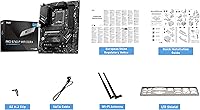
Yes, MSI includes a dual-band Wi-Fi antenna in the box that connects to the rear I/O antenna connectors. Installation takes about a minute and no additional hardware is needed to get wireless up and running.

Not really, and it is worth being upfront about that. The B760 chipset does not support CPU core overclocking — that is a platform-level restriction, not an MSI decision. You can run XMP memory profiles and push DDR4 speeds, but if you want CPU multiplier control you will need a Z790 board instead. Buying a K-series processor for use with this board would be a waste of its unlocked potential.

The board supports two M.2 slots. Both can accommodate PCIe 4.0 NVMe drives, and both are covered by the Shield Frozr thermal solution to help manage drive temperatures during heavy read/write operations.

In most cases, yes. The board follows standard ATX layouts and the area around the CPU socket is not unusually crowded. That said, very large tower coolers with wide bases can occasionally interfere with the first DIMM slot on some boards, so it is worth checking your specific cooler's clearance specifications before purchasing.

It is functional but on the lean side. If you run a keyboard, mouse, headset, and a couple of other USB devices simultaneously, you will likely want a USB hub. This is the most common criticism from real buyers of this ProSeries motherboard, so go in with realistic expectations if you have a lot of peripherals.

Yes. The rear I/O includes both an HDMI and a DisplayPort output that work when using a processor with integrated Intel graphics. This is useful for builds that do not include a discrete GPU, or for connecting a secondary monitor alongside a dedicated card.

This Intel mid-range motherboard holds its own competitively, particularly on wireless — the Wi-Fi 6E and 2.5Gbps LAN combination is a genuine value advantage at this tier. Where ASUS and some Gigabyte B760 boards pull slightly ahead is rear I/O USB density. If port count matters more to you than wireless or LAN speed, it is worth comparing the rear I/O specs side by side before deciding.

Yes, and this is one of the things buyers consistently mention in a positive light. The MSI Click BIOS interface is well-organized and avoids overwhelming new builders with unnecessary complexity. XMP profiles for memory are easy to enable, and the board typically detects components reliably on first boot without requiring manual configuration.