Overview

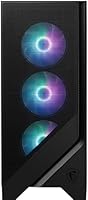
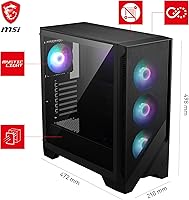
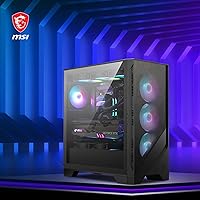
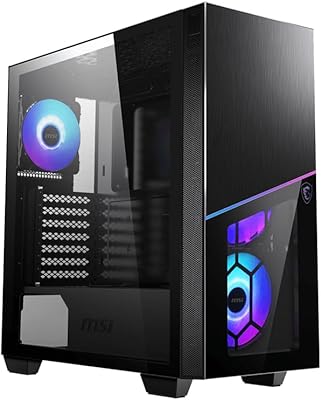
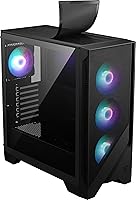
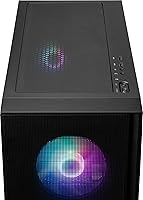
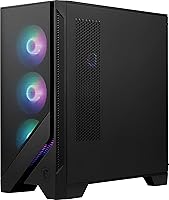
The MSI MAG Forge 321R Airflow Mid-Tower Case arrived in early 2024 targeting builders who want solid thermal performance without sacrificing aesthetics. The vented mesh front panel is the real story here — it defines how this case breathes compared to solid-front competitors at the same price point. Three 120mm ARGB fans come pre-installed, and a dedicated 1-to-6 ARGB LED control board is bundled in the box, which is more than most rivals include at this tier. A tempered glass side panel gives you a clear view inside, and the chassis accommodates radiators up to 360mm if you ever decide to go the liquid cooling route.
Features & Benefits

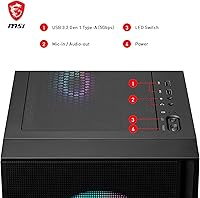
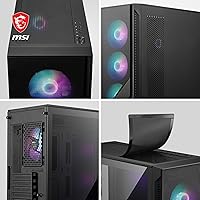
The mesh front panel is not just for looks — it pulls a meaningful volume of air through the chassis compared to solid-front designs, which translates to cooler component temps under sustained gaming loads. Beyond the three included fans, this mid-tower build can house up to 11 total, giving you real room to grow your cooling setup over time. The magnetic top dust filter deserves a specific mention; pop it off, rinse it, clip it back — no tools required. Front I/O covers two USB 3.0 and two USB 2.0 ports, which handles most peripherals without issue. The bundled ARGB controller and Mystic Light Sync integration keep all your lighting managed centrally.

Best For

This MSI Forge case sits in a sweet spot for first-time builders who want a roomy, airflow-focused chassis without wrestling with an overly complicated layout. If you are running a large air cooler or planning to install a 240mm or 360mm AIO, the internal space and mounting options make either path straightforward. MSI ecosystem builders get the most out of this mid-tower build, since Mystic Light works best when your motherboard and GPU already share the same lighting language. It also suits anyone who wants a clean, blacked-out enclosure with a tempered glass window but does not want to overspend for branding alone.

User Feedback

With a 4.6 out of 5 rating across more than 100 verified purchases, buyers are clearly satisfied overall. Airflow performance earns the most consistent praise — people coming from solid-front cases notice the difference right away. The magnetic dust filter also draws specific appreciation rather than being taken for granted. That said, cable management can feel tight when working with thicker PSU cables, making the rear panel stubborn to close neatly. The included fans are not the quietest under full load, so noise-sensitive builders may want to budget for quieter replacements. A small number of buyers also flagged minor panel alignment inconsistencies straight out of the box, though this appears to be the exception rather than the norm.

Pros

  • The vented mesh front panel delivers noticeably better airflow than solid-front competitors at the same price point.
  • Three ARGB fans and a dedicated lighting controller are included, saving you a meaningful separate purchase.
  • Supports radiators up to 360mm, so your cooling ambitions have room to grow inside this mid-tower build.
  • The magnetic top dust filter removes and reinstalls in seconds without tools — maintenance is actually painless.
  • Internal space is roomy enough for first-time builders to work comfortably without feeling cramped.
  • Up to 11 total fans can be installed, giving enthusiast builders a genuinely high ceiling for airflow customization.
  • The tempered glass side panel is thick and solid, resisting flex during regular removal and reinstallation.
  • Mystic Light Sync ties fans and lighting into one software interface for MSI ecosystem users, which is a real convenience.
  • At this price, the bundled hardware makes the total cost-per-feature ratio difficult to match among direct rivals.
  • Front I/O with two USB 3.0 ports handles most daily peripheral connections without needing a hub.

Cons

  • Stock fans run audibly under gaming loads — noise-sensitive builders should budget for quieter replacements immediately.
  • The front mesh lacks a dedicated removable filter layer, making front intake cleaning more involved than the top filter.
  • No USB-C front port is an increasingly hard omission to overlook for a case launched in 2024.
  • Cable management behind the motherboard tray is tight, especially with non-modular PSU cable bundles.
  • A small number of units arrive with minor front or side panel alignment inconsistencies that require manual adjustment.
  • Mystic Light Sync integration is genuinely useful only if your motherboard and GPU are already in the MSI ecosystem.
  • The all-black colorway is the only available option, ruling out white or custom-aesthetic builds entirely.
  • Fitting a 360mm front radiator alongside taller RAM kits requires careful clearance planning before committing to the layout.
  • The included instruction manual relies on vague diagrams, which can leave true beginners guessing during their first build.
  • Glass side panel offers no airflow contribution, with no mesh-side variant available for very high-thermal-load builds.

Ratings

The MSI MAG Forge 321R Airflow Mid-Tower Case earns its place near the top of the mid-range case market, and these scores reflect what real builders worldwide have reported after putting it through its paces. Our AI has analyzed verified purchase reviews globally, actively filtering out incentivized, bot-generated, and low-quality submissions to surface honest signal. Both the genuine strengths and the frustrating edge cases are represented here so you can make a fully informed decision before buying.
Airflow Performance
91%
The vented mesh front panel is the single biggest reason builders choose this case, and the results back it up. Reviewers coming from solid-front enclosures consistently report a noticeable drop in CPU and GPU temps under sustained gaming loads, without needing to add extra fans right away.
The airflow advantage is most pronounced when the case is positioned with clear front clearance. Builders who tuck it inside a desk cabinet or against a wall can partially negate the open-front benefit, which is worth planning for before purchase.
Build Quality
78%
22%
The steel chassis feels solid for the price tier, and the tempered glass side panel is thick enough to handle regular removal without flexing or rattling. Most builders report that panels snap into place with satisfying resistance during assembly.
A small but consistent group of buyers flagged minor panel alignment issues right out of the box, particularly with the front mesh panel sitting slightly askew. It is not universal, but it is frequent enough that it holds this score below the 80-point threshold.
Included ARGB Fans
74%
26%
Three 120mm ARGB fans pre-installed at purchase is a genuine head start, especially for first-time builders who would otherwise need to budget for fans separately. The lighting output is vivid and the synchronization with the bundled controller works reliably without software required.
Under full load, the included fans run audibly, which matters if your rig sits on a desk within arm's reach. They are not loud by budget-fan standards, but noise-conscious builders will likely replace them with quieter aftermarket options within a few months.
Lighting & ARGB Ecosystem
88%
The bundled 1-to-6 ARGB LED control board is a genuine practical addition rather than a box-ticking feature. It lets you chain additional ARGB components without relying on motherboard headers, which is a real convenience when header space runs tight on mid-range boards.
Mystic Light Sync works best when your entire build is already in the MSI ecosystem. Builders running non-MSI motherboards or GPUs may find the software integration fragmented, requiring workarounds to unify lighting across all components.
Cooling Flexibility
87%
Supporting up to 11 total system fans and radiators as large as 360mm gives this mid-tower build a ceiling that most rival cases at this price cannot match. Builders planning a future AIO upgrade will not need to swap cases to accommodate it.
Physically fitting a 360mm radiator in the front requires removing the pre-installed fans and managing tighter clearances around longer GPU cards. It is doable, but it is not a plug-and-play swap and demands some advance planning during the build.
Cable Management
66%
34%
The rear routing channels and tie-down points are laid out sensibly, and thinner modular cable sets route cleanly enough that the side panel closes without much persuasion. For a straightforward mid-range build, the management options are workable.
Builders using non-modular or semi-modular power supplies with thicker cable bundles frequently report that closing the back panel becomes a genuine struggle. The gap between the motherboard tray and the rear panel is on the tighter side, which is a real friction point.
Dust Filtration
89%
The magnetic top dust filter draws consistent praise specifically because it removes without clips, screws, or awkward angles. Builders who clean their rigs monthly say it takes under a minute to pull off, rinse under water, and press back into place.
Dust filtration on the front mesh relies on the mesh itself rather than a dedicated removable filter layer, so front intake cleaning requires more effort than the top. Some builders add aftermarket magnetic filters over the front panel to address this gap.
Front I/O Ports
77%
23%
Two USB 3.0 and two USB 2.0 ports on the front panel covers the connectivity needs of most standard gaming setups. The port placement is accessible without being awkwardly positioned, and the buttons feel tactile rather than cheap.
The absence of a USB-C front port is an increasingly noticeable omission in 2024, particularly for builders who regularly connect modern peripherals or charge devices directly from their case. It is the one area where the front I/O feels like it belongs to an earlier product generation.
Radiator Compatibility
83%
Front and top radiator mounting options give builders genuine flexibility for AIO placement. The 360mm front support is the headline feature here and it is legitimate, accommodating most popular all-in-one coolers from major brands without requiring case modifications.
Clearance between a front-mounted 360mm radiator and high-profile RAM kits can get tight depending on your motherboard layout. Builders running tall ARGB RAM sticks should verify clearance figures before committing to a front-mounted thick radiator.
Assembly Experience
81%
19%
The internal layout is roomy enough that first-time builders can work without feeling cramped, and the standoffs for common ATX motherboards are pre-installed. Most builders report completing a clean build in a single session without consulting extra guides.
The instruction manual is minimal to a fault, relying on diagrams that can be ambiguous for true beginners. A few builders reported confusion around fan header routing and ARGB controller placement, which a clearer guide would have resolved quickly.
Tempered Glass Panel
85%
The side panel is thick enough to feel premium when removed and reinstalled, and the tinted glass gives the interior a clean, slightly darkened look that makes ARGB lighting pop without washing out. It attaches via thumb screws that are easy to handle without tools.
The glass offers no ventilation contribution, which is expected but worth noting for builders who run very high thermal loads and prefer a mesh side panel option. There is no mesh-side variant of this case available, so the glass is a permanent design trade-off.
Value for Money
92%
Factoring in the three included ARGB fans, the ARGB controller, the tempered glass panel, and the magnetic dust filter, the total value bundled into this case at its price point is difficult to match among direct competitors. You are genuinely getting more hardware out of the box than the price suggests.
The value proposition assumes the included fans are acceptable for your build long-term. If you immediately replace them for noise reasons, the effective cost of the case rises, and the value calculation shifts somewhat compared to cases that ship without fans at a lower base price.
Noise Levels
63%
37%
At idle and light loads, the Forge 321R Airflow is reasonably quiet, and the open front mesh does not create any whistling or resonance noise at lower fan speeds. Casual desktop use and light gaming sessions are unlikely to produce any distracting fan noise.
Under sustained gaming workloads the stock fans become clearly audible, particularly if your GPU fans are also ramping up simultaneously. Builders sensitive to background noise or those working in quiet environments will almost certainly want to swap the included fans for quieter alternatives.
Aesthetics & Design
86%
The blacked-out exterior with tempered glass and front mesh strikes a balance between aggressive gaming styling and something clean enough to sit on a desk without looking out of place in a non-gaming environment. The ARGB lighting through the glass is genuinely eye-catching in low light.
The all-black colorway is the only option available, which limits personalization at the case level. Builders who prefer white builds or two-tone aesthetics will need to look elsewhere, as there is no alternative color variant in this product line.

Suitable for:

The MSI MAG Forge 321R Airflow Mid-Tower Case is an excellent pick for first-time and intermediate PC builders who want a well-ventilated, visually appealing chassis without having to research and purchase fans, lighting controllers, and filters separately. If you are putting together a mid-range gaming rig around a mainstream CPU and a mid-tier GPU, the open mesh front and included ARGB setup give you a strong thermal and aesthetic foundation right out of the box. Builders already invested in the MSI ecosystem — running a Mystic Light-compatible motherboard or GPU — will get the most cohesive lighting experience, since everything talks to one another through a single software interface. This case also makes practical sense for anyone planning to install a 240mm or 360mm AIO cooler down the road, since the internal space and mounting options accommodate that upgrade without requiring a case swap. Budget-conscious enthusiasts who want a roomy, airflow-focused build but do not want to pay a premium for branding alone will find the overall value bundle here genuinely hard to beat at this price tier.
Not suitable for:

The MSI MAG Forge 321R Airflow Mid-Tower Case is not the right choice for builders who prioritize near-silent operation, since the stock fans become clearly audible under sustained gaming loads and replacing them adds cost that affects the overall value calculation. If your workspace is quiet by nature — a shared apartment, a home studio, or a bedroom setup where fan noise is a genuine annoyance — budget for aftermarket fans from the start or consider a case with higher-quality stock fans. Builders who rely on a non-modular or semi-modular PSU with thick cable bundles may also find the rear cable management area frustrating, as the gap behind the motherboard tray is tighter than ideal for bulk wiring. Anyone who prefers a white or two-tone build is out of luck, since the all-black colorway is the only option available in this product line. Finally, builders outside the MSI ecosystem who want fully unified ARGB lighting across all components may find the Mystic Light integration less useful and will need third-party lighting solutions to bridge the gap.
Specifications

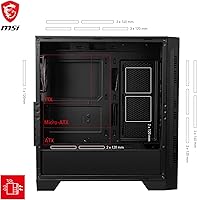
  • Form Factor: Standard mid-tower design compatible with ATX, Micro-ATX, and Mini-ITX motherboards.
  • Side Panel: Tempered glass side panel provides a clear view of internal components and ARGB lighting without adding significant bulk to the chassis.
  • Front Panel: Vented mesh front panel enables high-volume, low-restriction airflow into the chassis for improved thermal performance under load.
  • Pre-installed Fans: Three 120mm ARGB fans come installed from the factory, covering basic intake and exhaust cooling without any additional purchases required.
  • Fan Capacity: The chassis supports up to 11 system fans in total across all available mounting positions.
  • Radiator Support: Supports liquid cooling radiators up to 360mm in the front and up to 240mm on the top panel.
  • ARGB Controller: A 1-to-6 ARGB LED control board is included in the box, allowing independent lighting control without consuming motherboard headers.
  • Lighting Software: MSI Mystic Light Sync software provides unified ARGB lighting management across compatible MSI motherboards, GPUs, and case fans from a single interface.
  • Dust Filtration: A magnetic dust filter on the top panel removes and reinstalls without screws or clips, simplifying routine maintenance.
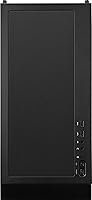
  • Front I/O Ports: The front panel includes two USB 3.0 ports, two USB 2.0 ports, one HD audio jack, and one microphone jack.
  • Color: Available exclusively in black with no alternative colorway options in this product line.
  • Item Weight: The assembled case weighs 15.51 pounds, which is typical for a steel-chassis mid-tower with a tempered glass panel.
  • Operating Voltage: The included ARGB controller and fan hub operate at 12 volts DC.
  • Model Number: The official MSI model designation is MAG FORGE 320R AIRFLOW, referencing the broader Forge product family.
  • Availability: The case was first made available in April 2024 and ranks at number 191 in the Computer Cases category on Amazon at time of review.
  • GPU Clearance: The interior accommodates most full-length graphics cards; builders should verify exact clearance when pairing with a front-mounted 360mm radiator.
  • CPU Cooler Height: The case supports tower air coolers up to approximately 165mm in height, covering the majority of mainstream and high-end air coolers.
  • PSU Compatibility: The bottom-mounted PSU shroud accommodates standard ATX power supplies, with a dedicated chamber that hides cable bulk from the main viewing window.

Related Reviews
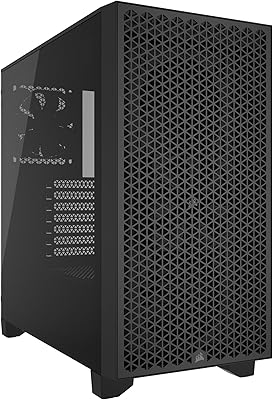
MSI MPG GUNGNIR 300R Airflow PC Case
83%
93%
Airflow Performance
88%
Build Quality & Materials
91%
Cooling Versatility
86%
Included Fans & Hub
89%
Motherboard Compatibility
More
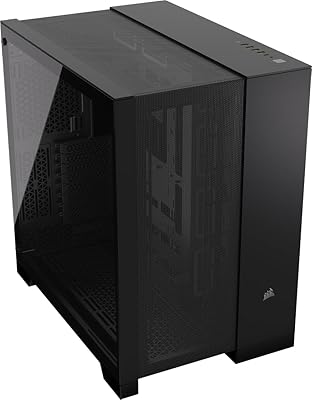
Corsair 3000D Airflow Mid-Tower PC Case
81%
93%
Airflow Performance
88%
Build Quality & Materials
91%
Thermal Management Design
84%
Cable Management
61%
Included Fans Quality
More
Corsair 6500D Airflow Mid-Tower ATX Case
85%
88%
Cooling Performance
93%
Build Quality
91%
Airflow Efficiency
85%
Ease of Setup
90%
Cable Management
More
MSI MPG SEKIRA 100R Mid Tower Gaming PC Case
86%
94%
Cooling Performance
89%
Build Quality
91%
Ease of Installation
88%
Aesthetics & RGB Lighting
90%
Airflow & Ventilation
More
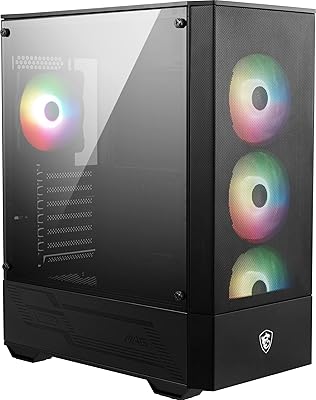
Thermaltake Tower 600 Mid-Tower ATX Case
79%
91%
Build Quality
93%
Aesthetic Design
88%
Cable Management
94%
Cooling Capacity
71%
Installation Experience
More
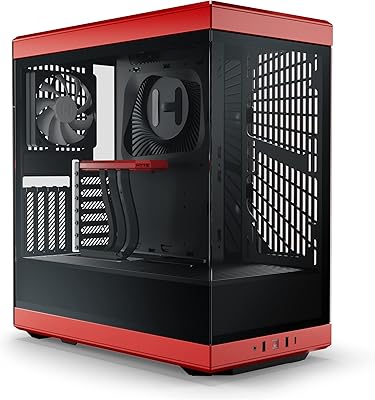
MSI MAG Forge 112R Mid-Tower PC Case
75%
91%
Value for Money
83%
Included Fan Quality
74%
Airflow Performance
71%
Build Quality & Materials
82%
Tempered Glass Panel
More
SAMA 3509 ATX Mid Tower PC Case
74%
88%
Value for Money
74%
Build Quality
81%
Airflow & Cooling Performance
67%
Pre-installed Fan Quality
86%
Tempered Glass Panel
More
COUGAR MX330-X Mid Tower Case
85%
88%
Cooling Performance
91%
Ease of Installation
85%
Build Quality
90%
Airflow & Ventilation
65%
Cable Management
More
KEDIERS P6 Mid Tower ATX PC Case
75%
88%
Aesthetic Design
71%
Build Quality
84%
Included Fans & Lighting
78%
Airflow & Thermal Performance
81%
Radiator & Cooling Support
More
HYTE Y40 Mid-Tower ATX Case
85%
89%
Design & Aesthetics
86%
Cooling Performance
91%
Cable Management
93%
Build Quality
72%
GPU Compatibility
More

FAQ

Yes, and it is noticeable. The open mesh front panel removes the biggest restriction that solid-front cases impose on intake air, so your CPU and GPU have a steadier supply of cooler ambient air. Builders who have switched from solid-front enclosures consistently report measurable temperature improvements under gaming loads, even before adding extra fans.

They do. The bundled 1-to-6 ARGB control board lets you power and control the fan lighting independently of your motherboard, so you can use the hardware button on the controller to cycle through lighting modes without any software at all. The Mystic Light Sync software integration is an optional layer on top, not a requirement for basic function.

It fits in most standard configurations, but clearance depends on your specific hardware. Very tall ARGB RAM kits can sometimes conflict with a thick 360mm radiator mounted at the front, so check the radiator thickness and your RAM height before committing. Slim radiators in the 27mm range tend to clear most builds without issue.

It is genuinely one of the more beginner-friendly options at this price point. The interior is spacious enough to work in comfortably, ATX standoffs are pre-installed, and the included fans and ARGB controller mean fewer separate purchases to manage. The instruction manual is thin, so pairing it with a YouTube build guide is a smart move for true first-timers.

At idle they are quiet enough to go unnoticed, but under sustained full load they become clearly audible, particularly if your desk is close to your rig. They are not unusually loud for budget-tier fans, but if low noise is a priority you should budget for quieter aftermarket fans from the start rather than hoping the stock ones will be silent.

Absolutely, and this is one of the case's genuine strengths. The Forge 321R Airflow supports up to 11 system fans in total, so there is substantial room to expand your cooling setup over time without being boxed in by the chassis itself.

The top magnetic filter simply lifts off without any tools or screws — you just pull it away from the top panel, rinse it under water or blow it out with compressed air, let it dry, and press it back into place. For most setups, cleaning it every four to six weeks is enough to keep intake restriction from building up.

It can be. The gap behind the motherboard tray is tighter than ideal for bulky cable bundles, and a number of builders with non-modular or semi-modular power supplies have reported that closing the back panel required real effort. If your PSU comes with fat, inflexible cables, factor in some extra patience during the build — or consider a modular PSU to make routing significantly easier.

The glass feels solid and handles regular removal without flexing or marking easily under normal use. That said, it is still tempered glass, so dropping it or knocking it against a hard edge during the build process is a risk. Handle it the same way you would any large glass panel and you should have no issues.

The fans and controller will work with any system, but unified lighting across all your components through Mystic Light is really only smooth if your motherboard and GPU are MSI models. If you are running an ASUS, Gigabyte, or ASRock board, you can still control the case fans through the hardware controller button, but syncing everything into one software-controlled lighting scheme will require some extra effort or a third-party utility like SignalRGB.

Where to Buy