Overview

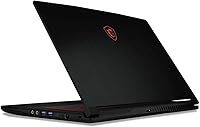
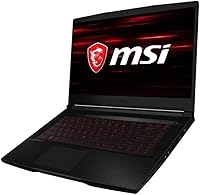
The MSI GF63 Thin 15.6″ Gaming Laptop is a slim, no-nonsense entry point into PC gaming that targets students and budget-conscious buyers who want dedicated graphics without hauling a heavy machine. At 4.1 pounds and under an inch thick, it genuinely fits in a backpack without complaint. Expectations should be honest here: this is a solid 1080p performer at medium settings, not a machine that will chew through the latest demanding titles at max quality. It competes in a crowded mid-range space, and Windows 10 comes pre-installed, with a straightforward path to Windows 11 for those who want it.

Features & Benefits

The i5-10300H quad-core processor handles everyday tasks and gaming sessions well, though it won't keep pace with newer-generation chips in CPU-heavy workloads. The GTX 1650 is where this machine earns its gaming badge — esports titles run smoothly, and older AAA games are playable at 1080p with settings dialed back. The 15.6-inch IPS panel with its anti-glare coating makes long study or gaming sessions comfortable, and the 1920x1080 resolution looks crisp at this screen size. A 256GB NVMe SSD boots fast but fills up quickly once a few games are installed, and 8GB of RAM gets the job done for now, though heavy multitaskers may feel it stretch thin.

Best For

The GF63 Thin is a natural fit for college students who need one machine that can handle coursework, video calls, and a few hours of gaming without weighing down a backpack. Competitive players focused on esports titles like Valorant, CS2, or League of Legends will find it handles those games well, often at high framerates. It is also a reasonable first step for console gamers curious about PC gaming who do not want to commit to a pricier rig right away. Anyone comfortable swapping an SSD or adding a RAM stick will get the most value here, since the hardware has clear headroom for affordable upgrades down the line.

User Feedback

Buyers consistently praise the build quality for this price tier — the chassis feels sturdier than many rivals, and the display earns genuine compliments for brightness and color accuracy. The NVMe SSD responsiveness gets frequent mentions too. On the flip side, thermal throttling is a recurring concern: fans ramp up noticeably under load, and some users report performance dips during extended gaming sessions. Storage frustration comes up often, with several reviewers noting that one or two game installs nearly fill the drive. Real-world battery life under gaming conditions lands well below the rated spec. The encouraging note is that multiple buyers confirm RAM and SSD upgrades are accessible and worth doing early.

Pros

  • Impressively slim and light at 4.1 pounds, making it easy to carry between classes or meetings.
  • The GTX 1650 dedicated GPU handles esports and older titles at 1080p without struggle.
  • IPS display with anti-glare coating is comfortable during long study or gaming sessions.
  • NVMe SSD delivers noticeably fast boot times and snappy application loading.
  • Build quality feels sturdy and premium relative to what buyers pay at this tier.
  • Three USB 3.0 ports give enough room for a mouse, external drive, and peripheral simultaneously.
  • RAM and SSD slots are accessible, making affordable self-upgrades genuinely practical.
  • The i5-10300H holds up well for multitasking across browser tabs, documents, and background apps.
  • Anti-glare coating reduces eye strain in bright environments like classrooms or coffee shops.

Cons

  • 256GB base storage fills up fast — one or two game installs and you are already hunting for space.
  • Thermal throttling under sustained gaming load can noticeably drag down performance over time.
  • Fan noise ramps up aggressively during gaming, which can be distracting in quiet environments.
  • Real-world battery life under any gaming load falls well short of the advertised figure.
  • 8GB RAM starts to feel tight when running a game alongside a browser with multiple tabs open.
  • The webcam resolution is quite poor, which matters more now that video calls are routine.
  • No Wi-Fi 6 support may be a minor but real limitation as routers and networks modernize.
  • Comes with Windows 10 out of the box, requiring a manual upgrade step for users wanting Windows 11.

Ratings

The MSI GF63 Thin 15.6″ Gaming Laptop scores below are generated by AI after analyzing thousands of verified global user reviews, with spam, bot activity, and incentivized feedback actively filtered out. The ratings reflect the honest consensus of real buyers — students, casual gamers, and first-time PC owners — and transparently capture both where this machine earns genuine praise and where it consistently falls short.

Gaming Performance
72%
28%
For esports titles and competitive games, buyers are regularly impressed by how capable the GTX 1650 feels at 1080p. Valorant, CS2, and similar titles run smoothly with frame rates that make the experience genuinely enjoyable, which is exactly what this machine promises to deliver.
Step into newer or more demanding AAA titles and the limitations show quickly — medium settings are often the ceiling before framerates become inconsistent. Users who expected to run modern releases at high quality settings frequently express disappointment.
Build Quality
81%
19%
For a laptop at this price tier, the chassis feel surprises a lot of buyers in a good way. The GF63 Thin does not flex excessively, the hinge feels solid, and the overall construction reads as more durable than many competing budget machines users compared it against.
The all-plastic construction still shows its cost constraints on closer inspection — the lid attracts fingerprints easily and the base panel can creak under pressure. A few buyers noted that the corners and edges feel less refined than the overall first impression suggests.
Display Quality
77%
23%
The IPS panel earns consistent praise for its color accuracy and viewing angles, making it comfortable for both gaming sessions and hours of document work. The anti-glare coating is a genuine day-to-day advantage in bright classrooms or offices where reflections would otherwise be distracting.
Brightness tops out at a level that some users find lacking in very well-lit rooms. The display also lacks a high refresh rate, which is a real omission for buyers who discover competitive gaming and start caring about smoother motion after purchase.
Thermal Management
53%
47%
Under light workloads — web browsing, note-taking, video streaming — the system stays quiet and reasonably cool. Users appreciate that casual daily tasks do not trigger aggressive fan behavior, keeping the machine pleasant to use in quiet environments during off-gaming hours.
Sustained gaming or heavy CPU loads push temperatures into throttling territory, with fans audibly ramping up and performance dipping measurably. This is one of the most consistent complaints across user reviews, particularly for buyers who game for longer uninterrupted sessions.
Battery Life
44%
56%
Under very light productivity use — documents, video calls, light browsing — some users report getting close to five hours on a single charge, which is workable for a half-day away from an outlet. The battery holds charge well over the first several months of ownership.
Gaming on battery is essentially not viable; real-world gaming sessions drain the pack in under two hours consistently. Even moderate multitasking with a browser and music running clips runtime noticeably short of the advertised figure, which many buyers feel is misleading.
Storage Adequacy
41%
59%
The NVMe SSD delivers genuinely fast boot times and snappy application loading, which users notice and appreciate immediately after unboxing. File transfers and game load screens benefit from the PCIe interface in ways that older SATA drives at this price tier would not match.
256GB fills up alarmingly fast once the operating system, a few game installs, and standard apps occupy the drive. This is the single most recurring complaint in user reviews, with many buyers wishing they had budgeted for an immediate SSD upgrade before even setting the machine up.
RAM Performance
63%
37%
For single-tasking use cases — running one game, browsing with a few tabs, or working in a single application — 8GB handles daily demands without noticeable lag. Users running lighter esports titles alongside Discord and a browser generally report an acceptable experience.
Modern gaming titles increasingly recommend 16GB, and users who push multitasking find the system becoming sluggish or stuttery under combined loads. Several buyers specifically called out RAM as the first upgrade they made, describing it as necessary rather than optional for comfortable use.
Keyboard & Typing
68%
32%
The chiclet-style keyboard offers reasonable key travel for a laptop this thin, and buyers who use it primarily for gaming find the layout and key spacing comfortable for WASD-heavy play. The backlit keys are a practical touch for low-light dorm room or bedroom gaming.
Extended typing sessions reveal a keyboard that lacks the depth and feedback typists accustomed to quality ThinkPad or MacBook keyboards would expect. A subset of users also flagged flex in the keyboard deck during hard keypresses, which affects the overall typing confidence.
Portability
84%
At 4.1 pounds and 0.85 inches thick, this machine travels well — students consistently note that it does not stand out as heavy or cumbersome in a backpack alongside textbooks and a charger. The compact footprint fits easily on small desks, airplane tray tables, and lecture hall surfaces.
The power brick adds noticeable bulk and weight to a carry bag, which is easy to forget when evaluating portability on paper. A small number of buyers also noted the charger cable is shorter than ideal for use on a bed or couch without an extension.
Upgradeability
79%
21%
Buyers who took the time to open the bottom panel report a pleasant experience — both the RAM slot and the M.2 NVMe slot are accessible without specialized tools or voiding concerns. Community guides and forum threads for this exact model make the upgrade process approachable even for beginners.
The base configuration essentially requires an upgrade investment shortly after purchase to feel complete, which inflates the real cost of ownership beyond the sticker price. Users who expected it to ship ready-to-go without extra spending express frustration at discovering these practical limitations quickly.
Audio Quality
57%
43%
Volume output is sufficient for casual media consumption in a quiet room, and the speakers do not produce the tinny distortion common in ultra-thin laptops. Users watching lectures or YouTube content without headphones generally find the audio passable for background-level use.
Gaming and music listening through the built-in speakers is underwhelming — bass is essentially absent and stereo separation is minimal. Most buyers using this for gaming migrate to headphones quickly, rendering the speaker quality a secondary concern but still a weak point in the overall package.
Webcam Quality
38%
62%
The webcam covers the bare minimum for standard video calls in good lighting conditions, which satisfies users whose primary use case is occasional Zoom or Teams meetings during the school day. It functions reliably without driver issues on both Windows 10 and Windows 11.
At 1MP, the image quality is noticeably poor compared to even mid-range standalone webcams, producing soft and grainy footage in anything less than ideal lighting. Students using this for regular remote learning or streamers hoping to go live will find the built-in camera genuinely inadequate.
Value for Money
74%
26%
Buyers who understand what they are purchasing — a portable entry-level gaming machine for esports and casual use — largely feel the price-to-performance ratio is fair within its category. The combination of a dedicated GPU, fast SSD, and solid build at this price point is difficult to match from comparable brands.
Factor in the near-mandatory SSD and RAM upgrades and the true cost of ownership climbs higher than the initial price implies. Buyers who discover these limitations only after purchase frequently feel the base configuration should have shipped with more storage as a minimum.

Suitable for:

The MSI GF63 Thin 15.6″ Gaming Laptop is a strong match for college students who need one portable machine that handles both coursework and casual gaming without breaking the bank or straining a shoulder. If your gaming diet leans toward esports titles — Valorant, CS2, League of Legends, or similarly undemanding games — the GTX 1650 delivers smooth, enjoyable framerates without compromise. First-time PC gamers making the jump from console will find it a genuinely capable and accessible starting point. It also works reasonably well for light creative tasks like photo editing or entry-level video work, where the fast NVMe SSD and sharp IPS display make a noticeable difference day-to-day. Finally, budget-minded buyers who are comfortable popping in a larger SSD or an extra RAM stick will unlock considerably better long-term value from this machine.

Not suitable for:

The MSI GF63 Thin 15.6″ Gaming Laptop is not the right tool for anyone expecting to run the latest AAA titles at high or ultra settings — the GTX 1650 simply was not built for that workload, and frustration will follow if those are your expectations. Serious content creators working with 4K video timelines or complex 3D rendering projects will quickly outgrow the 8GB RAM and limited storage. Power users who need all-day battery life away from an outlet should look elsewhere too, since real-world gaming drains the battery far faster than the rated figure suggests. If noise is a concern — shared dorms, quiet offices, libraries — the fan behavior under load can be genuinely disruptive. And buyers who want a plug-and-play experience with no tinkering will likely find the base storage insufficient almost immediately without an upgrade.

Specifications

  • Processor: Intel Core i5-10300H quad-core CPU runs at a 2.5GHz base clock with up to 4.5GHz boost, handling gaming and everyday multitasking reliably.
  • Graphics: NVIDIA GeForce GTX 1650 dedicated GPU with 4GB of VRAM handles 1080p gaming at medium-to-high settings in most esports and older AAA titles.
  • Display: 15.6″ IPS panel outputs a 1920x1080 resolution with an anti-glare coating, reducing reflections during use in bright environments.
  • RAM: 8GB of DDR4 SDRAM is installed at the base configuration, with upgrade slots available for buyers who need more headroom later.
  • Storage: 256GB PCIe NVMe SSD provides fast read and write speeds for quick boot times, though the capacity is limited for large game libraries.
  • Operating System: Windows 10 Home comes pre-installed out of the box, with a supported upgrade path to Windows 11 for eligible users.
  • Battery: The built-in battery is rated for approximately 7 hours, though real-world gaming sessions typically reduce that figure significantly.
  • Weight: The laptop weighs 4.1 pounds, making it practical for daily transport in a backpack between classes or work locations.
  • Dimensions: The chassis measures 14.14 x 9.99 x 0.85 inches, keeping the profile slim enough to slide into most standard laptop sleeves.
  • Wireless: Wireless connectivity supports 802.11a/b/g standards along with Bluetooth for pairing peripherals like headsets and controllers.
  • USB Ports: Three USB 3.0 ports are available for connecting mice, external drives, or other peripherals simultaneously without needing a hub.
  • Webcam: A 1MP webcam is built into the display bezel, suitable for basic video calls though not recommended for high-quality streaming.
  • Optical Drive: No optical drive is included, which is standard for slim gaming laptops in this category.
  • Graphics VRAM: The GTX 1650 features 4GB of dedicated video memory, separate from system RAM, ensuring stable graphical performance in supported titles.
  • Processor Cores: The i5-10300H contains 4 physical cores with hyper-threading support, giving 8 logical threads for handling concurrent workloads.
  • Display Coating: The anti-glare IPS screen surface reduces eye strain during extended use under overhead lighting or near windows.
  • Memory Type: System memory runs on DDR4 SDRAM, which supports dual-channel configurations if a matching second stick is added during an upgrade.

Related Reviews
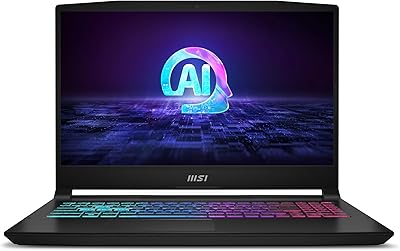
MSI Thin 15.6-inch Gaming Laptop
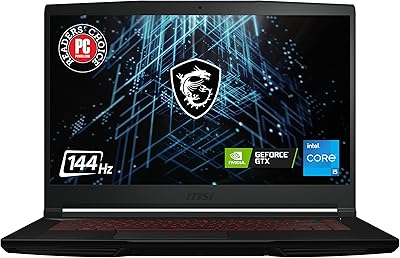
72%
72%
Gaming Performance
83%
Display Quality
81%
Build Quality
58%
RAM & Multitasking
61%
Thermal Management
More
MSI GV15 15.6″ Gaming Laptop - Intel Core i5-11400H, GTX 1650, 8GB RAM, 256GB SSD
83%
92%
Value for Money
80%
Gaming Performance
88%
Display Quality
85%
Portability
67%
Battery Life
More
MSI Katana A15 AI Ryzen 9 8945HS, 32GB RAM, 1TB SSD, RTX 4070, 15.6″ QHD Gaming Laptop
83%
94%
Gaming Performance
89%
Display Quality
61%
Battery Life
72%
Portability/Weight
88%
Cooling System (Thermals)
More
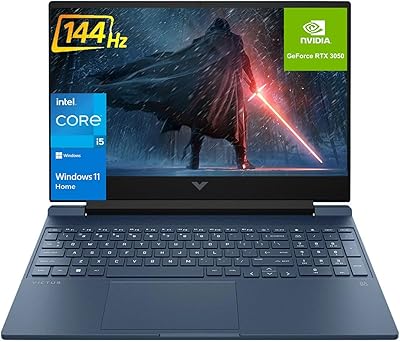
HP Victus 15.6 i5 Gaming Laptop
82%
88%
Gaming Performance
85%
Multitasking & Productivity
91%
Display Quality
64%
Battery Life
70%
Portability
More
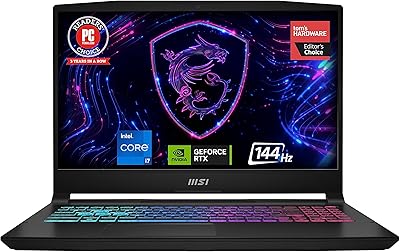
MSI Katana 15 B13VGK Gaming Laptop
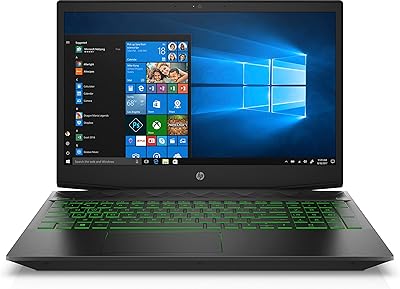
72%
89%
Gaming Performance
84%
Value for Money
67%
Thermal Management
63%
Display Quality
61%
Build Quality
More
HP Pavilion Gaming Laptop 15.6″ Core i5-8300H 8GB RAM 1TB HDD
78%
83%
Gaming Performance
92%
Value for Money
88%
Display Quality
74%
Battery Life
80%
Build Quality
More
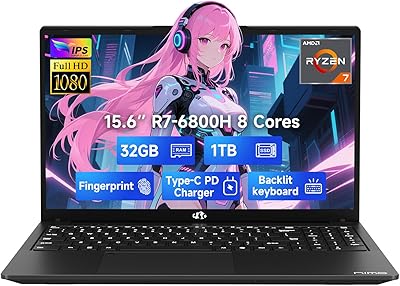
NIMO N155L 32GB/1TB
NIMO N155L 32GB/1TB
72%
88%
Processing Performance
91%
RAM & Memory Experience
87%
Storage Speed & Capacity
58%
Gaming Capability
66%
Display Quality
More
Dell G5 15.6” Gaming Laptop, i7-10750H, 32GB RAM, 1TB SSD, GTX 1650 Ti
84%
87%
Gaming Performance
90%
Display Quality
92%
Processing Speed
80%
Build Quality
65%
Battery Life
More
HP Victus 15.6″ Gaming Laptop, AMD Ryzen 5 7535HS, 32GB RAM, 1TB SSD, RTX 2050
83%
90%
Performance
87%
Display Quality
68%
Thermals
82%
Portability
85%
Build Quality
More
HP Victus 15.6″ Gaming Laptop - Intel Core i5-12450H, 8GB RAM, 512GB SSD, GTX 1650
79%
88%
Value for Money
80%
Gaming Performance
85%
Build Quality
65%
Display Quality
72%
Battery Life
More
NIAKUN LAITMIN-G5 Gaming Laptop, 15.6-inch, AMD Ryzen 7 5700U, 32GB RAM, 1TB SSD
82%
88%
Performance
92%
Value for Money
65%
Battery Life
87%
Display Quality
80%
Build Quality
More

FAQ

It depends on what you play. The GF63 Thin handles esports titles like Valorant, CS2, and Apex Legends very well at 1080p. For newer AAA games like Cyberpunk 2077 or Alan Wake 2, you will need to drop settings to low or medium to get playable framerates. It is not a powerhouse, but for the right genre of games it performs confidently.

For most esports and mid-range titles, 8GB gets the job done. Where it starts to strain is when you are running a game alongside a browser with several tabs, Discord, and a streaming app all at once. If you plan to multitask heavily, upgrading to 16GB is a worthwhile and relatively affordable improvement.

It is fairly straightforward. The bottom panel comes off with a few screws, and both the RAM slot and the M.2 NVMe slot are accessible without specialized tools. Many buyers upgrade the SSD to a 512GB or 1TB drive shortly after purchase, which solves the storage problem immediately.

Yes, the fans spin up noticeably under sustained gaming load. In a quiet room, you will hear them clearly. If you are gaming with headphones on, it is less of an issue, but in a shared or library environment it can be distracting. This is fairly typical for slim gaming laptops with dedicated GPUs at this price point.

During light tasks — web browsing, word processing, watching videos — you can realistically get around 4 to 5 hours. The moment you start gaming, expect that to drop to 1.5 to 2.5 hours depending on the title. For gaming, keeping it plugged in is essentially mandatory.

It can handle light creative work reasonably well. Photo editing in Lightroom or Photoshop runs smoothly, and basic video editing in shorter timelines is manageable. Where it struggles is with 4K footage, long export queues, or complex multi-layer projects, where both the RAM and CPU become the limiting factor.

Yes, this laptop meets the hardware requirements for Windows 11, so upgrading via Windows Update is straightforward. It ships with Windows 10, but the transition takes only a few minutes and does not require any hardware changes.

For a laptop at this tier, the display is genuinely solid. The IPS panel delivers decent color accuracy and viewing angles, and the anti-glare coating makes it comfortable in bright classrooms or offices. It is not a high-refresh-rate panel, so competitive players who prioritize frame rate over color may eventually want something faster, but for most users it is more than adequate.

At 4.1 pounds and under an inch thick, it fits comfortably in most backpacks and is not noticeably heavier than non-gaming laptops in the same screen size class. If you are carrying it between classes every day, you will not feel burdened by it.

Three USB 3.0 ports cover most everyday needs — a mouse, an external drive, and one extra peripheral can all connect at once without conflict. If you regularly use more than three USB devices simultaneously, a small hub would help, but for most students and casual users the built-in ports are sufficient.