Overview

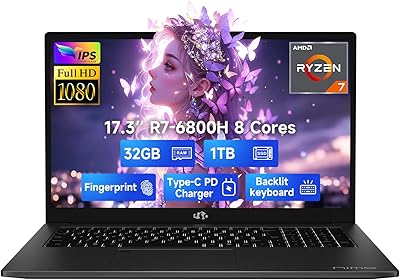
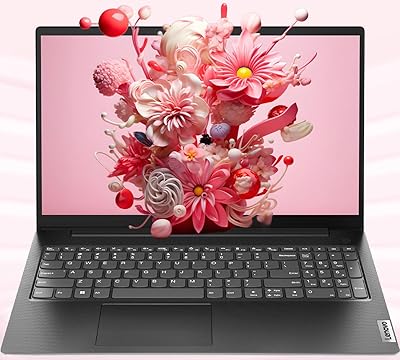
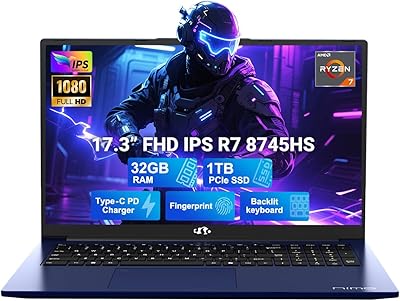
The NIMO N155L 32GB/1TB is a mid-2025 AMD-powered laptop aimed at students, remote workers, and casual gamers who want real performance without a premium price tag. NIMO isn't a household name, but the company backs this machine with a 2-year manufacturer warranty and claims partial USA assembly — a reassuring gesture for a lesser-known brand. One thing worth clarifying upfront: the Radeon 680M is an integrated GPU, not a dedicated card, so serious gaming isn't really on the table. What this NIMO laptop does offer is a credible challenge to Intel i7-12700H alternatives at comparable prices, which makes its value case worth examining closely.

Features & Benefits

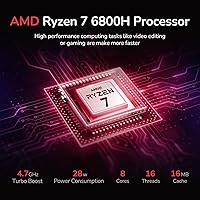
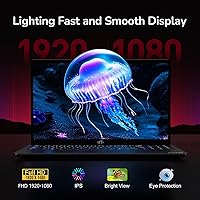
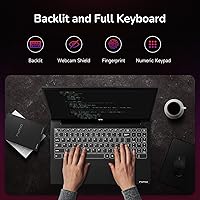
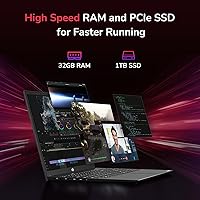
The Ryzen 7 6800H is the real draw here — 8 cores and 16 threads translate into genuinely snappy multitasking, whether you're juggling browser tabs, running video calls, or handling light video editing. Behind that sits 32GB of DDR5 RAM in dual-channel mode, keeping workflows fluid even under heavier loads. The 1TB PCIe 4.0 SSD delivers fast boot times and generous room for files. The 100W GaN USB-C charger is a thoughtful inclusion at this price — it can top up phones and tablets too. A 15.6-inch IPS anti-glare display, fingerprint sensor, and backlit numeric keyboard round out a feature set that punches well above typical budget norms.

Best For

The N155L makes the most sense for students who need a reliable workhorse for research, writing, and streaming without overpaying. Remote workers managing productivity apps and video calls will appreciate the fast CPU and generous memory. Upgrade-minded buyers will also value that both RAM and SSD are user-replaceable — a feature often locked down on rival budget machines. Casual gamers can run older or less-demanding titles reasonably well, but anyone expecting modern AAA performance will hit the GPU ceiling fast. It's also worth considering for anyone prioritizing a USB-C fast charging setup, which remains genuinely rare at this price point.

User Feedback

Early buyers of this NIMO laptop frequently highlight the metal A-shell lid as a welcome surprise, lending a sturdier feel than the plastic-heavy competition typically offers. The USB-C fast charging draws consistent praise as well. On the downside, some users note the display can feel dim in bright environments — screen brightness is a common compromise in this price tier. Battery life is mixed; the rated 5 hours seems optimistic under real workloads, with many reporting closer to 3 to 4 hours. Fan noise during sustained CPU tasks gets occasional mentions, and long-term reliability from a young, relatively unknown brand is still an open question worth keeping in mind.

Pros

  • The Ryzen 7 6800H handles demanding multitasking workloads with genuine headroom to spare.
  • 32GB of DDR5 RAM is an unusually generous configuration for a budget-tier laptop.
  • The 1TB PCIe 4.0 SSD delivers fast load times and plenty of storage for most users.
  • A 100W GaN USB-C charger is included — a rare and practical bonus that eliminates extra adapters.
  • Both RAM and SSD are user-upgradeable, extending the useful life of the machine significantly.
  • The metal A-shell lid adds a sturdier, more premium feel than most plastic-bodied rivals.
  • A built-in fingerprint sensor makes daily login fast and more secure without extra setup.
  • The backlit keyboard with a numeric keypad is well-suited for students and data-entry users.
  • The 15.6-inch IPS anti-glare display handles everyday work and streaming comfortably.
  • A 2-year manufacturer warranty and 90-day return window provide meaningful initial peace of mind.

Cons

  • Real-world battery life consistently falls short of the advertised 5-hour claim under normal use.
  • Fan noise becomes noticeably loud under sustained CPU loads, which can be distracting in quiet environments.
  • Display brightness is insufficient for comfortable use near windows or in well-lit spaces.
  • The webcam and built-in speakers are weak points that let down the otherwise solid hardware package.
  • Wi-Fi is limited to the older 802.11ac standard on a machine launched in mid-2025.
  • NIMO has a limited track record, making long-term reliability and post-warranty support genuinely uncertain.
  • Bottom panel and keyboard deck are plastic, which undermines the premium impression the metal lid creates.
  • SSD brand varies between production batches, introducing inconsistency in storage performance across units.
  • Keyboard flex under firm typing and a stiff hinge reduce the overall feel of build refinement.
  • Thermal performance under heavy loads causes the underside to heat up uncomfortably for lap use.

Ratings

The NIMO N155L 32GB/1TB earns a nuanced set of scores here — our AI has processed verified buyer reviews from multiple global markets, actively filtering out incentivized, bot-generated, and duplicate submissions to surface what real users actually experience. Strengths in raw processing power and storage value come through clearly, while recurring friction points around display brightness and brand trust are reflected just as honestly. Neither the highs nor the lows are smoothed over.

Processing Performance
88%
Users handling simultaneous workloads — spreadsheets, video calls, browser-heavy research sessions — consistently report that the Ryzen 7 6800H keeps up without visible lag. The 8-core configuration handles multitasking far better than most competing budget chips, which buyers notice immediately in day-to-day use.
Under prolonged CPU-intensive tasks like extended video rendering or large file compression, some users note the fans ramp up aggressively and sustained clock speeds can throttle slightly. It is still a thermal management story that is tied closely to the chassis design.
RAM & Memory Experience
91%
Having 32GB of DDR5 in dual-channel at this price tier is genuinely unusual, and buyers who previously used 8GB or 16GB laptops feel an immediate difference when running virtual machines, creative apps, or juggling dozens of browser tabs. The upgrade-friendly design adds long-term confidence.
A small number of technically minded users have flagged that the DDR5 speed is locked at 4800MHz rather than a higher-binned option, which leaves marginal performance on the table. For most buyers this is invisible, but enthusiasts notice it.
Storage Speed & Capacity
87%
The PCIe 4.0 SSD delivers noticeably fast boot times and application launches that buyers coming from older SATA or PCIe 3.0 drives appreciate right away. One terabyte also means most users will not hit the storage ceiling for years of regular use.
A few users reported that the SSD brand included varies by batch, which introduces inconsistency in real-world read/write benchmarks between units. It is not a widespread complaint, but worth noting for buyers who run storage-sensitive workloads.
Gaming Capability
58%
42%
Casual gamers running titles like Stardew Valley, older indie games, or low-demand esports games like League of Legends report a perfectly functional experience. The Radeon 680M handles these lighter workloads better than Intel integrated graphics at a comparable tier.
Anyone expecting to run modern AAA titles at even medium settings will be disappointed — this is not a machine built for that. Buyers who did not read the integrated GPU specs carefully have left frustrated reviews after expecting dedicated-card performance that was never on offer.
Display Quality
66%
34%
The IPS anti-glare panel delivers accurate enough colors for document work, streaming, and casual photo browsing, and the 85% screen-to-body ratio makes the overall display footprint feel modern rather than dated. Most everyday users find it perfectly acceptable.
Brightness is the most common complaint in user reviews — working near a window or in a well-lit room exposes the panel's limitations. Color accuracy and contrast also fall short for anyone doing serious photo or video editing work, which is a real constraint for creative users.
Build Quality
74%
26%
The metal A-shell lid is a genuine surprise at this price point and buyers frequently mention how it sets the N155L apart from plasticky competitors that flex and creak. The overall chassis feels reasonably solid during transport and daily desk use.
The bottom panel and keyboard deck are still plastic, which tempers the premium feel the lid initially suggests. A handful of users have noted minor flex around the center of the keyboard tray under firm typing, which does not inspire long-term confidence at a structural level.
Battery Life
53%
47%
For light use — reading, note-taking, or low-demand browsing with screen brightness turned down — some users do manage to approach the 4 to 5 hour range, which covers a half-day of lectures or a short travel segment without needing the charger.
Under typical mixed workloads, real-world battery life lands closer to 3 to 3.5 hours, well short of the advertised 5-hour claim. Users who expected all-day productivity without a power source are among the more vocal critics in buyer reviews.
Charging & Port Setup
84%
The bundled 100W GaN USB-C charger is a highlight that buyers consistently appreciate — it charges the laptop reasonably quickly and doubles as a charger for phones, tablets, and cameras, reducing the total number of adapters needed while traveling.
Wi-Fi is limited to the older 802.11ac standard rather than Wi-Fi 6, which some users flag as a missed opportunity on a 2025 machine. There is also only one USB 2.0 port alongside the three USB 3.0 ports, which feels like an odd inclusion given current standards.
Keyboard & Input
77%
23%
The backlit keyboard with a numeric keypad is well-received by students and data-entry users who find the layout practical for extended typing sessions. Key travel is reported as comfortable for a budget-tier machine, and the backlighting is functional rather than flashy.
A few users mention the keyboard flex is noticeable during aggressive typing, and the touchpad, while functional with multitouch gestures, does not match the precision of trackpads found on more premium devices. The fingerprint sensor response time gets mixed feedback.
Thermal Management
61%
39%
Under light to moderate workloads, the N155L stays quiet and reasonably cool — students and office users report it rarely becomes distracting during typical sessions involving documents, streaming, or web browsing.
Sustained CPU loads expose a clear thermal ceiling, with fan noise becoming notably loud and surface temperatures on the underside climbing to uncomfortable levels. Users who work with the laptop on their lap during intensive tasks flag this as a genuine irritant.
Software & OS Experience
79%
21%
Windows 11 arrives in a reasonably clean state with minimal bloatware compared to some budget competitors, which buyers appreciate since it means less time uninstalling unwanted apps out of the box. The fingerprint login works reliably for most users once set up.
Some users report that Windows 11 driver updates occasionally cause minor compatibility hiccups with AMD integrated graphics settings, requiring manual intervention. This is not unique to this machine but does come up in feedback from less technically confident buyers.
Value for Money
86%
At its price point, finding 32GB DDR5 RAM, a PCIe 4.0 SSD, a GaN USB-C charger, and a metal lid together in one package is hard to match. Budget-conscious buyers who prioritize raw performance specs over brand prestige consistently rate value highly.
The value proposition depends heavily on long-term reliability from a brand with limited track record, which introduces real uncertainty. Buyers who factor in potential support quality and resale value find the calculus less compelling than the spec sheet initially suggests.
Brand Trust & Support
55%
45%
The 2-year warranty and 90-day hassle-free return window are meaningful commitments that give first-time NIMO buyers some reassurance, and users who have contacted support describe reasonably responsive service experiences.
NIMO remains a largely unknown brand with a limited history of long-term customer experiences to draw from. Buyers accustomed to established laptop brands express genuine hesitation about what post-warranty support actually looks like in practice.
Webcam & Audio
49%
51%
The 2MP webcam covers basic video call needs at home or in a quiet office setting, and for buyers whose primary use is occasional Zoom or Teams calls, it clears the minimum bar without drawing strong complaints.
Both webcam quality and speaker output are the weakest points in user feedback — the camera produces soft, grainy images in anything less than ideal lighting, and the built-in speakers are described as thin and lacking bass. External audio is essentially a requirement for media consumption.
Portability & Design
72%
28%
At 3.8 pounds and under 0.8 inches thin, the N155L slips into a backpack without much effort and does not feel like a burden on a daily commute or campus walk. The clean black design reads as professional rather than aggressively gamer-oriented.
The slim profile does limit cooling headroom, which connects back to thermal performance concerns. Some users also note the hinge feels slightly stiff during single-hand opening, a minor ergonomic friction point that a few buyers mention in longer-term use feedback.

Suitable for:

The NIMO N155L 32GB/1TB is a strong fit for students who need a capable daily machine that can handle coursework, research, video streaming, and light creative tasks without demanding a premium budget. Remote workers who spend most of their day in productivity apps, video conferencing, and document-heavy workflows will appreciate the processing headroom that most budget laptops simply cannot offer at this tier. Budget-conscious buyers who understand hardware will recognize the unusual combination of DDR5 RAM, a fast PCIe 4.0 SSD, and a GaN USB-C charger as genuinely hard to replicate elsewhere at the price. Anyone who likes the idea of upgrading their machine down the road will also find the user-accessible RAM and SSD slots a meaningful advantage over sealed competitors. Casual gamers who stick to older titles, indie games, or low-demand esports games can get reasonable mileage out of the integrated Radeon 680M, provided expectations are set realistically from the start.

Not suitable for:

The NIMO N155L 32GB/1TB is not the right call for anyone who needs dedicated GPU performance — content creators rendering 3D scenes, video editors working with high-resolution footage, or gamers expecting to run modern titles at playable frame rates will hit a hard ceiling with integrated graphics. Buyers who rely on their laptop away from power outlets for extended stretches should also look elsewhere, since real-world battery life falls well short of the advertised figure and plugging in frequently becomes a practical necessity. Professionals whose work depends on accurate color reproduction — photographers, graphic designers, or print production specialists — will find the display too limited for critical work. Anyone who values long-established brand support, a proven service network, or strong resale value should weigh the uncertainty of buying from a relatively new and unfamiliar manufacturer. Finally, users who need current wireless standards like Wi-Fi 6 for fast, congestion-resistant connectivity will find the older 802.11ac implementation a quiet but real limitation in dense network environments.

Specifications

  • Processor: AMD Ryzen 7 6800H with 8 cores, 16 threads, and a boost clock of up to 4.7GHz, built on a 7nm process node.
  • Graphics: AMD Radeon 680M integrated GPU sharing system memory, suitable for light gaming and GPU-accelerated tasks.
  • RAM: 32GB DDR5 SDRAM running at 4800MHz in dual-channel configuration, with user-accessible and upgradeable slots.
  • Storage: 1TB PCIe 4.0 NVMe SSD offering fast read/write performance and user-replaceable design for future upgrades.
  • Display: 15.6″ FHD IPS anti-glare panel at 1920x1080 resolution with an 85% screen-to-body ratio.
  • Operating System: Windows 11 Home comes pre-installed, delivered in a relatively clean state with minimal pre-loaded software.
  • Battery: Built-in lithium polymer battery rated at 11.4V with an approximate rated life of 5 hours under light use conditions.
  • Charger: 100W GaN USB-C PD fast charger included in the box with a 6.56ft USB-C to USB-C cable.
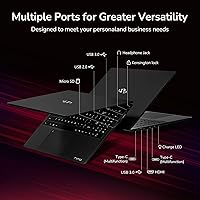
  • Ports: Three USB 3.0 ports, one USB 2.0 port, and one USB-C port for charging and data transfer.
  • Wireless: Wi-Fi connectivity via 802.11a/b/g/n/ac (Wi-Fi 5), with no Wi-Fi 6 support on this model.
  • Webcam: 2MP front-facing camera integrated into the display bezel, suitable for standard video calls in good lighting.
  • Security: Fingerprint reader embedded in the touchpad for biometric Windows Hello login without requiring a PIN or password.
  • Keyboard: Full-size backlit keyboard with a numeric keypad, designed for comfortable typing in low-light environments.
  • Dimensions: Measures 14.07 x 8.98 x 0.76 inches (LxWxH) and weighs approximately 3.8 pounds.
  • Chassis Material: Metal construction on the A-shell lid for added rigidity, with plastic used on the bottom panel and keyboard deck.
  • Memory Type: DDR5 SDRAM in dual-channel mode, a newer memory standard offering improved bandwidth over DDR4 at comparable speeds.
  • Warranty: Backed by a 2-year manufacturer warranty from NIMO Direct Inc. and a 90-day hassle-free return window.
  • Assembly: Partially assembled in the USA and subject to quality checks by NIMO Direct Inc. before shipment.
  • Audio: Built-in stereo speakers with HD audio support; no dedicated subwoofer or premium audio hardware included.
  • Availability: First listed on Amazon in June 2025, making this a recent release with a limited long-term user review history.

Related Reviews
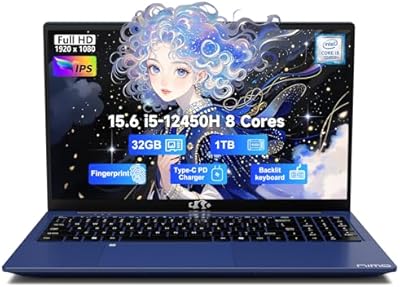
NIMO N174 17.3″ Gaming Laptop, AMD Ryzen 7 6800H, 32GB RAM, 1TB SSD
84%
89%
Gaming Performance
92%
Display Quality
63%
Battery Life
85%
Build Quality
80%
Portability
More
NIMO N177B 17.3″ Gaming Laptop, AMD Ryzen 7 8745HS, 32GB RAM, 1TB SSD
85%
88%
Performance
90%
Display Quality
85%
Battery Life
89%
Build Quality
80%
Portability
More
NIMO N156B 15.6″ FHD Business Laptop, Intel Core i5-12450H, 32GB RAM, 1TB SSD
83%
89%
Performance
65%
Battery Life
91%
Display Quality
84%
Portability
82%
Build Quality
More
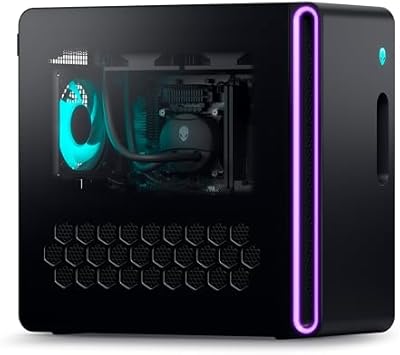
Lenovo IdeaCentre Business Desktop | Intel Core i3-12100 | 32GB RAM | 1TB SSD + 1TB HDD
83%
88%
Performance for Business Tasks
85%
Multitasking Efficiency
91%
Storage Speed & Capacity
87%
Connectivity Options
80%
Overall Build Quality
More
Alienware Aurora R16 Gaming Desktop - Intel Core i9-13900F, 32GB RAM, 1TB SSD + 1TB HDD, RTX 4070
87%
94%
Performance
93%
Graphics Quality
89%
Cooling Efficiency
84%
Ease of Setup
88%
Software & Customization
More
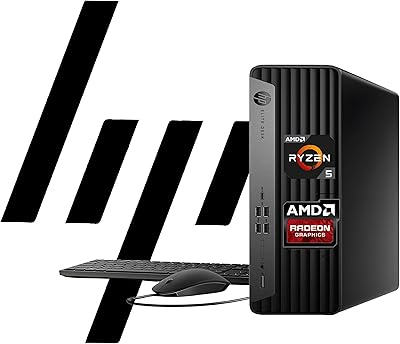
Beelink SER5 Pro (Ryzen 7 5825U, 16GB/500GB)
80%
88%
Everyday Performance
67%
Thermal Management
91%
Multi-Monitor Support
83%
Build Quality & Design
86%
Connectivity & Port Selection
More
HP EliteDesk 805 G9 SFF 32GB 1TB
89%
95%
Performance
93%
Multitasking Capability
91%
Memory and Storage Speed
82%
Graphics Handling
88%
Build Quality
More
DreamQuest Mini PC N95 32GB RAM 1TB SSD
85%
87%
Performance
80%
Build Quality
94%
Compact Design
88%
4K Support & Display
91%
Quiet Operation
More
HP 250 G9 Laptop 32GB RAM 1TB SSD
83%
80%
Performance
89%
Value for Money
85%
Battery Life
88%
Display Quality
82%
Build Quality
More
Lenovo V15 Business Laptop 32GB RAM 1TB SSD
84%
87%
Value for Money
82%
Performance for Everyday Use
91%
Battery Life
88%
Build Quality
85%
Portability
More

FAQ

No, it is a genuine hardware feature on the N155L — both the RAM slots and the SSD slot are physically accessible and designed to be user-replaceable. You will need to open the bottom panel, but no soldering is involved. Just make sure to use compatible DDR5 SO-DIMM modules if you decide to upgrade the memory.

Older and less demanding titles like Valorant, League of Legends, or games from several years ago can run at low to medium settings reasonably well. Fortnite is playable but expect to run it at lower quality settings to maintain smooth frame rates. Modern AAA titles like Cyberpunk 2077 or Elden Ring are not realistic targets on this integrated GPU — do not buy this machine expecting that kind of gaming experience.

The included 100W GaN charger outputs through USB-C and can power the laptop while also being used to charge other USB-C devices like phones, tablets, or cameras, though you will need a USB-C hub or a second cable to do both simultaneously from the same charger. Many buyers find it handy for travel since it replaces multiple wall adapters.

Realistically, no — under typical mixed use involving Wi-Fi browsing, note-taking, and occasional video, most users report around 3 to 3.5 hours before needing to plug in. If you turn down screen brightness and stick to light tasks, you might stretch closer to 4 hours, but planning an all-day unplugged session around the advertised 5-hour figure would leave you short. Bringing the charger to campus is the practical approach with this machine.

NIMO N155L 32GB/1TB is a relatively new product from a lesser-known manufacturer, which is a fair concern to raise. The 2-year warranty and 90-day return policy offer some protection, and early buyers generally report responsive customer service. That said, there is limited long-term data on how the brand handles out-of-warranty repairs or how durable the machine proves after two or three years of daily use — that uncertainty is a real trade-off you are accepting at this price point.

This is one of the weaker points of the machine. The panel brightness is adequate in a dimly lit room or a controlled indoor environment, but near a sunny window or in a brightly lit cafe, glare and washout become noticeable even with the anti-glare coating. It is not designed for outdoor use and falls short of the brightness you would find on higher-end panels.

It supports Wi-Fi 5 (802.11ac), not Wi-Fi 6. For most home or office networks this is fine, but if you are on a congested network with many connected devices or rely on a Wi-Fi 6 router for maximum throughput, you will not see the full benefit of that infrastructure. It is a noticeable omission on a 2025 machine, though it rarely affects everyday browsing or streaming speeds.

During light tasks — web browsing, documents, video calls — the fans stay quiet and mostly unnoticeable. Once you push the CPU harder, such as during sustained video exports, large file transfers, or gaming sessions, the fan ramps up audibly. It is not unusually loud compared to other thin budget laptops, but it is worth being aware of if you plan to use it in quiet library settings during intensive workloads.

Most users find it works well once set up through Windows Hello — it is fast enough to make password typing feel unnecessary for daily use. A small number of users report occasional misreads, particularly if fingers are slightly damp or cold, but this is fairly common behavior for budget-tier fingerprint readers and is not unique to this machine.

For casual editing — trimming clips, applying basic color grades in software like DaVinci Resolve Lite, or working with photos in Lightroom — the Ryzen 7 6800H handles it respectably. Where it falls short is color-critical professional work, since the display lacks the brightness and color accuracy that serious photo or video editors need. If you are a hobbyist or student learning editing workflows, this AMD Ryzen machine is workable; if you are a professional, the display is a genuine limitation.