Overview

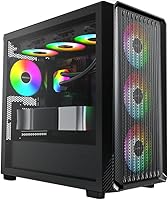
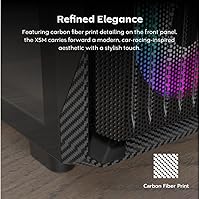
The Montech X5M Micro ATX PC Case is built for gamers who want a capable rig without eating up their entire desk. This compact gaming enclosure sits in mid-tower territory, giving you enough internal breathing room while keeping the overall footprint tight. What immediately sets it apart at this price point is that four ARGB fans come pre-installed — most competitors here ship with one or two at best. The chassis is plastic with carbon fiber print accents, and that distinction matters: it is a printed pattern, not actual carbon fiber material. Knowing that upfront keeps expectations grounded and avoids any surprises when the box arrives.

Features & Benefits

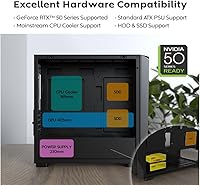
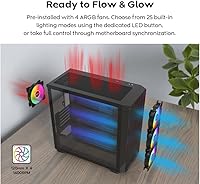
The X5M ships with four 120mm ARGB fans already mounted front and rear, which is a genuine edge over similarly priced options that leave you sourcing fans separately. Airflow coverage is solid front-to-back, though at full speed the fans are audible — worth factoring in for quieter setups. GPU clearance up to 410mm means modern flagships, including current RTX 50-series cards, fit without any bracket gymnastics. The glass side panel removes easily and frames the build cleanly. Cable management space behind the motherboard tray is tight given the compact layout, and the front I/O — one USB 3.0 and one USB 2.0 — feels noticeably sparse for a build in 2025.

Best For

The X5M is a strong choice for first-time PC builders who want to skip the fan-sourcing step and get straight to assembling. If you are building a compact Micro ATX gaming system and need clearance for a modern full-length GPU, this compact gaming enclosure handles that without forcing a step up to a larger form factor. It also works well for anyone with limited desk space who still wants a side window to show off the internals. That said, this is not the case for builders planning a custom liquid cooling loop or anyone who needs near-silent operation. If airflow is the priority and noise is a secondary concern, this Micro ATX case fits the brief.

User Feedback

Across 98 ratings averaging 4.4 stars, buyers are generally satisfied, but the specifics tell a more nuanced story. The most consistent praise centers on ease of assembly and the pre-installed fans saving meaningful setup time, with the ARGB lighting drawing extra appreciation for how it looks relative to the price. On the critical side, the two front USB ports are a recurring complaint — several reviewers flag this as a real inconvenience in day-to-day use, not just a spec nitpick. A handful of buyers also note that some plastic panels feel thinner in person than product images imply. Rear cable routing gets mixed marks, with tighter builds running into clearance issues behind the tray.

Pros

  • Four 120mm ARGB fans come pre-installed, saving both time and extra cost on the initial build.
  • GPU clearance up to 410mm means even current flagship graphics cards fit without modifications.
  • The glass side panel is easy to remove and gives a clean, unobstructed view of the build.
  • Compact Micro ATX footprint keeps desk space usage genuinely manageable.
  • Bottom-mount PSU placement keeps heat sources separated and aids overall component layout.
  • ARGB lighting on the included fans looks attractive and syncs with most major RGB ecosystems.
  • Ranked among the top cases in its Amazon category, reflecting strong buyer confidence for a newer release.
  • The build process is straightforward, making this enclosure approachable for first-time assemblers.
  • Front airflow intake design supports consistent cooling without requiring immediate fan upgrades.

Cons

  • Only one USB 2.0 and one USB 3.0 on the front panel — notably limited for any modern desk setup.
  • The carbon fiber finish is a printed surface on plastic, not a real material upgrade.
  • Fan noise at full load is audible and can be distracting in quieter environments.
  • Rear cable management clearance is tight, making clean builds harder with thicker modular cables.
  • No liquid cooling support limits upgrade paths for builders who may want to switch cooling strategies later.
  • Plastic panels feel thinner in hand than product images suggest, which can disappoint buyers expecting more rigidity.
  • No USB-C port on the front I/O, which is an increasingly common expectation in 2025 builds.
  • Limited interior volume makes working inside the case with larger hands or bulkier components more cumbersome.

Ratings

Our AI scoring engine analyzed verified global buyer reviews of the Montech X5M Micro ATX PC Case — actively filtering out incentivized, duplicate, and bot-generated submissions — to produce the category scores below. The results reflect a balanced picture of where this compact gaming enclosure genuinely earns its keep and where real buyers have run into friction.

Value for Money
86%
Four ARGB fans pre-installed at this price point is a compelling deal — most comparable cases ship bare or with a single fan, meaning buyers save real money and setup time right out of the gate. Reviewers consistently cite this bundle factor as the reason they chose the X5M over alternatives in the same bracket.
The value calculus shifts if you need to immediately replace the fans for noise reasons or invest in a USB hub to compensate for the limited front I/O. Those additions quietly erode the upfront savings that made the case attractive in the first place.
Airflow Performance
81%
19%
With four 120mm fans covering front intake and rear exhaust positions, this Micro ATX case moves a solid volume of air for its size. Builders running mid-range gaming rigs report stable thermals under extended gaming sessions without needing to add supplemental cooling.
At higher fan speeds — which kick in during demanding workloads — the airflow comes at a noise cost that some buyers find disruptive in quieter environments. The case lacks any acoustic foam or dampening material, so there is nothing to soften the fan signature under load.
Fan Inclusion & Setup
88%
Having four ARGB fans ready to go straight from unboxing removes a genuinely tedious step from the build process, particularly for first-time builders who may not know which fans to buy or how to wire them. The 5V 3-pin ARGB connectors are standard and plug directly into most modern motherboard headers.
The included fans are functional but not premium — rotation speed control is limited without a dedicated fan controller or robust BIOS fan curve setup. Enthusiasts who want precise, silent cooling often end up swapping them out for higher-quality alternatives within a few months.
GPU Compatibility
91%
A 410mm maximum GPU length is genuinely generous for a Micro ATX enclosure — it comfortably fits current triple-fan flagships from NVIDIA and AMD without any bracket removal or internal restructuring. Builders upgrading to RTX 50-series cards can do so without worrying about outgrowing the case.
While length clearance is excellent, width and thickness of some particularly bulky triple-slot cards can still feel tight near the front fan mounts. A handful of users with especially oversized cooler shrouds report the fit is snug enough to require careful cable positioning around the GPU.
Front I/O
43%
57%
The available USB 3.0 port covers the basic need of plugging in an external drive or fast-charging a device during a gaming session. For a very minimal, keyboard-and-mouse-only setup, the port count technically gets the job done.
Two total USB ports — one USB 3.0 and one USB 2.0, with no USB-C — is a meaningful shortcoming by 2025 standards and is one of the most consistently cited complaints in buyer reviews. Anyone who uses a front-panel headset, game controller, USB drive, and a phone charger simultaneously will hit this wall fast.
Ease of Assembly
84%
The overall build process is laid out logically, with clear motherboard standoff placement and enough room to reach connections comfortably during initial assembly. First-time builders in particular mention that the interior feels intuitive to work in compared to more cramped Micro ATX competitors.
Installing a modular PSU with thicker cables in the bottom mount and then routing everything cleanly through the rear channel requires planning — doing it in the wrong order makes the process significantly harder. Cable management in the rear is workable but not forgiving of mistakes.
Build Quality
66%
34%
The structural rigidity of the main chassis is adequate — the case does not flex under normal handling, and the side panel attaches securely without wobble. For a plastic-bodied case at this price, the fit and finish of the major panels is reasonably consistent.
Several buyers note that some interior panels and covers feel notably thin and plasticky when handled directly, which creates a disconnect from the more polished exterior appearance. The carbon fiber look is a printed surface finish, not a composite material, which becomes obvious on close inspection.
Aesthetics & Lighting
78%
22%
The ARGB fans produce a genuinely attractive lighting effect visible through the glass panel, and the dark carbon fiber print exterior gives the build a clean, cohesive look from across a room. Buyers running RGB memory and GPU lighting report that the overall system aesthetic comes together well.
The carbon fiber accent is a surface print rather than a real material texture, which reduces the premium feel when viewed up close or touched. Buyers who were expecting a more tactile, high-end finish based on product photos sometimes express disappointment in person.
Noise Level
61%
39%
During light tasks and web browsing — where system temperatures stay low — the fans settle to a quiet enough speed that the case is unobtrusive in most home environments. Buyers using the X5M in living room setups report it is manageable during casual use.
Under gaming loads, the four included fans spin up audibly and the case offers no dampening material to absorb the sound. Users in noise-sensitive spaces — bedrooms, home offices, streaming setups — consistently flag this as a real-world annoyance that required custom fan curves or fan replacement to address.
Cable Management
57%
43%
The bottom PSU mount and dedicated routing cutouts in the motherboard tray do provide a workable framework for keeping cables out of the main chamber. Builders using compact or semi-modular power supplies report cleaner results with less effort.
The rear cable management channel is shallow relative to what full mid-towers offer, making it genuinely difficult to route thick modular PSU cables without creating visible bulges behind the side panel. Builders who do not plan their cable runs in advance often have to disassemble and restart to achieve a clean result.
Side Panel
76%
24%
The glass panel offers a clear, undistorted view of the build interior and removes cleanly without tools for easy access during upgrades or cleaning. It holds a noticeably nicer appearance than the acrylic panels found in many competing cases at similar price points.
The panel attachment mechanism, while functional, does not feel particularly premium — there is minor play in the fitment that some buyers notice when moving the case. Glass panels are also more vulnerable to cracking if the case is knocked or dropped during transport than acrylic alternatives would be.
Interior Layout
72%
28%
The internal organization makes good use of available space for a Micro ATX form factor, with the bottom PSU chamber cleanly separated from the main component area. Storage drive mounting is accessible and positioned sensibly relative to the PSU bay.
The compact dimensions mean there is limited clearance above the motherboard for tall CPU coolers, and builders with larger hands consistently mention that reaching certain connections during assembly requires patience. The interior is functional but leaves little margin for error when fitting larger components simultaneously.
PSU Clearance
73%
27%
Bottom-mounting the PSU keeps heat isolated from the main component area and creates a cleaner visual separation between the power supply and the rest of the build. Standard ATX PSUs up to common lengths fit without issue and the shroud design hides cabling from the primary viewing angle.
Longer PSU units can reduce the working space available for GPU power cable routing at the bottom of the case, and the PSU intake faces downward — meaning the case needs adequate clearance below it on a desk surface to avoid starving the PSU of airflow. Carpet placement is specifically something to avoid.

Suitable for:

The Montech X5M Micro ATX PC Case is a practical fit for builders who want a compact, airflow-focused enclosure without spending time or extra money sourcing fans separately. If you are putting together your first gaming PC on a tighter budget and want something that works reasonably well right out of the box, the four pre-installed ARGB fans remove one of the more tedious steps of the build process. It also suits gamers who need to accommodate a modern full-length GPU — including current RTX 50-series cards — without stepping up to a larger mid-tower footprint. Desk-space-conscious setups benefit here too, since the Micro ATX form factor keeps the overall volume manageable while the glass side panel still lets you show off the internals. If your priority is moving air and you can live with a bit of fan noise under load, this compact gaming enclosure delivers solid value for its category.

Not suitable for:

The Montech X5M Micro ATX PC Case is not the right pick for builders who need a quiet system — the four included fans are audible at full speed, and there is no acoustic dampening to soften that. Anyone planning a custom liquid cooling loop should also look elsewhere, as the compact interior and Micro ATX layout leave little room for radiators or reservoir mounting. Power users and content creators who regularly plug in multiple USB peripherals will likely find the front I/O frustrating; two ports total is a real limitation by 2025 standards, not just a minor inconvenience. Buyers who expect premium materials should know upfront that the carbon fiber look is a printed accent on a plastic chassis, so if tactile build quality matters to you, this enclosure may feel underwhelming up close. Finally, experienced builders working with complex cable runs or thick modular PSU cables may find the rear management space tight enough to cause real frustration.

Specifications

  • Form Factor: Micro ATX Mid Tower, designed to house Micro ATX motherboards in a compact footprint suitable for space-conscious desktop setups.
  • Included Fans: Four 120mm ARGB fans come pre-installed from the factory, providing immediate front-to-rear airflow coverage without additional purchases.
  • Max GPU Length: The interior supports graphics cards up to 410mm in length, accommodating current-generation flagships including full-size RTX 50-series models.
  • Side Panel: A glass side panel is included on the left side, offering a clear view of the build interior and removing without tools for easy access.
  • PSU Mounting: The power supply mounts at the bottom of the chassis, separating heat sources and allowing a cleaner layout for the main component area.
  • Cooling Method: The case is designed exclusively for air cooling; there is no native support for liquid cooling radiator mounting.
  • Front I/O Ports: The front panel provides one USB 3.0 port and one USB 2.0 port, totaling two external connections with no USB-C option included.
  • Chassis Material: The main body is constructed from plastic with printed carbon fiber pattern accents; no actual carbon fiber composite material is used.
  • Item Weight: The assembled case weighs 14.3 pounds, which is typical for a Micro ATX mid-tower with pre-installed fans and a glass panel.
  • Package Dimensions: The retail packaging measures 21.06 x 19.69 x 10.94 inches, reflecting the case dimensions plus protective packaging material.
  • Color: Available in black with dark carbon fiber print accents, giving the exterior a uniform, understated gaming aesthetic.
  • Motherboard Support: The case officially supports Micro ATX motherboards; compatibility with smaller Mini-ITX boards should be verified against internal standoff positioning.
  • Avg. Rating: The X5M holds a 4.4 out of 5-star average based on 98 customer ratings, placing it at rank 30 in the Amazon Computer Cases category.
  • Release Date: The X5M was first made available in June 2025, making it one of the more recent Micro ATX case releases in its price segment.

Related Reviews
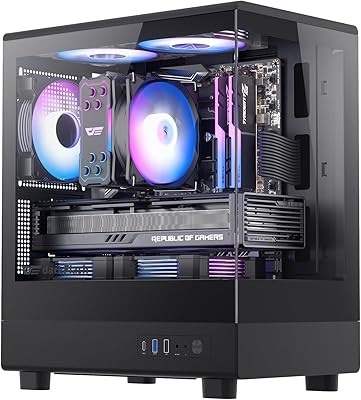
darkFlash DB330M Micro-ATX PC Case
71%
88%
Aesthetics & Design
67%
Build Quality
83%
Value for Money
72%
Airflow & Cooling
54%
Cable Management
More
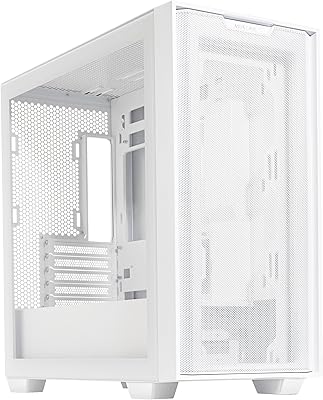
ASUS A21 Micro ATX Mid Tower Case
80%
91%
Value for Money
88%
Cable Management
86%
BTF Compatibility
93%
Component Clearance
89%
Ease of Assembly
More
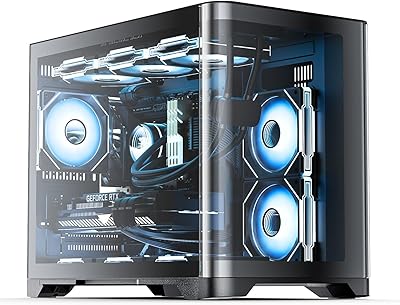
AsiaHorse Pegasus MATX Mid-Tower PC Case
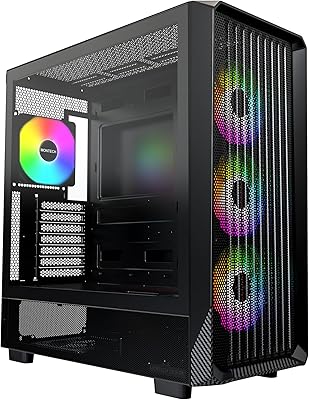
77%
93%
Aesthetics & Visual Design
81%
Build Quality & Materials
89%
Interior Space & Layout
74%
Cooling Potential
67%
AIO Radiator Compatibility
More
Jonsbo Z20 Micro-ATX Mini Tower Case
80%
93%
Build Quality & Materials
91%
Portability & Carrying Handle
78%
Internal Layout & Compatibility
89%
GPU Clearance & Large Component Support
87%
Cooling Support & Thermal Flexibility
More
Montech X5 ATX Mid-Tower PC Case
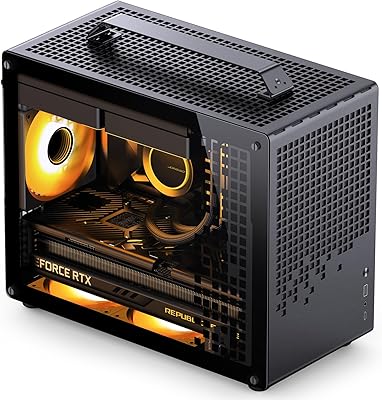
81%
88%
Airflow Performance
91%
Value for Money
79%
Build Quality & Materials
93%
GPU Compatibility & Support
84%
Cable Management
More
Apevia PHENOM-WH Phenom Micro ATX Gaming PC Case
84%
87%
Cooling Performance
92%
Build Quality
94%
Design & Aesthetics
88%
Ease of Cable Management
65%
Fan Support Options
More
Montech KING 95 PRO ATX Mid-Tower PC Gaming Case
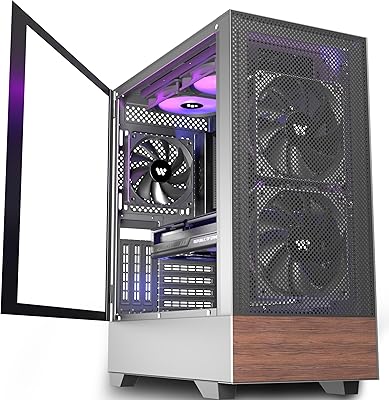
85%
91%
Cooling Performance
87%
Cable Management
88%
Build Quality
90%
Aesthetics
82%
Ease of Assembly
More
MUSETEX NN8 Mid-Tower ATX PC Case
78%
88%
Value for Money
79%
Airflow Performance
93%
Side Panel Design
84%
ARGB Lighting Quality
71%
Build Quality & Finish
More
GIM GM4-B Mid Tower PC Case
79%
83%
Build Quality & Materials
88%
Tempered Glass Panels
79%
Cooling Potential & Airflow
81%
Cable Management
86%
Value for Money
More
KEDIERS H3 Mid Tower ATX PC Case
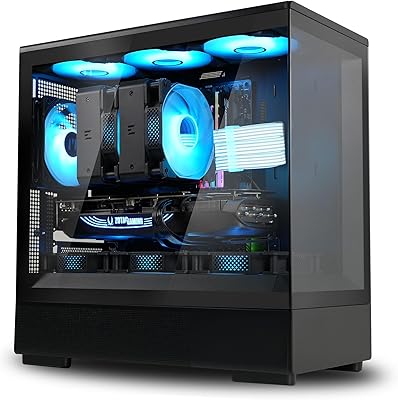
76%
88%
Aesthetic Design
71%
Build Quality
74%
Cooling Performance
67%
Fan Noise Level
59%
Cable Management
More

FAQ

Yes, as long as the card is 410mm or shorter in length, it will fit. Most RTX 4090 and RTX 5090 models fall within that range, but triple-fan variants from certain brands can push close to or past that limit, so always double-check your specific card's dimensions before buying.

Absolutely. The included fans are standard 120mm units, so swapping them out or adding extras to available mounting positions is straightforward. Just confirm the fan header count on your motherboard or pick up a fan hub if you plan to run more than your board supports natively.

The fans use standard 5V 3-pin ARGB connectors, which are compatible with ASUS Aura Sync, MSI Mystic Light, Gigabyte RGB Fusion, and most other major RGB ecosystems. If your motherboard lacks ARGB headers, you will need a separate ARGB controller to manage the lighting.

It is a glass panel, not acrylic, which means it is more scratch-resistant and has a cleaner, less plastic-looking appearance. That said, handle it carefully during installation since glass panels are more brittle than acrylic if dropped or flexed.

At full speed the four included fans are audible — this is not a quiet case by design. During typical gaming loads, system fan curves usually keep them below maximum RPM, which brings noise to a more manageable level. If low noise is a priority for your setup, you may want to replace the fans with higher-quality low-noise alternatives or configure a conservative fan curve in BIOS.

It can be, especially if you are using a modular PSU with thick cables. The rear cable routing channel is narrower than what you would find in a full mid-tower, so pre-planning your cable runs before installing the motherboard makes a real difference. Shorter, sleeved cables or a compact PSU will help a lot here.

Yes, that is accurate. The Montech X5M Micro ATX PC Case ships with one USB 3.0 and one USB 2.0 on the front panel, and there is no USB-C port. For most casual gaming setups this is workable, but if you regularly plug in headsets, controllers, drives, or other peripherals at the front of your desk, you will likely find yourself reaching for the back of your PC more often than you would like.

Honest answer: not especially. The carbon fiber texture is a printed pattern on plastic, not an actual composite material. It looks decent in photos and holds up fine visually from a normal viewing distance, but up close the plastic construction is apparent. It is a reasonable aesthetic choice for the price, just not a tactile premium finish.

Yes, the X5M supports standard ATX power supplies mounted at the bottom of the chassis. Most common PSU lengths fit without issue, though very long PSUs above 180mm should be cross-checked against the GPU clearance to ensure there is no conflict with your specific card and cable routing.

It is a genuinely solid option for first-time builders. The four fans come ready to go, the build process is straightforward, and the glass panel makes it easy to see what you are doing during assembly. The main things to be aware of going in are the tight cable management space and the limited front I/O, but neither of those is a dealbreaker for a first build.

Where to Buy