Overview

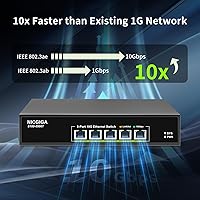
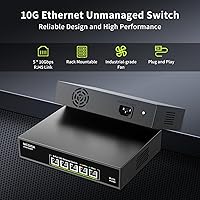
The NICGIGA S100-0500T 5-Port 10G Ethernet Switch arrived at an interesting moment — 10 gigabit networking has finally crossed from enterprise-only territory into something a serious home lab builder or small office can actually justify. This unmanaged 10GbE switch keeps things deliberately simple: no web interface, no CLI, no configuration headaches. You mount it on a desk or slide it into a 19-inch rack with the included ears, connect your devices, and it runs. For anyone bottlenecked by gigabit infrastructure while pushing NAS backups or large file transfers, true 10G throughput at a mid-range price genuinely changes the math.
Features & Benefits

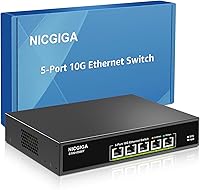
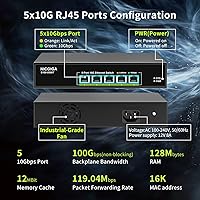
All five ports on the NICGIGA five-port switch support auto-negotiation across five speeds — 100M, 1G, 2.5G, 5G, and 10Gbps — which matters a lot if your devices are a mixed bag. A 2.5G NAS, a 10G workstation, and a standard gigabit printer can all share the same switch without any manual speed settings. The 100 Gbps non-blocking fabric means every port can run at full tilt simultaneously, so parallel transfers don't mysteriously slow each other down. The metal chassis, 4KV lightning protection, and dual-side ventilation reflect a durability standard absent in cheaper options. Per-port LED indicators give you an instant read on link state without touching any software.

Best For

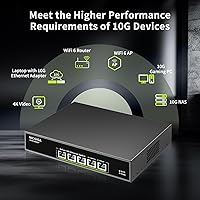
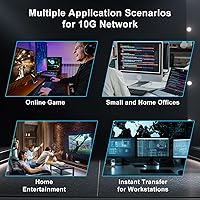
This 10G switch makes the most sense for home NAS power users who regularly move large media libraries, run nightly backups, or push video editing projects across a local network. If you have invested in a Wi-Fi 7 router with a 10G uplink port, this switch fills the gap between that router and your wired clients without forcing you into a managed solution you don't need. Small creative studios — photographers, video editors, sound designers — will appreciate how quickly it handles transfers between workstations and shared storage. Gamers running 10G NICs who want a dedicated fast segment separate from the rest of the house will find it a natural fit.

User Feedback

Across 163 ratings, the NICGIGA five-port switch holds a 4.5-star average, and the pattern in reviews is fairly consistent. Setup and link stability earn the most praise — buyers frequently note that mixed-speed devices negotiated correctly without any fiddling. The main friction point is fan noise. At a rated 24dB, it is not loud in absolute terms, but it is audible enough that a quiet home office desk placement will bother some people. Rack-mounted in a dedicated closet, most users stop noticing it quickly. A handful of reviewers mention the unit runs warm under sustained load, though it stays within its rated operating range. Warranty coverage gets positive mentions as a genuine reassurance.

Pros

  • All five ports auto-negotiate across five speeds, so mixing old and new devices on the same switch works without any manual setup.
  • The 100 Gbps non-blocking fabric means simultaneous full-speed transfers across multiple ports do not throttle each other.
  • Plug-and-play operation is genuine — no drivers, no firmware app, no account registration required.
  • Metal chassis and 4KV lightning protection add a layer of durability that cheaper plastic switches in this category skip entirely.
  • Rack ears are included in the box, making the transition from desktop to rack deployment straightforward.
  • Per-port LED indicators give you an immediate visual confirmation of link speed and activity without logging into anything.
  • Link negotiation accuracy across mixed-speed devices is consistently praised in real buyer feedback.
  • Lifetime technical support is a meaningful commitment for a device expected to run around the clock.
  • Compact footprint at 8.6 x 6.4 x 1.7 inches fits easily on a shelf or in a half-depth rack space.
  • A 4.5-star average across over 160 ratings reflects genuine satisfaction rather than a thin review sample.

Cons

  • The 24dB fan is audible at close range and will bother users in quiet, noise-sensitive environments like home offices or bedrooms.
  • No managed features whatsoever — VLANs, QoS, and port mirroring are completely off the table.
  • Five ports is a tight limit; growing networks will quickly need a second switch or an upgrade.
  • The unit runs noticeably warm under sustained heavy load, which can be a concern in already warm or poorly ventilated spaces.
  • No PoE support means powered devices like access points or IP cameras need separate power adapters or injectors.
  • The fan runs continuously at full speed with no variable control, so there is no quiet mode for off-hours operation.
  • Only a one-year warranty on the hardware itself, which feels conservative for infrastructure meant to run 24/7.
  • No SFP or fiber uplink port limits flexibility for connecting to switches or routers that use fiber links.

Ratings

Our AI rating system analyzed verified global buyer reviews for the NICGIGA S100-0500T 5-Port 10G Ethernet Switch, actively filtering out incentivized, duplicate, and bot-generated submissions to surface what real users actually experience. The scores below reflect a balanced synthesis of both the genuine strengths and the recurring frustrations that emerged across hundreds of purchase-verified accounts. Nothing has been smoothed over — the pain points carry as much weight as the praise.

Ease of Setup
96%
Plug-and-play is not just a marketing claim here — users consistently report that the switch was fully operational within minutes of unboxing, with no drivers, firmware apps, or account logins required. For home lab builders and NAS users who just want things to work, this frictionless onboarding is one of the most appreciated qualities across the review base.
Because there is literally no configuration interface, users who encounter a problem — like a port not negotiating at the expected speed — have no diagnostic tools built into the switch itself. Troubleshooting requires external tools or process of elimination, which can be frustrating for less experienced buyers.
Link Stability
91%
Reviewers running continuous NAS backups, large file transfers between workstations, and sustained 10G traffic consistently describe the link as rock-solid over weeks and months of use. Auto-negotiation across mixed-speed devices — pairing a 2.5G NAS with a 10G workstation, for instance — is specifically called out as working correctly without any dropped links.
A small number of users report occasional link renegotiation events after power cycling connected devices, though these appear to resolve on their own and are not widespread enough to represent a systemic issue. The absence of any management interface means there is no way to lock port speeds to prevent negotiation variability if it becomes a recurring problem.
10G Throughput Performance
88%
Users who benchmarked real-world transfers between 10G NICs and 10G-capable NAS devices report getting close to theoretical maximums, with file copy speeds well above what gigabit hardware could offer. The non-blocking 100 Gbps fabric holds up even when multiple ports are running simultaneously, which matters for studio environments with several active workstations.
Performance is inherently limited by the weakest link in the chain — cable quality, NIC drivers, and storage write speeds all affect the numbers buyers see. A handful of reviewers were surprised to find their transfers topping out below 10G, not realizing their Cat5e cables or spinning-disk NAS drives were the actual bottleneck rather than this unmanaged 10GbE switch.
Fan Noise
58%
42%
Users who rack-mount the switch in a dedicated networking closet or server room report being completely unbothered by the fan, noting that the 24dB output blends into ambient mechanical noise without issue. For those use cases, the industrial-grade cooling is simply doing its job quietly enough to be irrelevant.
For buyers who place this 10G switch on or near a desk in a home office or bedroom, the constant fan hum is a recurring source of dissatisfaction and the single most cited complaint across reviews. Unlike some competitor units that modulate fan speed under light load, this switch appears to run its fan at a consistent rate regardless of traffic, giving users no quiet hours.
Build Quality
84%
The all-metal enclosure feels noticeably more substantial than plastic-chassis switches at this tier, and users who have handled budget alternatives comment on the difference in perceived durability. The 4KV lightning protection is a meaningful feature for home environments where power quality is inconsistent during storms.
Some reviewers note that the metal chassis retains heat, meaning the outer shell can feel warm to the touch during heavy sustained use. While this stays within rated operating parameters, it gives a few users pause about long-term component longevity in already-warm equipment spaces.
Thermal Management
72%
28%
The dual-side ventilation combined with the high-RPM fan does keep the switch within its rated thermal envelope even during prolonged transfers, which speaks to the engineering intent behind the cooling design. Users running 24/7 NAS setups report no thermal shutdowns or instability over extended periods.
The unit runs noticeably warm under load, and buyers who stack equipment or place it in a space with limited airflow report the chassis getting uncomfortably hot to the touch. The 45°C upper operating limit also leaves relatively little headroom for installations in warm server closets or poorly ventilated home offices during summer.
Port Count & Density
69%
31%
For a dedicated 10G segment — connecting a NAS, two workstations, and a router uplink — five ports covers the most common prosumer configurations without wasting money on a larger chassis. The form factor stays compact precisely because the port count is focused rather than sprawling.
Five ports is genuinely limiting for households or small offices that need to connect more than four devices to the same 10G switch, forcing the purchase of a second unit or a daisy-chain arrangement. Buyers who do not plan their port usage carefully find themselves out of capacity faster than expected as they add devices.
Multi-Speed Compatibility
93%
The five-speed auto-negotiation is frequently highlighted as a standout feature by buyers migrating from older infrastructure, since it means a 1G printer, a 2.5G router, and a 10G NAS can all coexist on the same switch without any adapter or intermediate hardware. This interoperability reduces the cost and complexity of a phased network upgrade considerably.
Automatic negotiation removes user control — there is no way to force a port to a specific speed if a device is negotiating at a lower rate than expected. In edge cases where a device negotiates incorrectly, the only remedies are cable swaps or equipment restarts.
Value for Money
81%
19%
True 10G switching at five ports with a metal chassis, surge protection, and rack-mount capability at this price point represents real value compared to alternatives that charge significantly more for the same unmanaged feature set. Buyers upgrading from gigabit infrastructure consistently describe the performance-per-dollar ratio as justified.
The price is still a substantial step up from gigabit switches, and buyers who only have one or two devices capable of 10G may not get enough utilization to feel the value. Those hoping for managed features at this price will also find the market has not yet delivered that combination affordably.
Rack Mountability
89%
The inclusion of rack ears in the box — rather than as a separate purchase — is consistently appreciated by home lab builders who expect accessory nickel-and-diming at this tier. The standard 19-inch compatibility and 1U height make it straightforward to integrate into any existing rack setup.
The rack ears feel slightly lighter in construction than the main chassis, which is a minor aesthetic gripe from a handful of rack-conscious buyers. Desktop users who never intend to rack-mount it are simply carrying the cost of hardware they will never use.
Warranty & Support
76%
24%
Lifetime technical support is an unusually generous commitment for a switch at this price, and buyers who have reached out to NICGIGA for troubleshooting help report responsive communication. Having a human contact point for a 24/7 infrastructure device provides genuine peace of mind beyond the hardware warranty itself.
The one-year hardware warranty is shorter than what some competitors offer in the same category, which gives pause to buyers planning a long-term installation. If the unit develops a hardware fault after the warranty window, support options are limited to technical guidance rather than replacement.
LED Indicators
83%
Per-port LEDs that clearly reflect link state and activity are simple but practically useful — at a glance, users can confirm which ports are active and at what speed without logging into anything. For an unmanaged switch, this is the only status feedback available, and buyers appreciate that it works reliably.
The LEDs do not differentiate between 2.5G and 5G link states in a way that all users find immediately clear, leading to occasional confusion about what speed a port has actually negotiated. There is no logging or history, so transient link events go unrecorded.
Surge & Lightning Protection
86%
The 4KV surge rating is a specification that home users in storm-prone areas specifically seek out, and several reviewers mention it as a deciding factor over cheaper alternatives that omit it entirely. It adds meaningful hardware-level insurance for a device that sits at the center of a home or small office network.
Surge protection at this level is passive and does not replace a quality UPS or whole-home surge suppressor for critical deployments. Buyers in areas with severe electrical infrastructure issues may want additional upstream protection beyond what the switch itself provides.

Suitable for:

The NICGIGA S100-0500T 5-Port 10G Ethernet Switch is a strong fit for anyone who has hit the ceiling of gigabit networking and needs a practical, no-fuss upgrade path. Home NAS users who regularly push large video libraries, raw photo archives, or nightly backup jobs across their local network will feel the difference immediately — transfers that crawled at gigabit speeds become genuinely fast. Small creative studios with two or three workstations sharing a central storage server are another ideal match, since the five-port count covers most such setups without leftover unused ports inflating the cost. IT hobbyists building a compact home lab will appreciate that rack ears are included, making it easy to slide into a standard 19-inch rack alongside other gear. If you have recently upgraded to a Wi-Fi 7 router with a 10G uplink and want to extend that speed advantage to wired clients, this unmanaged 10GbE switch fills that role cleanly and without any configuration overhead.
Not suitable for:

Buyers who need VLANs, link aggregation, QoS controls, or any form of traffic management should look elsewhere — the NICGIGA S100-0500T 5-Port 10G Ethernet Switch is strictly unmanaged, and that is by design, not an oversight. If your deployment requires isolating guest traffic, prioritizing VoIP, or monitoring port-level statistics, a managed switch in a similar price range will serve you far better. The 24dB fan is also a real consideration: anyone planning to place this on a desk in a quiet home office or bedroom may find the constant fan hum distracting over time. With only five ports, it is also a poor fit for larger households or offices that need to connect eight or ten devices at once without adding a secondary switch. Finally, buyers in environments with extreme temperatures or dusty industrial conditions should note the 45-degree Celsius upper operating limit, which leaves little headroom in poorly ventilated spaces.
Specifications

  • Port Count: The switch provides 5 RJ45 Ethernet ports, each capable of operating at 100M, 1G, 2.5G, 5G, or 10Gbps depending on the connected device.
  • Switching Capacity: Total non-blocking switching fabric runs at 100 Gbps, meaning all ports can operate simultaneously at full speed without creating internal bottlenecks.
  • Speed Negotiation: Every port uses automatic IEEE-standard negotiation to select the highest mutually supported speed between the switch and the connected device, requiring no manual configuration.
  • MDI/MDIX Support: Automatic MDI/MDIX detection eliminates the need for crossover cables, so any standard Cat5e or higher patch cable works in any port.
  • Dimensions: The unit measures 8.6 x 6.4 x 1.7 inches, fitting comfortably on a desktop shelf or in a 19-inch rack with the included mounting ears.
  • Device Weight: The switch itself weighs 2.2 lbs, with the full packaged weight coming in at 3.23 lbs including accessories and rack ears.
  • Chassis Material: The enclosure is a full metal construction, which contributes to heat dissipation and provides better physical durability compared to plastic-bodied alternatives.
  • Cooling System: An industrial-grade fan running at 5000 RPM with dual-side ventilation slots keeps internal temperatures stable during continuous heavy-load operation, rated at approximately 24dB.
  • Surge Protection: Built-in 4KV lightning and surge protection on all ports helps guard connected devices against voltage spikes common in home and small office environments.
  • Operating Temperature: The switch is rated for environments between 0°C and 45°C (32°F to 113°F), covering typical indoor home lab and office conditions.
  • Mount Options: Supports both freestanding desktop placement and 19-inch rack installation, with rack ears included in the box at no additional cost.
  • Status Indicators: Each port has a dedicated LED indicator that shows link presence and activity state, allowing quick visual diagnosis without any management software.
  • Configuration: This is a fully unmanaged switch with no web interface, CLI, or software utility — it is entirely plug-and-play out of the box.
  • PoE Support: The switch does not support Power over Ethernet (PoE), so any devices requiring network-powered supply will need a separate power source or injector.
  • VLAN Support: As an unmanaged device, it offers no VLAN, QoS, link aggregation, or traffic prioritization features of any kind.
  • Warranty: NICGIGA provides a one-year hardware warranty covering manufacturing defects, alongside lifetime technical support for the duration of the product's use.
  • Interface Type: All five ports use standard RJ45 connectors; there are no SFP, fiber, or uplink ports of any alternative interface type.
  • Power Input: The switch uses an external power adapter included in the package; no internal power supply or PoE budget is present.

Related Reviews

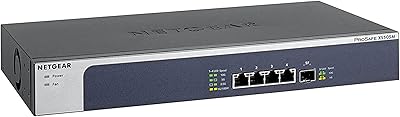
NETGEAR XS505M 5-Port 10G Multi-Gigabit Ethernet Unmanaged Switch
87%
91%
Performance
94%
Setup and Installation
88%
Build Quality
85%
Energy Efficiency
93%
Fanless Operation (Noise Level)
More
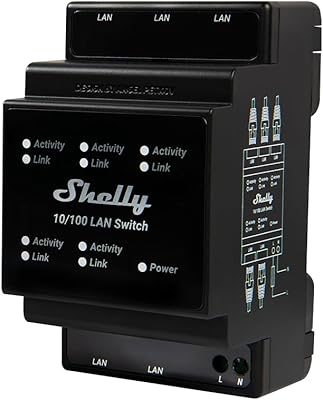
Shelly LAN Switch 5-Port Ethernet Switch
85%
89%
Value for Money
94%
Ease of Setup
90%
Energy Efficiency
85%
Reliability
88%
Performance
More
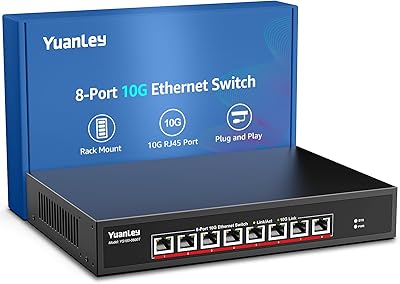
YuanLey 8-Port 10G Ethernet Switch
85%
90%
Performance
89%
Value for Money
91%
Setup and Installation
85%
Build Quality
87%
Reliability
More
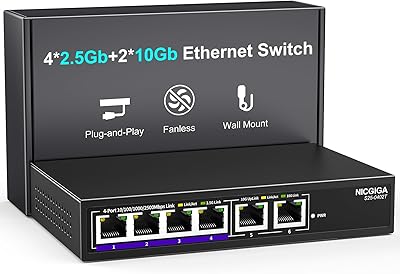
NICGIGA S25-0402T 6-Port 10GbE Network Switch
80%
94%
Ease of Setup
81%
Port Configuration & Flexibility
88%
Real-World Throughput
83%
Build Quality
79%
Thermal Management & Noise
More
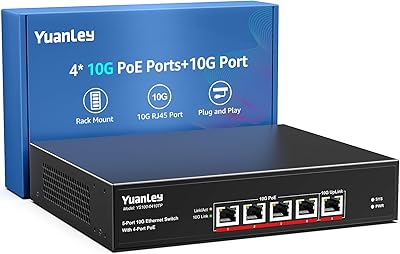
YuanLey 5-Port 10G PoE Switch
83%
91%
Ease of Use
88%
Performance & Speed
85%
Power over Ethernet (PoE) Functionality
75%
Build Quality
90%
Fanless Operation & Noise Level
More
Linksys SE3005 5-Port Gigabit Ethernet Switch
83%
97%
Ease of Setup
88%
Network Performance
79%
Build Quality
93%
Reliability & Uptime
91%
Value for Money
More
NETGEAR FS105 5-Port Unmanaged Network Switch
83%
97%
Ease of Setup
94%
Noise Level
83%
Build Quality
91%
Reliability & Uptime
58%
Network Speed Performance
More
Binardat 5-Port Gigabit Industrial Ethernet Switch
89%
89%
Performance & Speed
94%
Build Quality & Durability
92%
Noise & Operation
91%
Ease of Installation
90%
Temperature Tolerance
More
MokerLink 5-Port Gigabit Industrial Ethernet Switch
86%
94%
Build Quality & Durability
91%
Performance & Speed
89%
Ease of Installation
93%
Environmental Resistance
88%
Reliability in Harsh Conditions
More
MokerLink 8-Port 10G Managed Ethernet Switch
80%
91%
Throughput Performance
88%
Value for Money
93%
Feature Depth
74%
Web Interface Usability
86%
Build Quality
More

FAQ

Cat5e cables will work for speeds up to 2.5G at typical home distances, but for reliable 10Gbps you really want Cat6 or Cat6a, especially for runs longer than about 30 feet. If your cables are already Cat6 or better, you should be fine without buying anything new.

Yes, that is actually one of the strongest use cases for this 10G switch. Each port negotiates its speed independently, so your gigabit devices connect at 1G and your 10G NAS connects at 10G — they all share the switch without any interference or manual setup.

Honestly, 24dB is on the quieter end of active-cooled networking equipment, but it is not silent. In a quiet room, you will hear a steady low hum. Most people who place it in a dedicated network closet or rack barely notice it, but if your desk is in a quiet bedroom or recording space, the constant fan noise may get old. It is worth factoring that into your placement plan before buying.

Absolutely — plug in the power, connect your devices with Ethernet cables, and it works. There is no app, no firmware setup wizard, no cloud account, and no driver to install. The NICGIGA S100-0500T 5-Port 10G Ethernet Switch is as close to zero-configuration as networking hardware gets.
No, and that is by design rather than an oversight. This is a fully unmanaged switch, which means no VLANs, no QoS, no port mirroring, and no link aggregation. If any of those features are on your must-have list, you will need a managed switch instead.

Yes, connecting the NICGIGA five-port switch to your router's 10G port gives you a fast wired backbone for nearby devices. Just run a Cat6 or Cat6a cable between the router's 10G port and one port on the switch, and the remaining four ports become 10G-capable connections for your wired devices.

It runs noticeably warm under sustained load, which is normal for active 10G hardware in a compact metal chassis. The fan keeps it within its rated operating range of up to 45°C, but you should make sure there is at least a couple of inches of clearance around the ventilation slots and avoid stacking other gear directly on top of it.

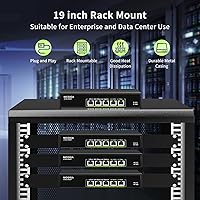
Yes, the rack ears are in the box — you do not need to buy them separately. It installs into a standard 19-inch rack and occupies 1U of space, which makes it a tidy fit for home lab racks alongside patch panels or other 1U equipment.

NICGIGA covers the hardware for one year against manufacturing defects, and they also offer lifetime technical support, which is reassuring for a device that is expected to run continuously. For a switch at this price point, having someone to contact for troubleshooting help is a genuine plus.

Yes, definitely. Even though your NAS tops out at 2.5G, that is still a 2.5x improvement over gigabit, and the this unmanaged 10GbE switch will negotiate 2.5G automatically on that port. Meanwhile, any devices you have with 5G or 10G NICs will still connect at their full speed, so you are not limiting the rest of your network just because one device is slower.

Where to Buy