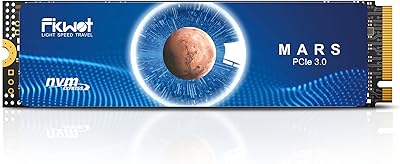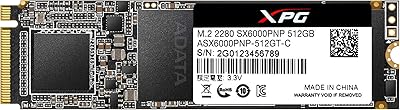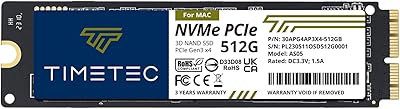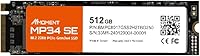
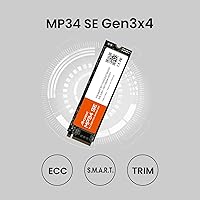
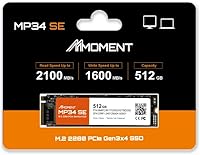
Overview

The MMOMENT MP34 SE 512GB NVMe SSD is built by Moment Semiconductor, a Taiwan-based maker that sits comfortably in the value-tier storage space — not a household name, but not a mystery brand either. The MP34 SE is aimed squarely at everyday PC builders and laptop owners who want a real performance jump without breaking the bank. It uses the M.2 2280 form factor and a PCIe Gen3 x4 interface, which covers the vast majority of upgrade scenarios out there. Expectations should be set accordingly: this is a practical, affordable drive, not a flagship. Still, over 500 buyers have given it a 4.5-star average, which is worth noting.

Features & Benefits

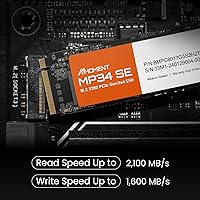
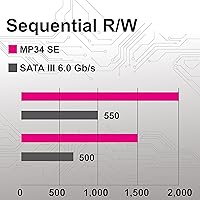
On paper, the MP34 SE posts sequential reads of up to 2100 MB/s and writes in the 1500 to 1600 MB/s range — respectable figures for a Gen3 NVMe drive at this price point, though not the fastest in class. The 3D NAND Flash build helps with long-term consistency, though like most budget NAND drives without a dedicated cache buffer, sustained write speeds can dip during large file transfers. Day-to-day, that rarely matters — booting Windows, launching apps, or loading a game level all feel snappy. The M.2 2280 size fits virtually every laptop and desktop with an available NVMe slot, and the shock-resistant construction adds some peace of mind for mobile use.

Best For

This budget NVMe drive makes the most sense for someone pulling an old spinning hard drive out of a laptop or refreshing a budget desktop build with faster storage. If you are coming from a SATA SSD, the improvement will be real but more modest. The 512 GB capacity is a practical everyday sweet spot — enough for an operating system, a handful of games, and everyday files. It also works well as a secondary drive in a desktop. Where it starts to fall short is in sustained workloads: video editing, large database operations, or anything that hammers the drive continuously is not where this Gen3 SSD is designed to shine.

User Feedback

Across its rating pool, buyers consistently praise easy installation and noticeably quicker boot times after replacing an older drive. Several mention using the MP34 SE to breathe new life into aging laptops or budget desktop builds — and for that use case, satisfaction is generally high. On the critical side, a recurring theme is the lack of brand recognition, which makes some buyers cautious about long-term reliability. A few also raise questions about how well it holds up under heavier use over time, a fair concern with any value-tier NAND drive. At roughly 500 ratings, the sample is meaningful but not vast — real-world speeds largely match advertised figures for typical everyday tasks.

Pros

  • Delivers noticeably faster boot and load times compared to mechanical hard drives and older SATA SSDs.
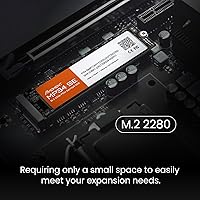
  • The M.2 2280 form factor fits a wide range of laptops and desktop motherboards without adapters.
  • At 512 GB, there is enough room for an OS, installed games, and everyday files without constant juggling.
  • Sequential read speeds of up to 2100 MB/s hold up well against pricier Gen3 competition.
  • 3D NAND Flash construction offers reasonable durability for everyday read and write cycles.
  • Shock-resistant build makes it a practical choice when upgrading a laptop you carry around daily.
  • Manufactured in Taiwan with carefully selected NAND chips — a credible quality signal at this price tier.
  • Over 500 buyers have rated it 4.5 stars, suggesting consistent real-world satisfaction across varied use cases.
  • Straightforward installation with no proprietary tools or bundled software complications to deal with.

Cons

  • Moment Semiconductor is a lesser-known brand, raising reasonable questions about long-term warranty support and service.
  • Likely lacks a dedicated DRAM cache, so sustained write speeds can drop noticeably during prolonged heavy workloads.
  • Buyers with a PCIe Gen4 motherboard would get meaningfully better long-term value from a Gen4 drive.
  • For anyone storing large video or photo libraries, 512 GB will feel limiting sooner than expected.
  • Peak write speeds are not reliably sustained during back-to-back large file transfer sessions.
  • No bundled cloning software means sourcing a separate migration tool before you can replace an existing drive.
  • Users upgrading from a modern SATA SSD may find the day-to-day speed difference less dramatic than anticipated.
  • Limited independent endurance and stress-test data makes long-term reliability harder to assess with real confidence.

Ratings

The ratings below for the MMOMENT MP34 SE 512GB NVMe SSD were generated by our AI system after analyzing verified buyer reviews sourced globally, with spam, bot-generated content, and incentivized feedback actively filtered out before scoring. Each category reflects the full picture — not just what users praised, but the recurring frustrations and trade-offs that real buyers encountered across different hardware configurations and workload types. Strengths and shortcomings are weighted equally, so the scores represent a grounded, honest snapshot of how this budget Gen3 drive actually performs in everyday use.

Value for Money
91%
For buyers replacing an old hard drive or trying to squeeze NVMe speeds out of a modest budget, the MP34 SE delivers a lot per dollar. Real-world tasks like booting Windows and loading games perform well above what most buyers expect at this price, making it one of the easier purchasing decisions in the budget storage tier.
The value case weakens when compared against established brands offering similar specs with longer warranty coverage and more documented long-term endurance data. Buyers who factor in the full ownership picture — including post-purchase support and resale confidence — may find the cost savings feel narrower than the sticker price suggests.
Read Speed Performance
83%
Sequential reads pushing close to 2100 MB/s translate to genuinely quick file access in everyday scenarios — games load maps faster, large documents open without lag, and Windows feels responsive from the first click after boot. Buyers moving from SATA drives are consistently impressed by the noticeable jump in feel.
While read speeds are solid for a Gen3 drive, they are not class-leading — several competing drives at the same price tier post the same or higher figures, so this is not a standout performer on paper. Users running benchmark tools will notice it trails premium Gen3 options by a visible margin.
Write Speed Performance
67%
33%
For typical day-to-day writing tasks — saving files, installing apps, downloading games — the advertised write speeds hold up reasonably well and most users will not notice any bottleneck. The drive handles office workloads and casual use without complaint, which covers the majority of buyers in its intended audience.
Without a dedicated DRAM cache, sustained write performance can drop sharply once the onboard write buffer fills — transferring a large batch of files or writing continuously for several minutes reveals the throttling characteristic of DRAM-less budget NAND. This makes it a poor fit for video editors or anyone regularly moving large archives.
Ease of Installation
93%
The standard M.2 2280 form factor means virtually anyone with a screwdriver and five minutes can complete the swap — no cables, no brackets, and no driver installs needed. Users upgrading aging laptops consistently report the physical installation as one of the easiest hardware jobs they have ever tackled.
The physical install is simple, but the drive ships without migration or cloning software, meaning users carrying over an existing OS need to source their own tools separately. First-time upgraders who were not expecting this extra step occasionally report frustration, particularly if they are unfamiliar with third-party partition and cloning utilities.
Brand Trust & Support
54%
46%
Moment Semiconductor's Taiwan manufacturing origin and the carefully selected NAND chips used in production are positive signals that put this drive a step above the most anonymous budget alternatives. The product has accumulated over 500 verified ratings at a 4.5-star average, which is a meaningful data point for a relatively young brand.
MMOMENT lacks the established support infrastructure that buyers get from major names like Samsung, WD, or Crucial — there is no extensive independent stress-test data, no documented RMA track record, and warranty terms are not clearly spelled out in product listings. Buyers who value post-purchase support and brand accountability will find this uncertainty difficult to overlook.
Build Quality
76%
24%
The 3D NAND Flash construction provides a stable foundation for a drive that handles everyday read and write cycles without degrading quickly, and the shock-resistant rating adds reassurance for laptop users who carry their machines regularly. The Taiwan manufacturing origin is a modest but genuine quality indicator within the budget SSD segment.
No published TBW (terabytes written) endurance rating appears in the available product documentation, making it harder to objectively assess how long this drive will last under sustained use. Budget NAND builds inherently trade some durability ceiling for cost savings, and buyers have no way to compare its rated lifespan against competing options.
Compatibility
89%
The M.2 2280 form factor and PCIe Gen3 x4 interface ensure this budget NVMe drive works with the overwhelming majority of laptops and desktop motherboards available today, from budget Intel boards to AMD Ryzen platforms. Buyers across a wide range of systems report it installs without compatibility surprises as both a primary and secondary drive.
A small number of users with older motherboards that only support M.2 SATA rather than NVMe will find the drive either incompatible or capped at SATA speeds, which is not the drive's fault but a real-world catch. Some slim laptops also use shorter M.2 2242 slots rather than the 2280 length, which would prevent installation entirely.
Real-World Boot Times
88%
Users replacing mechanical hard drives report boot time as the single most impactful change — what previously took 60 to 90 seconds can drop to under 15, and the difference is immediately obvious to anyone using the machine daily. This is the category where buyers most consistently feel they got their money's worth.
The improvement is most dramatic for users coming from a hard drive; those upgrading from an existing SATA SSD find boot times improve but the gap is less striking, and some report mild disappointment relative to their expectations. Cold boot improvements also vary slightly depending on system configuration, installed software, and background startup processes.
Sustained Write Endurance
57%
43%
For the typical buyer using this drive to run an OS and everyday apps, the cache-assisted write speeds are more than adequate — installing software, saving documents, and handling routine file operations all fall well within the drive's comfortable operating range without any perceptible slowdown.
Once the write cache is saturated — which happens faster than many buyers expect when copying large folders or handling multi-gigabyte downloads — write speeds can drop well below the advertised ceiling. Users who tried to move their entire media collection in a single session report the slowdown is significant enough to be genuinely frustrating.
Thermal Performance
72%
28%
Under typical desktop workloads and everyday laptop use, the drive operates at acceptable temperatures without thermal throttling becoming apparent. Users running it in systems with reasonable airflow report stable performance during general productivity tasks and casual gaming sessions of normal duration.
The drive ships without a heatsink, which is standard at this price tier but means it relies entirely on the host system for heat dissipation. In compact laptops with tight thermal envelopes or desktop builds with poor case airflow, extended intensive workloads can push operating temperatures higher, with a potential knock-on effect on sustained speeds.
Capacity Efficiency
84%
The 512 GB tier comfortably holds a Windows installation, several AAA game installs, and a reasonable document and media library without requiring constant storage juggling. The availability of 256 GB and 1 TB variants also means buyers can right-size their purchase rather than overpaying for space they do not need.
Modern AAA game installs regularly exceed 80 to 100 GB each, meaning a 512 GB drive can fill up faster than expected once the OS and a few titles are installed. Buyers who want to keep a large local game library or store raw media files will find themselves managing free space sooner than they would like.
Long-term Durability
63%
37%
The 3D NAND Flash architecture delivers a meaningful improvement in write endurance and cell longevity over older planar NAND designs, and the shock-resistant construction reduces risk of physical damage from the minor knocks a laptop encounters in daily life. For light-to-moderate usage patterns, the drive should provide a reasonable service life.
The absence of a published TBW endurance rating is a notable omission — buyers cannot objectively compare its rated lifespan against competing drives at the same price. Without that data point, and given MMOMENT's limited brand history, long-term confidence rests almost entirely on early user reviews rather than documented engineering specifications.
App Load Times
81%
19%
Beyond booting the OS, app launch times show a genuine improvement over SATA storage — everyday applications like browsers with many open tabs, office suites, and gaming clients all open noticeably faster. Users running multiple programs simultaneously report the drive handles concurrent read demands without any hesitation under typical workloads.
App load improvements are most apparent when compared to hard drives; against a mid-range or high-end Gen4 NVMe drive, the difference becomes less striking and in some cases imperceptible for non-IO-intensive applications. Buyers in systems that support Gen4 may find this Gen3 drive underwhelming by direct comparison once real-world load times are measured side by side.

Suitable for:

The MMOMENT MP34 SE 512GB NVMe SSD is a strong fit for anyone tired of waiting on an aging hard drive and looking for a meaningful, low-cost upgrade. If your laptop or desktop has an open M.2 slot and you are currently running off a mechanical drive or an older SATA SSD, slotting this in will produce an immediate, noticeable difference in everyday use — faster boots, quicker app launches, and a much snappier overall feel. It is particularly well-suited to students, home office workers, and casual gamers who need dependable storage for daily tasks without a large budget. Budget-conscious builders adding a secondary drive for extra storage will also find the price-to-capacity ratio hard to argue with. The 512 GB size lands in a practical middle ground: roomy enough for an OS, a few installed games, and a healthy mix of documents and media files.

Not suitable for:

The MMOMENT MP34 SE 512GB NVMe SSD is not the right call if your workload regularly involves large, sustained file operations — think video editing timelines, RAW photo processing, or running virtual machines that constantly hammer the drive with heavy read and write demands. Like most budget NAND drives without a DRAM cache, the MP34 SE can throttle under prolonged write pressure, meaning you may notice real slowdowns when transferring hundreds of gigabytes in a single session. Power users who want peace of mind from a well-established brand with a long, documented track record will likely hesitate here, as MMOMENT is a newer name with limited independent reliability data compared to players like Samsung or Western Digital. If your motherboard already supports PCIe Gen4, stretching the budget slightly for a Gen4 drive would be a smarter long-term decision.

Specifications

  • Capacity: Offers 512 GB of usable storage, part of a lineup that also includes 256 GB and 1 TB options.
  • Interface: Uses a PCIe Gen3 x4 connection, the most broadly supported NVMe interface across both laptops and desktop motherboards.
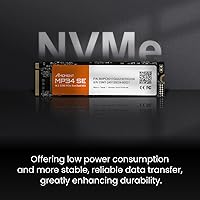
  • Protocol: Operates on the NVMe protocol, which delivers significantly lower latency than older AHCI-based SATA drives.
  • Form Factor: Follows the M.2 2280 standard, measuring 80 mm in length and fitting the most common M.2 slot found in modern systems.
  • Sequential Read: Rated for sequential read speeds of up to 2100 MB/s under optimal, sustained conditions.
  • Sequential Write: Rated for sequential write speeds between 1500 and 1600 MB/s, with real-world figures varying by workload intensity.
  • NAND Type: Built with 3D NAND Flash, which stacks memory cells vertically to improve storage density and endurance compared to older planar NAND designs.
  • Shock Resistance: Rated as shock-resistant, making it a practical choice for laptops and portable systems subject to occasional minor impacts.
  • Manufacturer: Produced by Moment Semiconductor, Inc., a storage-focused company headquartered in Taiwan.
  • Weight: Weighs just 0.247 oz (approximately 7 grams), adding negligible mass to any laptop or desktop system.
  • Dimensions: Measures 3.15 x 0.87 x 0.09 inches, consistent with the standard M.2 2280 footprint.
  • Compatible Devices: Designed for internal installation in laptops and desktop PCs that include an M.2 slot with NVMe support.
  • Installation: Installs directly into the M.2 slot and requires no external power cable or proprietary mounting hardware in most systems.
  • Capacity Range: Available in three tiers — 256 GB, 512 GB, and 1 TB — to suit different storage needs and budget constraints.
  • Sales Rank: Ranked #159 in the Internal Solid State Drives category on Amazon, reflecting strong sales volume for a value-tier drive.

Related Reviews
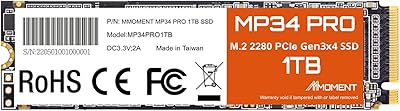
MMOMENT MP34 Pro 1TB NVMe SSD
78%
83%
Read/Write Performance
89%
Value for Money
91%
Installation Ease
58%
Brand Trust & Reputation
76%
Thermal Management
More
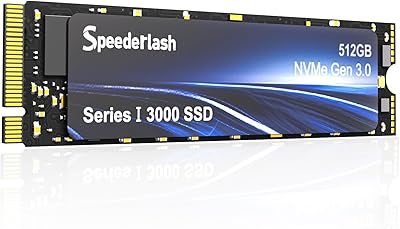
Speederlash PCIE3 512GB NVMe M.2 SSD
71%
83%
Value for Money
74%
Read & Write Performance
91%
Installation Ease
88%
Compatibility
78%
Thermal Management
More
RONGSHU RS001 512GB PCIe 4.0 NVMe SSD
75%
91%
Value for Money
83%
Read Speed Performance
86%
PS5 Compatibility
53%
Brand Reliability
61%
Sustained Workload Performance
More
fanxiang S501Q 512GB NVMe SSD
78%
83%
Sequential Read Speed
67%
Sequential Write Speed
88%
Value for Money
74%
Build & Physical Quality
69%
Thermal Management
More
Fikwot FX550 512GB NVMe SSD
83%
91%
Performance
92%
Value for Money
88%
Read Speed
85%
Write Speed
89%
Reliability
More
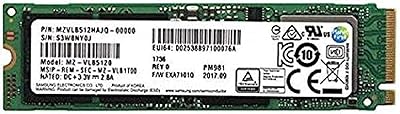
Samsung PM981 512GB NVMe SSD
87%
91%
Performance (Speed)
88%
Value for Money
84%
Installation/Setup
90%
Reliability/Durability
92%
Gaming Performance
More
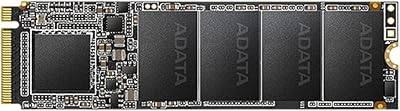
XPG SX6000 Pro 512GB NVMe SSD
75%
86%
Sequential Read Performance
61%
Sustained Write Performance
83%
Value for Money
91%
Installation Ease
58%
Compatibility & Platform Support
More
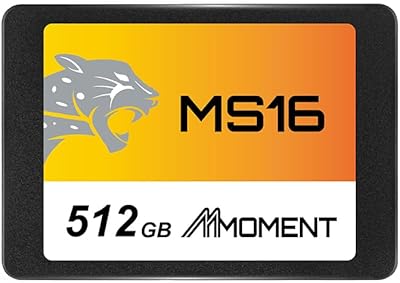
MMOMENT MS16 512GB 2.5-Inch SATA SSD
77%
88%
Value for Money
79%
Read & Write Performance
92%
Installation Ease
58%
Brand Trustworthiness
86%
Compatibility
More
XPG SX6000 Lite 512GB NVMe SSD
85%
87%
Performance
90%
Read Speed
85%
Write Speed
91%
Ease of Installation
92%
Value for Money
More
ORICO M.2 NVMe SSD 512GB with Heatsink
86%
89%
Performance
92%
Cooling Efficiency
85%
Installation Ease
90%
Read/Write Speeds
88%
Capacity for Gaming & Everyday Use
More

FAQ

It will fit in any laptop that has a standard M.2 2280 slot with NVMe support, which covers the vast majority of notebooks made in the last several years. The one thing to check is slot length — some slim ultrabooks use a shorter M.2 2242 form factor, which would not accept a 2280-length drive. A quick look at your laptop's manual or the manufacturer's spec page will confirm which slot size you have.

If you are coming from a spinning mechanical hard drive, the improvement is dramatic and immediately obvious — Windows boot times that used to stretch past a minute can drop to under 15 seconds, and apps that previously took several seconds to open feel nearly instant. Upgrading from a SATA SSD is a real improvement too, though the day-to-day difference is more subtle for typical tasks like web browsing and document work.

No, the MP34 SE does not include any cloning or migration software in the package. If you want to carry over your existing Windows installation rather than starting fresh, you will need a third-party tool — Macrium Reflect Free and the free tier of MiniTool Partition Wizard are both widely used and handle the job reliably without costing anything.

The MMOMENT MP34 SE 512GB NVMe SSD has earned a 4.5-star rating from over 500 buyers, which is a reasonable indicator of consistent quality at this price tier. That said, MMOMENT is a newer, lesser-known name compared to Samsung or Western Digital, and there is simply less long-term reliability data publicly available for it. For everyday use and light workloads, the real-world feedback is encouraging, but if brand peace of mind matters a great deal to you, that is worth factoring into your decision.

Yes, the MP34 SE works well as a primary Windows boot drive, and most buyers use it exactly that way. Just make sure your BIOS is set to boot from the NVMe drive after installation. For macOS, newer Apple Silicon Macs use proprietary storage that cannot be swapped, but some older Intel-based Mac systems with an open M.2 slot may be compatible — though that is outside the manufacturer's stated support.

This is something worth knowing upfront: budget NVMe drives like this one typically rely on a portion of the NAND flash acting as a write cache rather than a dedicated DRAM buffer. For everyday tasks and smaller transfers, speeds hold up fine. But when you push through a large batch of data — say, hundreds of gigabytes in a single session — the drive can throttle once that cache is saturated and speeds will drop noticeably. It is a common characteristic at this price point, not a defect.

It works in both. The M.2 2280 form factor is standard across the vast majority of desktop motherboards built in the last six or seven years. The key thing to verify is that your motherboard's M.2 slot supports NVMe rather than only SATA — some older boards have M.2 slots that cap performance at SATA speeds, which would prevent the drive from reaching its full potential.

It is genuinely straightforward. You insert the drive into the M.2 slot at a slight angle, press it flat against the board, and secure it with a small retention screw — the whole process takes two to five minutes. The more involved part is usually what comes after: either doing a fresh OS install or migrating your existing system, both of which take more time than the hardware swap itself.

The product listing does not specify a detailed warranty period, so it is worth confirming directly with the seller or through Moment Semiconductor's support channels before purchasing. As a general rule with lesser-known storage brands, it is smart to verify what the return or replacement process looks like ahead of time rather than finding out after something goes wrong.

For a clean Windows install with a few programs and a modest game library, 512 GB is workable but not lavish — you will need to be reasonably mindful of what you keep on it. If you plan to install several large games, keep a local photo or video collection, or want to avoid thinking about storage management altogether, the 1 TB version is the more comfortable long-term choice and is usually worth the modest price difference.