Overview
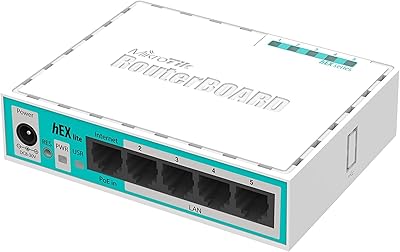
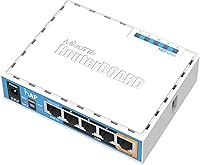
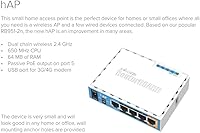
The MikroTik RouterBoard RB951Ui-2nD hAP is a compact dual-band wireless access point designed for home and small office use. This easy-to-install device supports Power over Ethernet (PoE), simplifying setup by allowing it to run on a single cable for both power and data. With its pre-configured settings, the router ensures a smooth start right out of the box. Its small form factor and simple yet effective design make it a practical choice for those looking for a reliable Wi-Fi solution in spaces where space and budget are limited. The MikroTik router is ideal for basic networking needs, offering stable connectivity with minimal hassle.
Features & Benefits
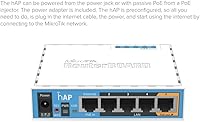
This wireless access point features dual-chain 2.4GHz wireless technology, providing solid, consistent performance for everyday use. With 64MB of RAM, it can handle multiple devices without lag or issues. A standout feature is the PoE output on port #5, which allows it to power other PoE-enabled devices, adding versatility to your setup. Additionally, the USB port enables easy connection to a 3G/4G modem for internet access, expanding the device's capabilities. The router’s pre-configured setup means users can quickly plug it in and start using it, offering both convenience and efficiency.
Best For
This MikroTik router is best suited for home users and small office environments that need reliable wireless coverage without complex installation. It's ideal for those who want a straightforward networking solution with minimal setup time, as it comes pre-configured and ready to use. Users who prefer a plug-and-play device will appreciate its simple configuration process. It’s also an affordable option for tech enthusiasts seeking a device that’s easy to manage and provides the reliability needed for basic internet and Wi-Fi needs in smaller spaces.
User Feedback
The MikroTik RouterBoard RB951Ui-2nD hAP has received generally positive feedback, with users praising its ease of setup and stable connectivity. Many appreciate how quick and simple the configuration process is, making it a hassle-free choice for non-technical users. However, some have mentioned that its range may be limited in larger homes, requiring additional devices for full coverage. The PoE functionality is a favorite feature, as it allows the router to power other devices, which is particularly useful for those with multiple PoE-enabled devices. Overall, users find it to be a reliable and cost-effective solution for basic networking needs.
Pros
- Setup is quick and straightforward, making it ideal for users who need a simple plug-and-play solution.
- The PoE feature simplifies installation by reducing the need for separate power cables.
- Compact design allows for easy placement in home or office environments with limited space.
- Dual-band 2.4GHz wireless performance ensures stable connections for basic networking needs.
- Pre-configured settings make this device an excellent choice for non-technical users who prefer a hassle-free experience.
- The ability to power other devices through the PoE output is a useful feature for users with limited power outlets.
Cons
- The range may not be sufficient for larger homes or spaces with heavy wireless interference.
- Not suitable for high-demand networking, as some users have reported performance drops under heavy load.
- Limited customization options may be a drawback for advanced users who need more control over network settings.
- Some users have found the device's coverage to be lacking in multi-story homes or large areas.
- While the setup is easy, users looking for more robust features may find it too basic for their needs.
- The device may struggle to support multiple devices at once in environments with high bandwidth demands.
Ratings
After analyzing verified user reviews from various sources worldwide, the scores for the MikroTik RouterBoard RB951Ui-2nD hAP reflect both its strengths and areas for improvement. Spam, bot-generated, and incentivized feedback was filtered out, ensuring that only genuine user experiences informed the results. Reviews were considered from multiple languages and platforms, providing a well-rounded view of the product's performance in real-world use cases.
Setup & Installation
Wi-Fi Performance
Build Quality
PoE Functionality
Network Stability
Ease of Use
Compatibility with Devices
Value for Money
Range for Larger Homes
User Support
Portability & Size
Software & Configuration
Suitable for:
The MikroTik RouterBoard RB951Ui-2nD hAP is an excellent choice for home users or small office environments who need a reliable, easy-to-install wireless access point. Those seeking an affordable and compact solution for stable Wi-Fi coverage will appreciate its dual-band support and automatic configuration. It's especially well-suited for users who prefer a simple plug-and-play setup, such as tech enthusiasts or small businesses with basic networking needs. The PoE feature is a notable bonus for users with limited power outlets, and its small footprint makes it ideal for tight spaces or discreet installations in apartments or offices.
Not suitable for:
This device may not be the best fit for users in larger homes or spaces with heavy wireless interference. The range of this device is more limited compared to high-end routers, and those with expansive networks or multi-story buildings may find the coverage insufficient. Additionally, while setup is straightforward, users with more advanced networking needs may find the device's management options too basic, especially if detailed configuration is required. Tech users expecting top-tier performance for high-demand environments may also find the device’s performance underwhelming when handling heavy loads or multiple devices simultaneously.
Specifications
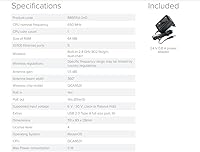
- Wireless Standard: Supports 802.11bgn wireless standards for reliable internet connectivity.
- Wireless Bands: Operates on a dual-band 2.4GHz frequency for stable performance in typical home and small office environments.
- RAM: Equipped with 64MB of RAM to ensure smooth network management and efficient performance.
- PoE Support: Supports Power over Ethernet (PoE) for easy installation and the ability to power compatible devices through the Ethernet connection.
- PoE Output: Includes a PoE output on port #5, enabling the device to power other PoE-capable devices like cameras or additional access points.
- USB Port: Features a USB port that allows for the connection of 3G or 4G modems for backup or mobile broadband connectivity.
- Setup: Pre-configured for automatic setup, making installation simple and user-friendly, even for non-technical users.
- Dimensions: Measures 3.5 x 4.45 x 1.1 inches, making it compact and easy to install in tight spaces.
- Weight: Weighs approximately 1 lb, making it lightweight and easy to handle during installation.
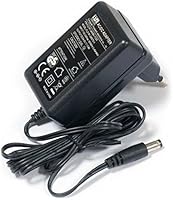
- Power Source: Can be powered either through a power jack or via PoE, offering flexible installation options.
- Max PoE Load: The maximum PoE load on port #5 is 500mA, supporting compatible devices with lower power requirements.
- Processor: Runs on a basic processor suitable for light-to-moderate networking needs in home and small office setups.
- Form Factor: Designed as a compact, flat wireless access point that can be easily mounted or placed on a desk.
- Compatibility: Works with most home and office networks, compatible with any standard router or modem.
- Color: Available in a multicolor design, fitting with most home or office decor.
- Performance: Provides reliable 2.4GHz Wi-Fi performance for basic home networking tasks, including browsing and light streaming.
- Security: Supports standard wireless security protocols, including WPA and WPA2 encryption, to keep your network safe.
Related Reviews
MikroTik RB941-2nD Wireless Access Point
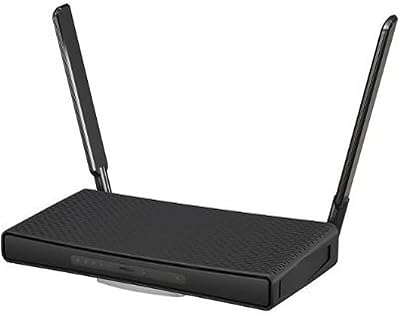
MikroTik hAP ac3 Dual-Band Wireless Router
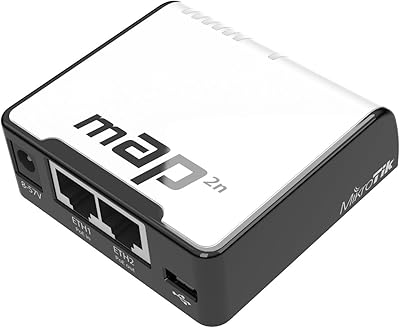
MikroTik RouterBoard RBmAP2nD
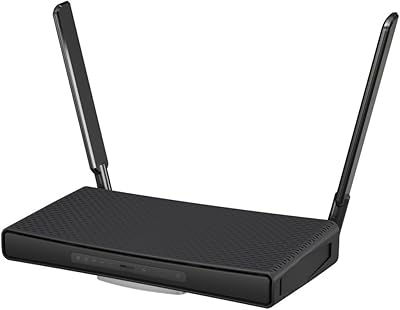
MikroTik hAP ax3 Wi-Fi 6 Router
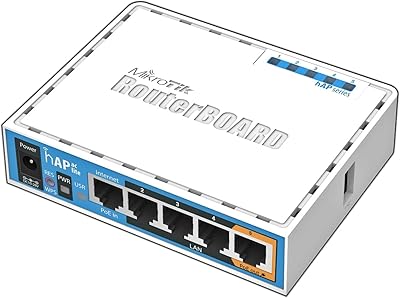
MikroTik hAP ac lite Dual-Band Wireless Router
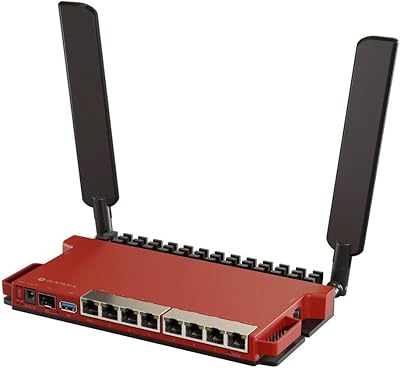
MikroTik L009UiGS-2HaxD Wireless Router

Ozlo Sleepbuds (2nd Generation)
MikroTik CSS610-8G-2S+IN Managed Network Switch

Hap Tim Travel Backpack Tb7651