Overview

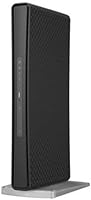
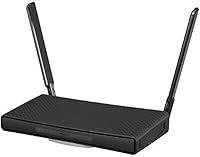
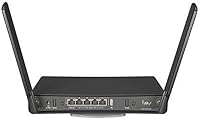
The MikroTik hAP ac3 Dual-Band Wireless Router is not the kind of device you buy on impulse at a big-box store — it's a prosumer-grade machine built around MikroTik's RouterOS platform. It ships with dual-band AC Wi-Fi and five Gigabit Ethernet ports, solid headline specs for the price. The form factor is compact and unassuming — small enough to wall-mount or tuck behind a desk without taking up much space. But here's what you need to know upfront: this MikroTik router is not for everyone. If you want something you can configure in five minutes and forget about, look elsewhere. If you want real network control, keep reading.
Features & Benefits

The hAP ac3 covers both 2.4GHz and 5GHz bands simultaneously using the 802.11ac standard, and its five Gigabit ports give you real flexibility for wired devices. The real star, though, is RouterOS — a full-featured network operating system that lets you configure firewall rules, set up VLANs, manage bandwidth per device, run a VPN, and much more. That's enterprise-level capability in a box that weighs barely over a pound. The USB port can be used to share storage or attach a cellular modem as a backup connection. It also runs completely silent thanks to fanless passive cooling, making it a solid choice for always-on home network use.

Best For

This prosumer router is a natural fit for home lab enthusiasts, networking hobbyists, and IT professionals who want to run a capable, configurable network without buying rack-mounted hardware. It's especially well-suited for people tired of the limited ISP firmware on their supplied routers who want to do things like separate IoT devices on their own VLAN or throttle bandwidth for specific devices. The hAP ac3 also works well as a learning platform — RouterOS skills translate directly to professional networking environments. That said, if you're a casual user who just wants Wi-Fi for streaming and browsing, this router will frustrate more than it helps. It rewards technical curiosity over convenience.

User Feedback

Buyers who take the time to configure it properly tend to stick with it for years — long-term stability is one of the most consistently praised traits across user reviews. RouterOS flexibility also draws strong praise from those coming from consumer routers, who appreciate having real firewall and traffic management tools at their fingertips. On the flip side, the steep learning curve is a genuine pain point. New users frequently hit a wall with Winbox — the desktop management app — and the official documentation often assumes more background knowledge than beginners actually have. Wi-Fi range draws mixed reactions, with some noting it falls short of dedicated mesh systems in larger homes. Build quality, though, rarely draws complaints.

Pros

  • RouterOS gives technically minded users access to enterprise-grade networking features at a fraction of the typical cost.
  • Five Gigabit Ethernet ports offer genuine flexibility for wired device connections without needing an additional switch.
  • Completely fanless design means total silence, even under sustained routing workloads — ideal for home offices and living spaces.
  • Long-term stability is a real strength; many users report months of uninterrupted uptime after initial configuration.
  • The hAP ac3 doubles effectively as a learning platform — RouterOS skills built here transfer directly to professional networking roles.
  • USB port adds practical value as a cellular modem failover connection for home offices where uptime matters.
  • Compact, wall-mountable form factor fits neatly into almost any space without demanding dedicated equipment storage.
  • Regular RouterOS firmware updates have maintained long-term reliability and security across multiple software generations.
  • This prosumer router punches well above its weight when compared to consumer alternatives at similar price points in terms of raw configurability.
  • Running continuously costs very little in electricity — low power draw is a genuine long-term advantage.

Cons

  • No setup wizard or guided onboarding means non-technical buyers will struggle significantly from the very first login.
  • Official MikroTik documentation often assumes advanced networking knowledge, leaving intermediate users to rely on scattered community guides.
  • Wi-Fi range falls behind dedicated mesh systems, making it a poor standalone choice for larger homes with dead zones.
  • The 802.11ac standard is aging — no Wi-Fi 6 support means this router is already behind newer hardware on raw wireless throughput.
  • No wall-mounting hardware is included in the box, adding a minor but unnecessary friction point for physical installation.
  • Firmware updates occasionally require revisiting existing configurations, meaning the router is never truly hands-off over multi-year use.
  • USB modem compatibility is limited to a specific supported list, and less common hardware may not work reliably.
  • No multi-gig Ethernet ports means users on faster internet plans or with high-throughput NAS devices are hitting the ceiling sooner than expected.
  • Winbox, the primary desktop management tool, has a dated interface that adds friction for users accustomed to modern router dashboards.
  • No native mobile app makes remote monitoring or quick adjustments less convenient compared to consumer router ecosystems.

Ratings

The MikroTik hAP ac3 Dual-Band Wireless Router earns a nuanced scorecard — strong in the areas that matter most to technically minded buyers, but honest about where it falls short for general audiences. These scores were generated by AI after analyzing verified global user reviews, actively filtering out incentivized, bot-generated, and low-effort feedback to surface genuine buyer sentiment. Both the strengths that keep users loyal for years and the friction points that frustrate newcomers are reflected transparently below.
Ease of Setup
41%
59%
For users with a networking background, the initial configuration via Winbox or the web interface is logical and fast. IT professionals often report getting a working setup within an hour, appreciating the granular control available from the very first login screen.
For anyone without networking experience, the setup process is a genuine wall. There is no guided wizard comparable to what consumer routers offer, and the default state requires meaningful configuration before the router functions as expected for a typical home environment.
RouterOS Flexibility
94%
This is where the hAP ac3 genuinely stands apart from anything in the consumer space. Users run complex firewall rules, multi-VLAN setups, per-device bandwidth limits, WireGuard VPNs, and dynamic routing protocols — all on hardware that fits in a jacket pocket.
The depth of RouterOS is also its barrier. Accessing advanced features requires learning MikroTik-specific syntax and logic that does not map neatly onto experience with other router platforms, which adds real time investment before the power becomes usable.
Wi-Fi Performance
67%
33%
Dual-band AC coverage handles everyday tasks — video calls, streaming, and general browsing — reliably across a standard-sized home. The 5GHz band in particular performs well for devices in close proximity to the router, with consistent throughput reported by users.
Wi-Fi range is a recurring sore point, especially when compared to dedicated mesh systems or modern Wi-Fi 6 routers at similar price points. Users in larger homes or spaces with thick walls frequently find themselves needing to add access points to fill dead zones.
Wired Network Performance
91%
Five Gigabit Ethernet ports provide real flexibility for wired setups — users connect NAS devices, switches, desktop PCs, and IP cameras without running out of ports or sacrificing speed. Throughput on the wired side is consistently praised as rock solid.
There is no 2.5G or multi-gig port option, which is becoming a limitation as more homes adopt faster internet plans and NAS hardware that can push beyond standard Gigabit speeds. For most current use cases it is still sufficient, but the ceiling is visible.
Build Quality & Durability
88%
The enclosure feels dense and purposeful for its size — not plasticky or cheap. Users who have run this router continuously for two or more years rarely report hardware failures, and the unit handles 24/7 uptime without issues related to heat or physical wear.
The all-black plastic aesthetic is purely functional, not premium. There are no status LEDs that provide at-a-glance diagnostics in the way some competing units do, which can be mildly frustrating during troubleshooting without connecting to the management interface.
Thermal Management & Noise
96%
Completely fanless passive cooling means this router produces zero noise under any workload — a meaningful quality-of-life factor for home offices and living spaces where a spinning fan would be intrusive. It runs warm to the touch under load but well within safe operating range.
In extremely confined, poorly ventilated enclosures, the passive thermal design offers no active fallback. Edge cases involving very high ambient temperatures and full routing loads could theoretically stress the hardware, though real-world user reports of heat-related failures are rare.
Value for Money
78%
22%
Relative to what RouterOS enables, the price is hard to argue against for a technically capable buyer. Users coming from enterprise networking backgrounds consistently note that equivalent functionality on commercial hardware would cost multiples more.
For a buyer who cannot or will not engage with RouterOS deeply, the value proposition collapses quickly. At this price, plug-and-play consumer alternatives offer better Wi-Fi range, app-based management, and a far lower frustration ceiling for non-technical users.
Long-Term Stability
93%
Once configured, the hAP ac3 tends to run without intervention for extended periods. Users frequently mention months of uptime with no reboots required, and RouterOS receives regular firmware updates that have maintained stability across multiple generations of the software.
Firmware updates, while regular, occasionally introduce behavioral changes that require users to revisit their configurations. This is more of a minor inconvenience than a reliability concern, but it does mean the router is never truly a set-and-forget device over multi-year spans.
Documentation & Community Support
62%
38%
MikroTik has a large and active global community. Forums, YouTube tutorials, and community-written guides cover a wide range of RouterOS configurations, and experienced users can typically find answers to specific setup questions without contacting official support.
Official MikroTik documentation frequently assumes a level of networking knowledge that puts it out of reach for intermediate users. The gap between the community-produced content and the official docs is noticeable, and beginners often feel left to piece together information from scattered sources.
USB Port Utility
71%
29%
The USB port adds genuine versatility — users attach USB cellular modems as WAN failover connections, or share storage devices across the local network. For home offices where uptime matters, the failover modem use case alone justifies having it.
USB functionality requires RouterOS configuration to activate, and the list of officially supported USB modems is not comprehensive. Users with less common modem hardware occasionally report compatibility issues that require workarounds or go unsolved entirely.
Access Point Mode
79%
21%
Running the hAP ac3 as a pure access point in an existing network is straightforward relative to other RouterOS configuration tasks. Users deploying it as a secondary AP behind a primary router report stable performance and clean VLAN passthrough behavior.
WPS, while present, is not a feature most buyers in this category rely on. Access point mode setup still requires more steps than consumer routers with dedicated AP modes, and users expecting a simple toggle are likely to be surprised by the process.
Power Efficiency
89%
Power consumption is low enough that running this router continuously has negligible impact on electricity bills. Users in regions with high energy costs specifically call this out as a positive compared to more power-hungry router and firewall alternatives at similar capability levels.
There is no power consumption display or management feature within RouterOS that gives users real-time wattage data. This is a minor omission but one that home lab users tracking whole-rack power budgets occasionally wish was available natively.
Physical Footprint & Mounting
84%
The compact dimensions make placement genuinely flexible — it sits flat on a desk, mounts to a wall, or tucks behind other equipment without demanding dedicated shelf space. At just over a pound, it is light enough that wall mounting with basic hardware is completely practical.
No mounting hardware is included in the box, and the wall-mount slot design is minimal. Users who want a clean wall installation typically need to source appropriate screws and anchors separately, which is a small but unnecessary friction point given the router's otherwise tidy hardware design.

Suitable for:

The MikroTik hAP ac3 Dual-Band Wireless Router is genuinely well-suited for anyone who wants more control over their home network than a typical consumer router allows. IT professionals, network engineers, and serious hobbyists will find the RouterOS platform immediately familiar and deeply capable — supporting VLANs, custom firewall rules, QoS policies, VPN tunnels, and bandwidth shaping out of the box. Home lab builders who want to practice enterprise-grade networking without buying rack-mounted hardware will get outsized value here, since the skills learned on RouterOS translate directly to professional environments. It also makes a strong case for small home office setups where isolating devices by network segment — keeping work laptops, IoT gadgets, and personal devices on separate VLANs — is a real priority. Users who are currently stuck behind a locked-down ISP-provided gateway and want a capable, independent router to put in front of it will find the hAP ac3 a significant upgrade in terms of what they can actually control and monitor on their own network.
Not suitable for:

The MikroTik hAP ac3 Dual-Band Wireless Router is not the right choice for buyers who want a quick, frictionless setup and a router they never have to think about again. Unlike consumer routers from brands like TP-Link, ASUS, or Eero, there is no polished mobile app, no guided setup wizard, and no simplified dashboard built for non-technical users — the management interface assumes you know what terms like gateway, DHCP pool, and bridge mean before you log in. Families or individuals who primarily need strong whole-home Wi-Fi coverage should also look elsewhere, since the fixed internal antennas and the absence of a mesh networking system mean coverage in larger or multi-story homes can fall short without adding separate access points. Anyone shopping purely on Wi-Fi spec sheets and expecting modern Wi-Fi 6 speeds will be disappointed, as this prosumer router runs the older 802.11ac standard. If your networking needs are basic — streaming, browsing, video calls — spending time configuring RouterOS will feel like overkill, and the frustration of the learning curve will far outweigh any benefit the hardware delivers.

Specifications

  • Brand: Manufactured by MikroTik, a Latvian networking company known for professional-grade routing and switching hardware.
  • Model Number: The exact model identifier is RBD53iG-5HacD2HnD, sold in the US market as the hAP ac3.
  • Wi-Fi Standard: Supports 802.11ac (Wi-Fi 5) on both bands, with backward compatibility for older 802.11a/b/g/n devices.
  • Frequency Bands: Operates simultaneously on both 2.4GHz and 5GHz bands, enabling dual-band client connections without manual switching.
  • Ethernet Ports: Equipped with five Gigabit Ethernet ports (10/100/1000 Mbps), suitable for connecting wired devices, switches, or a NAS.
  • USB Connectivity: Includes one USB port compatible with USB storage devices and select cellular modems for WAN failover use.
  • Operating System: Runs MikroTik RouterOS, a full-featured network operating system supporting firewall rules, VLANs, VPN, QoS, and dynamic routing protocols.
  • Antenna Type: Uses fixed internal antennas — no external antenna connectors or replaceable antenna options are available on this model.
  • Dimensions: Measures 8.66 x 3.15 x 1.18 inches, making it compact enough for desk placement or wall mounting.
  • Weight: Weighs 1.1 pounds, light enough for practical wall mounting with standard screws and wall anchors.
  • Cooling System: Employs fully passive fanless cooling — no moving parts — enabling completely silent 24/7 operation in home and office environments.
  • Power Input: Powered via included power adapter; also supports passive PoE input on port 1 for flexible installation without a nearby power outlet.
  • Special Features: Includes Access Point mode for simplified deployment as a secondary AP, and WPS for quick wireless client onboarding.
  • Color: Available in a single matte black finish, designed to blend into standard home and office environments without drawing attention.
  • Mounting Options: Supports wall mounting via integrated mounting slots on the enclosure, though no mounting screws or anchors are included in the box.
  • Availability Date: This model was first made available in the US market in October 2020 and has not been discontinued as of the latest data.
  • Regulatory Version: This listing covers the US version of the hAP ac3, which is configured for US frequency regulations and power requirements.
  • Recommended Use: Designed for home and small office networking, particularly environments where advanced routing configuration and traffic management are priorities.

Related Reviews

Asus RT-AC1200 Wireless Dual-Band Router
83%
85%
Wi-Fi Performance
91%
Ease of Setup
78%
Coverage Range
88%
Parental Controls
81%
Streaming & Gaming Performance
More
ASUS RT-N66R Dual-Band Wireless-N900 Router
84%
87%
Performance & Speed
92%
Setup & Installation
89%
Signal Coverage
80%
Reliability & Stability
85%
Build Quality
More
TP-Link TL-WDR3500 Wireless N600 Dual Band Router
83%
86%
Dual-Band Performance
91%
Setup and Installation
83%
File and Printer Sharing (USB Port)
80%
Parental Controls
72%
Wi-Fi Range
More
MikroTik cAP ac Dual-Band Access Point
74%
47%
Ease of Setup
83%
Wireless Performance
78%
Build Quality
91%
CAPsMAN Integration
86%
PoE Output Functionality
More
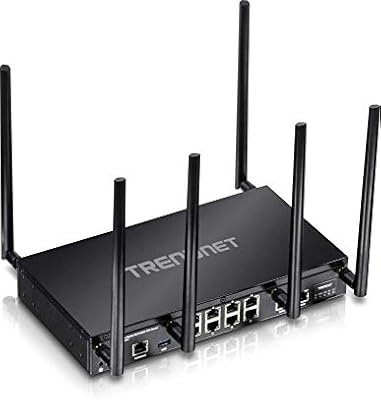
TRENDnet TEW-829DRU AC3000 Tri-Band Wireless Gigabit Dual-WAN VPN SMB Router
84%
91%
Performance & Speed
88%
Dual-WAN Functionality
72%
Ease of Setup
89%
Network Stability
84%
Security Features (VPN)
More
Linksys EA2700 Dual-Band Router
82%
84%
Wireless Performance
78%
Signal Coverage
88%
Setup & Installation
90%
Wired Connectivity
81%
Reliability
More
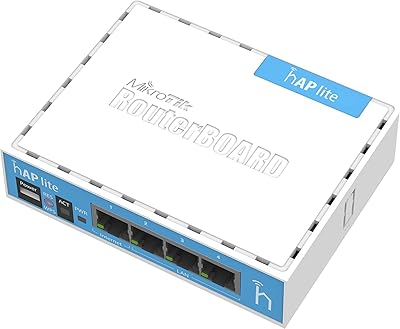
MikroTik RB941-2nD hAP lite Router
83%
88%
Value for Money
90%
Ease of Setup
78%
Network Performance
85%
Build Quality
70%
Range and Coverage
More
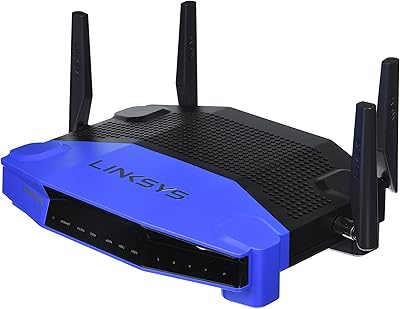
Linksys WRT1900AC Dual-Band Wi-Fi Router
77%
84%
Wireless Range
91%
Wired Performance
93%
Firmware Flexibility
58%
Stock Firmware Stability
88%
Build Quality
More
Netgear WNDR4300 N750 Dual Band Gigabit Router
73%
78%
Wi-Fi Range & Coverage
86%
Setup & Ease of Use
74%
Connection Stability
88%
Wired (Ethernet) Performance
57%
USB Sharing (ReadySHARE)
More
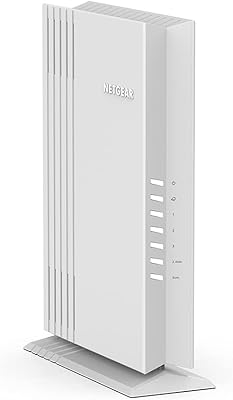
NETGEAR WAX202 WiFi 6 Dual-Band Router
84%
88%
WiFi Performance
93%
Setup & Installation
85%
App Usability
89%
Speed & Coverage
90%
Device Connectivity
More

FAQ

Honestly, it depends on your technical comfort level. If you have experience with networking concepts like IP addressing, DHCP, and basic firewall rules, you can absolutely get the hAP ac3 working with some patience and community tutorials. If you have never configured a router beyond plugging it in and connecting to Wi-Fi, this one will likely frustrate you — there is no beginner-friendly setup wizard, and the default state requires real configuration before it works as a home router.

Not really, no. Unlike consumer routers that work out of the box with sensible defaults, this prosumer router requires at least some basic RouterOS configuration to set up your WAN connection and local network properly. The good news is that MikroTik provides a Quick Set page that simplifies the most common home setup tasks, but you will still need to interact with the interface directly to get it running.

Yes, RouterOS includes native support for several VPN protocols including WireGuard, OpenVPN, L2TP, and IPsec. You can configure the router to act as a VPN server for remote access to your home network, or set up a VPN client to route all traffic through a commercial VPN provider. The configuration is done entirely within RouterOS and requires some familiarity with VPN networking concepts.

It does not compare favorably on range alone. The fixed internal antennas and the absence of any mesh networking capability mean that the hAP ac3 is designed to be a capable routing device first and a Wi-Fi access point second. In a typical apartment or small home it performs fine, but in larger spaces or multi-story homes you will likely need to add one or more dedicated access points connected via Ethernet to fill the gaps.

Winbox is a free Windows desktop application made by MikroTik that provides a graphical interface for managing RouterOS. It is the most popular way to configure the hAP ac3, though you can also use the web-based interface or SSH if you prefer working in a terminal. Mac and Linux users can run Winbox through Wine or simply use the web interface instead. Most community guides and tutorials reference Winbox, so it is worth getting familiar with it.

Yes, the hAP ac3 has a built-in Access Point mode that simplifies this kind of deployment. You configure it to bridge your wired and wireless connections and disable the routing and DHCP functions, letting your existing router handle those tasks. It works well in this role and supports VLAN tagging if your main router separates traffic by network segment.

Yes, this is one of the more practical features of the USB port. RouterOS supports attaching compatible USB LTE or 3G modems and configuring them as a secondary WAN interface that activates automatically when your primary connection drops. The catch is that not all modems are supported — MikroTik maintains a compatibility list on their wiki, and less common modem hardware may not work reliably, so it is worth checking your specific modem against that list before buying.

Yes, reliably so. The enclosure is solid plastic without feeling flimsy, and the fanless design means there are no moving parts to wear out over time. Many users run this router continuously for years without hardware issues. It does run warm under sustained load, but as long as it has reasonable airflow around it and is not crammed into a sealed cabinet, thermal performance is not a concern in practice.

RouterOS is actively developed and MikroTik releases updates regularly, including security patches and new feature additions. This is one area where MikroTik has a strong track record — hardware from several years ago continues to receive software support. The update process is straightforward from within the management interface, though it is worth reviewing the changelog before applying major version updates to avoid unexpected configuration changes.

That depends on how your ISP provides your connection. If your ISP uses a standard cable or fiber modem that outputs an Ethernet connection, you can connect that directly to the WAN port on the hAP ac3 and configure your connection type — typically DHCP, PPPoE, or static IP — within RouterOS. If your ISP uses a modem-router combo that cannot be put into true bridge mode, you may end up in a double-NAT situation, which is manageable but not ideal. Checking your ISP setup before buying is always a good idea.

Where to Buy