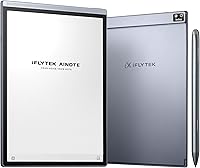
iFLYTEK AINOTE Air 2 E Ink Tablet


Overview
The iFLYTEK AINOTE Air 2 E Ink Tablet arrived in late 2024 from iFLYTEK, a Chinese company with genuine pedigree in AI speech recognition — not just a brand slapping buzzwords on hardware. At 8.2 inches, it occupies a familiar form factor, sitting close to the reMarkable 2 in size, but its pitch is fundamentally different: real-time transcription and meeting summaries built right in. That combination is what separates this E Ink note-taker from simpler writing tablets. It is squarely premium-priced, so expectations should be calibrated accordingly — this is a specialized productivity tool, not a do-everything Android slate.
Features & Benefits
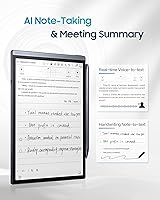
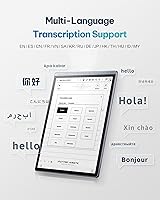
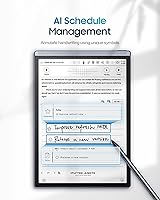
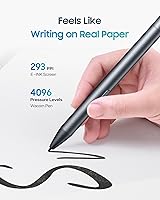
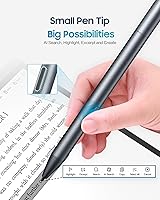
Writing on the AINOTE Air 2 feels closer to paper than most E Ink tablets manage, thanks to 4096 pressure levels and a choice of four pen tip styles — a small but meaningful detail for anyone who writes for long stretches. The voice-to-text engine supports 15 languages in real time and converts handwritten notes into text across 85 languages, which is genuinely useful for multilingual teams or international travel. Equally practical is the symbol-based tagging system: draw a star, triangle, or circle and the device automatically generates to-dos or attention flags. The dual-color front light with 24 brightness steps makes extended reading sessions noticeably more comfortable.
Best For
The iFLYTEK tablet is built for a specific kind of user. If you spend a significant part of your week in meetings and hate transcribing notes afterward, this device addresses that problem directly. Students who read and annotate heavily — PDFs, academic papers, eBooks — will find the distraction-free environment far easier to focus in than a standard backlit tablet. Multilingual professionals and frequent travelers benefit most from the language breadth. It also works well for anyone shifting away from paper notebooks who wants their handwritten notes to be searchable and organized. What it is not is a general-purpose tablet for streaming, browsing, or app-heavy workflows.
User Feedback
Early adopters have been broadly positive about the writing experience and AI transcription accuracy — particularly in quiet settings. Screen clarity earns consistent praise. On the downside, Android on E Ink always comes with trade-offs: the app ecosystem is narrow, and several of the smarter AI features require an active cloud connection, which is worth knowing before you buy. Battery life reports are mixed; light users track close to the advertised figure, while heavier use brings it down noticeably. A few non-English reviewers flagged accuracy gaps in less common languages. Build quality seems solid for the slim chassis, though long-term durability data is thin — this device has only been on the market since late 2024.
Pros
- Writing feel is genuinely close to paper, with 4096 pressure levels that respond well to varied handwriting styles.
- Real-time voice-to-text in 15 languages is a practical time-saver for professionals in multilingual environments.
- Handwriting-to-text conversion covers 85 languages, making the AINOTE Air 2 one of the broadest options in its class.
- Symbol-based tagging automatically generates to-do items, cutting the friction out of post-meeting organization.
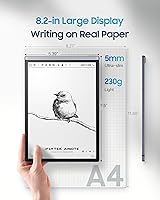
- At 5mm thin and 230g, this E Ink note-taker is easier to carry daily than most tablets or even thick notebooks.
- The dual-color front light with 24 brightness steps handles everything from bright office reading to low-light sessions comfortably.
- 32GB of storage paired with unlimited cloud backup means you are unlikely to run out of space for notes and documents.
- AI meeting summaries reduce the manual work of reviewing long recordings or handwritten pages after the fact.
Cons
- Key AI features require an active internet connection, which is a real limitation in low-connectivity environments.
- The Android app ecosystem on E Ink hardware is restricted; do not expect full Google Play access or smooth app performance.
- Real-world battery life under heavy AI and transcription use falls noticeably short of the advertised all-week claim.
- Transcription accuracy in less common supported languages has been inconsistent based on early user reports.
- The device launched in late 2024, so long-term reliability and software support track record are still unproven.
- E Ink refresh rates make this unsuitable for anything requiring fluid motion — browsing, video, or fast UI navigation.
- The slim chassis, while impressive for portability, raises durability questions for users who carry devices without a case.
- Cloud dependency for backups means privacy-conscious users or those on restricted networks may find the ecosystem uncomfortable.
Ratings
The scores below for the iFLYTEK AINOTE Air 2 E Ink Tablet were generated by AI after analyzing verified buyer reviews from multiple global markets, with spam, bot-submitted, and incentivized feedback actively filtered out. Each category reflects the honest distribution of real user experiences — strengths and frustrations weighted equally. Where consensus was strong, scores reflect that; where opinions divided, the rating lands accordingly.
Writing Experience
AI Transcription Accuracy
Display Quality
Portability & Design
Multilingual Support
Battery Life
App Ecosystem
AI Organization Tools
Build Quality
Setup & Onboarding
Value for Money
Handwriting-to-Text Conversion
Cloud & Storage
Noise & Distraction-Free Use
Suitable for:
The iFLYTEK AINOTE Air 2 E Ink Tablet is a strong fit for professionals whose workdays revolve around meetings, interviews, or collaborative sessions where capturing spoken content accurately is half the battle. If you regularly work across languages — whether you are a consultant dealing with international clients, a researcher engaging with multilingual sources, or a student in a foreign-language academic environment — the broad transcription support alone justifies serious consideration. Academics and heavy readers who want to annotate PDFs and eBooks without the eye strain of a backlit screen will feel right at home here. It also suits the organized note-taker who wants handwritten entries to be automatically searchable and tagged, bridging the gap between the tactile feel of paper and the practicality of a digital archive. Frequent travelers who need something lighter and slimmer than a laptop but more purposeful than a general tablet will appreciate the 230g build.
Not suitable for:
The iFLYTEK AINOTE Air 2 E Ink Tablet will frustrate anyone expecting a versatile Android tablet experience — E Ink refresh rates are simply not built for video, fast scrolling, or app-heavy workflows, and the available app ecosystem is narrow by design. Buyers who plan to use the AI transcription and summarization features offline should know upfront that those capabilities lean on cloud connectivity; without a reliable internet connection, the device loses much of its headline appeal. Users who primarily write in less common supported languages may encounter accuracy gaps that undercut the transcription value. If your budget is tight and you are hoping for a do-it-all device, this is the wrong investment — the premium price reflects a specialized tool with a specific audience in mind. Anyone wanting cellular-independent smart features or a robust third-party app library should look elsewhere.
Specifications
- Screen Size: The device features an 8.2″ E Ink display optimized for handwriting and document reading.
- Stylus Pressure: The included stylus supports 4096 pressure levels, enabling nuanced line variation across four selectable pen tip styles.
- Front Light: A dual-color front light offers 24 adjustable brightness levels for comfortable reading in both bright and dim environments.
- Weight: The tablet weighs 230g (8.2 oz), making it lighter than most standard Android tablets of comparable screen size.
- Thickness: At 5mm slim, the chassis is notably thinner than most competing E Ink devices and comparable in profile to a quality notebook.
- Battery: The built-in 2600mAh battery is rated for extended use, with real-world endurance varying based on AI feature and backlight usage.
- Storage: Onboard storage is 32GB, supplemented by unlimited cloud backup for notes and documents.
- Voice Transcription: Real-time voice-to-text transcription is supported in 15 languages including English, Spanish, French, German, Japanese, and Korean.
- Handwriting OCR: Handwritten note conversion to digital text is supported across 85 languages, covering a wide range of global scripts.
- Operating System: The tablet runs Android, providing access to a curated selection of apps suited to the E Ink environment.
- Connectivity: The device connects via Bluetooth and supports USB OTG for wired peripheral and file transfer use.
- Special Features: Additional hardware capabilities include cellular connectivity, stereo speakers, and support for a detachable keyboard accessory.
- Dimensions: Physical dimensions measure 7.6 x 5.4 x 0.1 inches, positioning it comfortably as a one-hand-holdable portable device.
- Cloud Backup: Unlimited cloud backup is included, allowing notes and documents to be stored and synced without local storage constraints.
- AI Note Tools: Symbol-based stylus tagging (star, triangle, circle) automatically converts marked handwriting into to-do items and attention flags.
- Launch Date: The product became commercially available on October 31, 2024, making it a relatively new entrant in the E Ink tablet market.
- Manufacturer: The device is made by iFLYTEK, a Chinese technology company with established expertise in AI-driven speech recognition systems.
- Model Identifier: The official model number is Air, with Amazon ASIN B0DLKSR2P4 identifying this specific bundle configuration.
Related Reviews
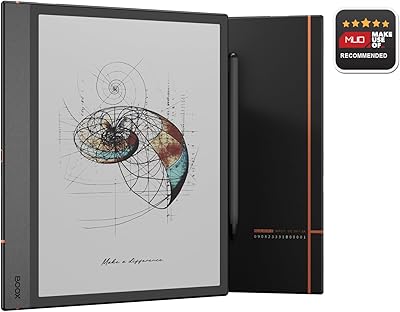
BOOX Note Air 4C 6GB/64GB
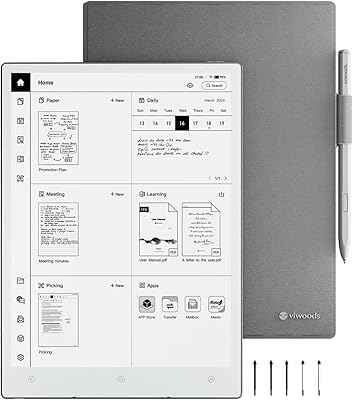
VIWOODS AiPaper 10.65″ AI E Ink Tablet
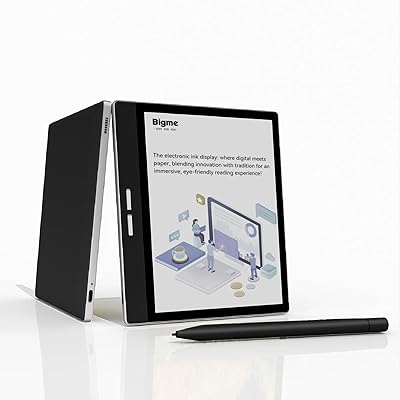
Bigme B751C 7-Inch Color E-Ink Tablet
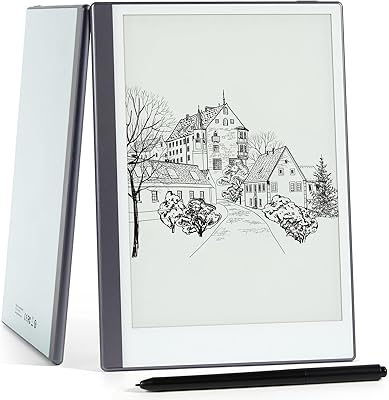
Geniatech KloudNote Mini 9.7″ E-Ink Tablet
Bigme inkNote Color+ Lite 10.3″ E-ink Tablet

Nature's Bounty Vitamin E Oil 30,000IU 2-Pack

Mom's Tattoo Ink Primary Color Kit #2
Tamron 35mm f/2.8 Di III OSD M1:2 Lens for Sony E-Mount
Tamron 24mm F/2.8 Di III OSD Lens