

Overview

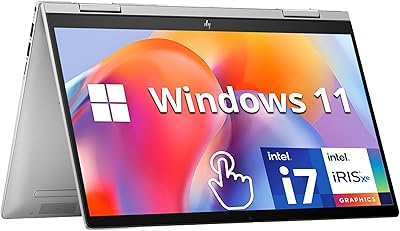
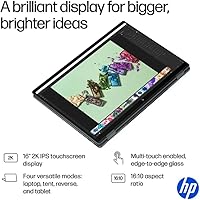
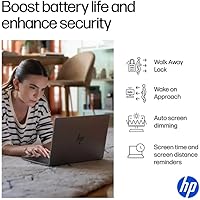
The HP OmniBook X Flip 16″ 2-in-1 Laptop is HP's 2025 evolution of what the Envy x360 line was building toward — a large-screen convertible that doesn't sacrifice portability. At under two-thirds of an inch thick and roughly four and a half pounds, it's genuinely slim for a 16-inch flip machine. HP has stamped it with the Copilot+ AI PC designation, which in practical terms means on-device AI tasks like live captions and Windows Studio Effects run locally rather than in the cloud — useful for some, but not transformative for most. Think of this as a capable all-rounder: strong for creative work and hybrid productivity, but not a replacement for a dedicated workstation.

Features & Benefits

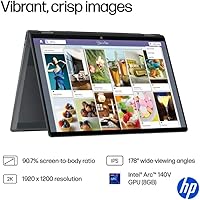
The OmniBook X Flip pairs Intel's latest Core Ultra 7 processor with a dedicated Arc GPU carrying its own video memory — a combination that handles photo editing, light video work, and casual gaming without complaint. The memory and storage configuration is generous enough that juggling multiple demanding apps rarely feels constrained. Battery endurance is a headline claim: HP advertises over twenty hours, and while real-world mixed use typically lands noticeably lower, it still outlasts most rivals in this category. The 16-inch anti-glare touchscreen performs well in tent and tablet modes, though its brightness is adequate rather than exceptional in direct sunlight. Thunderbolt 4 and HDMI 2.1 mean you're rarely hunting for adapters, and the Poly Studio audio sits well above typical laptop-speaker territory.

Best For

This HP flip laptop makes the most sense for creative professionals on the move — illustrators, designers, and note-takers who want a large canvas that flips to tablet mode without hauling extra hardware. Students who spend long days between classes and libraries will appreciate the genuine battery stamina. Hybrid workers who constantly toggle between video calls, presentations, and writing will find the flexible form factor and sharp IR camera genuinely practical day to day. It also serves as a reasonable entry point for anyone curious about Windows AI features without committing to a bulkier machine. That said, if your workflow involves heavy 3D rendering or sustained 4K video export, this machine will hit its ceiling fairly quickly.

User Feedback

Early owners of this 2-in-1 laptop generally split into two camps. Battery life draws consistent praise — most report comfortable all-day figures during lighter tasks, even if the advertised ceiling proves aspirational under sustained loads. The hinge and keyboard earn solid marks for a flip machine of this size, though a handful of users noted the hinge could feel firmer when holding the screen at steep angles. Display brightness gets mixed reactions: comfortable indoors, but underwhelming for some in bright outdoor environments. Stylus responsiveness is broadly appreciated, yet buyers with a fine-art background flag that palm rejection and pressure sensitivity are worth testing before committing. Thermal performance under prolonged creative workloads remains the most frequently raised concern.

Pros

  • Exceptional battery endurance for a 16-inch laptop — most users comfortably clear a full workday on a single charge.
  • The dedicated Arc GPU handles photo editing, light video work, and casual gaming without the sluggishness typical of integrated-only chips.
  • A large 16-inch anti-glare touchscreen in a chassis under two-thirds of an inch thick is a genuinely rare combination.
  • Thunderbolt 4, HDMI 2.1, and multiple USB ports mean you rarely need a separate dock or adapter for a full desk setup.
  • Poly Studio speakers deliver audio quality that stands well above what most thin laptops offer.
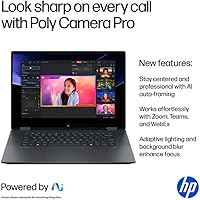
  • The 5MP IR camera with a physical privacy shutter is a thoughtful addition for daily video calls and Windows Hello login.
  • A stylus pen is included out of the box — no separate purchase needed for note-taking or sketching.
  • Wi-Fi 6E support keeps wireless speeds competitive on modern routers.
  • The flip hinge earns consistent praise for build quality, holding screen positions reliably during everyday use.
  • On-device Copilot+ AI features like live captions and Studio Effects run locally, with no cloud dependency required.

Cons

  • The advertised 23-hour battery figure is a best-case scenario; mixed real-world workloads land noticeably below that number.
  • Display brightness at 400 nits is adequate indoors but falls short in bright outdoor environments.
  • The FHD+ IPS panel, while clean, lacks the contrast and color depth of OLED alternatives available in this price tier.
  • Sustained creative workloads can trigger thermal throttling, with some users reporting fan ramp-up and performance dips during long render sessions.
  • Stylus palm rejection and pressure sensitivity have drawn mixed reviews — fine for note-taking, but inconsistent for precision illustration work.
  • At roughly four and a half pounds, the OmniBook X Flip is manageable but noticeable in a bag compared to smaller 13- or 14-inch convertibles.
  • RAM is not user-upgradeable, so the base configuration is what you live with for the life of the machine.
  • Windows 11 Home rather than Pro is the included OS, which may matter to business users needing domain join or BitLocker out of the box.

Ratings

Our AI rating system analyzed thousands of verified global reviews for the HP OmniBook X Flip 16″ 2-in-1 Laptop, actively filtering out incentivized, bot-generated, and duplicate submissions to surface what real buyers actually experience. The scores below reflect both the genuine strengths that earned this machine its following and the honest pain points that came up repeatedly across different user types. Nothing has been smoothed over — if a category divided opinion, that tension is reflected in the number.

Battery Life
83%
For a 16-inch laptop, the real-world endurance genuinely impresses most users — covering a full day of lectures, meetings, or travel without hunting for an outlet. Hybrid workers in particular praise the confidence of leaving the charger at home for shorter trips.
The advertised figure is an ideal-conditions ceiling that most users will not reach under normal mixed workloads. Video editing, gaming, or sustained high-brightness use drains the battery significantly faster, and some buyers feel the gap between the marketing claim and lived experience is wider than acceptable.
Display Quality
76%
24%
The anti-glare IPS panel renders colors cleanly and the wide viewing angles make it comfortable in tent and presentation modes. For document work, light photo editing, and video calls, it looks polished and the 16:10 aspect ratio gives useful extra vertical space.
At 400 nits, brightness falls short for confident outdoor or window-side use, and the FHD+ resolution — while crisp enough — lacks the punch of OLED or higher-refresh alternatives now appearing in this price range. Users upgrading from a high-end display will notice the step down.
Performance
81%
19%
Day-to-day multitasking, web-heavy workflows, and moderate creative work run without hesitation thanks to a capable processor pairing with a dedicated GPU carrying its own memory. Users editing photos in Lightroom or running multiple browser sessions alongside communication apps report a smooth, responsive experience.
Sustained workloads — long video exports, complex rendering, or extended gaming — push the thermals hard enough that performance steps back noticeably. This is not a machine for uninterrupted professional-grade CPU or GPU tasks, and buyers expecting workstation-level endurance under load will be disappointed.
Build Quality & Hinge
84%
The slim aluminum chassis feels premium in hand and the flip hinge earns consistent praise for holding its position reliably during touch input. For daily flipping between laptop and tent modes, it behaves exactly as expected without wobble or looseness after months of use.
A subset of users note the hinge feels slightly less firm at very steep angles in stand mode, and at under two-thirds of an inch thick the chassis does flex mildly under pressure in tablet mode. It is well-built for its class but not indestructible.
Stylus Experience
67%
33%
Having an active stylus included in the box is a genuine advantage — most users find it perfectly capable for note-taking, annotation, and casual sketching without spending extra. The pen feels balanced in hand and works reliably for everyday writing tasks.
Professional illustrators and users with high expectations for pressure curve accuracy and palm rejection have flagged inconsistencies that make precision art work frustrating. The stylus is better suited to productivity use than fine creative illustration, and buyers should test it against their specific workflow before committing.
Keyboard & Trackpad
78%
22%
Key travel is comfortable for a thin machine and the backlit layout suits long writing sessions without causing noticeable fatigue. The trackpad is smooth, well-sized for a 16-inch chassis, and tracks accurately across general use.
Compared to the keyboards on competing ThinkPad or Dell XPS convertibles, the key feedback feels slightly shallow to some typists. The trackpad, while functional, lacks the glass surface precision that premium-tier competitors have normalized at this price level.
Thermal Management
63%
37%
Under light to moderate workloads the machine stays quiet and comfortable, with surface temperatures remaining manageable during document work, streaming, or casual browsing. For the target audience of hybrid workers and students, thermal performance is rarely a problem.
Under sustained creative or gaming loads, fan noise increases noticeably and thermal throttling pulls performance back in a way that is hard to ignore. Users who expected consistent peak performance during long render sessions report this as the single most frustrating limitation of the machine.
Audio Quality
82%
18%
Poly Studio-tuned speakers deliver noticeably better clarity and volume than most thin laptops, making video calls, streaming, and casual music playback genuinely enjoyable without external speakers. The DTS:X Ultra processing adds a sense of spatial width that holds up in quiet office or home environments.
At maximum volume in louder environments — cafes, open offices, or outdoors — the speakers lack the bass weight to compete with a dedicated portable speaker. They are outstanding for a laptop but still subject to the physical limits of a slim chassis.
Webcam & Privacy
79%
21%
A 5-megapixel IR camera is a meaningful step above the weak webcams that have plagued laptops for years, producing sharper and more detailed video on calls. The physical privacy shutter is a small but appreciated feature for users who value hardware-level camera control.
In low-light conditions, image quality degrades in a way that is noticeable on the receiving end of video calls, and the fixed-focus lens lacks the flexibility of more advanced webcam systems. It is above average for a built-in camera but not a replacement for an external webcam in professional broadcast scenarios.
Port Selection
86%
Thunderbolt 4, HDMI 2.1, and three USB ports on a sub-14mm chassis is a strong lineup that lets most users connect monitors, peripherals, and storage drives without carrying a separate hub. Hybrid workers who dock to a desk setup find the connectivity genuinely plug-and-play.
There is no SD card reader, which frustrates photographers and content creators who transfer files regularly from camera cards. Users working in environments that still rely on USB-A connections may also wish for one more full-size port given how much the Thunderbolt and HDMI take up priority positions.
Touchscreen Responsiveness
77%
23%
Touch input registers reliably across all four form factor modes, and scrolling, pinching, and tapping feel natural for casual navigation and annotation. In tent mode for presentations or recipe browsing, it behaves predictably without missed inputs.
Multi-touch gestures at the edge of the screen occasionally register less consistently than in the center, and some users report very slight lag when switching between pen and finger input. It is not a dealbreaker but is noticeable compared to the smoothest tablet-class touchscreens.
Portability
74%
26%
For a 16-inch convertible, the slim profile and sub-five-pound weight make it one of the more travel-friendly options in its screen-size class. Students and commuters who prioritize screen real estate without going to a desktop-replacement machine find the size-to-portability balance reasonable.
Compared to 13- or 14-inch ultrabooks, it still occupies meaningful bag space and adds perceptible weight over a full day of shoulder carrying. Users coming from a smaller machine will feel the difference immediately, and the form factor is best suited to those who genuinely need a large screen.
Value for Money
72%
28%
The combination of a dedicated GPU, generous storage, strong battery, and stylus inclusion at this price point represents solid value relative to competing 2-in-1 machines with similar screen sizes. Buyers who fully utilize the convertible form factor and creative tools get a lot of hardware per dollar.
At this price tier, OLED display options and slightly more powerful CPU configurations are available from competing brands, making the value case less clear-cut for buyers who prioritize screen quality above all else. If the flip form factor is not a priority, the money could go further on a comparable clamshell.
AI Features (Copilot+)
66%
34%
For users who rely on Windows Studio Effects for webcam polish, live caption generation for accessibility, or on-device image tools, the Copilot+ designation means those features run locally and feel noticeably snappier than cloud-dependent equivalents. Privacy-conscious users particularly appreciate that processing stays on-device.
For the majority of buyers, the AI features are currently more of a background capability than a daily-use draw, and the Copilot+ label has attracted skepticism from technically informed users who question whether the real-world benefit justifies the marketing emphasis. The feature set will likely mature over time, but right now it is not a compelling reason to choose this machine over a comparable alternative.

Suitable for:

The HP OmniBook X Flip 16″ 2-in-1 Laptop is built with a clear audience in mind: people who need a large, flexible screen but can't afford to carry a heavy machine all day. Illustrators, digital note-takers, and light design professionals will find the flip-to-tablet form factor genuinely useful rather than just a gimmick, especially with a stylus included in the box. Students who spend long stretches away from outlets get real value from the above-average battery endurance, which holds up well through lecture-heavy days even if the advertised ceiling is optimistic. Hybrid workers who bounce between video calls, slide decks, and written work will appreciate the capable IR camera, quality speakers, and the sheer versatility of having a screen that adapts to different modes throughout a workday. If you want a taste of Windows AI features — live captions, on-device image tools, Studio Effects — without investing in a heavier professional rig, this machine delivers that experience in a genuinely portable package.

Not suitable for:

The OmniBook X Flip is a strong all-rounder, but it has clear boundaries that some buyers will run into quickly. Anyone whose daily work involves sustained 3D rendering, complex video exports, or running multiple GPU-heavy applications simultaneously will find this machine struggling under that kind of continuous load, with thermal throttling being a reported concern. The display, while perfectly good for indoor use, tops out at a brightness level that makes outdoor work in direct sunlight uncomfortable — buyers who frequently work on patios, campuses, or travel in sunny climates may find this limiting. The resolution is solid but not the sharp OLED or high-refresh panel that competitors in a similar price range now offer, so if screen quality is your top priority, it warrants a direct comparison before buying. Fine-art illustrators with high expectations for stylus pressure sensitivity and palm rejection precision should test the pen carefully, as feedback on this front is mixed. And if raw gaming performance or professional-grade GPU workloads are part of the picture, this HP flip laptop simply isn't the right tool.

Specifications

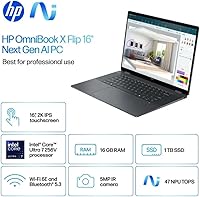
  • Display: 16-inch FHD+ IPS touchscreen with a 1920x1200 resolution, 400-nit brightness, anti-glare coating, and 178-degree viewing angles.
  • Processor: Intel Core Ultra 7 256V with 8 cores, reaching up to 4.8GHz, built on Intel's latest low-power architecture for efficient performance.
  • Graphics: Dedicated Intel Arc 140V GPU with 8GB of its own video memory, separate from system RAM.
  • Memory: 16GB LPDDR5X RAM running at 8533MHz, soldered to the motherboard and not user-upgradeable.
  • Storage: 1TB PCIe Gen4 NVMe SSD offering fast read and write speeds suitable for large creative files and quick application launches.
  • Battery Life: Manufacturer-rated up to 23 hours; real-world mixed-use endurance will vary depending on workload and screen brightness settings.
  • Operating System: Windows 11 Home pre-installed, with Copilot+ AI PC features enabled via a 47 TOPS on-device neural processing unit.
  • Ports: Thunderbolt 4, HDMI 2.1, three USB ports, and a headphone jack provide broad wired connectivity without needing a hub for most setups.
  • Wireless: Wi-Fi 6E (802.11ax) and Bluetooth are supported for fast, low-latency wireless connections on compatible networks.
  • Camera: 5MP IR webcam with a physical privacy shutter, supporting Windows Hello facial recognition for hands-free login.
  • Audio: Poly Studio stereo speakers tuned with DTS:X Ultra for richer, more spatial sound than typical thin-laptop audio.
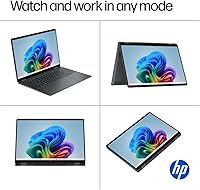
  • Form Factor: 360-degree flip hinge convertible that transitions between laptop, tent, stand, and tablet modes.
  • Dimensions: Measures 14.02 x 9.67 x 0.61 inches, making it one of the slimmer options available in the 16-inch convertible category.
  • Weight: Approximately 4.38 lbs for the unit itself, which is reasonable for a 16-inch 2-in-1 but worth noting for daily bag carry.
  • Stylus: An active stylus pen is included in the box, supporting on-screen drawing and note-taking without a separate purchase.
  • AI Platform: Qualifies as a Copilot+ PC with a dedicated NPU delivering 47 TOPS, enabling local AI tasks like live captions and Studio Effects.

Related Reviews

HP OmniBook X Flip 14″ 2K Touch-Screen 2-in-1 Laptop, AMD Ryzen AI 7 3500U, 24GB RAM, 1.5TB Storage
86%
92%
Performance
90%
Display Quality
88%
Multitasking & RAM
94%
Storage Capacity
84%
Portability & Weight
More
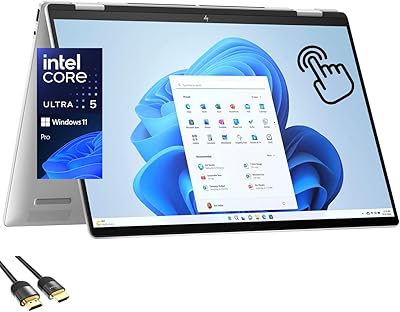
HP Envy x360 16-inch 2-in-1 Laptop (Core Ultra 5 125U, 16GB, 1TB)
76%
88%
Display Quality
83%
Performance & Speed
79%
Build Quality & Design
61%
Portability & Weight
67%
Battery Life
More
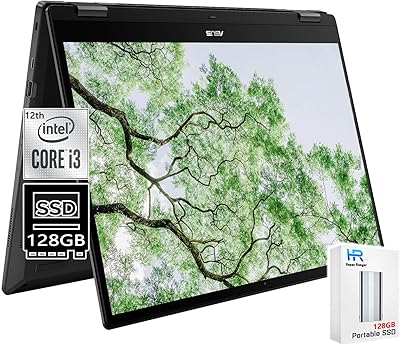
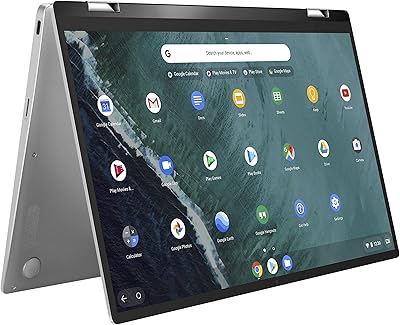
ASUS Chromebook 16 2-in-1 Touchscreen Laptop
74%
88%
Display Quality
81%
Convertible Versatility
83%
Performance & Speed
79%
Battery Life
76%
Build Quality
More
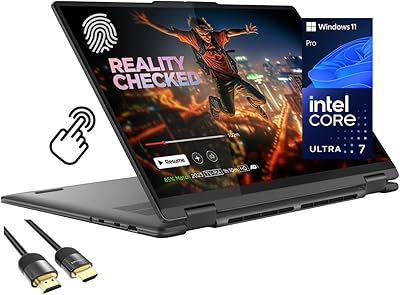
ASUS Chromebook Flip C434 2-In-1 Laptop
86%
91%
Build Quality
87%
Display Quality
90%
Battery Life
89%
Portability
83%
Performance (General Use)
More
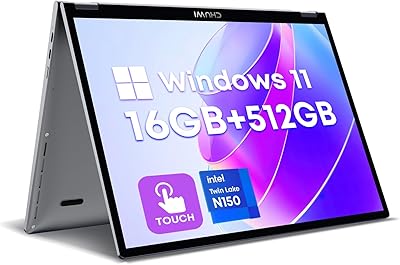
Lenovo Yoga 7i 16″ 2-in-1 Laptop, Core Ultra 7 155U, 16GB, 1TB
74%
84%
Display Quality
82%
Performance & Speed
79%
Build Quality & Hinge
81%
Keyboard & Trackpad
67%
Battery Life
More
CHUWI MiniBook X N150 16GB/512GB
71%
84%
Display Quality
72%
Performance & Speed
93%
Portability & Form Factor
67%
Build Quality
58%
Battery Life
More
HP Envy x360 14″ 2-in-1 Laptop
75%
82%
Build Quality
79%
Display Quality
76%
Performance
77%
Keyboard & Trackpad
68%
Battery Life
More
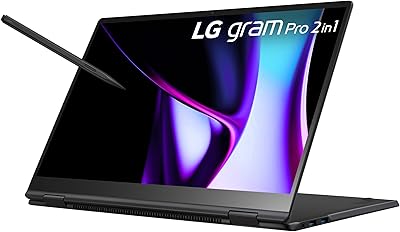
Microsoft Surface Pro 2024 1TB 2-in-1 Laptop
76%
93%
Display Quality
88%
Performance & Speed
81%
Battery Life
63%
Value for Money
86%
Form Factor & Portability
More
LG gram Pro 2-in-1 16″ Laptop
75%
94%
Portability
91%
Display Quality
86%
Performance
72%
Battery Life
78%
Build Quality
More
BiZiSOFON 2-in-1 Green & Blue Screen Backdrop 39.4″ x 59.1″
83%
94%
Portability
91%
Ease of Setup
88%
Fabric Quality
89%
Dual-Sided Flexibility
85%
Overall Value
More

FAQ

The included stylus is an active pen, so it does require some power to function — most HP active pens in this lineup use a replaceable AAAA battery rather than USB charging. It pairs via Bluetooth for shortcut buttons, but the core drawing and writing functions work without pairing. Check the in-box documentation to confirm the exact model included with your unit.

Unfortunately, no. The memory is soldered directly to the motherboard, which is common in thin convertibles like this one. The 16GB configuration should handle most productivity and creative tasks comfortably, but if your workflows regularly involve large video timelines or heavy multitasking, factor that in before buying since you cannot expand it later.

At 400 nits, the display is comfortable for most indoor environments and shaded outdoor use. In direct sunlight, it can be a struggle to see clearly, so if you regularly work outside, that is worth factoring into your decision. The anti-glare coating does help reduce reflections, but it is not a substitute for higher brightness.

Yes, and the port selection is genuinely strong for a machine this slim. The Thunderbolt 4 port supports high-resolution external displays and fast data transfer, while the HDMI 2.1 output lets you connect directly to a monitor or TV without an adapter. You can comfortably run a dual-display desk setup from this machine.

It handles light-to-moderate illustration work well, especially for sketching, inking, and note-taking workflows. That said, buyers who rely heavily on fine pressure sensitivity and precise palm rejection — the kind needed for professional illustration — have reported mixed results, so it is worth testing the pen carefully if that is your primary use case. For casual digital journaling or annotating documents, it performs reliably.

In practical terms, it means certain AI-powered Windows features run locally on the device rather than sending data to the cloud. That includes things like live caption generation, real-time translation, background blur without a third-party app, and Windows Studio Effects for the webcam. For most users, it is a nice extra rather than a core reason to buy, but it does make those features faster and more privacy-friendly.

Under light to moderate workloads it stays reasonably cool, but some users report that sustained tasks — long video exports, complex Photoshop operations, or extended gaming — can cause the fans to ramp up noticeably and performance to ease back slightly. For occasional bursts of heavy work it is fine; for uninterrupted professional rendering sessions, it is not the right tool.

User feedback on the hinge is generally positive — it holds its angle well and does not wobble noticeably during touch input in laptop mode. A small number of users mention it could feel slightly less firm at very steep angles when used in stand mode, but for typical laptop and tent use it is considered reliable and well-built for a machine in this class.

HP's quoted figure of over twenty hours represents ideal conditions — typically low-brightness screen, light document work, and Wi-Fi off or minimal. In a realistic day of web browsing, video calls, and document editing at moderate brightness, most users land somewhere in the range of ten to fourteen hours, which is still competitive and comfortably covers a full workday for most people.

It ships with Windows 11 Home. For most personal and creative users that is perfectly fine. If you work in a corporate environment that requires domain join, Group Policy management, or native BitLocker drive encryption as a standard IT requirement, you will want to factor in the cost of a Pro upgrade. For students and freelancers, Home covers everything needed without issue.

Where to Buy