Overview

The Microsoft Natural Ergonomic Keyboard 4000 has been around long enough that its continued top rankings feel well-earned rather than nostalgic. Standard flat keyboards keep both hands pronated and close together — a position that quietly builds forearm and wrist tension over a long workday. This ergonomic keyboard breaks from that by splitting the key layout into two angled zones, nudging your hands into a more neutral, open position. It carries a premium price tag for a membrane board, so it is clearly aimed at daily desk workers who need relief, not occasional typists looking for a bargain. Over a decade on the market and still a category leader — that says something.
Features & Benefits

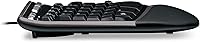
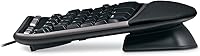
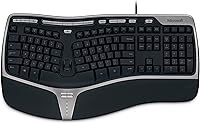
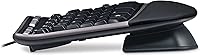
The split key layout is the central idea here — the two key groups sit at an outward angle that naturally opens the wrists and reduces forearm rotation while you type. A built-in foam palm rest runs the full width of the board and softens the pressure on your carpal tunnel area during long sessions, which makes a noticeable difference after the first hour. Up front, an adjustable riser leg tilts the front edge upward, flattening the wrist angle into a more neutral plane. A row of dedicated media controls handles volume, play/pause, and browser shortcuts without pulling your hands off the keys. The wired USB connection means no lag, no pairing headaches, and no dead batteries to think about. A central zoom slider rounds things out for document-heavy workflows.

Best For

The Natural 4000 makes the most sense for people who spend the bulk of their workday at a keyboard and have started noticing early RSI symptoms — tightness in the forearms, soreness in the wrists, or general fatigue by mid-afternoon. It fits well with Windows PC users who want to correct their hand posture without abandoning a familiar QWERTY layout; the learning curve is real but far gentler than a fully split or ortholinear board. Corporate environments will appreciate the no-fuss wired setup — plug it in and it works, no drivers, no wireless dropout. Casual or light typists, though, will probably not get enough daily mileage from it to justify the cost.

User Feedback

Owners who switched to Microsoft's split keyboard after developing wrist or forearm discomfort frequently report that strain reduced noticeably within the first few weeks — the most consistent praise across long-term reviews. Durability tracks well too; many users run the board for three to five years without complaint. The main criticisms focus on key feel — the membrane switches come across as mushy to anyone used to a mechanical board, and actuation force can feel uneven across the layout. Mac users hit a separate snag: plug-and-play does not apply here, and the required IntelliType software adds real friction for macOS setups. Nearly every reviewer also flags an adjustment period of one to two weeks before typing speed returns to normal — something worth knowing before you commit.

Pros

  • The split key layout encourages a more natural wrist and forearm angle, which may reduce strain during long typing sessions.
  • The integrated foam palm rest provides consistent support across the full board width, easing pressure on the wrist over hours.
  • An adjustable front riser leg lets you fine-tune the keyboard angle to better match your desk and seating setup.
  • Wired USB connection means zero input lag, no pairing headaches, and no batteries to replace mid-workday.
  • Dedicated media and shortcut keys let you control volume, playback, and browser functions without lifting your hands from the keys.
  • Users with prior RSI or tendinitis consistently report reduced wrist discomfort after switching to this ergonomic keyboard.
  • Long-term owners frequently report years of reliable daily use, with the board outlasting other peripherals on their desk.
  • The central zoom slider and hot keys add genuine workflow speed for document-heavy or spreadsheet-intensive work.
  • The familiar QWERTY layout keeps the adjustment curve manageable, especially compared to fully split or ortholinear alternatives.

Cons

  • Membrane switches feel mushy and imprecise — a real drawback for anyone accustomed to mechanical keyboard feedback.
  • Mac users must install enclosed IntelliType Pro software before the board functions correctly, making setup unexpectedly involved.
  • Expect a one-to-two-week adjustment period where typing speed drops noticeably before it recovers to normal.
  • The large footprint — split layout plus integrated palm rest — demands more desk real estate than most standard keyboards.
  • Actuation force can feel inconsistent across different key zones, which bothers detail-oriented or fast typists.
  • There is no wireless option, so you are permanently tethered to your workstation by a USB cable.
  • The price sits notably high for a membrane-switch board, making the value harder to justify if wrist issues are not yet a concern.
  • The Natural 4000 is bulky enough that moving it between workstations or packing it up regularly is genuinely impractical.

Ratings

The Microsoft Natural Ergonomic Keyboard 4000 has accumulated a substantial body of verified buyer feedback over more than a decade on the market, and the scores below reflect what that real-world data actually shows. Our AI rating engine analyzed thousands of confirmed purchase reviews globally, actively filtering out incentivized, duplicate, and bot-generated submissions to surface the genuine consensus. The result is an honest breakdown that captures both the strengths keeping this keyboard among the top-ranked ergonomic options and the recurring pain points that buyers regularly flag.

Ergonomic Design
88%
The split key cluster and forward-angled zones do a genuine job of opening the wrist and reducing forearm rotation during long typing sessions. Users who made the switch from a flat keyboard consistently describe the positional change as immediately noticeable — especially by the end of a full workday when fatigue typically sets in.
The angled layout takes real getting used to, and some users never fully adapt — particularly fast typists with deeply ingrained muscle memory built on standard flat boards. The design is also significantly wider than a conventional keyboard, which pushes the mouse further right and can introduce shoulder strain if the desk is not wide enough.
Wrist Comfort
83%
For users dealing with early RSI symptoms or general forearm tightness after long workdays, the combination of the split layout and cushioned palm rest addresses the two most common pressure points simultaneously. Many reviewers with diagnosed tendinitis report that discomfort reduced measurably within two to three weeks of consistent daily use.
Wrist relief is not guaranteed — those with more advanced repetitive strain injuries or structural conditions may not see the same benefit, and the ergonomic positioning only helps if you are sitting at an appropriate desk and chair height. A few users also note that the foam rest hardens slightly with extended use, gradually reducing its cushioning effect over time.
Typing Feel
58%
42%
The membrane switches are genuinely quiet, which is a real practical benefit in shared open-plan offices where a louder mechanical keyboard would draw complaints. Keys register consistently enough for everyday word processing and data entry, and the wide key surface reduces missed keystrokes for users with larger hands.
Anyone coming from a mechanical keyboard will find the key travel shallow and the actuation feel vague — there is no tactile feedback point, just a soft, spongy depression to the bottom. Actuation force also feels inconsistent across different zones of the board, which bothers detail-oriented typists working at speed.
Value for Money
67%
33%
For a wired ergonomic keyboard with an integrated palm rest, adjustable lift, and a full suite of media and shortcut keys, the feature set is genuinely comprehensive and hard to replicate at a lower price without sacrificing ergonomic intent. Users who commit to it long-term consistently describe the investment as justified given how long the board lasts.
The asking price sits noticeably high for a membrane-switch board, and that is a difficult value proposition for buyers who associate that price tier with mechanical or premium hybrid switches. Casual users or those who type fewer than four hours daily are unlikely to extract enough practical benefit to justify the spend.
Long-term Durability
91%
Long-term owners are the Natural 4000's most vocal advocates — a large share report three to five years of heavy daily use without dead keys, cable failures, or mechanical issues. That lifespan is genuinely rare for a wired membrane board and explains why it has held a top category ranking well over a decade after its original release.
A notable portion of users report that the palm rest foam compresses and flattens after two or more years of use, reducing its support quality over time. There is no official spare-parts or component replacement program, so when elements eventually wear, the only practical option is purchasing a complete new unit.
Build Quality
84%
The chassis feels solid and substantial — nothing flexes or rattles under heavy typing pressure, and the key caps do not develop a greasy shine as quickly as cheaper membrane alternatives. The board carries an understated, no-nonsense construction that holds up well in a professional desk environment without looking cheap.
The plastic housing shows scuffs and light surface scratches over time, particularly on the darker body panels, and the foam palm rest can look visibly worn after a year of daily contact. There are no replaceable key caps available, so cosmetic wear is permanent once the finish begins to degrade.
Ease of Setup
76%
24%
On a Windows machine, setup is genuinely effortless — plug the USB cable in and all the primary keys and most media functions work immediately without any driver installation required. For IT departments deploying keyboards across a corporate fleet, that zero-configuration approach is a practical and welcome time-saver.
Mac users face an unexpectedly involved process that requires installing the bundled IntelliType Pro software before the keyboard functions correctly, catching a meaningful share of buyers off guard. The software itself feels dated, and the overall macOS setup experience lags noticeably behind the straightforward Windows plug-in process.
OS Compatibility
62%
38%
On Windows 10 and Windows 11, the keyboard is recognized immediately after plugging in and the hot key row operates without any additional configuration. Microsoft's own software ecosystem means the integration is tight and dependable for the vast majority of the intended user base.
macOS support is a persistent weak point — the requirement to install legacy software before basic functionality works frustrates users accustomed to Apple's plug-and-play peripheral standard. Some Mac users also report incomplete hot key support even after installation, leaving several shortcut buttons non-functional without additional workarounds.
Desk Footprint
54%
46%
The wide split layout gives each hand its own clearly defined zone, and users with larger hands or broader shoulder spans actually find the extra spread comfortable once fully accustomed to it. The forward-extending palm rest also encourages wrists to rest naturally on the board rather than hovering above the desk edge.
At nearly 20 inches wide, this ergonomic keyboard occupies a substantial portion of most standard desks, and the palm rest depth pushes the mouse considerably further to the side than many users anticipate. Anyone with a compact workstation, a mounted monitor arm tray, or a shared desk arrangement will find it a genuinely awkward fit.
Shortcut Keys
79%
21%
The dedicated media row handles the most common playback and volume tasks without requiring a hand to leave the typing position, which adds up to a real quality-of-life improvement over a full workday. The zoom slider is particularly appreciated in document-heavy roles where quickly adjusting a view is a frequent and repetitive task.
Customizing the hot key functions requires IntelliType Pro software, which adds a configuration step and limits flexibility on Mac. A handful of the shortcut buttons feel redundant for modern workflows where operating system keyboard shortcuts already handle those same tasks natively and more reliably.
Adjustment Curve
64%
36%
The split QWERTY layout preserves enough familiar structure that most touch typists find the learning curve shorter than expected compared to fully ortholinear or thumb-cluster alternatives. By the second week, the majority of users report returning to near their baseline typing speed while starting to benefit from the corrected hand positioning.
The first week in particular can be frustrating — typing speed drops noticeably, and the angled key zones catch users on common letter combinations that previously required no conscious thought at all. Users who must maintain fast output with no tolerance for a temporary productivity dip may find the adaptation period genuinely disruptive to their workflow.
Palm Rest Quality
81%
19%
The integrated foam cushion provides meaningful support across the full width of the wrist area, and most users notice its benefit within the first hour of an extended typing session. Unlike detachable gel rests that shift during use, the fixed position keeps wrists consistently aligned without any manual repositioning throughout the day.
The foam material absorbs skin oils and grime over time and can look visibly worn after a year or two of daily contact, and it cannot be removed for cleaning or replacement. Some users also find the rest slightly too elevated for lower desk heights, pushing the wrist into a mild extension rather than a fully neutral plane.
Wired Reliability
93%
A permanently attached USB cable means there is simply nothing to pair, charge, or troubleshoot — the keyboard is either connected or it is not, and in practice it is always connected. For users in corporate environments with strict IT security policies around wireless devices, wired input is a non-negotiable requirement this board handles without complication.
The fixed cable is also the one aspect of the design that offers no flexibility — if your desk layout changes or you need to route cables differently, you are working around a permanent constraint. Users who move between workstations regularly or occasionally type at a distance will find the tether noticeably limiting.
Key Layout Familiarity
86%
Despite the angled split, Microsoft's split keyboard keeps every key in a position that maps closely to a standard QWERTY board, significantly reducing cognitive load during the adjustment period. Writers, coders, and data-entry professionals transitioning from a flat keyboard generally find they can orient themselves within the first day or two of use.
The split does shift a handful of keys near the center divide — particularly B, T, Y, and G — into slightly unfamiliar reach zones that can disrupt fast typists during the first week. Users who type without ever looking at the keys, or those who hunt-and-peck, tend to find the transition meaningfully harder than trained touch typists.

Suitable for:

The Microsoft Natural Ergonomic Keyboard 4000 is best suited for people who spend six or more hours a day typing and have already started noticing the physical toll — tight forearms, sore wrists, or that dull ache that creeps in by mid-afternoon. It is a particularly strong choice for Windows PC users in office or corporate settings who want to correct their posture without abandoning the QWERTY layout they already know; the split design adjusts alignment gradually rather than forcing a steep relearning process. Data-entry professionals, writers, programmers, and anyone whose livelihood depends on sustained keyboard use will find the most value here, especially if they are in the early stages of repetitive strain or simply trying to stay ahead of it. The wired setup on Windows also makes it an easy recommend for IT-managed business environments where wireless peripherals add support complexity. If you type heavily every day and want a reliable, time-tested ergonomic option backed by years of real-world feedback, this keyboard makes a credible case for its price.
Not suitable for:

The Microsoft Natural Ergonomic Keyboard 4000 is a poor fit for anyone who types infrequently or casually — the asking price does not make sense for light use, and the ergonomic benefits only accumulate with consistent, high-volume typing. Mechanical keyboard enthusiasts will likely find the membrane switches frustrating; the key travel feels soft and imprecise compared to the tactile feedback they are used to, and no amount of ergonomic shaping compensates for that if feel is a priority. Mac users should approach with caution, as the keyboard requires installing bundled IntelliType Pro software before it functions properly — an unexpected friction point and a dealbreaker for anyone expecting instant compatibility. Its footprint is also considerably larger than a standard keyboard, with the split layout and integrated palm rest demanding real desk space, so compact or cluttered workstations may not accommodate it comfortably. Anyone prioritizing wireless freedom, a minimal desk aesthetic, or a premium typing feel will find better-suited options elsewhere.
Specifications

  • Connection: Connects via wired USB, requiring no wireless pairing or batteries for the keyboard itself.
  • Key Layout: Uses a split ergonomic QWERTY design with two angled key zones to promote a more natural forearm and wrist position.
  • Palm Rest: Features an integrated cushioned foam palm rest running the full width of the board to reduce wrist pressure during extended sessions.
  • Palm Lift: Includes an adjustable front riser leg that tilts the keyboard to a reverse-incline angle, helping flatten wrist extension while typing.
  • Dimensions: Measures 19.8″ long by 10.3″ wide by 3.26″ tall, making it considerably larger in footprint than a standard full-size keyboard.
  • Weight: Weighs approximately 2.2 pounds, which contributes to a stable, non-shifting feel on the desk during heavy typing.
  • Switch Type: Uses membrane switches rather than mechanical ones, producing quieter key presses with a softer, less defined actuation feel.
  • Media Keys: Includes a dedicated row of media control keys for play, pause, volume adjustment, and browser shortcuts positioned above the main key cluster.
  • Zoom Slider: Features a central document zoom slider and a row of programmable hot keys for one-press access to common application functions.
  • OS Support: Designed primarily for Windows PCs; Mac OS X users must install the enclosed IntelliType Pro software before the keyboard will function correctly.
  • Color: Available in black with a business-oriented finish suited to professional office and corporate desk environments.
  • Model Number: Sold under Microsoft model number 5QH-00001, identifiable on the product label and original packaging.
  • Style: Built with a business-use emphasis on ergonomic function and long-term durability rather than gaming or lifestyle aesthetics.
  • Manufacturer: Produced by Microsoft and first made available in March 2011, with continued production reflecting sustained commercial demand.
  • Language: Ships with an English-language QWERTY key layout intended for standard US keyboard usage.

Related Reviews
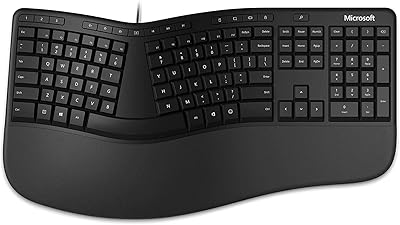
Microsoft Ergonomic Keyboard for Business Wired
77%
88%
Ergonomic Comfort
83%
Build Quality
79%
Typing Feel
86%
Wrist & Posture Support
67%
Shortcut Keys
More
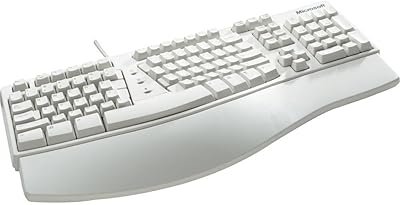
Microsoft Natural Keyboard Elite Ergonomic Keyboard
72%
83%
Ergonomic Comfort
71%
Typing Experience
58%
Adjustment Period
79%
Build Quality
74%
Multimedia Controls
More
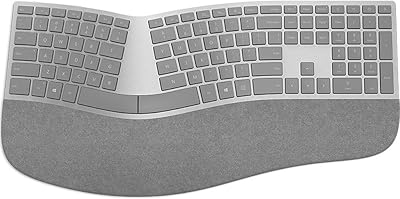
Microsoft Surface Ergonomic Wireless Keyboard
72%
88%
Ergonomic Design
84%
Build Quality
91%
Palm Rest Comfort
73%
Typing Experience
76%
Bluetooth Connectivity
More
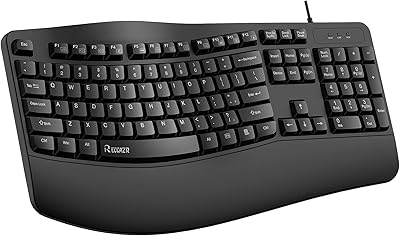
RECCAZR Ergonomic Wired Keyboard
74%
78%
Ergonomic Comfort
74%
Wrist Rest Quality
66%
Typing Feel
61%
Build Quality
81%
Spill Resistance
More
Microsoft Sculpt Ergonomic Mouse
73%
88%
Ergonomic Design
83%
Wrist Comfort
51%
Scroll Wheel
84%
Wireless Reliability
79%
Battery Life
More
X9 Performance Wireless Ergonomic Split Keyboard
76%
83%
Ergonomic Comfort
58%
Key Feel & Typing Experience
86%
Wireless Performance
88%
Battery Life
62%
Build Quality
More
Microsoft Designer Compact Bluetooth Keyboard
78%
78%
Build Quality
72%
Typing Experience
69%
Bluetooth Connectivity
93%
Battery Life
81%
Multi-Device Pairing
More
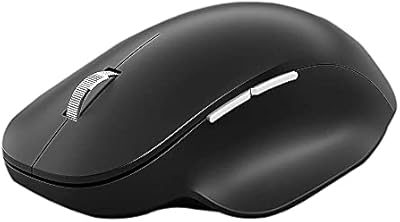
Microsoft Bluetooth Ergonomic Mouse
81%
88%
Ergonomic Comfort
83%
Build Quality
91%
Scroll Wheel
89%
Battery Life
72%
Bluetooth Connectivity
More
VEILZOR Ergonomic Backlit Keyboard with Wrist Rest
78%
83%
Ergonomic Comfort
76%
Wrist Rest Quality
61%
Typing Feel & Key Response
79%
RGB Backlighting
67%
Build Quality & Durability
More
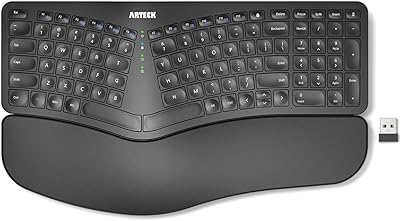
Arteck HW315
Arteck HW315
74%
83%
Ergonomic Comfort
74%
Wrist Rest Quality
61%
Typing Feel & Key Travel
92%
Battery Life
81%
Wireless Connectivity
More

FAQ

It can, though results vary by person and situation. The split layout and built-in palm rest are designed to reduce the unnatural wrist rotation that builds up over long typing sessions, and many users with early RSI or tendinitis report meaningful relief after a few consistent weeks of use. That said, it works best as a preventive or early-intervention tool — if you have a diagnosed condition, it is worth pairing it with advice from a physiotherapist or occupational health specialist rather than relying on the keyboard alone.

Most people see a noticeable drop in typing speed for the first one to two weeks as muscle memory adjusts to the angled key positions. By week three, the majority of users report returning to near their normal pace. The adjustment period is real, so do not judge the keyboard too harshly in the first few days — it just needs time.

It will work, but not straight out of the box. You need to install the IntelliType Pro software included in the package before the keyboard operates correctly on macOS. That extra step catches a lot of Mac users off guard, so if you are on Apple hardware and expect plug-and-play, go in prepared for a short setup process.

No — the cushioned palm rest is permanently integrated into the keyboard body and cannot be detached. It is a fixed structural element of the design, not a removable accessory, so if you prefer typing without a palm rest you will need to look at a different board.

Yes, it is compatible with both. On Windows, the keyboard is essentially plug-and-play — the core keys and most functions work immediately without any driver installation. The IntelliType Pro software is only necessary on Windows if you want to remap hot keys or customize the programmable shortcut buttons.

They feel quite different. The Natural 4000 uses membrane switches, which are noticeably quieter and softer but lack the crisp tactile bump or audible click that mechanical switches deliver. If you are switching from a mechanical board, the key presses here will initially feel vague and mushy. It is genuinely quieter for shared office spaces, but tactile typists may find it unsatisfying.

For everyday typing, yes — plug it into a Windows PC and the main keys work right away without any software. The included IntelliType Pro software is only needed if you want to remap the hot keys or adjust the behavior of the shortcut buttons. On Mac, however, installing the software is a required step, not optional.

It is reasonably straightforward to maintain. A slightly damp microfiber cloth handles routine wipe-downs of the keycaps and palm rest well, and compressed air clears debris from between the keys. The foam palm rest does pick up skin oils over time, but a regular light cleaning keeps it looking acceptable. Avoid soaking or using harsh chemical cleaners, as the membrane internals are not water-resistant.

Yes, the Natural 4000 ships with a full number pad on the right side of the board. It is a complete full-size layout, which is a big part of why the overall footprint is so wide — factor in the extra desk space before ordering if your workspace is on the smaller side.

As of the latest available information, Microsoft has not discontinued this model and it remains in active production. It has been on the market since 2011 and continues to sell steadily, which is an unusually long product lifecycle for a peripheral. If you are buying in bulk for a business deployment, it is still worth confirming current stock levels with your supplier.

Where to Buy