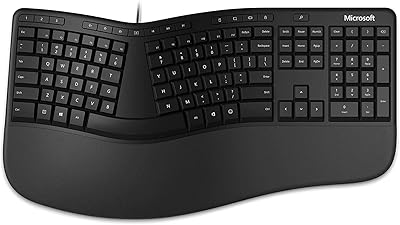
VEILZOR Ergonomic Backlit Keyboard with Wrist Rest
Overview
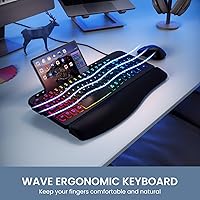
The VEILZOR Ergonomic Backlit Keyboard with Wrist Rest arrived in early 2025 as a genuinely affordable option for anyone tired of wrist pain from flat, unforgiving keyboards. Rather than charging a premium for ergonomic features, it bundles a wave-shaped key layout, an attached faux-leather wrist rest, and a handy device groove into a package that sits firmly in the budget tier. With 273 ratings averaging 4.3 stars, it has already built a respectable track record for a keyboard this new. It won't compete with high-end ergonomic brands, but for everyday office typing or student use, it makes a compelling case.
Features & Benefits
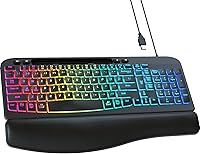
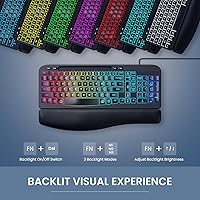
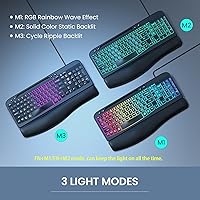
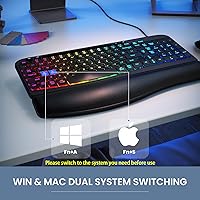
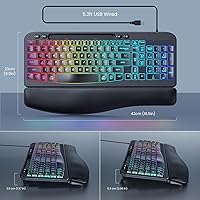
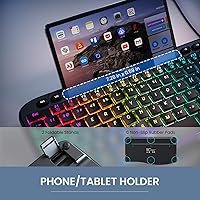
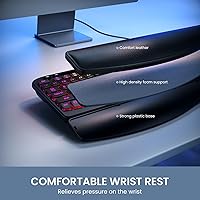
The wave-key layout is the centerpiece here — it gently angles your hands outward so your wrists sit in a more natural position during long afternoon stretches of typing. The attached wrist rest adds cushioning that flat keyboards simply don't offer. Backlighting comes in seven colors across four brightness levels, switchable on the fly with FN shortcuts, which is genuinely useful in dim home offices. The 5.2-foot braided cable gives you enough reach without tangling, and the UV-coated keycaps hold up well to daily use. A built-in groove along the top holds a phone or tablet upright, cutting desk clutter. Dual Windows and Mac support rounds things out via a simple toggle switch.
Best For
This wrist-rest keyboard hits a sweet spot for home office typists who spend hours at a desk but don't want to spend significantly on a premium ergonomic board. Students furnishing a first setup will appreciate the RGB lighting and the included device stand — two features that usually cost extra on competing models. It also works well for anyone who switches between Windows and Mac regularly, since the dual-mode toggle handles that without requiring two separate keyboards. That said, if you're coming from a mechanical keyboard and value tactile feedback and crisp actuation, the membrane switches here will feel noticeably softer. Light gamers looking for comfortable casual play should find it adequate, though it's not built for competitive use.
User Feedback
Buyers consistently praise the wrist rest comfort and cite it as the standout feature, especially for those switching from standard flat keyboards. The value-for-money sentiment runs strong across reviews. On the critical side, a few users note that the membrane keys feel mushy compared to mechanical alternatives, which is worth knowing upfront. Mac users have flagged the Win/Alt key swap in dual-boot mode as a minor stumbling block, though the fix is straightforward once you know about it. Opinions on the phone holder are split — some find it genuinely handy, others see it as a small bonus they rarely use. The faux-leather wrist rest earns mixed long-term marks, with some reporting visible wear after months of daily use.
Pros
- Wave-key layout provides noticeable wrist relief for all-day typists without a steep price barrier.
- Attached wrist rest adds immediate cushioning that flat keyboards completely lack.
- Plug-and-play USB connection works instantly — no drivers, no setup headaches.
- Seven RGB colors and four brightness levels cover most lighting preferences for dim home offices.
- Braided 5.2-foot cable reaches comfortably without tangling or pulling.
- Dual Windows and Mac support via a simple toggle eliminates the need for two separate keyboards.
- UV-coated keycaps resist fading noticeably better than standard budget keyboard alternatives.
- Built-in device groove functions as a handy phone stand, reducing desk clutter without an extra accessory.
- Full-size layout with numpad is appreciated by spreadsheet users and data-entry workers.
- Strong value-for-money ratio makes this wrist-rest keyboard an easy first ergonomic upgrade.
Cons
- Faux-leather wrist rest shows visible wear and peeling after several months of heavy daily use.
- Membrane switches feel mushy and unresponsive compared to any mechanical keyboard alternative.
- The fixed wrist rest cannot be detached, making the overall footprint larger than many desks can comfortably handle.
- Mac users face a Win/Alt key swap quirk in dual-boot mode that requires manual correction.
- No software companion means zero customization for lighting profiles or macro programming.
- FN shortcut combinations for lighting modes are not printed on the keys, requiring a manual lookup.
- USB-A only connection creates friction for newer laptops that rely primarily on USB-C ports.
- The phone groove is shallow and may not securely hold devices in thicker protective cases.
- Plastic housing resonates slightly under fast or forceful typing, producing a hollow sound.
- Long-term durability of the overall build does not inspire confidence beyond a one-to-two year lifespan.
Ratings
The scores below for the VEILZOR Ergonomic Backlit Keyboard with Wrist Rest were generated by AI after analyzing verified global buyer reviews, with spam, bot-driven, and incentivized feedback actively filtered out. Each category reflects honest patterns pulled from real daily users — office workers, students, and casual typists — not cherry-picked praise. Where this keyboard earns strong marks and where it genuinely falls short, both are reflected transparently in the scores and commentary below.
Ergonomic Comfort
Wrist Rest Quality
Typing Feel & Key Response
RGB Backlighting
Build Quality & Durability
Cable & Connectivity
Mac & Windows Compatibility
Value for Money
Setup & Plug-and-Play Ease
Device Stand Utility
Noise Level
Key Labeling & Legibility
Desk Footprint & Layout
Weight & Stability
Suitable for:
The VEILZOR Ergonomic Backlit Keyboard with Wrist Rest is a strong pick for anyone who spends the bulk of their workday typing and is starting to feel the strain of a flat, unsupported keyboard. Home office workers who can't justify spending heavily on ergonomic peripherals will find this wrist-rest keyboard delivers meaningful comfort improvements at a fraction of the price of dedicated ergonomic brands. Students setting up a first real desk setup get a lot of mileage here — RGB lighting, a built-in device stand, and dual OS support are features that typically cost extra elsewhere. It also suits people who bounce between a Windows PC and a Mac, since the toggle switch handles that without any driver installs or complicated remapping. If you're just beginning to experience wrist fatigue and want a gentle, low-commitment step toward ergonomic typing — rather than jumping straight to a split or tented design — this wrist-rest keyboard is a sensible and practical starting point.
Not suitable for:
The VEILZOR Ergonomic Backlit Keyboard with Wrist Rest is not the right choice for buyers who have already developed serious repetitive strain issues and need clinically meaningful ergonomic correction — the wave layout is mild, and it won't substitute for a proper split keyboard or a physician-recommended setup. Anyone coming from a mechanical keyboard will almost certainly find the membrane switches disappointing; the softer actuation and lack of tactile feedback are a genuine downgrade for fast or heavy typists. Power users who want per-key RGB customization or software-configurable macros will hit a hard wall, as there is no companion software and no advanced lighting control. Mac-primary users should be aware of the Win/Alt key reversal in dual-boot mode, which requires manual correction via the toggle and can frustrate those who expect true out-of-the-box plug-and-play on macOS. Finally, buyers who prioritize long-term build durability should temper expectations — the faux-leather wrist rest in particular shows wear over sustained daily use, making this ergonomic keyboard better suited as a one-to-two year investment than a permanent desk fixture.
Specifications
- Brand: Manufactured and sold by VEILZOR, a brand focused on affordable ergonomic peripherals, first available January 2025.
- Dimensions: The keyboard measures 17.28 x 10.87 x 1.61 inches including the integrated wrist rest.
- Weight: The unit weighs 2.33 pounds, which includes the fixed wrist rest attachment.
- Key Layout: Full-size wave ergonomic layout with a numpad, designed to angle the hands outward to reduce wrist strain during extended typing.
- Switch Type: Membrane switches provide a soft, quiet actuation suited to office and everyday typing environments.
- Keycap Coating: All keycaps are UV-coated plastic, which improves resistance to legend fading and surface shine over time.
- Backlighting: 7-color RGB backlighting with 4 brightness levels, controlled via FN+M1, FN+M2, and FN+M3 keyboard shortcuts.
- Cable: A 5.2-foot braided USB-A cable is permanently attached, providing a stable wired connection without adapters for standard USB-A ports.
- Connection Type: Wired USB-A only; no wireless, Bluetooth, or USB-C connectivity is supported.
- OS Compatibility: Supports both Windows and macOS via a built-in dual-system toggle switch requiring no driver installation.
- Wrist Rest: A fixed faux-leather padded wrist rest is integrated into the keyboard base and cannot be detached.
- Device Holder: A shallow groove along the top edge of the keyboard functions as a passive stand for phones or small tablets.
- Shortcut Keys: Supports FN key combinations for multimedia controls, lighting mode switching, and dual OS mode toggling.
- Color: Available in Black only.
- Material: Primary construction uses plastic housing with a faux-leather surface on the wrist rest.
Related Reviews
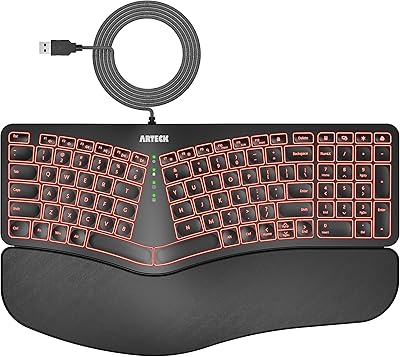
Arteck Ergonomic Split USB Keyboard with Wrist Rest
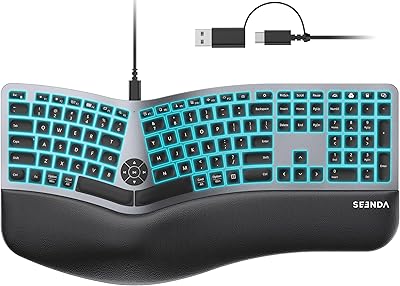
seenda KUW01 Ergonomic Split Keyboard
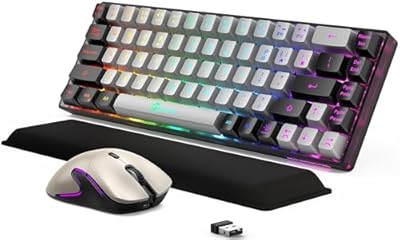
GEODMAER Wireless Gaming Keyboard and Mouse with Cooling Gel Wrist Rest
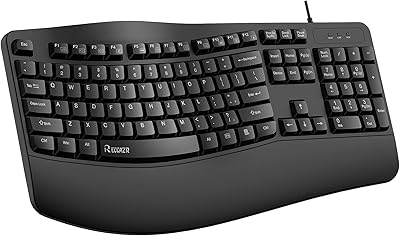
RECCAZR Ergonomic Wired Keyboard
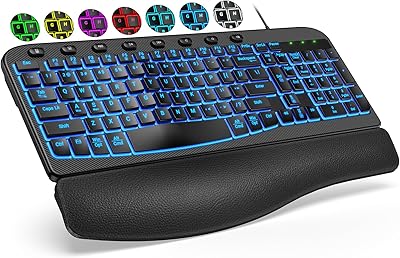
SABLUTE KG812B Ergonomic Wired Keyboard
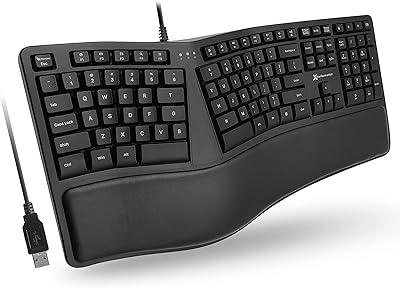
X9 Performance X9ERGOKEY Ergonomic Split Keyboard

TECKNET TK-EKB01040BS01 Wireless Keyboard
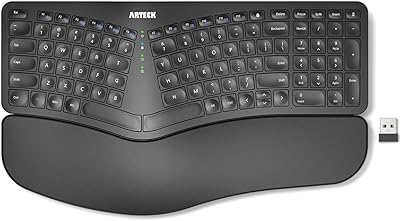
Arteck HW315
Macally BLSLIMKEYPROSG Backlit Wired Mac Keyboard