Overview

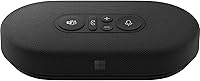
The Microsoft Modern USB-C Speaker is a compact wired desk speaker Microsoft introduced in April 2021, aimed squarely at laptop users who are tired of muffled built-in audio. At $49.99 it sits at a reasonable price, and its plug-and-play setup — no drivers, no Bluetooth pairing — makes it genuinely easy to use. You plug in the USB-C cable and it works, full stop. It has since climbed to #71 in Computer Speakers on Amazon, reflecting steady, consistent demand. A small travel pouch and integrated cable management are included, handy details that show Microsoft thought about how this thing actually gets used day to day.
Features & Benefits

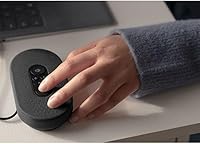
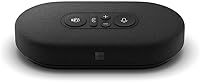
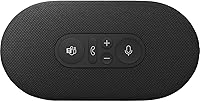
At its core, this desk speaker runs on a stereo 2.0 configuration with a 2-inch dynamic driver that Microsoft tuned primarily for voice — spoken word comes through with real clarity. The built-in noise-reducing microphone array is a legitimate upgrade over most laptop mics; it picks up your voice without dragging in background hum or keyboard clicks. Physical buttons with LED indicators handle mute, call answer, and volume, and because it carries Microsoft Teams certification, those controls work as expected in Teams without any configuration fuss. The USB-C cable at 680mm powers and connects in one go, and it runs on both Windows and macOS without any software to install.

Best For

This Microsoft speaker is built for a specific kind of user, and it knows it. If your workday revolves around Teams calls and you find yourself frustrated by echo-prone laptop audio, this is the kind of fix that actually addresses the problem. It works particularly well for hybrid and remote workers who want better call audio without adding a bulky headset to the equation. The compact footprint makes it easy to toss in a bag, so frequent travelers will appreciate that it barely takes up room. If deep bass for music is what you need, look elsewhere — but for clear call audio and a clean desk setup, this desk speaker delivers exactly what it promises.

User Feedback

Across more than 1,100 ratings, the Modern USB-C Speaker holds a 4.2-star average — a score that tells a fairly clear story once you dig into what people are actually saying. The most consistent praise centers on call clarity: reviewers repeatedly note that voices sound noticeably sharper than through a laptop alone. The Teams buttons get mentioned positively, particularly by users who didn't expect them to work as intuitively as they do. On the downside, the 680mm cable gets flagged occasionally as restrictive, limiting desk placement flexibility. A few buyers also note that music playback sounds flat — limited low-end response is a real trade-off. For call-focused use, the ratings reflect genuine satisfaction.

Pros

  • Physical Teams call controls work reliably out of the box — no software configuration required.
  • Voice clarity on calls is a genuine, noticeable upgrade over typical laptop speakers.
  • Weighing just 191g, the Microsoft Modern USB-C Speaker fits easily into any laptop bag.
  • Plug-and-play on both Windows and macOS — no drivers, no setup headaches.
  • The built-in mic handles typical home office background noise better than expected.
  • LED mute indicator reduces awkward on-call mistakes during back-to-back meetings.
  • Single USB-C cable handles both power and audio, keeping the desk clean and uncluttered.
  • The included travel pouch and cable management make it genuinely road-trip ready.
  • Stereo separation is noticeable for a speaker this compact, adding presence to podcasts and calls.
  • At $49.99, the Teams hardware integration plus built-in mic is hard to match at this price.

Cons

  • The 680mm cable restricts desk placement flexibility, especially on wider workstation setups.
  • Bass response is noticeably thin — music and anything with low-end depth sounds flat.
  • Plastic housing feels slightly underwhelming for a Microsoft-branded peripheral at this price.
  • Button labeling is subtle and not immediately intuitive for first-time users.
  • LED indicators can be difficult to read in brightly lit rooms or at an angle.
  • Teams button functionality is reduced on other platforms like Zoom or Google Meet.
  • Volume output is insufficient for shared spaces or small group listening scenarios.
  • Only available in black, with no size or color alternatives to choose from.
  • No USB-A version exists, so older devices without USB-C require a separate adapter.
  • Rattling at higher volume levels has been reported by a small but consistent group of buyers.

Ratings

The Microsoft Modern USB-C Speaker earns a well-rounded but honestly mixed overall picture when you look beyond the headline star rating. These scores were generated by AI after analyzing verified global user reviews, with spam, bot-generated, and incentivized feedback actively filtered out. Both the genuine strengths and the real frustrations buyers encountered are reflected transparently across every category below.
Call & Voice Clarity
91%
This is where the desk speaker genuinely earns its keep. Reviewers consistently report that voices sound noticeably sharper and more present during Teams and Zoom calls compared to laptop speakers. People working in home offices with moderate background noise say colleagues stop asking them to repeat themselves.
In louder environments — open offices or households with kids — the voice clarity advantage shrinks somewhat. A handful of users noted that at maximum volume, a slight harshness crept into the high end during long calls.
Microphone Performance
83%
The noise-reducing mic array punches above its class for a speaker at this price. Remote workers in kitchens or shared spaces say it handles ambient noise better than expected, picking up the speaker's voice cleanly without much bleed from fans or HVAC systems.
It is not a replacement for a dedicated USB microphone. Users who record audio or present in large virtual meetings with challenging acoustics note that the mic captures room reverb more noticeably than a standalone mic would.
Microsoft Teams Integration
94%
The Teams certification here is not cosmetic. Physical buttons for mute, call answer, and volume work exactly as expected the moment you plug in, and the LED indicators give instant visual feedback on call status. For anyone running back-to-back Teams meetings, this alone justifies the purchase.
Outside of Teams, the button controls lose some functionality and behave more like standard media keys. Users on Google Meet or Zoom do not get the same tight integration, which matters if your workflow spans multiple platforms.
Audio Quality for Music & Media
58%
42%
For casual podcast listening or background music during focused work, the speaker is perfectly acceptable. Voices in podcasts and audiobooks come through clearly, and at modest volumes the stereo separation is noticeable for a speaker this compact.
Anyone who values music will find the low-end response genuinely thin. Bass frequencies are largely absent, and the 2-inch driver simply cannot move enough air to produce warmth or depth. This is a work speaker, not a listening speaker, and that distinction matters if you multitask with music.
Build Quality & Materials
74%
26%
The speaker feels solid and purposeful in hand — not premium, but not flimsy either. The matte black finish resists fingerprints reasonably well, and the integrated cable design eliminates the weak point of a detachable cord that loosens over time.
The plastic housing feels a grade below what you might expect from a Microsoft-branded peripheral at this price. A few buyers reported minor rattling at higher volumes, and the overall material quality does not inspire confidence for heavy daily travel use.
Portability & Form Factor
88%
Weighing just 191g and roughly the size of a thick TV remote, this desk speaker genuinely fits in a laptop bag side pocket without any rearranging. The included travel pouch and wrapped cable design make it one of the more thoughtfully packaged compact speakers in its category.
The 680mm cable is the one portability caveat. On a crowded desk with the laptop pushed back, the cord just barely reaches comfortably, and traveling with it occasionally means rethinking USB-C port placement on thinner ultrabooks.
Setup & Ease of Use
96%
Plug-and-play is not always genuinely plug-and-play, but here it actually is. Every reviewer who mentioned setup noted it worked immediately on both Windows and macOS without installing anything. Non-technical users specifically called out how stress-free the experience was.
There is almost nothing negative to say here. The only minor friction reported was occasional confusion about which physical button does what, since the labeling on the buttons is subtle and not immediately intuitive for first-time users.
Cable Length & Desk Flexibility
61%
39%
The wired connection is reliable and lag-free, which remote workers on video calls appreciate over finicky Bluetooth alternatives. The cable tucks away cleanly when not extended, and the single-cable power-plus-audio design keeps desk clutter minimal.
At 680mm, the cable is the most commonly cited complaint in user reviews. If your USB-C port is on the right side of a laptop positioned to the left of your monitor, the speaker barely reaches center desk. A longer cable option or extension would have addressed this completely.
Volume & Room Fill
67%
33%
For a personal desk space — one person working within arm's reach — the volume output is more than sufficient. The speaker gets loud enough to fill a small home office without distortion at moderate levels, which covers most single-user scenarios well.
It was never designed to fill a room or serve a small group. Buyers who expected to use it for shared listening in a conference room or living space found it underpowered. Cranked to maximum volume, some distortion crept in on certain audio content.
Value for Money
79%
21%
At $49.99, the combination of Teams certification, plug-and-play simplicity, built-in mic, and portability represents fair value for its target user. There are cheaper speakers, but few at this price offer the full Teams hardware integration alongside a functional microphone.
For buyers who primarily want music audio quality, the value calculation shifts unfavorably — better-sounding speakers exist at or below this price point. The premium is really for the Teams ecosystem features, which only justifies itself if you live in that platform daily.
Compatibility
86%
USB-C wired connectivity works across Windows 10 and 8.1 as well as macOS Catalina and Big Sur without any configuration. Mac users specifically appreciated that it worked identically to a Windows setup, with no macOS-specific quirks or audio routing issues.
Older devices with only USB-A ports are excluded unless the user has an adapter, which adds friction. There is also no mention of Linux support, which frustrated a small but vocal subset of reviewers who use the device in mixed OS environments.
Microphone Noise Reduction
77%
23%
In typical home office conditions — a fan running, occasional street noise — the noise reduction performs reliably. Call participants on the other end rarely notice background intrusion, which is the practical benchmark that matters most for daily use.
The noise reduction does not handle complex or shifting background noise particularly well. Loud keyboard typing, nearby conversations, or high-frequency sounds like a mechanical keyboard can still bleed through noticeably if the speaker is positioned too close to the noise source.
Design & Aesthetics
72%
28%
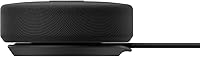
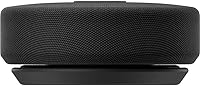
The minimal all-black design fits unobtrusively on most desks and does not look out of place next to premium laptops. The low-profile horizontal form factor is deliberate and practical, keeping the visual footprint small.
There is only one color option, which limits personalization. The design is functional but unremarkable — it will not be a conversation piece, and some buyers felt the visual execution did not quite match the Microsoft hardware aesthetic found in Surface accessories.
LED Indicator Feedback
69%
31%
The LED indicators for mute status and call activity are genuinely useful during back-to-back meetings. Glancing down to confirm you are on mute before speaking is a small but real quality-of-life feature that reduces awkward call moments.
The LEDs are not particularly bright and can be hard to read in well-lit rooms or when the speaker is positioned at a slight angle away from direct sightline. A few users wanted a stronger visual indicator, especially for the mute status.

Suitable for:

The Microsoft Modern USB-C Speaker was built with a very specific type of worker in mind, and it delivers best when that person is actually using it. If your workday runs on Microsoft Teams — back-to-back calls, quick check-ins, all-day meetings — this desk speaker fills a real gap that laptop speakers simply cannot. The certified Teams hardware integration means the physical buttons work exactly as expected from day one, which matters more than it sounds when you are jumping on and off calls repeatedly. Remote and hybrid workers who want cleaner audio without the physical discomfort of wearing a headset all day will find this a practical middle ground. It also suits minimalist desk setups well: the compact footprint takes up almost no space, and the 191g weight means tossing it in a laptop bag for travel days is effortless. Mac and Windows users who want something that just works — no driver installs, no configuration — will appreciate how friction-free the setup actually is.
Not suitable for:

If music quality is anywhere near the top of your priority list, the Modern USB-C Speaker is honestly not the right tool for the job. The 2-inch driver is tuned for voice, and the low-end response reflects that — bass is thin, and anything with real sonic depth will sound flat and unsatisfying. Buyers who split their audio use evenly between calls and music playback are likely to feel the trade-off more acutely over time. The 680mm cable is also worth thinking about before purchasing: if your laptop tends to sit far from your monitor center, or your USB-C ports are awkwardly positioned, you may find yourself constrained. Users on platforms other than Teams — Google Meet regulars, Zoom power users — will get less value from the hardware integration features that partly justify the $49.99 price. And anyone working in a Linux environment or on a device without a USB-C port should verify compatibility before buying, as neither scenario is cleanly supported.

Specifications

  • Connectivity: Connects via a wired USB-C cable that handles both power and audio through a single plug, with no Bluetooth or wireless option.
  • Cable Length: The integrated USB-C cable measures 680mm (approximately 26.8 inches), which is sufficient for most personal desk setups.
  • Speaker Config: Stereo 2.0 configuration with two channels providing left-right separation for a wider soundstage than typical mono laptop speakers.
  • Driver Size: Houses a 2-inch dynamic driver tuned primarily for voice frequency reproduction and casual spoken-word media.
  • Dimensions: Measures 138mm x 70mm x 29mm (approximately 5.43″ x 2.76″ x 1.14″), keeping the footprint compact enough for tight desk spaces.
  • Weight: Weighs 191g (5.3 oz), making it light enough to carry daily in a laptop bag without meaningfully adding bulk.
  • Microphone: Features a built-in noise-reducing microphone array designed to capture the speaker's voice while suppressing background ambient noise.
  • Teams Certification: Certified for Microsoft Teams, enabling the physical hardware buttons to natively control call answer, hang-up, mute, and volume directly within the Teams application.
  • Controls: Equipped with physical push buttons and LED status indicators for mute, call management, and volume adjustment without touching the host device.
  • Power Source: Bus-powered entirely through the USB-C connection, requiring no external power adapter or separate charging cable.
  • Compatible OS: Officially compatible with Windows 10 and Windows 8/8.1, as well as macOS X 10.15 (Catalina) and macOS 11.0 (Big Sur).
  • Output Power: Rated at a maximum output power of 50 watts, though real-world listening levels are optimized well below this ceiling for desk use.
  • Audio Output: Delivers stereo audio output suitable for personal listening, video calls, and spoken-word content at a single-user desk.
  • Color: Available exclusively in matte black, with no additional color variants offered at the time of release.
  • In the Box: Includes the speaker unit with its integrated cable and a lightweight fabric travel pouch for storage and portability.
  • Model Number: Manufactured by Microsoft under model number 8KZ-00001, with ASIN B094YYY9CH on Amazon.
  • Release Date: First made available on April 13, 2021, positioning it as part of Microsoft's modern accessories lineup for hybrid work.
  • Warranty: Covered by a limited manufacturer warranty from Microsoft; specific duration and terms should be verified at time of purchase.

Related Reviews

Creative Pebble Pro 2.0 USB-C Speakers
86%
88%
Sound Quality
77%
Bass Response
82%
Build Quality
91%
Ease of Setup
85%
RGB Lighting Customization
More
Creative Pebble X Plus 2.1 USB-C Computer Speakers
87%
88%
Sound Quality
85%
Bass Response
91%
Ease of Setup
92%
RGB Lighting Customization
87%
Bluetooth Connectivity
More
Symphonized NRG C USB-C Earphones
81%
90%
Sound Quality
85%
Build Quality
75%
Comfort & Fit
80%
Noise Isolation
92%
USB-C Connectivity
More
Teslong MS100-C USB-C Digital Microscope
85%
89%
Magnification Quality
91%
Ease of Use
84%
Build Quality
93%
Portability
88%
LED Lighting Performance
More
ySky 512GB USB-C/USB 3.2 SSD
88%
91%
Read Speed Performance
88%
Write Speed Performance
92%
Build Quality & Durability
89%
Portability
95%
Ease of Use / Setup
More
CHHI D800 Wireless Mouse with Bluetooth, USB-A, USB-C Receiver
88%
88%
Performance
91%
Battery Life
85%
Ergonomics
90%
Connectivity Options
89%
Ease of Setup
More
HHSOET 8 Outlet Recessed Power Strip with USB-C and USB-A Ports
88%
94%
Surge Protection
89%
Ease of Installation
88%
Charging Speed
91%
Design & Space-Saving
87%
Build Quality
More
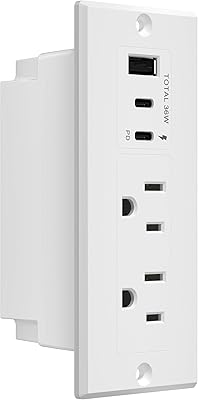
LIDER PD 36W Recessed Outlet Station with USB-A and USB-C Ports
86%
94%
Ease of Installation
89%
Charging Speed (USB-C Power Delivery)
90%
Safety Features (Tamper-Resistant Outlets)
88%
Design and Aesthetics
75%
Cord Length (6.5 ft)
More
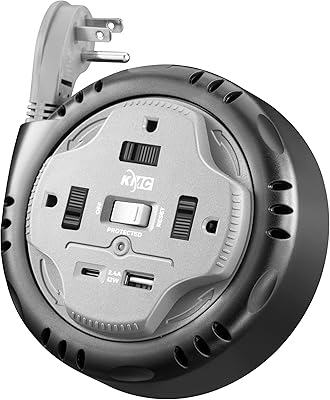
KMC 3-Outlet Surge Twist Power Strip with USB-C & USB-A Ports
88%
89%
Surge Protection Performance
91%
Ease of Use
87%
Portability and Storage
88%
Build Quality and Durability
84%
Charging Speed
More
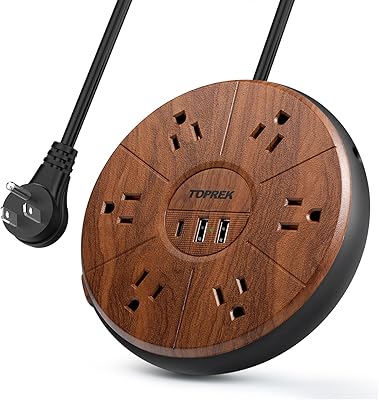
TOPREK Power Strip with USB, 6 Outlets, 20W USB-C Fast Charging
87%
94%
Charging Speed
88%
Build Quality
90%
Ease of Use
85%
Surge Protection Effectiveness
89%
Design Aesthetics
More

FAQ

No, none at all. The Microsoft Modern USB-C Speaker is fully plug-and-play on both Windows and macOS. You plug in the USB-C cable and your computer recognizes it as an audio device immediately. There is nothing to download or configure.
The Teams-certified buttons work most fully within Microsoft Teams. On other platforms like Zoom or Google Meet, the buttons may function as standard media keys — volume and mute may still work, but the tighter call-control integration is a Teams-specific feature.

Honestly, it is best treated as a call and voice speaker first. It handles podcasts and background music at a reasonable level, but the 2-inch driver has limited bass response, so music with real low-end depth will sound thin. If music quality is your priority, a dedicated audio speaker would serve you better.

The cable is 680mm, roughly 27 inches. For most single-monitor setups with a laptop nearby, it reaches comfortably. If your USB-C port is on a far side of the laptop or you use a wide desk, you may find it a little short — something worth measuring before you commit.

Yes, it works on macOS X 10.15 (Catalina) and macOS 11.0 (Big Sur) without any drivers. MacBook users report the same plug-and-play experience as Windows users, though the Teams button integration works best when the Teams desktop app is running.

The built-in microphone is designed for personal, single-user use at a desk. It picks up your voice well in a typical home office setting. It is not intended to capture multiple voices in a room, so it would not work well as a shared conference speakerphone.

The cable is integrated into the speaker body and cannot be detached or swapped out. This is a design trade-off that eliminates one failure point but means that if the cable is damaged, the whole unit would need to be replaced.

It is not officially listed as compatible with USB-A ports, but a USB-C to USB-A adapter will generally allow it to function for audio playback. Keep in mind that Teams button integration may be affected, and Microsoft does not formally support that configuration.

Most users say the difference is immediately obvious, especially for call audio. Voices are clearer and more present, and there is actual stereo separation that laptop speakers rarely deliver. For calls alone, the upgrade feels significant even in the first few minutes of use.

It depends on what you need it for. The Teams certification is genuinely useful and partly justifies the price — without it, you are paying $49.99 for a compact wired speaker with a built-in mic, which is still reasonable, but the value proposition weakens slightly. If your work is primarily on other platforms, you may find comparable options at a lower price point.