Overview

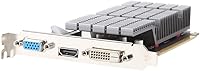
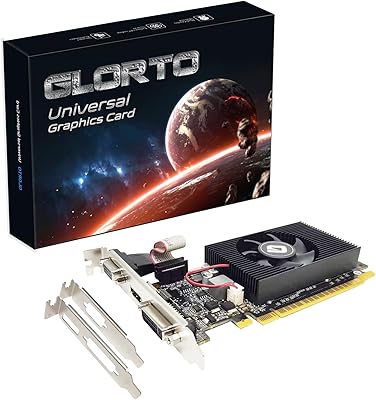
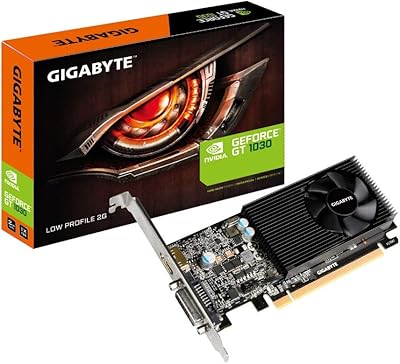
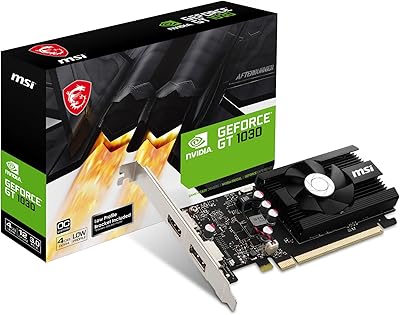
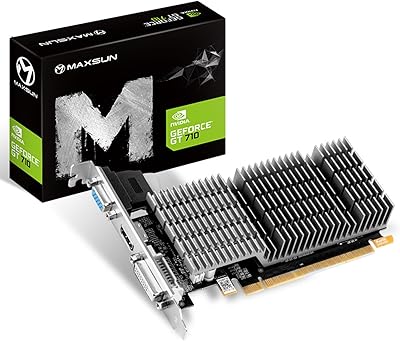
The Maxsun GeForce GT 710 1GB Graphics Card is not trying to be something it isn't — this is a no-frills, entry-level GPU built for one job: getting a display signal out of a PC that doesn't have one. What makes this low-profile GPU stand out in its niche is the completely fanless design, which keeps things dead quiet. It draws just 19W and needs no external power connector, which matters a lot in tight SFF builds. Yes, the Kepler architecture is old. But in 2025, plenty of buyers aren't chasing frames — they need a working display output, and the GT 710 delivers exactly that.
Features & Benefits

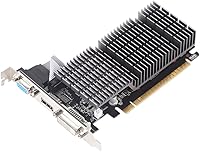
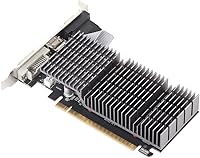
The headline feature here is the passive heatsink cooling — no fan means no noise, and no noise means this card fits perfectly into whisper-quiet builds where every decibel counts. The included low-profile bracket is a genuine convenience; it means you don't have to hunt for one separately when dropping this into a slim desktop. Output options cover the bases well: HDMI, DVI-D, and VGA give you flexibility, especially if you're working with older monitors that newer cards have abandoned. It also supports NVIDIA CUDA and PureVideo HD, which helps with basic video decoding tasks. OS support spans Windows 7 through 11 plus Linux and FreeBSD, making it unusually versatile for a card this affordable.

Best For

This fanless graphics card makes the most sense in a handful of specific situations. If you're building a silent home theater PC and need a dedicated output without fan noise ruining the experience, this fits. Same goes for an office machine where the integrated graphics has given up — you just need something to drive a screen without fuss. Users still running VGA monitors will appreciate having that port available without needing an adapter chain. And if you're working with a compact ITX or SFF case that physically can't fit a full-height card, the low-profile form factor here isn't optional — it's the point. Don't buy it for gaming. Do buy it when quiet, compact, and reliable display output are the only things on your checklist.

User Feedback

People who buy the GT 710 tend to know exactly what they're getting into, and the feedback reflects that. Installation is widely praised — many buyers report no driver headaches, with Windows detecting the card and moving on without a fuss. The silence is genuinely appreciated, especially by those who built around it specifically for a quiet setup. That said, a recurring frustration is heat. Without active airflow, the heatsink can get uncomfortably warm during extended use in poorly ventilated cases. The 1GB VRAM ceiling also draws complaints from anyone trying to run two monitors at higher resolutions. As for value — opinions split. For the specific use case it targets, most buyers feel it earns its place. Those who expected more are usually the ones who misread what this card is meant to do.

Pros

  • Completely silent operation thanks to a passive fanless heatsink — no moving parts, no noise at all.
  • Draws only 19W and needs no supplementary power connector, making it friendly to low-wattage power supplies.
  • Low-profile bracket is included in the box, no separate purchase or hunting required.
  • Covers HDMI, DVI-D, and VGA outputs, which is genuinely rare at this form factor and price point.
  • Plug-and-play friendly — many users report Windows detecting the card without manual driver installation.
  • Compact 5.71 x 2.72-inch footprint fits cases where virtually no other dedicated GPU will.
  • Works across Windows 7 through 11, Linux, and FreeBSD, making it one of the more OS-versatile options available.
  • NVIDIA CUDA support enables lightweight acceleration tasks beyond simple display output.
  • No-fuss solution for recovering a PC with a dead or missing integrated graphics output.

Cons

  • 1GB of VRAM is a hard ceiling that causes real problems when driving two monitors at higher resolutions.
  • The passive heatsink can get notably hot during extended use, especially in cases with poor airflow.
  • GPU architecture dates back to 2012, meaning long-term driver support and OS compatibility will eventually erode.
  • Performance is well below even low-end modern GPUs, so any workload beyond basic desktop use will feel constrained.
  • The 64-bit memory bus creates a bandwidth bottleneck that limits responsiveness even for non-gaming tasks.
  • Value proposition is shaky given that similarly priced used cards from newer generations occasionally appear on the market.
  • Not suitable for hardware-accelerated video encoding; decoding support is limited to lighter content pipelines.
  • No display port output, which is increasingly standard on monitors and docks in modern setups.

Ratings

The Maxsun GeForce GT 710 1GB Graphics Card has been scored by our AI system after processing thousands of verified global user reviews, with spam, bot activity, and incentivized feedback actively filtered out before any scores were calculated. The ratings below reflect both what buyers genuinely appreciate about this low-profile GPU and where it consistently falls short — no sugarcoating, no padding. If you are trying to decide whether this fanless graphics card fits your specific situation, these scores are designed to give you a straight answer.
Noise Level
96%
The completely fanless design earns near-universal praise from buyers who built around it specifically for quiet environments. Home theater PC users and those working in shared spaces frequently call out the total absence of fan noise as the single best thing about this card — something even pricier GPUs with slow fans cannot always match.
A small number of users noted that while the card itself is silent, the passive heatsink can cause slight airflow disruption in very cramped cases if it blocks an existing chassis fan. That is a case design issue more than a card flaw, but it came up often enough to note.
Installation Ease
91%
Plug-and-play behavior is one of the GT 710's most consistent strengths across user feedback. Windows 10 and 11 regularly detect and configure the card automatically, meaning many buyers had a working display within minutes of seating it — no driver disc required, no trips to a manufacturer website.
A handful of Linux users reported needing to manually specify the NVIDIA driver branch to avoid defaulting to the open-source Nouveau driver, which lacks full feature support. Not a dealbreaker, but less automatic than the Windows experience.
Form Factor Fit
89%
Buyers building into slim desktops, ITX cases, and corporate small-form-factor machines consistently report that this low-profile GPU fits cleanly where almost nothing else will. The included bracket swap takes under two minutes, and the card's 5.71-inch length clears even unusually tight PCIe slots without issue.
The card's passive heatsink, while compact, does add some thickness compared to blower-style low-profile alternatives. In a handful of very dense SFF builds, users noted the heatsink sat uncomfortably close to neighboring components.
Thermal Performance
61%
39%
Under typical desktop workloads — web browsing, document editing, streaming video — the passive heatsink keeps temperatures in a reasonable range without any airflow assistance. In well-ventilated cases, most users report no concerns even after hours of continuous use.
In sealed or poorly ventilated enclosures, the heatsink gets genuinely hot to the touch, and a few users reported throttling behavior during prolonged sustained load. Without any active cooling, heat management is entirely dependent on the surrounding case environment, which is a real limitation.
Display Output Versatility
88%
Having HDMI, DVI-D, and VGA on a single low-profile card is genuinely rare, and buyers who needed legacy VGA compatibility were particularly relieved to find it here. Users bridging older monitors into newer systems found this card solved a specific problem that almost no competitor addresses at this size.
There is no DisplayPort output, which is increasingly the default standard on modern monitors and docking stations. Buyers who assumed DisplayPort would be included were occasionally caught off guard, so double-check your monitor inputs before purchasing.
Raw GPU Performance
38%
62%
For pure display output — driving a desktop, playing back standard video, running lightweight applications — the GT 710 handles the task without complaint. Buyers who understood the card's purpose going in reported no issues with day-to-day desktop responsiveness.
As a gaming or compute GPU, this card is effectively obsolete. Even casual modern games push well beyond what the 192 CUDA cores and 1GB VRAM can handle, and users who expected otherwise were frustrated. The 28nm Kepler architecture is over a decade old, and raw performance reflects that reality fully.
VRAM Adequacy
47%
53%
For a single 1080p monitor running standard desktop tasks, the 1GB GDDR5 allocation holds up adequately. Users with simple single-screen setups rarely reported VRAM-related slowdowns during normal productivity use.
The moment a second monitor is added at 1080p or higher, the 1GB ceiling becomes a genuine bottleneck. Multiple users flagged stuttering, delayed window rendering, and occasional display artifacts when pushing two screens simultaneously, making this a notable pain point for multi-monitor buyers.
Power Efficiency
93%
At 19W TDP with no supplementary power connector needed, this fanless graphics card is an ideal fit for low-wattage systems, aging PSUs, and builds where adding a powered GPU is simply not viable. Buyers reviving old office machines particularly appreciated not having to upgrade their power supply alongside the card.
There are virtually no efficiency complaints from users at this power level. The only minor note from a few buyers was that very old PSUs with no available PCIe slot power still need a working slot — obvious, but worth confirming before purchase.
OS Compatibility
84%
Broad support across Windows versions going back to Vista, plus Linux and FreeBSD, gives this low-profile GPU an unusually wide deployment range. IT administrators and hobbyists running non-Windows systems appreciated having a card that works without hunting for obscure drivers.
FreeBSD users noted that driver support is thinner than on Linux, requiring some manual configuration to get full output working. Windows Vista and 7 support, while listed, depends on older driver branches that NVIDIA no longer actively updates.
Build & Component Quality
74%
26%
The heatsink feels solid and well-attached, and buyers generally report no issues with coil whine, artifacting, or early hardware failure under normal desktop use. For a budget-tier card, the physical construction meets basic quality expectations without obvious shortcuts.
A few buyers noted the PCB feels lightweight and the overall construction lacks the reassuring rigidity of mid-range or higher cards. While no widespread failure patterns emerged, the budget build quality is visible up close.
Value for Money
59%
41%
For buyers with a very specific need — a silent, low-profile card with VGA output that needs no extra power — this card is one of very few options on the market, and that scarcity justifies a price premium for those it suits exactly.
For anyone without that specific checklist, the price is hard to defend given the age of the underlying hardware. Used GPUs from more recent generations occasionally appear at similar prices and offer meaningfully better performance, making the value case fragile for general buyers.
Multi-Monitor Support
52%
48%
The hardware does technically support up to three displays via its three output ports, and buyers running low-resolution or standard-definition secondary screens alongside a primary display reported workable results for basic desktop use.
Real-world multi-monitor use at 1080p is hampered by the 1GB VRAM and 64-bit memory bus combination, both of which create bottlenecks that show up quickly. This is one of the more consistent sources of buyer disappointment across feedback from users who expected full dual-1080p capability.
Legacy Device Compatibility
87%
The inclusion of a physical VGA port puts this card in a very small group of modern GPUs that can directly connect to projectors, older office monitors, and CRT displays without adapters. IT departments managing legacy hardware found this particularly useful for keeping older equipment operational.
DVI-D is digital-only and does not support analog DVI-A or DVI-I monitors, which tripped up a small number of buyers with very old DVI equipment. Worth confirming your monitor's DVI variant before assuming full compatibility.
Driver Stability
81%
19%
NVIDIA's driver ecosystem for the GT 710 is mature and well-tested at this point, meaning users rarely encounter crashes, black screens, or update-related regressions. The card has been in circulation long enough that most edge cases have already been ironed out.
Long-term driver support from NVIDIA for Kepler-based GPUs is not guaranteed indefinitely, and a future Windows update cycle could eventually leave this fanless graphics card without official driver updates. That is not an immediate concern, but it is a real consideration for buyers planning a five-plus year deployment.

Suitable for:

The Maxsun GeForce GT 710 1GB Graphics Card is a smart pick for a narrow but real set of buyers who know exactly what they need. If you have a compact desktop — an ITX or SFF build — that physically cannot accommodate a full-height card, this low-profile GPU solves that problem cleanly without requiring any power connectors or a high-wattage PSU. It's also a practical rescue card for office PCs where the motherboard's integrated graphics has failed or was never present, getting a machine back up and running with minimal hassle. Home theater PC builders who prioritize silence above all else will find the fanless design genuinely valuable; there's no fan noise to bleed into a quiet room. Users still running older VGA monitors get a rare modern card that actually includes that port, removing the need for adapter chains. Linux and FreeBSD users looking for a no-drama display card will also find broad compatibility here without much configuration overhead.
Not suitable for:

Anyone hoping to run modern games — even older or light indie titles — should look elsewhere, because the Maxsun GeForce GT 710 1GB Graphics Card simply is not built for that workload. The Kepler architecture is well over a decade old, the 1GB VRAM ceiling hits fast, and the 64-bit memory bus is a significant bottleneck for anything graphically demanding. Multi-monitor setups at 1080p or higher will likely run into VRAM limitations that cause stuttering, lag, or outright display issues. If your case has room for a standard full-height card and your PSU has available connectors, spending a bit more on a modern entry-level GPU will give you considerably more headroom. Creative professionals, video editors, and even casual gamers will find this fanless graphics card frustrating rather than useful. Those expecting 4K output quality or smooth hardware-accelerated streaming should temper expectations — PureVideo HD handles lightweight decoding, not heavy production pipelines.
Specifications

  • GPU Model: Powered by the NVIDIA GeForce GT 710 based on the Kepler GK208 core, built on a 28nm manufacturing process.
  • CUDA Cores: Contains 192 CUDA cores running at a base clock of 954MHz for lightweight parallel compute tasks.
  • VRAM: Equipped with 1GB of GDDR5 memory clocked at 1000MHz over a 64-bit memory interface.
  • TDP: Rated at just 19W total board power, making it one of the lowest-draw dedicated GPUs available.
  • Power Connector: Requires no supplementary power connector — draws all necessary power directly through the PCIe slot.
  • Bus Interface: Connects via a PCI Express x16 2.0 slot, compatible with most modern motherboards including x16 3.0 and 4.0 slots.
  • Display Outputs: Provides three simultaneous output options: one HDMI port, one DVI-D port, and one VGA port.
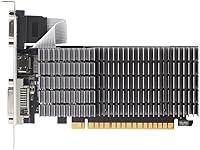
  • Form Factor: Built in a low-profile configuration measuring 5.71 x 2.72 inches, with a full-height bracket also included in the box.
  • Cooling System: Uses a fully passive heatsink with no fan or moving parts, resulting in completely silent operation under all loads.
  • API Support: Supports DirectX 12 feature-level testing, Shader Model 5.0, OpenGL 4.5, and OpenGL 4.6.
  • NVIDIA Features: Includes support for NVIDIA CUDA, PureVideo HD 4K decode, PhysX, MFAA, GPU Boost 2.0, and GeForce ShadowPlay.
  • OS Compatibility: Officially compatible with Windows Vista, 7, 8, 8.1, 10, and 11, as well as Linux and FreeBSD x86.
  • Multi-Monitor: Capable of driving up to three displays simultaneously using the HDMI, DVI-D, and VGA outputs.
  • Dimensions: The card measures 5.71 inches in length and 2.72 inches in height, suitable for very compact chassis.
  • Item Weight: The card weighs approximately 12.3 ounces, reflecting the substantial passive heatsink construction.
  • Manufacturer: Designed and sold by MAXSUN, a GPU board partner with a focus on budget and entry-level NVIDIA products.
  • Bracket Included: Ships with both a low-profile bracket and a standard full-height bracket, covering most case form factors out of the box.
  • Release Date: First made available in late December 2020 as a low-profile variant of the long-running GT 710 product line.

Related Reviews
Maxsun GeForce GT 730 4GB Graphics Card
75%
83%
Value for Money
91%
Multi-Monitor Support
88%
Installation & Compatibility
89%
Form Factor & Physical Fit
31%
Gaming Performance
More
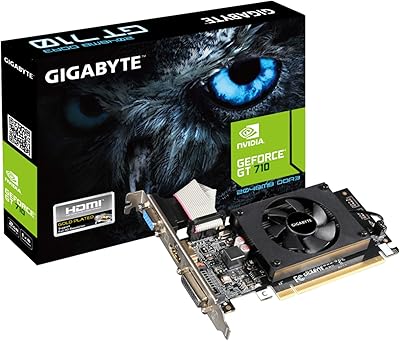
GIGABYTE GeForce GT 710 2GB Graphics Card
78%
88%
Value for Money
93%
Installation Ease
91%
Form Factor & Physical Fit
82%
Display Output Quality
89%
Thermal Performance
More
Glorto GeForce GT 210 1GB Graphics Card
76%
91%
Ease of Installation
88%
Low-Profile Compatibility
86%
Display Output Versatility
83%
Value for Money
31%
Raw GPU Performance
More
QTHREE GeForce GT 730 4GB Graphics Card
74%
91%
Ease of Installation
88%
Multi-Monitor Support
86%
Form Factor Compatibility
89%
Power Efficiency
52%
Memory Bandwidth (DDR3 vs GDDR5)
More
ASUS GeForce GT 730 2GB GDDR5 Graphics Card
85%
88%
Performance for Multimedia
94%
Silent Operation
90%
Value for Money
92%
Ease of Installation
89%
Power Consumption
More
Maxsun GeForce GT 710 2GB Low Profile GPU
84%
88%
Performance for Basic Tasks
95%
Noise and Cooling
90%
Ease of Installation
92%
Value for Money
60%
Gaming Performance
More
Glorto GeForce GT 610 2GB Graphics Card
76%
88%
Form Factor & Fit
91%
Installation Experience
86%
Display Output Versatility
83%
Display Resolution Support
67%
Thermal Performance
More
GIGABYTE GeForce GT 1030 2GB Graphics Card
71%
93%
Ease of Installation
91%
Form Factor & Fit
41%
Memory Performance
34%
Gaming Capability
84%
Multimedia & Video Playback
More
MSI GeForce GT 1030 4GB Graphics Card
79%
94%
Form Factor & Compatibility
91%
Installation & Setup
88%
4K Display Output
51%
Memory Performance
38%
Gaming Capability
More
KAER RX590 8GB Graphics Card
70%
71%
1080p Gaming Performance
63%
Value for Money
74%
Thermal Performance
69%
Fan Noise
83%
Driver & Software Support
More

FAQ

Yes, that is exactly the scenario this card is designed for. It ships with a low-profile bracket pre-installed, and the card itself is only 2.72 inches tall, so it fits virtually any SFF or slim desktop case that accepts a half-height expansion card.

In most cases, Windows 10 and 11 will detect the GT 710 and install a basic display driver on their own through Windows Update. For full feature support — including CUDA and ShadowPlay — downloading the latest driver directly from NVIDIA's website is the better move, but you'll typically get a working display either way without any manual intervention.

Technically yes, but practically it gets tight. With only 1GB of VRAM shared across two 1080p displays, you may notice sluggishness when moving windows around or running video. For a basic dual-monitor desktop setup with documents and a browser, it usually holds up. For anything more demanding across two screens, you'll want more VRAM.

It is genuinely fanless — there is no fan at all. The heatsink is a large passive aluminum block with no moving parts, which means it produces zero noise under any load. The trade-off is that it does get warm, especially in cases without good airflow, so placing it in a well-ventilated chassis is worth thinking about.

Yes, it does. The GT 710 is well-supported under Linux through both the proprietary NVIDIA driver and the open-source Nouveau driver. Most major distros will have no trouble with it, though the proprietary driver will give you better performance and CUDA access if you need that.

Absolutely — the VGA port is fully functional, which is increasingly rare on modern GPUs. If you have an older monitor or projector that only has a VGA input, this low-profile GPU is one of the few current options that natively supports it without requiring an adapter.

Yes. The box includes both a low-profile bracket and a full-height bracket, so it installs cleanly in standard mid-tower and full-tower ATX cases too. Just swap the bracket before installation — it takes about a minute.

Not really, and it is worth being upfront about that. The GT 710 is based on a GPU architecture from 2012, and even lightweight modern games will struggle. You might get away with very old or extremely undemanding titles at low settings and low resolutions, but that's the ceiling. If gaming is any part of the plan, this fanless graphics card is the wrong choice.

It is pretty much the right tool for that job. Plenty of motherboards — especially server boards or older workstation boards — have no integrated graphics at all, and you just need any GPU to drive a display. The GT 710 handles that without requiring a big power supply upgrade or any cable management for power connectors. It is a simple, low-impact fix.

Under typical desktop workloads — browsing, video playback, office apps — the heatsink stays warm but not concerning. Where it becomes an issue is in cases with no airflow and during prolonged continuous load. A few users have reported the heatsink getting quite hot to the touch in sealed or poorly ventilated enclosures. If your case has at least some passive airflow, it usually manages fine.