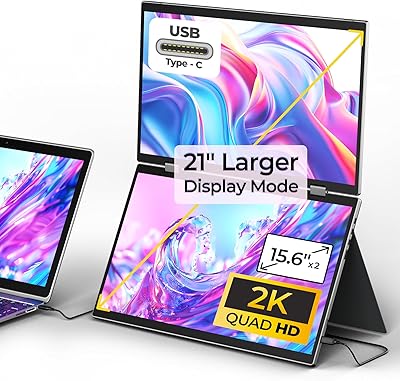
LXU S10 15.6″ Triple Laptop Monitor Extender



Overview
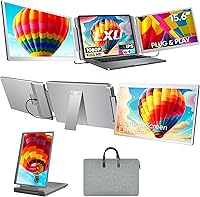
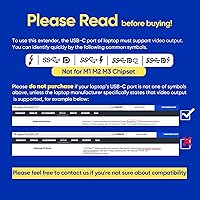
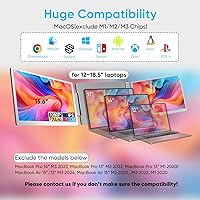
The LXU S10 15.6″ Triple Laptop Monitor Extender is built for professionals who feel perpetually squeezed for screen space — coders, traders, remote workers, and frequent travelers who can't haul external monitors everywhere. It clips onto laptops between 12 and 18.5 inches and adds two additional 15.6″ FHD IPS panels, turning your single screen into a compact three-display workstation wherever you land. At its price point, buyers rightfully expect solid build quality and dependable connectivity, not a novelty gadget. One critical note before you buy: MacBook compatibility is limited to M4 and Pro/Max chip models only. Running an M1, M2, or M3 MacBook? This screen extender simply won't work for you.
Features & Benefits
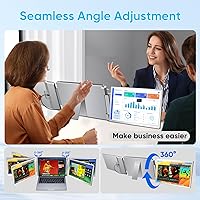
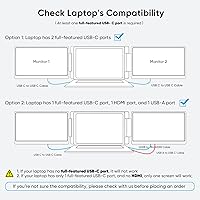
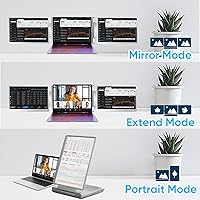
Both side panels deliver 1080p IPS image quality that holds up well for productivity tasks — text stays crisp and colors read accurately across wide viewing angles, though the glossy finish will catch reflections in bright rooms. The left screen rotates a full 360° while the right adjusts up to 205°, letting you mix portrait and landscape orientations based on your workflow. Setup is driver-free: plug in the included USB-C or HDMI cables and both displays are recognized instantly. That said, running two screens simultaneously consumes at least two ports, so check your laptop's available connections before ordering. The 10,000-cycle hinge rating and included carrying bag reinforce that this is designed for regular on-the-go use.
Best For
The S10 extender makes the most sense for productivity-driven professionals who juggle multiple applications simultaneously and often work away from a fixed desk. Developers reading long codebases in portrait mode, traders watching several market feeds at once, and video editors who want a dedicated timeline screen while previewing footage on their main display will all find real value here. Remote workers at hotels or co-working spaces are a natural fit too. Gamers with a PS5 or Switch can use this triple-screen setup for a more immersive portable experience, though that's a secondary perk rather than its core strength. If your workflow rarely demands more than one screen, this level of investment is hard to justify.
User Feedback
Sitting at 4.2 stars across roughly 178 ratings since its late 2024 launch, the feedback on this screen extender is encouraging but still represents an early adopter pool — longer-term durability data is limited. Buyers consistently praise quick setup and noticeably sharp displays straight out of the box, with the rotation flexibility earning particular appreciation from developers and analysts. On the downside, weight and bulk are the most repeated complaints; at 4.19 lb before factoring in the laptop itself, the combined bag load is real. Glossy panels frustrate users in sunlit spaces. A handful of reviewers raise questions about hinge longevity over time, though LXU's support team is frequently cited as responsive and genuinely helpful.
Pros
- Instant plug-and-play setup works across Windows, macOS (select chips), and Linux without installing any drivers.
- Two additional 15.6″ IPS panels deliver accurate colors and wide viewing angles well-suited for coding, trading, and content review.
- The 360° rotating left screen lets developers flip to portrait mode for reading long files without repositioning the whole rig.
- Clips onto laptops from 12 to 18.5 inches, covering a wide range of machines from ultrabooks to larger workstation laptops.
- The included accessory kit — two USB-C cables, one HDMI-to-mini-HDMI cable, and a USB-C-to-A adapter — handles most common connection scenarios out of the box.
- Low blue light mode is a practical touch for programmers and designers logging long daily hours in front of screens.
- Aerospace-grade hinges rated for 10,000 cycles suggest the mechanism is built to survive daily opening and closing over an extended period.
- A carrying bag is included, making it easier to pack this triple-screen setup without sourcing a separate case.
- Console compatibility with PS5, Xbox, and Nintendo Switch adds occasional value for users who also game on the road.
- LXU's customer support is frequently praised in reviews for being responsive and helpful with compatibility questions before and after purchase.
Cons
- At 4.19 lb, the S10 extender adds serious heft to your bag — this is not a light addition to an already loaded travel kit.
- MacBook users on M1, M2, or M3 chips are completely locked out, which disqualifies a large portion of the Mac-using professional audience.
- The glossy panel finish creates noticeable reflections in bright environments, limiting usability near windows or in sunlit cafes.
- Running both extended screens simultaneously requires at least two ports, which can be a real constraint on laptops with limited connectivity.
- The review pool is still small and relatively new as of late 2024, so long-term hinge and build durability remains unproven.
- Some users have noted that the added width of the full three-screen configuration can feel awkward on narrow cafe tables or airplane trays.
- The right screen's 205° adjustment range is less flexible than the left screen's full rotation, which can limit certain mixed-orientation setups.
- Occasional reports of cable connectivity quirks suggest that not all USB-C ports deliver consistent video output, depending on the host laptop's specs.
Ratings
The LXU S10 15.6″ Triple Laptop Monitor Extender has been scored by our AI rating engine after analyzing verified global buyer reviews, actively filtering out incentivized, duplicate, and bot-generated submissions to surface genuine user sentiment. Scores reflect both what this screen extender does well and where it falls short, giving you a transparent picture before you commit to a purchase at this price point.
Display Quality
Portability
Ease of Setup
Build Quality
Screen Flexibility
MacBook Compatibility
Cable Management
Value for Money
Eye Comfort
Hinge Durability
Port Requirements
Customer Support
Desk Space Efficiency
Gaming Performance
Suitable for:
The LXU S10 15.6″ Triple Laptop Monitor Extender is purpose-built for professionals who depend on multi-screen workflows but can't rely on a fixed desk setup. Developers who need portrait-mode panels for reading long codebases, financial analysts tracking multiple market feeds at once, and video editors who want a dedicated preview screen while traveling will all find this triple-screen setup genuinely useful. Remote workers constantly moving between hotels, co-working spaces, and cafes get the biggest practical payoff — instead of making do with a single cramped screen or renting a monitor, they can recreate a near-desktop experience anywhere. Windows and Linux users on laptops between 12 and 18.5 inches are the clearest fit, and MacBook owners with M4 or Pro/Max chips are also well-supported. If your daily workload involves juggling applications across multiple windows and you frequently work away from a dedicated office, the S10 extender addresses a real and recurring frustration.
Not suitable for:
The LXU S10 15.6″ Triple Laptop Monitor Extender is a firm pass for anyone running a MacBook with an M1, M2, or M3 chip — compatibility is explicitly limited to M4 and Pro/Max models, and there is no workaround. Buyers expecting a truly lightweight travel companion should also think twice: at 4.19 lb for the extender alone, combined with a typical 15-inch laptop and a full day's bag, the total load becomes genuinely fatiguing on long commutes or airport walks. The glossy panel finish is another consideration — in bright offices, near windows, or at outdoor cafes, reflections can undercut the very productivity gains the device is meant to deliver. Users who work primarily at a fixed desk would be far better served by a conventional dual-monitor setup, which offers better ergonomics, larger screens, and none of the port constraints. Finally, buyers with laptops that have only one functional USB-C port and no HDMI output may find the cable configuration awkward or unsupported.
Specifications
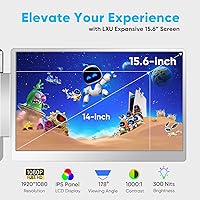
- Screen Size: Each of the two extended panels measures 15.6″ diagonally, making them noticeably larger than the 14″ portable monitors common in this category.
- Resolution: Both panels output at 1920x1080 FHD, delivering sharp, readable text and clear visuals across the full screen surface.
- Panel Type: IPS technology is used on both displays, providing accurate color reproduction and consistent image quality when viewed from wide angles.
- Screen Finish: Both panels have a glossy surface, which can produce reflections in brightly lit rooms or near windows.
- Aspect Ratio: The 16:9 aspect ratio on both screens matches the proportions of most modern laptops, keeping the overall visual setup uniform.
- Left Screen Rotation: The left panel rotates a full 360°, allowing users to switch freely between landscape and portrait orientations.
- Right Screen Tilt: The right panel adjusts up to 205°, offering meaningful flexibility for angling the screen without full rotation capability.
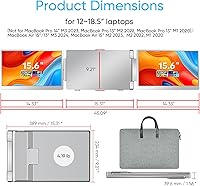
- Weight: The complete unit weighs 4.19 lb, which adds substantially to the total carry load when combined with a laptop and a full travel bag.
- Dimensions: The unit measures 1.56 x 15.31 x 9.2 inches when folded, making it roughly the footprint of a 15-inch laptop in closed configuration.
- Laptop Compatibility: The clamp-style mount supports laptops with screen sizes between 12 and 18.5 inches across Windows, macOS, and Linux systems.
- MacBook Support: Only MacBooks with M4 chips or Pro and Max chip variants are supported; M1, M2, and M3 models are not compatible with this extender.
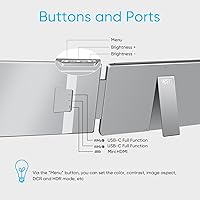
- Connectivity: Connection options include full-function USB-C ports supporting USB 4.0, Thunderbolt 3 and 4, and DisplayPort 1.2 through 2.1, plus HDMI and USB-A.
- Console Support: The extender is compatible with PS5, PS4, Xbox, and Nintendo Switch for users who want a portable multi-screen gaming setup.
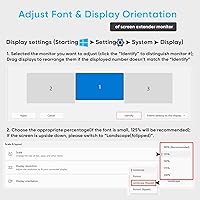
- Setup: No drivers or software installation are required; the displays are recognized automatically when cables are connected to a compatible host device.
- Hinge Rating: The hinges are rated for 10,000 open and close cycles, indicating they are engineered for repeated daily use over an extended period.
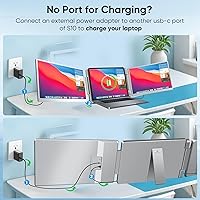
- Operating Voltage: The unit operates at 5 volts, drawing power directly from the connected laptop through the included cables rather than requiring a separate power adapter.
- In-Box Cables: The package includes two USB-C to USB-C cables (60 cm each), one USB-C cable with a USB-A adapter (90 cm), and one HDMI to mini-HDMI cable (90 cm).
- Included Accessories: Beyond cables, the box contains a portable carrying bag and a printed user manual to assist with setup and troubleshooting.
- Warranty: LXU provides a one-year manufacturer warranty covering defects, with customer support available and targeting a 12-hour response window.
- Eye Care: Low blue light technology is built into the display settings to reduce eye strain during extended working sessions.
Related Reviews
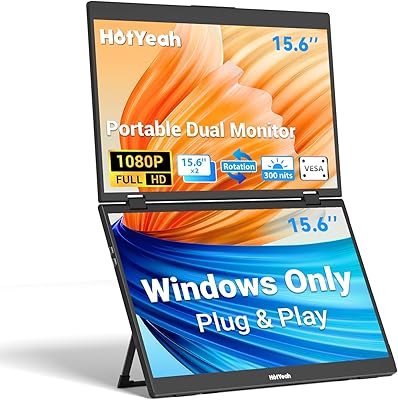
HotYeah 15.6″ Triple Portable Laptop Monitor
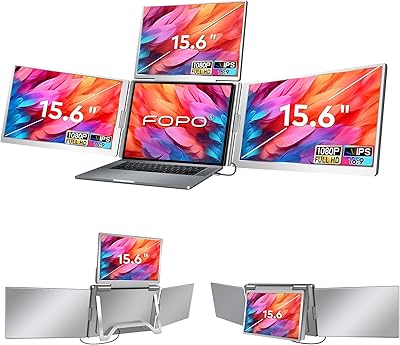
FOPO S888 15.6″ Portable Quad Laptop Monitor
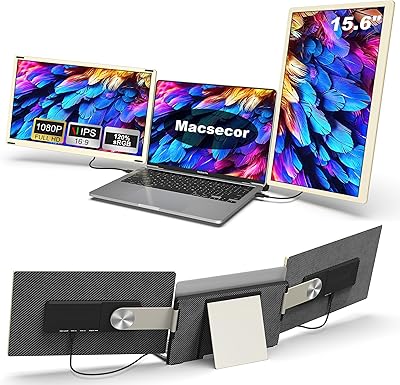
Macsecor PM-S6 15.6″ Triple Laptop Screen Extender
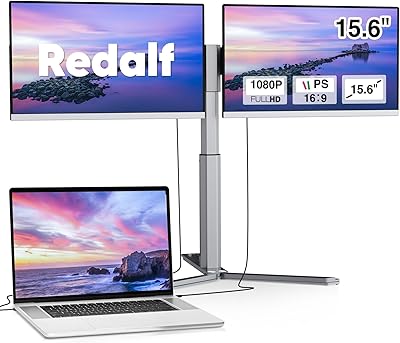
Redalf Z2 15.6″ Triple Portable Monitor
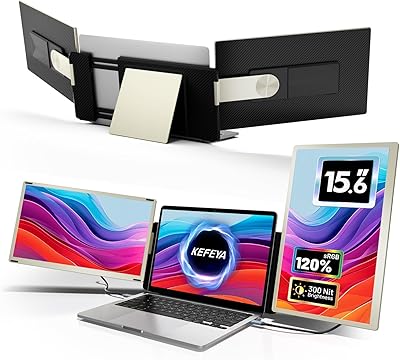
KEFEYA S6 15.6″ Triple Laptop Screen Extender
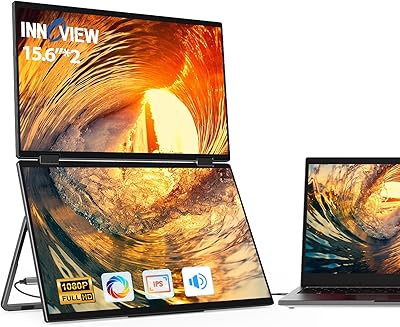
InnoView 15.6″ Triple Portable Monitor
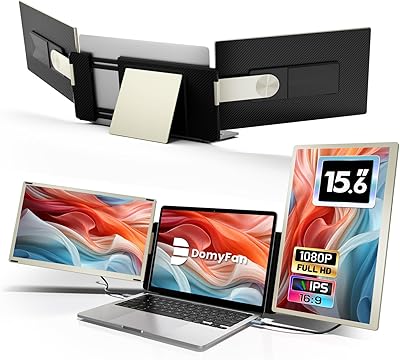
domyfan S6 15.6″ Laptop Screen Extender
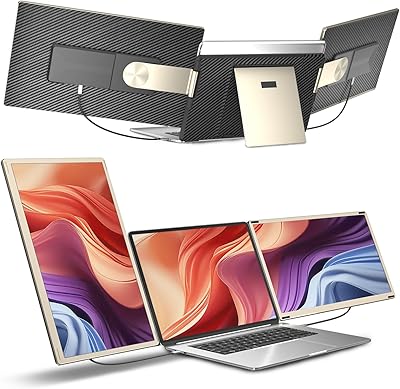
Siaviala S6 15.6″ Triple Portable Monitor Extender
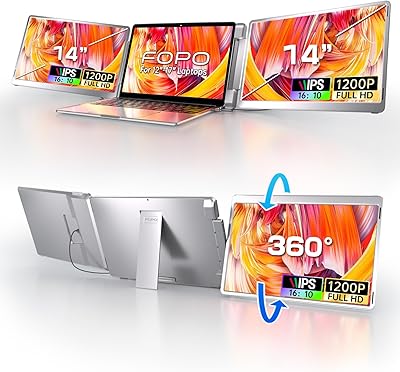
FOPO 14″ Triple Monitor Laptop Screen Extender S7