







Overview
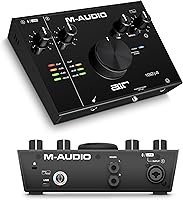
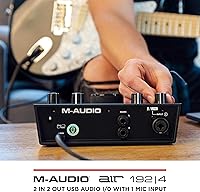
Starting your home studio setup often feels like navigating a maze of plastic boxes, but the M-Audio AIR 192|4 stands out immediately with its industrial metal chassis. This USB-C interface feels substantial on a desk, avoiding the lightweight skidding common with cheaper gear. The ergonomic top-down layout puts the controls right where you need them, anchored by a massive central dial that is incredibly satisfying to use. Beyond the hardware, the recording hub arrives with a robust creative software package, featuring Ableton Live Lite and MPC Beats. It is a complete entry point for anyone looking to capture professional audio without the clutter. The modern connectivity ensures it remains relevant as computers evolve, making this M-Audio unit a smart, long-term desktop companion for aspiring creators.
Features & Benefits
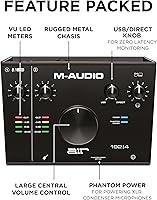
Performance is where this USB-C interface truly justifies its place in your workflow. The inclusion of Crystal preamps means your vocal tracks remain transparent and detailed, free from the unwanted hiss that plagues entry-level gear. With high-speed circuitry delivering incredibly fast connection speeds, you can monitor your performance in real-time without distracting delays. This recording hub supports full studio-grade resolution, ensuring every nuance of an acoustic guitar or vocal take is preserved. I particularly appreciate the USB/Direct balance knob, which allows for zero-latency monitoring during critical tracking sessions. Having independent volume controls for both your studio monitors and headphones provides a level of flexibility usually reserved for much more expensive rack-mounted hardware.
Best For
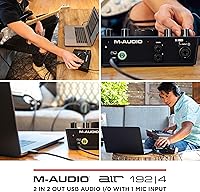
This M-Audio unit is a perfect fit for solo musicians who need to capture a microphone and an instrument at the same time without any fuss. If you are a podcaster moving away from basic USB mics, this recording hub offers a significant jump in audio fidelity and gain control. It also serves as a fantastic compact monitoring hub for digital producers who spend most of their time working in a DAW but occasionally need to track a clean vocal line. Content creators will appreciate the rugged build, which is tough enough to toss into a backpack for remote recording sessions. Whether you are tracking a demo in a bedroom or recording a voiceover on location, this USB-C interface provides the professional-grade reliability needed to focus on the performance rather than the technical hurdles.
User Feedback
Real-world users frequently highlight the solid build quality of this M-Audio unit, often noting that the large volume dial feels like something from a high-end console. While some Windows users initially worry about setup, most report that the dedicated drivers provide excellent stability once installed. The clarity of the signal path earns high marks, especially from those surprised by the transparent audio quality at this specific price point. Some have mentioned that the unit can run slightly warm during long sessions, but this is a minor trade-off for the performance provided. The included software bundle is also a major talking point, viewed as a high-value addition that helps beginners start producing immediately. Overall, the feedback suggests this USB-C interface punches well above its weight class in both durability and sound.
Pros
- The industrial metal chassis provides a heavy, premium feel that keeps the unit stable on your desk.
- Transparent Crystal preamps ensure your vocal recordings are exceptionally clean and free from unwanted background hiss.
- A massive central volume knob offers precise, tactile control over your monitoring levels with a smooth, weighted action.
- High-speed USB-C circuitry delivers remarkably low latency, making it easier to perform along with software effects.
- The recording hub includes a massive software bundle, giving new producers everything they need to start making music immediately.
- Separate controls for headphone and speaker outputs allow you to manage your monitoring environment without constantly swapping cables.
- Front-mounted instrument input makes it quick and easy to plug in a guitar without reaching behind the hardware.
- Segmented LED meters provide a clear visual reference to prevent your signal from clipping during a performance.
Cons
- The glossy top surface is a significant fingerprint magnet that requires frequent cleaning to maintain its sleek look.
- Windows users may encounter initial setup hurdles and must carefully follow a specific driver installation sequence.
- The headphone amplifier lacks the raw power needed to drive high-impedance professional headphones at loud volumes.
- With only one XLR input, the M-Audio AIR 192|4 cannot accommodate two microphones for multi-person interviews or podcasts.
- The software registration process is tedious and requires creating multiple accounts across different developer websites.
- LED VU meters lack detailed decibel markings, making them more of a general signal guide than a precise calibration tool.
- Some users report that the unit can run quite warm to the touch during extended recording sessions.
- A lack of MIDI connectivity means you cannot use this unit to interface with older hardware synthesizers or controllers.
Ratings
To provide a definitive look at the M-Audio AIR 192|4, our AI analyzed thousands of verified owner experiences, filtering out incentivized reviews to ensure a transparent perspective. This data-driven breakdown reflects the genuine performance, tactile quality, and common technical hurdles reported by real users in their home studios.
Build Durability
Tactile Control Experience
Preamplifier Transparency
Recording Latency
Software Bundle Value
Driver Stability
Input Versatility
Monitoring Flexibility
Portability
Visual Feedback
Suitable for:
The M-Audio AIR 192|4 is an excellent fit for solo musicians and singer-songwriters who need to record a single microphone and an instrument simultaneously with professional clarity. Home podcasters looking to graduate from a basic USB microphone will find the dedicated preamps and tactile gain controls a significant step up for their production quality. Additionally, this USB-C interface is ideal for digital music producers who primarily work in-the-box but need a reliable, low-latency monitoring hub for their studio speakers and headphones. Content creators who travel frequently will also appreciate the rugged metal construction, which can survive being tossed into a backpack for remote recording sessions.
Not suitable for:
While this recording hub is a powerhouse for individuals, it is not suitable for podcasters who host in-person guests, as it only features a single XLR input. Those planning to record a full drum kit or a live band will find the limited two-channel input configuration insufficient for their needs. The M-Audio AIR 192|4 might also frustrate professional engineers using high-impedance headphones, as the built-in headphone amplifier can struggle to provide adequate volume for power-hungry gear. Finally, users who require vintage-style analog saturation directly from their hardware may find the transparent, modern sound of the Crystal preamps a bit too clinical for their specific aesthetic preferences.
Specifications
- Audio Resolution: The hardware supports professional 24-bit/192kHz resolution for high-fidelity recording and monitoring.
- Chassis Material: The unit is housed in a rugged, industrial-grade metal chassis for enhanced desktop durability.
- Round-Trip Latency: High-speed USB circuitry provides a class-leading low latency of 2.59ms for real-time monitoring.
- Preamplifier Type: Transparent Crystal preamps are utilized to deliver a low-noise, clean signal path for microphones.
- Microphone Input: The rear panel features one XLR and 1/4″ TRS combo input for balanced signals.
- Instrument Input: A dedicated 1/4″ TS instrument input is located on the front panel for guitars and basses.
- Main Outputs: The recording hub provides stereo 1/4″ TRS outputs for connecting studio monitors.
- Headphone Output: A front-facing 1/4″ headphone jack includes an independent level control for private monitoring.
- Monitoring Controls: A USB/Direct balance knob allows for switching between computer audio and zero-latency input signals.
- Input Metering: Segmented VU LED meters provide instant visual feedback for monitoring signal levels and clipping.
- Connectivity: The device includes both standard USB and USB-C connection cables for modern computer compatibility.
- Main Volume Dial: The top-down layout features a large, central rotary dial for primary output volume adjustments.
- OS Compatibility: This hardware is fully compatible with Windows, macOS, and iOS operating systems.
- Dimensions: The physical footprint of the device measures 8.04 x 6 x 2.76 inches.
- Weight: The total weight of this M-Audio unit is approximately 1.76 pounds.
Related Reviews

M-Audio M-Track Duo

M-Audio M-Track 2X2 USB Audio Interface
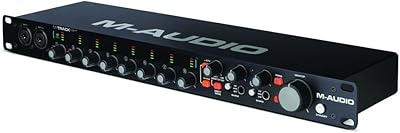
M-Audio M-Track Eight USB Audio Interface
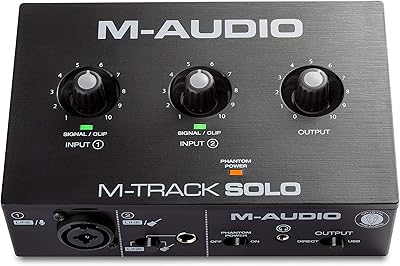
M-Audio M-Track Solo
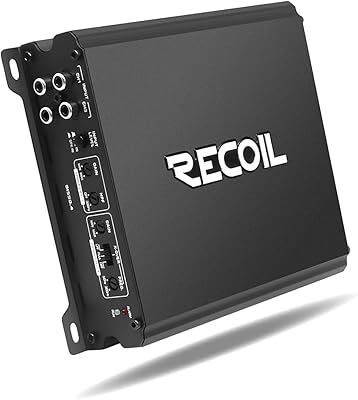
Recoil DI550.4 4-Channel Car Audio Amplifier
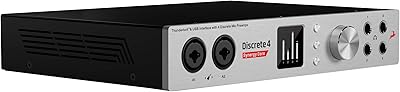
Antelope Discrete 4 Synergy Core Audio Interface
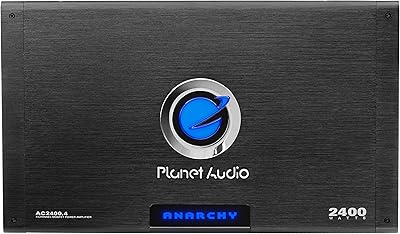
Planet Audio AC2400.4 4-Channel Car Amplifier
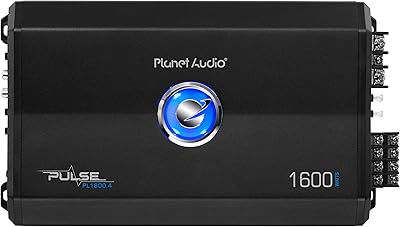
Planet Audio PL1600.4 4-Channel Car Amplifier
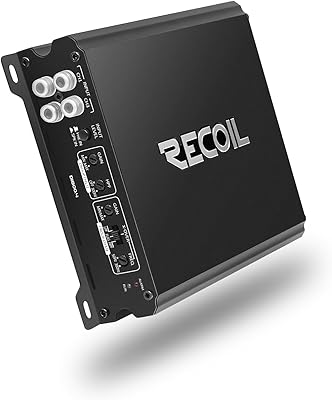
Recoil DI800.4 4-Channel Car Amplifier