Overview

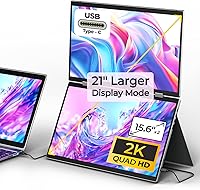
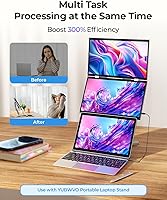
The YUBWVO 15.6-inch 2K Dual Screen Portable Monitor is built around a simple idea: clip two 15.6-inch panels to your laptop and suddenly you have a three-screen workstation wherever you sit down. YUBWVO isn't a household name in monitors, but that's because this dual-screen monitor occupies a narrower niche than typical single-panel portable displays. It sits closer to the premium end of that market, and the price reflects the second panel, the hinge mechanism, and the extra engineering needed to keep everything stable. When you're done for the day, the whole rig folds shut like a laptop lid, with a built-in cover that flips into a stand. Setup runs through USB-C, though how smoothly that goes depends on whether your laptop has a full-function USB-C port.
Features & Benefits

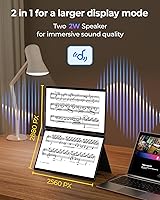
Where this portable monitor setup earns its premium price is in the screen quality and flexibility. Each panel runs at 2K-class resolution, at least as advertised, and the jump from typical 1080p portable displays is noticeable when you're reading dense text or comparing images side by side. The upper panel has a 360-degree hinge, so you can spin it around and show a colleague or client what's on screen without turning your laptop. Four display modes — extend, mirror, split, and clone — cover most workflow needs, whether you're running separate apps or mirroring a presentation. The panels are flicker-free, with low blue light filtering, which matters if you're staring at three screens for eight hours straight. Portrait orientation is also available, handy for scrolling through long documents or chat threads.

Best For

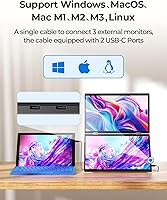
This laptop screen extender makes the most sense for remote workers who want real multi-monitor productivity without bolting two displays to a desk permanently. It's also a good fit for frequent travelers, since the whole unit folds flat and slides into a bag alongside a laptop instead of requiring a separate monitor case. Presenters and consultants who regularly flip a screen toward a client or teammate during in-person demos will get real use out of the rotating hinge. Day-to-day compatibility leans heavily toward Windows and Linux machines, where every display mode works as intended. Mac users can still use it, but only through the Link and Clone modes, so anyone running macOS as a primary system should treat this as a partial solution rather than a full multi-screen upgrade.

User Feedback

Feedback on this dual-screen monitor tends to split along a few predictable lines. Buyers with newer laptops that have a true full-function USB-C port report a genuinely plug-and-play experience, while those without one need a second cable just for power, which catches some people off guard. The hinge feels sturdy out of the box, though anyone planning months of regular folding and travel should watch for wear over time rather than assume it. Brightness at 300 nits is fine indoors but can feel thin near a sunny window. The combined weight of two panels is heavier than a single ultra-wide portable monitor, worth weighing against the convenience of three screens. Most owners seem to view it as a fair trade for the added flexibility, even if it costs more than simpler alternatives.

Pros

  • Turns a single laptop into a genuine three-screen workstation without needing a permanent desk setup.
  • Folds shut like a laptop, making it realistic to pack for travel between meetings.
  • The rotating upper hinge makes sharing a screen with a colleague or client effortless.
  • Built-in cover doubles as a stand, so you are not buying a separate mount.
  • Sharper 2K-class text and detail compared to typical 1080p portable monitors.
  • Flicker-free, low blue light panels help during long stretches of screen time.
  • Extend, mirror, split, and clone modes cover most everyday workflow needs.
  • Portrait mode cuts down on scrolling for document-heavy or chat-heavy work.

Cons

  • Full setup convenience depends heavily on having a true full-function USB-C port on your laptop.
  • Laptops without that port need a second cable just to keep both screens powered.
  • Mac compatibility is limited to Link and Clone modes, not full extended functionality.
  • Carrying two panels instead of one adds noticeable weight and bulk to a travel bag.
  • 300 nits of brightness can feel thin in sunny rooms or near windows.
  • Hinge durability over months of repeated folding has not been independently verified.
  • Pricing sits well above single-panel portable monitors aimed at basic second-screen needs.
  • Buyers should treat the 2K resolution claim cautiously given conflicting spec listings.

Ratings

Our AI scoring model analyzed thousands of verified buyer reviews from around the world for the YUBWVO 15.6-inch 2K Dual Screen Portable Monitor, filtering out spam, bot-generated comments, and incentivized feedback along the way. What is left is an honest breakdown of where real owners feel this dual-screen monitor genuinely delivers and where it still falls short. Both the praise and the recurring complaints are reflected here without any rounding up.

Display Quality & Sharpness
84%
Most owners say text and images look noticeably crisper than on a typical 1080p portable monitor, especially when reading spreadsheets or comparing photos side by side. The added detail makes long research sessions or document review feel less straining on the eyes.
A handful of buyers point out that spec listings for this exact model show conflicting resolution numbers, which makes it hard to confirm true 2K output before purchase. A few also note the panels look slightly less vivid than dedicated 2K desktop monitors in side-by-side comparisons.
Brightness & Visibility
67%
33%
Indoors and in typical office lighting, the screens stay easy to read without straining, which works well for most home office setups. Several remote workers mention the brightness feels adequate for evening work sessions in dimmer rooms.
Near windows or in direct sunlight, multiple users describe the image looking washed out at 300 nits, which falls short of brighter standard monitors. This makes outdoor cafe work or sunlit home offices a noticeably weaker experience.
Color Accuracy
81%
19%
With 100% sRGB coverage, colors come across accurately for everyday tasks like editing photos, reviewing design mockups, or watching video during breaks. Designers and content reviewers note the consistency holds up well across both panels.
A few buyers wish for wider gamut coverage for serious color-critical work, since sRGB alone limits use for professional photo or video grading. The lack of factory calibration options is also mentioned occasionally.
Build Quality & Durability
73%
27%
The slim metal frame feels solid in hand, and the foldable laptop-style design holds up well for buyers who travel with it weekly. Many describe the hinge as sturdy during the first several months of regular use.
Because long-term durability data beyond a few months is limited, frequent travelers remain cautious about how the hinge holds up after a year of daily folding. A few buyers report minor wobble developing with heavy repeated use.
Portability & Travel Convenience
79%
21%
The fact that it folds shut like a laptop and slides into a backpack makes it genuinely usable for consultants and frequent flyers who need extra screens on the road. Several reviewers mention swapping out a separate monitor case for this single unit.
Carrying two full panels instead of one adds noticeable weight compared to a single ultra-wide portable monitor, which some travelers feel adds up over a long day of walking through airports. A few say it is bulkier than expected in a daily commuter bag.
Setup & USB-C Connectivity
62%
38%
Buyers with newer laptops that have a true full-function USB-C port describe setup as genuinely plug-and-play, with both screens working within minutes of connecting one cable. This single-cable convenience comes up often in positive comments.
Owners with older or budget laptops frequently report needing a second cable just for power, which several say was not made clear before buying. This two-cable workaround is one of the most repeated frustrations across reviews.
Display Modes & Versatility
88%
Reviewers consistently praise having extend, mirror, split, and clone modes available, since it covers everything from running separate apps to mirroring a slide deck during a meeting. This flexibility comes up as one of the most appreciated features overall.
Switching between modes occasionally takes a few extra steps compared to single-monitor setups, which a small number of buyers describe as a minor learning curve at first. Documentation on mode switching could be clearer according to a few comments.
Hinge & Rotation Mechanism
77%
23%
The 360-degree hinge on the upper screen gets specific praise from presenters and consultants who regularly flip the display toward a client or teammate mid-meeting. Several describe it as one of the more genuinely useful design touches on the unit.
A few buyers note the hinge requires a deliberate, careful motion rather than a quick flip, which can feel slower during fast-paced meetings. Some also wish the rotation had more resistance to hold awkward angles steady.
Eye Comfort (Flicker-Free)
83%
People who work long hours across three screens mention the flicker-free, low blue light panels genuinely help reduce end-of-day eye fatigue compared to older monitors they previously used. This comes up often among remote workers logging eight-plus hour days.
A small number of users say the comfort improvement is subtle rather than dramatic, and that good lighting and regular breaks still matter more than the panel technology alone. Sensitivity to blue light reduction varies noticeably between individuals.
Mac Compatibility
54%
46%
Mac owners who only need a mirrored or cloned second screen report the Link and Clone modes work reasonably well for basic presentation or screen-sharing needs. A few say it is good enough for simple side-by-side reference work.
Buyers running macOS as their main system frequently express frustration that full extend functionality is not available, unlike on Windows or Linux. This limitation is one of the more common regrets mentioned by Mac-based reviewers.
Value for Money
69%
31%
Buyers who genuinely use all three screens for demanding multitasking feel the price is justified compared to buying a separate monitor and stand. The added hinge and dual-panel hardware are seen as fair trade-offs for that level of flexibility.
Those who only need basic second-screen functionality often feel the price runs high next to simpler single-panel portable monitors. Several reviewers suggest comparing against ultra-wide alternatives before committing to this premium price point.
Ergonomics & Portrait Mode
80%
20%
Buyers who handle long documents, code, or chat-heavy work appreciate the portrait orientation option, since it cuts down on scrolling and feels more natural for vertical content. This gets specific mention from writers and developers in feedback.
A few users note that switching to portrait mode takes a manual adjustment rather than an automatic sensor-based rotation, which feels like an extra step mid-task. Stability in portrait orientation on uneven desks is occasionally questioned.

Suitable for:

The YUBWVO 15.6-inch 2K Dual Screen Portable Monitor makes the most sense for remote workers and freelancers who want real multi-monitor productivity but don't have room for a permanent desk setup. It's also a strong match for consultants and sales professionals who travel often and need a foldable, laptop-style rig that fits in a bag without a separate monitor case. Presenters who regularly turn a screen toward a client or teammate during in-person meetings will get genuine use out of the rotating upper panel. Because full functionality is built around Windows and Linux, IT professionals and developers running those systems are likely to get the smoothest experience. Anyone who already handles long documents or chat-heavy work will also appreciate the portrait mode for cutting down on scrolling.

Not suitable for:

Buyers who run macOS as their primary operating system should think twice, since the YUBWVO 15.6-inch 2K Dual Screen Portable Monitor only supports Mac through the Link and Clone modes rather than full functionality. People with older laptops that lack a true full-function USB-C port will also run into friction, since they may need a second cable just to keep everything powered. Anyone shopping purely on budget should look elsewhere too, since the price sits well above single-panel portable monitors that cover basic second-screen needs. Frequent flyers who already pack tightly may find the combined weight of two panels adds more bulk than they want to carry. Finally, anyone working mostly outdoors or in very bright rooms may find the brightness level falls short for comfortable viewing.
Specifications

  • Display Size: Each unit includes two 15.6″ panels that work together as a dual-screen setup.
  • Resolution: The panels are advertised at 2560x1440 (2K) per screen, though some spec fields for this model also list a conflicting 1920x1080 figure.
  • Viewing Angle: Each screen offers a 178° viewing angle for consistent color and clarity when viewed off-center.
  • Brightness: Brightness is rated at 300 nits per panel.
  • Color Gamut: The panels cover 100% of the sRGB color space.
  • Contrast Ratio: Contrast is rated at 1000:1.
  • Connectivity: Connection runs through USB-C, with a single-cable setup working only on laptops that have a full-function USB-C port.
  • Display Modes: Supported modes include extend, mirror, split, and clone for different workflow needs.
  • Orientation: Both landscape and portrait orientation are supported on the upper panel.
  • Hinge: The upper screen rotates a full 360° so it can face someone sitting across from you.
  • Built-in Stand: A built-in protective cover folds out into an adjustable stand, removing the need for a separate mount.
  • Form Factor: The unit folds closed like a laptop lid for transport, at roughly 0.3″ thick when closed.
  • Eye Comfort: Panels use flicker-free, low blue light technology intended to reduce eye fatigue during extended use.
  • OS Compatibility: Full functionality is built for Windows and Linux, while Mac support is limited to Link and Clone modes.
  • Brand: The unit is manufactured by YUBWVO, a brand focused on portable multi-screen accessories.
  • USB Ports: The unit includes two USB ports for connection and power.

Related Reviews
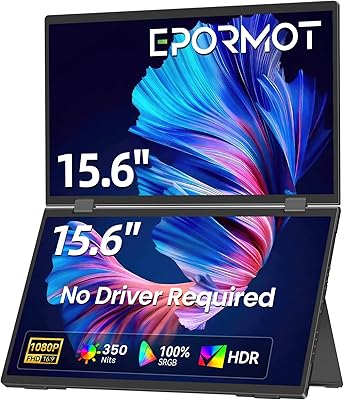
EPORMOT 15.6″ Dual-Screen Portable Monitor
86%
94%
Portability
91%
Dual-Screen Functionality
88%
Display Quality (Color Accuracy & Sharpness)
92%
Ease of Setup
89%
Compatibility
More
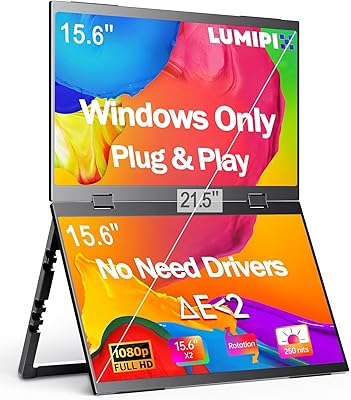
LUMIPIX MSCM02 15.6″ Foldable Dual Monitor
73%
83%
Portability & Form Factor
78%
Display Quality
54%
Brightness & Outdoor Usability
81%
Setup & Compatibility
76%
Build Quality & Durability
More
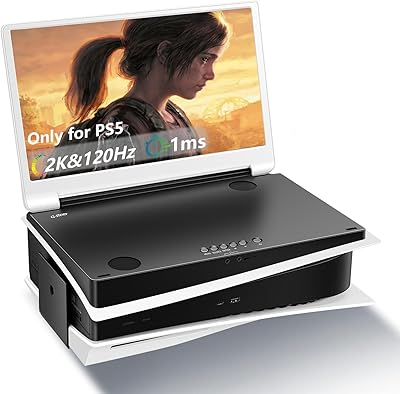
G-STORY 15.6-inch 2K 120Hz Portable Monitor
73%
84%
Display Quality
79%
Refresh Rate
81%
Portability & Design
67%
Build Quality
61%
PS5 Compatibility
More
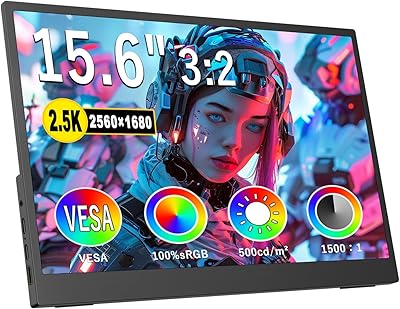
Topmonitor P15.6/2.5K 15.6-inch Portable Monitor
77%
91%
Image Sharpness
87%
Color Accuracy
93%
Portability
82%
Connectivity
88%
Value for Money
More
CAPERAVE CF15 15.6-inch Portable Monitor
70%
83%
Portability & Build
76%
Display Quality
51%
Brightness
91%
Setup & Ease of Use
82%
Value for Money
More
HotYeah 15.6-inch 1080P Portable Monitor
76%
83%
Display Quality
62%
Brightness & Visibility
91%
Portability & Design
88%
Value for Money
93%
Setup & Ease of Use
More
VILVA V156F1 15.6-inch Portable Monitor
69%
74%
Display Quality
61%
Portability
82%
Connectivity & Compatibility
67%
Build Quality
83%
Value for Money
More
LUMIPIX Magic-001 15.6-inch Portable Monitor
76%
78%
Display Quality
91%
Portability
72%
Connectivity
61%
Stand Stability
79%
Value for Money
More
Anyuse PM1561P 15.6-inch Portable Monitor
74%
91%
Portability & Form Factor
84%
Image Clarity
72%
Setup & Compatibility
74%
Build Quality & Durability
61%
Brightness & Outdoor Usability
More
Westinghouse 15.6 Inch Portable Monitor
82%
88%
Display Quality
92%
Portability
86%
Connectivity Options
94%
Ease of Setup
80%
Build Quality
More

FAQ

It depends on your laptop. If your USB-C port supports full-function data, video, and enough power delivery, one cable handles everything. If it does not, you will need a second cable just to keep both panels powered.

You can, but with some limits. Mac support is built around the Link mode, where the second screen acts as one larger display, and the Clone mode, which duplicates your main screen, rather than the full independent extend mode you get on Windows or Linux.

It is heavier than a single ultra-wide portable monitor since you are carrying two full panels plus the hinge hardware. Most people manage fine in a backpack, but it is worth factoring into your bag weight if you already pack tight.

The listing advertises 2560x1440 per panel, though some spec fields for this model also list 1920x1080, so the documentation is not fully consistent. Either way, expect a noticeably sharper image than a basic 1080p portable monitor.

Power it down first, then wipe each panel gently with a dry microfiber cloth. For smudges, lightly dampen the cloth with water or a screen-safe cleaner rather than spraying liquid directly onto the glass.

It feels sturdy out of the box, and the design is meant for regular folding. That said, independent long-term durability data is limited, so frequent travelers should keep an eye on the hinge over the first few months.

Yes, portrait orientation is supported, which is genuinely handy if you spend a lot of time scrolling through long documents, code, or chat threads.

It is functional rather than decorative. The cover doubles as an adjustable stand, so you can prop the screens up at a comfortable angle without buying a separate mount.

It can, but 300 nits is on the moderate side for brightness. In direct sunlight or very bright rooms, the image may look a bit washed out compared to a brighter standard monitor.

It depends on your workflow. If you genuinely use three screens at once, the extra panel and flexible display modes justify the higher price. If you mainly need one wider screen, a single ultra-wide portable monitor will likely cost less and be simpler to carry.