Overview

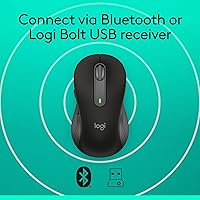
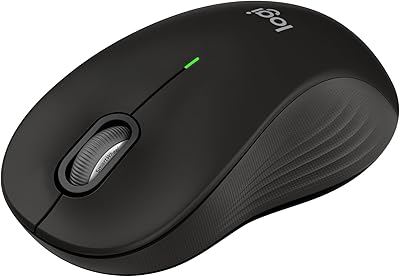
The Logitech Signature M650 L is a full-size wireless mouse built with one specific type of user in mind: right-handed people with larger-than-average hands. Standard mice leave many big-handed users dealing with palm fatigue by midday, and this large Logitech mouse addresses that directly. It connects via Bluetooth or a Logi Bolt USB receiver, making setup quick on virtually any machine. Since its launch in early 2022, it has quietly climbed to a top-35 spot among computer mice — a ranking earned through consistent real-world performance rather than hype. It sits comfortably in the mid-range tier.
Features & Benefits

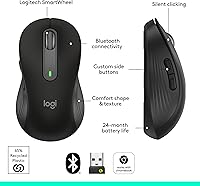
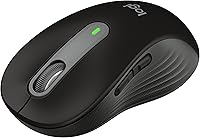
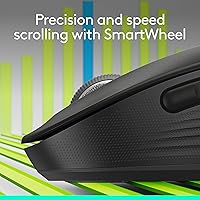
The most talked-about feature is the silent click technology. If you have ever used a mouse in a quiet meeting room and winced at every click, you will understand the appeal immediately — Logitech claims roughly 90% less noise, and in practice it genuinely removes that sharp plastic snap. The SmartWheel handles both slow, precise line-by-line scrolling and a faster free-spin mode, though it feels functional rather than luxurious. Two side buttons are programmable through Logitech Options+ on Windows and macOS. The two-year battery life on a single AA is one of the more practical advantages here — you change it perhaps once, then forget about it entirely.

Best For

This wireless mouse is specifically right-handed and large — that is not a flaw, it is a design decision, and buyers should respect it. If your hand regularly hangs off the back of a standard mouse, this is the kind of fit that actually reduces end-of-day aching. It works well for remote and office workers who share spaces where click noise creates friction. Cross-platform users get solid coverage: Bluetooth or the Bolt receiver keeps things flexible across Windows, Mac, Chromebook, and Linux machines. Those wanting advanced customization or ambidextrous use will need to look elsewhere, but for its target audience, it fills the gap confidently.

User Feedback

Long-term owners consistently point to shape and comfort as the headline win — many report that hand fatigue dropped noticeably after switching from a smaller mouse. The silent clicking draws strong praise, particularly from people in open-plan offices. On the other side, a few users with exceptionally wide palms note the fit is not quite right even in the L size, and suggest handling one in person if possible. The scroll wheel gets polite but not enthusiastic reviews — it works, but it lacks the premium feel of higher-end Logitech options. Battery life reports from long-term owners match the advertised claim, which is reassuring. Software customization is rated as approachable, though Linux and ChromeOS users are locked out of it entirely.

Pros

  • Silent clicking makes a real, immediate difference in quiet offices and shared spaces.
  • The large ergonomic shape reduces palm fatigue during long daily work sessions.
  • Battery life holds up to its two-year claim, confirmed by long-term owners.
  • Connects via both Bluetooth and Logi Bolt, giving flexibility across different setups.
  • Works plug-and-play on Windows, macOS, ChromeOS, and Linux without driver installation.
  • Side buttons are easy to remap for common shortcuts through Logitech Options+.
  • SmartWheel handles both slow precise scrolling and fast page navigation without manual adjustment.
  • Lightweight at under four ounces, making it comfortable for travel in a laptop bag.
  • Ranked in the top 35 of computer mice, reflecting broad, sustained real-world satisfaction.
  • The M650 L fills a genuine gap for large-handed users with few well-priced alternatives.

Cons

  • No left-handed version exists, making it completely unsuitable for left-handed users.
  • The scroll wheel feels functional but lacks the tactile quality of higher-end Logitech mice.
  • Logitech Options+ customization software is unavailable on ChromeOS and Linux.
  • Only connects to one device at a time with no quick-switch multi-device support.
  • The plastic shell shows light scratches with regular use over time.
  • Runs on a disposable AA battery rather than a built-in rechargeable cell.
  • Users with very wide palms may still find the fit uncomfortable despite the large sizing.
  • Bluetooth can occasionally drop in environments with heavy wireless interference.
  • No included travel pouch or protective case for users who carry it between locations.
  • Button customization requires a separate software download that is not clearly flagged in the packaging.

Ratings

The Logitech Signature M650 L earns its bestseller ranking through consistent real-world performance, and the scores below reflect that — built by AI after analyzing thousands of verified global purchases, with spam, bot-generated, and incentivized reviews actively filtered out. Strengths like silent clicking and battery longevity score high for good reason, but honest pain points around scroll wheel feel and platform software limitations are reflected just as transparently.
Ergonomic Comfort
91%
For users with larger hands, the shape is one of the most frequently praised aspects across all verified feedback. The contoured body, rubber thumb rest, and extended rear profile mean the palm sits fully supported during long work sessions — something smaller mice simply cannot offer.
The comfort profile is highly specific to right-handed users with large hands. Left-handed users or those with average or narrower hand sizes may find the shape awkward or even counterproductive, so it is genuinely not a universal recommendation.
Silent Click Performance
94%
The noise reduction is immediately noticeable in quiet environments — open-plan offices, late-night home setups, or video calls where every sound gets picked up. Owners consistently describe it as one of the best practical upgrades they made to their workspace without changing anything major.
A small number of users note that after extended use, the click mechanism can develop a slightly inconsistent feel compared to when new. It is not a widespread complaint, but it is worth noting for buyers expecting the feel to stay identical over years of daily use.
Battery Life
92%
The two-year runtime on a single AA battery is one of the more trustworthy claims in this product category — long-term owners regularly confirm it holds up in real everyday use. Not having to think about charging or battery swaps for the better part of two years is a genuinely practical advantage for anyone who hates the interruption.
The mouse runs on a single AA rather than a rechargeable built-in cell, which divides opinion. Users who prefer USB-C rechargeable mice find this dated, even if the battery interval is long. Disposable battery use also draws mild criticism from environmentally conscious buyers.
Scroll Wheel Feel
67%
33%
The SmartWheel functions reliably for both document navigation and faster web page scrolling, with a simple mode switch that works without thinking about it. For everyday office tasks, it gets the job done without any notable failure or inconsistency.
Buyers familiar with higher-end Logitech mice note that the scroll wheel lacks the tactile refinement of premium tiers. It feels plastic and lightweight rather than satisfying, and a portion of users specifically call it out as the one area where the mid-range positioning shows.
Build Quality
78%
22%
The overall construction feels solid for its price tier — no obvious flex in the shell, buttons align cleanly, and the rubber grip areas do not show early peeling in most user reports. It holds up well through daily desk use without any structural concerns.
It does not feel like a premium device in hand. The plastic finish picks up light scratches over time, and the overall material quality is clearly a step below Logitech's higher-priced lines. For some buyers, that is a fair trade-off; for others, it creates a sense of getting what you paid for.
Connectivity Reliability
88%
Bluetooth pairing is fast and stable across Windows, Mac, and ChromeOS, and the Logi Bolt receiver option gives users a dependable fallback if Bluetooth has interference issues. Switching between connection methods is straightforward without needing software.
A small percentage of users report occasional Bluetooth dropout, particularly on machines with crowded wireless environments. The issue is not consistent enough to be a major complaint, but buyers who depend on zero-latency input for precision tasks may want to default to the Bolt receiver.
Software & Customization
72%
28%
Logitech Options+ is genuinely accessible — it takes only a few minutes to remap the side buttons to copy/paste, browser navigation, or other shortcuts, and the interface does not require technical knowledge. For users who just want basic button reassignment, it delivers without friction.
The software is locked to Windows and macOS, leaving ChromeOS and Linux users with a fixed button layout and no customization path at all. Given that the mouse explicitly markets compatibility with those platforms, the software gap feels like an oversight that affects a meaningful portion of the audience.
Wireless Range & Stability
83%
Day-to-day range is strong enough for standard desk setups and even slightly elevated or cluttered surfaces. Users working with the mouse slightly away from the receiver or relying on Bluetooth over moderate distances report no consistent signal degradation.
At longer distances or through walls, performance predictably drops — though this is consistent with the category rather than a specific flaw. Heavy wireless environments, such as shared office floors with many active Bluetooth devices, can occasionally introduce brief instability.
Value for Money
86%
At its price point, the combination of silent clicks, a two-year battery interval, cross-platform support, and a size-specific ergonomic design is genuinely competitive. Buyers who need the L size especially find limited alternatives that deliver comparable comfort at this cost.
For users who do not specifically need the large size or the silent clicking, equally capable mice exist at lower price points. The value proposition depends heavily on whether those two differentiating features matter to the individual buyer — if they do not, the price is harder to justify.
Multi-Device Compatibility
84%
The ability to run plug-and-play on Windows, macOS, ChromeOS, and Linux without installing drivers makes this a reliable choice for users who move between machines or operating systems regularly. Pairing via Bluetooth means one less dongle needed on machines without spare USB ports.
The mouse only connects to one device at a time, with no quick-switch button for toggling between paired machines. Users who regularly work across two or three computers simultaneously will find this a noticeable limitation compared to Logitech's own multi-device lines.
Weight & Portability
74%
26%
At under four ounces, the M650 L does not add fatigue from its own mass during long sessions. It is light enough to travel in a laptop bag without adding noticeable weight, which is a quiet but useful practical point for hybrid workers.
The larger footprint that makes it comfortable for big hands also makes it bulkier than compact travel mice. It fits in a bag without issue but does not disappear the way a smaller mouse would, and there is no included pouch or case for protection during travel.
Click Actuation & Accuracy
81%
19%
Left and right click registration is consistent and responsive for everyday tasks — document editing, spreadsheet work, and general browsing all feel precise. The optical sensor tracks reliably on standard desk surfaces and common mouse pads without notable jitter.
This is not a performance mouse, and the sensor reflects that. Users doing pixel-precise design work or fast-paced gaming will find the tracking and actuation feel below what purpose-built mice offer. For its intended office audience though, accuracy is rarely a point of complaint.
Setup Experience
89%
Out-of-the-box setup takes under two minutes — insert the battery, connect via Bluetooth or plug in the Logi Bolt receiver, and the mouse is functional. No software installation is required to use the basic functionality, which reduces friction for non-technical buyers significantly.
Users who want to use Logitech Options+ for button customization need to download and install it separately, which adds a small extra step. The app installation is straightforward, but the process is not surfaced clearly in the packaging for less tech-savvy buyers.

Suitable for:

The Logitech Signature M650 L was built for a specific type of buyer, and if you fit the profile, it is genuinely one of the better options at this price. If your hand regularly extends past the back of a standard mouse by the end of the day, leaving your palm unsupported and your fingers cramped, the larger footprint here addresses that directly in a way most mid-range mice do not. It is an especially strong pick for right-handed office workers — whether at home or in a shared workspace — who want to stop being the loudest person in the room every time they click. The two-year battery runtime on a single AA makes it a low-maintenance daily tool, which suits busy professionals who simply do not want to think about their peripherals. Cross-platform users who move between a Windows machine at work and a Mac or Chromebook at home will appreciate that the Bluetooth and Bolt receiver setup handles the transition without any friction. If you want mild button customization without investing time in complex software, the side buttons and Logitech Options+ cover the basics well enough for most productivity workflows.

Not suitable for:

The Logitech Signature M650 L has a clearly defined audience, and buyers outside that group will likely find better options elsewhere. Left-handed users should not consider it at all — the shape is built specifically for right-hand palm grip, and there is no ambidextrous variant in this line. If you have very wide palms rather than simply long hands, the fit may still feel slightly off, and several owners with that specific hand shape recommend trying one in person before committing. Users who prefer rechargeable mice with USB-C charging will find the single AA cell approach dated, even though the battery interval is long. ChromeOS and Linux users also lose access to the customization software entirely, so the programmable side buttons become fixed-function inputs for them. If your work involves graphic design, illustration, or any task where precise cursor control and sensor quality genuinely matter, this wireless mouse is not built for that level of performance. And buyers looking for a device that connects to multiple computers simultaneously with a quick-switch button will need to step up to Logitech's multi-device lines instead.

Specifications

  • Model Number: The official model number is 910-006265, corresponding to the Large right-handed variant in the Signature M650 series.
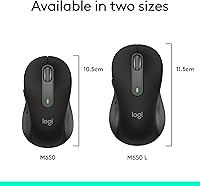
  • Dimensions: The mouse measures 4.65″ in length and 2.58″ in width, sized specifically to support larger right-handed palms.
  • Weight: The M650 L weighs 3.92 oz, keeping it light enough for extended daily use without adding wrist strain.
  • Sensor Type: An optical sensor provides reliable tracking on standard desk surfaces and most mouse pads without requiring special materials.
  • Connectivity: Connects via Bluetooth Low Energy or through the included Logi Bolt USB receiver, with both options available out of the box.
  • Battery: Powered by a single AA battery rated for up to 24 months of use under typical daily working conditions.
  • Click Noise: SilentTouch technology reduces click noise by approximately 90% compared to standard mouse mechanisms, measured by Logitech internal testing.
  • Scroll Wheel: SmartWheel supports two scrolling modes: line-by-line precision for documents and a faster free-spin mode for long web pages.
  • Side Buttons: Two programmable side buttons can be remapped using Logitech Options+ software on Windows and macOS systems.
  • Software: Logitech Options+ is available as a free download for Windows and macOS; ChromeOS and Linux users receive no software customization support.
  • Compatible OS: The mouse operates plug-and-play on Windows, macOS, ChromeOS, and Linux without requiring driver installation.
  • Handedness: Designed exclusively for right-handed use, with a contoured shape that does not accommodate left-handed grip styles.
  • Size Variant: This listing covers the Large (L) variant; the Signature M650 line also includes a standard size for smaller hands.
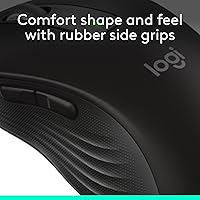
  • Thumb Rest: A soft rubber thumb rest and textured side grips are built into the left side of the body to reduce hand fatigue.
  • Color Options: Available in Black; other colorways exist in the broader M650 range but may vary by retailer and region.
  • Manufacturer: Designed and manufactured by Logitech, a Switzerland-based peripheral company with over four decades of input device experience.
  • Availability Date: The M650 L was first made available for purchase in January 2022 and remains an active product in Logitech's lineup.
  • Certification: Compatible with Windows 11 and certified for use with Chromebook, meeting Google's hardware compatibility requirements for ChromeOS devices.

Related Reviews
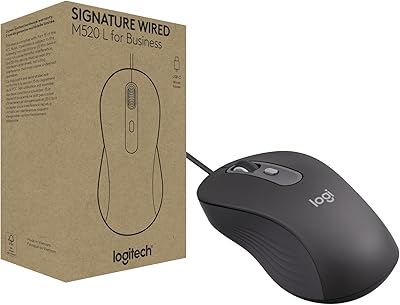
Logitech Signature Wired M520 L for Business
85%
91%
Value for Money
88%
Ergonomics and Comfort
85%
Build Quality
96%
Setup and Installation
84%
Customizability (DPI/Buttons)
More
Logitech M750 L
Logitech M750 L
85%
93%
Ergonomics & Comfort
86%
Scroll Wheel (SmartWheel)
91%
Click Noise (SilentTouch)
88%
Multi-Device Connectivity
94%
Battery Life
More
Logitech Signature M550 L
83%
93%
Ergonomic Comfort
91%
Silent Click Performance
89%
Battery Life
88%
Wireless Connectivity Reliability
84%
Multi-Device Compatibility
More
Logitech MK650 for Business
77%
88%
Typing Comfort
71%
Mouse Ergonomics
91%
Battery Life
86%
Wireless Security
83%
Connectivity Flexibility
More
Logitech Signature Slim Wired K620 for Business
88%
89%
Typing Comfort
87%
Build Quality
92%
Setup & Installation
90%
Multi-OS Compatibility
85%
Quietness & Noise Level
More
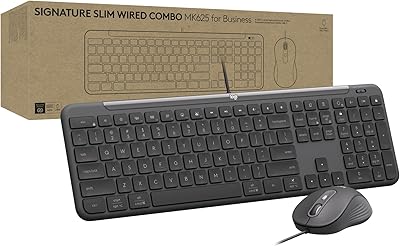
Logitech Signature Slim Wired Combo MK625 for Business
85%
88%
Ease of Setup
85%
Typing Comfort
91%
Mouse Precision
80%
Customizability
72%
Build Quality
More
Logitech Signature Slim MK955 for Business
84%
88%
Typing Experience
71%
Mouse Comfort & Ergonomics
93%
Wireless Reliability
91%
Security Features
86%
Multi-Device Switching
More
L.O.L. Surprise Kids Smart Watch
85%
91%
Value for Money
88%
Ease of Use
87%
Battery Life
84%
Durability
95%
Safety Features
More
Logitech ERGO K860
Logitech ERGO K860
81%
93%
Ergonomic Comfort
89%
Wrist Rest Quality
84%
Typing Feel & Accuracy
67%
Adjustment Period
81%
Build Quality & Materials
More
Logitech Pebble M350
88%
88%
Build Quality
85%
Ergonomics & Comfort
94%
Battery Life
90%
Connectivity Reliability
87%
Tracking Precision
More

FAQ

Yes, it connects and works immediately without any software installation. You can plug in the Logi Bolt receiver or pair via Bluetooth and start using it right away. The only reason to install Logitech Options+ is if you want to remap the side buttons, and that step is entirely optional.

There is a connection toggle button on the underside of the mouse that lets you switch between Bluetooth and Logi Bolt modes. You press it to cycle between the two, and the selected connection becomes active within a second or two. It is a simple one-button toggle rather than a multi-step pairing process each time.

No, it is not. The shape is contoured specifically for right-handed palm grip, with the thumb rest and side buttons positioned on the left side of the body. Left-handed users would find the ergonomics work against them rather than for them.

The M650 L can pair via Bluetooth with many tablets, including iPads, since it uses standard Bluetooth Low Energy. Logitech does not officially list tablet compatibility, so functionality may vary, and button customization through Options+ will not be available. Basic cursor movement and clicking should work for most Bluetooth-enabled tablets.

Most long-term owners confirm the two-year estimate holds up well under typical office use — roughly eight hours a day, five days a week. Heavy users who work longer hours may see slightly shorter life, but the vast majority of buyers report going well over a year before needing a replacement AA. When it does die, swapping a battery takes under a minute.

It is genuinely quieter — the sharp plastic snap you hear from most mice is largely gone, replaced by a much softer, muted click. It is not completely silent, but the difference is significant enough that people in the same room rarely notice it. For open-plan offices or quiet home setups, it is a meaningful practical improvement.

No, this mouse connects to only one device at a time and does not have a multi-device pairing button. You can re-pair it to a different machine, but the process requires going through the pairing steps again. If you regularly switch between two computers, Logitech's MX series offers quick-switch multi-device functionality.

The side buttons will function as standard back and forward navigation inputs on ChromeOS without any software. However, Logitech Options+ is not available for ChromeOS, so you cannot remap them to other shortcuts. For many users the default behavior is perfectly useful, but custom remapping is off the table on that platform.

A rough guideline is to measure from the base of your palm to the tip of your middle finger — hands around 7.5 inches or longer tend to benefit most from the L size. If you regularly find the back of a standard mouse sitting in the middle of your palm rather than fully supporting it, the larger footprint here should feel more natural. A small number of buyers with very wide palms still find the fit not quite right, so if possible, trying it in a store before buying is worth the effort.

No, the SmartWheel on this large Logitech mouse does not tilt for horizontal scrolling — it only scrolls vertically in two speed modes. For documents or spreadsheets that require horizontal navigation, you would need to use keyboard shortcuts or a mouse that includes a tiltable scroll wheel.