Overview

The Logitech Casa Pop-Up Desk Laptop Stand Kit is essentially a home-office solution that packs itself away the moment the workday ends — no permanent desk required. Its core appeal is simple: you get a real ergonomic setup without sacrificing a corner of your living space for it. It pairs natively with Windows, macOS, iPadOS, and ChromeOS over Bluetooth, so there's no dongle juggling. That said, this is a lifestyle-focused product, not a replacement for a proper workstation. At its price point, it's squarely aimed at remote workers and apartment dwellers who want their workspace to vanish when they're done.
Features & Benefits

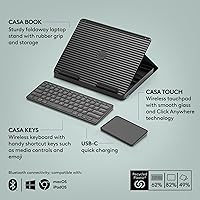
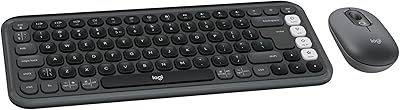
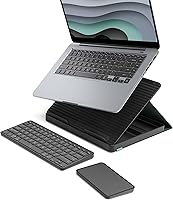
The folding case is where the Casa Pop-Up kit earns its keep. Unfold it and it transforms into a sturdy laptop riser that brings your screen up to eye level — something you genuinely notice after a few hours hunching over a kitchen counter or couch. The Casa Keys keyboard and Casa Touch touchpad feel impressively laptop-like, so there's almost no adjustment period. Everything connects over Bluetooth Low Energy, and USB-C charging keeps things tidy with no extra adapters in the mix. The stand accommodates laptops from 10 to 17 inches, and a notable portion of the plastic parts are made from recycled post-consumer materials.

Best For

This folding desk setup was clearly designed with a specific type of person in mind: someone in a smaller apartment who works remotely but doesn't want a permanent desk taking up floor space. It works just as well on a kitchen counter as it does on a dining table or a wide windowsill. Digital nomads and frequent travelers will appreciate how compactly it closes into a slim, book-like form that slips into a bag. And for those who care about how their workspace looks, the Classic Chic Green and Black finish is genuinely nice — not an afterthought.

User Feedback

With a 4.5-star average from over 300 buyers, Logitech's portable home-office bundle lands in a comfortable spot. The praise that comes up most often centers on quick painless setup — connect once via Bluetooth, and it's ready to go for every session after that. On the critical side, the keyboard's key travel is shallower than what heavy typists are used to, and the touchpad is compact enough that some users miss a bigger surface. Battery life rarely comes up as a complaint. The honest sticking point is overall value: a few buyers note that sourcing a standalone stand and keyboard separately might cost less.

Pros

  • Folds into a slim, book-like form that takes up almost no storage space when the workday ends.
  • Bluetooth Low Energy pairing works reliably across Windows, macOS, iPadOS, and ChromeOS without adapters.
  • The built-in laptop riser genuinely improves posture — a real difference after long sitting sessions.
  • USB-C charging means one less proprietary cable to track down or carry.
  • Setup from folded to working takes under a minute, which matters when your desk is also the dining table.
  • Supports laptops from 10 to 17 inches, covering the vast majority of mainstream machines.
  • The keyboard and touchpad feel cohesive and intentional, not like afterthoughts bolted onto a stand.
  • Recycled post-consumer plastic throughout gives the bundle a credible sustainability edge.
  • At 3.19 pounds, it travels well without adding meaningful weight to a bag.
  • The Classic Chic Green and Black finish looks polished in shared or visible living spaces.

Cons

  • Key travel is shallow enough that touch typists coming from full-size keyboards will notice the difference quickly.
  • The touchpad surface is compact, which limits comfort during tasks that need precise or extended cursor control.
  • Paying the bundled price is hard to justify if you already own a keyboard or stand you prefer.
  • No wrist rest is included, which some users will miss during longer typing sessions.
  • The folding desk setup offers no dedicated spot for a mouse, which can be awkward on uneven or narrow surfaces.
  • Buyers in regions outside the primary color variants have limited aesthetic choices.
  • Logitech's portable home-office bundle assumes Bluetooth availability — USB-A or wired fallback options do not exist.
  • The laptop riser angle is fixed, so users who prefer a steeper or shallower tilt cannot adjust it.
  • Some buyers report the touchpad feels less responsive than a native laptop surface after extended daily use.
  • The premium price point means any hardware defect after warranty expiry is a costly setback for a portability-focused item.

Ratings

The scores below for the Logitech Casa Pop-Up Desk Laptop Stand Kit were generated by our AI review engine after analyzing verified global buyer feedback, with spam, bot-submitted, and incentivized reviews actively filtered out before any scoring was applied. The results reflect a genuine cross-section of real-world experiences — from daily remote workers to frequent travelers — and do not shy away from the trade-offs that show up consistently across international markets. Both the standout strengths and the recurring frustrations are transparently baked into every number you see here.

Portability
93%
The folding book-style form factor genuinely earns its praise here. Users who carry it in a tote or backpack between a home office and a co-working space consistently note that it takes up less room than expected and adds negligible weight to a daily bag. At just over three pounds, it travels without complaint.
A small number of buyers who work across multiple locations daily find that even at this weight, adding it on top of a loaded laptop bag pushes things into uncomfortable territory for longer commutes on foot. It is light for what it is, but it is not ultralight.
Ease of Setup
91%
The initial Bluetooth pairing takes only a few minutes, and after that, daily setup is genuinely fast — unfold the case, place the laptop, and the keyboard and touchpad are ready to go. Reviewers who use it on a kitchen counter every morning repeatedly highlight how little friction there is between opening the kit and starting work.
A handful of users on ChromeOS report occasional re-pairing prompts after firmware updates or extended periods of non-use, which disrupts the otherwise frictionless experience. It is not a widespread issue, but it comes up enough to note.
Ergonomic Design
88%
Raising a laptop screen to closer to eye level makes a noticeable difference in neck and shoulder comfort, and users who previously worked directly on a laptop surface consistently report feeling less fatigued at the end of the day. For kitchen-counter or dining-table workers, this improvement is particularly meaningful.
The stand angle is fixed, which means taller users or those with specific posture needs may find the elevation falls slightly short of their ideal. Without any tilt adjustment, you are working within Logitech's single ergonomic assumption rather than your own.
Keyboard Feel
67%
33%
For buyers who primarily use a laptop keyboard, the Casa Keys feels immediately familiar — the key spacing and travel are intentionally laptop-like, and casual to moderate typists tend to adapt within a day or two. Those writing emails or browsing docs for a few hours at a stretch rarely raise complaints.
Heavy typists and anyone coming from a mechanical keyboard or a full-size desktop board find the shallow key travel genuinely limiting over long sessions. This is the single most frequently raised criticism in the review pool, and it is worth taking seriously if typing volume is a big part of your workday.
Touchpad Performance
71%
29%
Multi-finger gestures work reliably across macOS, Windows, and iPadOS, and for standard navigation tasks — scrolling, switching tabs, moving between apps — the Casa Touch holds up well in everyday use. Users who transitioned directly from a MacBook trackpad report a comfortable enough experience for day-to-day work.
The touchpad surface is compact, and users doing anything precision-adjacent — detailed spreadsheet work, extended cursor positioning, or creative tasks — find themselves missing a larger target area. A few reviewers note that tracking sensitivity feels slightly inconsistent compared to their laptop's native touchpad after extended sessions.
Build Quality
83%
The overall construction feels intentional and solid given the recycled-plastic composition — the folding hinge is firm without feeling fragile, and the laptop riser holds heavier machines without flex under normal conditions. Most buyers describe it as feeling premium relative to its portable form factor.
A small segment of reviewers note that the plastic finish picks up light surface scratches over time with regular bag use, which matters more to buyers who paid for the aesthetic. The hinge mechanism, while sturdy initially, draws a few durability questions from users past the six-month mark.
Bluetooth Reliability
79%
21%
Under normal daily-use conditions — one primary device, stable Bluetooth environment — the keyboard and touchpad maintain a consistent connection without noticeable lag or dropout. Buyers who pair it with a single MacBook or Windows laptop and leave that configuration alone rarely report issues.
Switching actively between multiple paired devices is where the experience gets bumpier. Users who juggle a MacBook and an iPad in the same session describe the re-pairing process as more manual than expected, and occasional brief disconnects in Bluetooth-congested environments like open offices have been reported.
Value for Money
62%
38%
For buyers who want a single, cohesive, ready-to-go portable office kit and place a real premium on convenience, the bundled value proposition holds up. The aesthetic consistency, zero-dongle setup, and instant packability are things that genuinely cost something to replicate across separate components.
The honest math does not always favor the bundle. Buyers who are comfortable mixing brands or who already own a stand or keyboard they prefer find it difficult to justify the price for components they would partially replace. Several reviews explicitly conclude that sourcing equivalent pieces separately came in cheaper.
Laptop Compatibility
89%
Supporting machines from 10 to 17 inches covers essentially every mainstream consumer and business laptop on the market, and reviewers across PC, MacBook, and Chromebook camps confirm it works as described without modification. The holder grips confidently without marring the laptop's bottom surface.
A small number of users with heavier gaming laptops at the upper end of the size range report that the riser feels slightly less confident at maximum load, and those with non-standard form factors — very wide or unusually thick laptops — occasionally run into fit issues at the edges.
Battery Life
81%
19%
Most buyers go multiple weeks between USB-C top-ups under typical daily use, which means the battery is unlikely to become a daily concern or a point of friction for the majority of users. The fact that both components charge the same way removes any cable-management headache.
Logitech does not publish a specific battery-life rating for the Casa Keys and Casa Touch, which leaves some buyers guessing and can create mild anxiety for travelers who need predictability. Power users who run longer daily sessions report a shorter practical cycle than light users experience.
Aesthetic Design
86%
The Classic Chic Green and Black colorway reads as considered and residential rather than corporate-grey-and-plastic, which matters to users who work in visible shared spaces like living rooms or open-plan apartments. Several reviewers mention that it was a factor in their purchase decision alongside functionality.
The color selection is currently limited — buyers who want a neutral beige, white, or all-black finish to match a specific interior or desk setup do not have that option. For a premium product that leans on aesthetics as part of its pitch, a single colorway feels somewhat restrictive.
Sustainability
78%
22%
The verified post-consumer recycled plastic content across all three components — ranging from 44% to 62% by unit — gives environmentally conscious buyers a concrete credential to point to, not just vague green marketing language. This is an area where Logitech has put measurable numbers behind the claim.
Some buyers note that the product is not easily repairable or modular — if the keyboard or touchpad fails individually outside of warranty, the repair path is unclear and may require replacing the full kit. For a product marketed partly on sustainability grounds, right-to-repair is a reasonable next question.
OS Compatibility
87%
Native support for Windows, macOS, iPadOS, and ChromeOS without any driver installation is genuinely convenient, and reviewers across all four platforms confirm that core functions — typing, scrolling, multi-finger gestures — work out of the box without configuration. It is a practical cross-platform workhorse.
Advanced gesture customization and key remapping require Logitech's optional software, which is only available on macOS and Windows, leaving ChromeOS and iPadOS users with a more limited configuration experience than desktop users get.
Storage & Packability
92%
The book-like folded profile is one of the kit's clearest wins — it disappears into a shelf, cabinet, or bag with the same footprint as a slim notebook, which is exactly what apartment dwellers and tidy-space enthusiasts are looking for. Several reviewers describe the fold-away experience as satisfying and faster than expected.
There is no dedicated carry case or pouch included in the box, so the exterior plastic is exposed to bag contents during transport. Over time, this leads to the light surface scuffing that a sleeve or slip case would easily prevent — a minor omission for a premium-priced kit.

Suitable for:

The Logitech Casa Pop-Up Desk Laptop Stand Kit is a strong fit for anyone whose home doubles as their office but lacks the square footage — or the desire — to dedicate a permanent corner to work. Think hybrid employees who need to carve out a productive setup at the kitchen counter each morning and make it disappear by dinner, or apartment renters who resent the idea of a clunky desk dominating their living room. MacBook users in particular will appreciate how naturally the compact keyboard and touchpad mirror the input experience they already know. Digital nomads who hop between co-working spaces, Airbnbs, and coffee shops will find it one of the more polished all-in-one travel-office options around at this size and weight. If aesthetic consistency matters to you — and for many people working in visible shared spaces, it does — the Classic Chic colorway looks considered rather than utilitarian.

Not suitable for:

The Logitech Casa Pop-Up Desk Laptop Stand Kit is not the right call for anyone who spends eight or more hours a day hammering out documents or code on a full-size keyboard, because the low-profile keys and compact layout will likely frustrate rather than serve heavy typists. People who rely heavily on a large touchpad surface — graphic-adjacent work, precise cursor control, extended scrolling — will find the Casa Touch limiting over time. If you already own a solid laptop stand, a preferred wireless keyboard, and a quality external mouse, paying the bundled price for components you would swap out anyway is hard to justify. Power users who need a dedicated display setup, multiple peripherals, and a stable desk surface will simply outgrow what this kit offers almost immediately. Budget-conscious buyers should also do the math: if you are comfortable mixing and matching brands, assembling equivalent pieces separately can come in noticeably cheaper.

Specifications

  • Brand: Manufactured by Logitech, a Swiss-American peripheral brand with a long track record in wireless input devices.
  • Model: Logitech Casa Pop-Up Desk, model number 920-011236, part of the Casa accessory series.
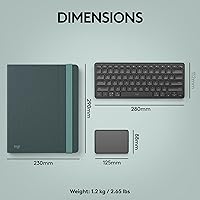
  • Weight: The complete kit weighs 3.19 pounds, making it light enough to carry in a daily bag without noticeable bulk.
  • Folded Dimensions: When closed, the unit measures 1.69 x 9.29 x 1.69 inches, roughly the footprint of a slim hardcover book.
  • Laptop Compatibility: The integrated riser holds laptops with screen sizes ranging from 10 to 17 inches, covering the majority of consumer and business laptops.
  • OS Support: Fully compatible with Windows, macOS, iPadOS, and ChromeOS via Bluetooth, requiring no proprietary drivers or dongles.
  • Connectivity: All components connect via Bluetooth Low Energy, which conserves battery and maintains a stable, low-latency wireless link.
  • Keyboard Type: The Casa Keys unit is a wireless, minimalist low-profile keyboard designed to replicate the compact feel of a built-in laptop keyboard.
  • Touchpad Type: The Casa Touch is a wireless smooth-surface touchpad that supports standard multi-finger gestures across all supported operating systems.
  • Power Source: The kit is powered by two built-in lithium polymer rechargeable batteries, both of which are included in the box.
  • Charging: Both the keyboard and touchpad charge via USB-C, eliminating the need for proprietary cables or separate wall adapters.
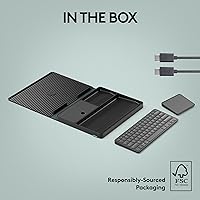
  • Form Factor: The outer casing folds open book-style to reveal the integrated laptop stand, keyboard storage, and touchpad in a single unified unit.
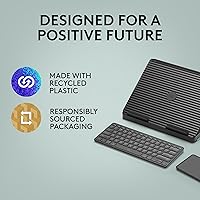
  • Recycled Content: Post-consumer recycled plastic is used throughout: a minimum of 62% in the touchpad, 47% in the keyboard, and 44% in the book casing.
  • Color: Available in Classic Chic Green and Black, a muted, design-forward colorway intended to blend into residential environments.
  • Rating: Holds a 4.5-out-of-5-star average rating based on over 330 customer reviews on Amazon as of the available data.
  • Sales Rank: Ranked #129 in the Laptop Stands category on Amazon, indicating consistent and sustained buyer interest.
  • Battery Included: Both lithium polymer batteries are pre-installed and included at the time of purchase, so the kit is ready to use out of the box.
  • Date Available: First made available for purchase on February 27, 2024, placing it among Logitech's more recent home-office accessory releases.

Related Reviews
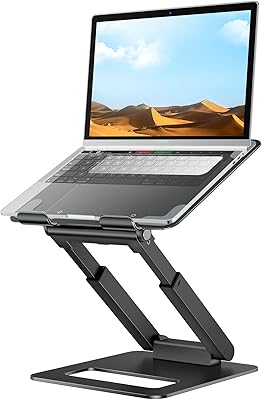
tounee LS07 Laptop Stand
84%
92%
Height Adjustment Range
67%
Stability at Full Extension
91%
Ease of Height Adjustment
71%
Laptop Platform Grip
88%
Portability & Weight
More
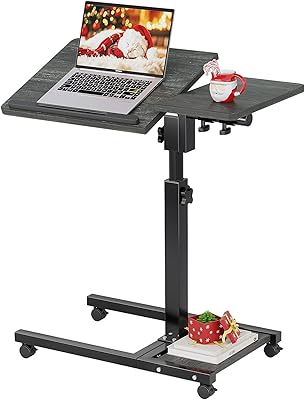
LINGMI Rolling Adjustable Laptop Desk
72%
83%
Adjustability Range
67%
Stability & Balance
79%
Mobility & Wheels
58%
Surface Size
63%
Build Quality
More
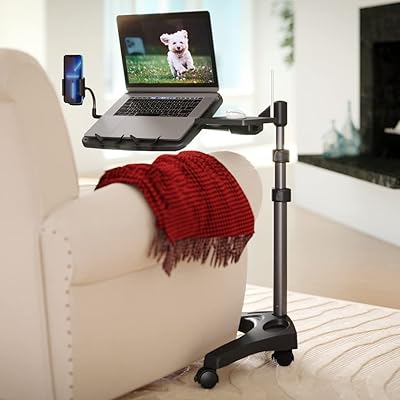
LEVO G2 V16 Mobile Laptop Stand Desk Rolling Cart
86%
94%
Adjustability & Ergonomics
88%
Portability & Ease of Use
82%
Build Quality
90%
Compatibility with Furniture
85%
Stability & Safety
More
VIVO DESK-V000U 29-inch Standing Desk Converter
81%
93%
Ease of Use
96%
Assembly & Setup
81%
Build Quality & Sturdiness
78%
Height Range & Adjustability
67%
Surface Area & Workspace
More
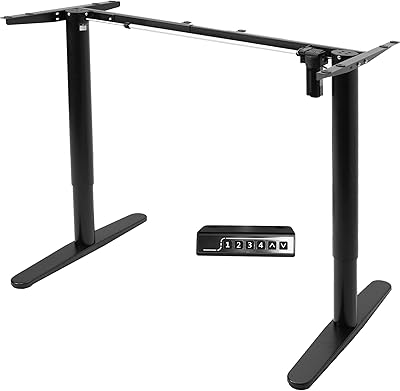
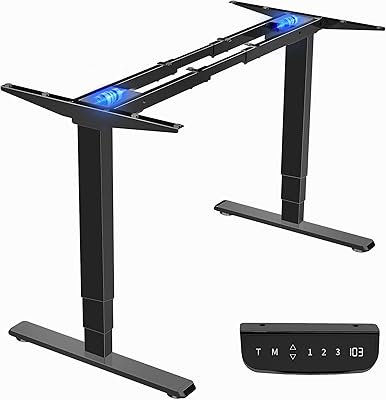
VIVO DESK-E151EB Electric Standing Desk Frame
86%
89%
Ease of Assembly
92%
Height Adjustment Performance
86%
Stability and Build Quality
83%
Memory Presets Functionality
91%
Smoothness and Noise Levels
More
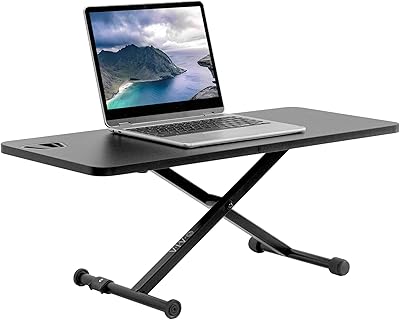
VIVO DESK-V011F 28″ Standing Desk Riser
77%
96%
Ease of Setup
83%
Stability at Low to Mid Height
78%
Height Adjustment Range
61%
Weight Capacity
74%
Build Quality
More
VIVO DESK-EV02RB Electric Sit Stand Desk Frame
86%
91%
Ease of Height Adjustment
87%
Stability & Weight Capacity
88%
Build Quality & Durability
92%
Ergonomics & Usability
64%
Assembly Process
More
Logitech POP Mouse
Logitech POP Mouse
82%
93%
Silent Click Performance
89%
SmartWheel Scrolling
87%
Multi-Device Connectivity
91%
Battery Life
71%
Ergonomics & Hand Fit
More
EHO Laptop Lap Pad EH-03766
79%
88%
Stability on Lap
91%
Built-in Mouse Pad
93%
Portability
71%
Build Quality
74%
Heat Shielding
More
Logitech POP ICON Combo
83%
92%
Multi-Device Switching
91%
Noise Level
94%
Battery Life
79%
Keyboard Typing Feel
67%
Mouse Ergonomics
More

FAQ

Each component pairs individually over Bluetooth, but the process is straightforward and only needs to be done once per device. After the initial pairing, they reconnect automatically whenever the kit is opened and powered on, so there is no re-pairing ritual every morning.

You can pair the keyboard and touchpad with multiple devices, so switching between a MacBook and an iPad is very much on the table. The Bluetooth Low Energy connection supports iPadOS alongside macOS, Windows, and ChromeOS, which makes this a reasonable option if you move between devices during the day.

The riser holds laptops up to 17 inches, so a 15-inch MacBook Pro sits well within its supported range. Users with heavier laptops generally report that the stand feels stable on flat surfaces, though placing it on soft or uneven surfaces like a couch cushion may introduce some flex, as it would with any stand of this style.

No, the stand uses a fixed elevation angle built into the folding case design. It is engineered to raise the screen to a more ergonomic eye-level position, but if you need a specific incline, this kit does not offer that flexibility.

Logitech has not published a specific battery-life figure for the Casa Keys and Casa Touch units, but most users report going weeks between charges under typical daily use. Both components charge via USB-C, and Logitech's companion software or on-device indicator lights can alert you when levels run low, depending on your operating system.

That is worth thinking about carefully. The Casa Keys is a compact, low-profile keyboard, and it is designed to match the feel of a built-in laptop keyboard rather than a full desktop typing experience. If you are used to a mechanical or even a standard full-size membrane keyboard, the key travel may feel shallower than you would like over long sessions. It is a great fit for moderate daily use, but dedicated heavy typists sometimes find it lacking.

Yes, it works as a plug-and-play Bluetooth device on all supported operating systems, so no software installation is required to get up and running. Logitech's optional Logi Options+ software adds customization like remapping keys or adjusting touchpad gestures, but it is entirely optional.

The folding case is designed so the keyboard and touchpad can rest on the desk surface in front of the stand while your laptop is raised on the riser. There is no secondary tray or magnetic dock for the peripherals during use — they simply sit on whatever surface you are working on.

It really comes down to whether you value convenience and cohesion over modularity and cost. Buying components separately can be cheaper if you already have preferences, and it gives you more flexibility to upgrade individual pieces. The Casa Pop-Up kit trades some of that flexibility for a single, unified, visually consistent bundle that sets up in seconds and packs away just as fast — which genuinely matters if your workspace is also your kitchen table.

You are not locked into the touchpad at all. The Casa Touch is included as a convenient option, but you can pair any Bluetooth or USB mouse alongside this folding desk setup without any conflicts. If you prefer a full-size mouse for precision work, simply bring one along — the kit does not restrict what other peripherals you use.

Where to Buy